Try the sheet here, on the example
The sheet is open below with sample numbers. Change any white cell and watch the results update, or press the blank-copy button to type your own data from scratch. Nothing you type leaves your browser.
Example from the sheet
| المادة | إجمالي الدروس | نسبة الإنجاز | متوسط الدرجات | دروس ضعيفة |
|---|---|---|---|---|
| الرياضيات | 17 | 5.9% | 5.0 | 1 |
| الدراسات الاجتماعية | 13 | 15.4% | 9.0 | 0 |
| اللغة العربية | 6 | 83.3% | 6.3 | 1 |
| العلوم | 5 | 80.0% | 7.3 | 1 |
| اللغة الإنجليزية | 5 | 60.0% | 6.0 | 1 |
| التربية الدينية | 3 | 100.0% | 7.3 | 1 |
Example from the “لوحة المتابعة” tab (Arabic), with the numbers and formulas that are in the file.
What is inside
- "الإعدادات" (Settings): Today's date, the number of lessons you can study per day, and the score below which a lesson counts as weak.
- "المواد" (Subjects): The name of each subject and its exam date, up to 15 subjects.
- "الدروس" (Lessons): Each lesson with its subject, status (not started, studied, reviewed), score out of 10 and date last studied, plus the days left until the exam and a "يحتاج مراجعة" (Needs review) column. Up to 500 lessons.
- "لوحة المتابعة" (Dashboard): For each subject: total lessons, how many you studied and reviewed, progress, average score, weak lessons, lessons needed per day, and status. Below it is a list of your 10 weakest lessons.
The file opens on a start tab (“ابدأ هنا”, Start here) that explains how to use it.
What makes it different
The sheet does more than count lessons. It divides the lessons you have not started by the days left before the exam and compares that with what you can do per day. It then tells you "متأخر" (behind), "انتبه" (watch out) or "على المسار" (on track) before time runs short. It ranks the weakest lessons by your own scores, and warns you about a lesson you studied but have not reviewed when its exam is within a week.
How to use it
- In the "الإعدادات" (Settings) sheet, enter the number of lessons you can study per day, and the score below which you consider a lesson weak.
- In the "المواد" (Subjects) sheet, enter the name of each subject and its exam date.
- In the "الدروس" (Lessons) sheet, enter each lesson: pick the subject from the list, type the lesson name and pick its status.
- After you answer questions on a lesson, enter your score out of 10, and the date you last studied it.
- Open the "لوحة المتابعة" (Dashboard) sheet to see where each subject stands: what you have finished, how many lessons per day you need, and whether you are on track.
- Check the "أضعف 10 دروس" (10 weakest lessons) list at the bottom of the dashboard, and start with those.
Before you start:
- The sheet holds 15 subjects and 500 lessons. It counts days from the "تاريخ اليوم" (Today's date) cell in the "الإعدادات" (Settings) sheet, and you can type another date there.
- "يحتاج مراجعة" (Needs review) appears if the lesson's score is below the limit you set, or if you studied the lesson, have not reviewed it, and its exam is within 7 days.
- If the exam is today or its date has passed, the subject's status shows "انتهى الامتحان" (exam over). Only scores from 0 to 10 are included in the average.
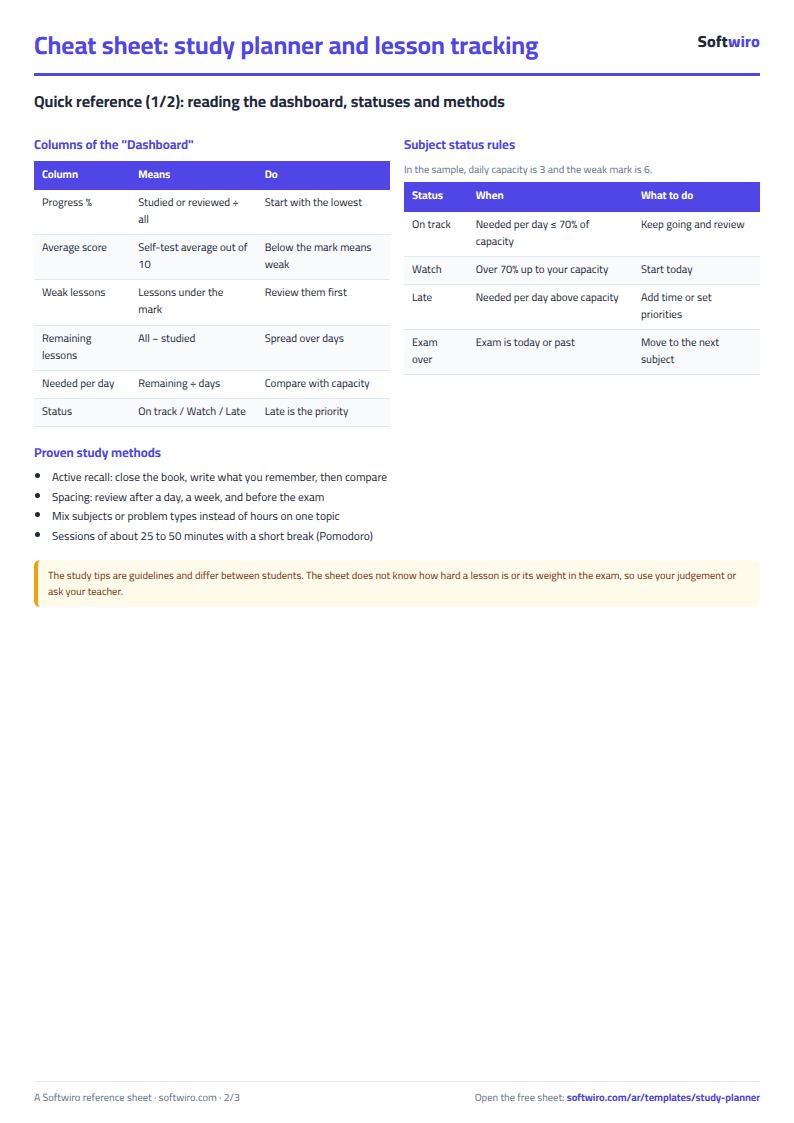
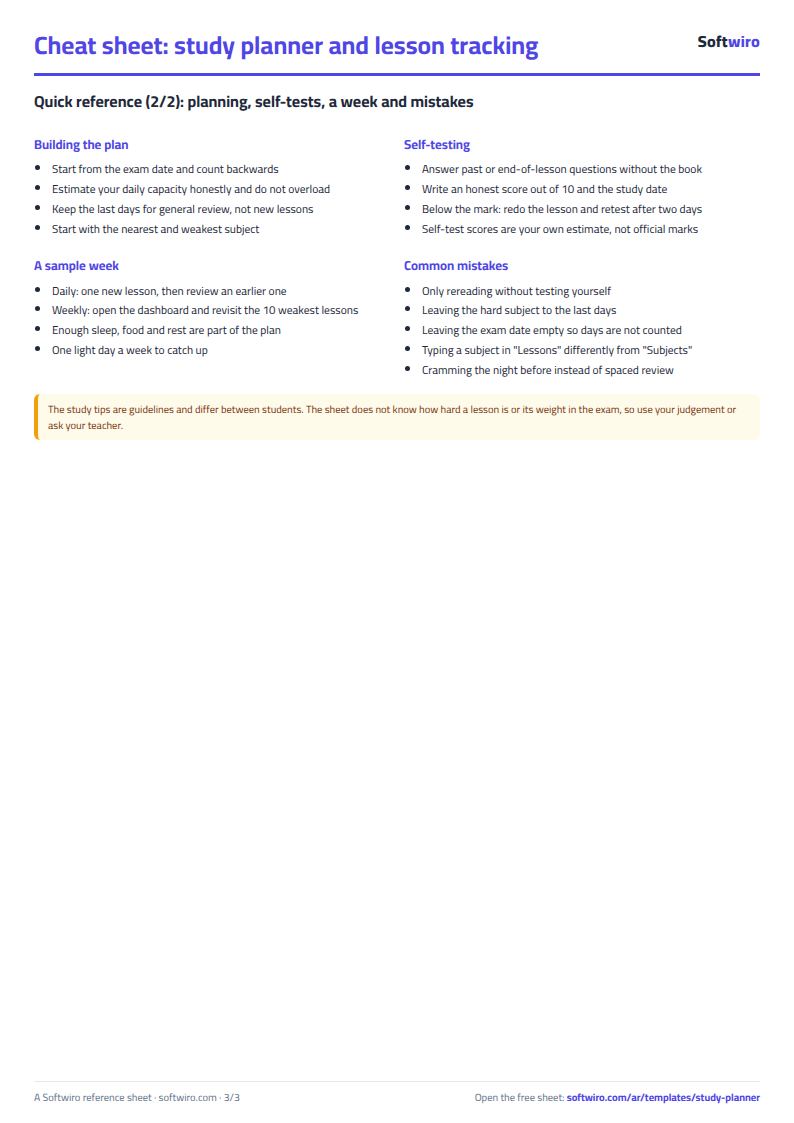
Free cheat sheet for this field
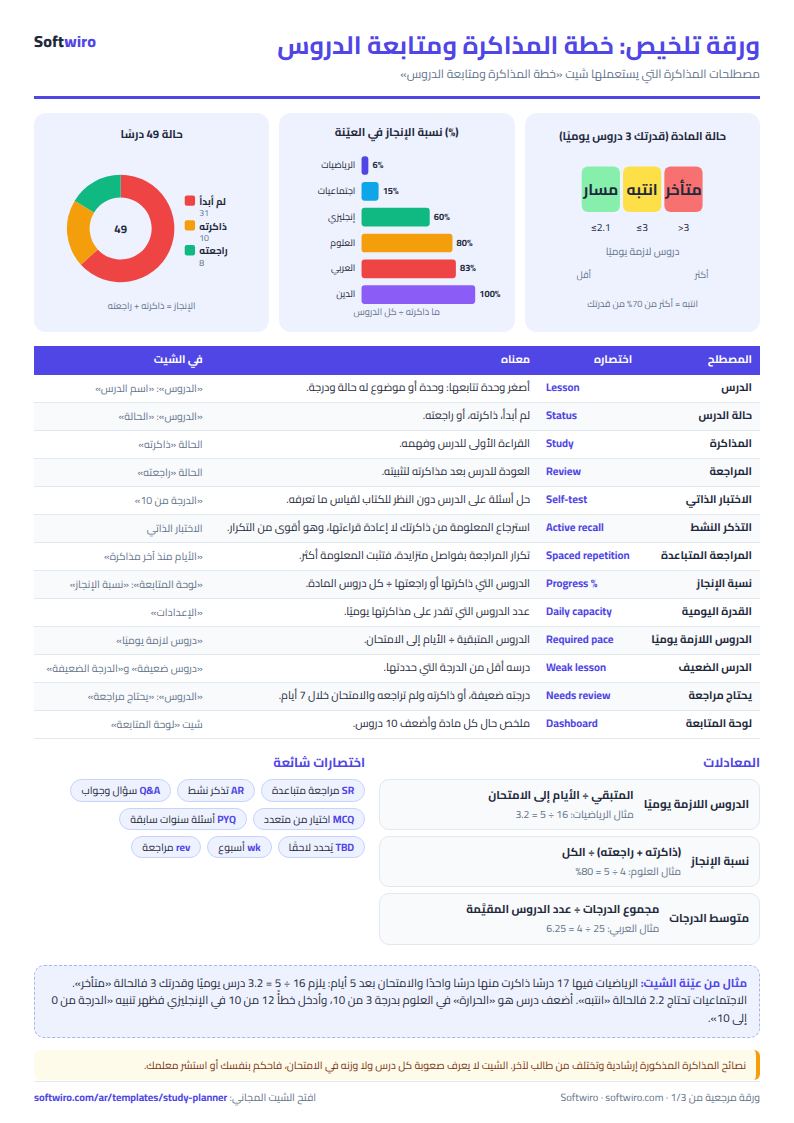
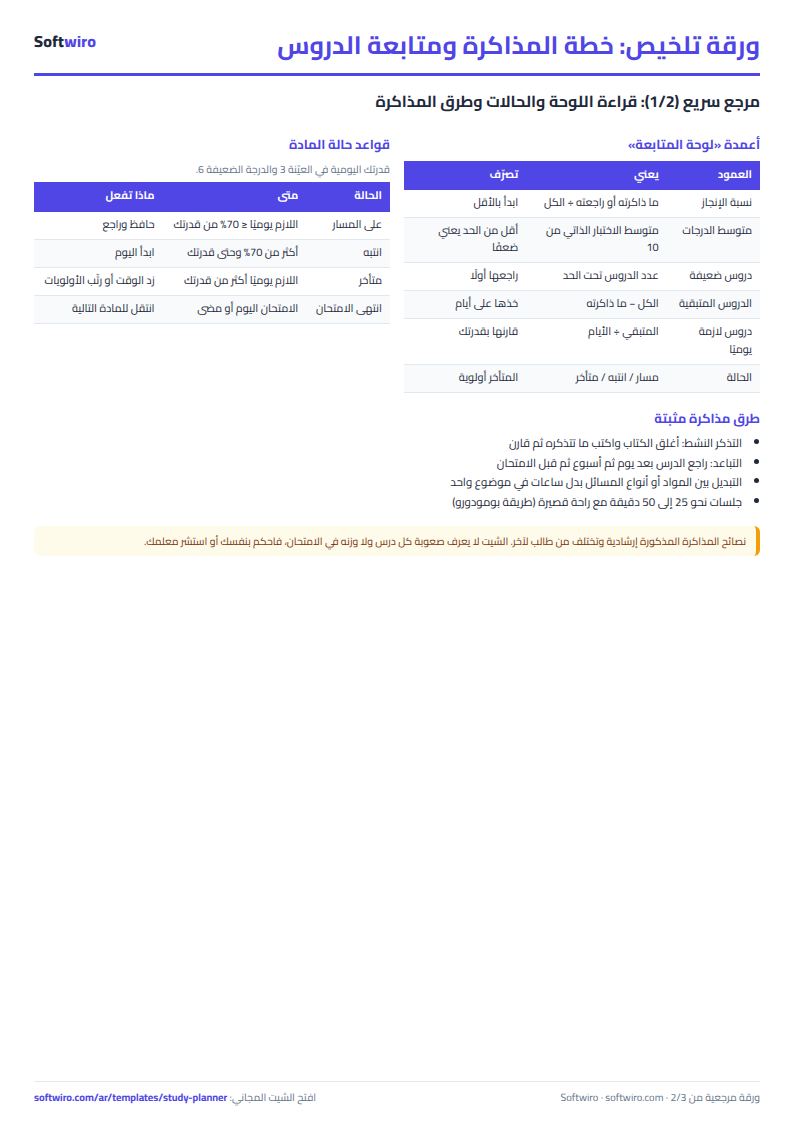
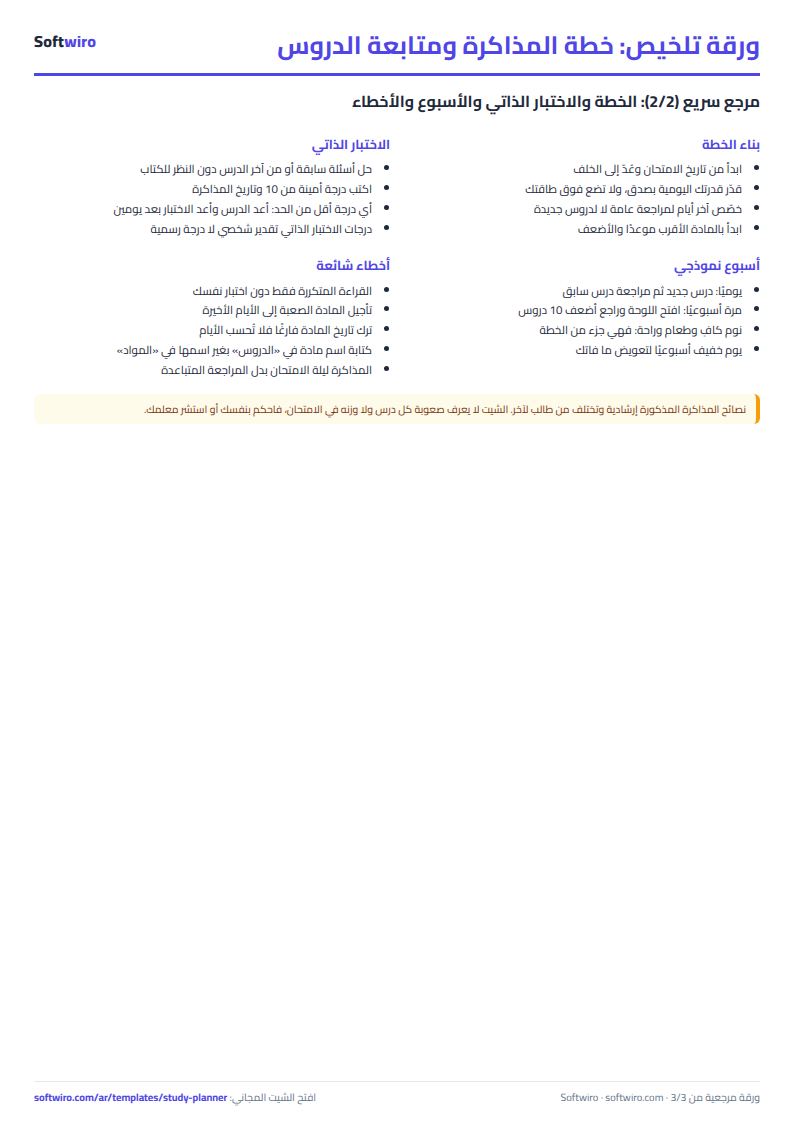
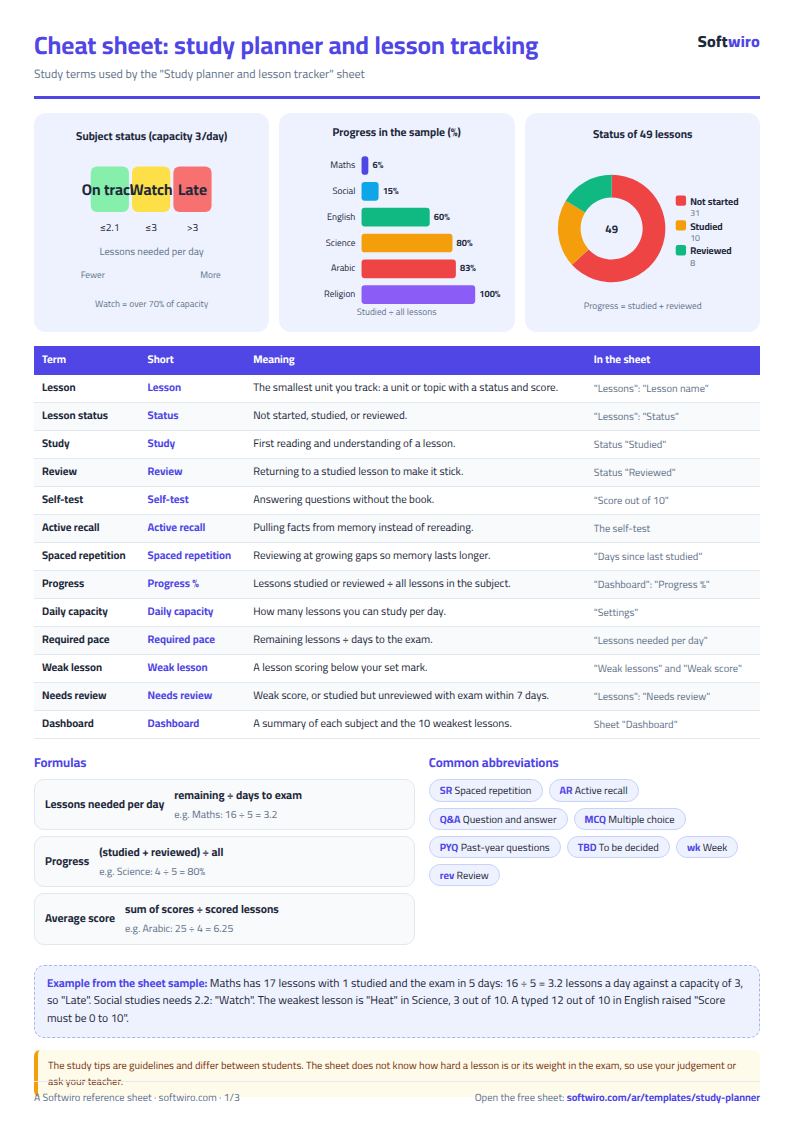
Terms, abbreviations, tables and diagrams over several pages, in Arabic and English. Download it as a PDF or images, including a phone-size version.
Still running this on Excel?
This sheet depends on your own self-assessment. In Bayango the school textbook is turned into quizzes, your weak points are identified from your results, and your study plan changes as your results accumulate.
| In this sheet | In Smart Study Platform |
|---|---|
| You judge for yourself how well you understood the lesson. | You take the school textbook as a PDF and it is automatically turned into quizzes, mind maps, flashcards and educational games. |
| The plan stays fixed until you change it by hand. | It analyzes your results as you practice, identifies your weak points, and builds you a personal study plan that changes as your results accumulate. |
| You study alone, and putting it off is easy. | Live study groups, one-on-one duels and a leaderboard, so revision becomes a group activity with a bit of competition. |
| The teacher tracks homework across papers and scattered groups. | Tools for teachers and administrators to follow homework and classes across multiple grades and subjects. |
Frequently asked questions
How does the sheet know a lesson needs review?
"نعم" (Yes) appears in the "يحتاج مراجعة" (Needs review) column in two cases: when your score for the lesson is below the limit you set in Settings, or when you studied it but have not reviewed it and the subject's exam is within 7 days.
What does "lessons needed per day" mean?
It is the number of lessons you have not started in the subject divided by the days left until its exam. If it is more than what you can do per day, the subject shows "متأخر" (behind), and if it is more than 70% of that, it shows "انتبه" (watch out).
Is the template free?
Yes, with no sign-up and no email address. Use it, edit it and share it as you like.
Does it work in Google Sheets and on mobile?
The sheet uses formulas supported by Excel 2016 and later, Google Sheets and LibreOffice, so you can upload it to Google Drive and open it with Google Sheets on a computer or a phone.
What is the difference between the white and the gray cells?
You type in the white cells; the gray cells are calculated automatically. Don't type in a gray cell, or you will erase its formula.
Can I use the sheet from an AI assistant?
Yes. Add our MCP server (URL https://softwiro.com/api/mcp, no key needed) to your assistant and ask it to do the calculation in this template. The numbers come from the sheet's own formulas, and we do not store your data. The steps and a ready-made prompt are in this article: https://softwiro.com/blog/mcp-excel-templates-ai-agent-guide.html
All the templates in this group: Excel templates for Al-Azhar students and teachers
More free templates for: Schools and students
More free templates
- Gradebook Template for Excel (Weighted Categories, Letter Grades)
- Student attendance sheet
- Weekly study routine sheet
- Nursery and school fees tracker (Excel)
- Tutoring center manager (Excel)
- School class timetable (Excel)
- Exam schedule with committees and invigilators (Excel)
- Homework and behavior tracker for teachers (Excel)
- School bus subscriptions tracker (Excel)
- University applications tracker (Excel)
- Complete nursery management sheet
- Private school management sheet
- Lending library management sheet
- Graduation project manager sheet: tasks, team, phases and deliverables
- Journal entries, trial balance and financial statements sheet
- Online store orders and profit sheet
- Real estate leads and units tracker
- Installments and collection tracker
- Rental portfolio tracker: properties, units, tenants and contracts
- Pharmacy expiry and stock tracking sheet
- Rent collection tracker for properties
- Business expenses and monthly budget sheet