Try the sheet here, on the example
The sheet is open below with sample numbers. Change any white cell and watch the results update, or press the blank-copy button to type your own data from scratch. Nothing you type leaves your browser.
Example from the sheet
| تاريخ الاستعارة | اسم العضو | عنوان الكتاب | موعد الإرجاع | الحالة | أيام التأخير | الغرامة |
|---|---|---|---|---|---|---|
| 46296 | أحمد سامح | الأمير الصغير | 46310 | أُعيدت | 0 | 0.00 |
| 46296 | منة الله حسن | الأيام | 46310 | أُعيدت متأخرة | 5 | 10.00 |
| 46297 | مروة السيد | الكيمياء للجميع | 46318 | متأخرة | 23 | 40.00 |
| 46298 | يوسف عادل | ثرثرة فوق النيل | 46312 | أُعيدت | 0 | 0.00 |
| 46299 | أ. سعاد فتحي | قصص الأنبياء | 46329 | أُعيدت | 0 | 0.00 |
| 46300 | عبد الرحمن صالح | رياض الصالحين | 46321 | أُعيدت متأخرة | 7 | 14.00 |
| 46301 | ليلى إبراهيم | كليلة ودمنة | 46315 | أُعيدت متأخرة | 5 | 10.00 |
| 46303 | كريم محمود | رحلة إلى الفضاء | 46317 | أُعيدت | 0 | 0.00 |
| 46303 | أحمد سامح | الأيام | 46317 | أُعيدت | 0 | 0.00 |
| 46305 | مروة السيد | عمارة يعقوبيان | 46326 | أُعيدت متأخرة | 5 | 10.00 |
| 46306 | إسراء خالد | الكيمياء للجميع | 46320 | أُعيدت متأخرة | 5 | 10.00 |
Example from the “الاستعارة” tab (Arabic), with the numbers and formulas that are in the file.
What is inside
- الإعدادات (Settings): Today's date, any date within the month you want summarised, the late fine per day and its maximum per loan, a table of member types with the loan period and the maximum number of books each type can have out at once, and the list of book categories.
- الكتب (Books): Code, title, author, category, number of copies and shelf location. The sheet calculates copies out now, damaged, lost, available, times borrowed and status (available, unavailable now, or count error). It holds 300 books.
- الأعضاء (Members): Code, name, type, grade or organisation, mobile and membership expiry date. The sheet calculates books out now, the maximum allowed, total loans, overdue, fines and status (in good standing, has overdue items, over limit, or membership expired). It holds 300 members.
- الاستعارة (Loans): One row per loan: its date, member code and book code, the return date and the fine paid on return. The member name, book title, due date, days late, fine, unpaid fine, loan status and an alert for an error or exceeded limit appear automatically. It holds 1,000 loans.
- المتأخرات (Overdue): Loans overdue today, sorted by longest overdue, with the member name and mobile, book, due date, days late and fine to date. It shows the first 60 loans.
- التالف والمفقود (Damaged and lost): One row per damaged or lost book: date, code, type of loss, number of copies and the responsible member, with the compensation due, paid and remaining. The copies are removed from availability automatically. It holds 200 rows.
- الأكثر استعارة (Most borrowed): The ten most borrowed books and the ten most active members from the whole log, sorted automatically.
- الملخص (Summary): The number of titles, copies, books out, available copies and members; overdue items, fines, fines collected and damage compensation; the chosen month's figures; a table of the month's loans by category; and three charts.
The file opens on a start tab (“ابدأ هنا”, Start here) that explains how to use it.
What makes it different
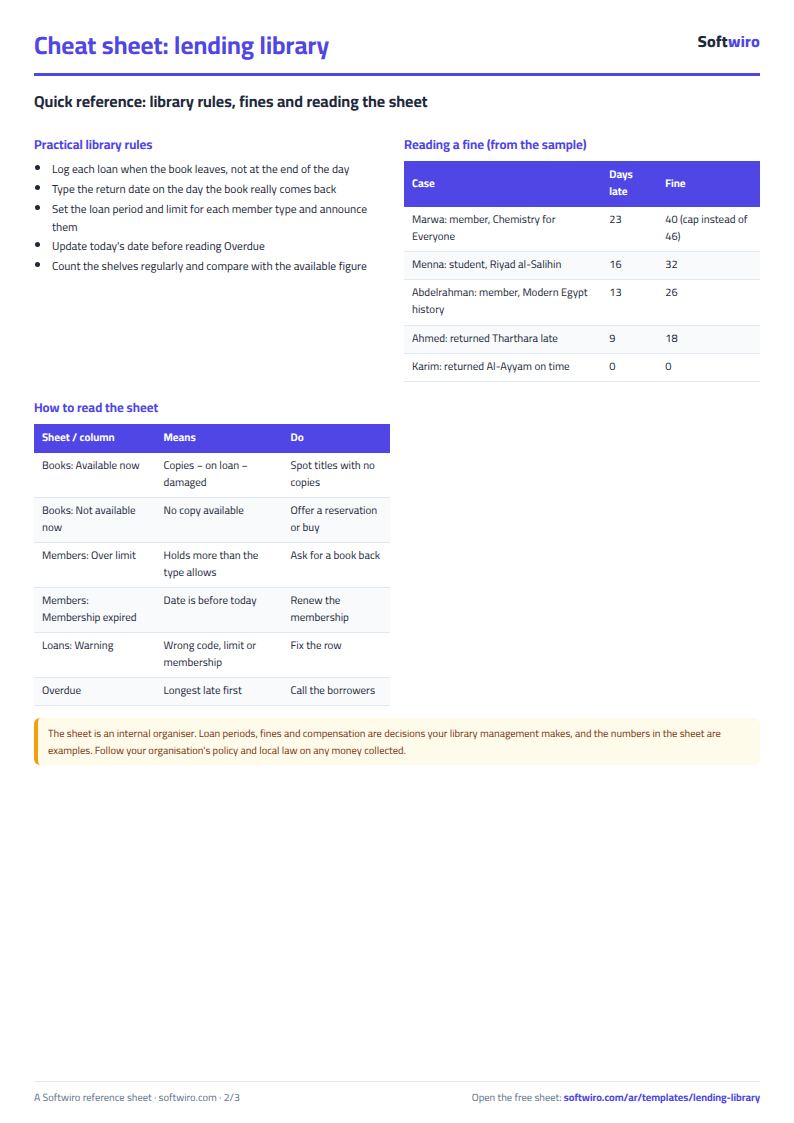
The late fine is calculated on actual days late up to today's date or the return date, with a maximum you set. The loan period and the book limit differ by member type, and the availability of each title is its copies less those out, damaged and lost. So you can see at a glance who is late, who has gone over their limit and which book has no copies left.
How to use it
- In the «الإعدادات» (Settings) tab, enter today's date, the fine per day and its maximum, and the loan period and maximum books for each member type.
- In «الكتب» (Books), enter each title with its code, author, category, number of copies and shelf location.
- In «الأعضاء» (Members), enter each member with their code, type, mobile number and membership expiry date.
- In «الاستعارة» (Loans), record each loan on a row: date, member code and book code. The name, title and due date appear automatically.
- When a book comes back, enter the return date on the same row, and any fine the member paid. Leave the return date empty while the book is out of the library.
- Record a damaged or lost book in «التالف والمفقود» (Damaged and lost), and review «المتأخرات» (Overdue), «الأكثر استعارة» (Most borrowed) and «الملخص» (Summary).
Before you start:
- Due date = loan date + the loan period for the member's type (from Settings).
- Days late = return date (or today's date if not yet returned) - due date, never below zero. Fine = days late x fine per day, not exceeding the maximum per loan.
- Available copies of a book = number of copies - currently out - damaged and lost. For a lost book that was with a member: enter the return date on their loan row (the day it was reported), then record it in Damaged and lost.
- An alert appears on the loan row if the member code or book code does not exist, if the membership had expired at the time of the loan, or if the member exceeded the book limit allowed for their type.
- Today's date is a number you type (or =TODAY() to update itself), so overdue items and running fines change when you change it.
- The sheet holds 300 books, 300 members, 1,000 loans and 200 damaged and lost rows, and Overdue shows the first 60 overdue loans.
Free cheat sheet for this field
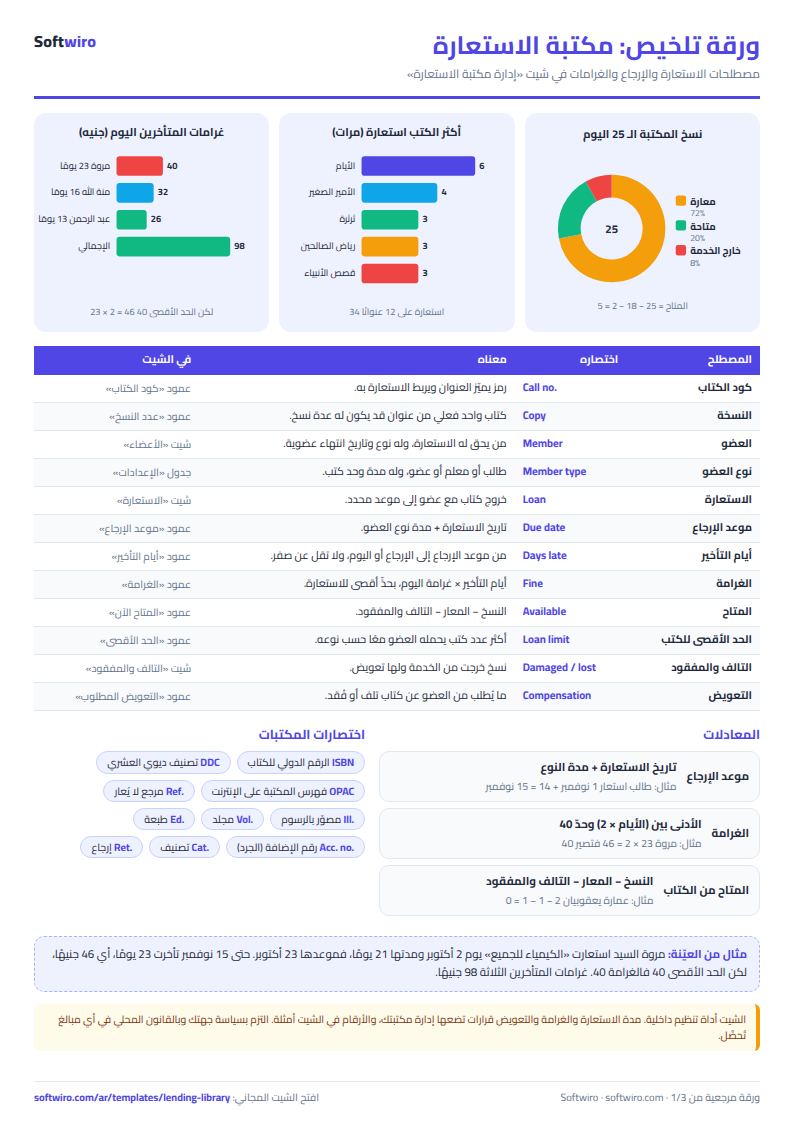
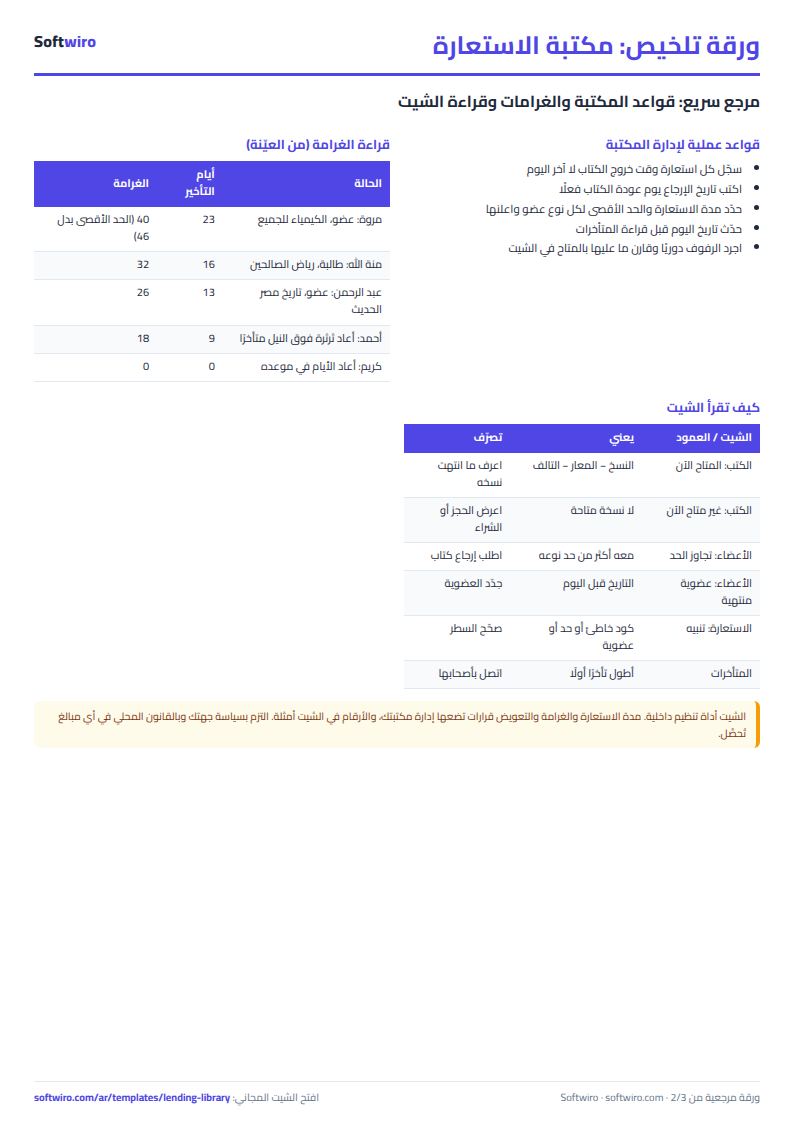
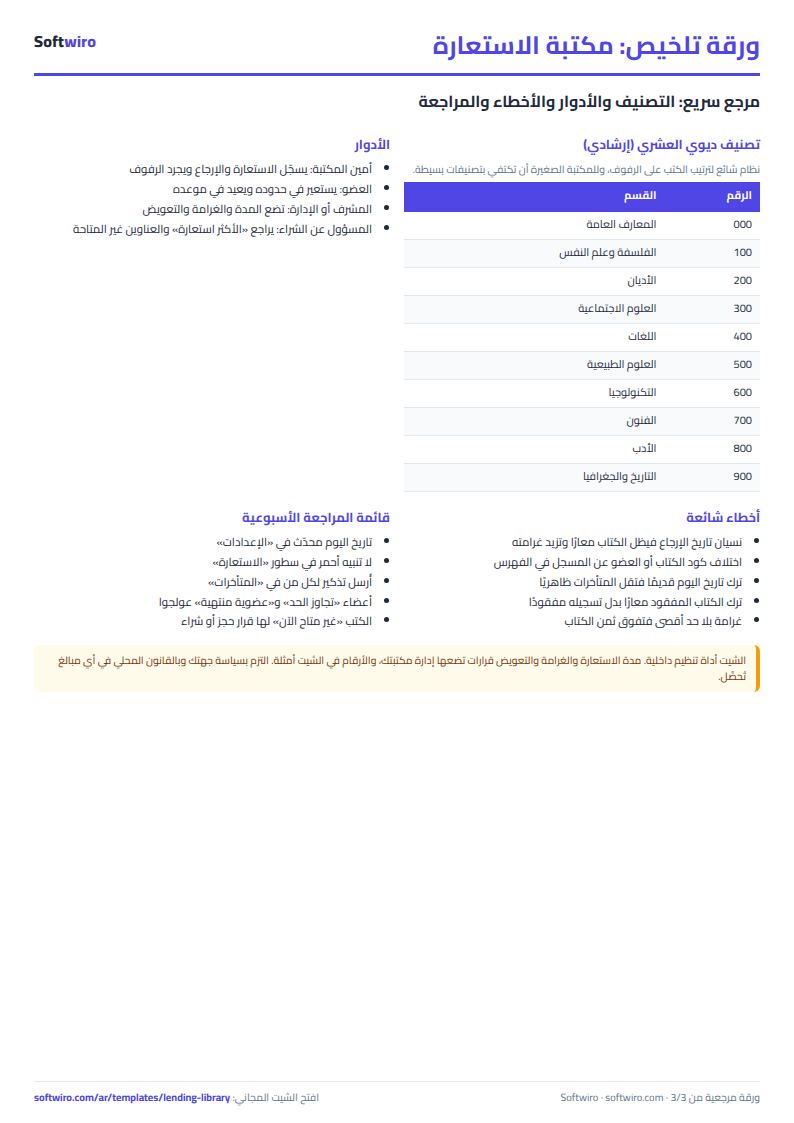
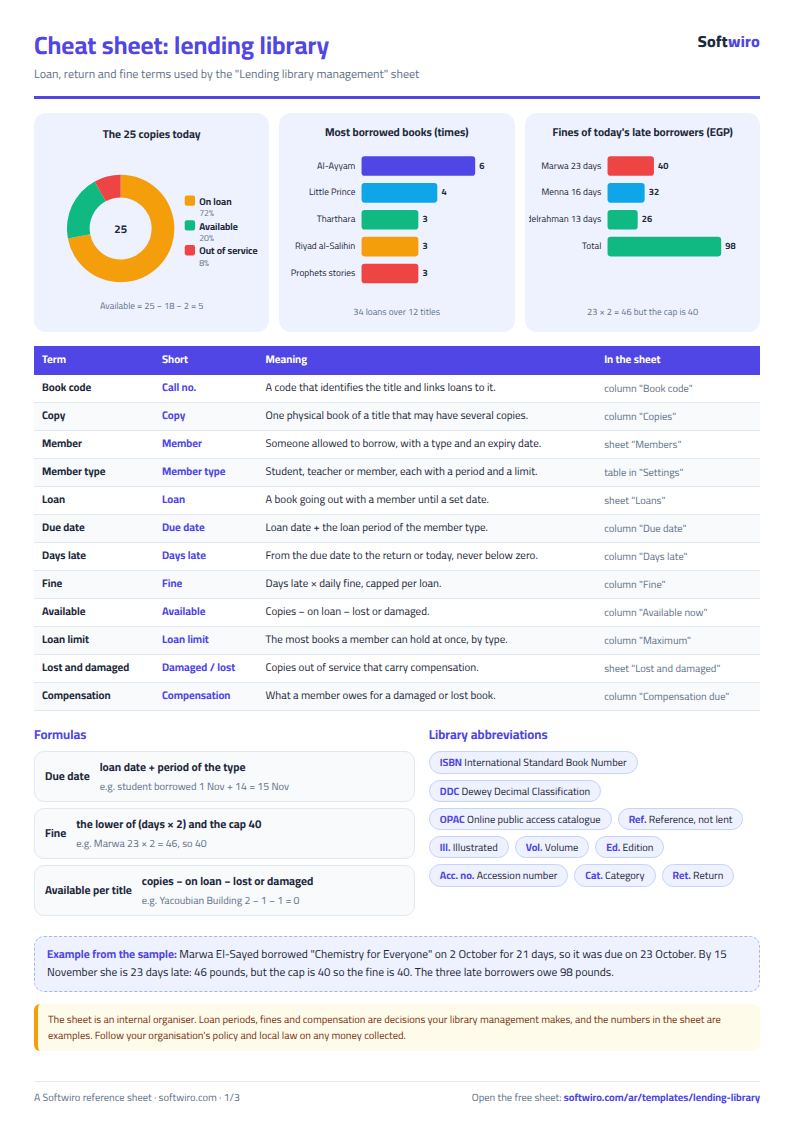
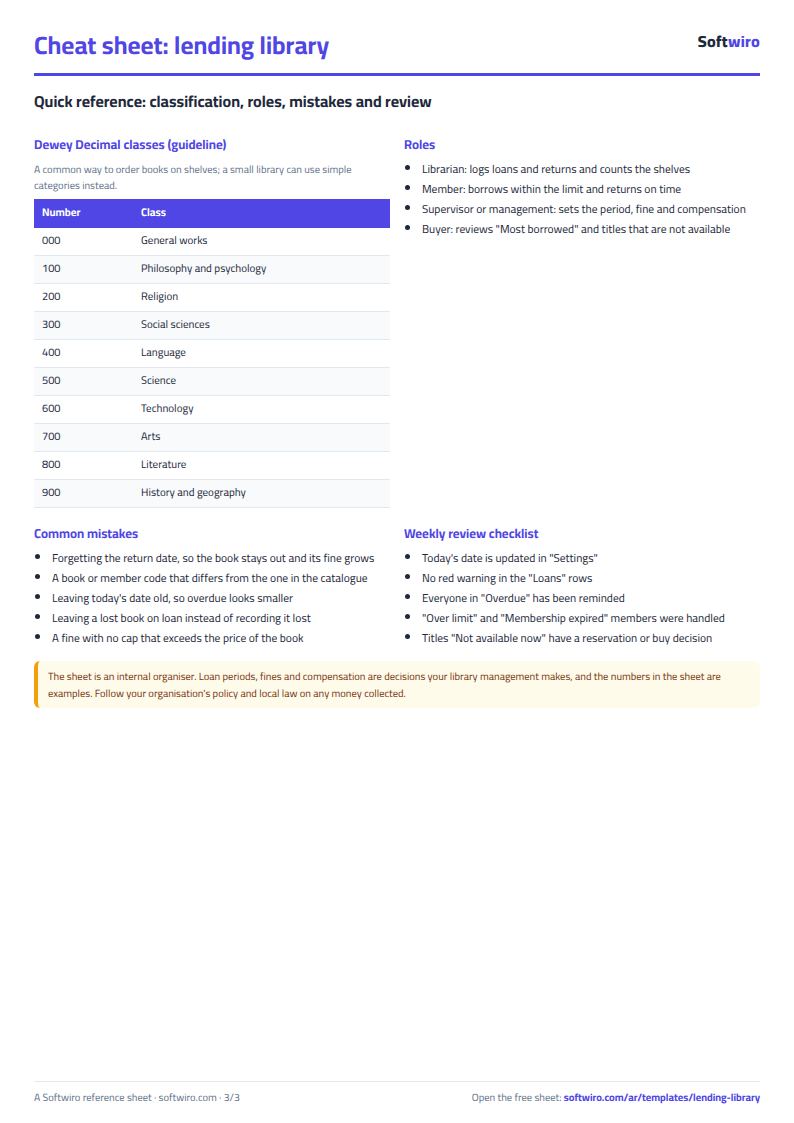
Terms, abbreviations, tables and diagrams over several pages, in Arabic and English. Download it as a PDF or images, including a phone-size version.
Still running this on Excel?
This sheet suits a start and a limited amount of data. If your way of working grows, or you need more than one person working on it at the same time, Softwiro can build you a program that fits the way you work.
| In this sheet | In Custom Software from Softwiro |
|---|---|
| One file that one person edits at a time, and copies reach you on WhatsApp. | A program with a login for each user and permissions you define, and everyone sees the same data. |
| You type everything and check the numbers by hand. | We design the screens around your work steps, so each person records only what concerns them. |
| Columns and formulas are fixed as the sheet was designed. | We build what you need: reports, alerts and screens your way. |
| Backups and security are your own responsibility. | The program runs on a secured server with regular backups. |
Frequently asked questions
How does the sheet calculate the due date and the fine?
Due date = loan date + the loan period for the member's type from «الإعدادات» (Settings). Days late = return date (or today's date if the book has not been returned) - due date, never below zero. Fine = days late x fine per day, capped at the maximum you enter.
What do I do when a book a member borrowed is lost?
Enter the date it was reported in the return date cell of the loan row, so it no longer counts as out, then record it in «التالف والمفقود» (Damaged and lost) with the type "lost" and the compensation due. The copy is removed from the available count.
How do I stop a member borrowing more books than allowed?
Enter the maximum for each member type in Settings. If a member borrows a book that takes them over their limit, the loan row shows a "book limit exceeded" alert and the member's status becomes "over limit". The alert draws your attention but does not block data entry.
Does it work for a library that does not charge fines?
Yes. Set the daily fine to zero and overdue items and days late still show, with no fines.
Is the template free?
Yes, with no sign-up and no email address. Use it, edit it and share it as you like.
Does it work in Google Sheets and on mobile?
The sheet uses formulas supported by Excel 2016 and later, Google Sheets and LibreOffice, so you can upload it to Google Drive and open it with Google Sheets on a computer or a phone.
What is the difference between the white and the gray cells?
You type in the white cells; the gray cells are calculated automatically. Don't type in a gray cell, or you will erase its formula.
Can I use the sheet from an AI assistant?
Yes. Add our MCP server (URL https://softwiro.com/api/mcp, no key needed) to your assistant and ask it to do the calculation in this template. The numbers come from the sheet's own formulas, and we do not store your data. The steps and a ready-made prompt are in this article: https://softwiro.com/blog/mcp-excel-templates-ai-agent-guide.html
More free templates for: Schools and students
More free templates
- Gradebook Template for Excel (Weighted Categories, Letter Grades)
- Student attendance sheet
- Study planner and lesson tracker
- Weekly study routine sheet
- Nursery and school fees tracker (Excel)
- Tutoring center manager (Excel)
- School class timetable (Excel)
- Exam schedule with committees and invigilators (Excel)
- Homework and behavior tracker for teachers (Excel)
- School bus subscriptions tracker (Excel)
- University applications tracker (Excel)
- Complete nursery management sheet
- Private school management sheet
- Graduation project manager sheet: tasks, team, phases and deliverables
- Study groups management sheet for a private teacher
- English vocabulary and expressions sheet in Excel: words by topic and spaced review
- Accounting rules and equations summary sheet: double entry, statements and financial ratios
- Media buyer rules sheet: ad formulas, scaling rules and testing discipline
- Cash Book Template for Excel
- Invoice Template with Invoice Log (Excel)
- Garment style costing sheet
- Production tracking sheet by stage