Try the sheet here, on the example
The sheet is open below with sample numbers. Change any white cell and watch the results update, or press the blank-copy button to type your own data from scratch. Nothing you type leaves your browser.
Example from the sheet
| كود الطلب | الجامعة | النوع | موعد التقديم | المبلغ | حالة الطلب | نسبة الجاهزية | أيام متبقية | تنبيه |
|---|---|---|---|---|---|---|---|---|
| A01 | جامعة النهضة | محلي | 46336 | 1,500.00 | قيد التجهيز | 50.0% | 9 | موعد قريب |
| A02 | جامعة الأفق | محلي | 46323 | 1,200.00 | قيد التجهيز | 66.7% | -4 | فات الموعد |
| A03 | جامعة الشمال | خارجي | 46371 | 90.00 | لم يبدأ | 40.0% | 44 | |
| A04 | جامعة الشرق | خارجي | 46402 | 75.00 | قيد التجهيز | 100.0% | 75 | جاهز للتقديم |
| A05 | جامعة البحر | محلي | 46310 | 1,000.00 | تم التقديم | 100.0% | ||
| A06 | جامعة الواحة | محلي | 46295 | 2,000.00 | تم القبول | 100.0% | ||
| A07 | جامعة الجبل | خارجي | 46285 | 60.00 | مرفوض | 50.0% | ||
| A08 | جامعة القمة | محلي | 46341 | 800.00 | قيد التجهيز | 66.7% | 14 | موعد قريب |
| A09 | جامعة الوادي | محلي | 900.00 | لم يبدأ | أدخل الموعد |
Example from the “الطلبات” tab (Arabic), with the numbers and formulas that are in the file.
What is inside
- الإعدادات: Today's date (you can enter =TODAY()), the number of days before a deadline at which the sheet warns you, and the names of three currencies you choose from for each fee. The currency names in the example are generic, and you enter your own.
- الطلبات: Each row is an application: code, university, program, type, application deadline, amount, currency, fee status and application status. The sheet calculates the documents required, ready and missing, the readiness percentage, the days left and the alert (deadline passed, deadline near, enter the deadline, or ready to submit). It holds up to 200 applications.
- المستندات: Each row is a document required for an application: application code, document name, its status (ready, in progress or not started) and a note. The university appears automatically, and the sheet warns you if the code is not found. It holds up to 1000 documents.
- الملخص: The number of local, overseas and open applications, how many are past their deadline, near it, without a deadline, or ready to submit, the nearest deadline in days, the total ready and missing documents and their percentage, the number of applications by status, and a fees table per currency (total, paid and unpaid).
- ابدأ هنا: How to use the sheet, what the colors mean and notes on the calculation.
- لماذا ما زلت على إكسل؟: A short comparison between the sheet and a custom program built around the way you work.
The file opens on a start tab (“ابدأ هنا”, Start here) that explains how to use it.
What makes it different
Instead of searching through university emails and your notes for the next deadline, you open the "الطلبات" (Applications) tab and the alert column tells you which application is past its deadline, which is close, which has no deadline and which is ready to submit, and how many documents each one is missing. From the "الملخص" (Summary) tab you see the fees you have paid and what remains for each currency, without adding different currencies into one number.
How to use it
- In the "الإعدادات" (Settings) tab, enter today's date (or =TODAY() so it updates by itself), the number of days before a deadline at which you want a warning, and the names of the currencies you will use for fees.
- In the "الطلبات" (Applications) tab, enter for each application: code, university, program, type (local or overseas), the application deadline set by the university, and the fee amount and currency.
- Choose the fee status (paid or unpaid) and the application status (not started, in progress, submitted, accepted, rejected).
- In the "المستندات" (Documents) tab, log each document an application requires in its own row: application code, document name and status (ready, in progress, not started).
- The Applications tab automatically calculates documents required, ready and missing, the readiness percentage, the days left and the alert.
- Check the "الملخص" (Summary) tab for the number of applications by status, what is late or near, and total fees per currency.
Before you start:
- You enter the application deadline yourself from the university's website or correspondence. The sheet does not calculate or assume a deadline, and an application with no deadline shows the alert "أدخل الموعد" (enter the deadline).
- Days left = application deadline - today's date, and it shows for open applications only (not started, in progress, or status empty). A negative number means the deadline has passed.
- Alerts: "فات الموعد" (deadline passed) if days left is below zero, "موعد قريب" (deadline near) if it is less than or equal to the warning days, and "جاهز للتقديم" (ready to submit) if all of the application's documents are ready.
- The "المبلغ" (amount) column is a number only, and the currency is chosen from the list entered in Settings. The sheet does not add amounts in different currencies together; it shows the total for each currency.
- An application with no documents in the Documents tab keeps an empty readiness percentage. Enter its documents so the sheet can calculate it.
- The sheet holds up to 200 applications and 1000 documents. The names, amounts and dates in the example are fictional and for illustration only.
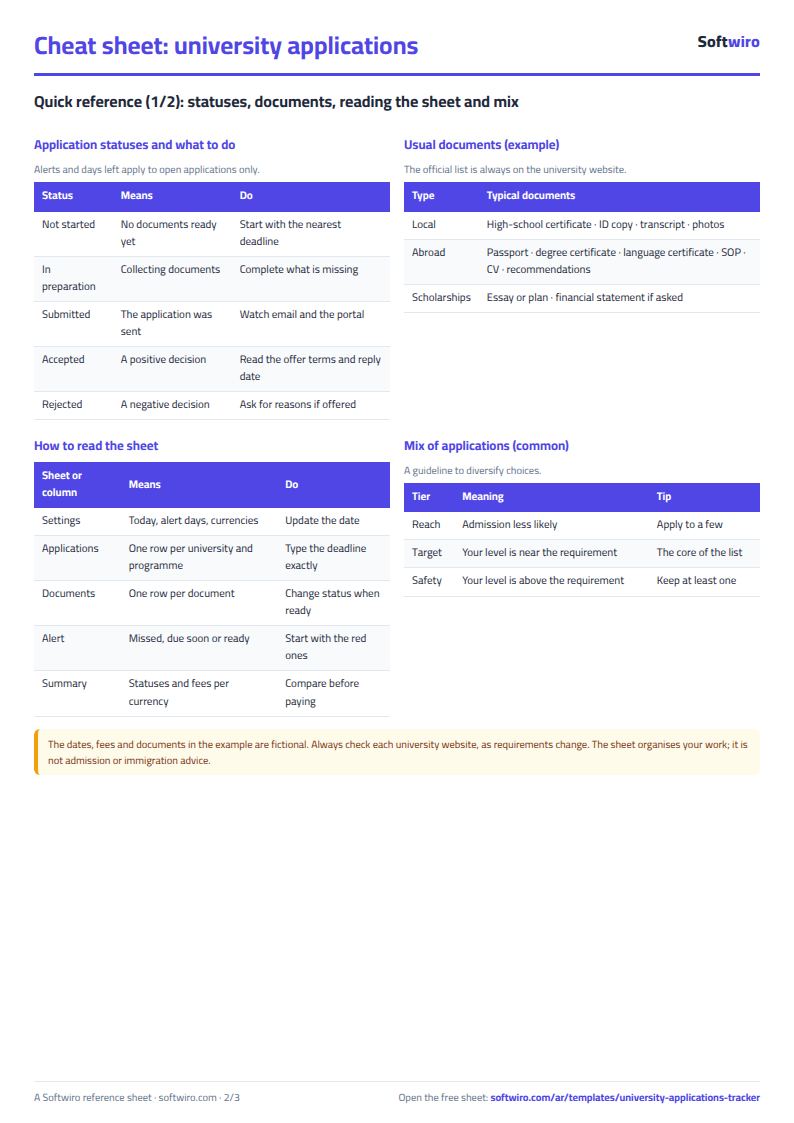
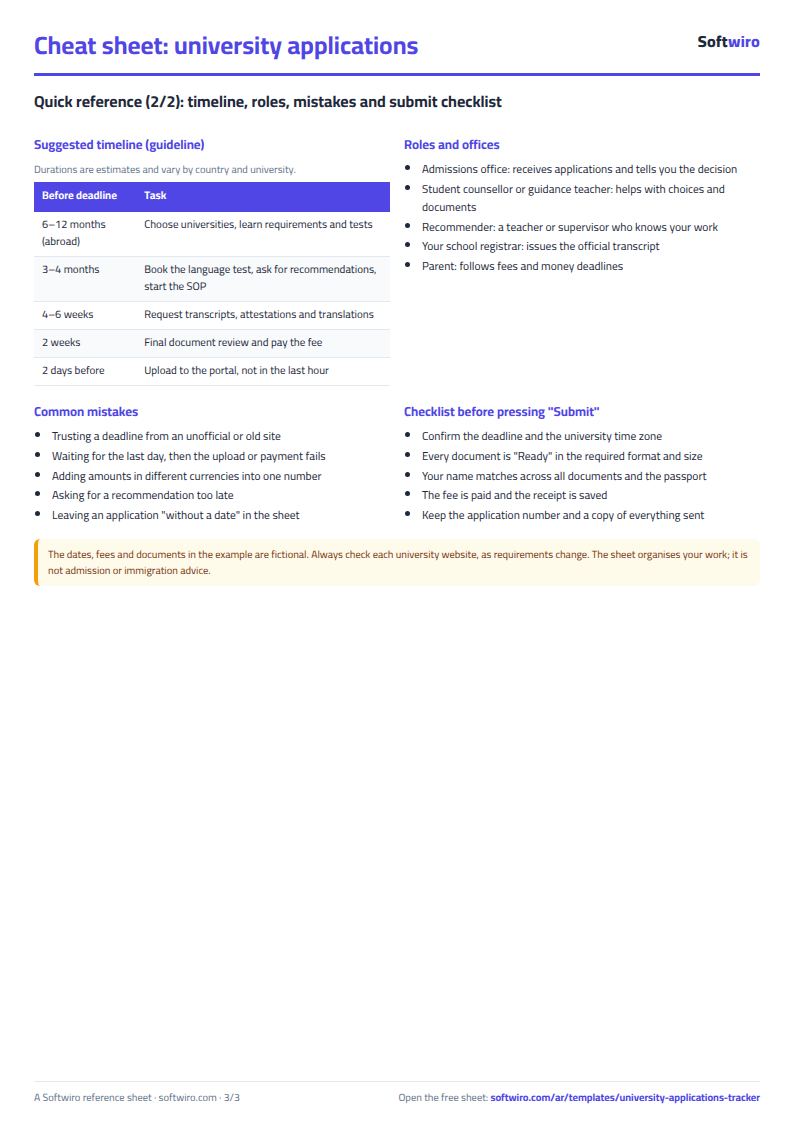
Free cheat sheet for this field
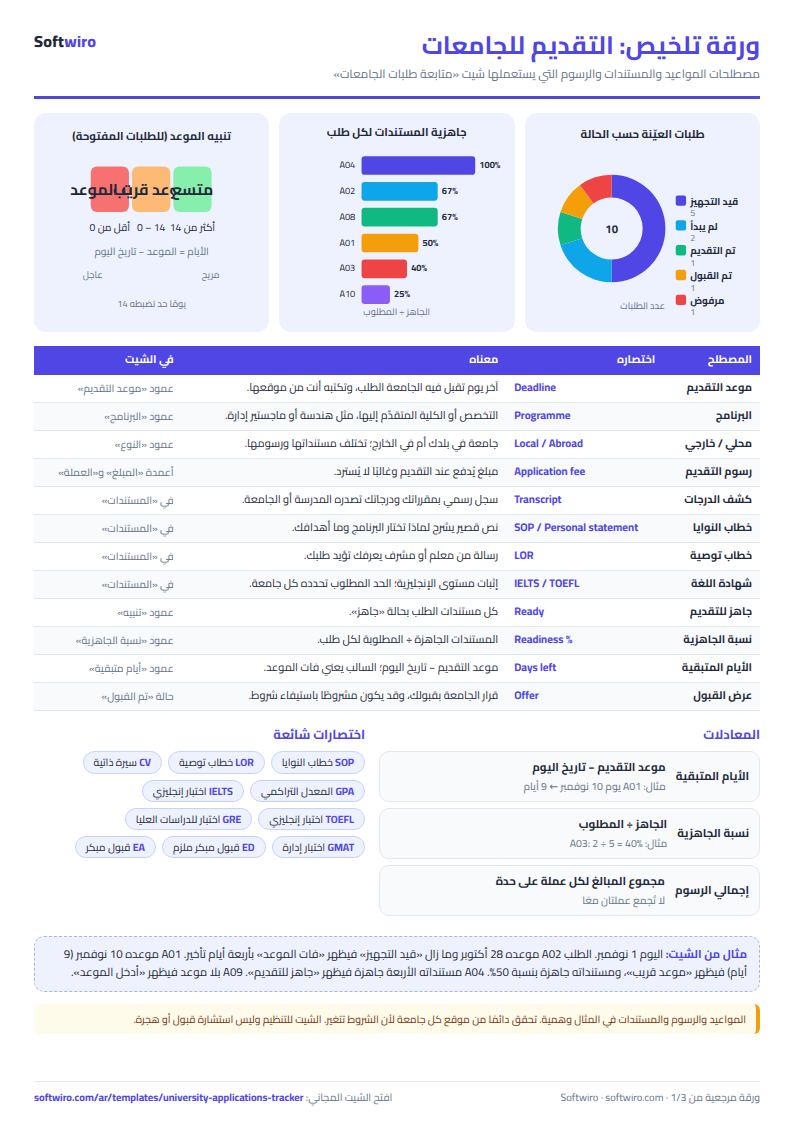
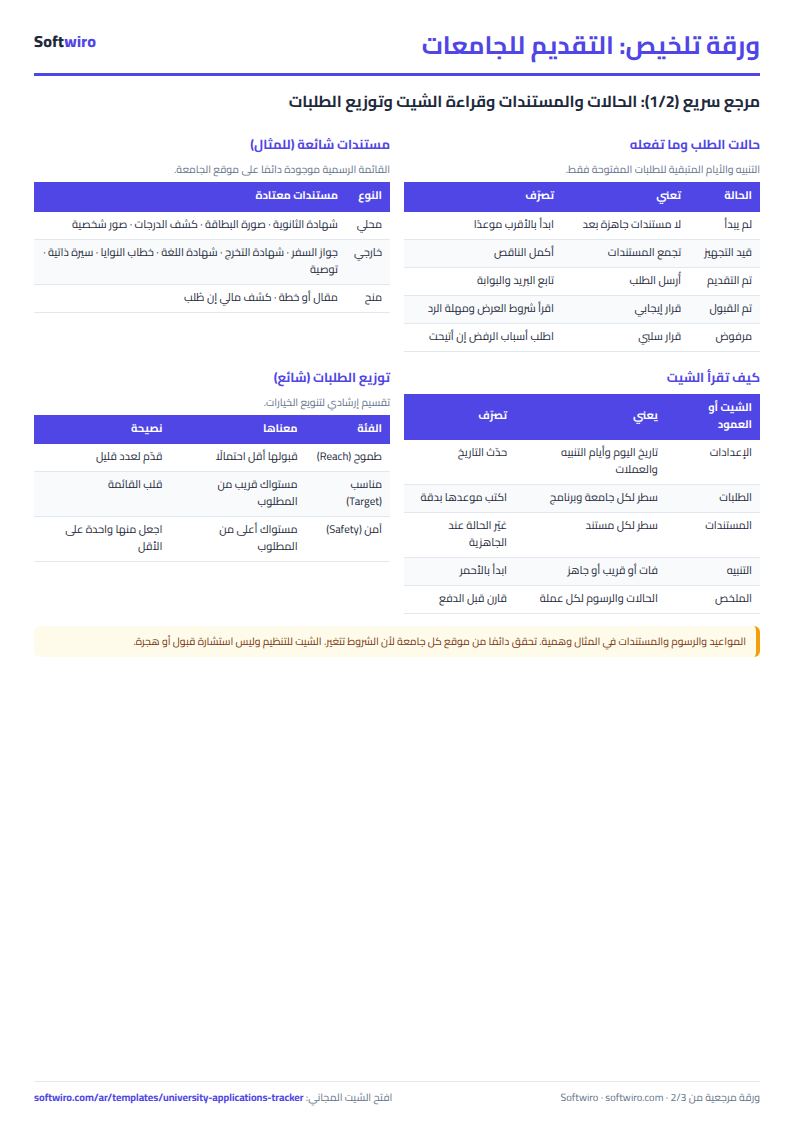
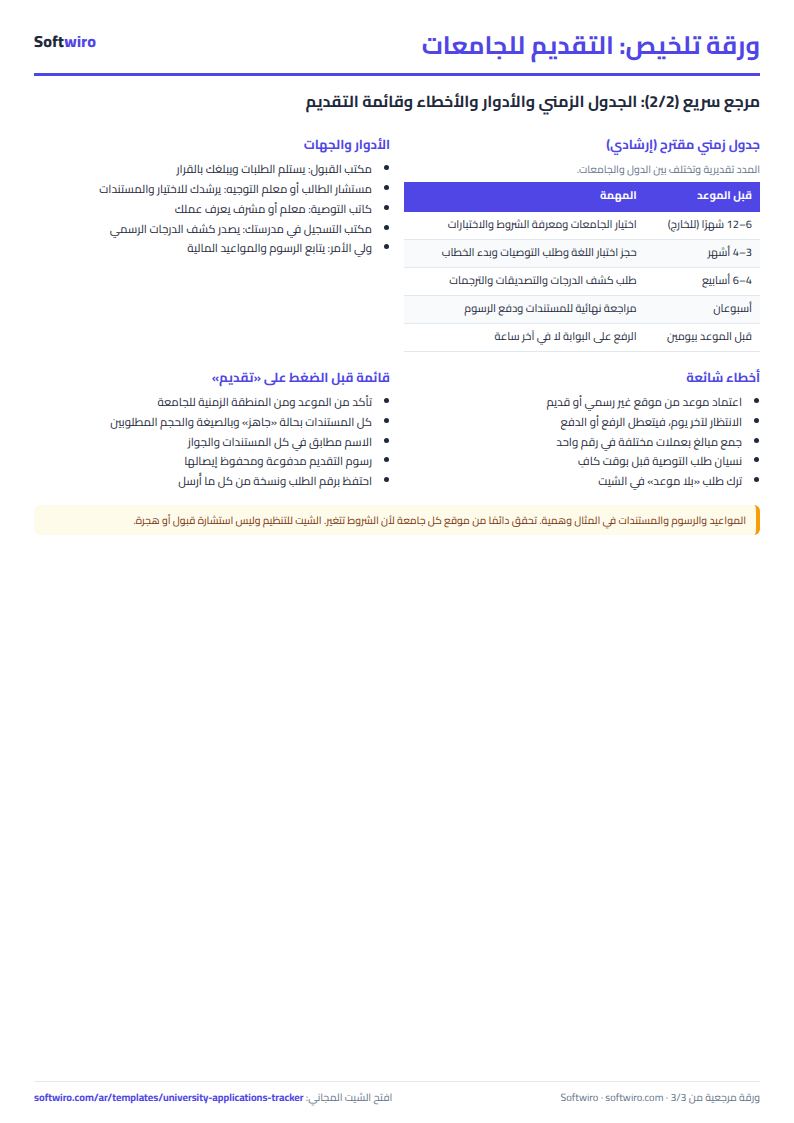
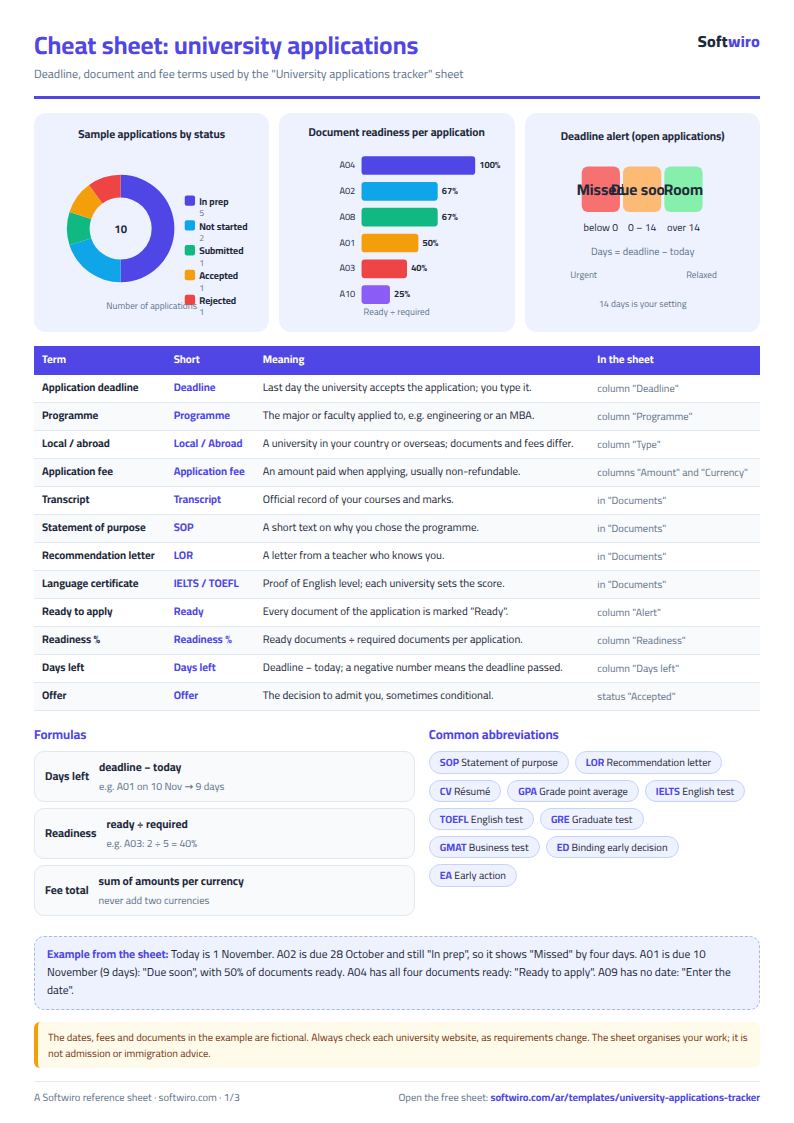
Terms, abbreviations, tables and diagrams over several pages, in Arabic and English. Download it as a PDF or images, including a phone-size version.
Still running this on Excel?
This sheet suits a start and a limited amount of data. If your way of working grows, or you need more than one person working on it at the same time, Softwiro can build you a program that fits the way you work.
| In this sheet | In Custom Software from Softwiro |
|---|---|
| One file that one person edits at a time, and copies reach you on WhatsApp. | A program with a login for each user and permissions you define, and everyone sees the same data. |
| You type everything and check the numbers by hand. | We design the screens around your work steps, so each person records only what concerns them. |
| Columns and formulas are fixed as the sheet was designed. | We build what you need: reports, alerts and screens your way. |
| Backups and security are your own responsibility. | The program runs on a secured server with regular backups. |
Frequently asked questions
Where does the application deadline come from?
You enter it yourself in the "موعد التقديم" (application deadline) cell, from the university's website or correspondence. The sheet does not calculate or assume a deadline, and an application with no deadline shows the alert "أدخل الموعد" (enter the deadline).
How are the days left and the alert calculated?
Days left = application deadline - today's date in Settings, and it shows for open applications only (not started or in progress). If it is below zero, the alert is "فات الموعد" (deadline passed). If it is less than or equal to the warning days, the alert is "موعد قريب" (deadline near).
Are the fees in Egyptian pounds?
No. The "المبلغ" (amount) column is a number only, and you choose its currency from three currencies whose names you enter in Settings. The summary shows the total for each currency separately and does not add them together.
How do I log the documents required for each university?
In the "المستندات" (Documents) tab, write a row for each document an application requires: application code, document name and status. When you change a status to "جاهز" (ready), that application's readiness percentage rises automatically.
Is the template free?
Yes, with no sign-up and no email address. Use it, edit it and share it as you like.
Does it work in Google Sheets and on mobile?
The sheet uses formulas supported by Excel 2016 and later, Google Sheets and LibreOffice, so you can upload it to Google Drive and open it with Google Sheets on a computer or a phone.
What is the difference between the white and the gray cells?
You type in the white cells; the gray cells are calculated automatically. Don't type in a gray cell, or you will erase its formula.
Can I use the sheet from an AI assistant?
Yes. Add our MCP server (URL https://softwiro.com/api/mcp, no key needed) to your assistant and ask it to do the calculation in this template. The numbers come from the sheet's own formulas, and we do not store your data. The steps and a ready-made prompt are in this article: https://softwiro.com/blog/mcp-excel-templates-ai-agent-guide.html
All the templates in this group: Excel templates for the American diploma: GPA, AP and SAT
More free templates for: Schools and students
More free templates
- Gradebook Template for Excel (Weighted Categories, Letter Grades)
- Student attendance sheet
- Study planner and lesson tracker
- Weekly study routine sheet
- Nursery and school fees tracker (Excel)
- Tutoring center manager (Excel)
- School class timetable (Excel)
- Exam schedule with committees and invigilators (Excel)
- Homework and behavior tracker for teachers (Excel)
- School bus subscriptions tracker (Excel)
- Complete nursery management sheet
- Private school management sheet
- Lending library management sheet
- Graduation project manager sheet: tasks, team, phases and deliverables
- Teacher weighted gradebook (Excel)
- Lesson plan and curriculum coverage tracker for teachers (Excel)
- Parent communication log for teachers (Excel)
- Remedial sessions tracker for teachers (Excel)
- Charity accounts by fund
- Strength workout log
- Running, cycling and swimming log
- Training load sheet for any sport (session-RPE)