Try the sheet here, on the example
The sheet is open below with sample numbers. Change any white cell and watch the results update, or press the blank-copy button to type your own data from scratch. Nothing you type leaves your browser.
Example from the sheet
| المصدر | العملاء | التعاقدات | نسبة التحويل |
|---|---|---|---|
| فيسبوك | 9 | 1 | 11.1% |
| واتساب | 6 | 1 | 16.7% |
| إحالة من عميل | 4 | 1 | 25.0% |
| لافتة | 4 | 1 | 25.0% |
| موقع إلكتروني | 3 | 1 | 33.3% |
| اتصال مباشر | 2 | 0 | 0.0% |
| أخرى | 2 | 0 | 0.0% |
Example from the “الملخص” tab (Arabic), with the numbers and formulas that are in the file.
What is inside
- "الإعدادات" (Settings): Today's date and the default commission rate.
- "الوحدات" (Units): For each unit: price per m², number of interested clients and number of viewings, with a warning if its status conflicts with its purpose.
- "العملاء" (Clients): For each client: source, stage, follow-up date and its status, whether the budget fits the unit's price, and the commission on a closed deal.
- "متابعات اليوم" (Today's follow-ups): An automatic list of every client whose follow-up is overdue or due today, oldest first.
- "الملخص" (Summary): Clients, contracts and conversion rate by source, clients by stage, units by status, and total commissions.
The file opens on a start tab (“ابدأ هنا”, Start here) that explains how to use it.
What makes it different
Open the "متابعات اليوم" (Today's follow-ups) sheet each morning and you see who to call without searching through rows. The summary shows which source turns the most leads into contracts.
How to use it
- In the "الإعدادات" (Settings) sheet, enter the default commission rate. Today's date appears automatically.
- In the "الوحدات" (Units) sheet, enter each unit: code, project or area, type, size, purpose, price and status.
- In the "العملاء" (Clients) sheet, log each new client with the date, source, budget, stage and next follow-up date.
- Pick the code of the unit the client is interested in to see whether the budget fits its price. The commission is calculated when the deal closes.
- Open the "متابعات اليوم" (Today's follow-ups) sheet each morning to see who is overdue and who is due today.
- Review the "الملخص" (Summary) sheet to find your best lead sources and their conversion rate to contracts.
Before you start:
- The sheet holds 300 units and 2000 clients, and the "متابعات اليوم" (Today's follow-ups) list shows the first 50 follow-ups.
- A unit's number of viewings is the number of interested clients who reached the viewing, negotiation or contract-signed stage.
- Commission is calculated for a sale only, at the Settings rate applied to the unit's price. For a rental, record the commission outside the sheet.
- You can type today's date manually in "الإعدادات" (Settings) instead of the formula if you want to review another day.
Free cheat sheet for this field
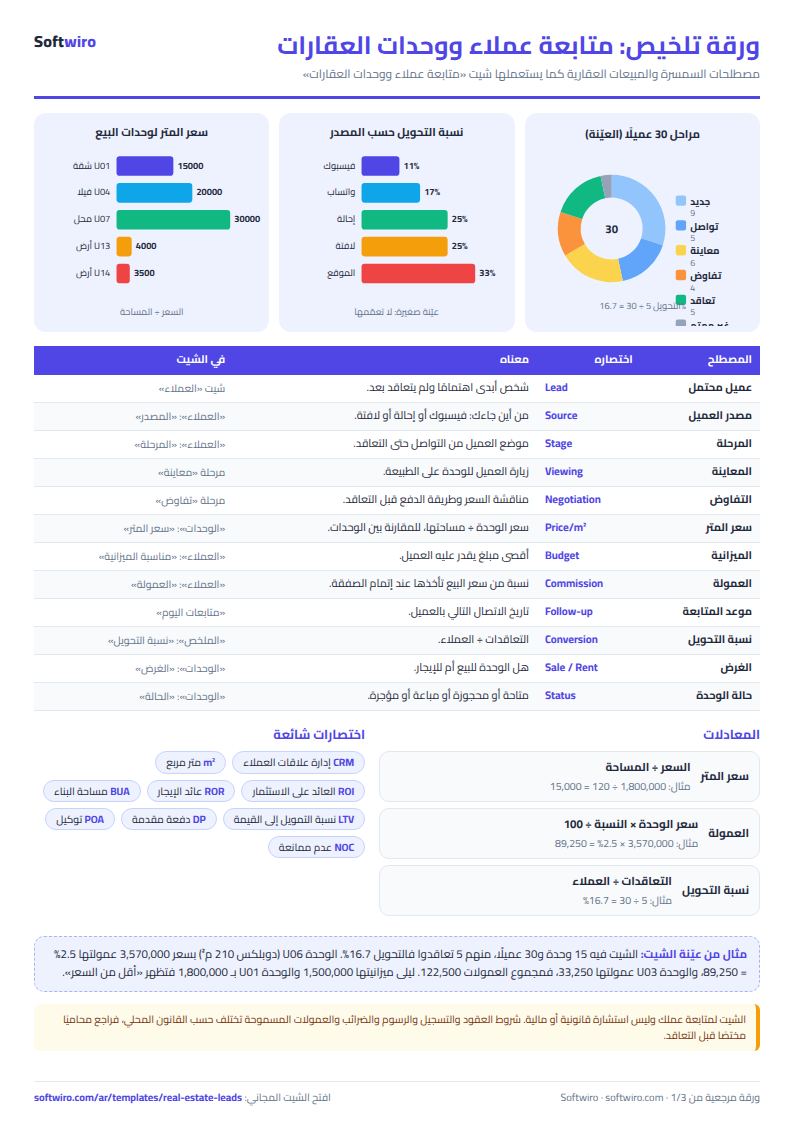
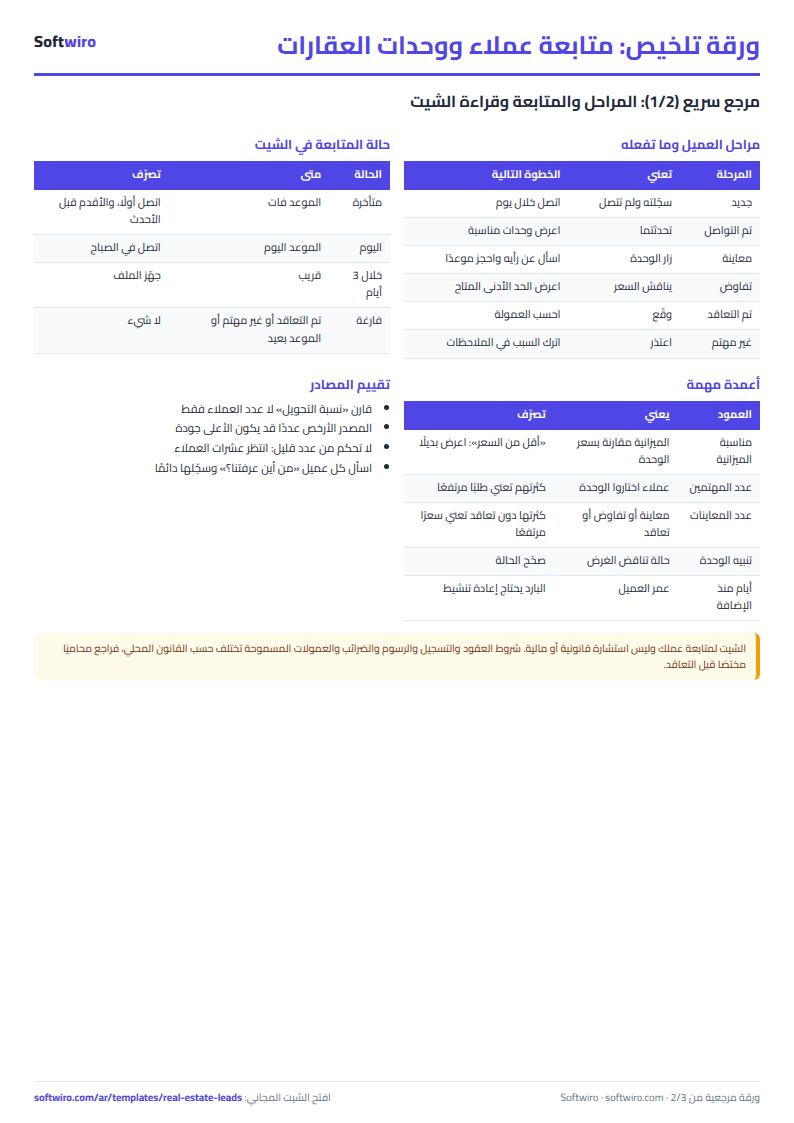
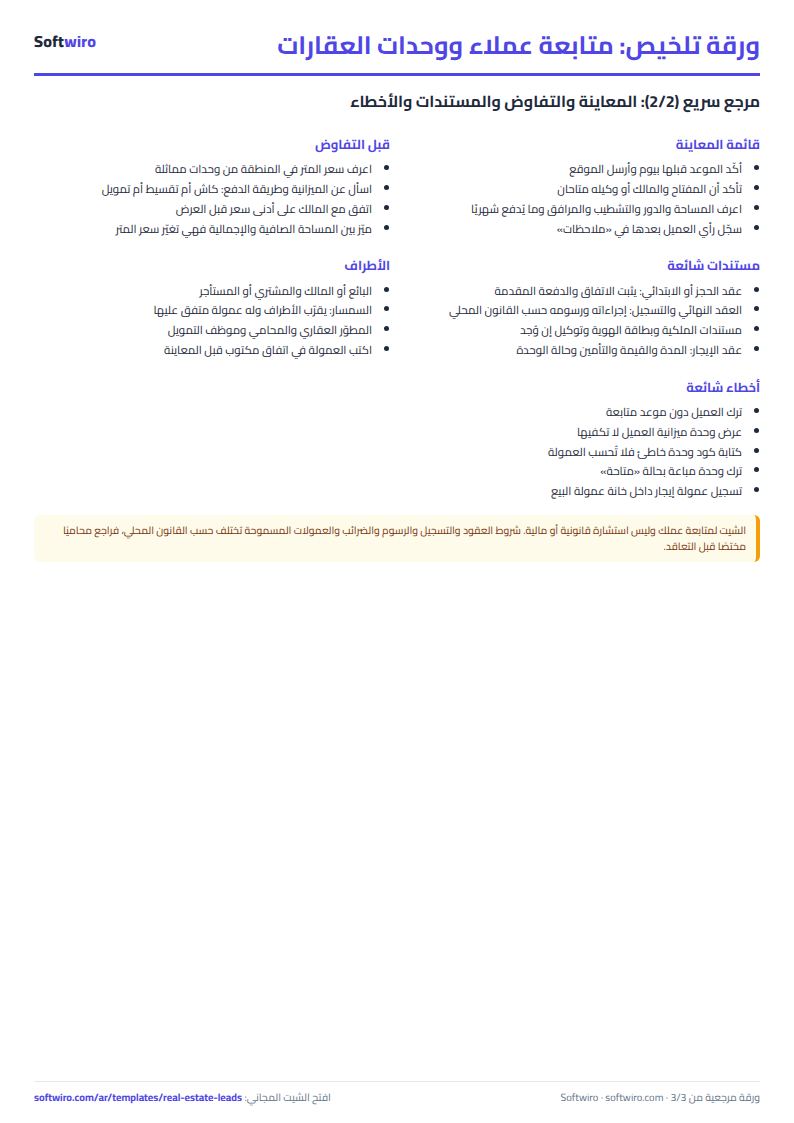
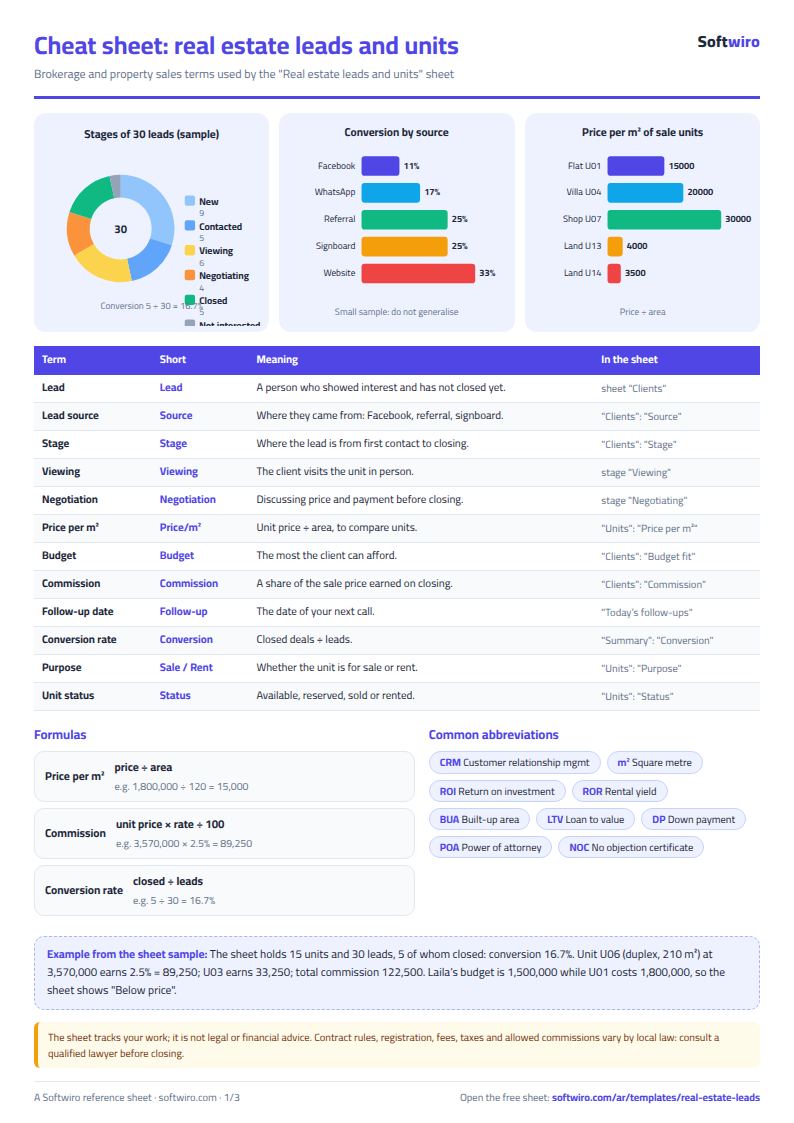
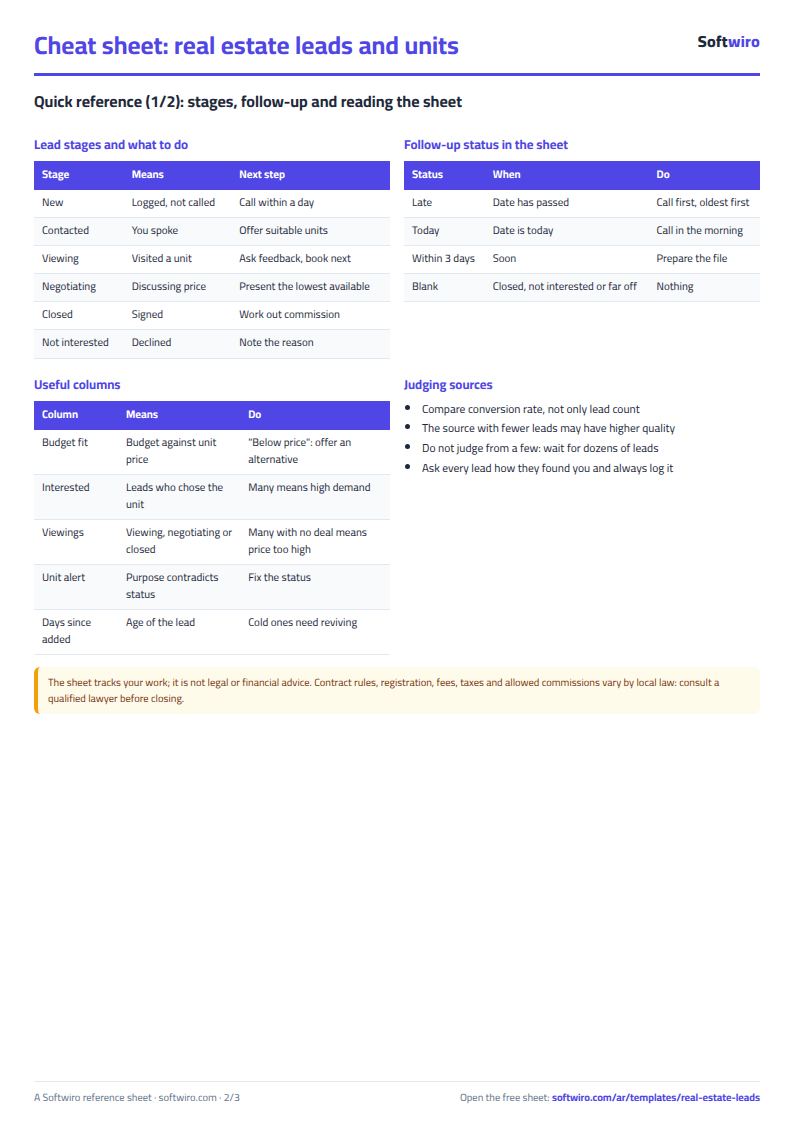
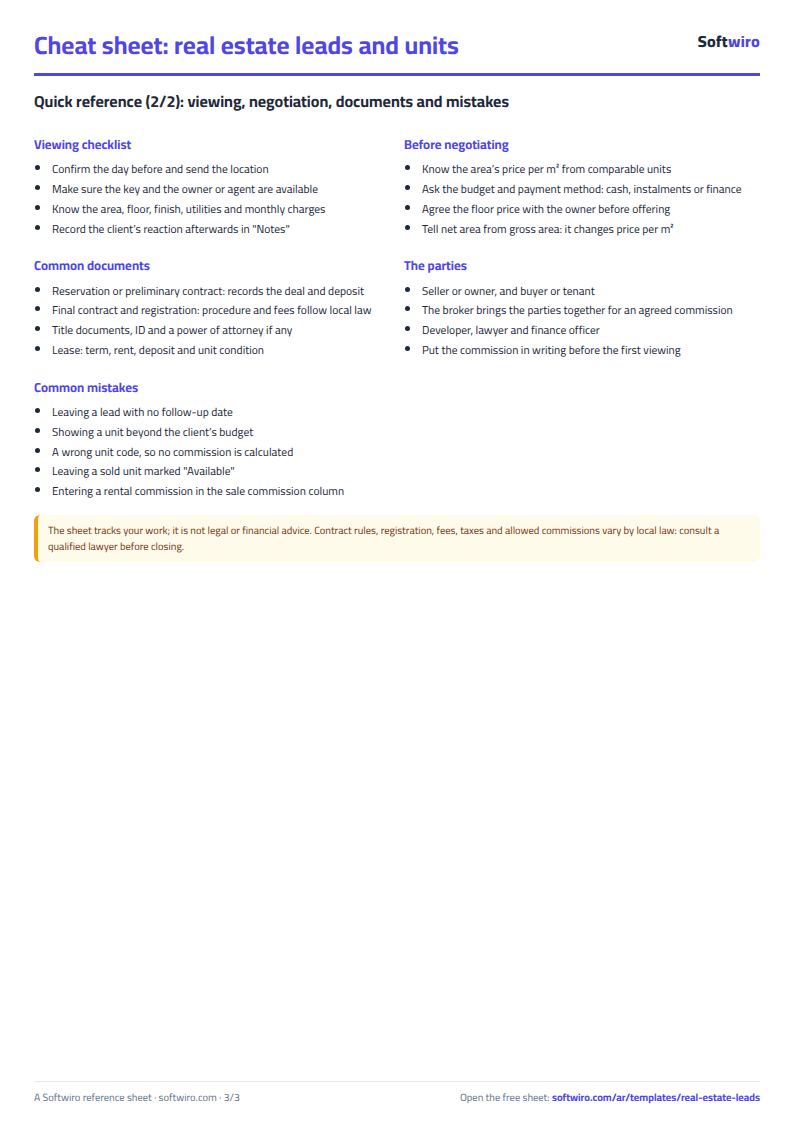
Terms, abbreviations, tables and diagrams over several pages, in Arabic and English. Download it as a PDF or images, including a phone-size version.
Still running this on Excel?
This sheet tracks the client after they have contacted you. With Softwiro VR the client sees the whole unit in a 360° tour on their phone before the viewing, and sends their inquiry from inside the tour.
| In this sheet | In Softwiro VR |
|---|---|
| You send the client photos, and they keep asking the same questions about size and layout. | The agent photographs each room with a phone and sends the tour link on WhatsApp, so the buyer moves between rooms and sees a floor plan showing where they are. |
| A client in another city has to visit before deciding. | The tour opens on any phone or browser, and it is sent on WhatsApp, placed in ads and pages, or embedded in your website. |
| You don't know what the client viewed or what they liked. | Tour statistics show views, visitors, the most-viewed sections and WhatsApp clicks, and the WhatsApp message names the section the client liked. |
| The project is on paper, and the client finds it hard to picture the unit. | 3D models (such as GLB, OBJ, FBX and IFC) are turned into 360° scenes that show the design before construction, and rendering of designs is available in the paid plans. |
Frequently asked questions
How is the commission calculated?
When you pick the stage "تم التعاقد" (contract signed) and the code of a unit for sale, the unit's value is multiplied by the commission rate in the "الإعدادات" (Settings) sheet. No commission is calculated for rentals.
When does a follow-up show as overdue?
When the follow-up date is before today's date and the stage is still open, meaning it is neither "تم التعاقد" (contract signed) nor "غير مهتم" (not interested).
Is the template free?
Yes, with no sign-up and no email address. Use it, edit it and share it as you like.
Does it work in Google Sheets and on mobile?
The sheet uses formulas supported by Excel 2016 and later, Google Sheets and LibreOffice, so you can upload it to Google Drive and open it with Google Sheets on a computer or a phone.
What is the difference between the white and the gray cells?
You type in the white cells; the gray cells are calculated automatically. Don't type in a gray cell, or you will erase its formula.
Can I use the sheet from an AI assistant?
Yes. Add our MCP server (URL https://softwiro.com/api/mcp, no key needed) to your assistant and ask it to do the calculation in this template. The numbers come from the sheet's own formulas, and we do not store your data. The steps and a ready-made prompt are in this article: https://softwiro.com/blog/mcp-excel-templates-ai-agent-guide.html
More free templates for: Real estate
More free templates
- Rental portfolio tracker: properties, units, tenants and contracts
- Rent collection tracker for properties
- Serviced apartments and short-stay bookings sheet
- Installments and collection tracker
- Pharmacy expiry and stock tracking sheet
- Business expenses and monthly budget sheet
- Lead and deal pipeline tracker
- Employee attendance sheet
- Employee payroll and attendance
- General shop inventory tracker (stock in/out, reorder, slow movers)
- Monthly savings circle (gamaeya) tracker