Try the sheet here, on the example
The sheet is open below with sample numbers. Change any white cell and watch the results update, or press the blank-copy button to type your own data from scratch. Nothing you type leaves your browser.
Example from the sheet
| # | المهمة | المرحلة | المسؤول | الموعد النهائي | نسبة الإنجاز | الحالة | التنبيه |
|---|---|---|---|---|---|---|---|
| 1 | كتابة مقترح المشروع | المقترح والفكرة | أحمد سمير | 46307 | 100% | منتهية | |
| 2 | اعتماد الفكرة من المشرف | المقترح والفكرة | أحمد سمير | 46310 | 100% | منتهية | |
| 3 | جمع الأبحاث والمشروعات المشابهة | مراجعة الأدبيات | سارة محمود | 46311 | 100% | منتهية | |
| 4 | قراءة الأبحاث وتلخيصها | مراجعة الأدبيات | منة الله حسن | 46331 | 100% | منتهية | |
| 5 | مقارنة التقنيات والأدوات | مراجعة الأدبيات | كريم عادل | 46331 | 100% | منتهية | |
| 6 | كتابة فصل الدراسات السابقة | مراجعة الأدبيات | سارة محمود | 46338 | 100% | منتهية | |
| 7 | تحليل المتطلبات ومخططات حالات الاستخدام | التصميم | أحمد سمير | 46329 | 100% | منتهية | |
| 8 | تصميم قاعدة البيانات | التصميم | منة الله حسن | 46338 | 100% | منتهية | |
| 9 | تصميم نماذج الواجهات | التصميم | كريم عادل | 46340 | 90% | جارية | متأخرة |
| 10 | تصميم الدائرة الإلكترونية | التصميم | عمر خالد | 46343 | 70% | جارية | |
| 11 | اعتماد التصميم من المشرف | التصميم | أحمد سمير | 46345 | 0% | لم تبدأ |
Example from the “المهام” tab (Arabic), with the numbers and formulas that are in the file.
What is inside
- الإعدادات (Settings): Project name, today's date, the start date of week 1 and the defense date, plus the maximum open tasks per member and the required presentation length.
- الفريق (Team): Up to 10 members: name, role, skills and mobile number. The owner drop-down lists in the other tabs are fed from here.
- المراحل (Phases): Each phase with planned and actual dates, its task count, its progress weighted by task days, its status and days late.
- المهام (Tasks): Up to 100 tasks, each with phase, owner, start, deadline, completion percentage, status, priority and the number of the task it depends on. It flags late tasks and tasks that start before their predecessor ends.
- الجدول الزمني (Timeline): A 20-week Gantt chart built with formulas: a ■ appears in each week a task is active, red for late, green for done and blue for the rest. The current week is shaded.
- الاجتماعات (Meetings): Each action item from a supervisor meeting with its owner, follow-up date and status, and a flag for items past their date.
- عبء العمل (Workload): For each member: tasks, how many are done, remaining and late, open working days, weighted progress and an overload alert.
- المصروفات (Expenses): Each expense with its date, item, category, amount and who paid.
- الميزانية (Budget): Planned budget per category against actual spending, with an overspend alert. The total is split equally across members so you can see who should be refunded and who should pay.
- التوثيق (Documentation): Report chapters with target words and pages, how much has been written, chapter status and due date.
- المخاطر (Risks): Each risk with its probability, impact, score, level, owner, mitigation plan and status.
- البروفة (Rehearsal): A defense preparation checklist with owner and due date, flagging overdue items, and a log of presentation rehearsals with the length of each against the required length.
- الملخص (Summary): Days remaining, project progress, late tasks, budget, documentation, risks and defense readiness, with four charts.
The file opens on a start tab (“ابدأ هنا”, Start here) that explains how to use it.
What makes it different
The sheet answers the questions of every weekly team meeting: where are we, what is late, who is overloaded, how much have we spent and who owes whom, how many words of the report are written, and which risk threatens the defense date. Instead of each member carrying the picture in their head, the whole team sees it in one file, and the supervisor can review it in minutes.
How to use it
- In the «الإعدادات» (Settings) tab, enter your project name, today's date, the start date of week 1 (a Saturday, for example) and the defense date.
- In «الفريق» (Team), list the team members with each one's role and skills, and in «المراحل» (Phases) list the project phases with their planned dates.
- In «المهام» (Tasks), enter each task: phase, owner, start, deadline, completion percentage, status and priority, plus the number of the task it depends on, if any.
- Open «الجدول الزمني» (Timeline) to see your tasks across the project weeks. Late tasks are red, finished ones green, and the current week is shaded.
- After each supervisor meeting, record the action items in «الاجتماعات» (Meetings) with the owner and follow-up date. Record spending in «المصروفات» (Expenses) and finished chapters in «التوثيق» (Documentation).
- Open «عبء العمل» (Workload), «الميزانية» (Budget), «المخاطر» (Risks), «البروفة» (Rehearsal) and «الملخص» (Summary) to review the full picture before each weekly team meeting.
Before you start:
- The sheet holds 10 members, 10 phases, 100 tasks, 20 timeline weeks, 60 meeting items, 200 expenses, 25 chapters, 30 risks and 30 items in the rehearsal checklist.
- Today's date is typed by hand in the Settings tab (or enter =TODAY() to update itself). Late tasks, overdue follow-up items and days late are calculated from it.
- A late task is one whose deadline has passed and which is not finished. "Late start" applies to a task with status "Not started" whose start date is before today. If a task starts before the task it depends on has finished, the alert "starts before the task ends" appears.
- The task number is calculated automatically from the row order. In the "depends on" column, enter the number of the preceding task. Do not delete a row in the middle because the numbers would change; clear its contents instead.
- Phase and project progress is weighted by task days: a 10-day task counts for more than a 2-day task. A member's overload appears when their open tasks exceed the limit set in Settings.
- The budget split divides total expenses equally among the team members listed, and shows each member what they paid and what they owe or are owed. Numbers and names are illustrative examples.
Free cheat sheet for this field
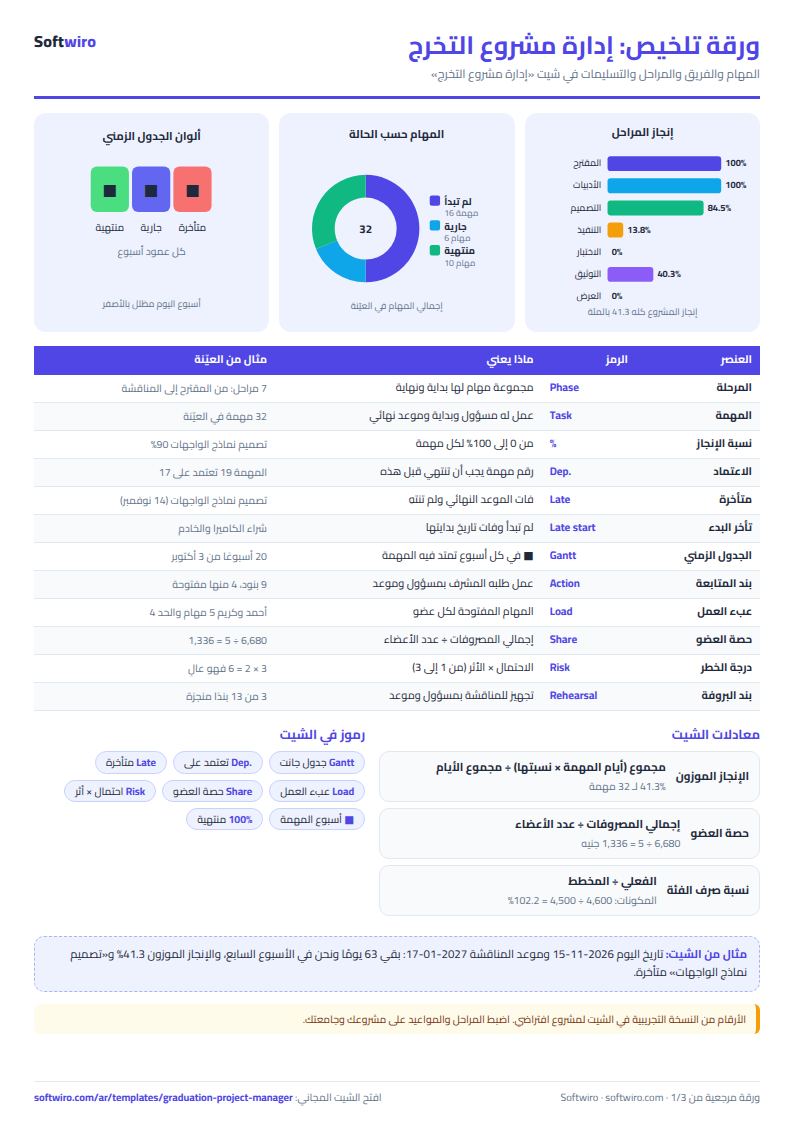
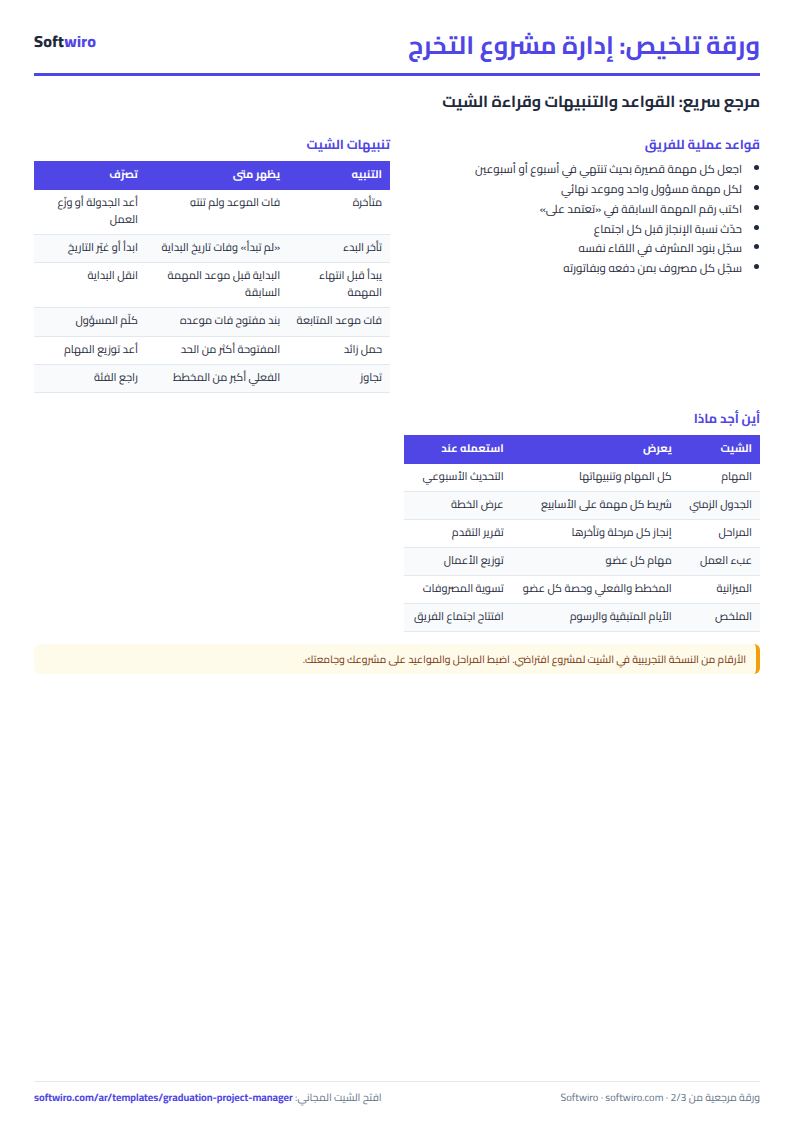
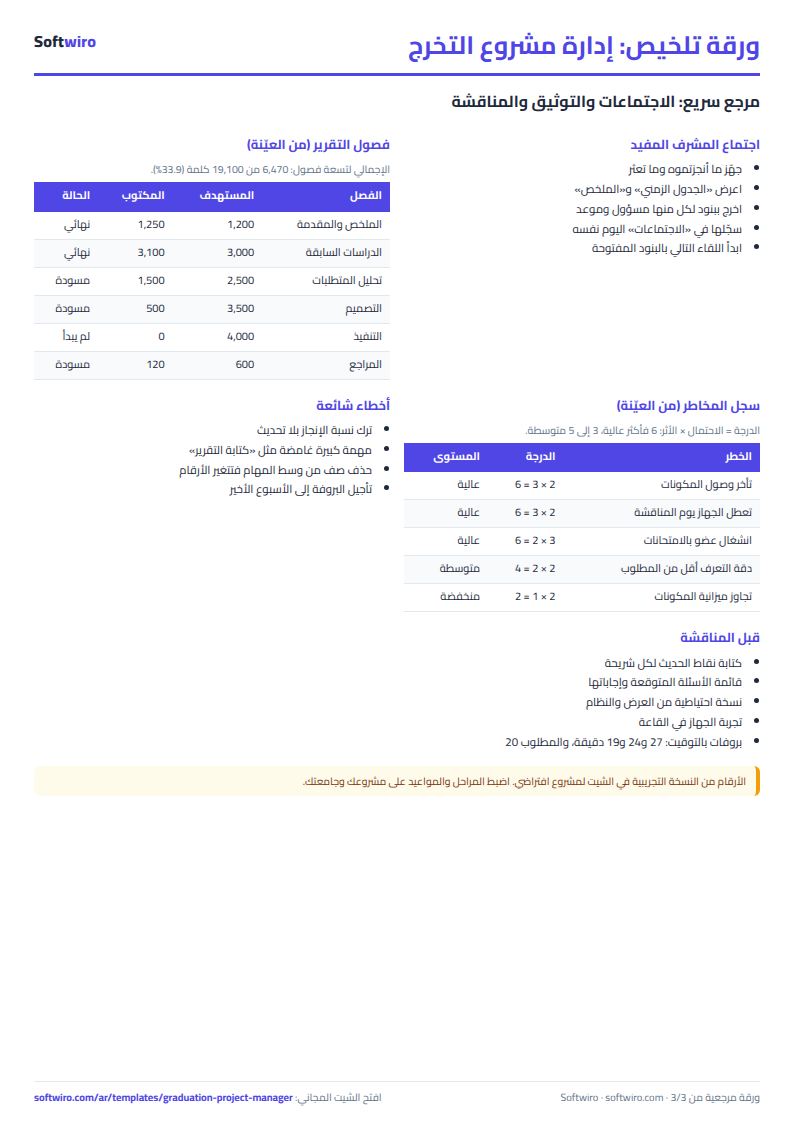
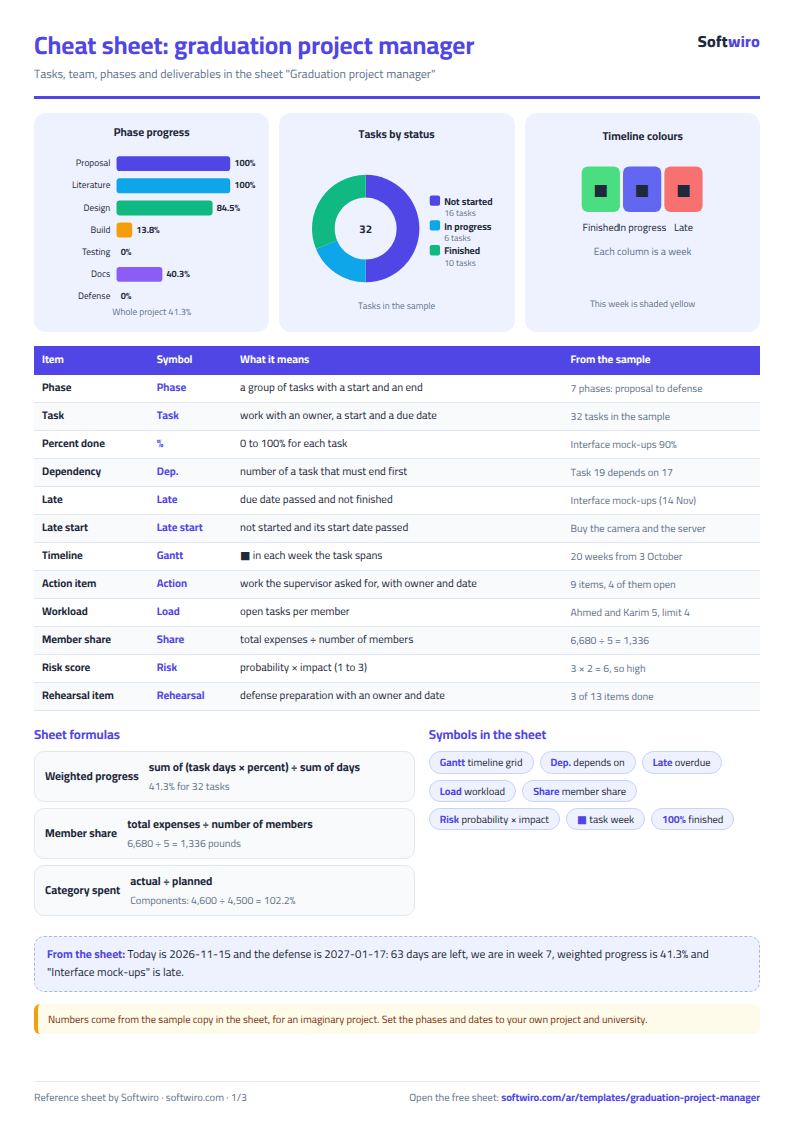
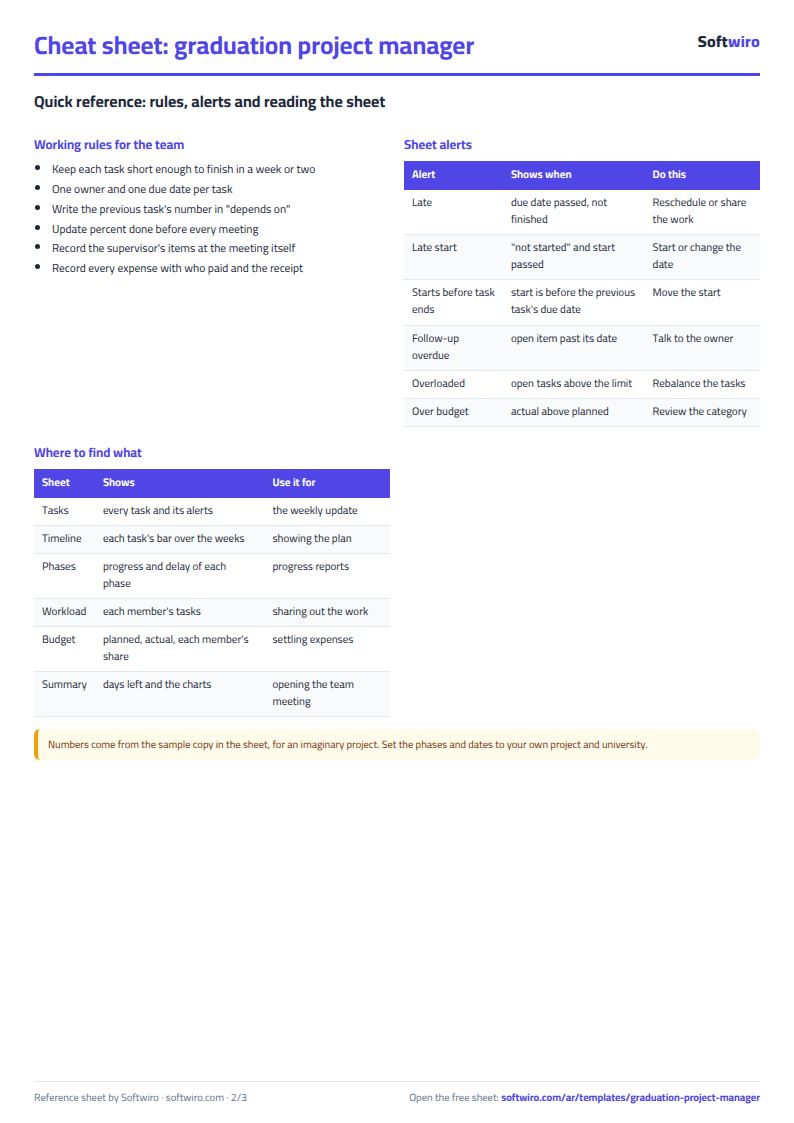
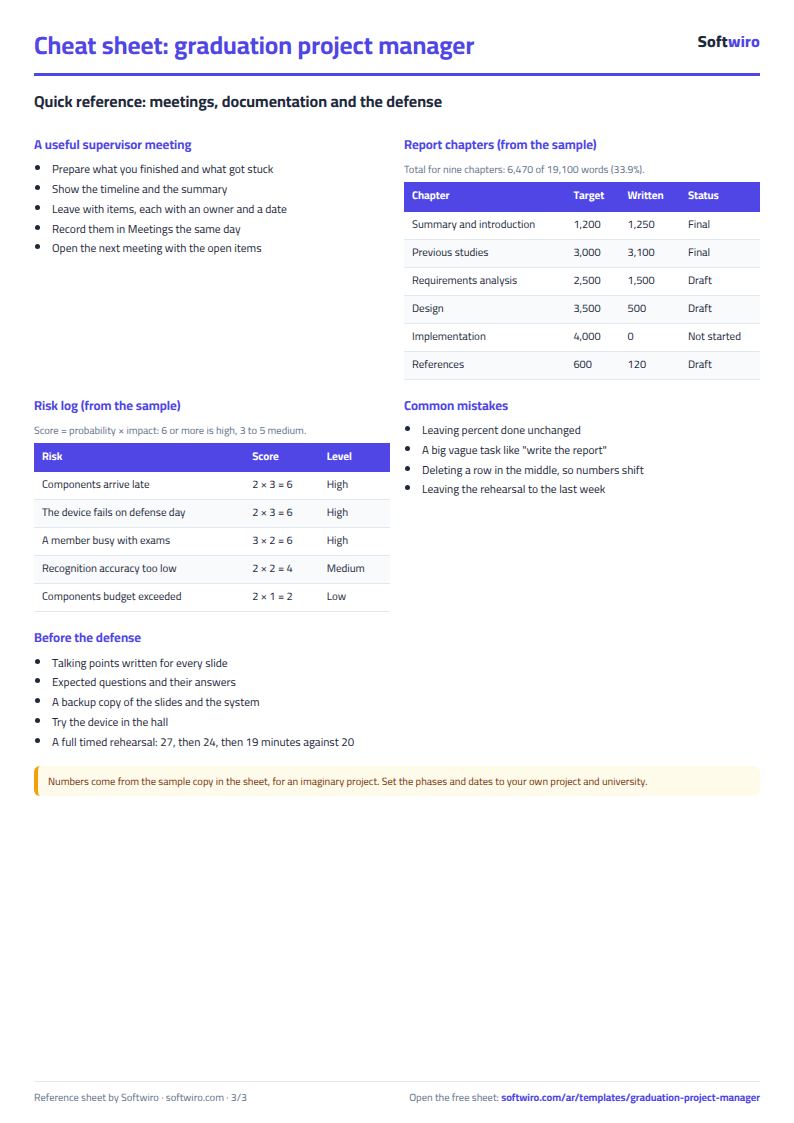
Terms, abbreviations, tables and diagrams over several pages, in Arabic and English. Download it as a PDF or images, including a phone-size version.
Still running this on Excel?
This sheet suits a start and a limited amount of data. If your way of working grows, or you need more than one person working on it at the same time, Softwiro can build you a program that fits the way you work.
| In this sheet | In Custom Software from Softwiro |
|---|---|
| One file that one person edits at a time, and copies reach you on WhatsApp. | A program with a login for each user and permissions you define, and everyone sees the same data. |
| You type everything and check the numbers by hand. | We design the screens around your work steps, so each person records only what concerns them. |
| Columns and formulas are fixed as the sheet was designed. | We build what you need: reports, alerts and screens your way. |
| Backups and security are your own responsibility. | The program runs on a secured server with regular backups. |
Frequently asked questions
Does it suit any field of study?
Yes. It works for any graduation project done by a team, whether software, engineering or research. Phases, tasks, chapters and categories are names you type and change to fit your project. The examples in the sheet are for a sample software project.
How is the Gantt chart drawn?
With formulas. Each week column starts with a date calculated from the start of week 1, and a ■ appears in every week that overlaps the task's duration. You draw nothing by hand: if you change a task's date, its bar moves.
How many tasks and members does the sheet hold?
100 tasks, 10 members, 10 phases, 20 weeks in the timeline, 60 meeting items, 200 expenses, 25 chapters and 30 risks. Lateness is calculated from the date you enter in Settings.
Does the expense split suit every team?
The sheet divides the total equally among the members listed in the Team tab and shows each member what they paid and the difference. If your team agreed on unequal shares, use each member's "paid" figures and work out the shares among yourselves.
Is the template free?
Yes, with no sign-up and no email address. Use it, edit it and share it as you like.
Does it work in Google Sheets and on mobile?
The sheet uses formulas supported by Excel 2016 and later, Google Sheets and LibreOffice, so you can upload it to Google Drive and open it with Google Sheets on a computer or a phone.
What is the difference between the white and the gray cells?
You type in the white cells; the gray cells are calculated automatically. Don't type in a gray cell, or you will erase its formula.
Can I use the sheet from an AI assistant?
Yes. Add our MCP server (URL https://softwiro.com/api/mcp, no key needed) to your assistant and ask it to do the calculation in this template. The numbers come from the sheet's own formulas, and we do not store your data. The steps and a ready-made prompt are in this article: https://softwiro.com/blog/mcp-excel-templates-ai-agent-guide.html
More free templates for: Schools and students
More free templates
- Gradebook Template for Excel (Weighted Categories, Letter Grades)
- Student attendance sheet
- Study planner and lesson tracker
- Weekly study routine sheet
- Nursery and school fees tracker (Excel)
- Tutoring center manager (Excel)
- School class timetable (Excel)
- Exam schedule with committees and invigilators (Excel)
- Homework and behavior tracker for teachers (Excel)
- School bus subscriptions tracker (Excel)
- University applications tracker (Excel)
- Complete nursery management sheet
- Private school management sheet
- Lending library management sheet
- English vocabulary and expressions sheet in Excel: words by topic and spaced review
- Accounting rules and equations summary sheet: double entry, statements and financial ratios
- Media buyer rules sheet: ad formulas, scaling rules and testing discipline
- Cash Book Template for Excel
- Invoice Template with Invoice Log (Excel)
- Garment style costing sheet
- Production tracking sheet by stage
- Piece-rate payroll and worker efficiency sheet