Try the sheet here, on the example
The sheet is open below with sample numbers. Change any white cell and watch the results update, or press the blank-copy button to type your own data from scratch. Nothing you type leaves your browser.
Example from the sheet
| paid_social | Black Friday 2026 | black-friday-2026 | facebook_paid_social_black-friday-2026_202611 | |||
|---|---|---|---|---|---|---|
| paid_social | Black Friday 2026 | black-friday-2026 | instagram_paid_social_black-friday-2026_202611 | |||
| cpc | Black Friday 2026 | black-friday-2026 | google_cpc_black-friday-2026_202611 | مكرر | ||
| tiktok | paid_social | Black Friday 2026 | black-friday-2026 | tiktok_paid_social_black-friday-2026_202611 | ||
| snapchat | paid_social | Black Friday 2026 | black-friday-2026 | snapchat_paid_social_black-friday-2026_202611 | ||
| cpc | Shoes Search | shoes-search | google_cpc_shoes-search_202610 | |||
| paid_social | Shoes Retargeting | shoes-retargeting | facebook_paid_social_shoes-retargeting_202610 | |||
| influencer | Bags Creators | bags-creators | instagram_influencer_bags-creators_202610 | |||
| youtube | paid_social | Bags Video | bags-video | youtube_paid_social_bags-video_202610 | ||
| newsletter | Weekly Newsletter | weekly-newsletter | newsletter_email_weekly-newsletter_202611 |
Example from the “الروابط” tab (Arabic), with the numbers and formulas that are in the file.
What is inside
- الإعدادات (Settings): Business name, the separator between the parts of the campaign name and their order (source first or date first), the list of allowed sources (up to 10) and the list of allowed mediums (up to 8).
- الروابط (Links): One row per link: page link, source and medium from the two lists, campaign name, content, term and date. For each row it builds the normalized campaign, the full link, the structured campaign name, a note and a duplicate flag. It holds 400 links.
- الملخص (Summary): The number of ready links, rows with a note and duplicate rows, and a table with the number of rows per source and per medium, with a total.
The file opens on a start tab (“ابدأ هنا”, Start here) that explains how to use it.
What makes it different
You enter each link once and get the tracking link and campaign name by the same rule every time. You catch mistakes (a capital letter, a space, a missing field or a duplicate link) before the ad goes live, not after your data is scattered across reports.
How to use it
- In the "الإعدادات" (Settings) sheet, edit the list of allowed sources and mediums, and choose the separator and the order of the parts of the campaign name.
- In the "الروابط" (Links) sheet, enter the destination page link in each row (it must start with http), then choose the source and medium from the two lists.
- Type the campaign name in any form (for example Black Friday 2026) and, if you like, the content (utm_content), the term (utm_term) and the date.
- Copy the link from the "الرابط الكامل" (Full link) column and paste it into the ad. Use the "اسم الحملة المنظم" (Structured campaign name) column to name the campaign in the platform.
- Check the note column and the duplicate column: fix missing fields and avoid publishing two identical links.
- Open the "الملخص" (Summary) sheet to see the number of links per source and medium and the number of duplicate or incomplete rows.
Before you start:
- UTM values are case-sensitive in most analytics tools: Facebook and facebook show up as two different sources. That is why the sheet converts all values to lowercase and replaces spaces with a hyphen.
- If the page link already contains a ?, the sheet adds the parameters with & instead of a second ?. Links that contain a # need your review, because the parameters must come before the #.
- The required columns are the link, source, medium and campaign name. Content, term and date are optional.
- The sheet warns you if the source or medium is outside the lists registered in Settings, but it does not stop you from typing it. The source and medium names in the sample are examples, not a standard from any platform.
- Duplicates are checked on the full link after normalizing, so two links count as duplicates if everything matches even when the letter case differs.
- The sheet holds 400 links. It does not shorten links or check that the page works. Arabic campaign names work but appear encoded in the link, so Latin letters are better.
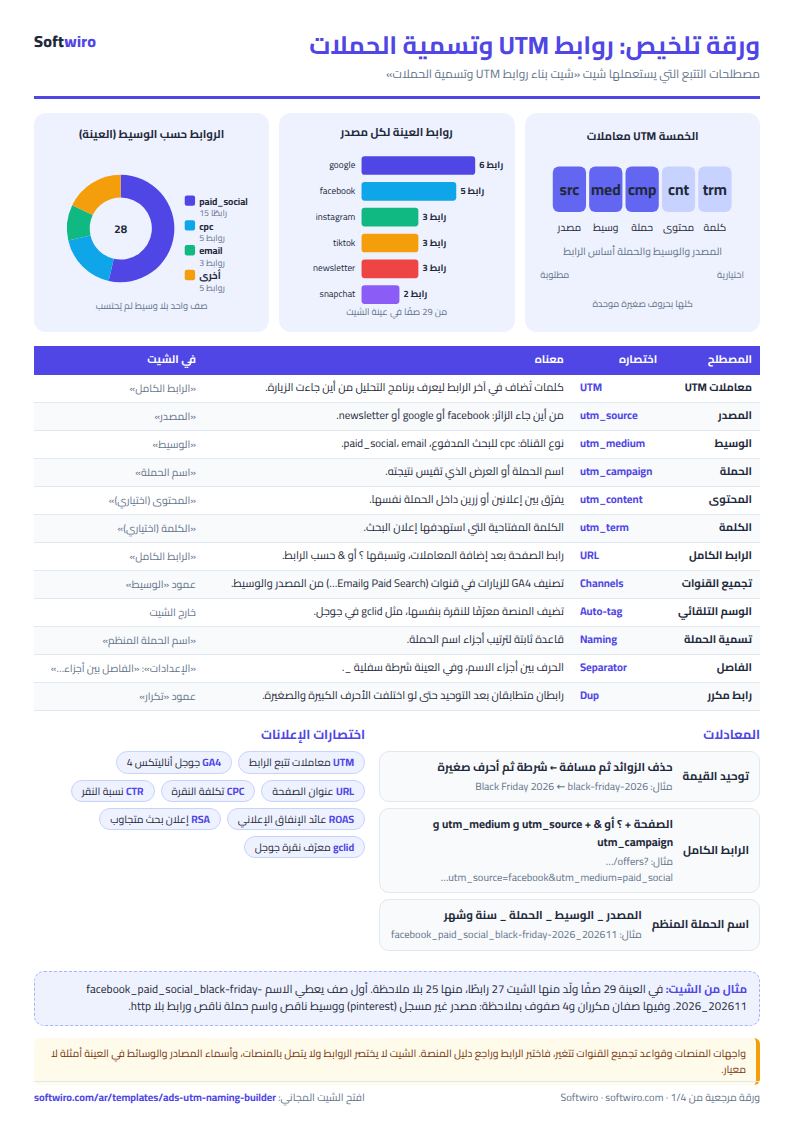
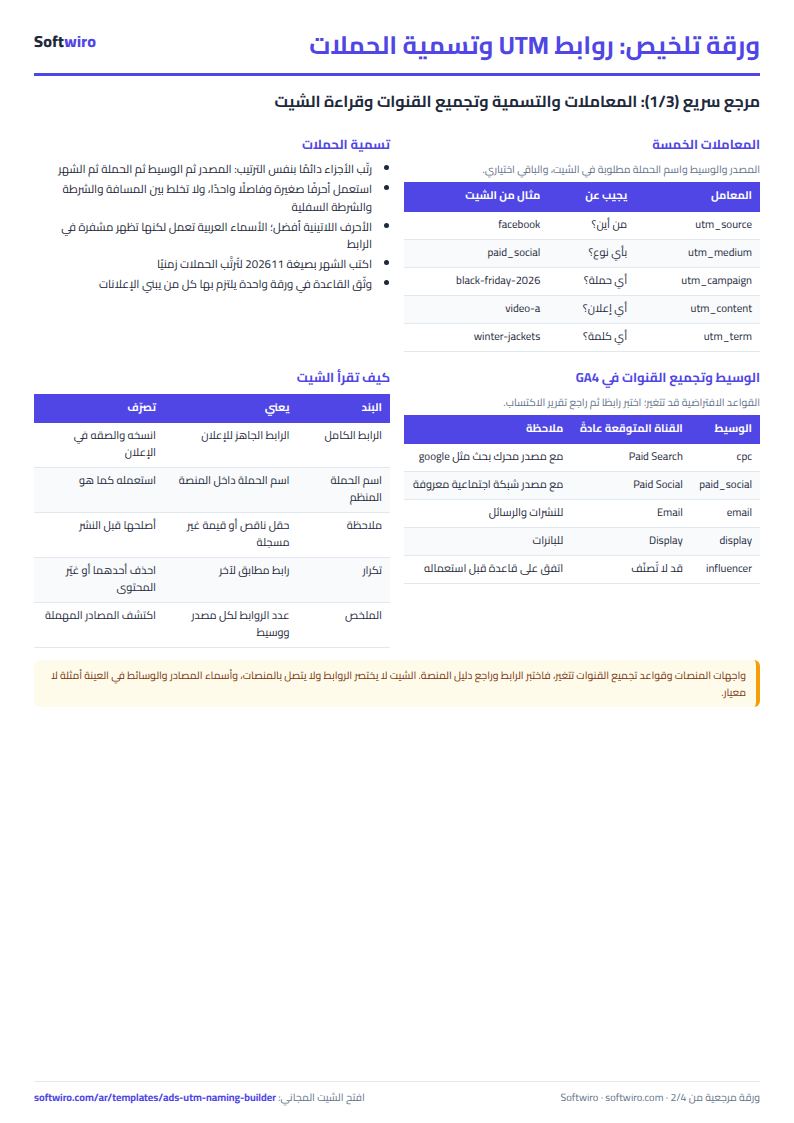
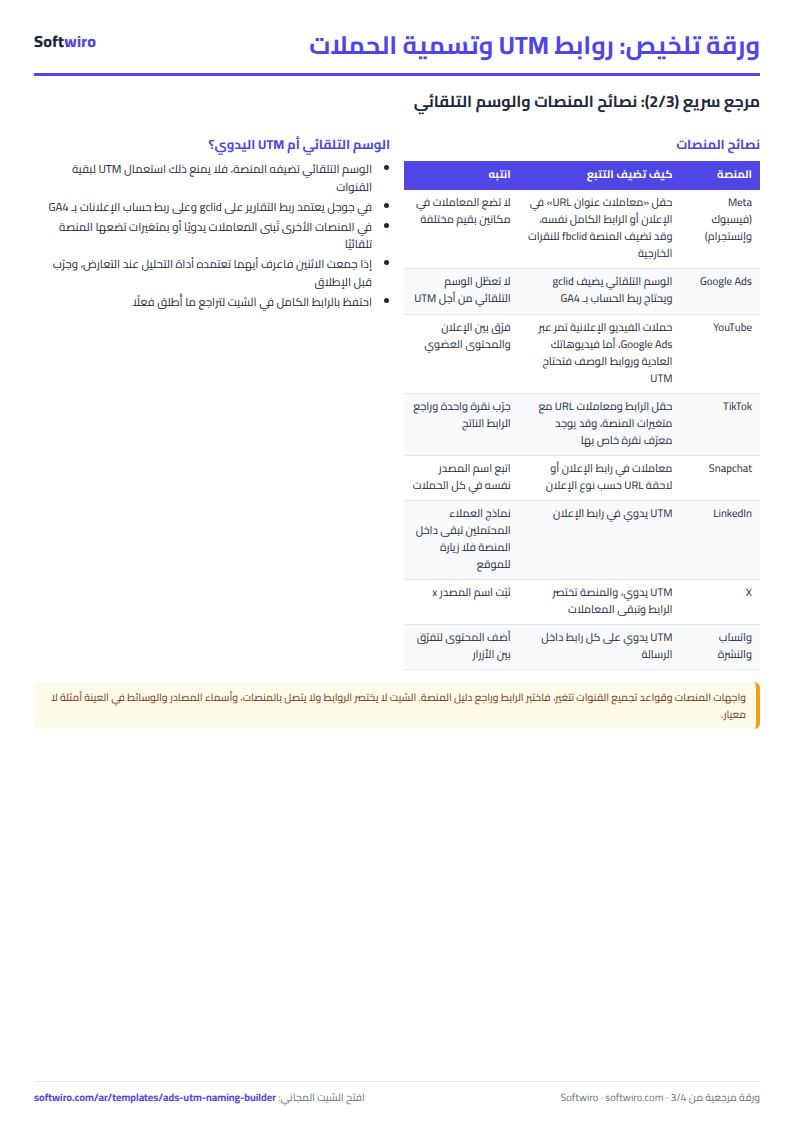
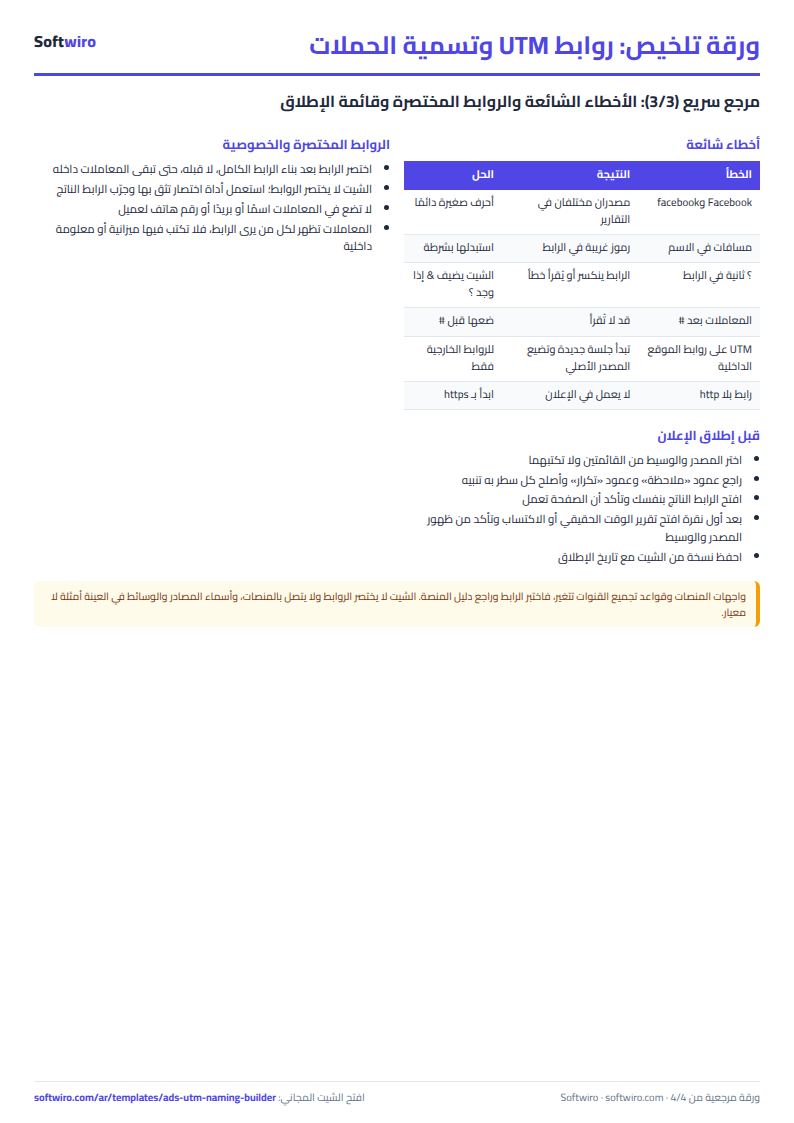
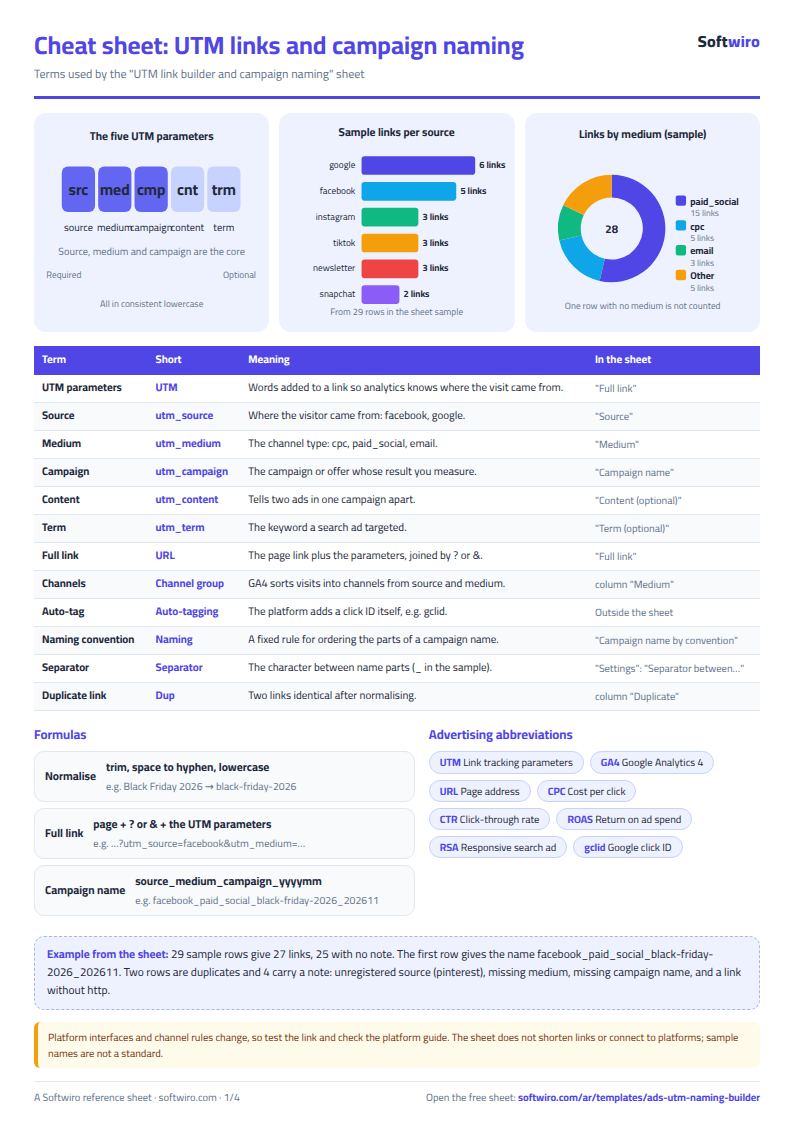
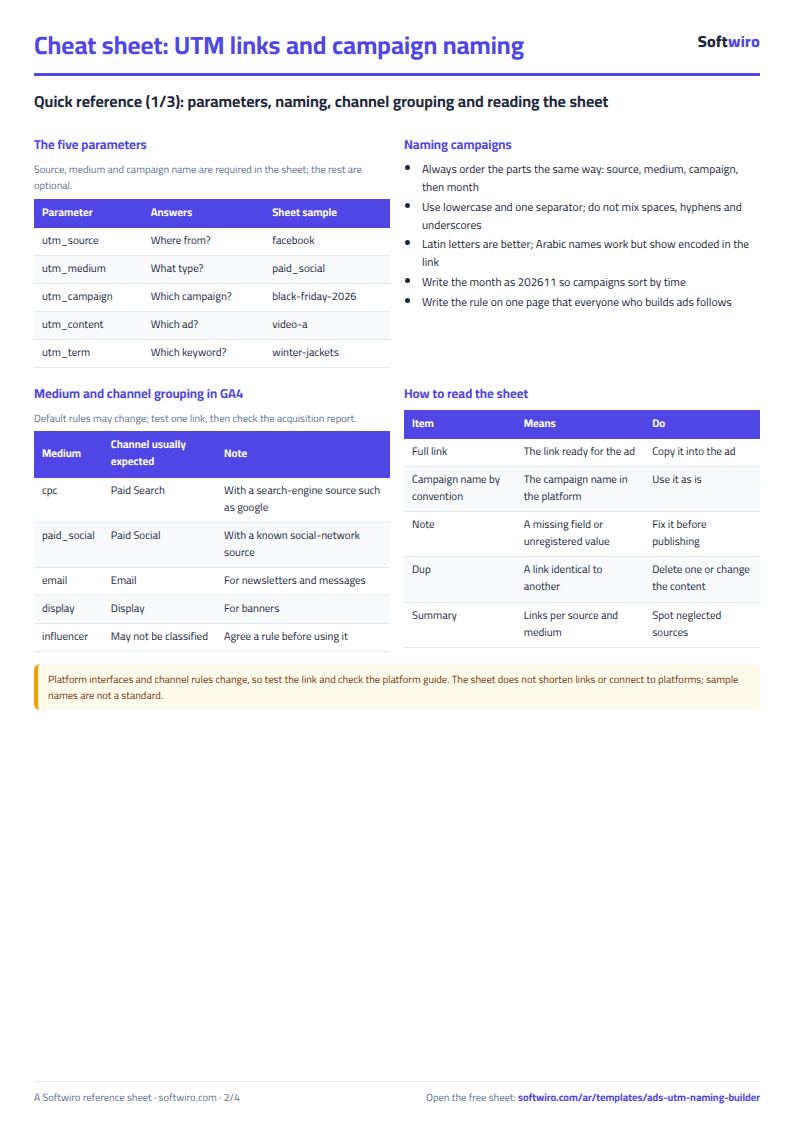
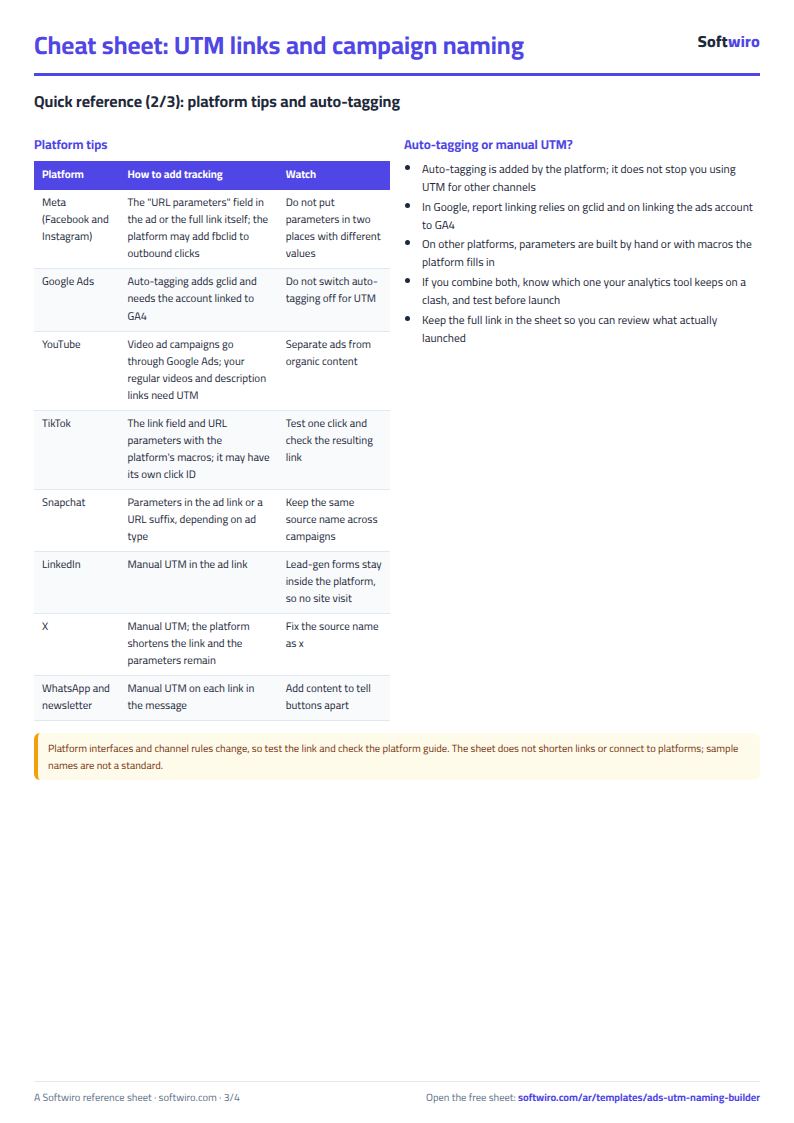
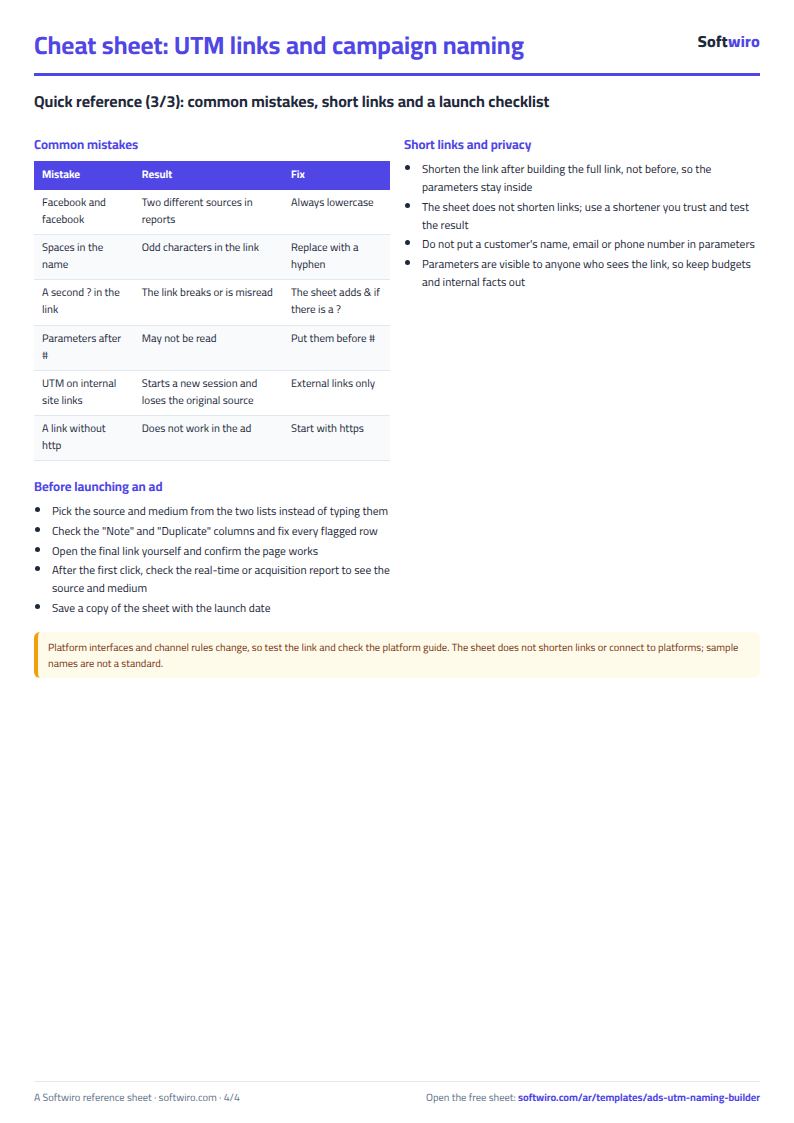
Free cheat sheet for this field
Terms, abbreviations, tables and diagrams over several pages, in Arabic and English. Download it as a PDF or images, including a phone-size version.
Still running this on Excel?
This sheet suits a start and a limited amount of data. If your way of working grows, or you need more than one person working on it at the same time, Softwiro can build you a program that fits the way you work.
| In this sheet | In Custom Software from Softwiro |
|---|---|
| One file that one person edits at a time, and copies reach you on WhatsApp. | A program with a login for each user and permissions you define, and everyone sees the same data. |
| You type everything and check the numbers by hand. | We design the screens around your work steps, so each person records only what concerns them. |
| Columns and formulas are fixed as the sheet was designed. | We build what you need: reports, alerts and screens your way. |
| Backups and security are your own responsibility. | The program runs on a secured server with regular backups. |
Frequently asked questions
How do I build a UTM link in Excel?
Enter the page link, source, medium and campaign name in the "الروابط" (Links) sheet. The sheet adds the parameters utm_source, utm_medium and utm_campaign, then utm_content and utm_term if you filled them in, after a ? (or after & if the link already contains a ?). The result appears in the "الرابط الكامل" (Full link) column for you to copy.
Why should UTM values be lowercase?
Most analytics tools count Facebook and facebook as two different sources, so the numbers for one channel get split. The sheet converts every value to lowercase and replaces spaces with a hyphen, so "Black Friday 2026" becomes black-friday-2026.
Do I still need UTM if the platform adds a tag automatically?
It depends on the platform and your settings. Google, for example, adds a click ID (gclid) through auto-tagging, and Meta usually adds a click ID (fbclid), but UTM is what gives your analytics tool the source, medium and campaign under your own names. Platform policies and interfaces change, so test one click and check the report before you rely on it.
Does the sheet shorten links or connect to ad platforms?
No. The sheet only builds the link and the name. It does not shorten links, check that the page works or read ad data from the platforms. The source and medium names in the sample are examples, not a standard from any platform.
Is the template free?
Yes, with no sign-up and no email address. Use it, edit it and share it as you like.
Does it work in Google Sheets and on mobile?
The sheet uses formulas supported by Excel 2016 and later, Google Sheets and LibreOffice, so you can upload it to Google Drive and open it with Google Sheets on a computer or a phone.
What is the difference between the white and the gray cells?
You type in the white cells; the gray cells are calculated automatically. Don't type in a gray cell, or you will erase its formula.
Can I use the sheet from an AI assistant?
Yes. Add our MCP server (URL https://softwiro.com/api/mcp, no key needed) to your assistant and ask it to do the calculation in this template. The numbers come from the sheet's own formulas, and we do not store your data. The steps and a ready-made prompt are in this article: https://softwiro.com/blog/mcp-excel-templates-ai-agent-guide.html
All the templates in this group: Excel templates for paid ads: budget, performance and reports
More free templates for: Marketing and advertising
More free templates
- Ad budget media plan across platforms
- Ad campaign performance tracker
- Ads A/B test log
- Ads break-even and unit economics sheet
- Ad agency client management and reports
- Ad account audit checklist
- Ads creative production calendar
- Ads lead quality tracker
- Media buyer rules sheet: ad formulas, scaling rules and testing discipline
- Cash flow forecast sheet
- Annual budget by department: plan vs actual
- Project budget vs actual sheet
- Simple daily expense sheet (phone-first)
- Multi-warehouse and branch inventory sheet with transfers
- Periodic stock count and count-difference reconciliation sheet
- Restaurant and cafe inventory and waste sheet
- Spare parts inventory sheet