Try the sheet here, on the example
The sheet is open below with sample numbers. Change any white cell and watch the results update, or press the blank-copy button to type your own data from scratch. Nothing you type leaves your browser.
Example from the sheet
| العميل | الإنفاق | النتيجة (إيراد) | ROAS | الأتعاب | الهامش | نسبة الهامش | ساعات | الحالة |
|---|---|---|---|---|---|---|---|---|
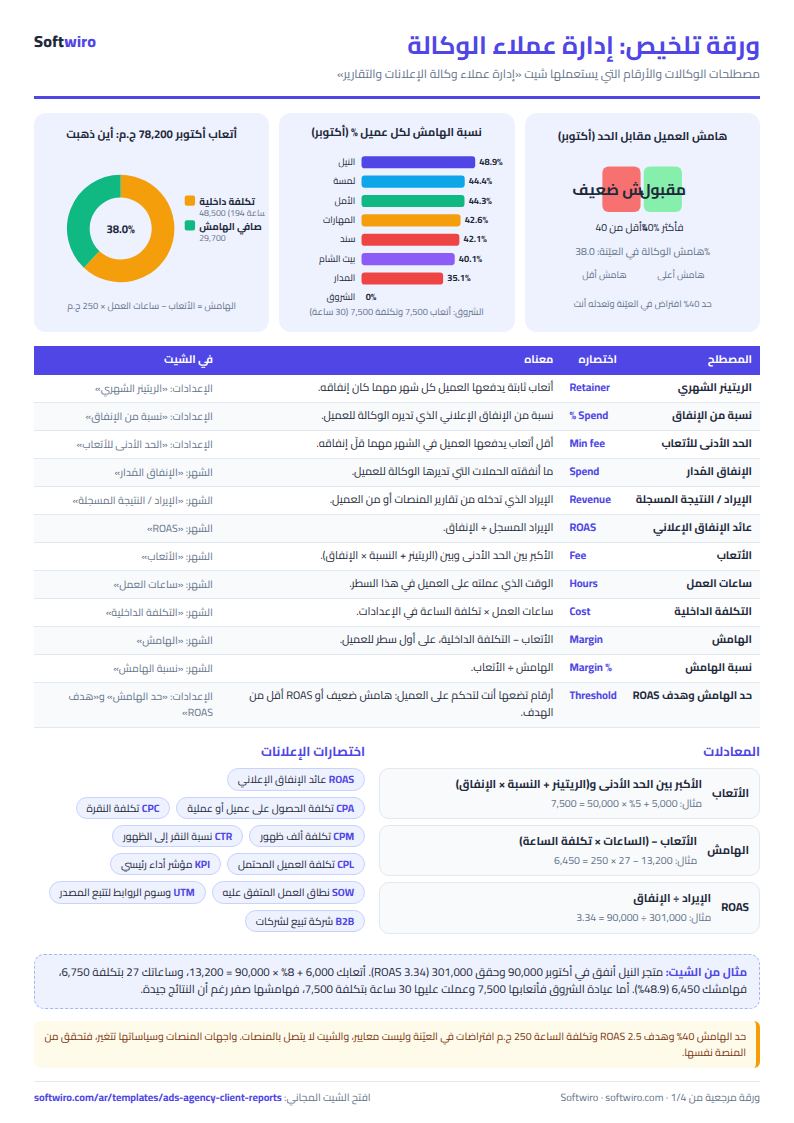
| متجر النيل للملابس | 90,000.00 | 301,000.00 | 3.34 | 13,200.00 | 6,450.00 | 48.9% | 27.0 | جيد |
| عيادة الشروق للأسنان | 50,000.00 | 134,000.00 | 2.68 | 7,500.00 | 0.00 | 0.0% | 30.0 | هامش ضعيف |
| مطعم بيت الشام | 31,000.00 | 78,000.00 | 2.52 | 7,100.00 | 2,850.00 | 40.1% | 17.0 | جيد |
| شركة المدار للعقارات | 139,000.00 | 396,000.00 | 2.85 | 17,340.00 | 6,090.00 | 35.1% | 45.0 | هامش ضعيف |
| أكاديمية المهارات | 47,000.00 | 120,000.00 | 2.55 | 9,140.00 | 3,890.00 | 42.6% | 21.0 | جيد |
| شركة سند للمقاولات | 44,000.00 | 97,000.00 | 2.20 | 8,200.00 | 3,450.00 | 42.1% | 19.0 | ROAS أقل من الهدف |
Example from the “التقرير” tab (Arabic), with the numbers and formulas that are in the file.
What is inside
- الإعدادات (Settings): Agency name, year, report month, internal cost per working hour, low-margin threshold and ROAS target, plus the client table (up to 15): monthly retainer, fee as a percentage of spend and minimum fee, with "نعم" (yes) next to the clients you want a report card for.
- الشهر (Month): One row per entry: date, client, platform, managed spend, revenue or recorded result, and hours worked. It calculates ROAS and internal cost for each row, and the fee, margin and margin percentage appear on the client's first row of the month. It holds 300 rows.
- التقرير (Report): A card for each chosen client with spend, result, ROAS, fee, margin and status (good, ROAS below target or weak margin), plus agency totals, the best client by margin, the names of clients below the threshold, and a breakdown of all clients for the month.
The file opens on a start tab (“ابدأ هنا”, Start here) that explains how to use it.
What makes it different
You record the numbers once, in one row, and get the client report and your own profit margin together. You can see which clients are worth their fee and which use more of your hours than they pay for, instead of gathering numbers from platform reports and your own notes at the end of every month.
How to use it
- In the "الإعدادات" (Settings) sheet, enter the agency name, the year, the report month, your internal cost per working hour, the low-margin threshold and the ROAS target.
- Register your clients (up to 15) in the Settings table: fixed retainer, fee as a percentage of spend and minimum fee. Write "نعم" (yes) in the "في التقرير" (In report) column for each client you want a card for (up to 6).
- In the "الشهر" (Month) sheet, for each client and platform in each month, record a date within the month, the client, the platform from the list, the spend you managed, the revenue or recorded result, and your hours.
- Leave the grey columns alone: fee, ROAS, internal cost and margin. The fee and margin appear on the client's first row of the month.
- Open the "التقرير" (Report) sheet to see the card for each chosen client, agency totals, the best client by margin and the clients below the threshold.
Before you start:
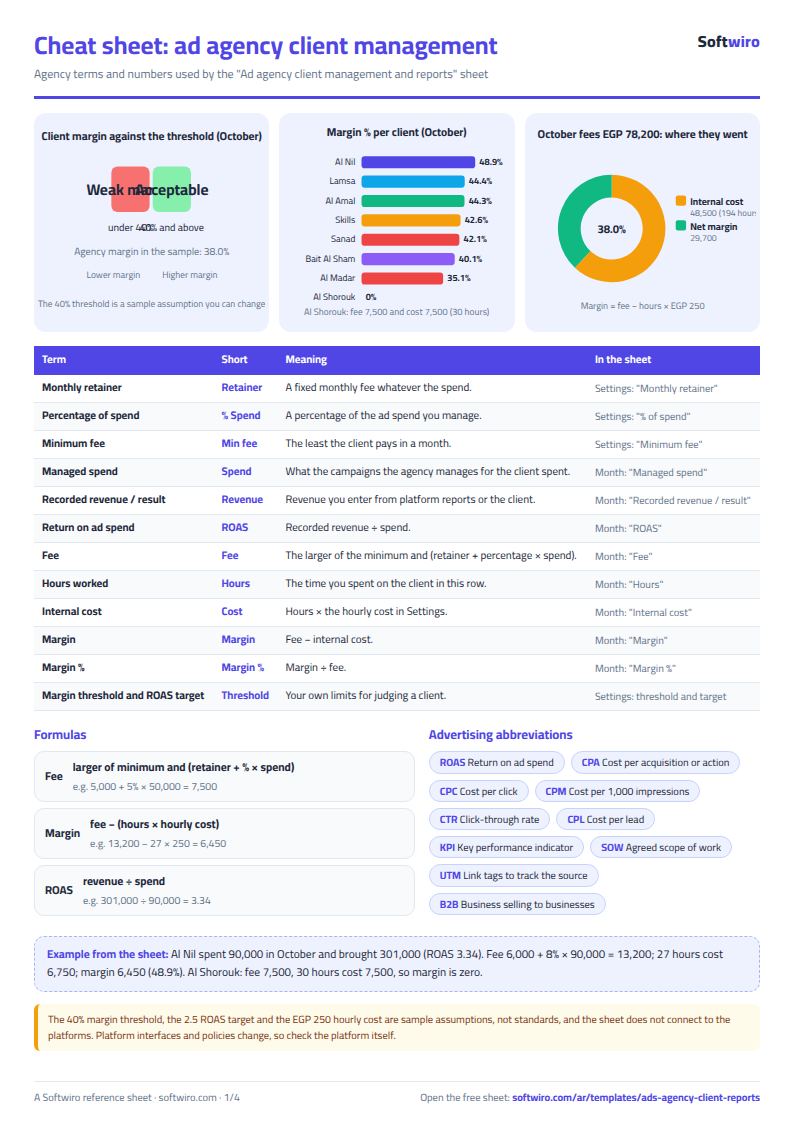
- A client's monthly fee = the larger of the minimum fee and (retainer + percentage × total spend in the month across all platforms). It is calculated once per client per month.
- Internal cost = hours worked × hourly cost in Settings, margin = fee − internal cost, and margin percentage = margin ÷ fee.
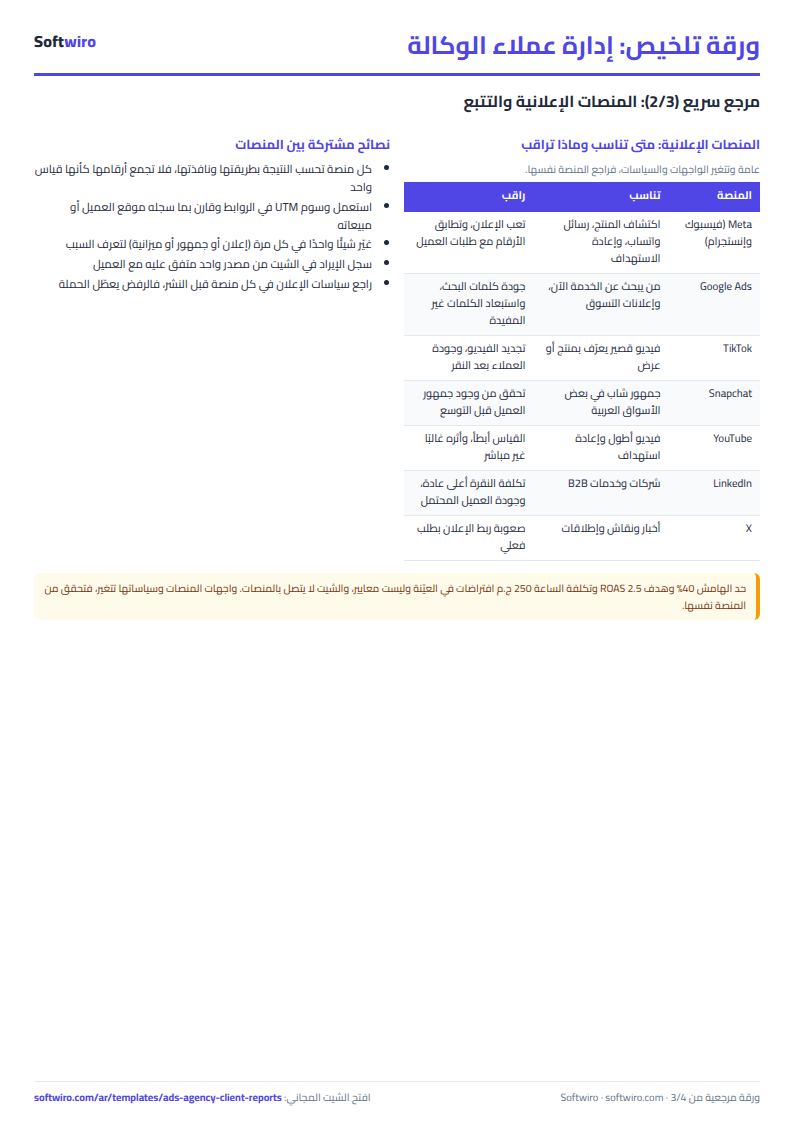
- ROAS = recorded revenue ÷ spend. This is a number you enter from platform reports or from the client; the sheet does not connect to the platforms or verify it.
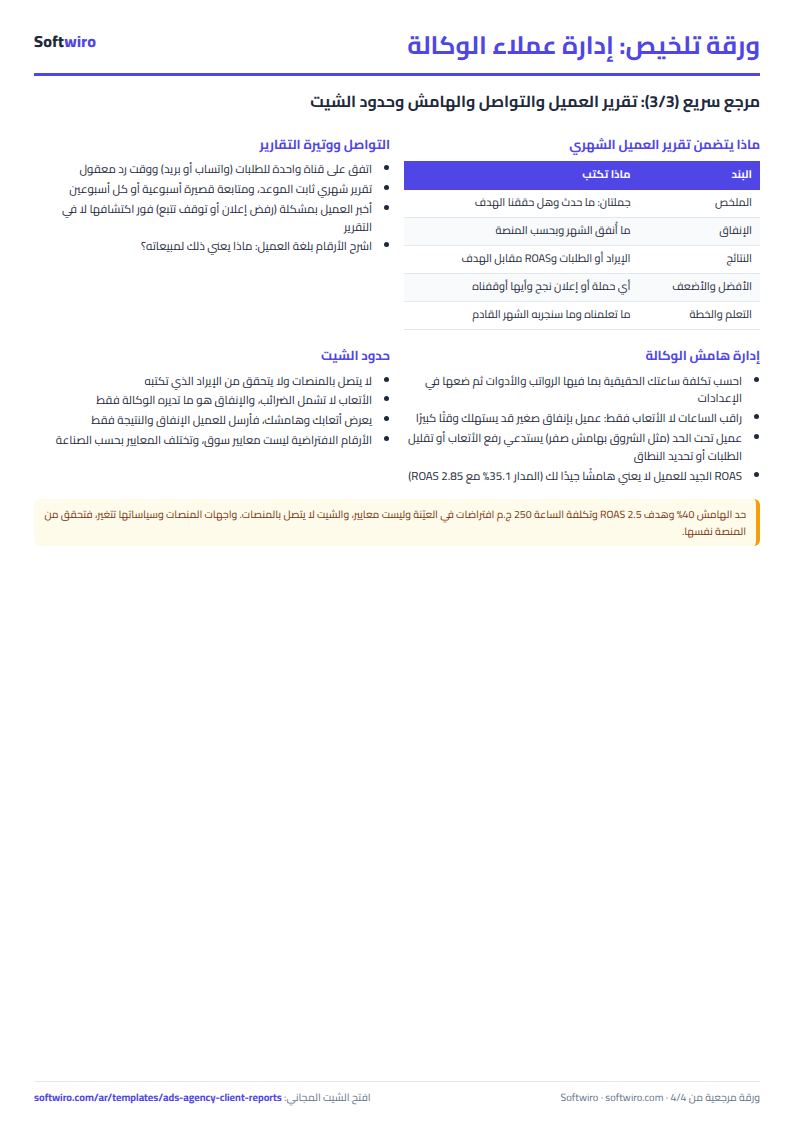
- The margin threshold (40%), ROAS target (2.5) and hourly cost (EGP 250) in the examples are editable assumptions, not market benchmarks. Use the numbers that suit your agency and contracts.
- The spend counted is only what the agency manages, and the agency fee does not include taxes. A client not registered in Settings appears in an "unclassified" row and gets no fee.
- The sheet holds 300 monthly rows, 15 clients and 6 cards. Do not delete a row from the middle of the lists.
Free cheat sheet for this field
Terms, abbreviations, tables and diagrams over several pages, in Arabic and English. Download it as a PDF or images, including a phone-size version.
Still running this on Excel?
This sheet suits a start and a limited amount of data. If your way of working grows, or you need more than one person working on it at the same time, Softwiro can build you a program that fits the way you work.
| In this sheet | In Custom Software from Softwiro |
|---|---|
| One file that one person edits at a time, and copies reach you on WhatsApp. | A program with a login for each user and permissions you define, and everyone sees the same data. |
| You type everything and check the numbers by hand. | We design the screens around your work steps, so each person records only what concerns them. |
| Columns and formulas are fixed as the sheet was designed. | We build what you need: reports, alerts and screens your way. |
| Backups and security are your own responsibility. | The program runs on a secured server with regular backups. |
Frequently asked questions
How do I price ad management: retainer or percentage of spend?
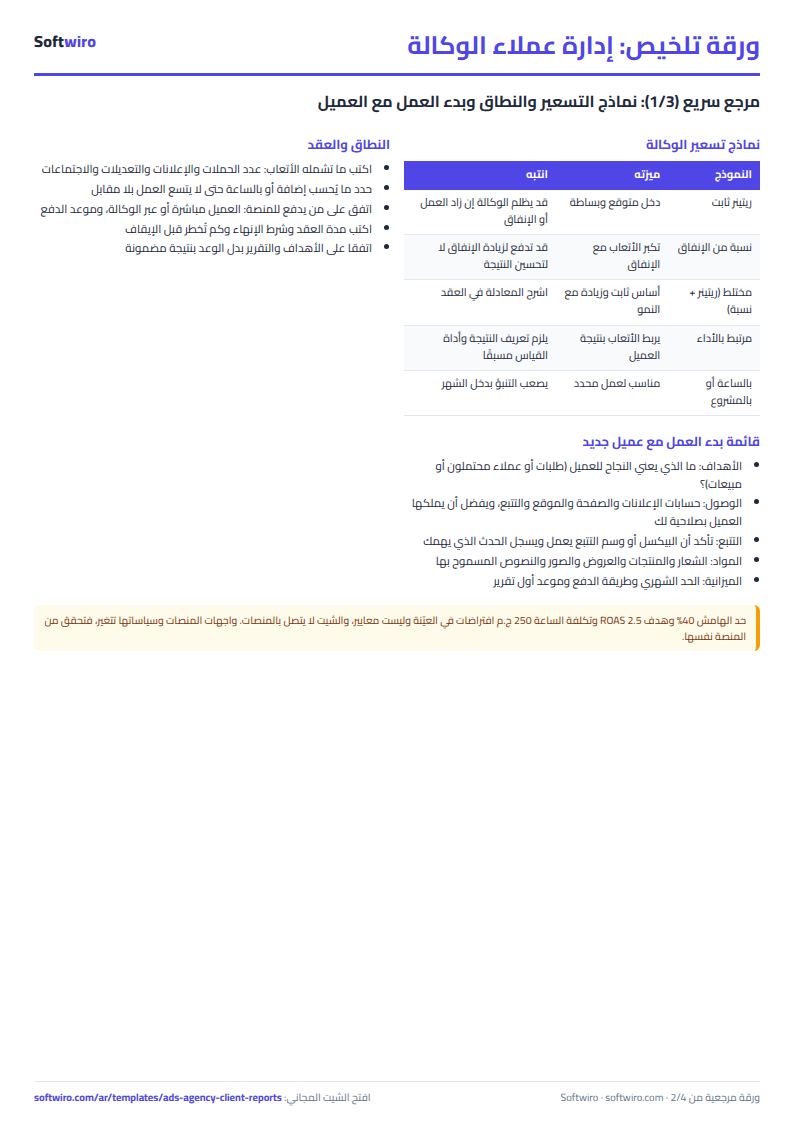
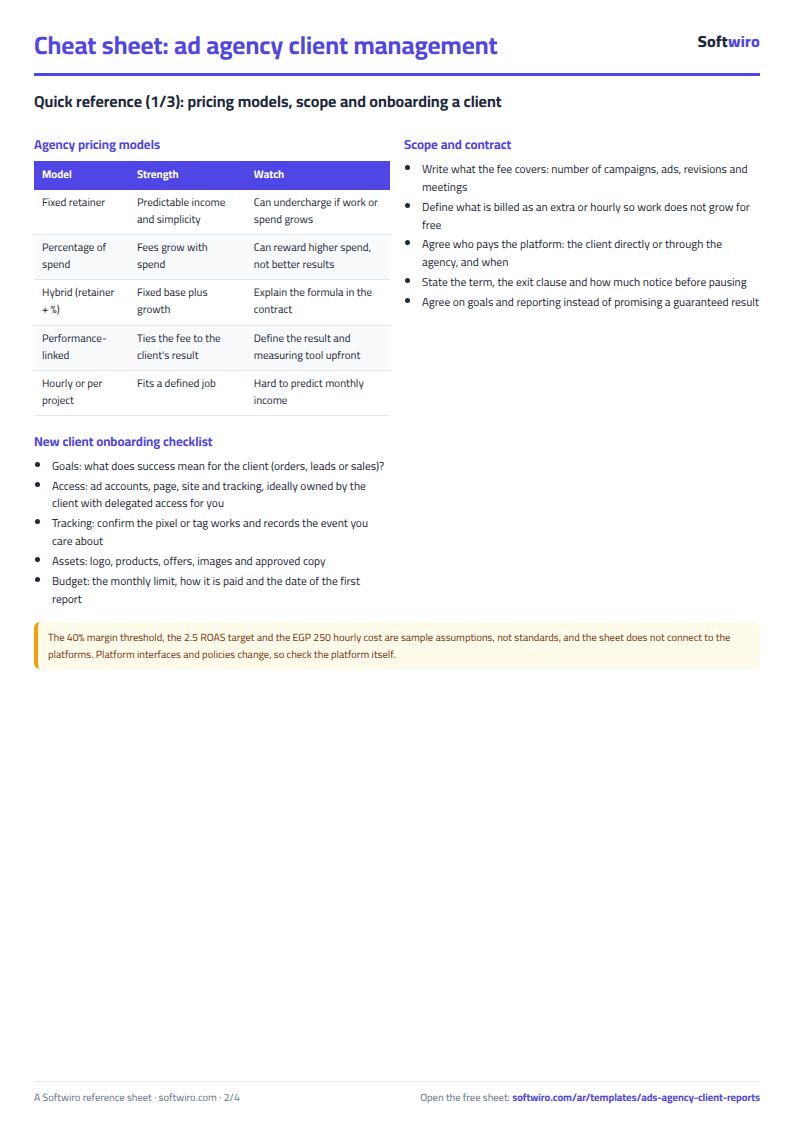
The sheet calculates a mixed formula: fee = the larger of the minimum fee and (retainer + percentage × the client's spend in the month across all platforms). For example, a retainer of 5,000, a 5% rate and spend of 50,000 gives EGP 7,500. Choosing the formula that suits you is your decision and your contract; the sheet shows its effect on your margin.
What does margin mean in the sheet, and how is it calculated?
Margin = fee − internal cost, where internal cost = hours worked × your hourly cost in "الإعدادات" (Settings), and margin percentage = margin ÷ fee. It appears on the client's first row of the month and is totaled in the report. The hourly cost and the margin threshold are numbers you set.
Does the sheet connect to ad accounts and pull the numbers?
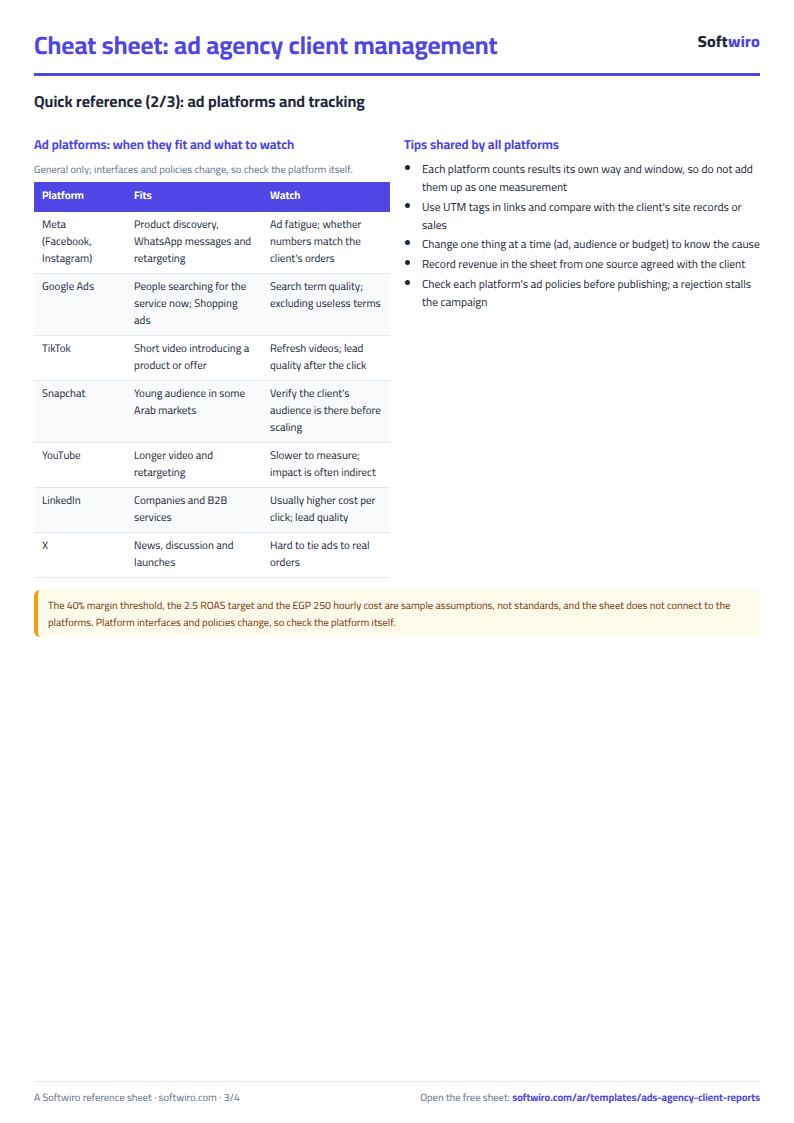
No. You type the spend and revenue from platform reports or from the client, and the sheet does not verify them. Platform interfaces and policies change, so check the numbers at their source before sending them to a client. If you want a direct connection, that is what a custom app adds.
Can I send the report card to the client directly?
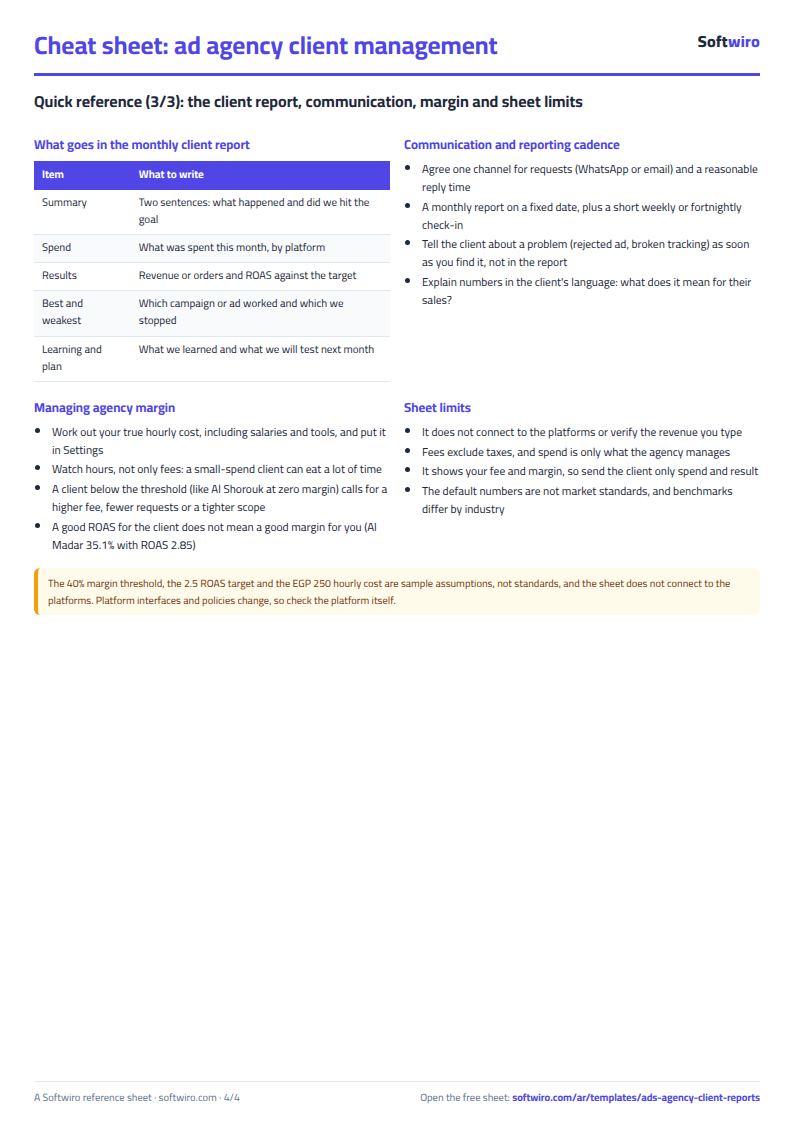
You can copy the client's card or print the "التقرير" (Report) sheet, but it also shows your fee and margin, which are internal numbers. Send the client only what concerns them (spend, result and ROAS) and do not send the whole file.
Is the template free?
Yes, with no sign-up and no email address. Use it, edit it and share it as you like.
Does it work in Google Sheets and on mobile?
The sheet uses formulas supported by Excel 2016 and later, Google Sheets and LibreOffice, so you can upload it to Google Drive and open it with Google Sheets on a computer or a phone.
What is the difference between the white and the gray cells?
You type in the white cells; the gray cells are calculated automatically. Don't type in a gray cell, or you will erase its formula.
Can I use the sheet from an AI assistant?
Yes. Add our MCP server (URL https://softwiro.com/api/mcp, no key needed) to your assistant and ask it to do the calculation in this template. The numbers come from the sheet's own formulas, and we do not store your data. The steps and a ready-made prompt are in this article: https://softwiro.com/blog/mcp-excel-templates-ai-agent-guide.html
All the templates in this group: Excel templates for paid ads: budget, performance and reports
More free templates for: Marketing and advertising
More free templates
- Ad budget media plan across platforms
- Ad campaign performance tracker
- Ads A/B test log
- Ads break-even and unit economics sheet
- UTM link builder and campaign naming
- Ad account audit checklist
- Ads creative production calendar
- Ads lead quality tracker
- Media buyer rules sheet: ad formulas, scaling rules and testing discipline
- Cash flow forecast sheet
- Annual budget by department: plan vs actual
- Project budget vs actual sheet
- Simple daily expense sheet (phone-first)
- Multi-warehouse and branch inventory sheet with transfers
- Periodic stock count and count-difference reconciliation sheet
- Restaurant and cafe inventory and waste sheet
- Spare parts inventory sheet