Try the sheet here, on the example
The sheet is open below with sample numbers. Change any white cell and watch the results update, or press the blank-copy button to type your own data from scratch. Nothing you type leaves your browser.
Example from the sheet
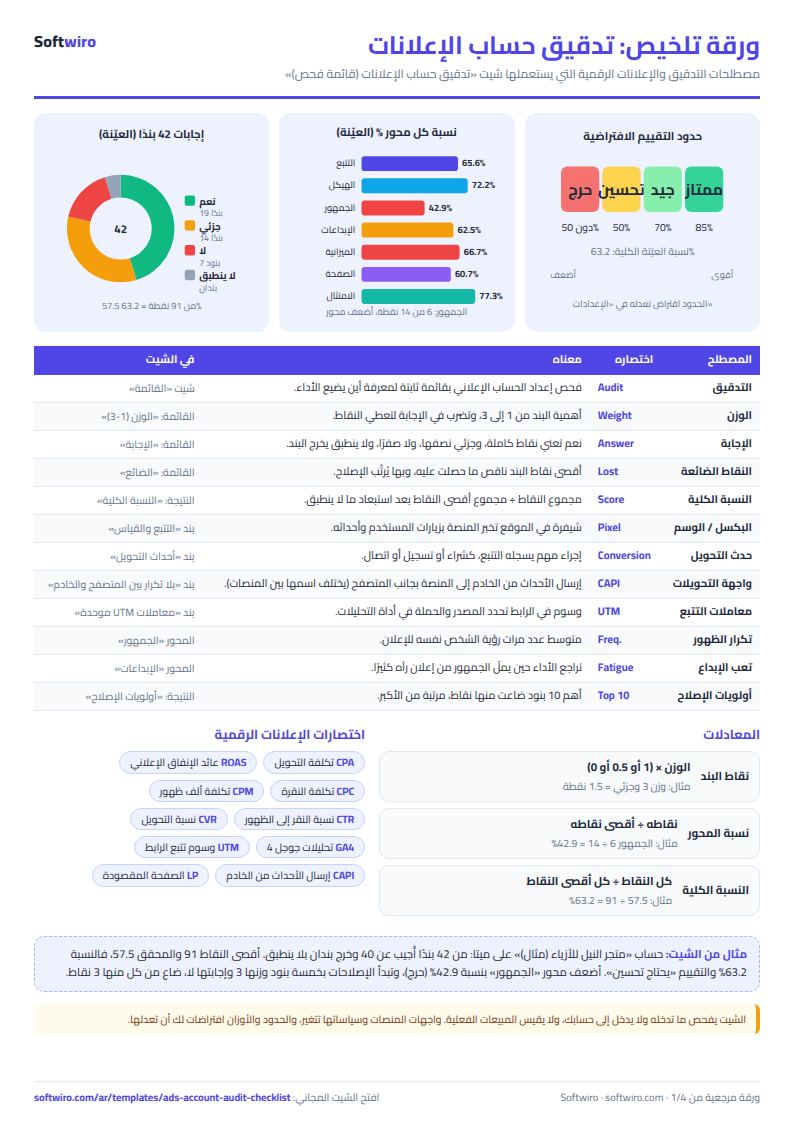
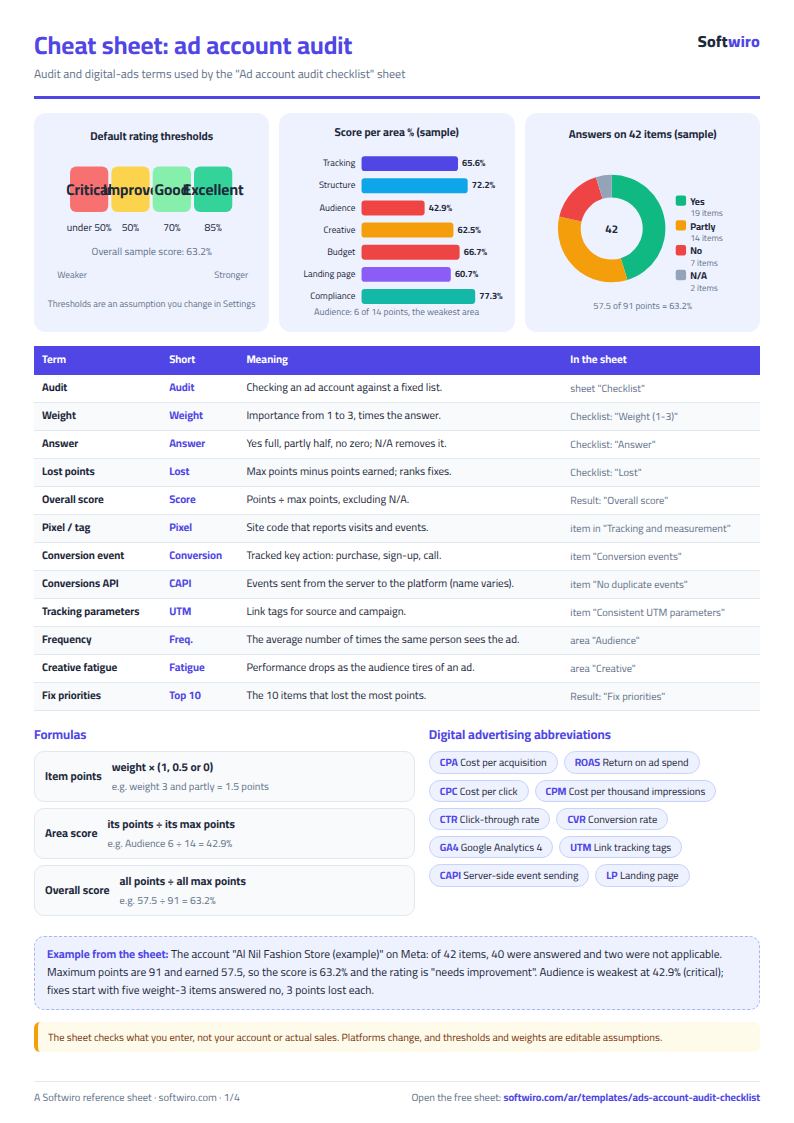
| المحور | بنود محسوبة | أقصى نقاط | النقاط | النسبة | التقييم |
|---|---|---|---|---|---|
| التتبع والقياس | 6 | 16.0 | 10.5 | 65.6% | يحتاج تحسين |
| الهيكل | 5 | 9.0 | 6.5 | 72.2% | جيد |
| الجمهور | 6 | 14.0 | 6.0 | 42.9% | حرج |
| الإبداعات | 6 | 12.0 | 7.5 | 62.5% | يحتاج تحسين |
| الميزانية والمزايدة | 6 | 15.0 | 10.0 | 66.7% | يحتاج تحسين |
| الصفحة المقصودة | 6 | 14.0 | 8.5 | 60.7% | يحتاج تحسين |
| الامتثال والسياسات | 5 | 11.0 | 8.5 | 77.3% | جيد |
| الإجمالي | 40 | 91.0 | 57.5 | 63.2% | يحتاج تحسين |
Example from the “النتيجة” tab (Arabic), with the numbers and formulas that are in the file.
What is inside
- الإعدادات (Settings): The ad account name, the platform from the list (Meta, Google, TikTok, Snapchat, LinkedIn, YouTube and X), the auditor's name and audit date, and the three rating thresholds (85%, 70% and 50%), which you can edit.
- القائمة (Checklist): 42 ready items, each with its area, its weight (1 to 3), your answer from the drop-down list and a column for a note or evidence. For each row it calculates the maximum points, points earned and points lost. It holds 60 items.
- النتيجة (Result): The percentage for each of the seven areas, the overall percentage and the rating, the number of items answered and not applicable, and below them a "fix priorities" list of the top 10 items ranked by points lost, plus space for audit notes.
The file opens on a start tab (“ابدأ هنا”, Start here) that explains how to use it.
What makes it different
Instead of reviewing the account from memory and forgetting something important like tracking or excluding existing customers, you follow a fixed checklist and end up with a clear score and a ranked list of fixes. You can audit again a month later to compare.
How to use it
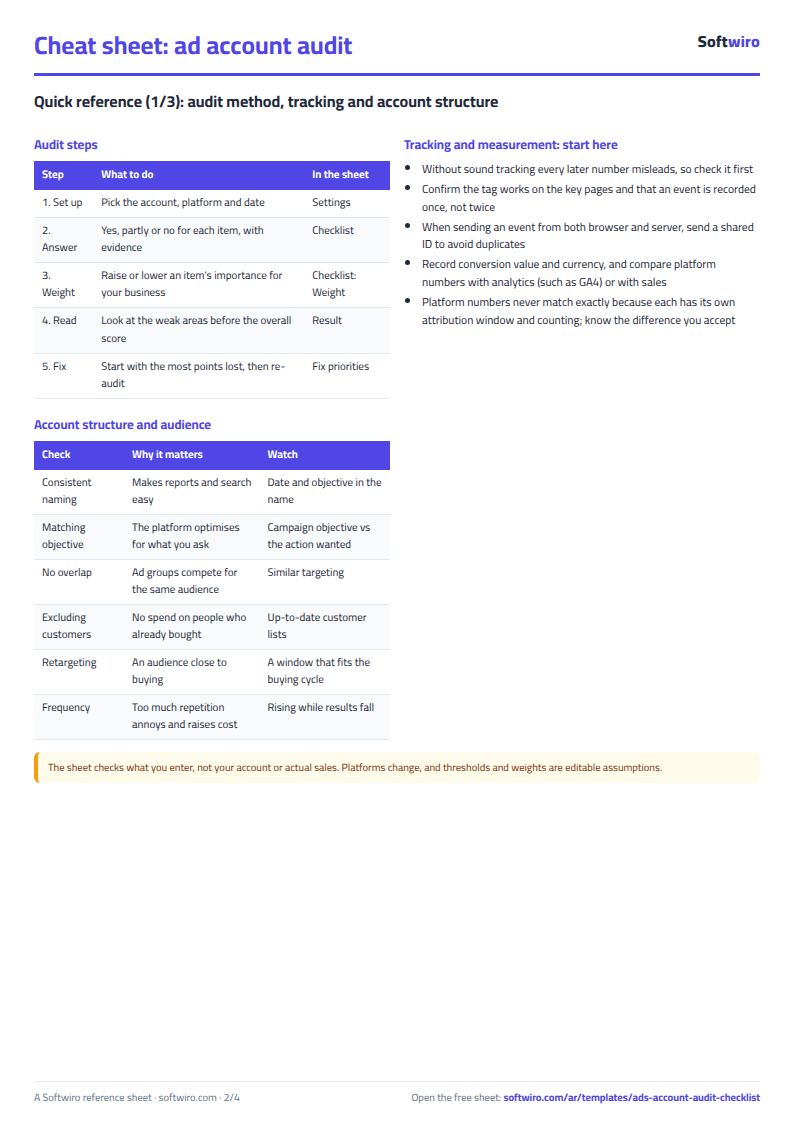
- In the "الإعدادات" (Settings) sheet, enter the account name, the platform from the list, the auditor's name and the audit date, and review the rating thresholds if you want to change them.
- In the "القائمة" (Checklist) sheet, answer each item from the drop-down: yes, partly, no or not applicable (for example, negative keywords for an account that does not use search).
- Change an item's weight from 1 to 3 if it matters more or less to your business, and write your note or evidence in the note column.
- Open the "النتيجة" (Result) sheet to see the percentage for each area, the overall percentage and the rating: excellent, good, needs improvement or critical.
- Start with the "fix priorities" list: the 10 items that lost the most points. Audit again after fixing to compare.
Before you start:
- Item points = weight × (1 for yes, 0.5 for partly, 0 for no). An item marked "not applicable" and an unanswered item are both left out of the calculation entirely.
- Area percentage = its points ÷ its maximum points after excluding not applicable items. The rating thresholds (85%, 70% and 50%) are assumptions you can edit in Settings.
- The items are general and suit Meta, Google, TikTok, Snapchat and LinkedIn. They contain no numbers specific to any one platform.
- Fix priorities include the items you answered no or partly, ranked by points lost. When points are equal, the item higher in the list comes first.
- The sheet checks what you enter and does not log in to your ad account, so the accuracy of your answers and their evidence is up to you. It is a checklist, not a substitute for reviewing actual performance.
- The sheet holds 60 items. You can replace any item with one that suits your platform, and do not leave an empty row in the middle of the list.
Free cheat sheet for this field
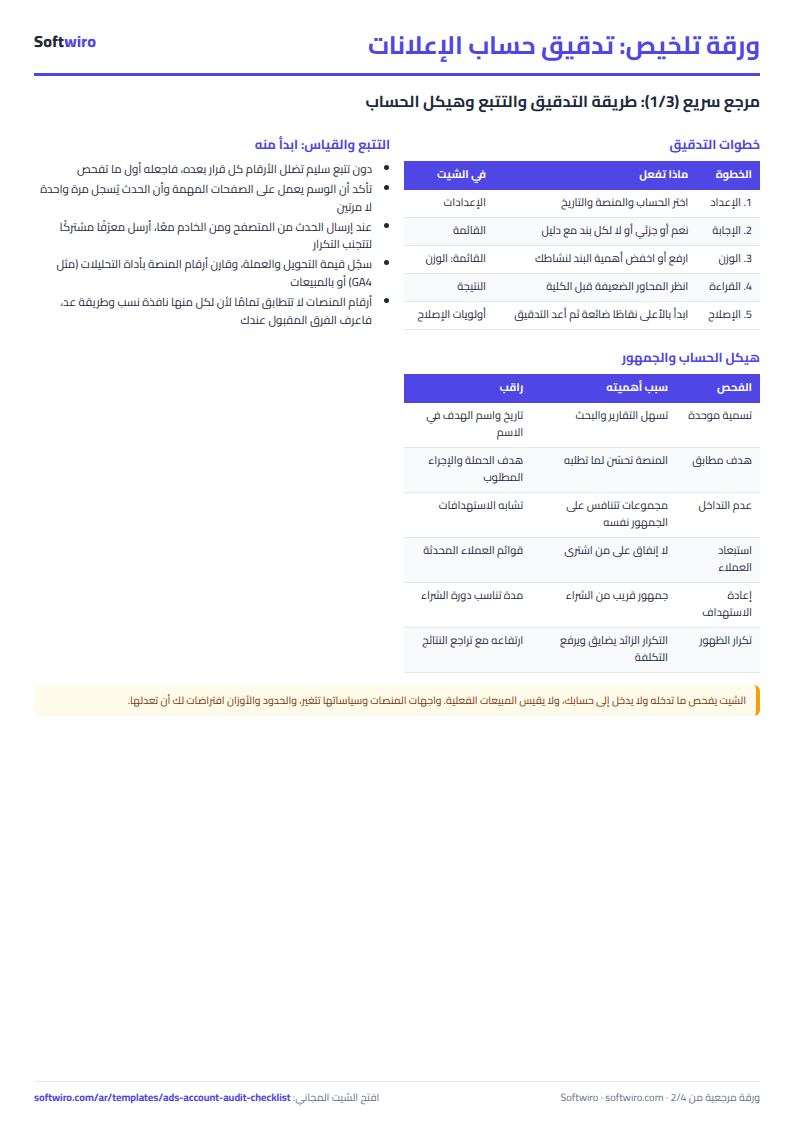
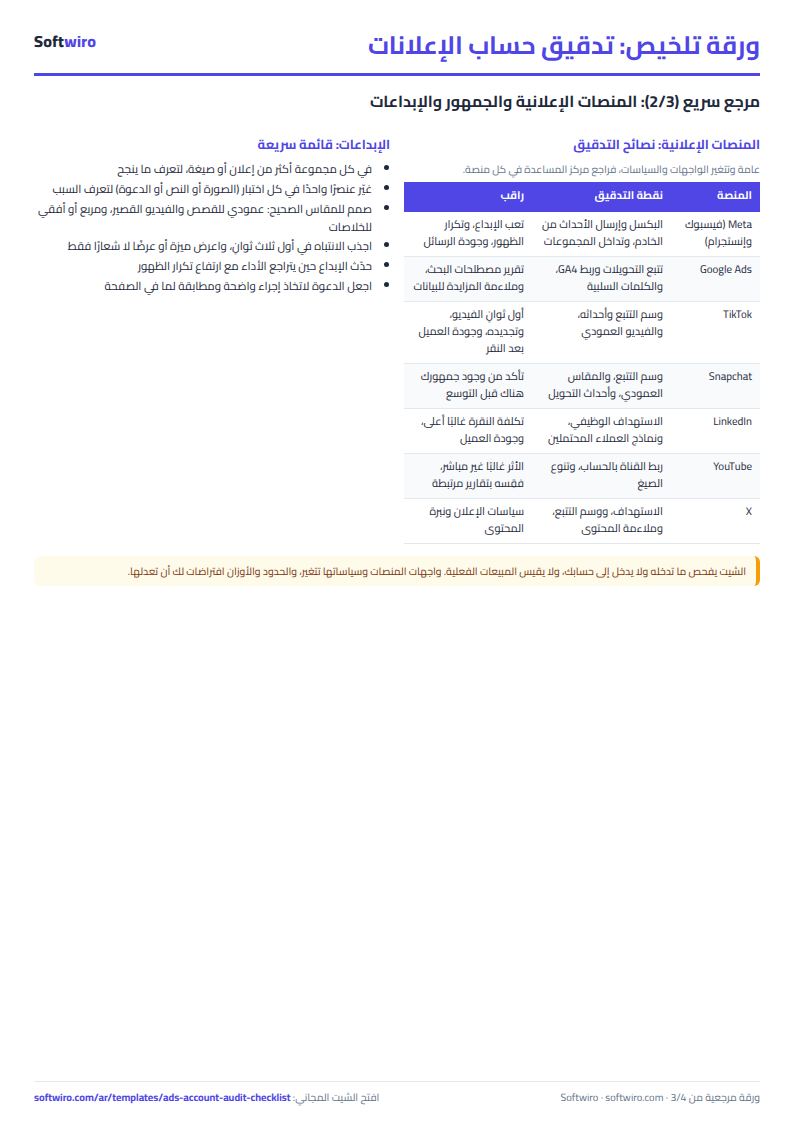
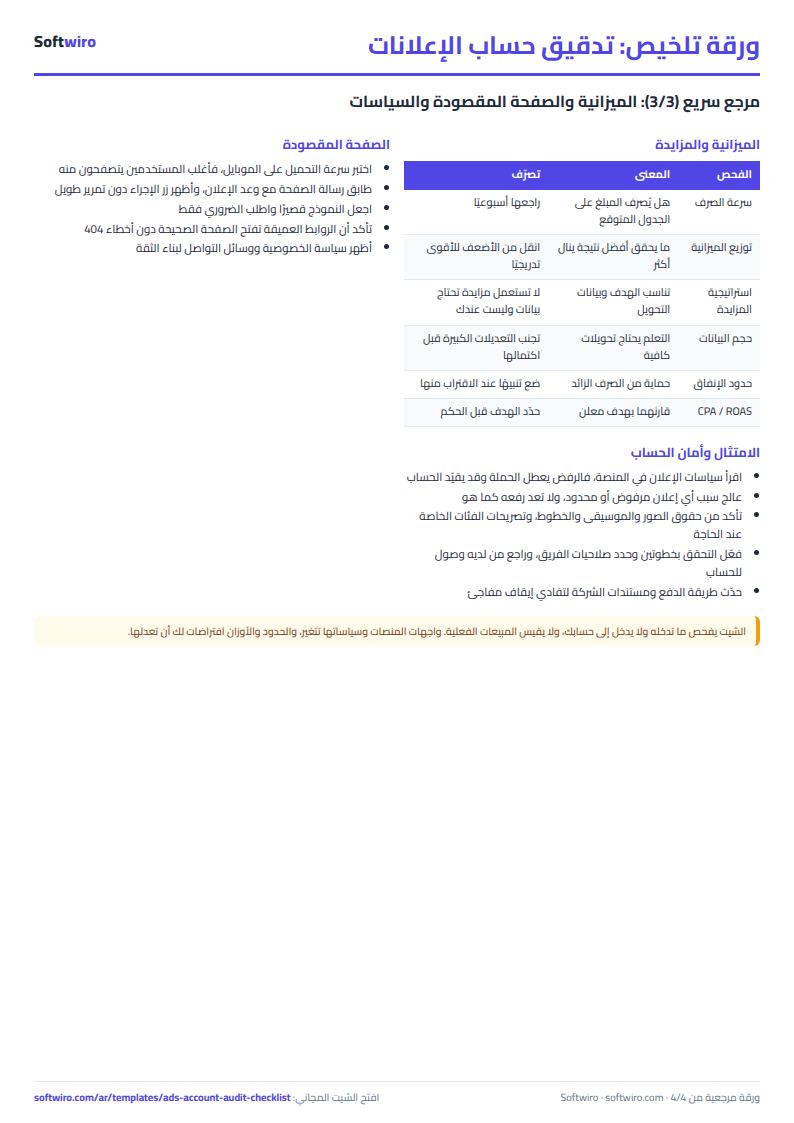
Terms, abbreviations, tables and diagrams over several pages, in Arabic and English. Download it as a PDF or images, including a phone-size version.
Still running this on Excel?
This sheet suits a start and a limited amount of data. If your way of working grows, or you need more than one person working on it at the same time, Softwiro can build you a program that fits the way you work.
| In this sheet | In Custom Software from Softwiro |
|---|---|
| One file that one person edits at a time, and copies reach you on WhatsApp. | A program with a login for each user and permissions you define, and everyone sees the same data. |
| You type everything and check the numbers by hand. | We design the screens around your work steps, so each person records only what concerns them. |
| Columns and formulas are fixed as the sheet was designed. | We build what you need: reports, alerts and screens your way. |
| Backups and security are your own responsibility. | The program runs on a secured server with regular backups. |
Frequently asked questions
How do I audit an ad account on Meta, Google or TikTok?
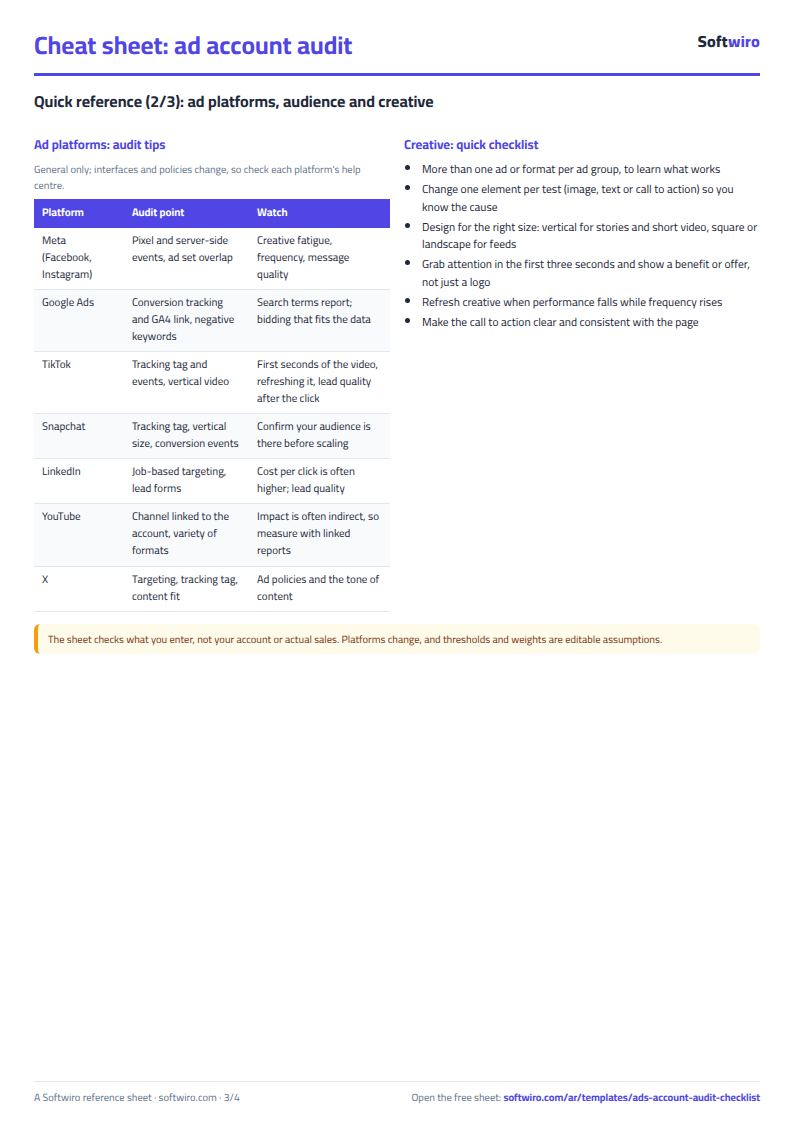
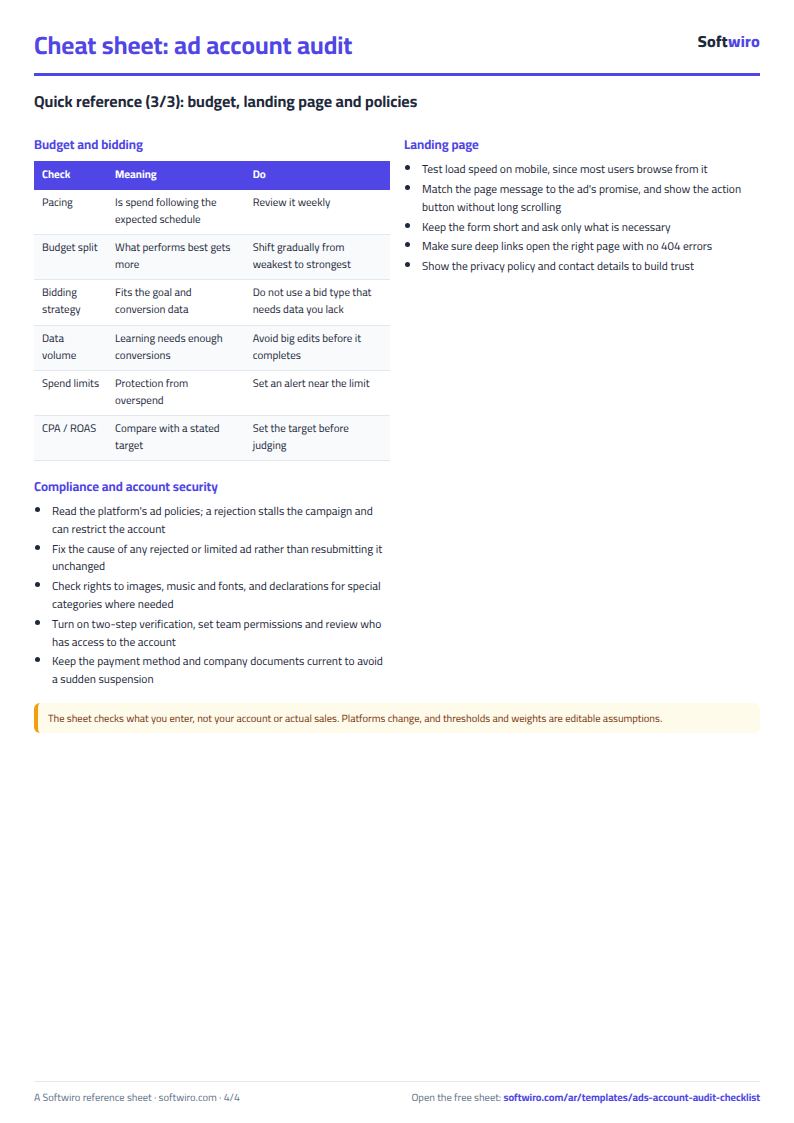
Start with tracking: does the pixel or tag work, and are the conversion events correct? Then review structure, audience, creative, budget, landing page and policies. In this sheet you answer 42 items with yes, partly or no, and it calculates a percentage for each area and ranks the most important fixes. The items are general and suit every platform. Platform interfaces change, so check where each setting lives in your platform.
How are the percentage and the rating calculated?
Item points = weight × (1 for yes, 0.5 for partly, 0 for no). Area percentage = its points ÷ its maximum points, after excluding "not applicable" and unanswered items. Rating: excellent from 85% up, good from 70%, needs improvement from 50%, and anything below is critical. These thresholds are assumptions you can edit in Settings and are not an official standard from any platform.
Does a high score mean my ads are successful?
No. The sheet checks that the setup and practices are sound. It does not measure actual results such as sales and cost per conversion. An account with a high score can still lose money if the offer or price is weak, and an account with a lower score can be profitable. Use it together with a review of actual performance.
Does the sheet log in to my ad account and read its settings?
No. The sheet checks only what you enter, so the accuracy of your answers and their evidence is up to you. If you want a direct connection to the platforms and automatic alerts, that is what a custom app adds.
Is the template free?
Yes, with no sign-up and no email address. Use it, edit it and share it as you like.
Does it work in Google Sheets and on mobile?
The sheet uses formulas supported by Excel 2016 and later, Google Sheets and LibreOffice, so you can upload it to Google Drive and open it with Google Sheets on a computer or a phone.
What is the difference between the white and the gray cells?
You type in the white cells; the gray cells are calculated automatically. Don't type in a gray cell, or you will erase its formula.
Can I use the sheet from an AI assistant?
Yes. Add our MCP server (URL https://softwiro.com/api/mcp, no key needed) to your assistant and ask it to do the calculation in this template. The numbers come from the sheet's own formulas, and we do not store your data. The steps and a ready-made prompt are in this article: https://softwiro.com/blog/mcp-excel-templates-ai-agent-guide.html
All the templates in this group: Excel templates for paid ads: budget, performance and reports
More free templates for: Marketing and advertising
More free templates
- Ad budget media plan across platforms
- Ad campaign performance tracker
- Ads A/B test log
- Ads break-even and unit economics sheet
- Ad agency client management and reports
- UTM link builder and campaign naming
- Ads creative production calendar
- Ads lead quality tracker
- Media buyer rules sheet: ad formulas, scaling rules and testing discipline
- Cash flow forecast sheet
- Annual budget by department: plan vs actual
- Project budget vs actual sheet
- Simple daily expense sheet (phone-first)
- Multi-warehouse and branch inventory sheet with transfers
- Periodic stock count and count-difference reconciliation sheet
- Restaurant and cafe inventory and waste sheet
- Spare parts inventory sheet