Try the sheet here, on the example
The sheet is open below with sample numbers. Change any white cell and watch the results update, or press the blank-copy button to type your own data from scratch. Nothing you type leaves your browser.
Example from the sheet
| الصندوق | النوع | رصيد أول الشهر | التبرعات | المصروفات | رصيد آخر الشهر | الحالة |
|---|---|---|---|---|---|---|
| الصندوق العام | عام | 10,550.00 | 2,500.00 | 500.00 | 12,550.00 | |
| كفالة الأيتام | مقيد | 1,800.00 | 500.00 | 700.00 | 1,600.00 | |
| العلاج | مقيد | 0.00 | 3,500.00 | 3,800.00 | -300.00 | صُرف أكثر من الرصيد |
| مشروع بئر المياه | مقيد | 10,000.00 | 3,500.00 | 6,000.00 | 7,500.00 | |
| إفطار وسلة غذائية | مقيد | 0.00 | 300.00 | 500.00 | -200.00 | صُرف أكثر من الرصيد |
| الإجمالي | 22,350.00 | 10,300.00 | 11,500.00 | 21,150.00 | ||
| غير مصنف (صندوق غير موجود) | 400.00 | 200.00 |
Example from the “تقرير الصناديق” tab (Arabic), with the numbers and formulas that are in the file.
What is inside
- “الإعدادات” (Settings): The charity's name, the year and the reporting month, and the list of funds (up to 8): fund name, type (general or restricted) and balance before the first record.
- “التبرعات” (Donations): A record of each donation: date, donor code (optional), fund from a list, amount and payment method.
- “المصارف” (Expenses): A record of each amount paid out: date, fund, item and amount. The sheet flags a fund that is not in the list.
- “تقرير الصناديق” (Funds report): For each fund in the chosen month: opening balance, donations, expenses, balance and status. Then the total, an “غير مصنف” (unclassified) line, the balances of the general and restricted funds, and the number of donor codes.
The file opens on a start tab (“ابدأ هنا”, Start here) that explains how to use it.
What makes it different
A charity's donations and expenses split by fund in one file. You know each project's balance separately and whether more was spent from it than it holds, without one project's money mixing with another's.
How to use it
- In the “الإعدادات” (Settings) tab, enter the charity's name, the year and the reporting month. Then list the funds (up to 8): each fund's name, its type “عام” (general) or “مقيد” (restricted), and its balance before the first record.
- In the “التبرعات” (Donations) tab, record each donation: date, donor code (leave it empty for an anonymous donor), fund from the list, amount and payment method.
- In the “المصارف” (Expenses) tab, record each amount paid out: date, the fund it is spent from, the item and the amount.
- Open the “تقرير الصناديق” (Funds report) tab to find, for each fund, the opening balance for the month, donations, expenses, balance and status.
- Check the line for a fund that is not in the list in “المصارف”, and any fund whose status shows “صُرف أكثر من الرصيد” (spent more than the balance).
Before you start:
- Fund balance = opening balance + all its donations − all its expenses up to the end of the period.
- A restricted fund can only be spent on what the donor specified. The sheet does not block spending, but it shows you when expenses exceed the balance.
- A donation or expense under a fund name that is not in “الإعدادات” (Settings) is not lost from the total. It appears in the “غير مصنف” (unclassified) line.
- Donor codes link donations to each other. The sheet holds no name or phone number, so keep the names in your own records.
- The sheet holds 2,000 donations, 2,000 expense entries and eight funds.
Free cheat sheet for this field
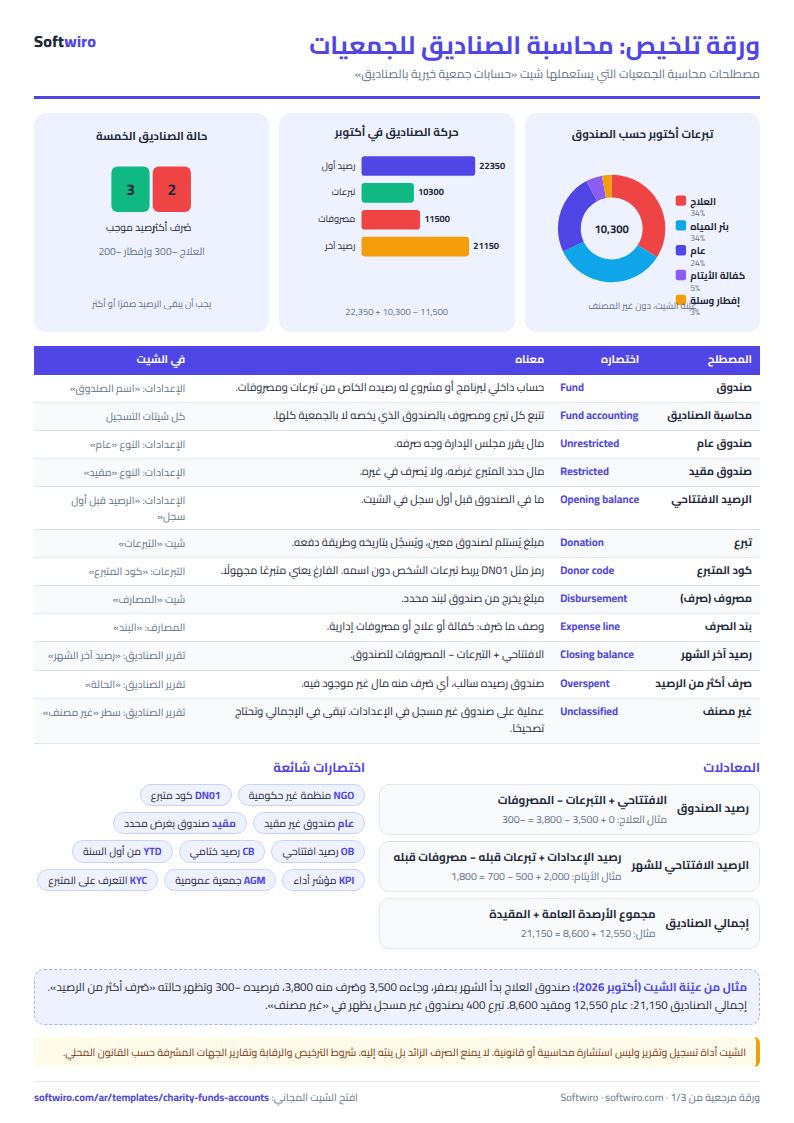
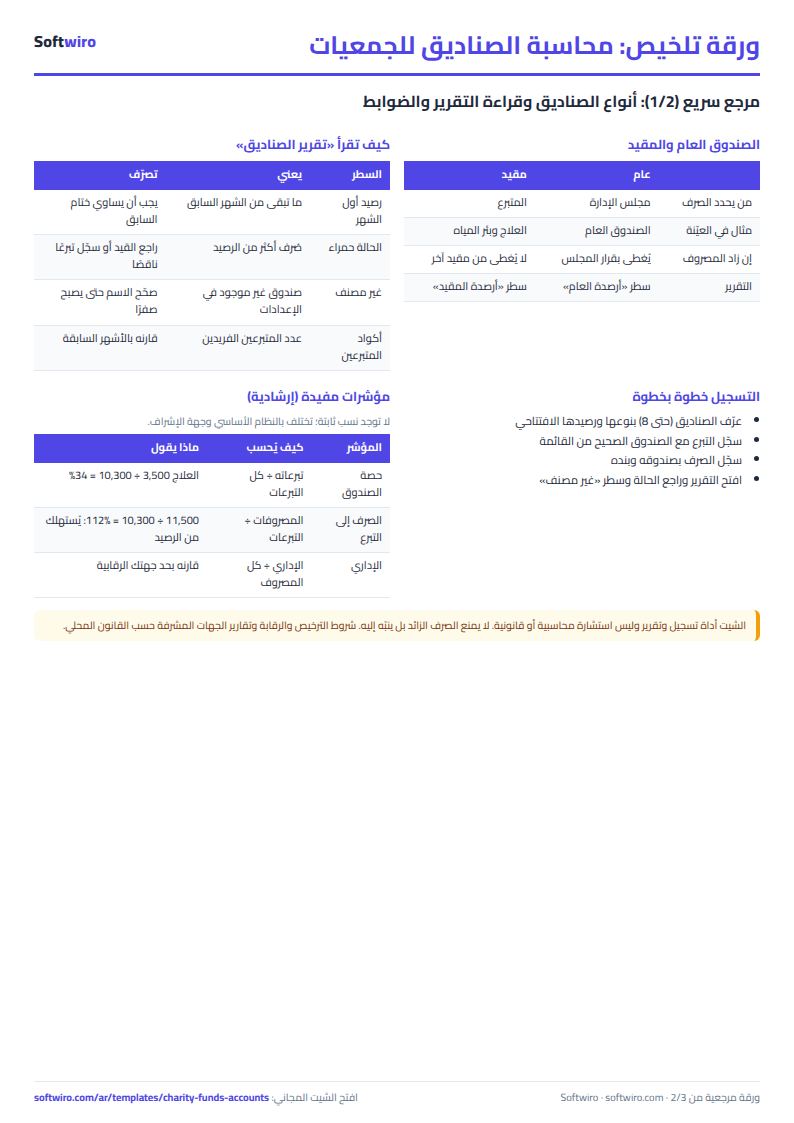
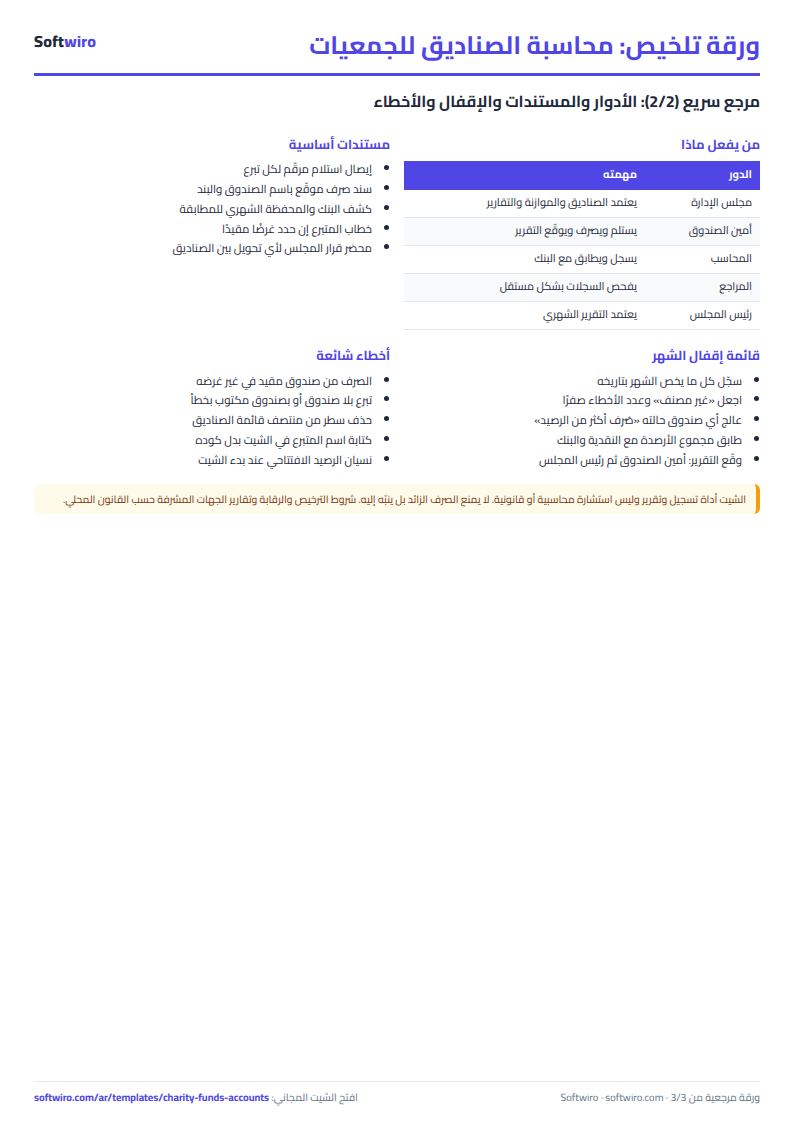
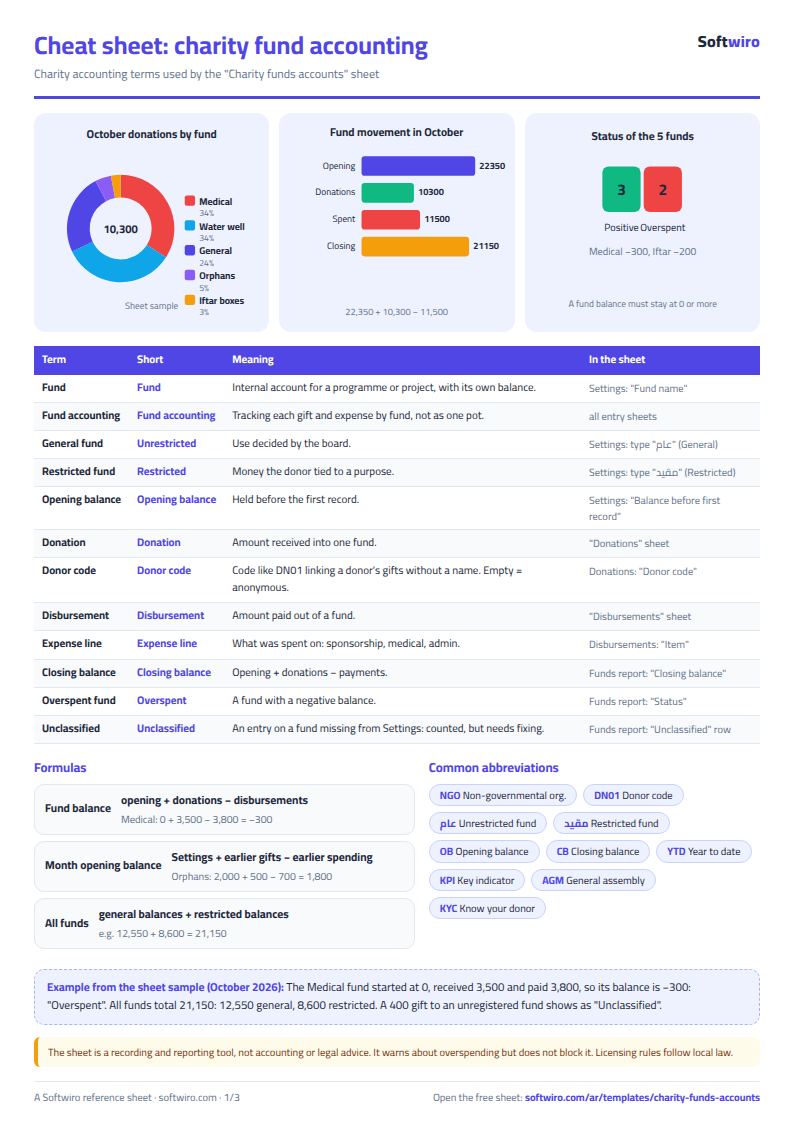
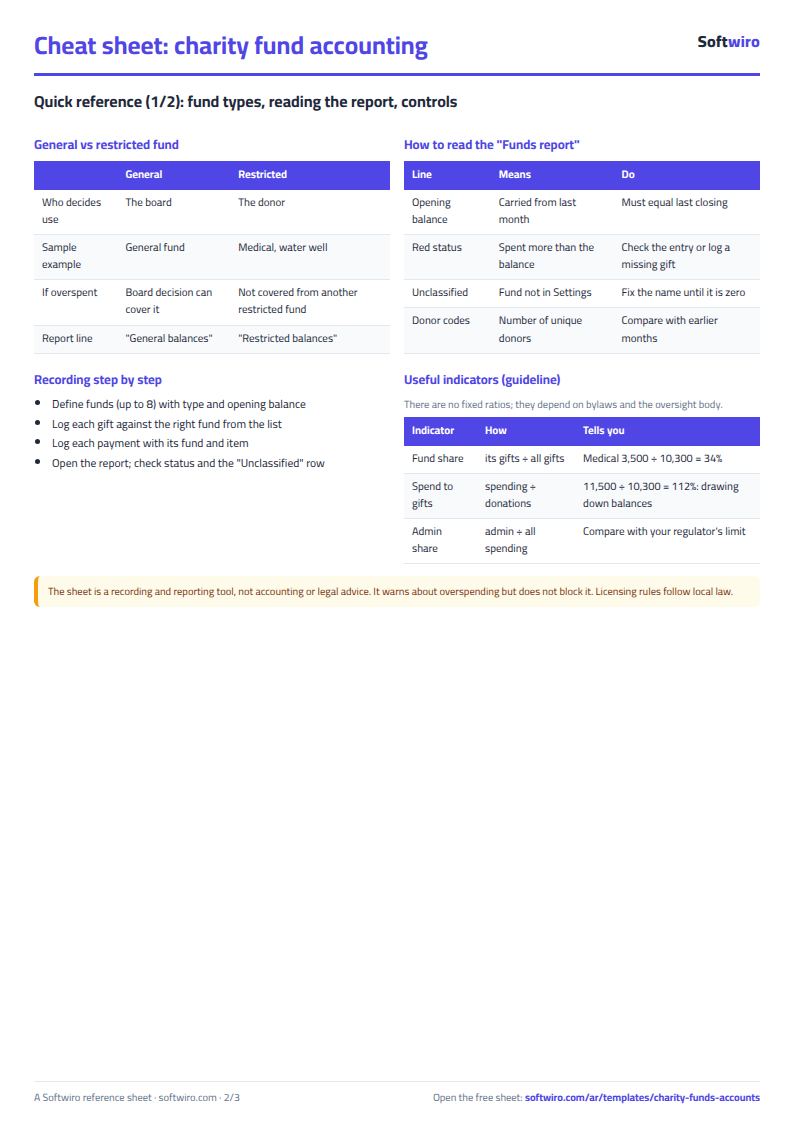
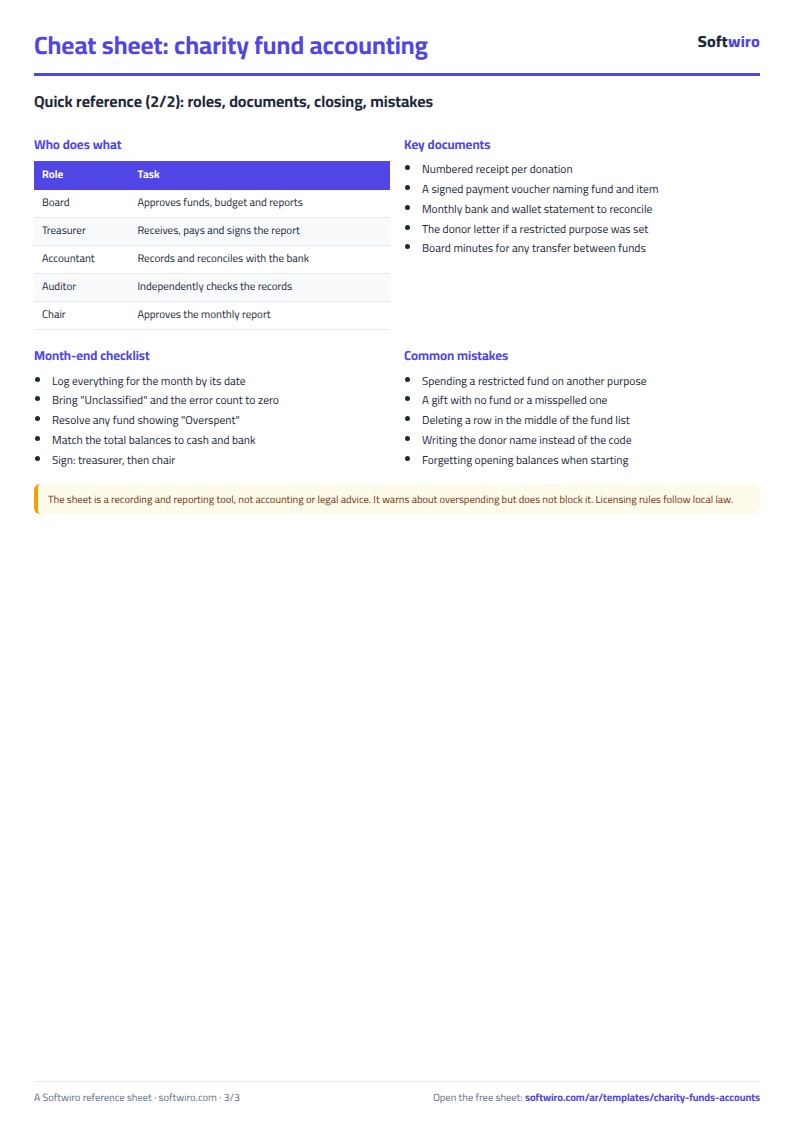
Terms, abbreviations, tables and diagrams over several pages, in Arabic and English. Download it as a PDF or images, including a phone-size version.
Still running this on Excel?
This sheet suits a start and a limited amount of data. If your way of working grows, or you need more than one person working on it at the same time, Softwiro can build you a program that fits the way you work.
| In this sheet | In Custom Software from Softwiro |
|---|---|
| One file that one person edits at a time, and copies reach you on WhatsApp. | A program with a login for each user and permissions you define, and everyone sees the same data. |
| You type everything and check the numbers by hand. | We design the screens around your work steps, so each person records only what concerns them. |
| Columns and formulas are fixed as the sheet was designed. | We build what you need: reports, alerts and screens your way. |
| Backups and security are your own responsibility. | The program runs on a secured server with regular backups. |
Frequently asked questions
What is the difference between a general fund and a restricted fund?
A general fund can be spent on any of the charity's activities. A restricted fund is set aside for a project or purpose the donor specified, so it can only be spent on that. Enter each fund's type in “الإعدادات” (Settings).
How do I find the balance of each project in a charity?
Tie every donation and expense to its fund in the “التبرعات” (Donations) and “المصارف” (Expenses) tabs, then open “تقرير الصناديق” (Funds report). Fund balance = opening balance + donations − expenses.
What if more is spent from a fund than its balance?
The status “صُرف أكثر من الرصيد” (spent more than the balance) appears in the funds report on a red background. You then review the spending or transfer from another fund under a documented decision.
Does the sheet show donor names?
No. It uses a donor code (such as DN01) and you keep the names in your own records.
Is the template free?
Yes, with no sign-up and no email address. Use it, edit it and share it as you like.
Does it work in Google Sheets and on mobile?
The sheet uses formulas supported by Excel 2016 and later, Google Sheets and LibreOffice, so you can upload it to Google Drive and open it with Google Sheets on a computer or a phone.
What is the difference between the white and the gray cells?
You type in the white cells; the gray cells are calculated automatically. Don't type in a gray cell, or you will erase its formula.
Can I use the sheet from an AI assistant?
Yes. Add our MCP server (URL https://softwiro.com/api/mcp, no key needed) to your assistant and ask it to do the calculation in this template. The numbers come from the sheet's own formulas, and we do not store your data. The steps and a ready-made prompt are in this article: https://softwiro.com/blog/mcp-excel-templates-ai-agent-guide.html
More free templates for: Charities and donations
More free templates
- Charity donations and disbursements tracker
- Strength workout log
- Running, cycling and swimming log
- Training load sheet for any sport (session-RPE)
- Athlete nutrition and macros sheet
- Football player match stats sheet
- Basketball player game stats
- Swimming times and personal bests
- Martial arts and boxing training log