Try the sheet here, on the example
The sheet is open below with sample numbers. Change any white cell and watch the results update, or press the blank-copy button to type your own data from scratch. Nothing you type leaves your browser.
Example from the sheet
| الأسبوع | من | إلى | إجمالي الحمل | الجلسات | متوسط RPE | الدقائق | الرتابة | الإجهاد | الحمل المزمن (متوسط 4 أسابيع) | النسبة الحادة/المزمنة | الحالة | متوسط النوم | متوسط الإرهاق |
|---|---|---|---|---|---|---|---|---|---|---|---|---|---|
| 1 | 46258 | 46264 | 1,980 | 4 | 7.0 | 275 | 1.00 | 1,971 | يلزم 4 أسابيع | 7.0 | 2.8 | ||
| 2 | 46265 | 46271 | 2,045 | 5 | 6.2 | 320 | 1.23 | 2,522 | يلزم 4 أسابيع | 6.7 | 3.0 | ||
| 3 | 46272 | 46278 | 2,120 | 5 | 5.8 | 335 | 1.09 | 2,307 | يلزم 4 أسابيع | 6.8 | 3.2 | ||
| 4 | 46279 | 46285 | 2,165 | 4 | 7.0 | 300 | 0.99 | 2,138 | 2,078 | 1.04 | مناسب | 6.8 | 2.8 |
| 5 | 46286 | 46292 | 1,030 | 5 | 5.2 | 190 | 1.17 | 1,203 | 1,840 | 0.56 | منخفض | 6.4 | 3.0 |
| 6 | 46293 | 46299 | 1,875 | 4 | 6.8 | 275 | 1.03 | 1,924 | 1,798 | 1.04 | مناسب | 6.5 | 3.0 |
| 7 | 46300 | 46306 | 2,235 | 5 | 6.0 | 335 | 1.05 | 2,346 | 1,826 | 1.22 | مناسب | 6.6 | 2.8 |
| 8 | 46307 | 46313 | 2,460 | 5 | 6.2 | 385 | 1.22 | 3,010 | 1,900 | 1.29 | مناسب | 6.8 | 3.0 |
| 9 | 46314 | 46320 | 3,210 | 4 | 7.8 | 410 | 1.04 | 3,326 | 2,445 | 1.31 | مرتفع | 6.8 | 4.0 |
| 10 | 46321 | 46327 | 2,380 | 4 | 7.0 | 330 | 0.99 | 2,347 | 2,571 | 0.93 | مناسب | 6.8 | 2.8 |
| 11 | 46328 | 46334 | 2,105 | 6 | 5.5 | 350 | 1.32 | 2,788 | 2,539 | 0.83 | مناسب | 6.9 | 3.0 |
| 12 | 46335 | 46341 | 1,060 | 3 | 6.3 | 170 | 0.84 | 888 | 2,189 | 0.48 | منخفض | 6.7 | 3.0 |
Example from the “الأحمال” tab (Arabic), with the numbers and formulas that are in the file.
What is inside
- “الإعدادات” (Settings): The athlete's or team's name, the sport and the start date of the first week, the two ratio thresholds (0.8 and 1.3), and the list of session types (up to 12).
- “الجلسات” (Sessions): One row per session: date, type from the list, minutes and RPE from 1 to 10, and optionally hours of sleep and muscle soreness from 1 to 5. The session load appears, with a warning if something is missing. It holds up to 1,500 sessions.
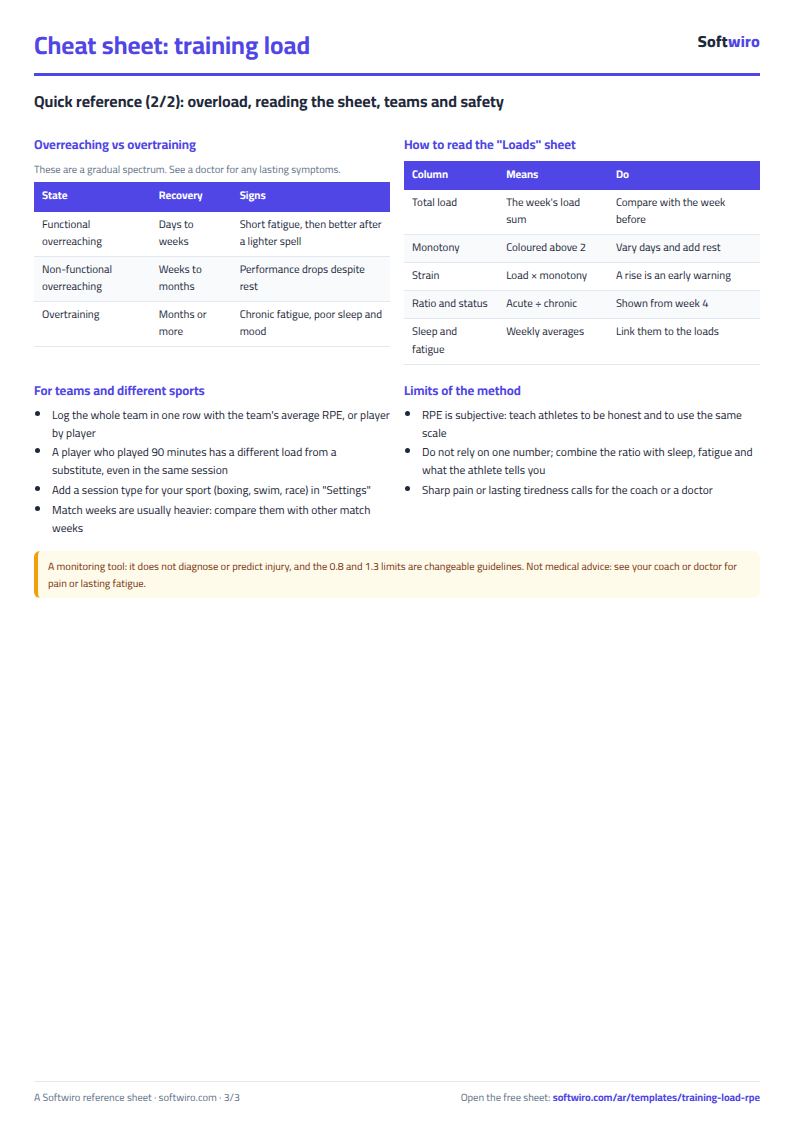
- “الأحمال” (Loads): For each of the 12 weeks: total load, sessions, average RPE, minutes, monotony, strain, chronic load, the ratio and its status, and average sleep and soreness. Then a summary of the period, the heaviest week and the number of high weeks, and the load split across session types.
The file opens on a start tab (“ابدأ هنا”, Start here) that explains how to use it.
What makes it different
An athlete's or team's sessions and each week's load in one file. You enter only minutes and RPE, so you can see which week's load rose above the usual before you decide the next week's load.
How to use it
- In the “الإعدادات” (Settings) tab, enter the athlete's or team's name and the sport, the start date of the first week (a Monday is best), then the session types (up to 12).
- Leave the two ratio thresholds as they are (0.8 and 1.3) or change them to suit your coach's experience.
- In the “الجلسات” (Sessions) tab, record each session: date, type from the list, minutes and the RPE from 1 to 10 that the athlete gives about half an hour after training.
- Optionally, enter the hours of sleep and the muscle soreness score from 1 to 5 for each session.
- Open the “الأحمال” (Loads) tab to find, for each week: total load, number of sessions, average RPE, monotony, strain, the acute to chronic ratio and its status.
- Review the red weeks (“مرتفع”, high) first, and compare them with soreness and sleep before you decide the next week's load.
Before you start:
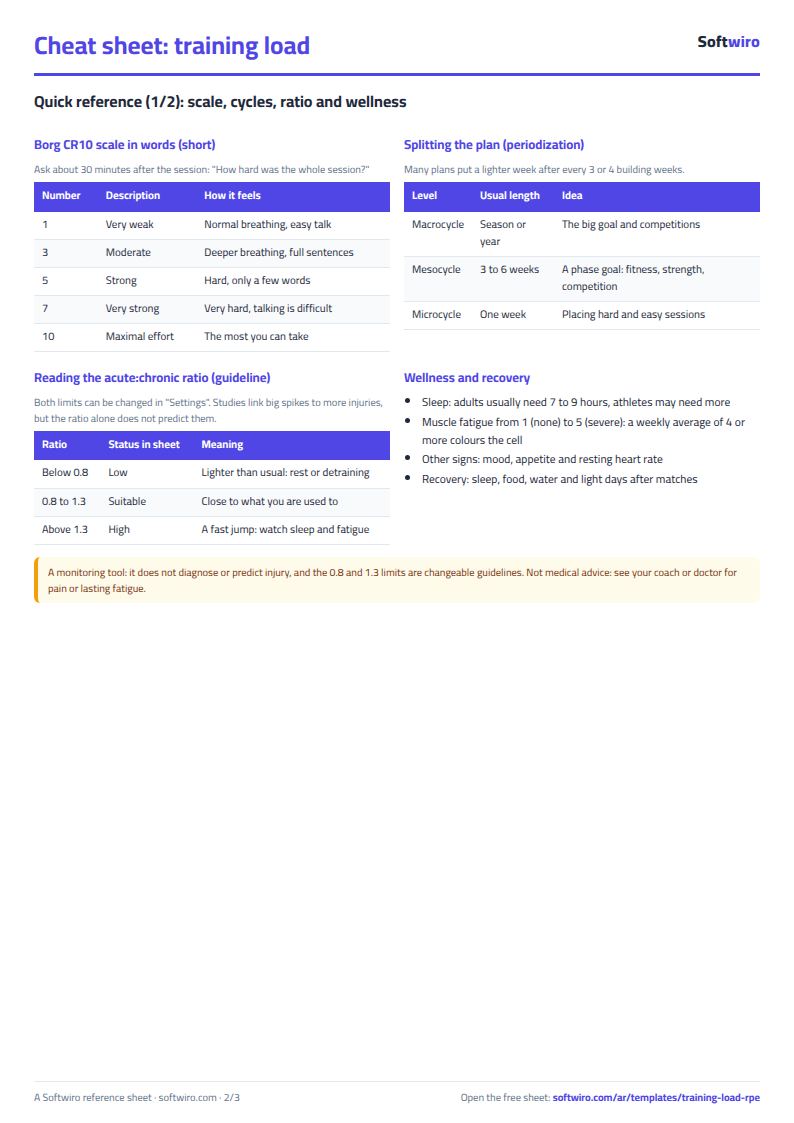
- Session load = minutes × RPE. If you record the whole team in one session, enter the team's average RPE.
- Monotony = the average daily load in the week ÷ the standard deviation of the daily load. Above 2 means similar days with not enough rest. Strain = the week's load × monotony.
- Ratio = the load of the last 7 days (the week) ÷ the average weekly load of the last 28 days. Below 0.8 is “منخفض” (low), 0.8 to 1.3 is “مناسب” (suitable), above 1.3 is “مرتفع” (high).
- The ratio appears only from the fourth week, because it needs 28 recorded days within the 12 weeks.
- The sheet is a tracking tool. It does not diagnose or predict injury and is not medical advice. Consult your coach or doctor if there is pain or lasting fatigue.
- The sheet holds 1,500 sessions, 12 weeks and 12 session types. Sessions outside the 12 weeks count only in the session-types table.
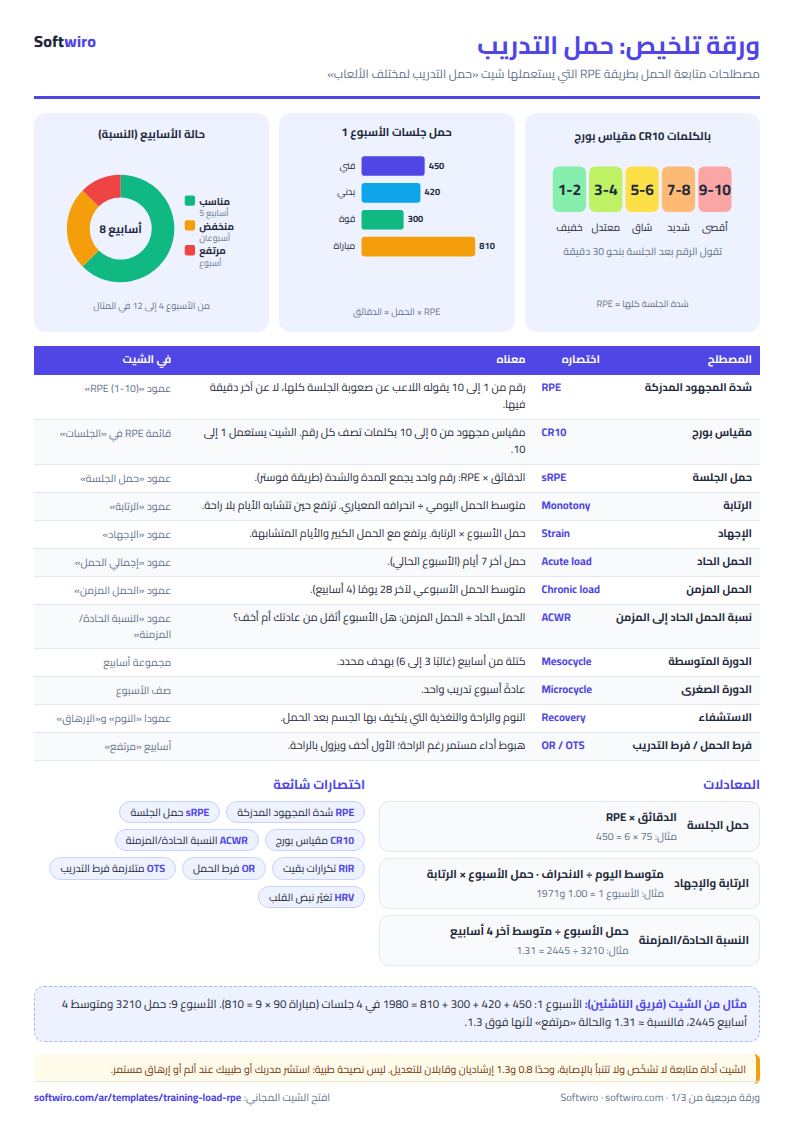
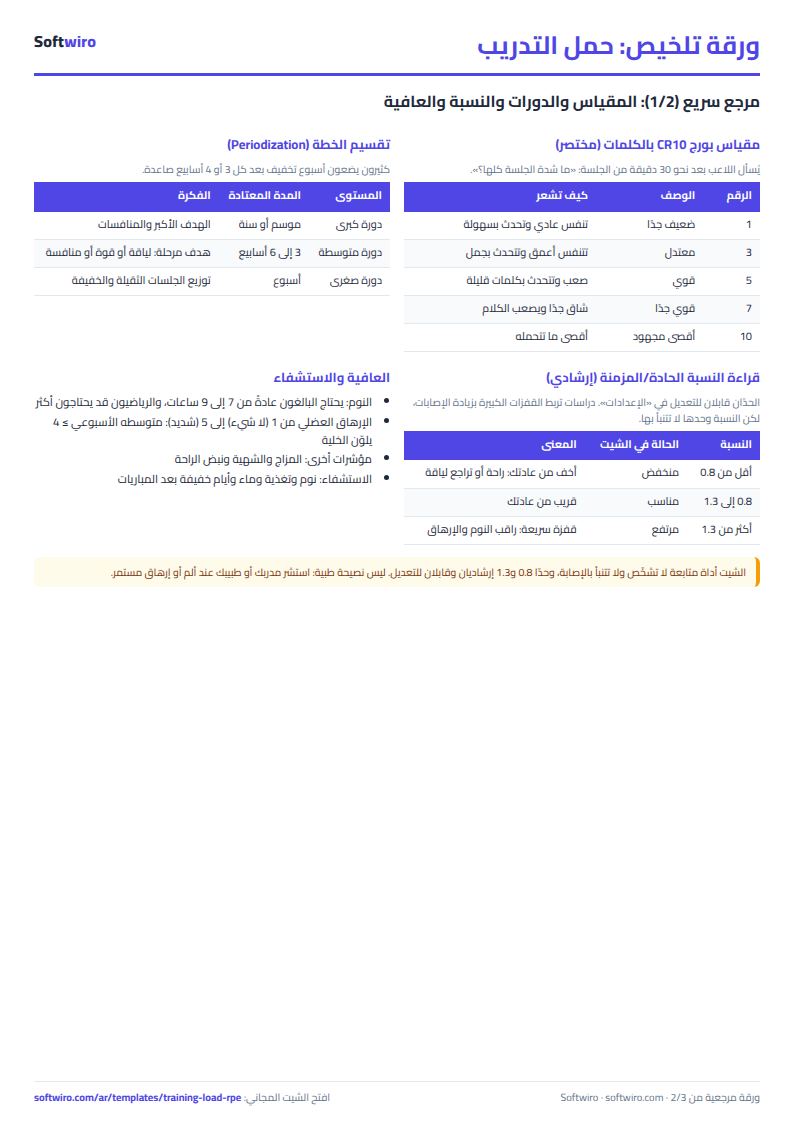
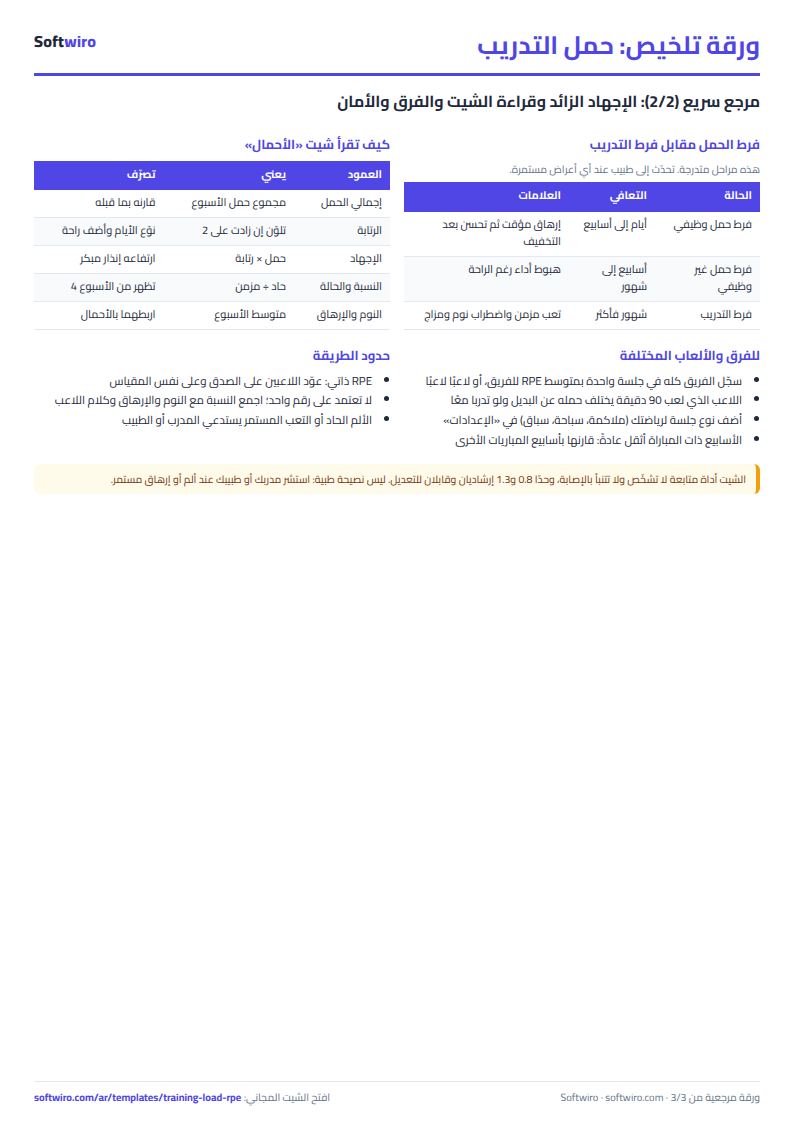
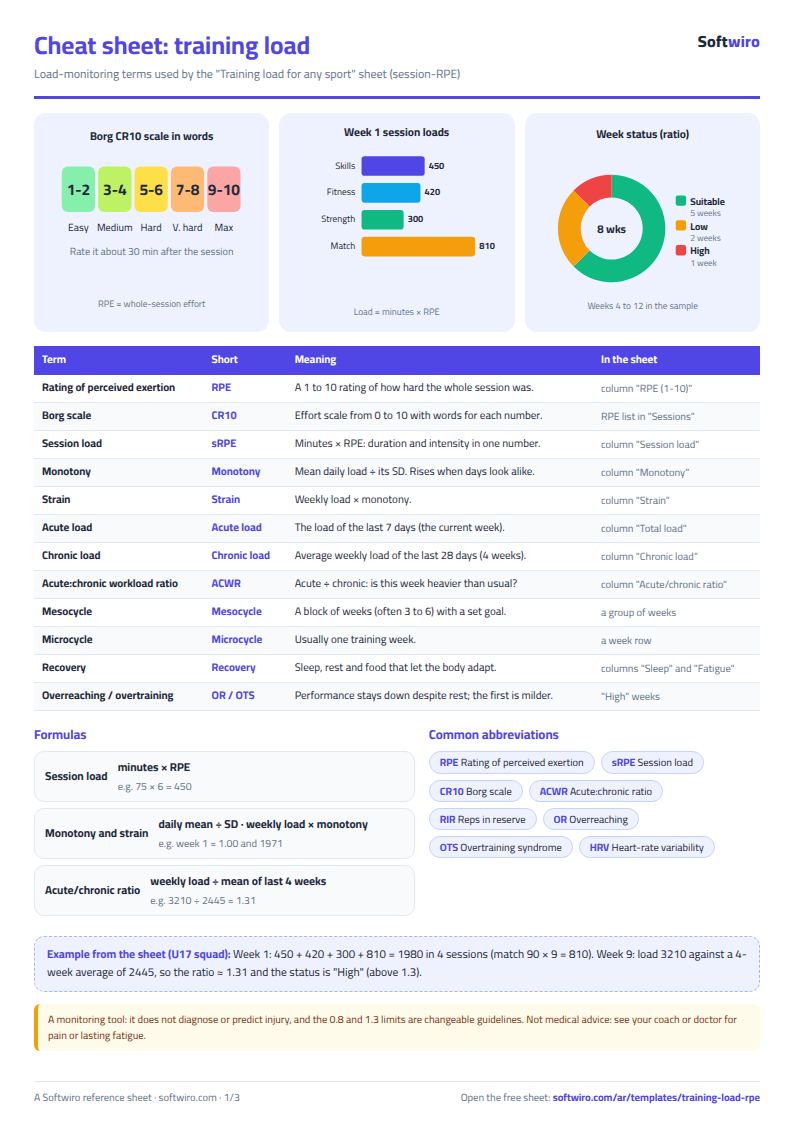
Free cheat sheet for this field
Terms, abbreviations, tables and diagrams over several pages, in Arabic and English. Download it as a PDF or images, including a phone-size version.
Still running this on Excel?
This sheet suits a start and a limited amount of data. If your way of working grows, or you need more than one person working on it at the same time, Softwiro can build you a program that fits the way you work.
| In this sheet | In Custom Software from Softwiro |
|---|---|
| One file that one person edits at a time, and copies reach you on WhatsApp. | A program with a login for each user and permissions you define, and everyone sees the same data. |
| You type everything and check the numbers by hand. | We design the screens around your work steps, so each person records only what concerns them. |
| Columns and formulas are fixed as the sheet was designed. | We build what you need: reports, alerts and screens your way. |
| Backups and security are your own responsibility. | The program runs on a secured server with regular backups. |
Frequently asked questions
What is session-RPE and how do I calculate training load?
Session load = duration in minutes × RPE (rating of perceived exertion) from 1 to 10, which the athlete gives about half an hour after training. A 60-minute session at an effort of 7 has a load of 420. Enter the minutes and RPE in the “الجلسات” (Sessions) tab and the sheet works out the rest.
What is the acute to chronic load ratio?
It is the last week's load ÷ the average weekly load of the last 4 weeks. Below 0.8 is “منخفض” (low), 0.8 to 1.3 is “مناسب” (suitable), and above 1.3 is “مرتفع” (high). It appears only from the fourth week, and you can change the two thresholds in “الإعدادات” (Settings).
Does the sheet predict injury or replace a coach and doctor?
No. The sheet is a tracking tool that shows the numbers. It does not diagnose or predict injury and is not medical advice. It does not replace a coach, doctor or nutritionist. If there is pain or lasting fatigue, consult your coach or doctor whatever the ratio is.
Does it work for an individual sport or a whole team?
Yes. Enter the session types for your sport in “الإعدادات” (Settings), such as boxing, distance swimming or racing. For a whole team, record one session with the team's average RPE, or keep one file per player to compare their loads.
Is the template free?
Yes, with no sign-up and no email address. Use it, edit it and share it as you like.
Does it work in Google Sheets and on mobile?
The sheet uses formulas supported by Excel 2016 and later, Google Sheets and LibreOffice, so you can upload it to Google Drive and open it with Google Sheets on a computer or a phone.
What is the difference between the white and the gray cells?
You type in the white cells; the gray cells are calculated automatically. Don't type in a gray cell, or you will erase its formula.
Can I use the sheet from an AI assistant?
Yes. Add our MCP server (URL https://softwiro.com/api/mcp, no key needed) to your assistant and ask it to do the calculation in this template. The numbers come from the sheet's own formulas, and we do not store your data. The steps and a ready-made prompt are in this article: https://softwiro.com/blog/mcp-excel-templates-ai-agent-guide.html
More free templates for: Gyms and fitness
More free templates
- Gym memberships tracker (Excel)
- Strength workout log
- Running, cycling and swimming log
- Athlete nutrition and macros sheet
- Football player match stats sheet
- Basketball player game stats
- Swimming times and personal bests
- Martial arts and boxing training log
- Tennis and padel match log
- Athletics results and personal bests log
- Padel and 5-a-side court booking sheet (hourly)
- Ad budget media plan across platforms
- Ad campaign performance tracker
- Ads A/B test log
- Ads break-even and unit economics sheet
- Ad agency client management and reports
- UTM link builder and campaign naming
- Ad account audit checklist
- Ads creative production calendar