Try the sheet here, on the example
The sheet is open below with sample numbers. Change any white cell and watch the results update, or press the blank-copy button to type your own data from scratch. Nothing you type leaves your browser.
Example from the sheet
| البند | للقطعة | من التكلفة |
|---|---|---|
| الخامات | 81.06 | 69.2% |
| التشغيل | 21.00 | 17.9% |
| مصاريف أخرى | 4.00 | 3.4% |
| نصيب المصاريف العامة | 7.50 | 6.4% |
| تحميل المرفوض | 3.51 | 3.0% |
| تكلفة القطعة | 117.07 | |
| سعر البيع المقترح | 156.10 | |
| ربح القطعة | 39.02 | |
| نسبة الإضافة على التكلفة | 33.3% | |
| تكلفة الأمر | 117,072.16 | |
| ربح الأمر | 39,024.06 |
Example from the “تكلفة الموديل” tab (Arabic), with the numbers and formulas that are in the file.
What is inside
- "تكلفة الموديل" (Style cost): A materials table with consumption, unit price and waste %, an operations table with standard time and piece rate, the piece's share of overheads, and the reject loading. The result sits at the top of the sheet: cost per piece and its breakdown, the suggested selling price, and the order profit.
- "مقارنة الموديلات" (Style comparison): Each style's cost, price, margin and order profit. Any style whose margin is below the target margin shows in red.
The file opens on a start tab (“ابدأ هنا”, Start here) that explains how to use it.
What makes it different
The sheet does not stop at fabric and labour. It adds waste, the piece's share of monthly overheads and the cost of rejected pieces, and it calculates the margin on the selling price, not on cost, so the price never comes out lower than you think.
How to use it
- In the "تكلفة الموديل" (Style cost) sheet, enter the style name and the order quantity.
- Enter the materials: consumption per piece, unit price and waste %.
- Enter the sewing operations with their standard time and the piece rate for each operation.
- Enter monthly overheads, monthly output, the reject rate and the profit margin. The result appears at the top of the sheet.
- For each new style, copy the "تكلفة الموديل" (Style cost) sheet (right-click the sheet tab, then Move or Copy) and carry the result over to "مقارنة الموديلات" (Style comparison).
Before you start:
- Percentages are typed as plain numbers: 5 means 5%.
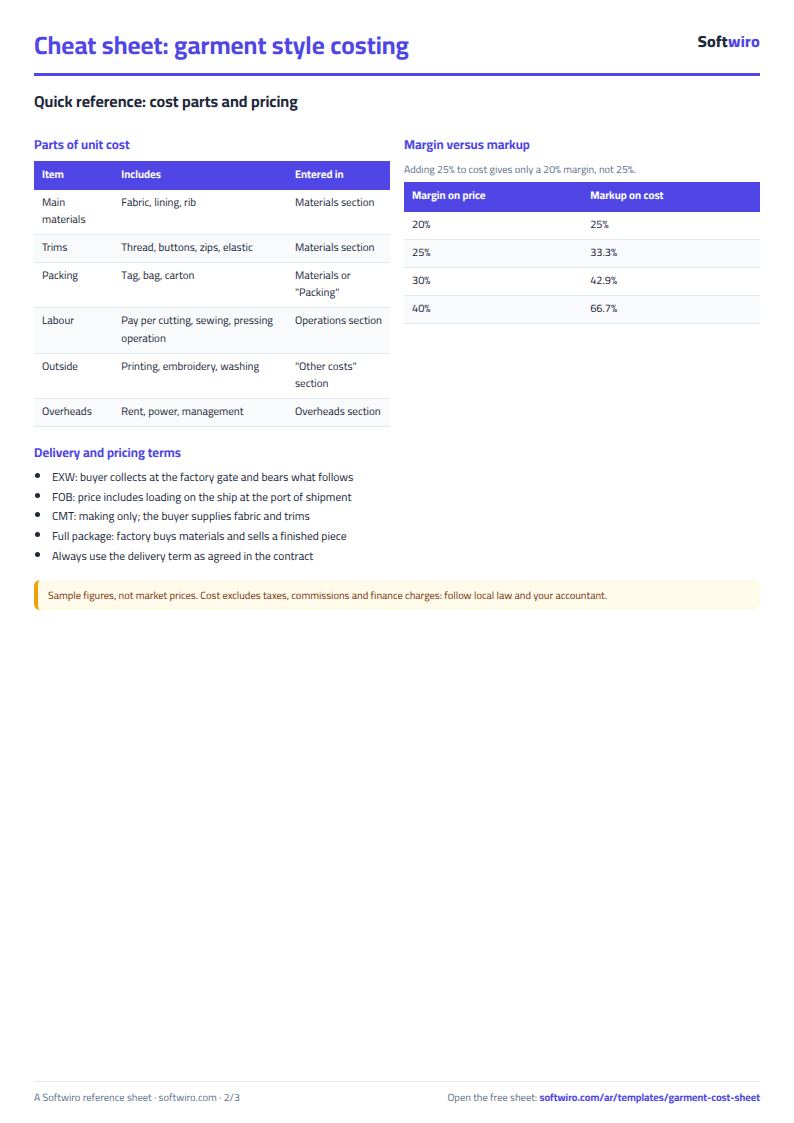
- The profit margin is calculated on the selling price: a 20% margin means adding 25% on top of cost.
Free cheat sheet for this field
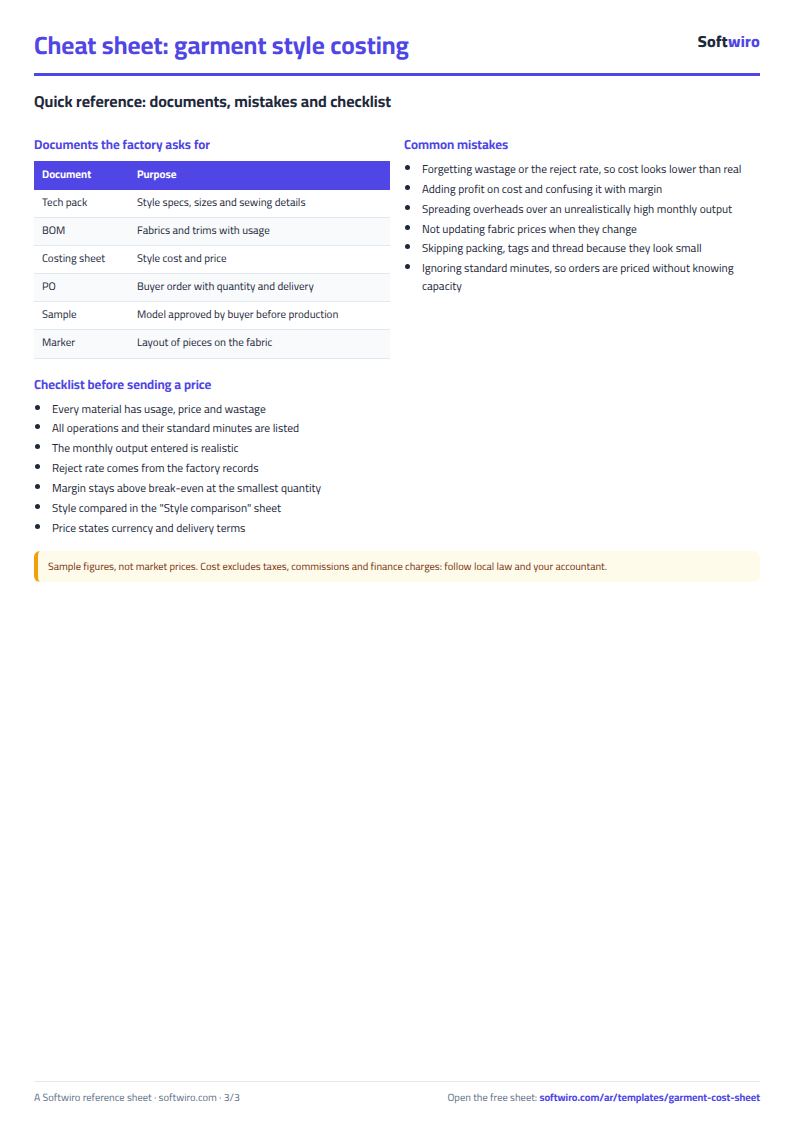
Terms, abbreviations, tables and diagrams over several pages, in Arabic and English. Download it as a PDF or images, including a phone-size version.
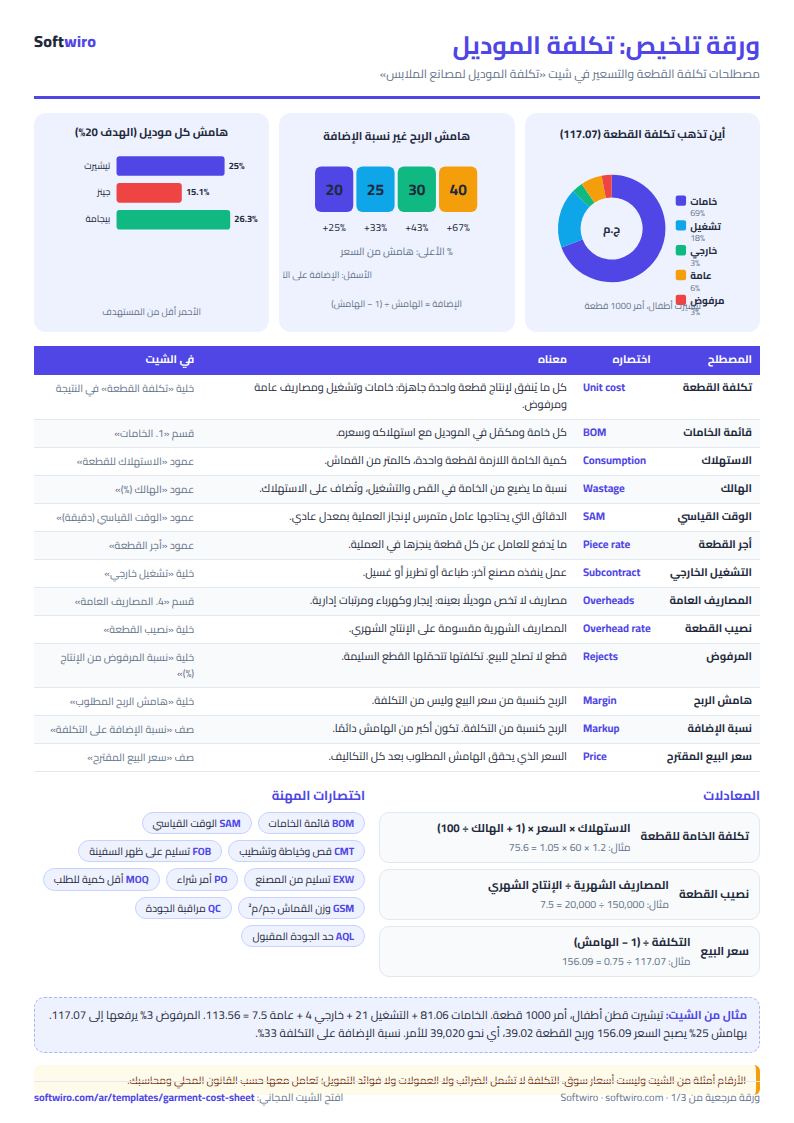
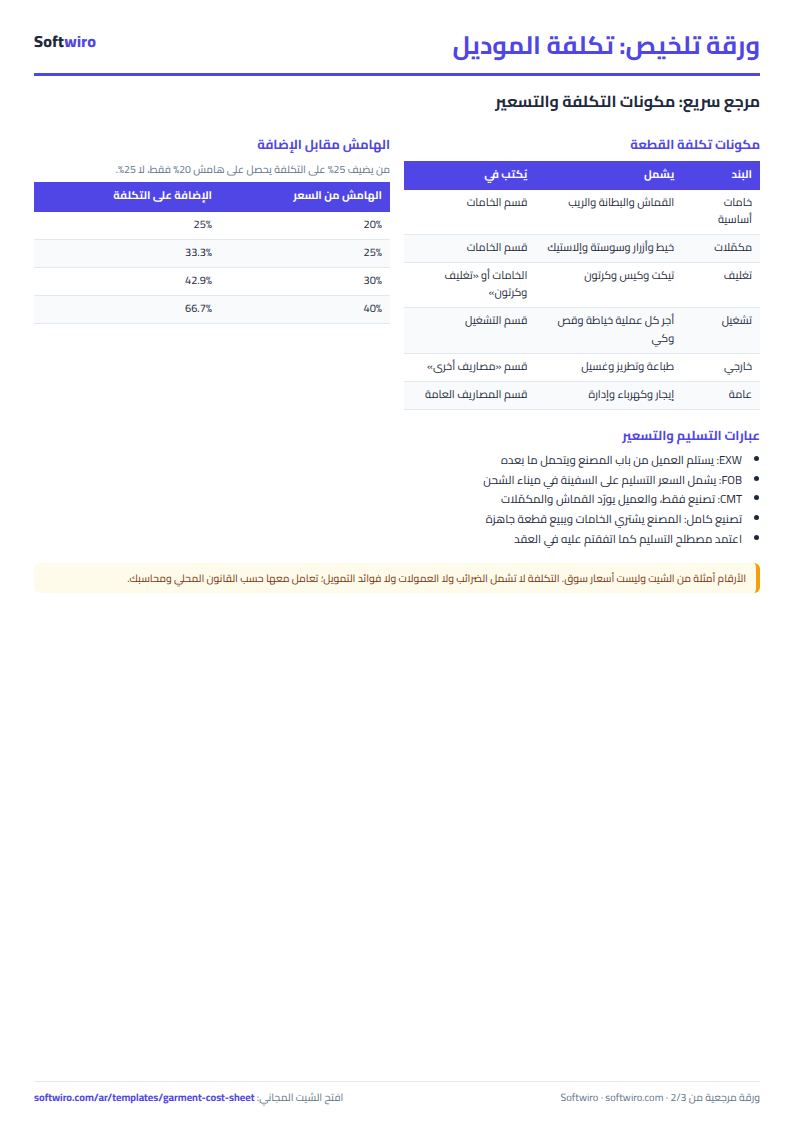
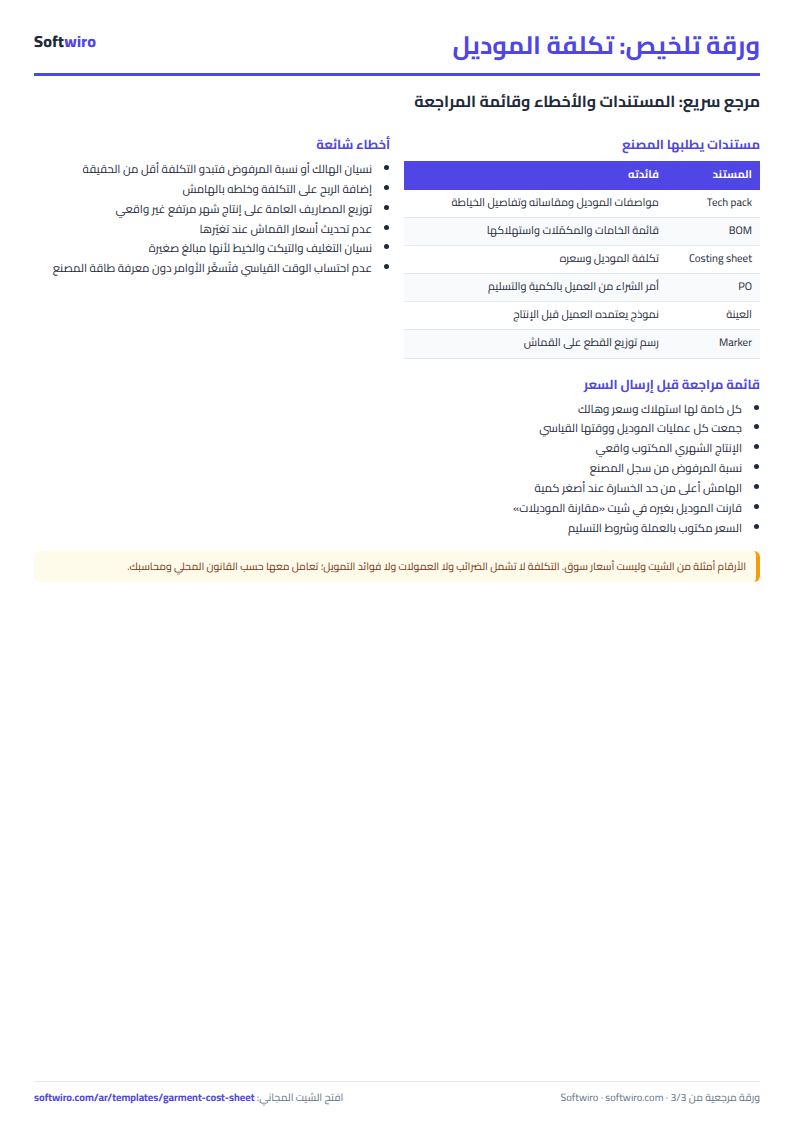
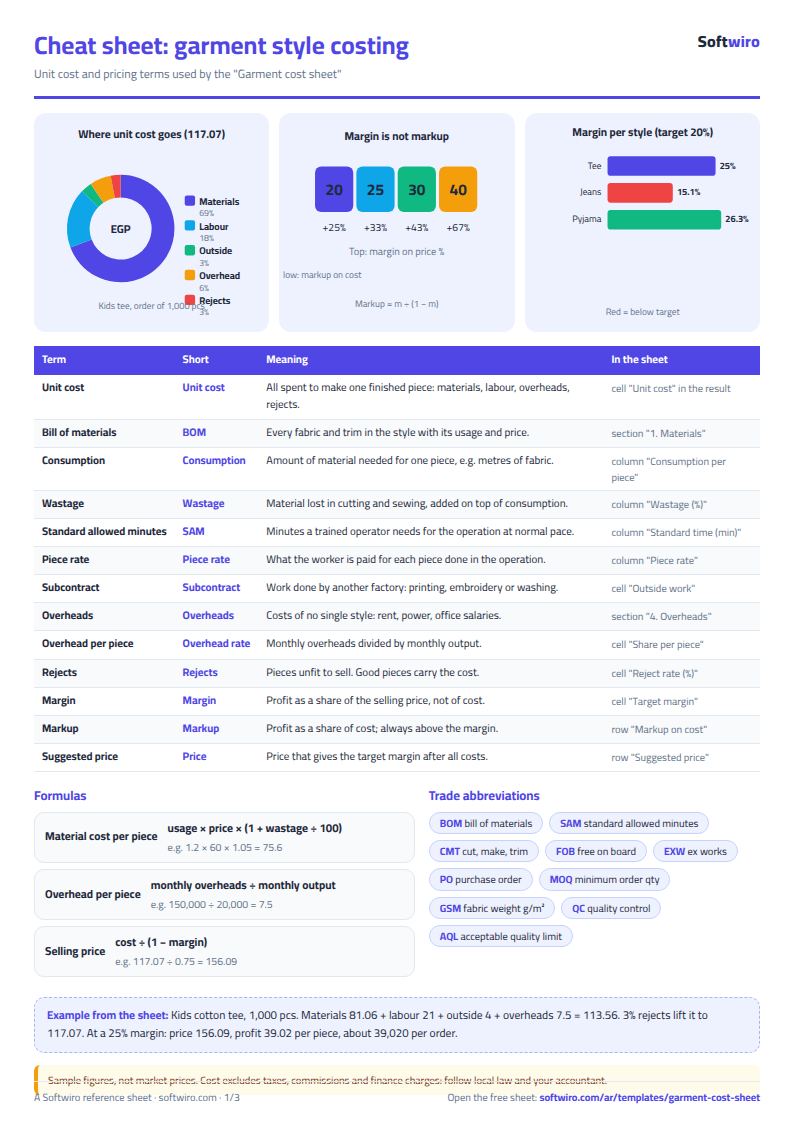
Still running this on Excel?
This sheet gives you an estimated cost before production starts. ProTrack ties every stage of an order to its actual cost and to the contract, so a cost overrun shows up while you can still fix it.
| In this sheet | In ProTrack |
|---|---|
| The cost here is an estimate made before production starts. | It compares the cost of each stage (materials, labor, machine hours, subcontractor) with what was estimated in the quotation, and works out the cost per piece. |
| You find out the cost exceeded the price after the order is finished. | It calculates expected and actual profit as the work progresses, and alerts you when cost passes 80% and then 100% of the contract value. |
| You phone the departments to find out where each order stands. | Workers log their output from their phones with a simple code, and you see each order's current stage and progress percentage on your own phone. |
| Pieces sent out to the laundry or the print shop are tracked from memory. | It records what went out, what came back, what was rejected and what is still outside, and adds the cost to the order. |
Frequently asked questions
How do I cost more than one style?
Copy the "تكلفة الموديل" (Style cost) sheet for each style (right-click the sheet tab, then Move or Copy), and carry each style's cost per piece and price over to "مقارنة الموديلات" (Style comparison).
Is the template free?
Yes, with no sign-up and no email address. Use it, edit it and share it as you like.
Does it work in Google Sheets and on mobile?
The sheet uses formulas supported by Excel 2016 and later, Google Sheets and LibreOffice, so you can upload it to Google Drive and open it with Google Sheets on a computer or a phone.
What is the difference between the white and the gray cells?
You type in the white cells; the gray cells are calculated automatically. Don't type in a gray cell, or you will erase its formula.
Can I use the sheet from an AI assistant?
Yes. Add our MCP server (URL https://softwiro.com/api/mcp, no key needed) to your assistant and ask it to do the calculation in this template. The numbers come from the sheet's own formulas, and we do not store your data. The steps and a ready-made prompt are in this article: https://softwiro.com/blog/mcp-excel-templates-ai-agent-guide.html
All the templates in this group: Factory management sheets: production, cost and quality
More free templates for: Garment factories
More free templates
- Production tracking sheet by stage
- Piece-rate payroll and worker efficiency sheet
- Fabric requirements and marker sheet
- Garment printing shop sheet in Excel: DTF and screen print orders and cost
- Production tracking sheet for home textiles factories
- Clothing shop inventory sheet by colour and size
- Customer accounts, credit sales and customer statement sheet
- Cash book and customer accounts sheet
- Delivery company sheet: shipments and cash collection
- Student attendance sheet
- Study planner and lesson tracker
- Journal entries, trial balance and financial statements sheet