Try the sheet here, on the example
The sheet is open below with sample numbers. Change any white cell and watch the results update, or press the blank-copy button to type your own data from scratch. Nothing you type leaves your browser.
Example from the sheet
| الاسم | إجمالي القطع | الدقائق المنتجة | دقائق العمل | متوسط الكفاءة | إجمالي الأجر |
|---|---|---|---|---|---|
| أحمد محمود | 1,385 | 2,518.0 | 2,700 | 93.3% | 1,259.00 |
| سعاد علي | 1,000 | 2,000.0 | 2,700 | 74.1% | 1,000.00 |
| محمد حسن | 900 | 1,173.0 | 2,640 | 44.4% | 586.50 |
| منى إبراهيم | 2,350 | 2,350.0 | 2,700 | 87.0% | 1,175.00 |
| يوسف خالد | 3,200 | 2,560.0 | 2,700 | 94.8% | 1,280.00 |
Example from the “كشف الشهر” tab (Arabic), with the numbers and formulas that are in the file.
What is inside
- "العمليات" (Operations): Each operation with its standard time and piece rate.
- "العمال" (Workers): Worker code, name and department.
- "الإنتاج اليومي" (Daily output): Each worker's output per operation with its date. Pay and efficiency are calculated for every line.
- "كشف الشهر" (Monthly statement): For each worker in the month you choose: total pieces, pay and average efficiency, with low and high efficiency colour-coded.
The file opens on a start tab (“ابدأ هنا”, Start here) that explains how to use it.
What makes it different
Pay and efficiency sit in one record, so from the same numbers you can see who is owed how much and who is working below the standard time.
How to use it
- In the "الإعدادات" (Settings) sheet, enter the year and month you want the statement for, and the working minutes per day.
- In the "العمليات" (Operations) sheet, enter each operation, its standard time in minutes and its piece rate.
- In the "العمال" (Workers) sheet, enter each worker's code, name and department.
- In the "الإنتاج اليومي" (Daily output) sheet, record for each worker each day the operation and quantity, choosing the code and operation from the two lists. Leave "دقائق العمل" (Working minutes) empty to use the full day's minutes.
- Open "كشف الشهر" (Monthly statement) to see each worker's pieces, efficiency and pay for the selected month.
Before you start:
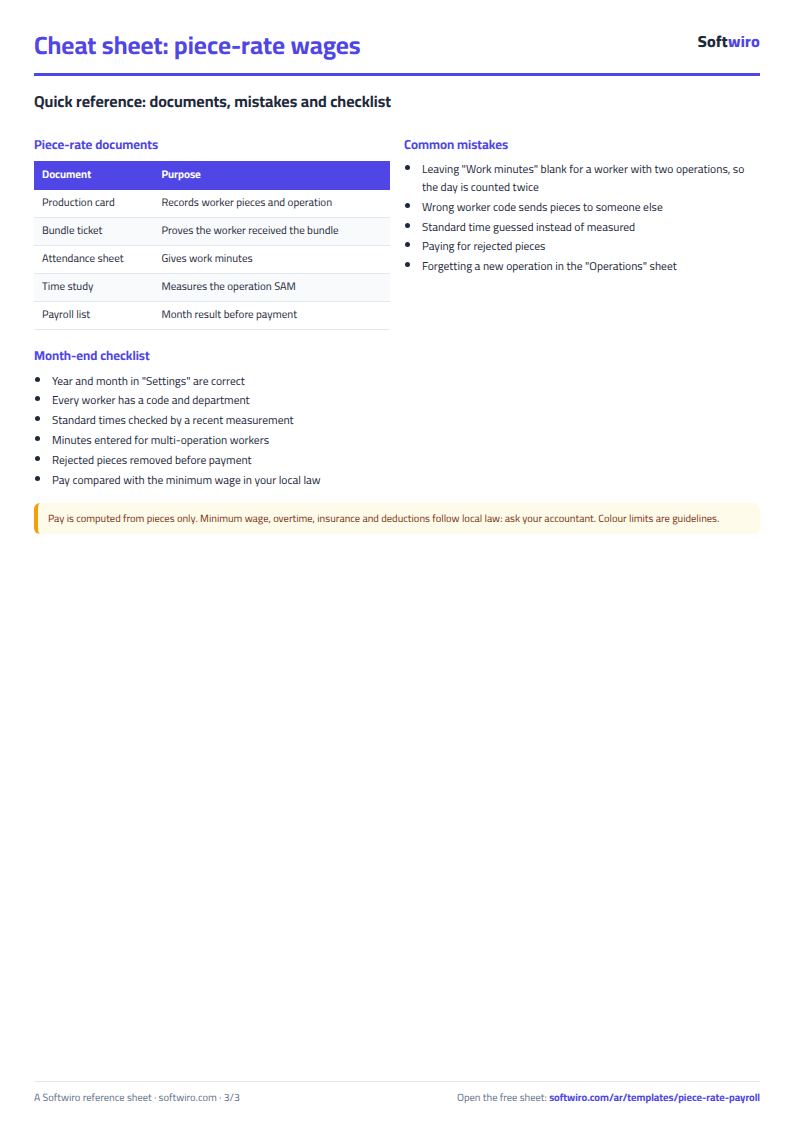
- If a worker does more than one operation on the same day, enter in each line the minutes spent on that operation so the day's minutes are not counted twice.
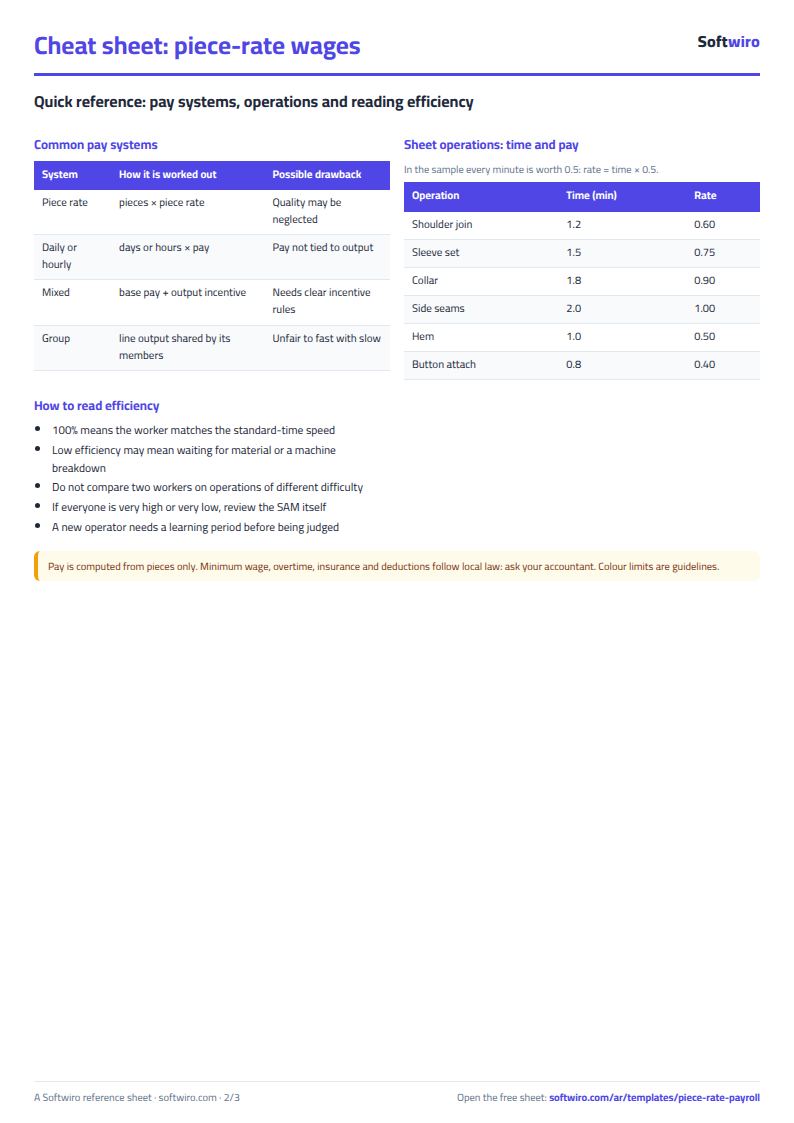
- Efficiency = produced minutes ÷ working minutes. Produced minutes = quantity × the operation's standard time.
- Efficiency shows in red below 60% and in green at 90% or more.
Free cheat sheet for this field
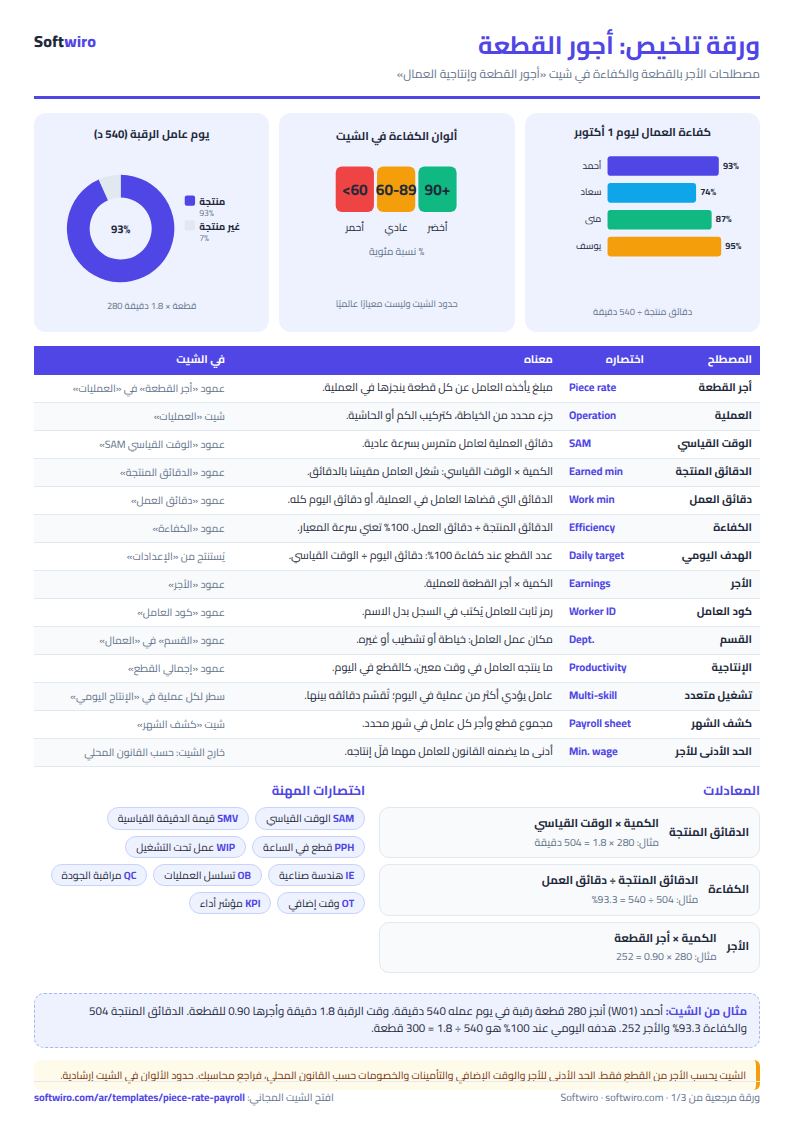
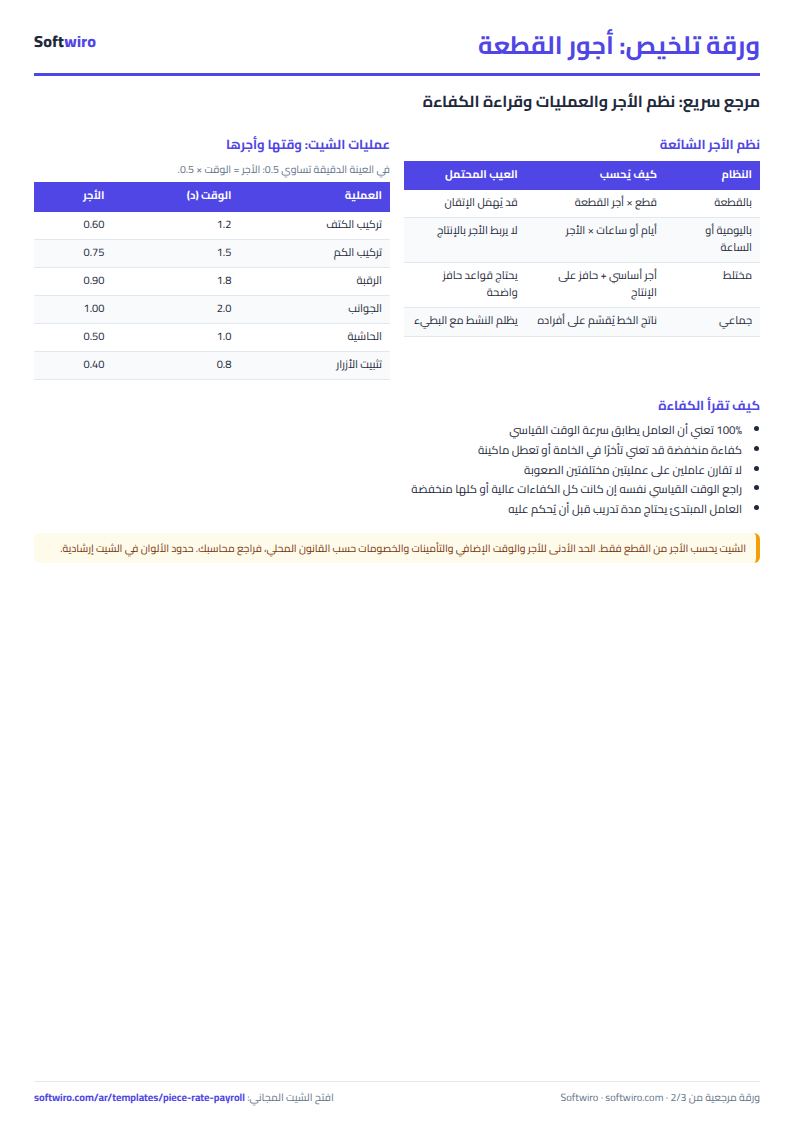
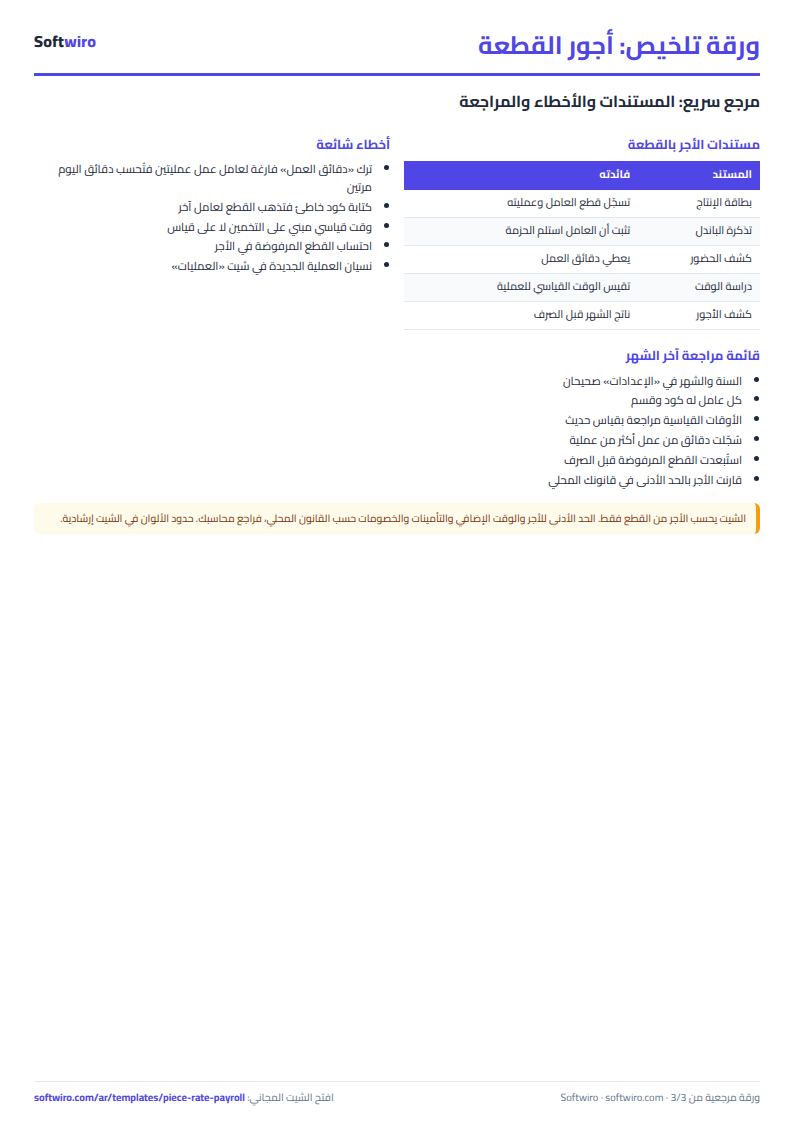
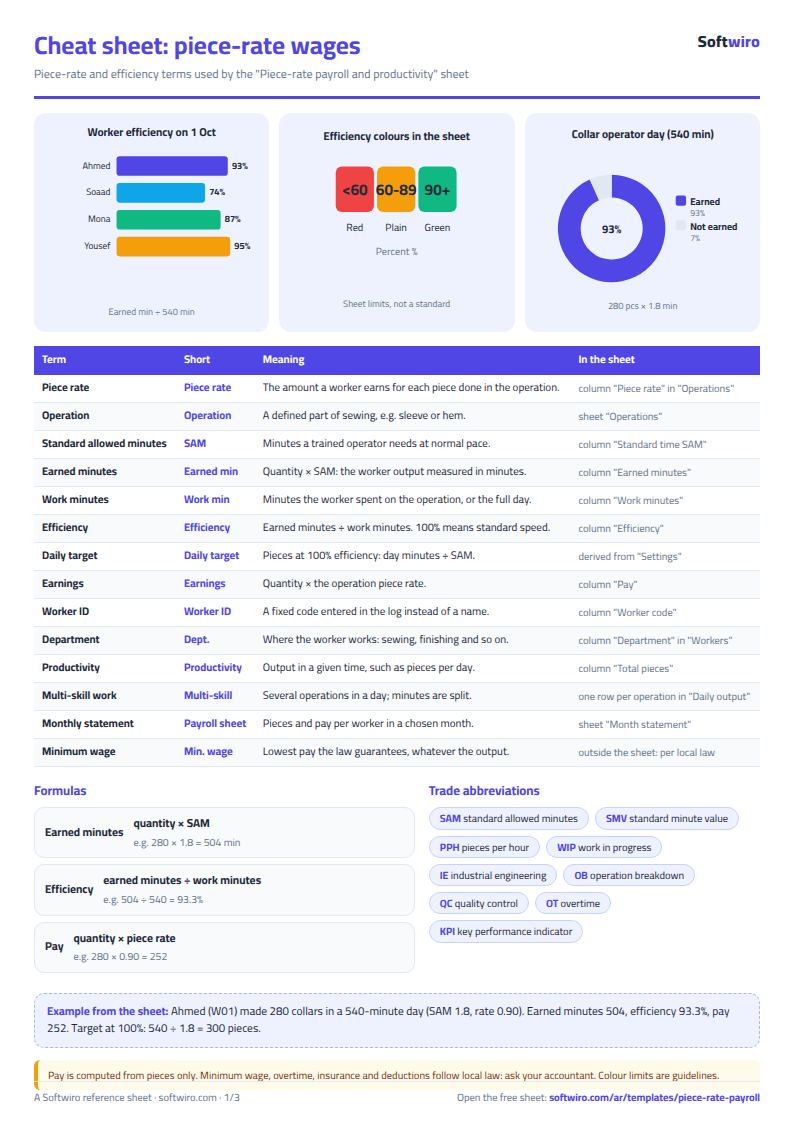
Terms, abbreviations, tables and diagrams over several pages, in Arabic and English. Download it as a PDF or images, including a phone-size version.
Still running this on Excel?
This sheet depends on someone collecting the numbers from each stage and typing them in. In Production Manager every worker logs receiving and handing over with one tap, so the numbers appear the moment they happen.
| In this sheet | In Production Manager |
|---|---|
| You learn the quantities after someone collects them and types them into the sheet. | The worker confirms receipt and hands over to the next stage with one tap, so every piece gets an entry time and an exit time at each stage. |
| You find out about a delay when you review the sheet, often on delivery day. | You see how many days each stage takes, which products are stalled or late, and where the bottleneck is. |
| Workers ask what to work on, or wait for it. | Each worker sees only the products that have reached their stage, with the model photo, quantity and size. |
| Breakdowns and quality problems are passed on by word of mouth. | The worker reports the problem from their screen, it reaches the management dashboard, and it can be shared over WhatsApp. |
Frequently asked questions
What is the standard minute value (SAM)?
The number of minutes a trained worker needs to complete the operation at a normal pace, including rest allowance. You can see how to use it in the worker productivity and piece-rate calculator.
Is the template free?
Yes, with no sign-up and no email address. Use it, edit it and share it as you like.
Does it work in Google Sheets and on mobile?
The sheet uses formulas supported by Excel 2016 and later, Google Sheets and LibreOffice, so you can upload it to Google Drive and open it with Google Sheets on a computer or a phone.
What is the difference between the white and the gray cells?
You type in the white cells; the gray cells are calculated automatically. Don't type in a gray cell, or you will erase its formula.
Can I use the sheet from an AI assistant?
Yes. Add our MCP server (URL https://softwiro.com/api/mcp, no key needed) to your assistant and ask it to do the calculation in this template. The numbers come from the sheet's own formulas, and we do not store your data. The steps and a ready-made prompt are in this article: https://softwiro.com/blog/mcp-excel-templates-ai-agent-guide.html
All the templates in this group: Factory management sheets: production, cost and quality
More free templates for: Garment factories
More free templates
- Garment style costing sheet
- Production tracking sheet by stage
- Fabric requirements and marker sheet
- Garment printing shop sheet in Excel: DTF and screen print orders and cost
- Production tracking sheet for home textiles factories
- Clothing shop inventory sheet by colour and size
- Customer accounts, credit sales and customer statement sheet
- Cash book and customer accounts sheet
- Delivery company sheet: shipments and cash collection
- Student attendance sheet
- Study planner and lesson tracker
- Journal entries, trial balance and financial statements sheet