Try the sheet here, on the example
The sheet is open below with sample numbers. Change any white cell and watch the results update, or press the blank-copy button to type your own data from scratch. Nothing you type leaves your browser.
Example from the sheet
| كود الوحدة | المالك | 2026-08 | 2026-09 | 2026-10 | الإجمالي |
|---|---|---|---|---|---|
| A101 | أحمد سالم | 800.00 | 850.00 | 861.11 | 2,511.11 |
| A102 | مها حسن | 960.00 | 1,020.00 | 1,033.33 | 3,013.33 |
| A201 | خالد عمر | 800.00 | 850.00 | 861.11 | 2,511.11 |
| A202 | سارة يوسف | 1,200.00 | 1,275.00 | 1,291.67 | 3,766.67 |
| B101 | طارق مجدي | 720.00 | 765.00 | 775.00 | 2,260.00 |
| B102 | منى حسن | 880.00 | 935.00 | 947.22 | 2,762.22 |
| B201 | هشام لطفي | 800.00 | 850.00 | 861.11 | 2,511.11 |
| B202 | ياسمين فؤاد | 1,040.00 | 1,105.00 | 1,119.44 | 3,264.44 |
| B301 | عمر خليل | 0.00 | 0.00 | 0.00 | 0.00 |
Example from the “الأنصبة” tab (Arabic), with the numbers and formulas that are in the file.
What is inside
- "الإعدادات" (Settings): The split method from a list (by area / equally / by number of residents / fixed share), the rounding tolerance allowed (5 piastres in the example), and the list of months for which you record bills.
- "الوحدات" (Units): For each unit: code, owner, area, number of residents and fixed share, then its weight and its percentage of the total under the chosen method, and a "missing data" warning for a unit that lacks the value the method needs.
- "الفواتير" (Bills): Each shared bill with its month, type (electricity / water / gas / elevator), amount and a note, with a warning if the month is not in the list or the amount is missing.
- "الأنصبة" (Shares): A table of each unit's share in each recorded month (up to 12 months), and the total owed by each unit.
- "كشف الوحدة" (Unit statement): Choose the unit and the month from two lists and a statement appears with each bill type, the unit's share of it and the total due, with a ready sentence to copy and send.
- "الملخص" (Summary): Each month's bills by type, the total of the units' shares, the difference, a "matched" or "review" status for each month, and the number of units with missing data.
The file opens on a start tab (“ابدأ هنا”, Start here) that explains how to use it.
What makes it different
You choose the split method once and enter the bills as they arrive. Each unit's share is ready in one statement per neighbour, and the summary shows that what you distributed covers the bill exactly, instead of dividing on a calculator every month and arguing over the numbers.
How to use it
- In the "الإعدادات" (Settings) sheet, choose the split method from the list (by area / equally / by number of residents / fixed share), and enter the months for which you will record bills in the format 2026-09.
- In the "الوحدات" (Units) sheet, enter for each unit: code, owner, area, number of residents and fixed share. Fill in only the column your method needs.
- In the "الفواتير" (Bills) sheet, record each shared bill: the month, its type (electricity / water / gas / elevator) and the amount as it appears on the bill.
- The "الوحدات" (Units) sheet calculates each unit's percentage, and the "الأنصبة" (Shares) sheet shows each unit's share in each month and its total.
- Open "كشف الوحدة" (Unit statement) and choose the unit and month from the two lists. The statement appears ready to print, or to copy and send.
- Check "الملخص" (Summary): the status column says "matched" when the total of shares equals the month's bills, and "review" when there is a difference.
Before you start:
- Unit share = amount of bills of one type in the month × unit percentage, rounded to the nearest piastre. Unit percentage = its weight ÷ total of weights.
- The weight is the area, number of residents or fixed share depending on the chosen method, and it is 1 for every unit under an equal split.
- Rounding to the nearest piastre can leave a difference of a few piastres between the total of shares and the bill. The sheet accepts it up to the tolerance written in the settings (5 piastres in the example).
- A unit with no value in the column its method needs (for example no area under split by area) has weight zero and bears nothing, and is marked "missing data" so you can complete it.
- Write the month in "الفواتير" (Bills) exactly as it appears in the month list in the settings. A bill in a month not in the list is flagged and is not included in the shares.
- The sheet holds 200 units, 12 months per list and 500 bills. Clear old months and start a new list when needed.
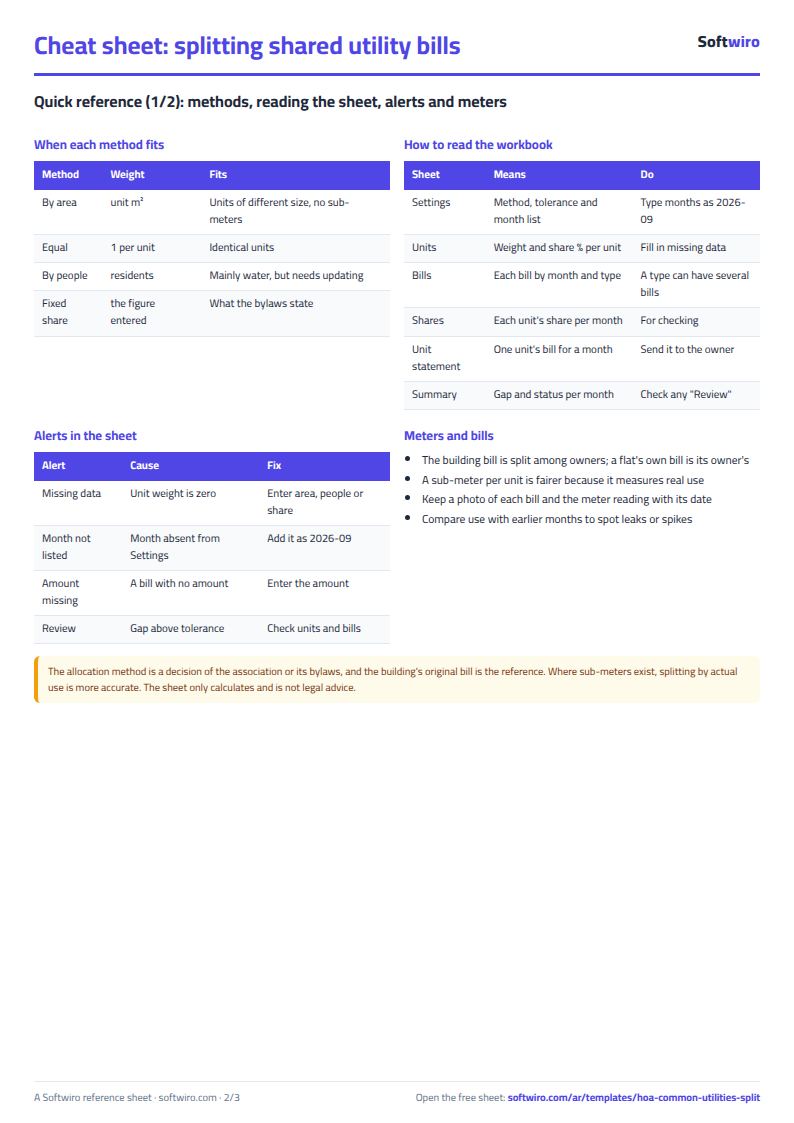
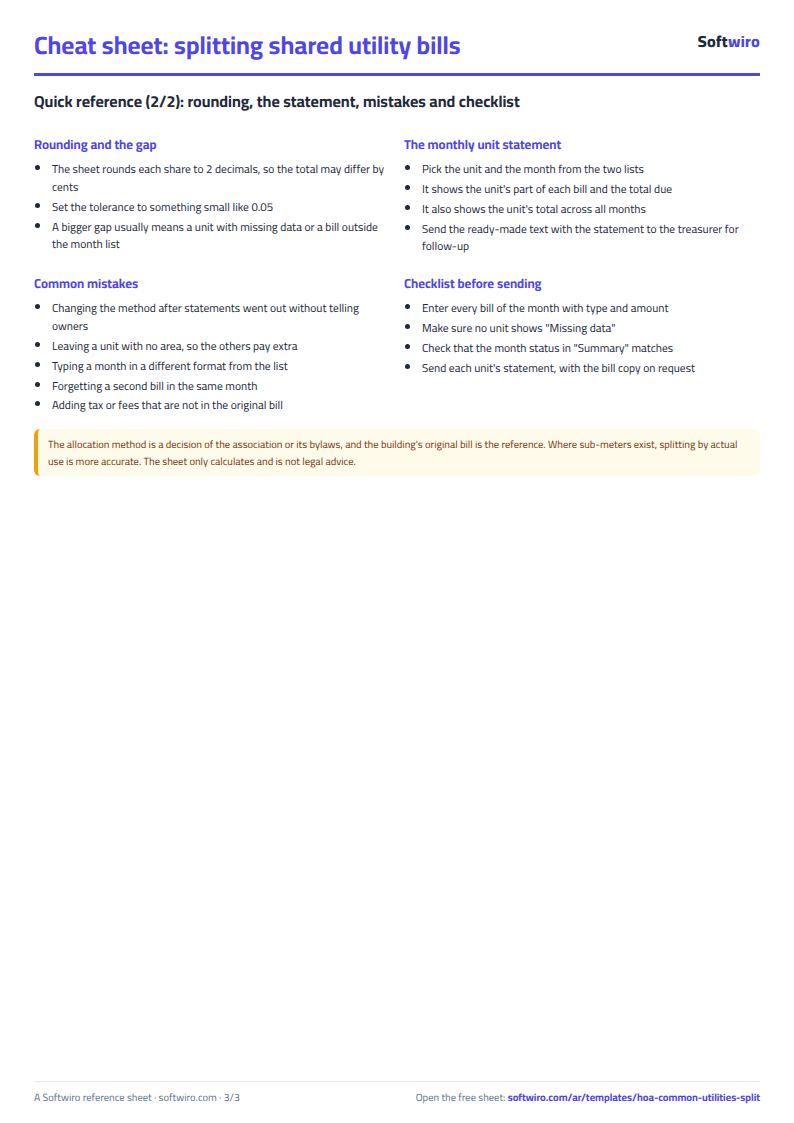
Free cheat sheet for this field
Terms, abbreviations, tables and diagrams over several pages, in Arabic and English. Download it as a PDF or images, including a phone-size version.
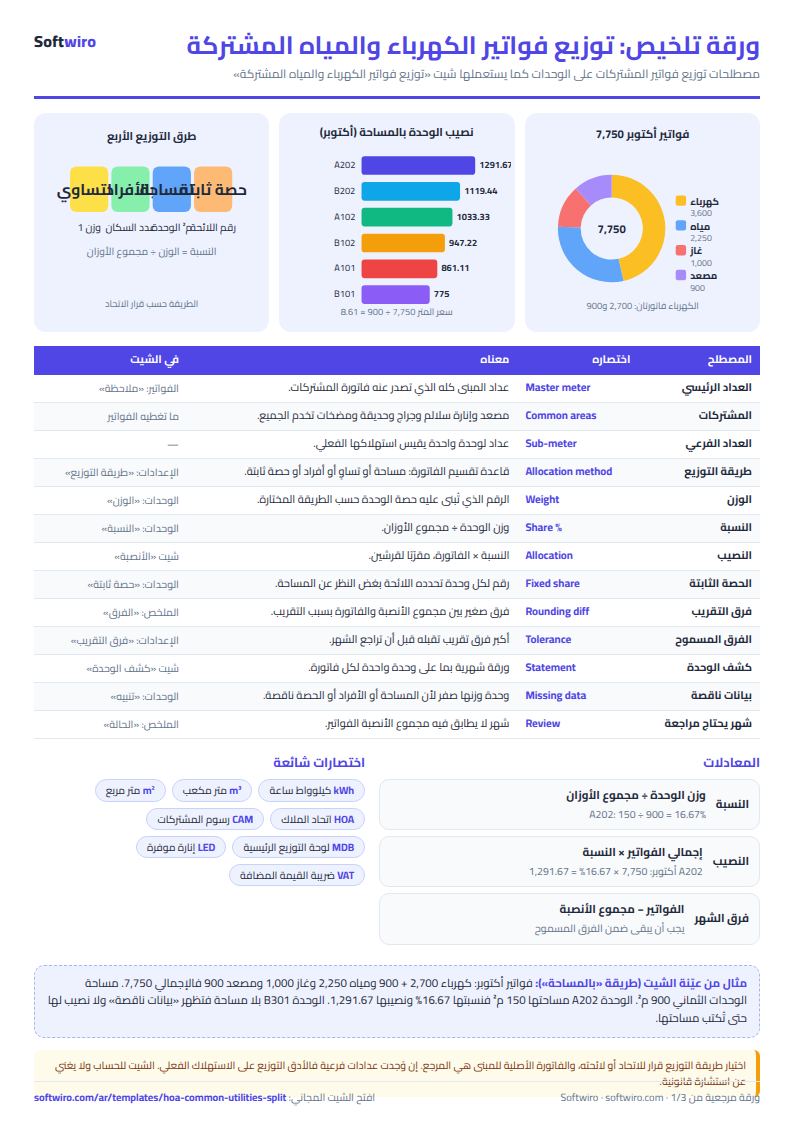
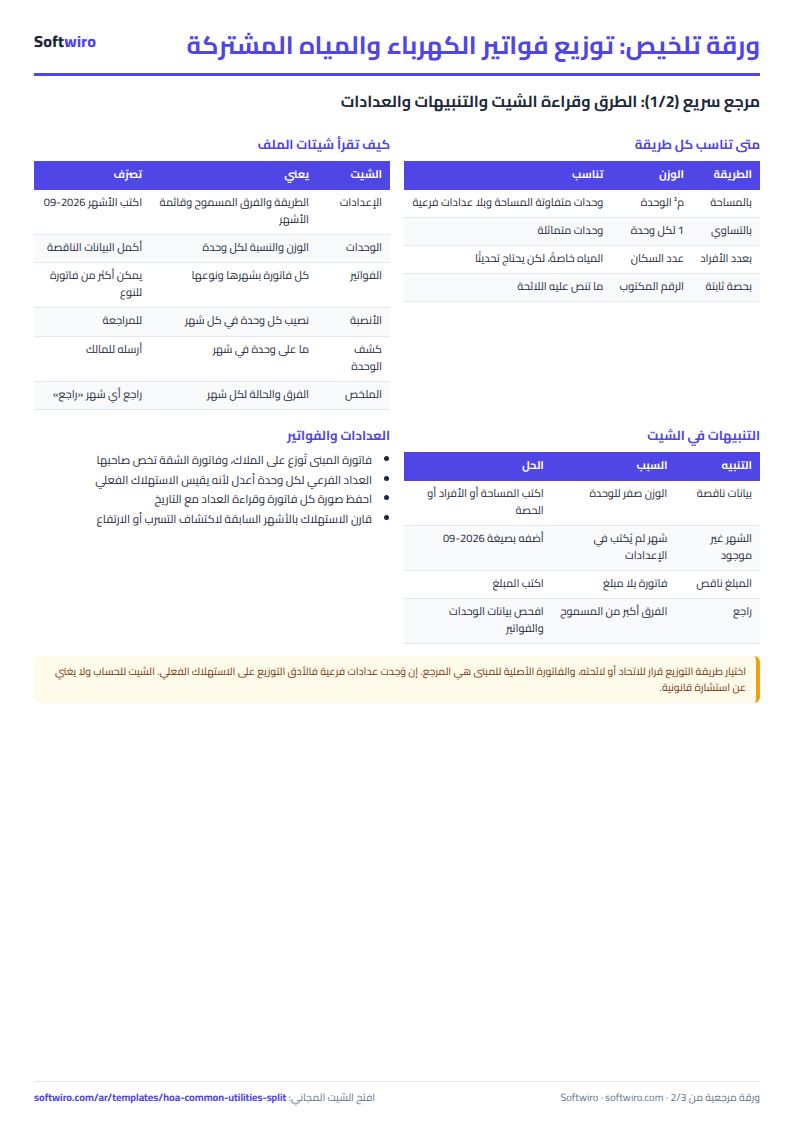
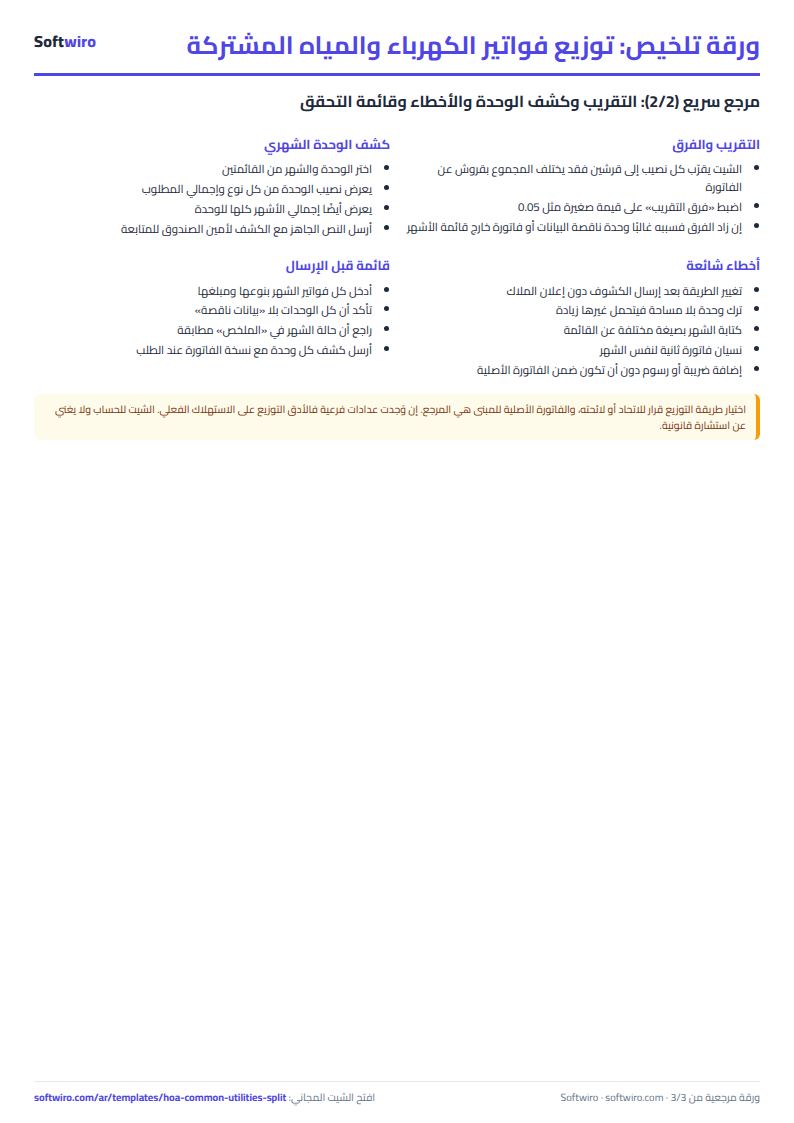
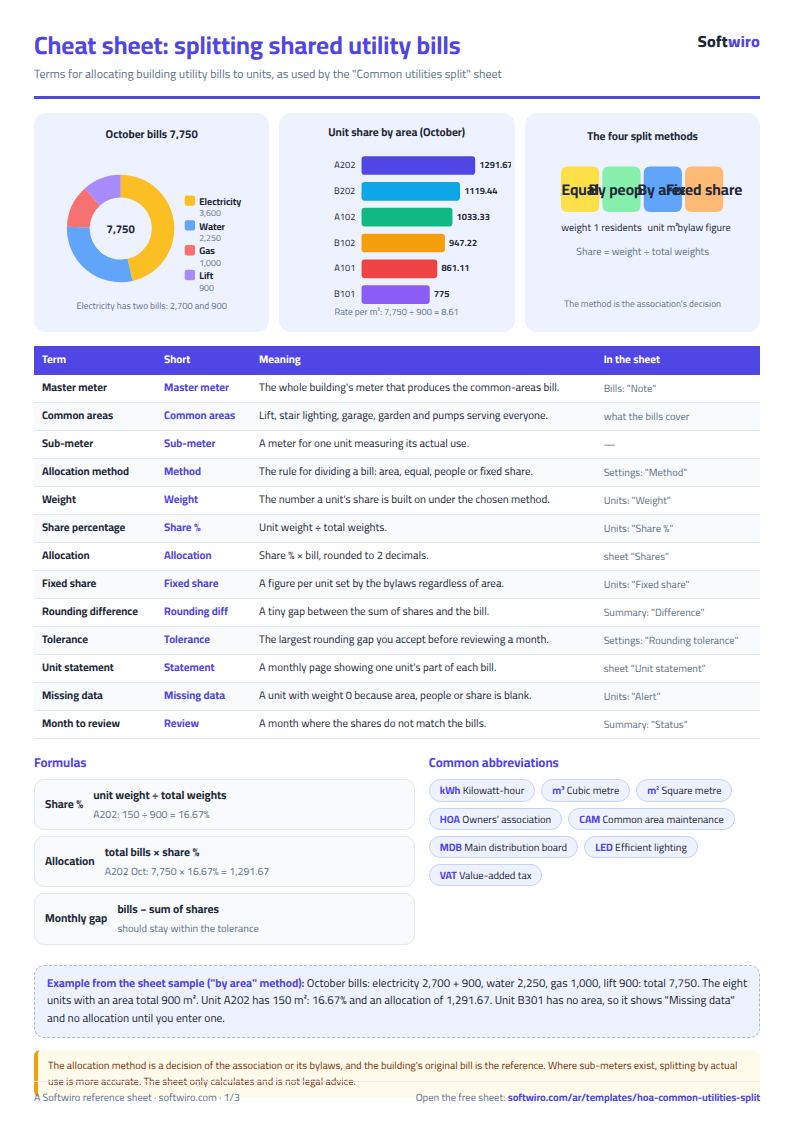
Still running this on Excel?
This sheet suits a start and a limited amount of data. If your way of working grows, or you need more than one person working on it at the same time, Softwiro can build you a program that fits the way you work.
| In this sheet | In Custom Software from Softwiro |
|---|---|
| One file that one person edits at a time, and copies reach you on WhatsApp. | A program with a login for each user and permissions you define, and everyone sees the same data. |
| You type everything and check the numbers by hand. | We design the screens around your work steps, so each person records only what concerns them. |
| Columns and formulas are fixed as the sheet was designed. | We build what you need: reports, alerts and screens your way. |
| Backups and security are your own responsibility. | The program runs on a secured server with regular backups. |
Frequently asked questions
How is a unit's share calculated?
The sheet adds up the bills of one type in the month, multiplies by the unit's percentage, and rounds to the nearest piastre. A unit's percentage is its weight divided by the total of all weights. The weight is the area, the number of residents or the fixed share, depending on the method, and it equals 1 for an equal split.
Can I change the split method after recording bills?
Yes. Change the method from the list in the settings and all percentages and shares are recalculated immediately. But it applies to all months at once, so if you want old months' shares to stay as they were collected, save a copy of the file or print the statements before changing.
What if the shares don't add up to the bill exactly?
Rounding each unit to the nearest piastre can leave a difference of a few piastres. In the example there is a one-piastre difference in the gas bill, and the sheet accepts it because it is below the tolerance written in the settings. If the difference exceeds the tolerance (this can happen with a large number of units), or if every unit's weight is zero because nobody entered area, residents or share, the status shows "review". A single incomplete unit just shows "missing data" and is charged nothing. A bill in a month outside the list is flagged in the warning column of "الفواتير" (Bills) and in the "bills outside the month list" line of "الملخص" (Summary).
Does it work for a building with an elevator and stair lighting?
Yes. Record stair and elevator costs as bills of type "electricity" or "elevator" with a note explaining them, and the sheet splits them across all units using the same chosen method. The sheet does not distinguish between floors, so it does not exempt ground-floor units from the elevator.
Is the template free?
Yes, with no sign-up and no email address. Use it, edit it and share it as you like.
Does it work in Google Sheets and on mobile?
The sheet uses formulas supported by Excel 2016 and later, Google Sheets and LibreOffice, so you can upload it to Google Drive and open it with Google Sheets on a computer or a phone.
What is the difference between the white and the gray cells?
You type in the white cells; the gray cells are calculated automatically. Don't type in a gray cell, or you will erase its formula.
Can I use the sheet from an AI assistant?
Yes. Add our MCP server (URL https://softwiro.com/api/mcp, no key needed) to your assistant and ask it to do the calculation in this template. The numbers come from the sheet's own formulas, and we do not store your data. The steps and a ready-made prompt are in this article: https://softwiro.com/blog/mcp-excel-templates-ai-agent-guide.html
All the templates in this group: Compound and owners' association sheets: dues, maintenance and property
More free templates for: Owners associations and compounds
More free templates
- Owners' association dues collection tracker
- Owners' association budget and expenses sheet
- Reserve and emergency fund sheet for owners' associations
- Maintenance requests and complaints log for owners' associations
- Service contracts and suppliers tracker for owners' associations
- Owners association meetings and decisions tracker
- Residents, units and vehicles register for an owners' association
- Monthly transparency report for owners' associations
- Compound assets and periodic maintenance sheet
- Gate and security sheet
- Compound shared facilities booking sheet
- Building maintenance sheet: flat fees, expenses, elevator and pump
- Gym memberships tracker (Excel)
- Beauty salon bookings tracker (Excel)
- Car workshop job orders tracker (Excel)
- Nursery and school fees tracker (Excel)
- Tutoring center manager (Excel)
- Poultry farm cycle tracker (Excel)
- Crop season expenses and revenue tracker (Excel)
- Racing pigeon loft sheet