Try the sheet here, on the example
The sheet is open below with sample numbers. Change any white cell and watch the results update, or press the blank-copy button to type your own data from scratch. Nothing you type leaves your browser.
Example from the sheet
| التاريخ | وقت الدخول | وقت الخروج | اسم الزائر | كود الوحدة | الغرض | اسم الساكن | المدة (دقيقة) | بالداخل؟ |
|---|---|---|---|---|---|---|---|---|
| 46297 | 0 | 0 | أحمد فؤاد | A1 | زيارة | سامي رشدي | 45 | |
| 46298 | 1 | 1 | مندوب توصيل طعام | B2 | توصيل | حسام زكي | 10 | |
| 46300 | 0 | 1 | فني تكييف | A2 | صيانة | ليلى فاروق | 150 | |
| 46302 | 0 | 1 | مقاول تشطيبات | C1 | مقاول | تامر نصر | 510 | |
| 46304 | 1 | 1 | عم رضا | B1 | زيارة | رانيا شحاتة | 90 | |
| 46307 | 1 | 1 | مندوب شركة شحن | A3 | توصيل | وائل جمال | 15 | |
| 46310 | 0 | 0 | سباك | B3 | صيانة | إيمان عبد الله | 50 | |
| 46313 | 0 | 0 | مفتش الشركة | ZZ9 | أخرى | وحدة غير مسجلة | 60 |
Example from the “الزوار” tab (Arabic), with the numbers and formulas that are in the file.
What is inside
- "الإعدادات" (Settings): The site name, the "today" date used to work out permit status, the date of the first day of the month, and the meaning of the shift codes.
- "الوحدات" (Units): Each unit's code, resident name and mobile number. It holds 300 units.
- "الزوار" (Visitors): One row per visit: date, entry and exit time, visitor name, unit code, purpose (visit, delivery, maintenance, contractor or other), plate number and guard. It shows the resident's name, the visit duration in minutes, and the word "inside" (داخل) for anyone who has not left. It holds 2000 visits.
- "التصاريح" (Permits): Permits for workers, contractors and regular delivery staff, with start and end dates. The status (active, expired or not started) is shown by comparing against the "today" date in the settings.
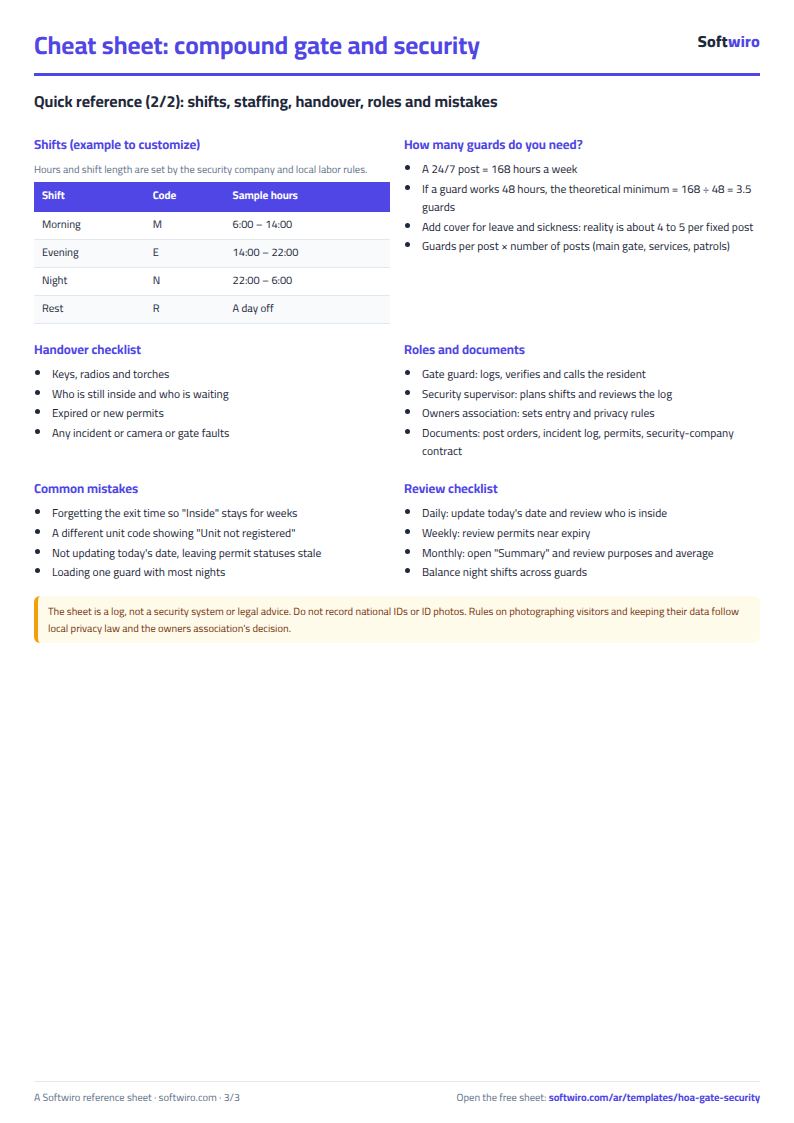
- "الورديات" (Shifts): A monthly grid by day of the month for 30 guards, where you choose ص morning, م evening, ل night or ر rest. Beside each name are the count of each type, working days and the ranking for night shifts.
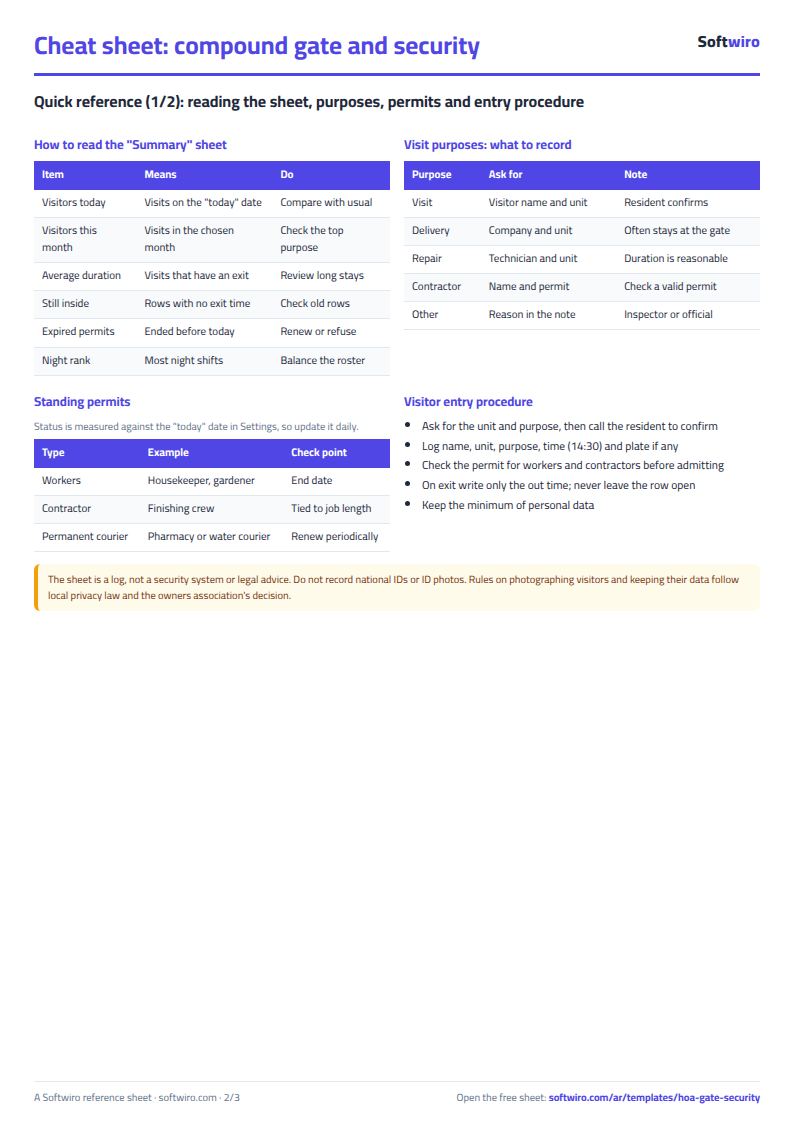
- "الملخص" (Summary): Today's and the month's visitors by purpose, average visit duration, who is still inside, the number of expired permits, and the guards with the most night shifts.
The file opens on a start tab (“ابدأ هنا”, Start here) that explains how to use it.
What makes it different
Permit status is compared with the "today" date you write in the settings, so you can spot expired permits in a second. Any visit with no exit time shows "inside" in an alert color until you close it.
How to use it
- In the "الإعدادات" (Settings) sheet, enter the site name, the "today" date (the calculation date) and the date of the first day of the month you need.
- In the "الوحدات" (Units) sheet, enter each unit's code, resident name and mobile number.
- In the "الزوار" (Visitors) sheet, record each visitor on arrival: date, entry time, name, unit code, purpose, plate number and guard. When the visitor leaves, enter only the exit time.
- The resident's name and the visit duration in minutes appear automatically, and the word "inside" (داخل) appears for anyone whose exit has not been recorded.
- In the "التصاريح" (Permits) sheet, record permits for workers, contractors and regular delivery staff with start and end dates, and the status of each permit appears automatically.
- In the "الورديات" (Shifts) sheet, enter the guards' names and choose for each day: ص morning, م evening, ل night or ر rest. The count of each type and working days appear beside each guard.
- Open "الملخص" (Summary) to see today's and the month's visitors by purpose, average duration, who is inside, expired permits and the guards with the most night shifts.
Before you start:
- The sheet holds 2000 visits, 300 units, 200 permits and 30 guards.
- Enter time in the format 14:30. Visit duration = exit time - entry time, in minutes, and it is left empty while the exit is not written. If a visit crosses midnight, the sheet calculates it correctly.
- The word "inside" (داخل) appears for every row with no exit time, whatever its date, so review old rows where an exit was forgotten.
- Permit status is compared with the "today" date in the settings, not the device date, so change it every day: active if today is between start and end, expired if past the end, not started if before the start.
- Today's visitors are the visits dated on the "today" date; the month's visitors, their breakdown by purpose and the average duration are for the month written in the settings.
- Enter the unit code in the visitors sheet exactly as it is in the units sheet; if it is not found, the sheet shows "unregistered unit". Do not record national ID numbers or ID photos.
Free cheat sheet for this field
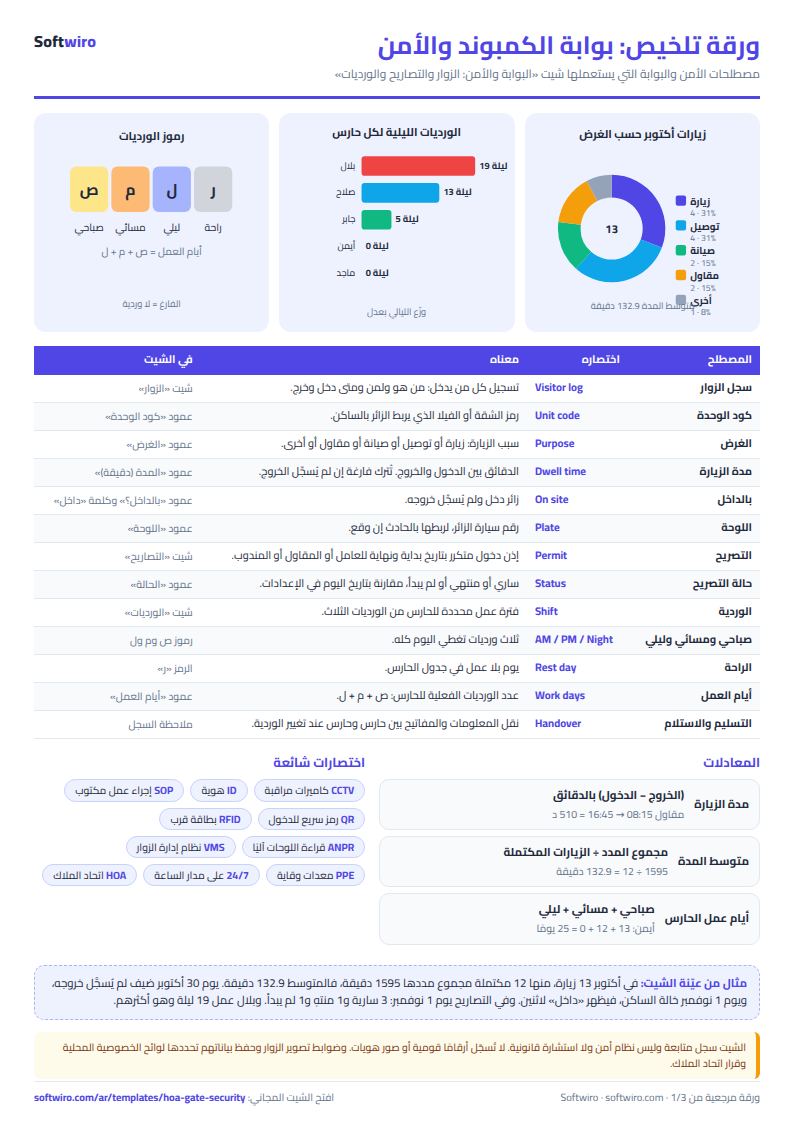
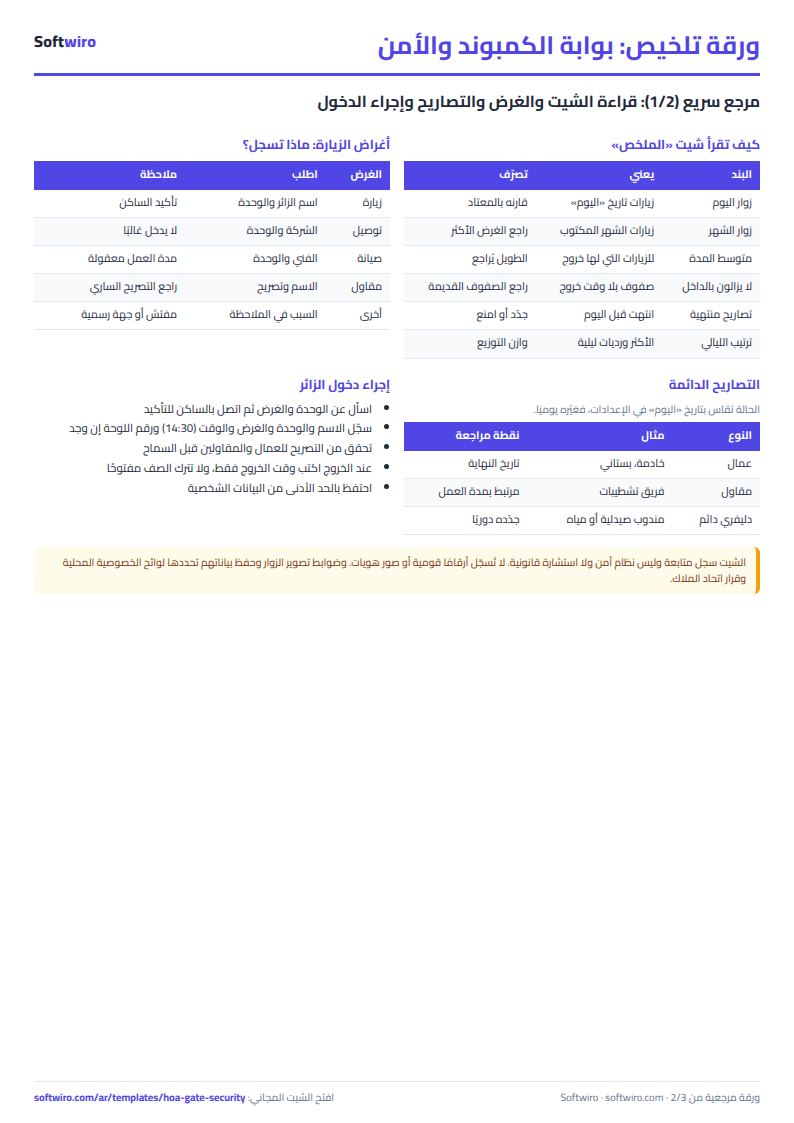
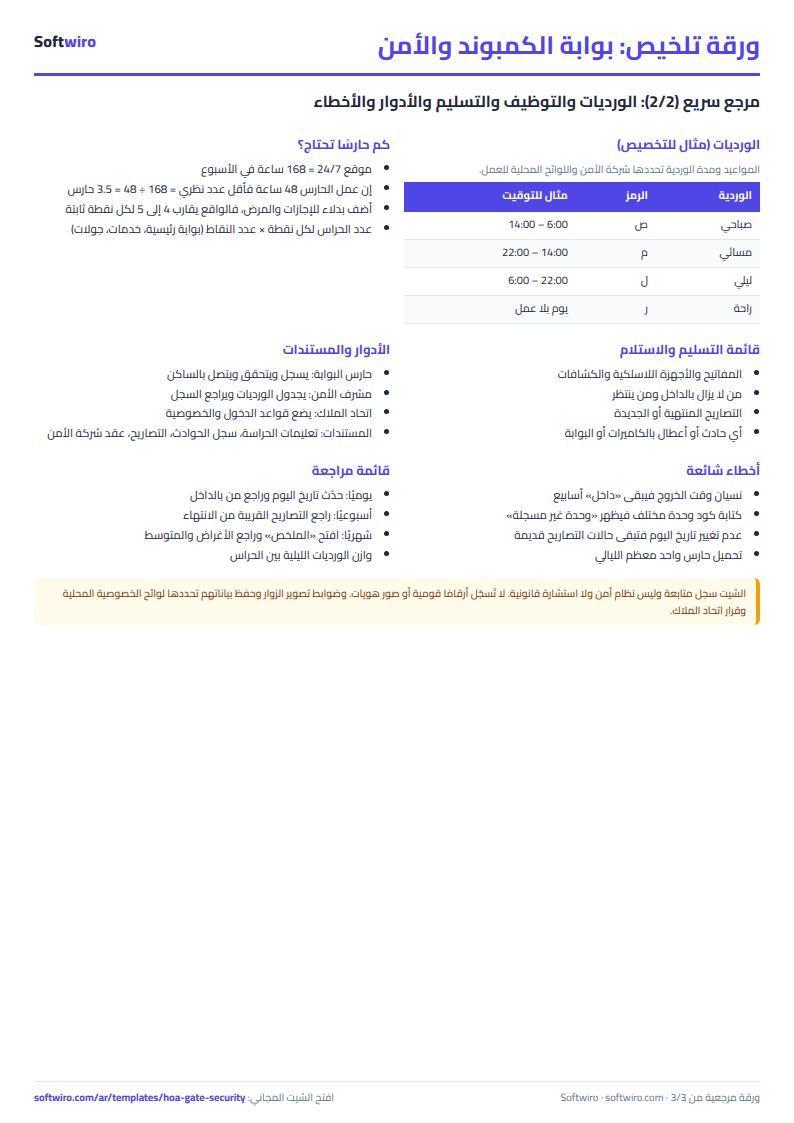
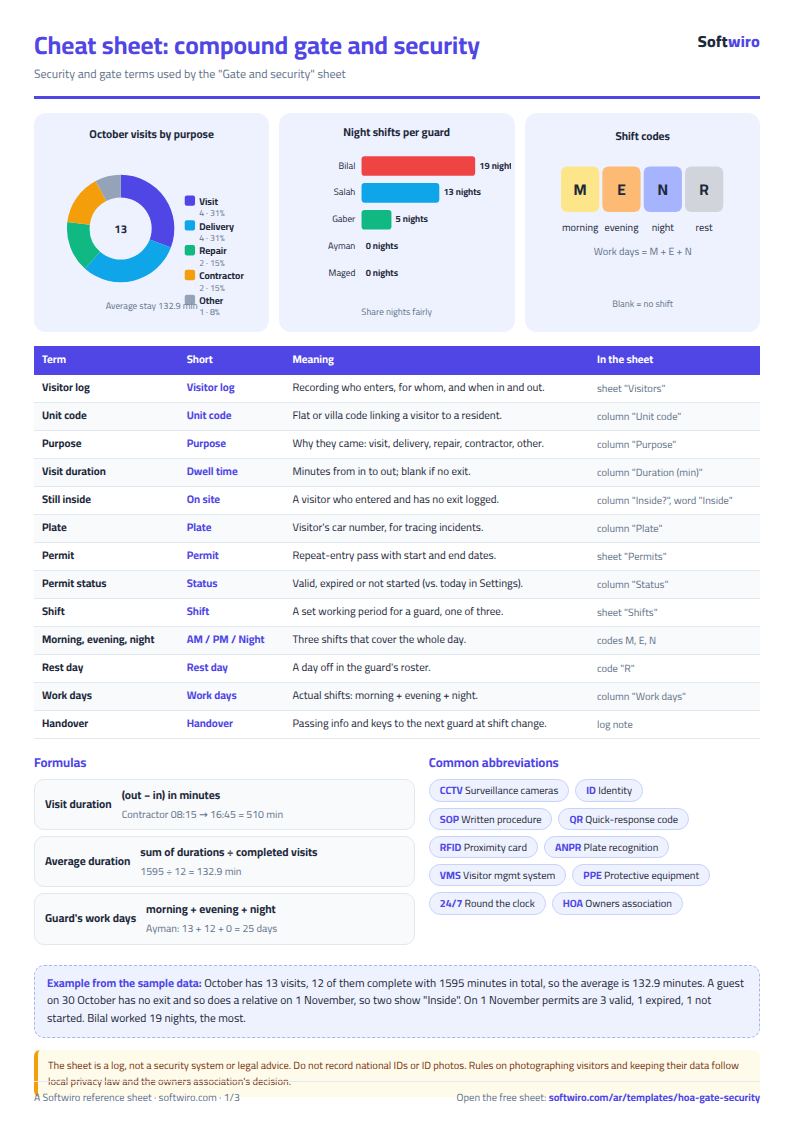
Terms, abbreviations, tables and diagrams over several pages, in Arabic and English. Download it as a PDF or images, including a phone-size version.
Still running this on Excel?
This sheet suits a start and a limited amount of data. If your way of working grows, or you need more than one person working on it at the same time, Softwiro can build you a program that fits the way you work.
| In this sheet | In Custom Software from Softwiro |
|---|---|
| One file that one person edits at a time, and copies reach you on WhatsApp. | A program with a login for each user and permissions you define, and everyone sees the same data. |
| You type everything and check the numbers by hand. | We design the screens around your work steps, so each person records only what concerns them. |
| Columns and formulas are fixed as the sheet was designed. | We build what you need: reports, alerts and screens your way. |
| Backups and security are your own responsibility. | The program runs on a secured server with regular backups. |
Frequently asked questions
How is visit duration calculated?
Exit time - entry time, in minutes. It stays empty while the exit time is not written, and a visit that crosses midnight is calculated correctly.
How is permit status worked out?
By comparing the "today" date in the settings with the permit's start and end dates: active if it falls between them, expired if it is past the end, not started if it is before the start.
How do I find the guard with the most night shifts?
Beside each guard is the number of "ل" (night) shifts in the month and their rank, and the "الملخص" (Summary) sheet shows the top three guards. In a tie, the one earlier in the list comes first.
Is the template free?
Yes, with no sign-up and no email address. Use it, edit it and share it as you like.
Does it work in Google Sheets and on mobile?
The sheet uses formulas supported by Excel 2016 and later, Google Sheets and LibreOffice, so you can upload it to Google Drive and open it with Google Sheets on a computer or a phone.
What is the difference between the white and the gray cells?
You type in the white cells; the gray cells are calculated automatically. Don't type in a gray cell, or you will erase its formula.
Can I use the sheet from an AI assistant?
Yes. Add our MCP server (URL https://softwiro.com/api/mcp, no key needed) to your assistant and ask it to do the calculation in this template. The numbers come from the sheet's own formulas, and we do not store your data. The steps and a ready-made prompt are in this article: https://softwiro.com/blog/mcp-excel-templates-ai-agent-guide.html
All the templates in this group: Compound and owners' association sheets: dues, maintenance and property
More free templates for: Owners associations and compounds
More free templates
- Owners' association dues collection tracker
- Owners' association budget and expenses sheet
- Reserve and emergency fund sheet for owners' associations
- Maintenance requests and complaints log for owners' associations
- Service contracts and suppliers tracker for owners' associations
- Owners association meetings and decisions tracker
- Shared electricity and water bill splitter for building units
- Residents, units and vehicles register for an owners' association
- Monthly transparency report for owners' associations
- Compound assets and periodic maintenance sheet
- Compound shared facilities booking sheet
- Building maintenance sheet: flat fees, expenses, elevator and pump
- Car workshop job orders tracker (Excel)
- Nursery and school fees tracker (Excel)
- Tutoring center manager (Excel)
- Poultry farm cycle tracker (Excel)
- Crop season expenses and revenue tracker (Excel)
- Racing pigeon loft sheet
- Wedding and event budget planner (Excel)
- Car rental fleet tracker (Excel)