Try the sheet here, on the example
The sheet is open below with sample numbers. Change any white cell and watch the results update, or press the blank-copy button to type your own data from scratch. Nothing you type leaves your browser.
Example from the sheet
| المسار | تحويل عن الحرق؟ | صافي تقديري لطن المدخل | المجمّع (طن) | تكلفة النقل | تكلفة المعالجة | الإيراد | الصافي الفعلي |
|---|---|---|---|---|---|---|---|
| تسميد (كمبوست) | نعم | 150.00 | 61.3 | 1,934.00 | 2,900.00 | 3,250.00 | -1,584.00 |
| علف بعد المعالجة | نعم | 875.00 | 26.5 | 795.00 | 3,070.00 | 19,750.00 | 15,885.00 |
| كبس وبيع بالات | نعم | 510.00 | 48.5 | 1,455.00 | 5,505.00 | 19,760.00 | 12,800.00 |
| بيوجاز | نعم | 200.00 | 27.0 | 1,080.00 | 3,550.00 | 1,800.00 | -2,830.00 |
| بيئة زراعة مشروم | نعم | 300.00 | 4.0 | 120.00 | 300.00 | 3,200.00 | 2,780.00 |
| قوالب وقود | نعم | 675.00 | 21.0 | 815.00 | 4,350.00 | 16,000.00 | 10,835.00 |
| حرق أو ترك بلا معالجة | لا | 0.00 | 14.0 | 0.00 | 0.00 | 0.00 | 0.00 |
Example from the “المسارات” tab (Arabic), with the numbers and formulas that are in the file.
What is inside
- الإعدادات (Settings): Today's date, compost maturity period, the maximum days between two turnings, machine cost per hour, the first month of the report, and the route used to calculate the piles.
- الأنواع (Types): Waste types (rice straw, cotton stalks, corn stalks, bagasse, tree prunings, animal manure and so on) and tons of waste per feddan as an estimate you enter, with the estimated and collected tons and their ratio for each type. Holds 20 types.
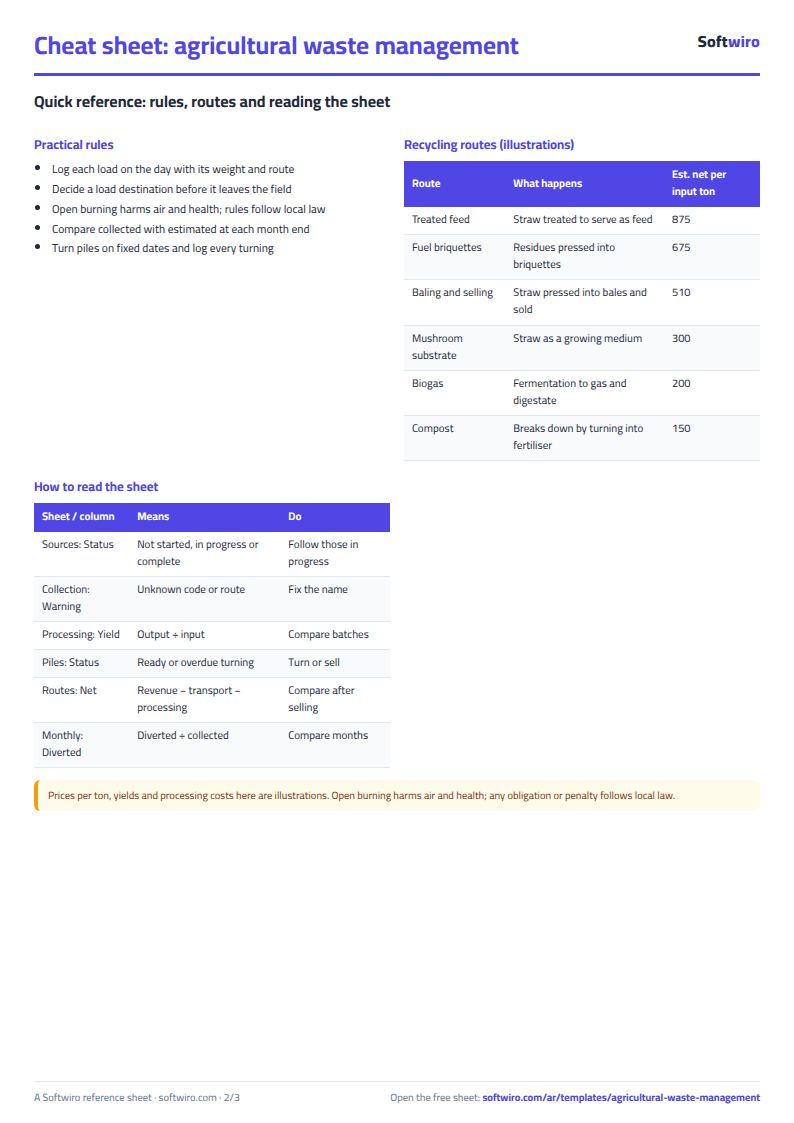
- المسارات (Routes): Recycling and sales routes. Each route has a "diverted from burning" flag, plus selling price per output ton, output ratio and processing cost as illustrative examples, giving an estimated net per input ton. Then the actuals: collected tons, transport and processing cost, revenue, net and cost per ton. Holds 15 routes.
- المصادر (Sources): Farms, plots and villages: code, area, main type and area in feddans. The sheet shows estimated and actually collected tons, their ratio, the amount diverted from burning, the remainder and the status. Holds 100 sources.
- التجميع (Collection): The load log: date, source code, waste type, tons, transport cost and route. The sheet warns you if the code or route is not registered. Holds 1,000 loads.
- التصنيع (Processing): Baling and processing batches: input and output in tons, output ratio, labor and machine hours, giving batch cost and cost per input ton. Holds 300 batches.
- الأكوام (Piles): Compost piles: start date, ingredients, input and four turning dates, giving the maturity date, days since the last turning, the status (in preparation, ready or turning overdue) and the finished output. Holds 100 piles.
- المبيعات (Sales): Products you sold: date, route, product, quantity, price per ton and buyer, with the total. Holds 500 sales.
- الشهري (Monthly): 12 months from the month you choose: collected and diverted tons, diversion ratio, transport and processing cost, revenue, net, and cost and revenue per ton.
- الملخص (Summary): Collected versus estimated, the diversion ratio, cost, revenue and net per ton, the number of batches and of ready and overdue piles, and the route with the highest net, with four charts.
The file opens on a start tab (“ابدأ هنا”, Start here) that explains how to use it.
What makes it different
The sheet does not just weigh what was collected. It compares it with what each plot is expected to produce, calculates the share that went to a recycling route instead of being burned, and charges each route with its transport and processing cost against its sales revenue. You can see which route actually makes money and which pile is overdue for turning. The prices and costs in the sheet are illustrative examples that you replace with your own figures.
How to use it
- In «الإعدادات» (Settings) enter today's date, the compost maturity period in days, the machine cost per hour, and the first month you want the monthly report to start from.
- In «الأنواع» (Types) review the waste types and estimate tons of waste per feddan. In «المسارات» (Routes) review the recycling routes with their prices and costs, and set which ones count as "diverted from burning".
- In «المصادر» (Sources) enter each farm, plot or village: code, area, main waste type and area in feddans. The estimated tons appear.
- In «التجميع» (Collection) record each load: date, source code, waste type, tons, transport cost and the route it went to.
- In «التصنيع» (Processing) record baling and processing batches (input and output in tons, labor, machine hours), and in «الأكوام» (Piles) record compost piles and their turning dates.
- In «المبيعات» (Sales) record the products you sold, then open «الشهري» (Monthly) and «الملخص» (Summary) to see collected versus estimated, the share diverted from burning, and cost and revenue.
Before you start:
- The figures in «الأنواع» (Types) and «المسارات» (Routes) are illustrative examples (tons of waste per feddan, selling price per ton, output ratio, processing cost), not market prices. Enter the figures for your area and your own measurements.
- Estimated tons per source = area in feddans × tons of waste per feddan for its main type. It is an estimate for planning collection, not a measurement, so compare it with what was actually collected.
- Diverted from burning = tons that went to a route flagged "نعم" (yes) in «المسارات» (Routes). The route "حرق أو ترك بلا معالجة" (burning or leaving untreated) is flagged "لا" (no). Open burning harms air and health, and its regulation follows local law.
- Route net = sales revenue − transport cost of its tons − processing cost (labor, machine and pile operation). It does not include the price of land or equipment, or any subsidy or fine.
- A pile becomes "جاهز" (ready) when today's date reaches the maturity date = start date + maturity period in Settings. "تأخر التقليب" (turning overdue) appears if more days than the limit in Settings have passed since the last turning. The period and the limit are decisions you set from your own experience.
- The sheet holds 100 sources, 1,000 loads, 300 processing batches, 100 piles, 500 sales, 20 types and 15 routes, and the monthly report covers 12 months from the month you choose.
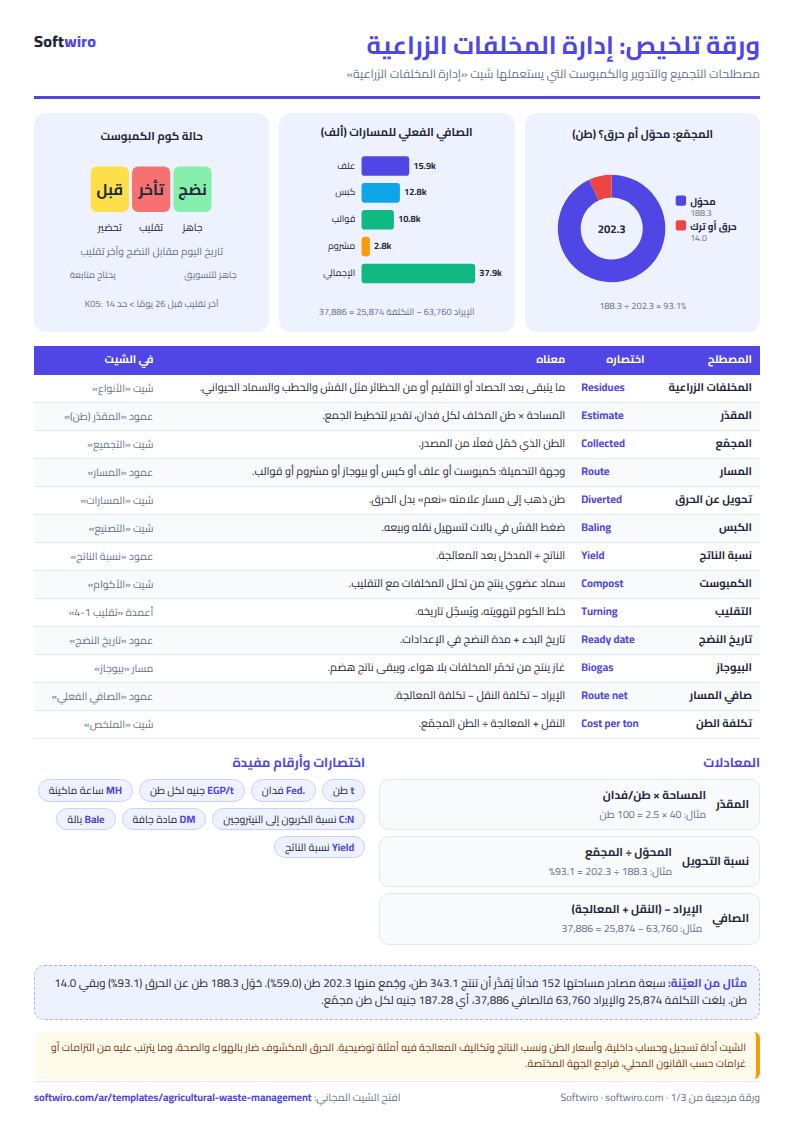
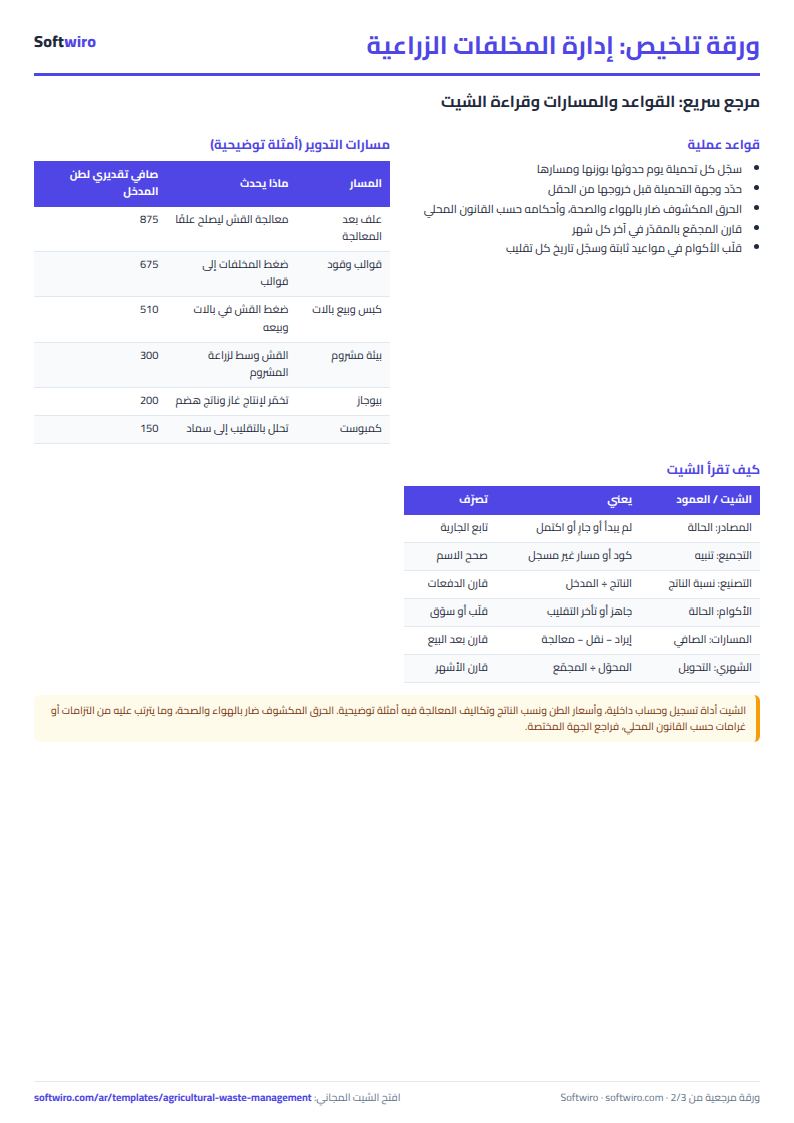
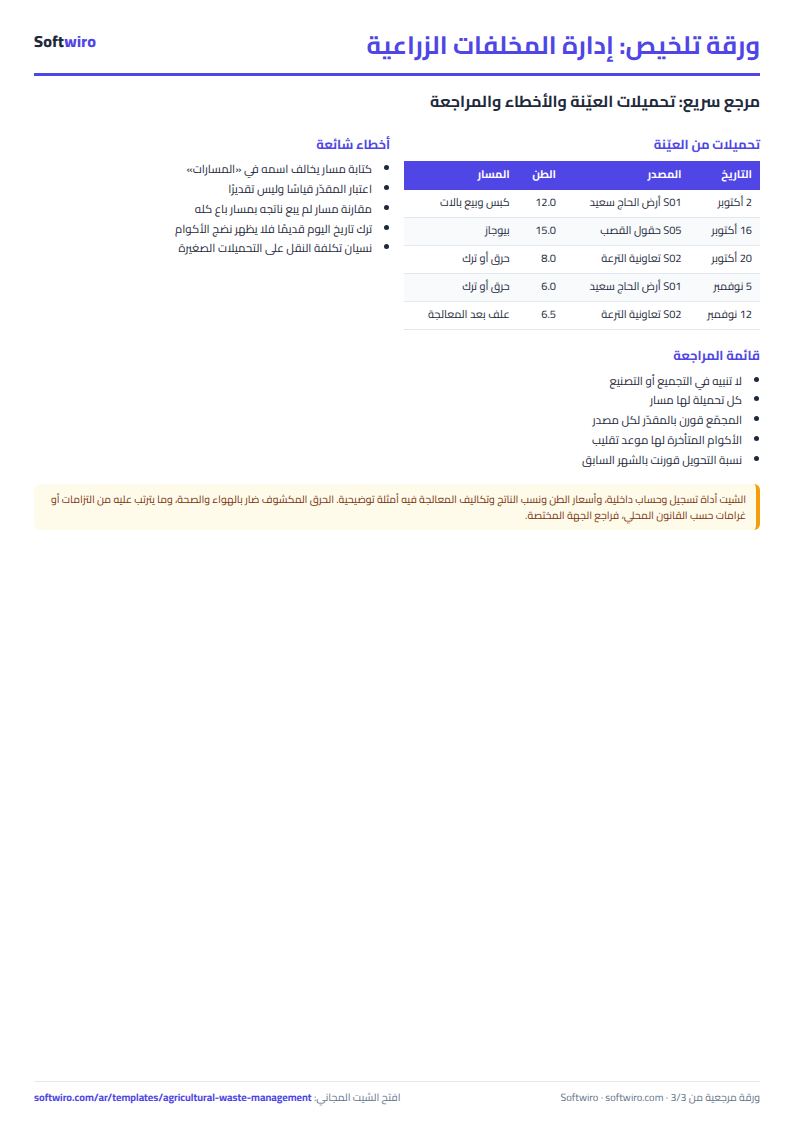
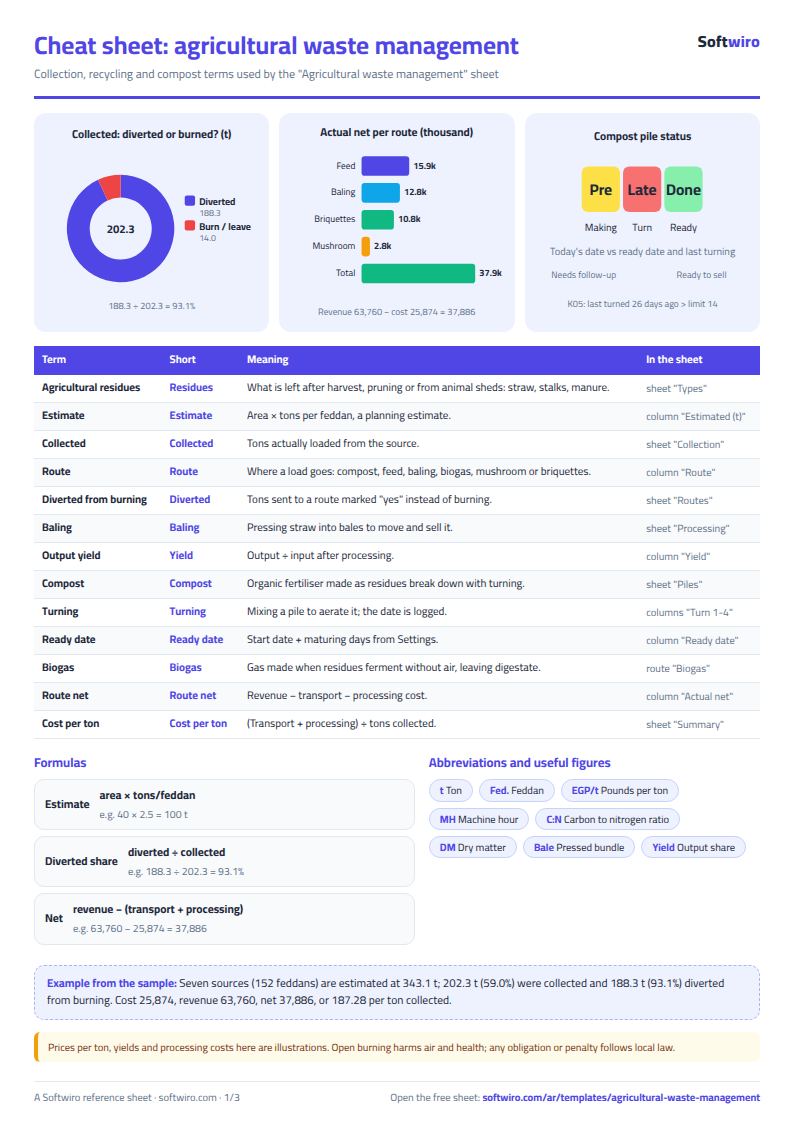
Free cheat sheet for this field
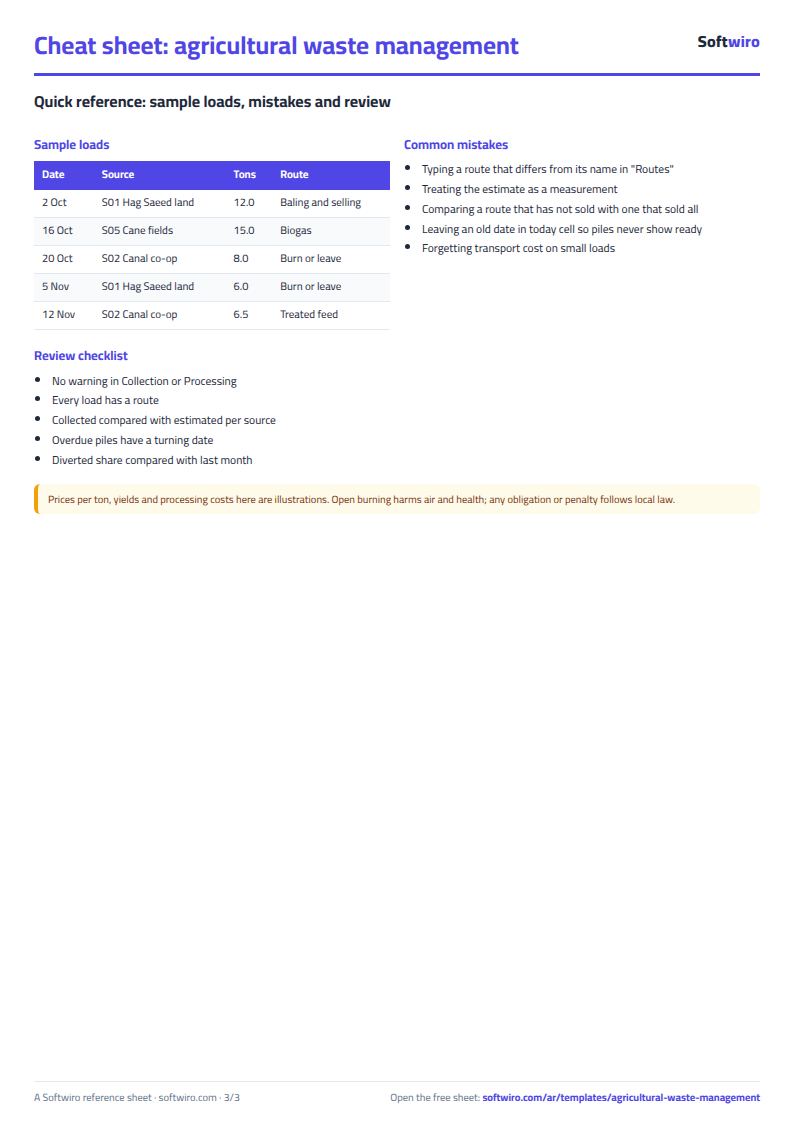
Terms, abbreviations, tables and diagrams over several pages, in Arabic and English. Download it as a PDF or images, including a phone-size version.
Still running this on Excel?
This sheet suits a start and a limited amount of data. If your way of working grows, or you need more than one person working on it at the same time, Softwiro can build you a program that fits the way you work.
| In this sheet | In Custom Software from Softwiro |
|---|---|
| One file that one person edits at a time, and copies reach you on WhatsApp. | A program with a login for each user and permissions you define, and everyone sees the same data. |
| You type everything and check the numbers by hand. | We design the screens around your work steps, so each person records only what concerns them. |
| Columns and formulas are fixed as the sheet was designed. | We build what you need: reports, alerts and screens your way. |
| Backups and security are your own responsibility. | The program runs on a secured server with regular backups. |
Frequently asked questions
How do I calculate the share I diverted from burning?
Record each load with its route in «التجميع» (Collection). Every route flagged "نعم" (yes) in «المسارات» (Routes) counts as diverted, while the route "حرق أو ترك بلا معالجة" (burning or leaving untreated) is flagged "لا" (no). Diversion ratio = diverted tons ÷ collected tons, shown in «الشهري» (Monthly) and «الملخص» (Summary).
Where does the estimated tons of waste per feddan come from?
It is an estimate you enter in «الأنواع» (Types) from your experience or from measuring your own field; the figures in the file are examples only. Estimated tons = area × tons of waste per feddan. It helps plan collection but is not a precise measurement.
How do I know a compost pile is ready?
Enter the maturity period in days in «الإعدادات» (Settings). The sheet calculates maturity date = start date + period, and shows "جاهز" (ready) once today's date reaches it, and "تأخر التقليب" (turning overdue) if more days than your limit have passed since the last turning. The period is a decision you set from your own experience.
Does the sheet cover fines or legal requirements for burning?
No. Open burning harms air and health, but any obligations or fines depend on local law, so check with the authority in your area. The sheet only records your quantities, routes and costs.
Is the template free?
Yes, with no sign-up and no email address. Use it, edit it and share it as you like.
Does it work in Google Sheets and on mobile?
The sheet uses formulas supported by Excel 2016 and later, Google Sheets and LibreOffice, so you can upload it to Google Drive and open it with Google Sheets on a computer or a phone.
What is the difference between the white and the gray cells?
You type in the white cells; the gray cells are calculated automatically. Don't type in a gray cell, or you will erase its formula.
Can I use the sheet from an AI assistant?
Yes. Add our MCP server (URL https://softwiro.com/api/mcp, no key needed) to your assistant and ask it to do the calculation in this template. The numbers come from the sheet's own formulas, and we do not store your data. The steps and a ready-made prompt are in this article: https://softwiro.com/blog/mcp-excel-templates-ai-agent-guide.html
More free templates for: Farming
More free templates
- Poultry farm cycle tracker (Excel)
- Crop season expenses and revenue tracker (Excel)
- Racing pigeon loft sheet
- Livestock and dairy farm sheet
- Complete farm management sheet in Excel: plots, workers, crops and sales
- Trip organizer sheet: participants, instalments, costs and itinerary
- Building maintenance sheet: flat fees, expenses, elevator and pump
- Canteen management sheet
- Lending library management sheet
- Study groups management sheet for a private teacher
- Graduation project manager sheet: tasks, team, phases and deliverables
- English vocabulary and expressions sheet in Excel: words by topic and spaced review
- Accounting rules and equations summary sheet: double entry, statements and financial ratios