You want to know how much you spent today, how much you have spent this month, and how much you have left until the month ends, without opening a complicated spreadsheet or doing sums in your head. The free simple daily expense sheet gives you this from one line per expense, and it is designed to open on your phone in the Google Sheets app. (The template page is in Arabic; the workbook itself is in Arabic.)
The problem it solves
Most people do not track personal spending because tracking feels like extra work: a big table, many columns and a small screen. The month passes and you wonder where the money went. The answer is to make logging lighter than the effort of avoiding it: date, amount, category, payment method and a note, and then one answer that matters every day: how much can I spend today?
How the sheet works, step by step
- On مصروفي (the home sheet) you type today's date (or =TODAY() to update itself) and an alert percentage such as 80%.
- On الحدود (Limits) you write your spending categories and a monthly allowance for each.
- Whenever you spend, you open السجل (Log) and write one line: date and amount, then pick the category and payment method from a drop-down, and add a note if you like.
- You go back to مصروفي and the numbers are ready.
- At the start of each month just change today's date; the numbers start over and old months stay in the log.
What is in each sheet
- مصروفي: the home page. Spent today, spent this month, the allowance, what is left, the days remaining, what you can spend each day, the status, the top three categories, payment methods, the last seven days and three charts.
- السجل: five narrow columns in large type. A category shows red if it is not on the limits list, and today's rows are shaded.
- الحدود: each category with its monthly allowance, what you spent, what is left, the percentage and its rank; the percentage turns yellow at the alert level and the row red when over the allowance.
A walk-through on the sample numbers
The numbers below are sample data inside the sheet for an imaginary person, not a real one. Today's date is 13 November 2026 and the sheet has eight categories with allowances totalling 5,700:
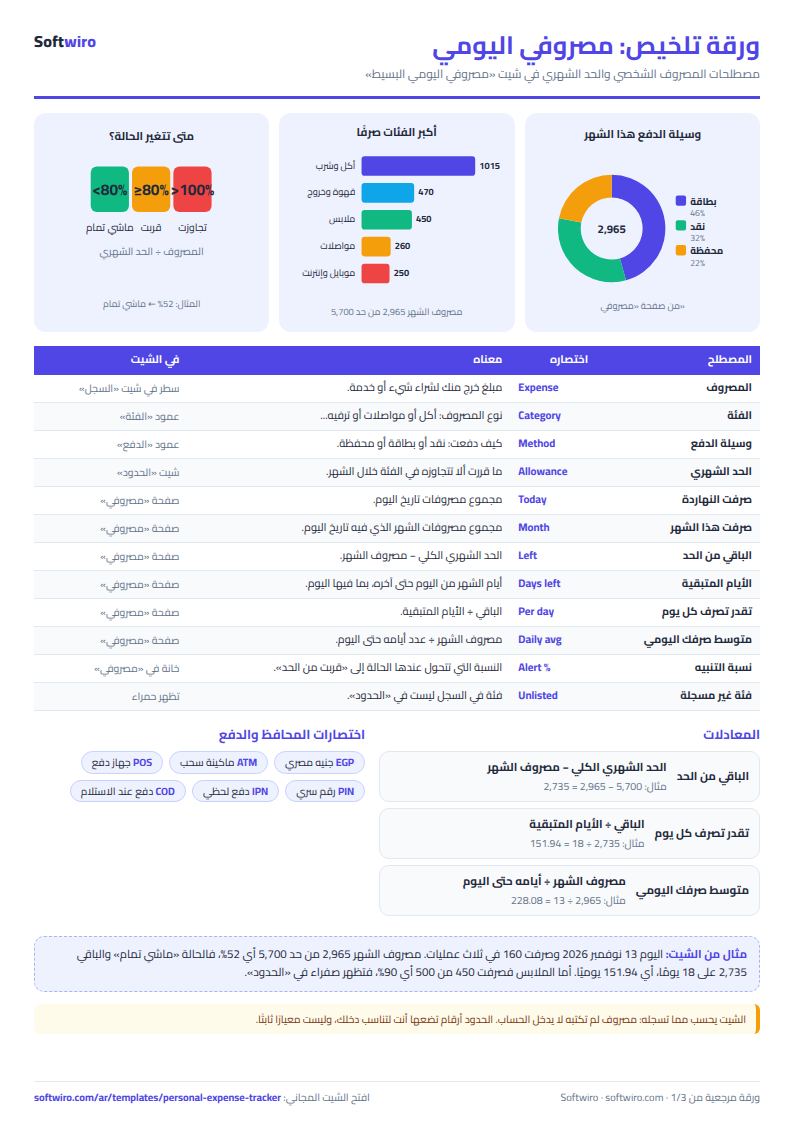
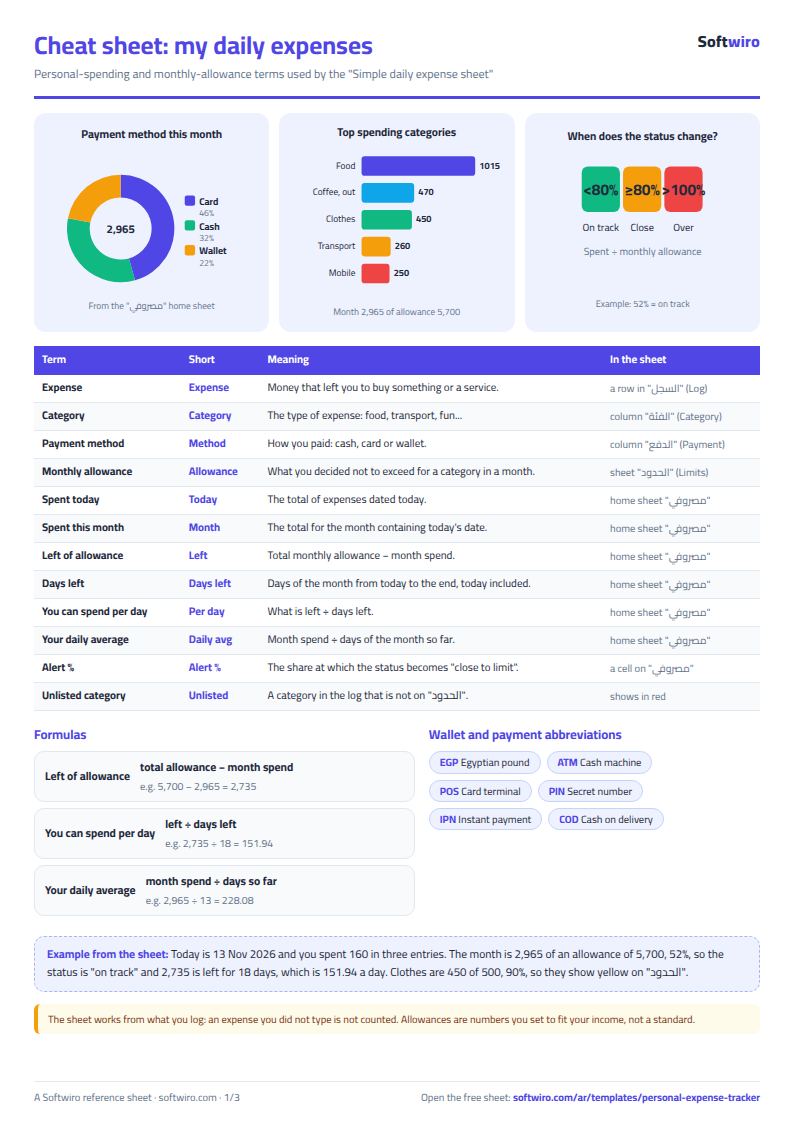
- Spent today is 160 in three entries.
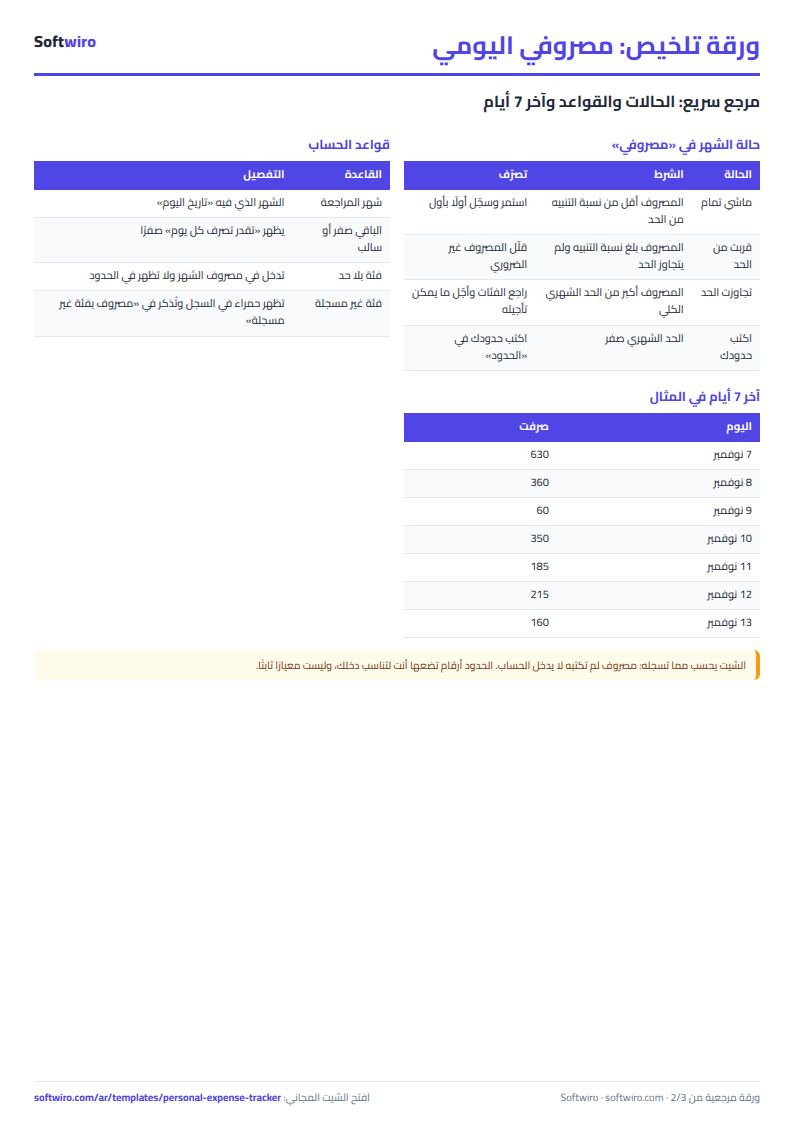
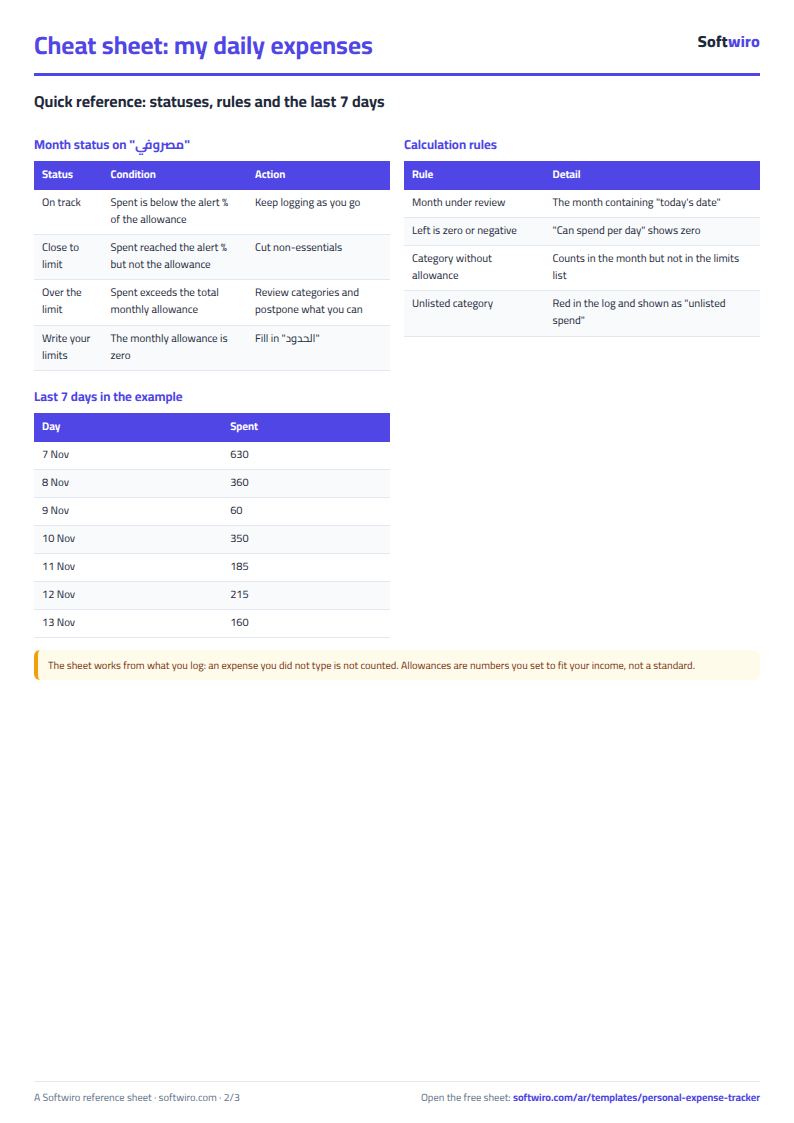
- Spent this month is 2,965, 52% of the allowance, so the status is "on track" with 2,735 left.
- Days left are 18 including today, so you can spend 151.94 a day. Your average so far is 228.08 (2,965 ÷ 13), which means you are running faster than allowed if you keep this pace.
- Top categories: food and drink 1,015 (34.2% of the month), coffee and going out 470 (15.9%), and clothes 450 (15.2%).
- Clothes are 450 of a 500 allowance, 90%, so they show yellow on the limits sheet.
- Payment method: card 1,355, cash 960 and wallet 650.
- The last seven days, 7 to 13 November: 630, 360, 60, 350, 185, 215 and 160.
The useful point in the example: the overall status is "on track", yet your daily average is higher than what the remainder allows. The sheet shows this before the month is over.
Features and why they matter
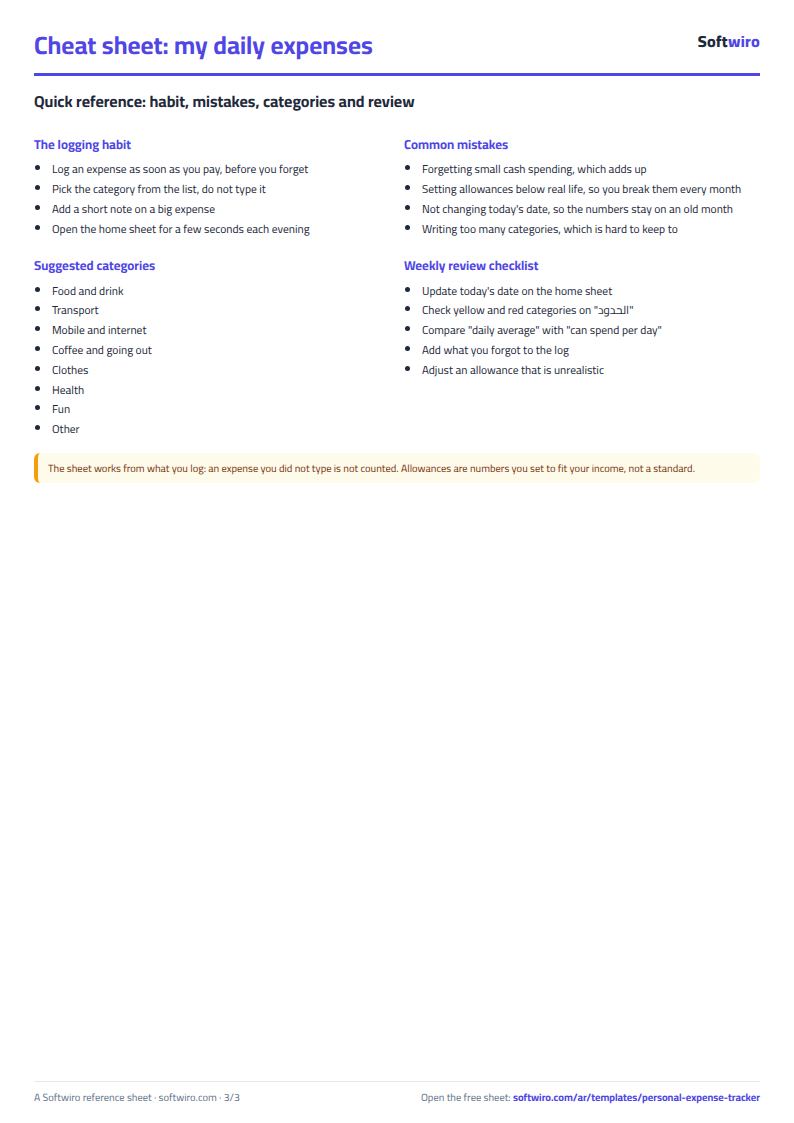
- One-line logging: only five columns and drop-downs, so you can type it with a finger in seconds.
- A clear daily number: what is left divided by the days remaining tells you today's limit.
- An allowance per category: you see where you overspend, not just the total.
- Built for the phone: narrow columns, large type and a home sheet that fits the screen.
- Works in Excel 2016 and later, Google Sheets and LibreOffice, free and without sign-up. It holds 2,000 expenses and 15 categories.
Common mistakes
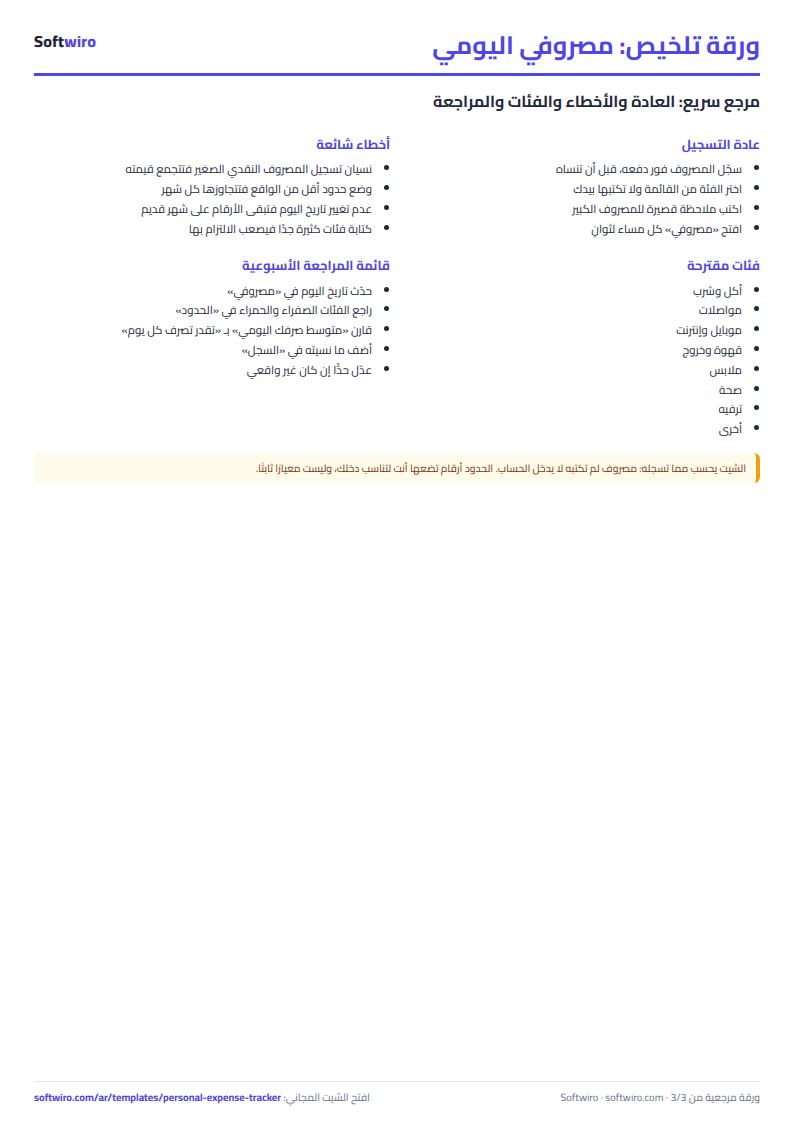
- Forgetting small cash spending: it adds up unseen.
- Setting allowances below real life: you break them every month and stop trusting the sheet. Start realistic, then lower them.
- Not changing today's date: the numbers stay on an old month.
- Too many categories: eight is enough to begin with.
How it differs from the household budget sheet
This sheet is for quickly logging your own daily spending, with no income and no goals. The household budget and savings sheet is for a family: income, fixed and variable expenses, savings goals and the share of income left over. You can start here and move to it if you need the wider picture. And if you are paying instalments, see the instalments tracker.
Who it suits and when it is not enough
It suits a student, an employee or anyone who wants to see where daily spending goes. It always needs you to type each expense, so if you forget the numbers will be short. If you want to log an expense in two taps from a phone app, with a daily reminder and an alert when a category nears its allowance, or a shared account with another person, Softwiro can build you a program around your way of working.
Frequently asked questions
How do I log an expense from my phone? Open the file in the Google Sheets app, go to the log, type the date and amount on the first empty row, then pick the category and payment method.
How do I know how much to spend per day? It is what is left of the total monthly allowance ÷ the days remaining, including today.
How do I start a new month? Change today's date on the home sheet.
Your next step
Download the sheet, upload it to Google Drive and open it in the Google Sheets app on your phone. Write your allowances on the limits sheet, log today's spending as you go, and look at the home sheet each evening.