It is count time and you want to count your stock and then know exactly: which items differ, what the difference is worth, which differences deserve a recount and which can be accepted, how to settle the book to what is there, and which items to count every month and which once a year. The free periodic stock count and reconciliation sheet does all of this from the book balance and the count sheet you type.
The problem it solves
A shop count is often one long day that ends in a list of differences with no rule: is the gap two pounds or twenty thousand? So everything is recounted or nothing is. The book is fixed by wiping the old number, with no record of who approved the change or why. Then the keeper counts the items he likes and leaves what has not been counted for a year. The sheet judges a difference by its percentage and its value together, ties adjustment to a written approval, and gives each item a count date.
How it works, step by step
- In الإعدادات (Settings) type today's date, the tolerance percent and value, and the ABC limits.
- In الأصناف (Items) write each item with its cost, opening balance, receipts and issues. The sheet calculates book balance = opening + in - out, or uses a typed balance if you give one.
- Print الجرد (Count) and let the counter write what he really counted without seeing the book balance. Each row has the count date, counter name and quantity.
- المطابقة (Reconciliation) reads the difference = final quantity - book balance, its percent of the balance, and the item's status.
- Open إعادة العد (Recount) to find what exceeded tolerance, and write the recount in "Count" by a different counter.
- After investigating, type "yes" in the approval column for the item you agree to adjust, and its counted quantity becomes the "new balance".
- Read العجز حسب التصنيف (Shrinkage by category), خطة الجرد (Count plan) and الملخص (Summary).
What each sheet does
- الإعدادات (Settings): tolerance in percent and value, A and B limits, days per class, the category list.
- الأصناف (Items): the data, book balance and value, and ABC class.
- الجرد (Count): the count sheet with recount, approval and a check for a duplicate or wrong code.
- المطابقة (Reconciliation): difference, status, adjustment and new balance per item.
- إعادة العد (Recount): items outside tolerance, ordered by difference value.
- العجز حسب التصنيف (Shrinkage by category): shrinkage and overage value per category.
- خطة الجرد (Count plan): the next count date per item and whether it is late.
- الملخص (Summary): the big numbers and four charts.
How the status is decided
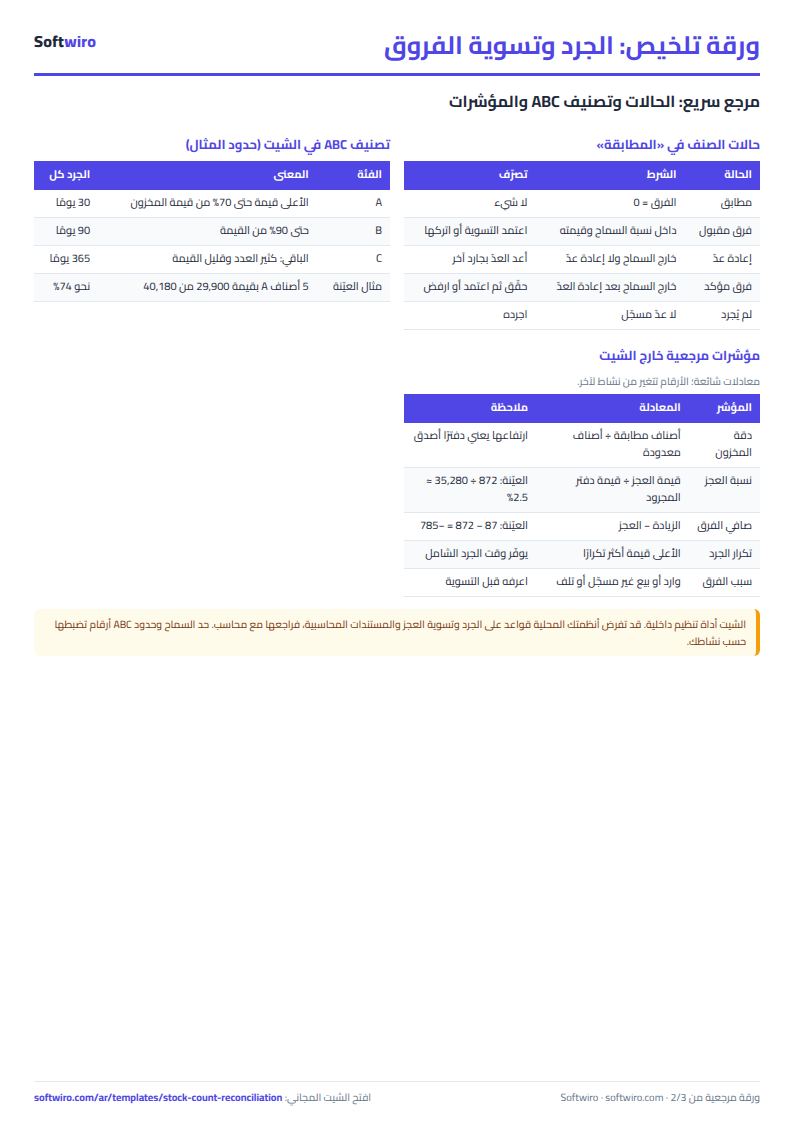
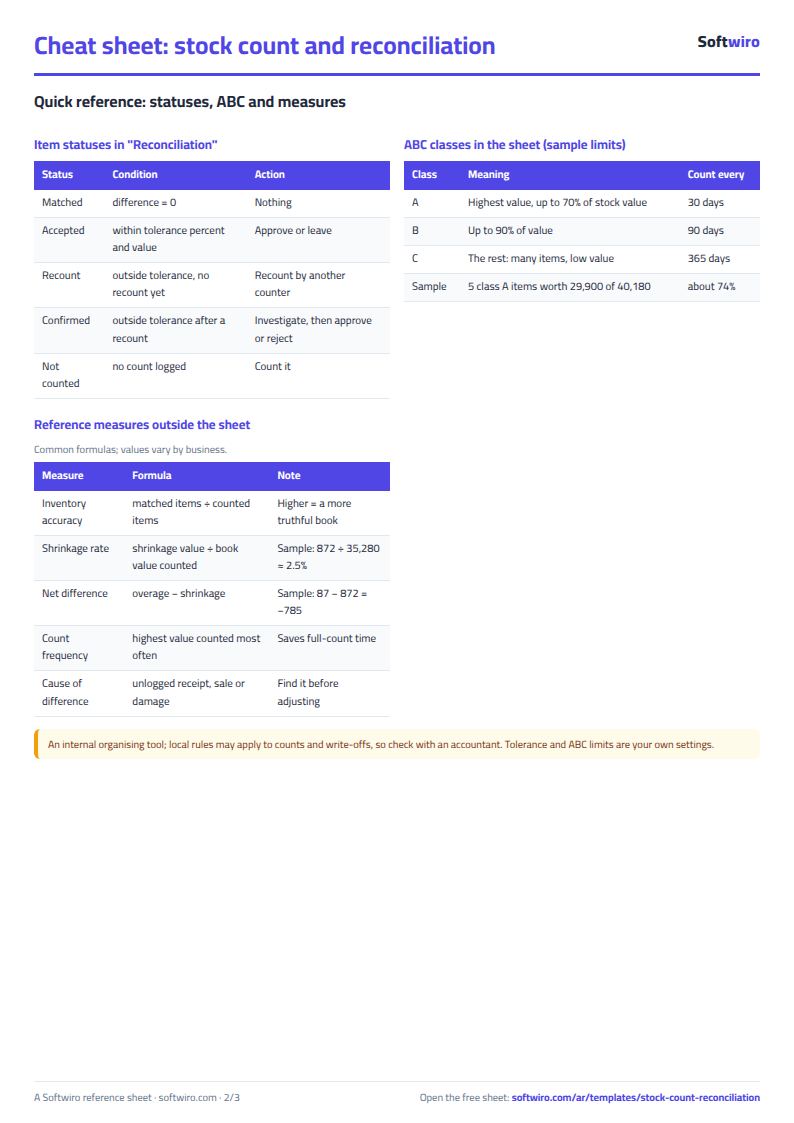
A difference is accepted when its percent does not exceed the tolerance percent and its value does not exceed the tolerance value, both together. If either is exceeded the status is "recount"; once recounted, if it is still outside tolerance it is a "confirmed difference". Zero is "matched". An item with no count is "not counted".
A walk-through with the sample numbers
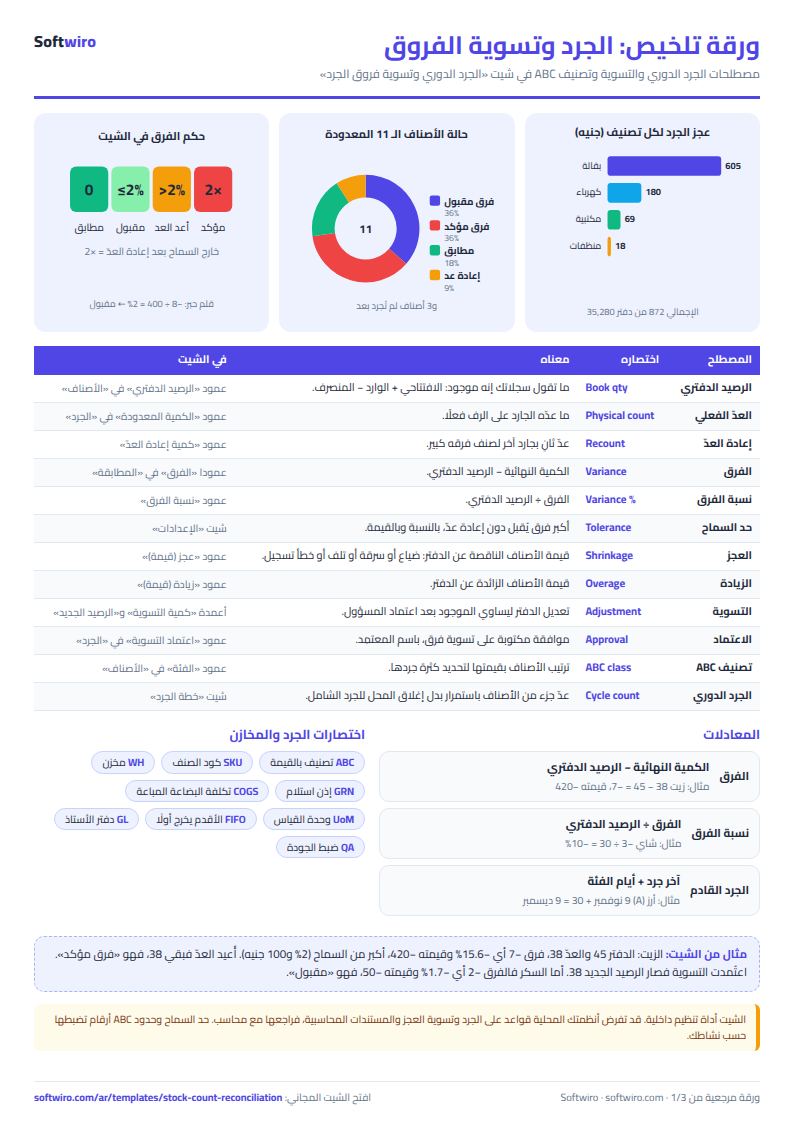
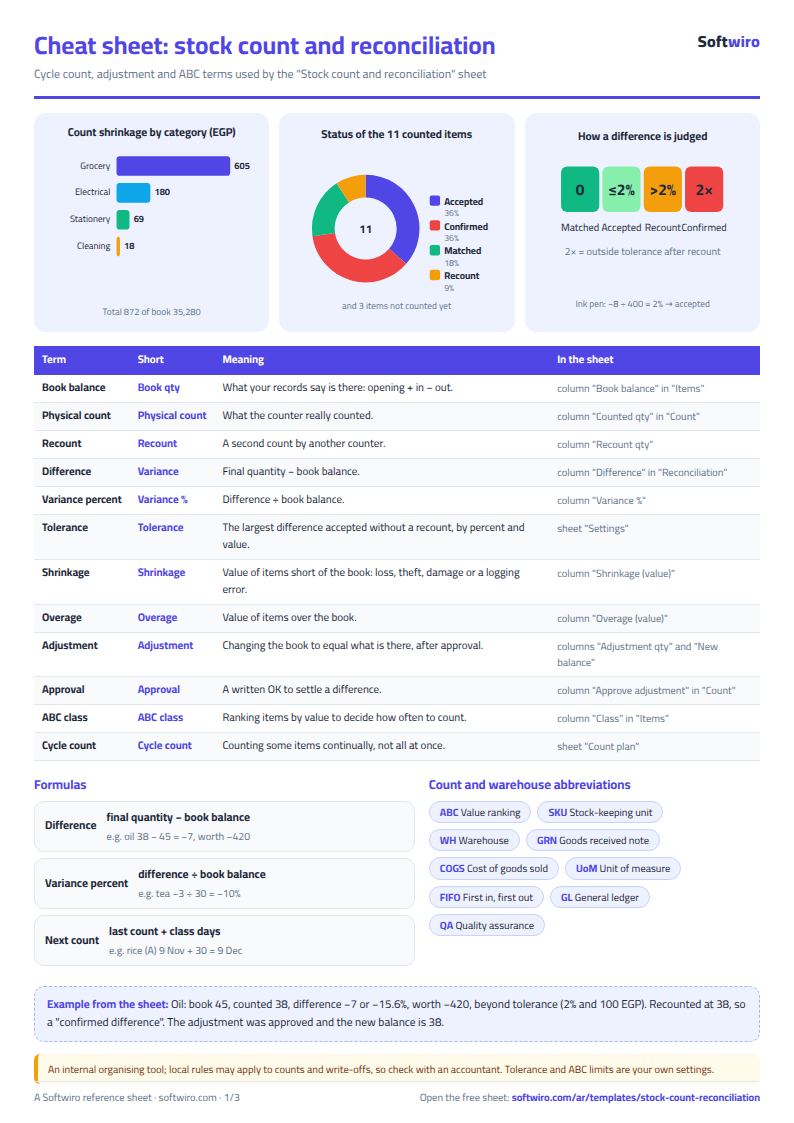
These numbers are sample data inside the sheet, not a real shop: 14 items, 11 counted and 3 not yet, tolerance 2% and 100 pounds.
- Rice: book 100, counted 100, "matched". Worth 20,000, about half of stock value, so class A.
- Sugar: book 120, counted 118, difference -2 or -1.7%, worth -50, so an "accepted difference".
- Ink pen: book 400, counted 392, difference -8 at exactly 2.0% and worth -24: on the tolerance line, so accepted.
- Cooking oil: book 45, counted 38, difference -7 or -15.6%, worth -420. Recounted at 38, so a "confirmed difference". The adjustment was approved and the new balance is 38.
- Tea: counted 26, then recount 27, book 30, so the final difference is -3 or -10%, worth -135.
- Soap: book 150, counted 156, difference +6 or 4%, worth +72. It exceeds 2%, so the status is "recount", and it is the only item on the Recount list until it is recounted.
- Batteries: -6 after the recount (-15%, worth -180) and "no" was chosen in approval, so the balance stays 40 under investigation.
In total: the book value of what was counted is 35,280 and its counted value 34,495. Shrinkage is 872 and overage 87, so the net difference is -785 and shrinkage is about 2.5% of what was counted. Grocery shrinkage alone is 605. 5 adjustments worth -668 net were approved and 2 await approval.
In the plan: class A is five items worth 29,900 of 40,180, about 74%, counted every 30 days. Class B is six items every 90 days and class C three items every 365. The LED bulb is 26 days late, pasta is due in 2 days, and the USB cable has never been counted.
Common mistakes
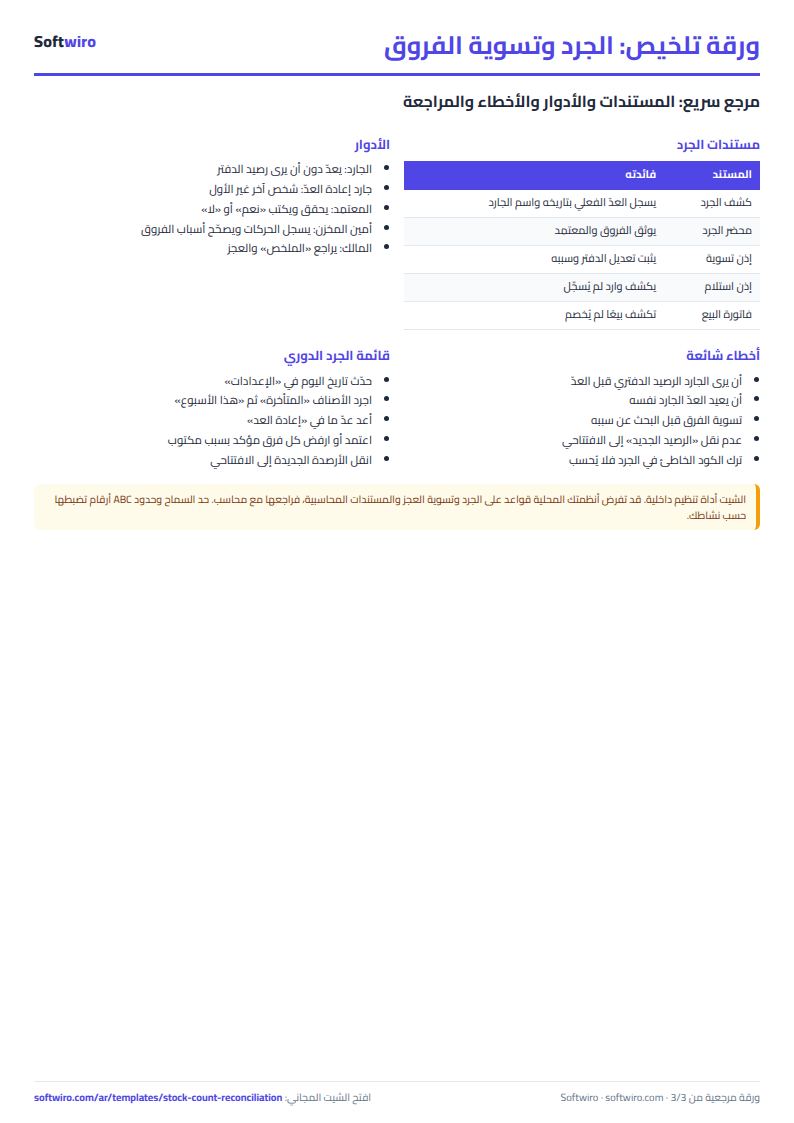
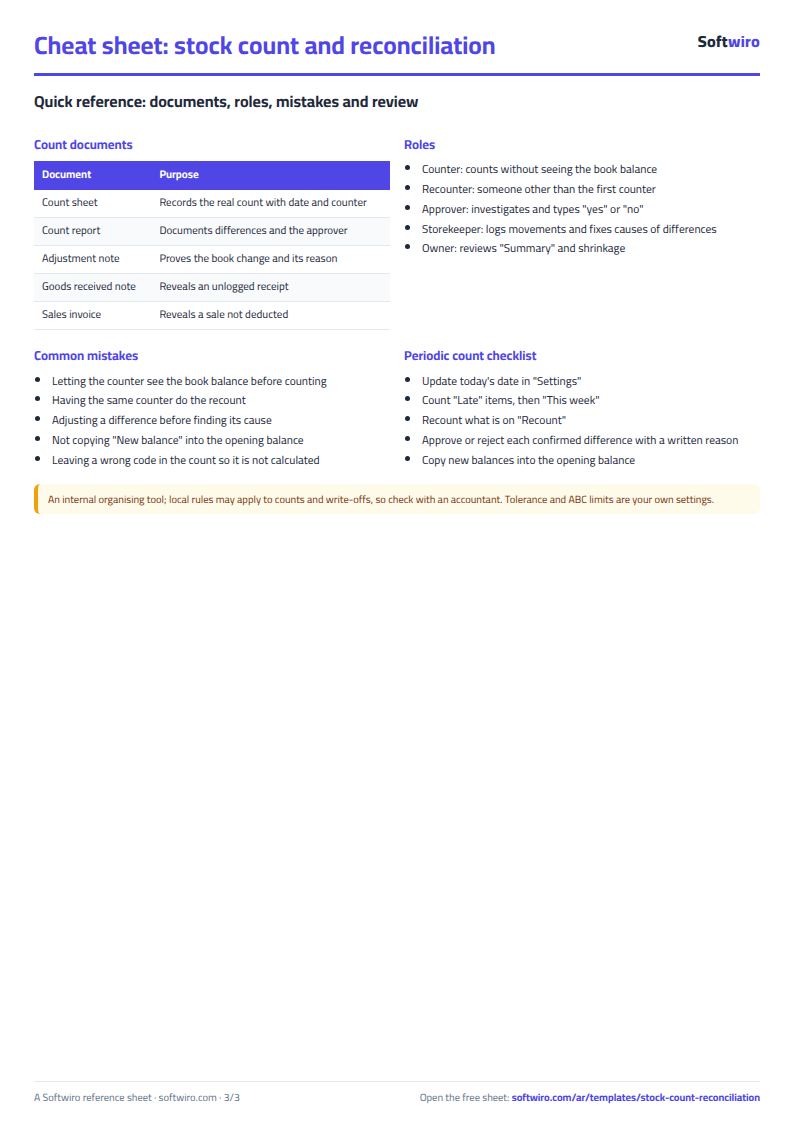
- Letting the counter see the book balance before counting, so he leans toward matching it.
- Having the same counter do the recount, who repeats the same error.
- Adjusting a difference before looking for its cause: a receipt not logged or a sale without an invoice.
- Starting the next period without copying the "new balance" into the opening balance.
- Setting tolerance without regard to value, so a small difference in an expensive item is accepted.
When it is not enough
The sheet needs someone to type the count and then approve by hand. When counting spans several branches and counters and needs barcodes, reasons and permissioned approval, Softwiro can build you a custom program. For a clothing shop with colours and sizes, Accsys offers stock count and difference settlement as a movement record. With more than one warehouse start with the multi-warehouse and branch inventory sheet, and for a general shop the general shop inventory sheet.
FAQ
When is a difference acceptable? When it exceeds neither the tolerance percent nor the tolerance value.
Do balances change by themselves after the count? No: type "yes" in the item's approval and its new balance appears.
How is class A decided? The highest-value items until their cumulative share reaches the limit in Settings.
Your next step
Clear the examples, type your items and balances, then print the "Count" sheet and start with class A items. Count them this week and see how many ask for a recount.