You have a main warehouse and two or three branches, and you want to know without phone calls how much of each item is in each branch, which branch is about to run out while another has too much, and whether to transfer or buy. The free multi-warehouse and branch inventory sheet answers this from one movements log you type and a minimum level you set for each branch.
The problem it solves
When a shop has several storage places, books multiply and each branch's balance lives in its keeper's head. A branch orders batteries from the supplier while the main warehouse has twenty idle. An item is moved between warehouses, the exit is written and the entry is forgotten. One place shows a shortage, another a surplus, the total looks right and nobody knows where the mistake is. The sheet treats a transfer as one movement that leaves one warehouse and enters another.
How it works, step by step
- In المخازن (Warehouses) write the names of your warehouses and branches (up to 6).
- In الأصناف (Items) write code, name, category, unit and unit cost, then a minimum level for each warehouse: a small branch needs less than the main warehouse.
- In الحركات (Movements) log each operation as one row: stock in, out, transfer or adjustment. The opening balance of each warehouse is a stock-in row dated at the start of the period.
- For a transfer you pick the sending and the receiving warehouse; the quantity leaves the first and enters the second.
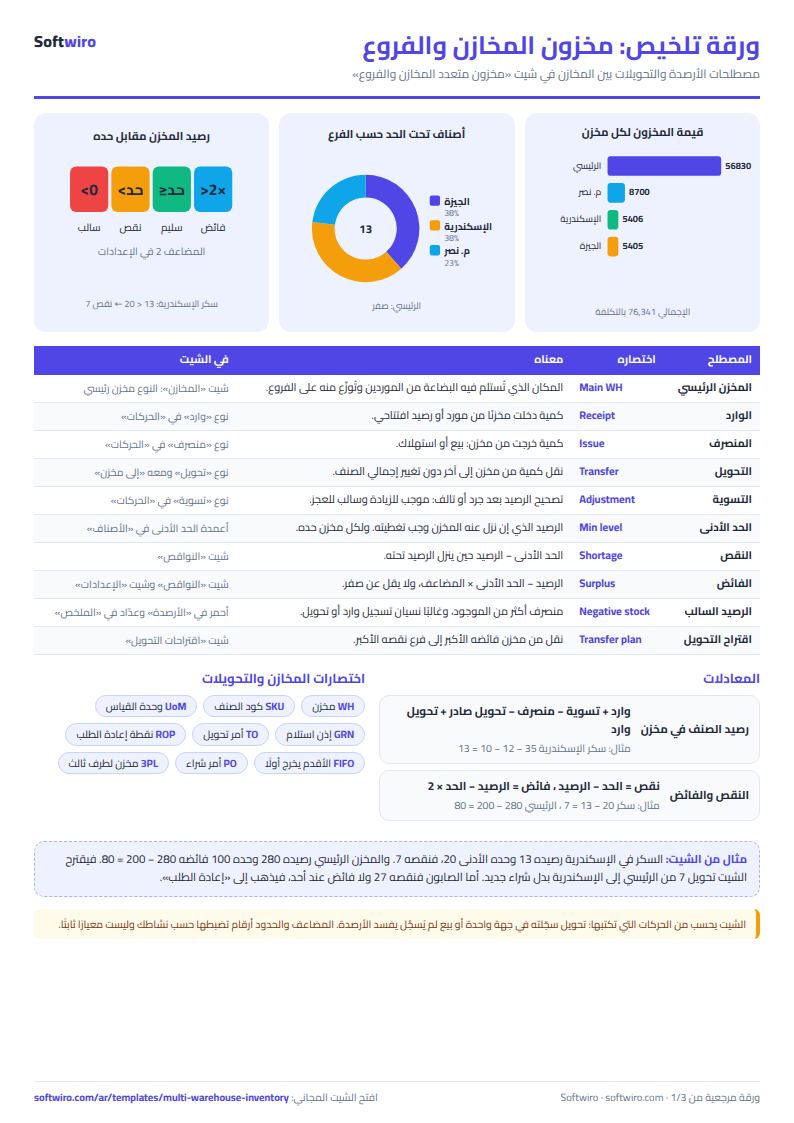
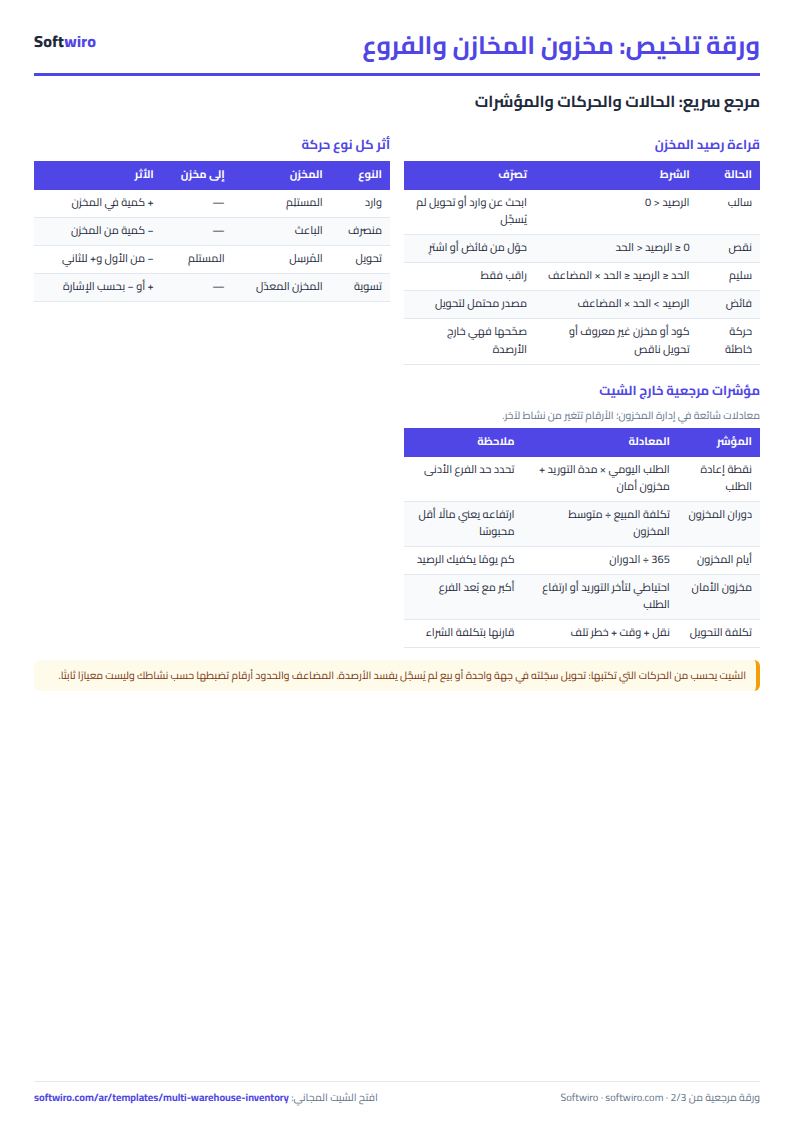
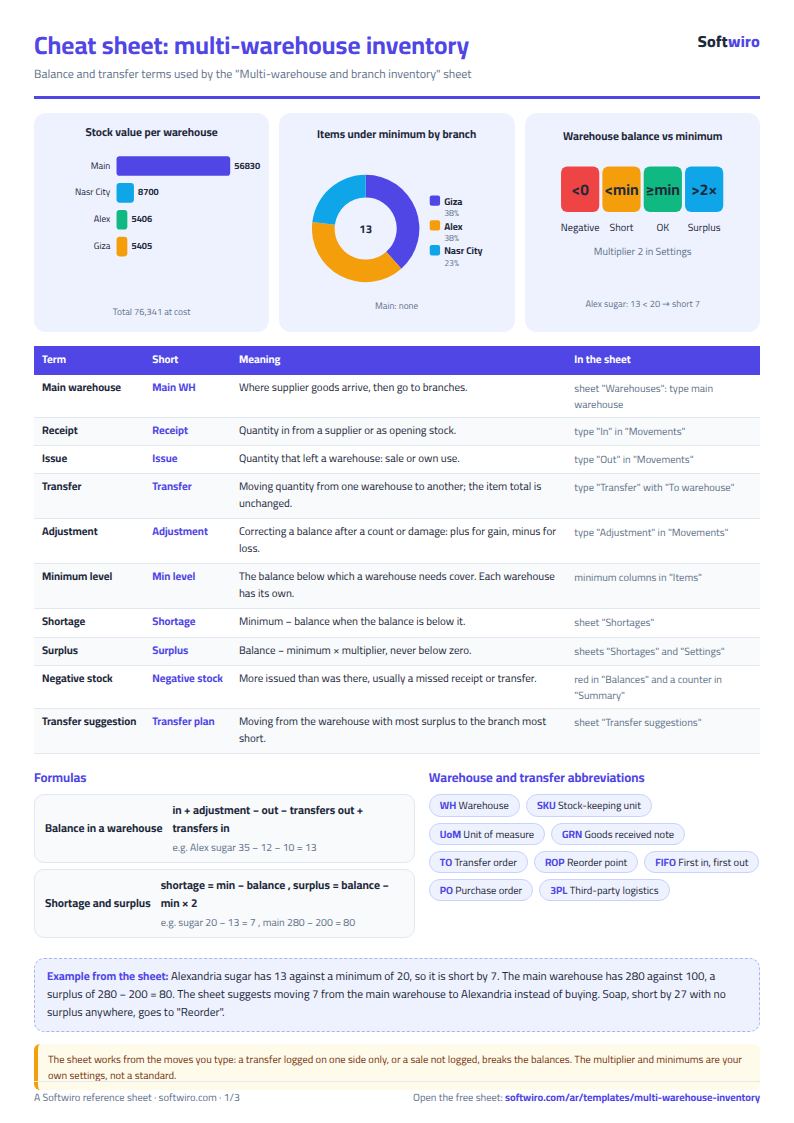
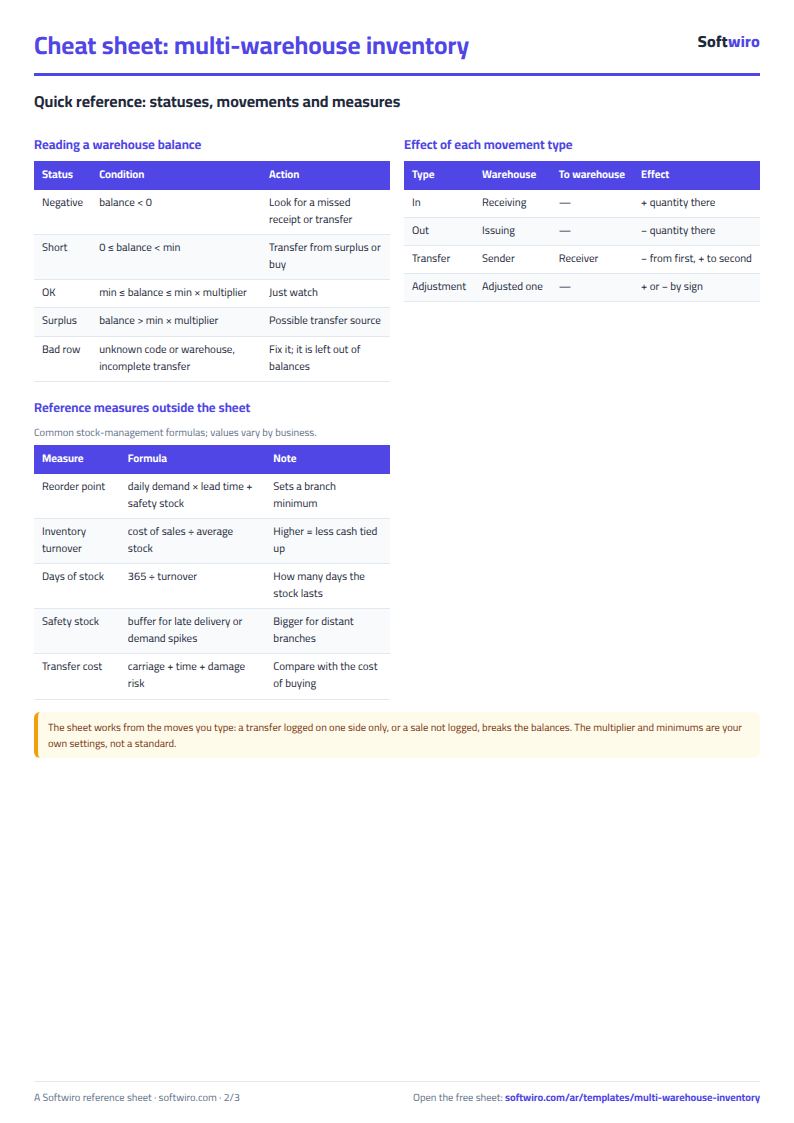
- الأرصدة (Balances) calculates each item's balance per warehouse = in + adjustment - out - transfers out + transfers in.
- النواقص (Shortages) works out, per item and branch, the gap under the minimum and the surplus available, which feeds اقتراحات التحويل (Transfer suggestions) and إعادة الطلب (Reorder).
What each sheet does
- الإعدادات (Settings): the surplus multiplier. Surplus is what exceeds the minimum multiplied by it.
- المخازن (Warehouses): names, with each warehouse's stock value, items under minimum and negative balances.
- الأصناف (Items): basic data and a minimum for each warehouse.
- الحركات (Movements): the single log, with a check column that catches a wrong code, an unknown warehouse or an incomplete transfer.
- الأرصدة (Balances): the item by warehouse matrix with totals and value; negatives in red.
- النواقص, اقتراحات التحويل, إعادة الطلب: what is short and where, what can be transferred, what must be bought.
- الملخص (Summary): the big numbers and four charts.
A walk-through with the sample numbers
These numbers are sample data inside the sheet, not a real shop: 4 warehouses (a main warehouse in Cairo and three branches), 10 items and 70 movements: 41 stock-in, 24 stock-out, 3 transfers and 2 adjustments.
- Sugar: 280 in the main warehouse, 60 in Nasr City, 32 in Giza and 13 in Alexandria, where the minimum is 20. The shortage is 7 and the main warehouse has a surplus of 80, so the sheet suggests moving 7 from it to Alexandria.
- AA batteries: the Giza branch started with 6 and sold 4 then 4, so its balance is -2. It shows in red as a negative balance and an alert in the summary. Its gap to the minimum (5) is 7, covered by a transfer of 7 from the main warehouse.
- Soap: short by 5 in Nasr City, 20 in Giza and 2 in Alexandria, 27 in all, and nobody has a surplus. So it is not a transfer but a purchase on Reorder: 27 units costing 324.
- Tissues: 5 were moved from Nasr City to Giza, leaving 10 in Nasr City (minimum 12) and 25 in Giza, while the item's total did not change.
- A row with code Z99: typed by mistake; the check column says the code does not exist and it enters no balance.
In total: stock value is 76,341 at cost, of which 56,830 is in the main warehouse, 8,700 in Nasr City, 5,405 in Giza and 5,406 in Alexandria. There are 13 cases of an item under its minimum in a branch, 8 transfer suggestions worth 1,436, and one item that needs buying. The highest-value item is rice at 25,800, then oil at 12,000.
Common mistakes
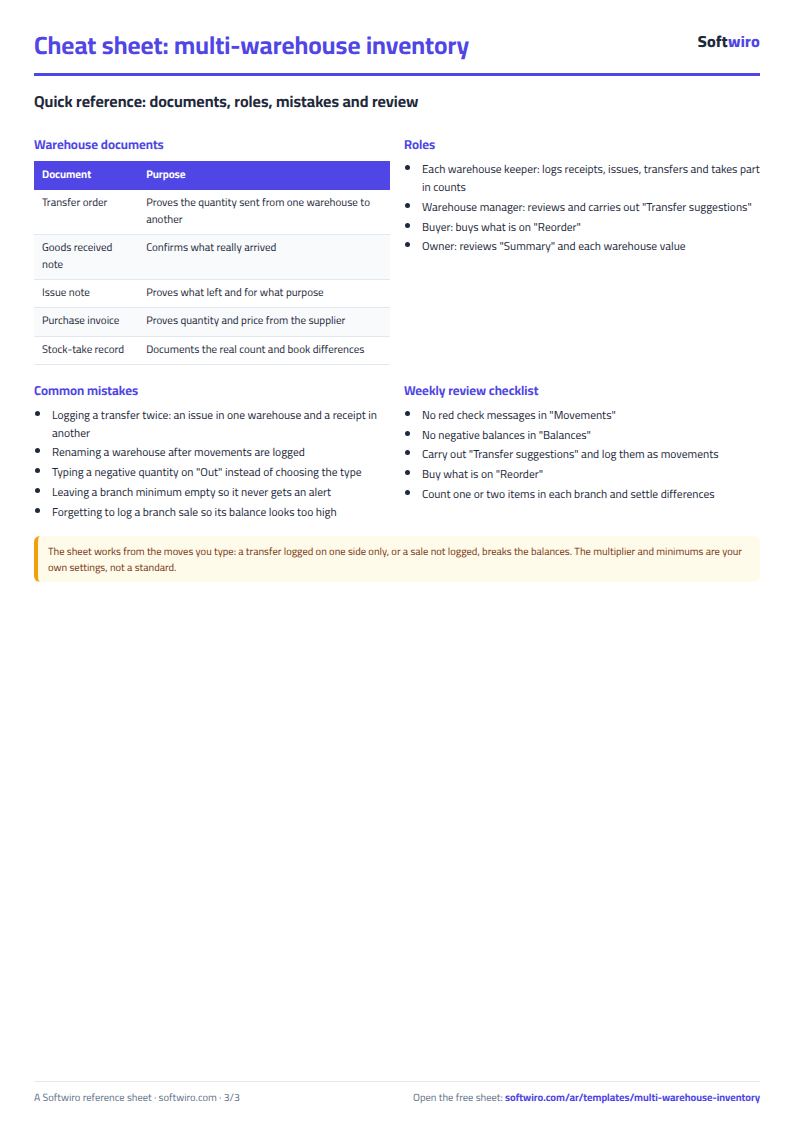
- Logging a transfer twice, once as an issue from one warehouse and once as a receipt in another. A transfer is one movement.
- Renaming a warehouse after movements are logged, which turns the old rows into unknown warehouses.
- Typing a negative quantity on a stock-out. Out is positive; negatives are for adjustments only.
- Leaving a branch's minimum empty, so the sheet never warns you.
- Forgetting to log a sale in a branch, so its balance looks higher than reality.
When it is not enough
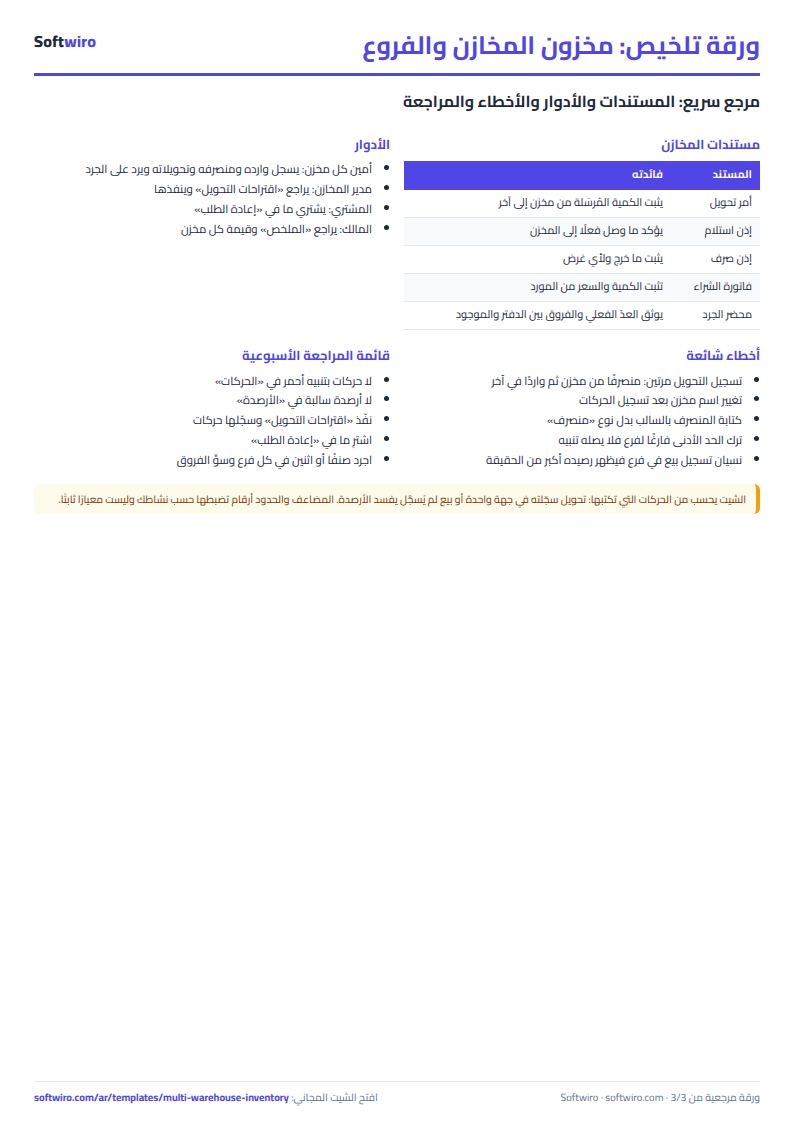
The sheet relies on someone typing every movement, and on one file opened by one person at a time. When each branch sells all day, and each keeper should see only his warehouse and confirm receipt of a transfer, a program on your own terms helps, and Softwiro can build you a custom one. Once balances settle, run a periodic count with the stock count and reconciliation sheet. For a one-warehouse shop the general shop inventory sheet is enough.
FAQ
How do I log a transfer from the main warehouse to a branch? Choose "transfer", type the code and quantity, pick the sender in the warehouse column and the receiver in "to warehouse".
When is a balance a surplus? When it exceeds the warehouse minimum multiplied by the multiplier in Settings.
Does it hold more than 6 warehouses? It holds 6 warehouses, 150 items and 1,500 movements.
Your next step
Download the sheet, clear the examples, type your warehouse names, then log today's balance of each warehouse as opening stock-in rows. After a week of logging, open the transfer suggestions and see what you can move before you buy.