You run a restaurant or cafe and feel the ingredients leave faster than you sell. You want to know every day how much went to the kitchen, how much was thrown away and why, whether what left the store matches what you sold, and what to buy tomorrow. The free restaurant and cafe inventory and waste sheet answers this from short daily logs: purchases, issues, waste and a closing count, plus your dish recipes.
The problem it solves
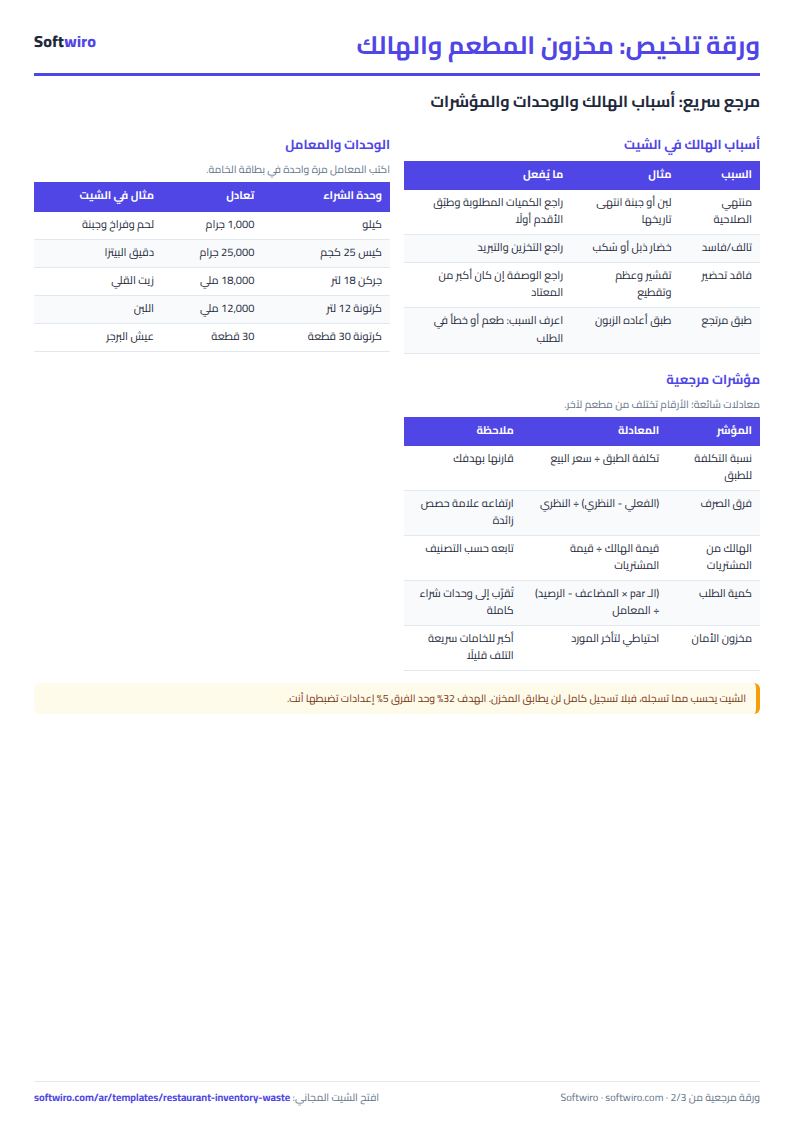
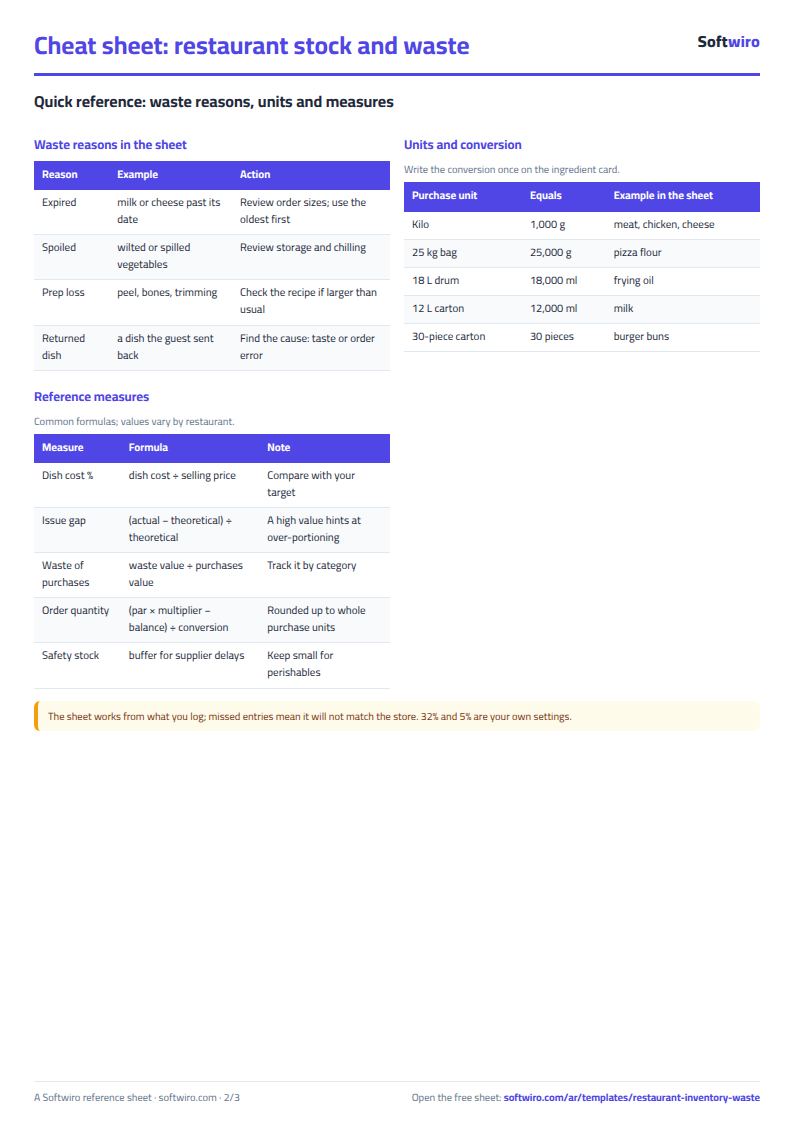
Stock moves every hour in a kitchen. You buy meat by the kilo, oil by the drum and buns by the carton, but you use grams, millilitres and pieces. Some is thrown out daily for different reasons: milk past its date, wilted lettuce, bones and peel at prep, a dish sent back. If waste is not recorded with its reason you cannot tell which reason deserves action. If you never compare issues with sales you cannot tell whether the gap is portioning, theft or logging. This sheet differs from the dish costing and recipes sheet, which prices a dish from its ingredients: here we follow the ingredients themselves day by day, and use the recipes only to learn how much should have been issued.
How it works, step by step
- In الإعدادات (Settings) write the period (a month, say), the food cost target and the alert limits.
- In الخامات (Ingredients) write each one's purchase unit, usage unit, the conversion between them, price, opening balance and par level.
- Log المشتريات (Purchases) in purchase units, and الصرف للمطبخ (Issues) and الهالك (Waste) in usage units, choosing the reason from a list.
- Type what you counted at close in الجرد اليومي (Daily count); the sheet compares it with the book balance.
- Write each dish's price and portions sold in الأطباق (Dishes) and each ingredient's quantity in الوصفات (Recipes).
- Open الفعلي والنظري (Actual vs theoretical), طلب الشراء (Order list) and الملخص (Summary).
What each sheet does
- Ingredients: book balance = opening + purchases - issued - waste, its value and status ("available", "reorder", "out"), plus waste value and its share of purchases.
- Purchases, issues, waste: each shows the ingredient with its unit and a red warning for an unknown code.
- Daily count: the book balance on the count day, the difference and its value.
- Dishes and recipes: dish cost, its percentage and the theoretical use of what was sold.
- Actual vs theoretical: the gap per ingredient in quantity, value and percent.
- Order list: ingredients below par, with quantities in purchase units.
- Summary: food cost percentage and waste by reason, category and week.
Walk-through on the sample numbers
The numbers below are sample data inside the sheet, not a real restaurant. It has 14 ingredients and 8 dishes, for 1 to 31 October 2026:
- Sales: 366,400 across the eight dishes.
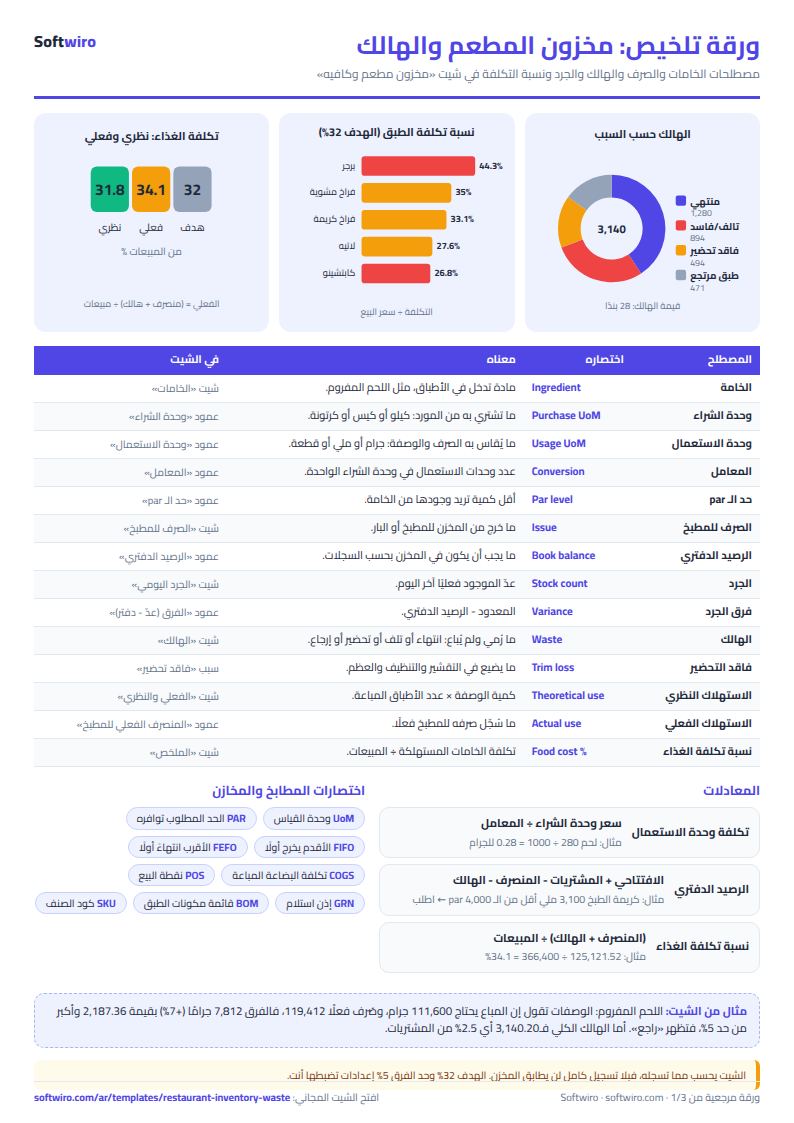
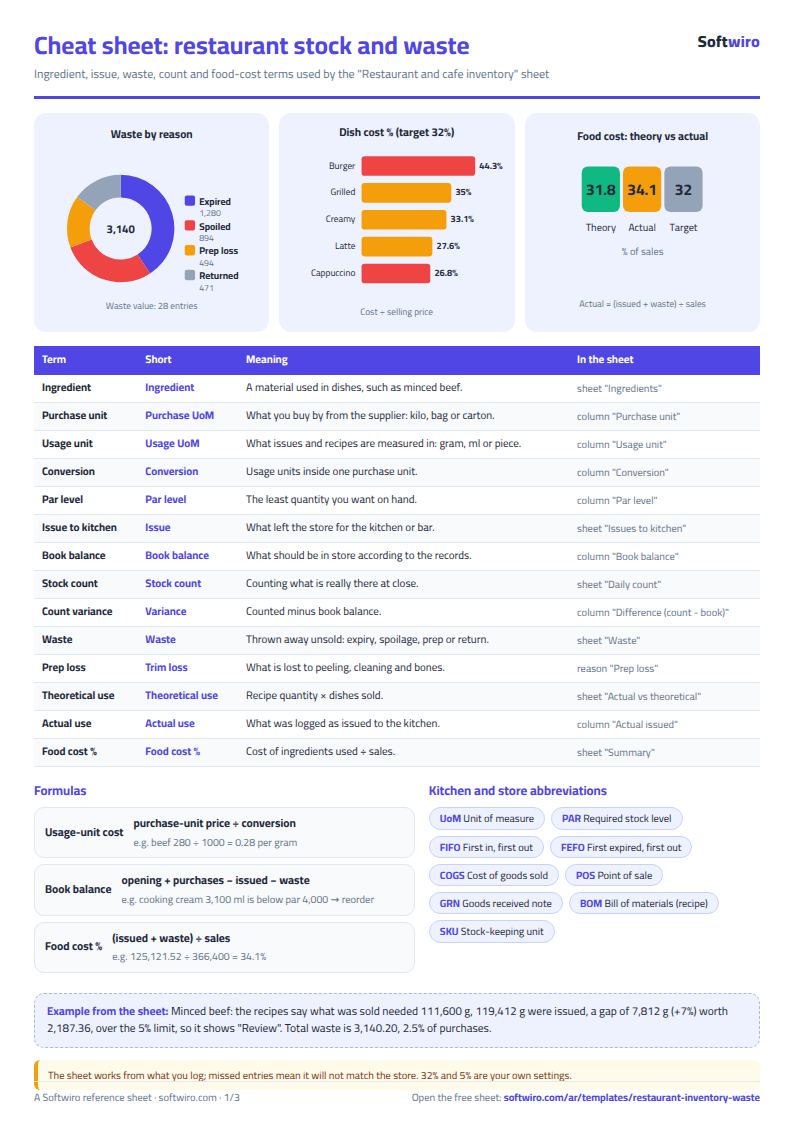
- Issued to the kitchen: 121,981.32 and waste 3,140.20, so actual food cost is 125,121.52, or 34.1% of sales.
- Theoretical: the recipes say what was sold needed 116,452.60, or 31.8%, against a 32% target in Settings. Issued minus theoretical is 5,528.72, 4.7% of theoretical.
- Where is the gap? Chicken breast issued 218,360 g against 206,000 g in the recipes (+6%), and minced beef 119,412 g against 111,600 g (+7%), so both are marked "review". The rest are within the 5% limit.
- Dishes above target: the beef burger costs 62.02 on a price of 140, which is 44.3%; grilled chicken with rice is 35.0% and chicken in cream 33.1%.
- Waste: 28 entries. Expired 1,280.40 (40.8%), spoiled 894.20, prep loss 494.20, returned dish 471.40. Waste is 2.5% of purchases, and vegetables have the highest share at 8.5% of their purchases.
- Count: minced beef counted 4,188 g against a book balance of 4,788, a difference of -600 g worth -168.00. The total count difference is -330.10.
- Order list: three ingredients are below par: minced beef (12 kg costing 3,360), chicken breast (8 kg costing 1,200) and cooking cream (5 cartons costing 475), 5,035 in all.
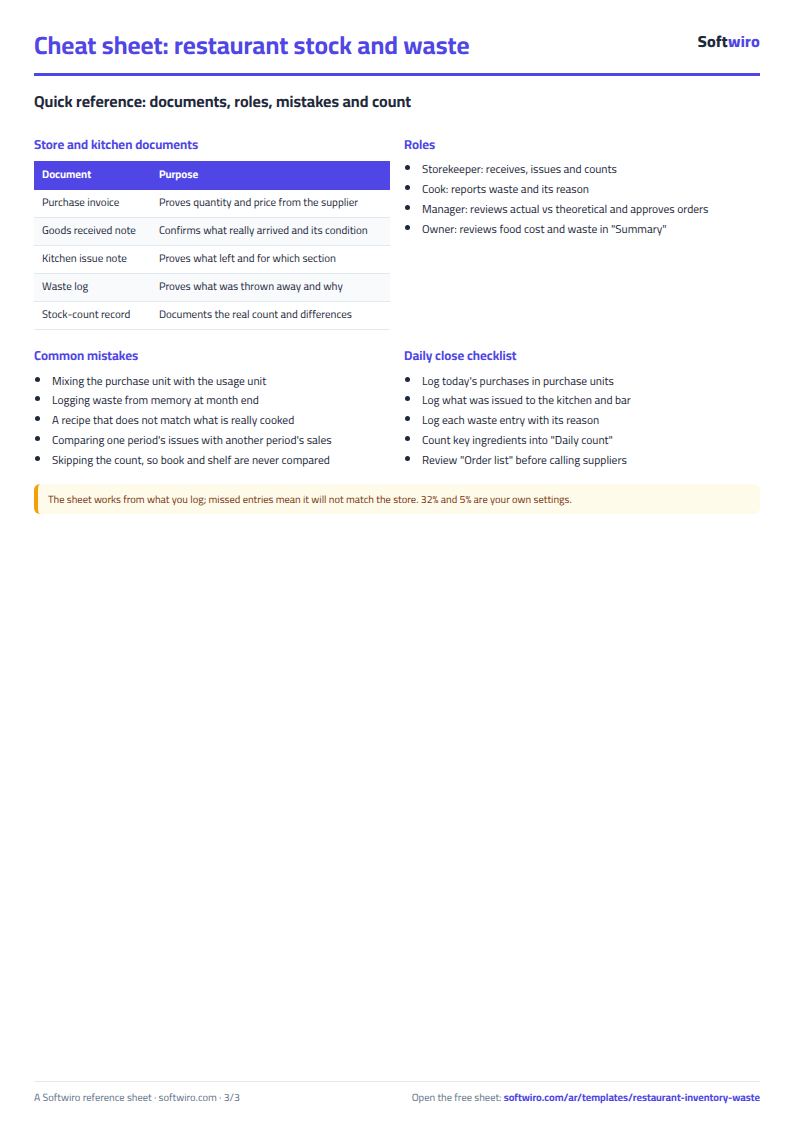
Common mistakes
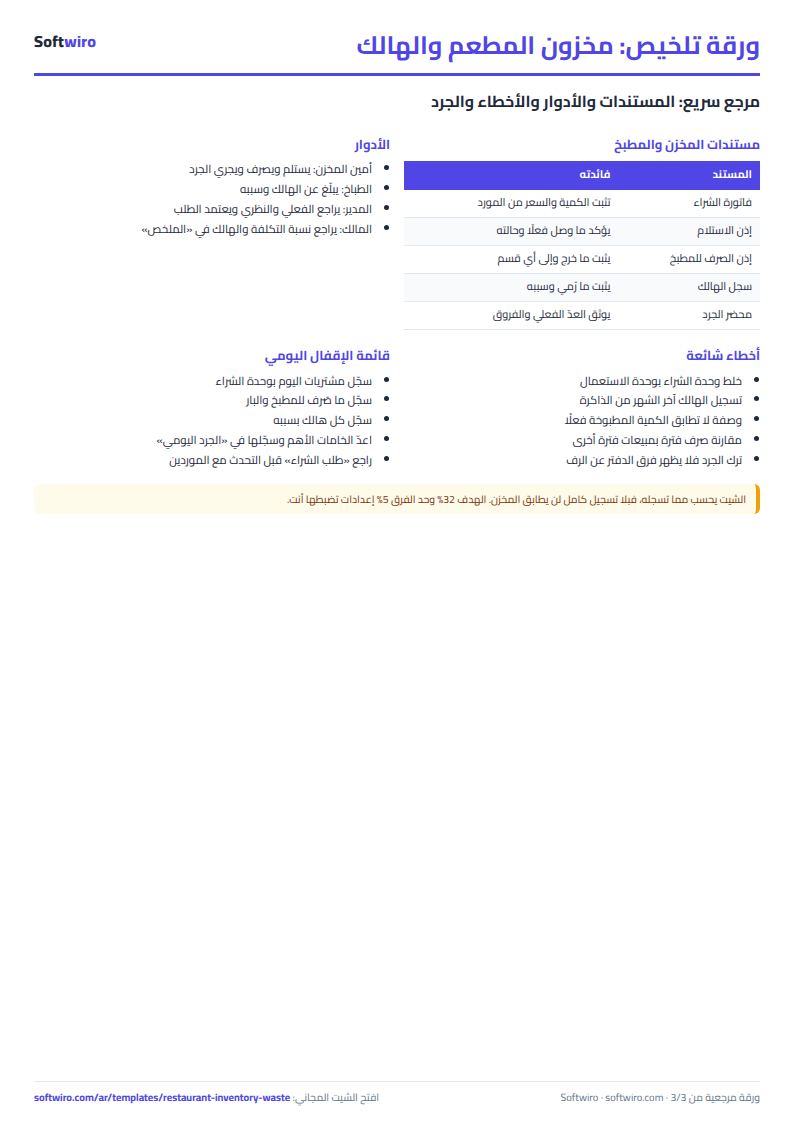
- Mixing units: typing kilos in the issue log while the conversion is in grams. Log purchases in purchase units and the rest in usage units.
- Logging waste at month end: the reasons are lost. Log it the day it happens.
- A recipe that does not match what is cooked: a permanent gap on one ingredient. Check the recipe quantity first.
- Comparing two different periods: sold and issued must cover the same period.
- Skipping the count: without it the gap between book and shelf never shows.
When to move to a system
The sheet suits a restaurant or cafe with dozens of ingredients and one person typing. If sales come from a point-of-sale system and you do not want to retype them, or you want waste logged from the cook's phone and expiry alerts, Softwiro can build you a program around your way of working. To price a dish from its cost, see the dish costing sheet.
Next step
Open the sheet, clear the sample numbers, write your ten most important ingredients with both units, price and par, log waste and issues for a week, then compare actual food cost with your target in the summary.