Try the sheet here, on the example
The sheet is open below with sample numbers. Change any white cell and watch the results update, or press the blank-copy button to type your own data from scratch. Nothing you type leaves your browser.
Example from the sheet
| التاريخ | الوقت | الخدمة | الموظف | العميل | الحالة | المدفوع | السعر | النهاية | المستحق | تعارض | الدوام | حالة المتابعة |
|---|---|---|---|---|---|---|---|---|---|---|---|---|
| 46299 | 0 | استشارة قانونية | حسام عزمي | عادل رمزي | تم | 700.00 | 700.00 | 0 | 0.00 | حُجزت | ||
| 46299 | 0 | مراجعة عقد | حسام عزمي | شركة النخيل | تم | 500.00 | 500.00 | 1 | 0.00 | |||
| 46299 | 0 | استشارة أعمال | منى كامل | ريم صلاح | تم | 600.00 | 600.00 | 0 | 0.00 | حُجزت | ||
| 46300 | 0 | فحص جهاز | طارق نبيل | سامي حلمي | تم | 150.00 | 150.00 | 0 | 0.00 | تعارض | ||
| 46300 | 0 | صيانة وإصلاح | طارق نبيل | هدى فتحي | تم | 350.00 | 350.00 | 0 | 0.00 | تعارض | ||
| 46300 | 0 | تخليص ورقة حكومية | إيمان فوزي | كريم عبد الله | تم | 120.00 | 120.00 | 0 | 0.00 | |||
| 46301 | 1 | جلسة تدريب فردي | منى كامل | يوسف نبيل | تم | 800.00 | 800.00 | 1 | 0.00 | حُجزت | ||
| 46302 | 1 | استشارة قانونية | حسام عزمي | لبنى سالم | لم يحضر | 700.00 | 1 | 0.00 | ||||
| 46302 | 0 | تخليص ورقة حكومية | إيمان فوزي | أحمد مجدي | تم | 120.00 | 120.00 | 0 | 0.00 | قادمة | ||
| 46303 | 0 | استشارة أعمال | منى كامل | خالد عصام | ألغى | 600.00 | 1 | 0.00 |
Example from the “المواعيد” tab (Arabic), with the numbers and formulas that are in the file.
What is inside
- "الإعدادات" (Settings): Today's date, the day whose agenda you want to see, any date inside the summary month, and the start hour of the day agenda.
- "الخدمات" (Services): Each service with its duration in minutes and price, and beside it the number of times it was performed in the month and its revenue. It holds 40 services.
- "الموظفون" (Staff): Each staff member's name, specialty, weekly working days, and start and end hour. Beside it: available working hours in the month, booked hours, utilization, appointments in the month, no-show rate and revenue. It holds 50 staff members.
- "المواعيد" (Appointments): The appointment log: date, time, service, staff member, client, mobile number, booking channel, status, amount paid and next visit. The sheet fills in the end time, price, amount due, clash warning, working-hours warning and follow-up status. It holds 1,500 appointments.
- "جدول اليوم" (Day Agenda): A grid with staff in the columns and half-hour slots in the rows, for the day you choose. Each booked slot shows the client's name, "تعارض" (Clash) appears if two appointments overlap, and a gray dash marks time outside the staff member's hours. It shows the first 8 staff and 24 slots.
- "المتابعات" (Follow-ups): A list of clients who have a next visit written down but have not booked it yet, sorted by date, with the status of each: overdue, soon (within 7 days) or upcoming. It shows the first 40 clients.
- "الملخص" (Summary): For the selected month: appointments, how many were completed, canceled or no-shows, the no-show rate, revenue, amount collected and amount due, team time utilization, clash and working-hours warnings, tables for staff, services and booking channels, and charts of revenue per staff member, their utilization and each service's share.
The file opens on a start tab (“ابدأ هنا”, Start here) that explains how to use it.
What makes it different
The service sets the length of the appointment and the staff member sets their working hours, so the sheet knows when an appointment ends and whether the person is available. Nobody can be booked into two overlapping slots without you seeing it in red.
How to use it
- In the "الإعدادات" (Settings) sheet, enter today's date (or =TODAY() to keep it current), the day whose agenda you want to see, any date inside the month you want summarized, and the start hour of the day agenda.
- In the "الخدمات" (Services) sheet, enter each service you offer with its duration in minutes and its price.
- In the "الموظفون" (Staff) sheet, enter each staff member or consultant, write "نعم" (Yes) under each day they work, and enter their start and end hour.
- In the "المواعيد" (Appointments) sheet, log each appointment: date, time, service, staff member, client, mobile number and booking channel. The end time, price, and clash and working-hours warnings appear on their own.
- After the appointment, change the status to "تم" (Done), "ألغى" (Canceled) or "لم يحضر" (No-show), enter the amount paid, and write the next visit date if you agreed one with the client.
- Open "جدول اليوم" (Day Agenda) to see each staff member in every half hour, "المتابعات" (Follow-ups) to see clients due to return, and "الملخص" (Summary) for the month's figures.
Before you start:
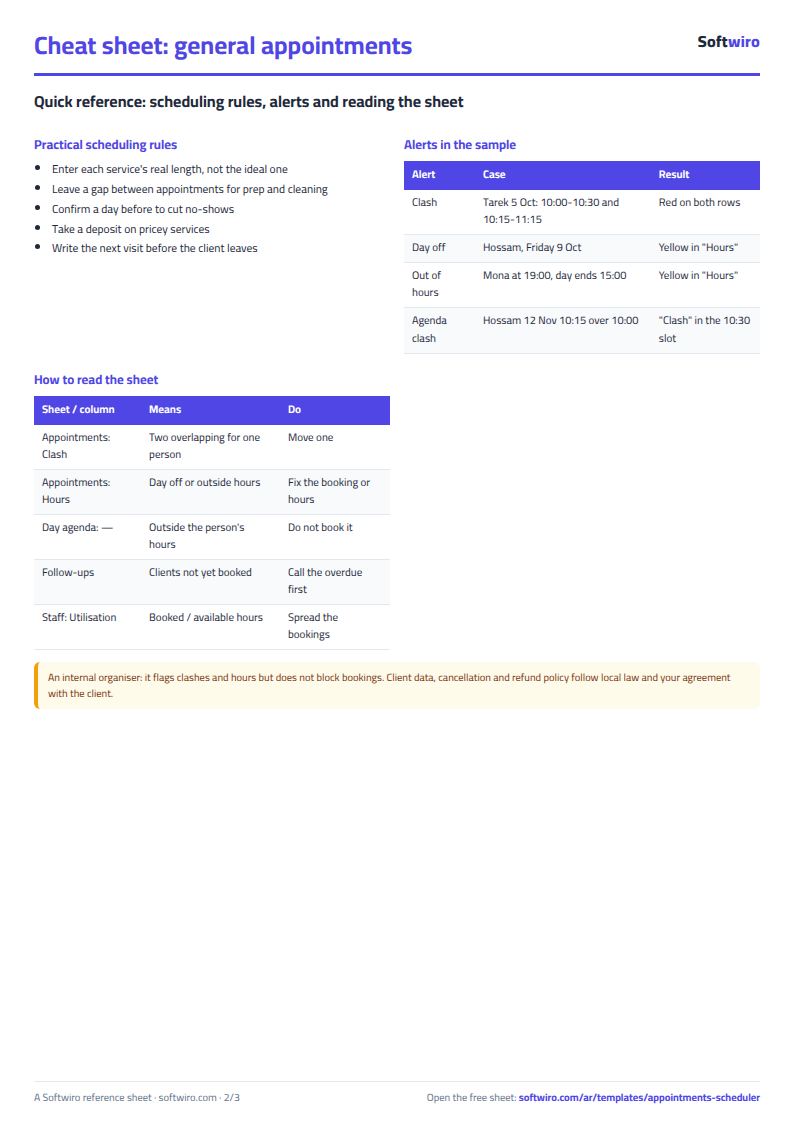
- End time = start time + service duration. The sheet treats two appointments as a clash if their times overlap for the same staff member, but an appointment that starts exactly when another ends is not a clash. Canceled and no-show appointments are not counted in clashes.
- "يوم إجازة" (Day off) appears if the appointment falls on a day without "نعم" (Yes) for that staff member, and "خارج الدوام" (Outside hours) appears if it starts before their start hour or ends after their end hour.
- Revenue is counted only for appointments with the status "تم" (Done): the service price. Amount due = price - amount paid. Appointments with the status "محجوز" (Booked) are not counted in revenue or amount due.
- No-show rate = no-shows / (done + no-shows). Utilization = hours of non-canceled appointments / the staff member's available working hours in the month.
- A follow-up is based on the client's last "تم" (Done) appointment that has a next visit written in it. If the client books a later appointment with the same mobile number, the follow-up becomes "حُجزت" (Booked) and leaves the list. It is "فائتة" (Overdue) if the date has passed, "قريبة" (Soon) within 7 days, and "قادمة" (Upcoming) after that.
- "جدول اليوم" (Day Agenda) shows the first 8 staff members and 24 slots (12 hours) from the start hour. The sheet holds 1,500 appointments, 50 staff members and 40 services, and "المتابعات" (Follow-ups) shows the first 40 clients.
Free cheat sheet for this field
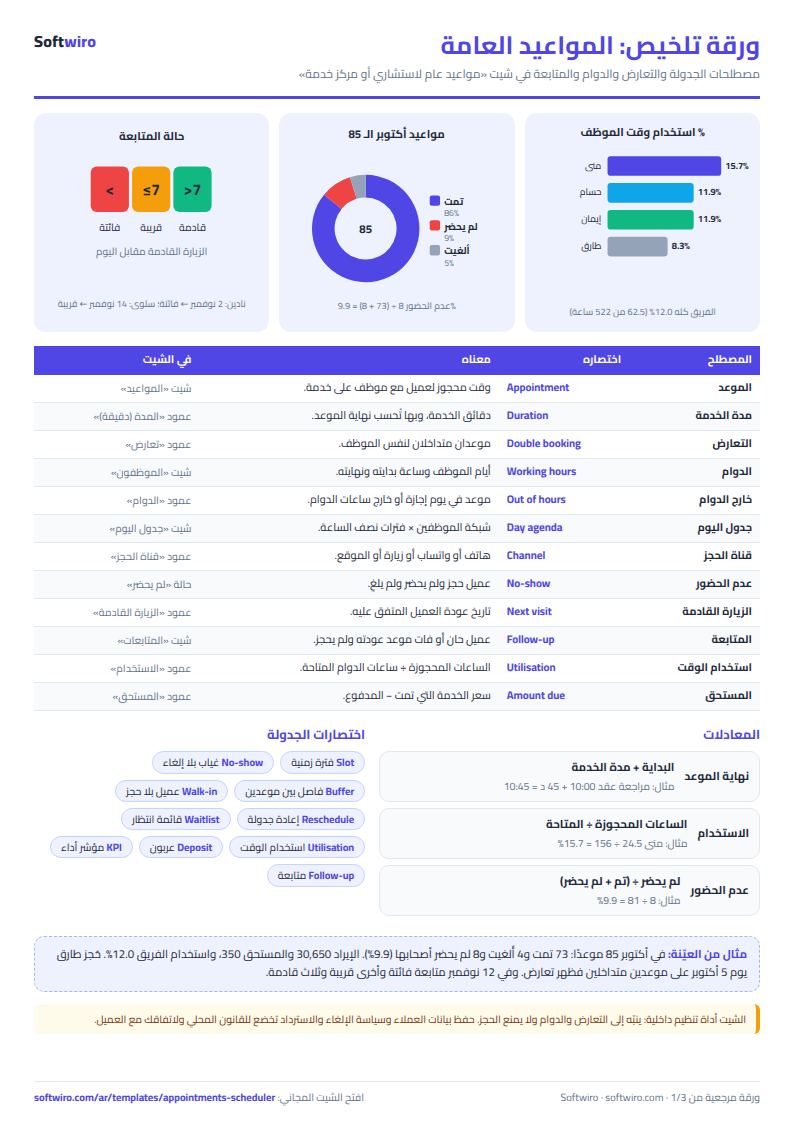
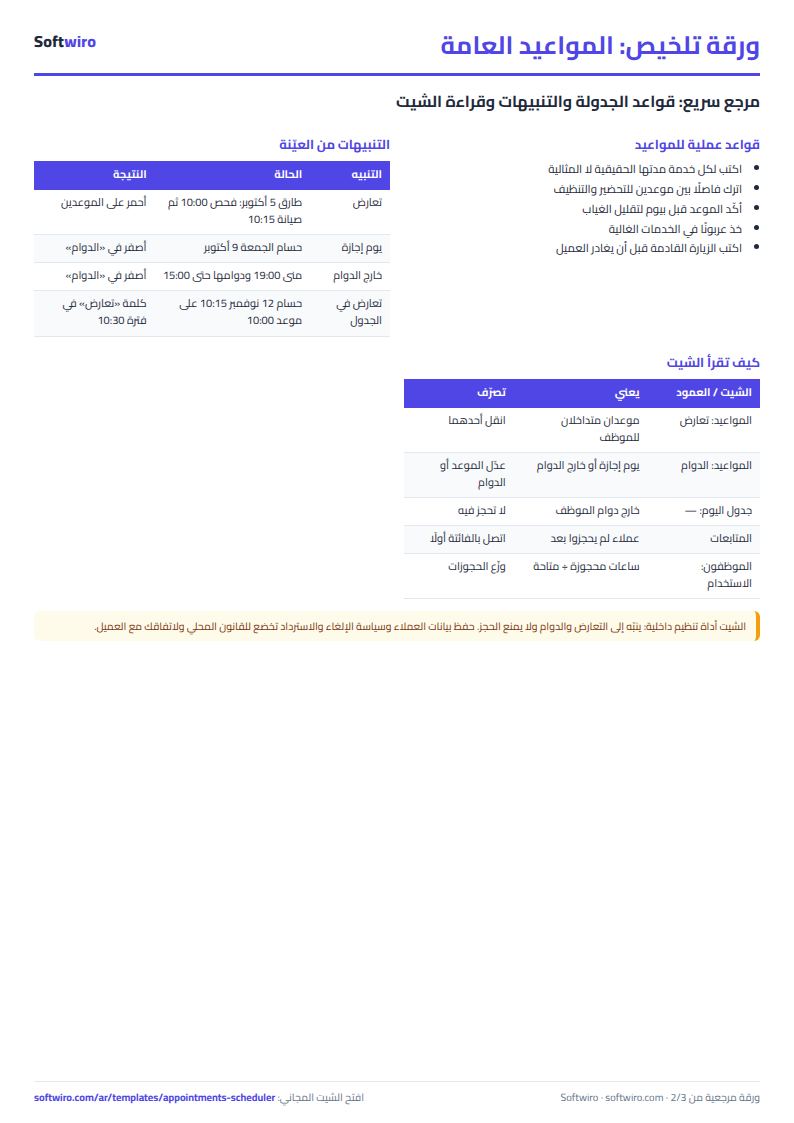
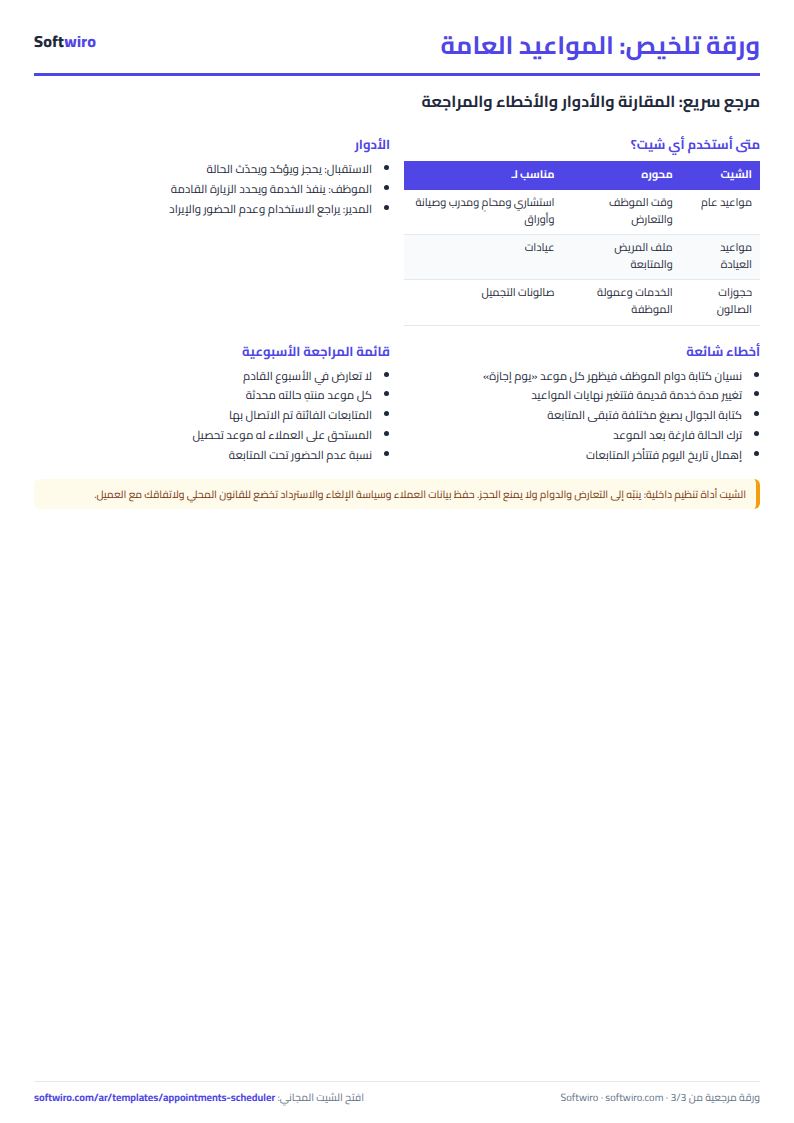
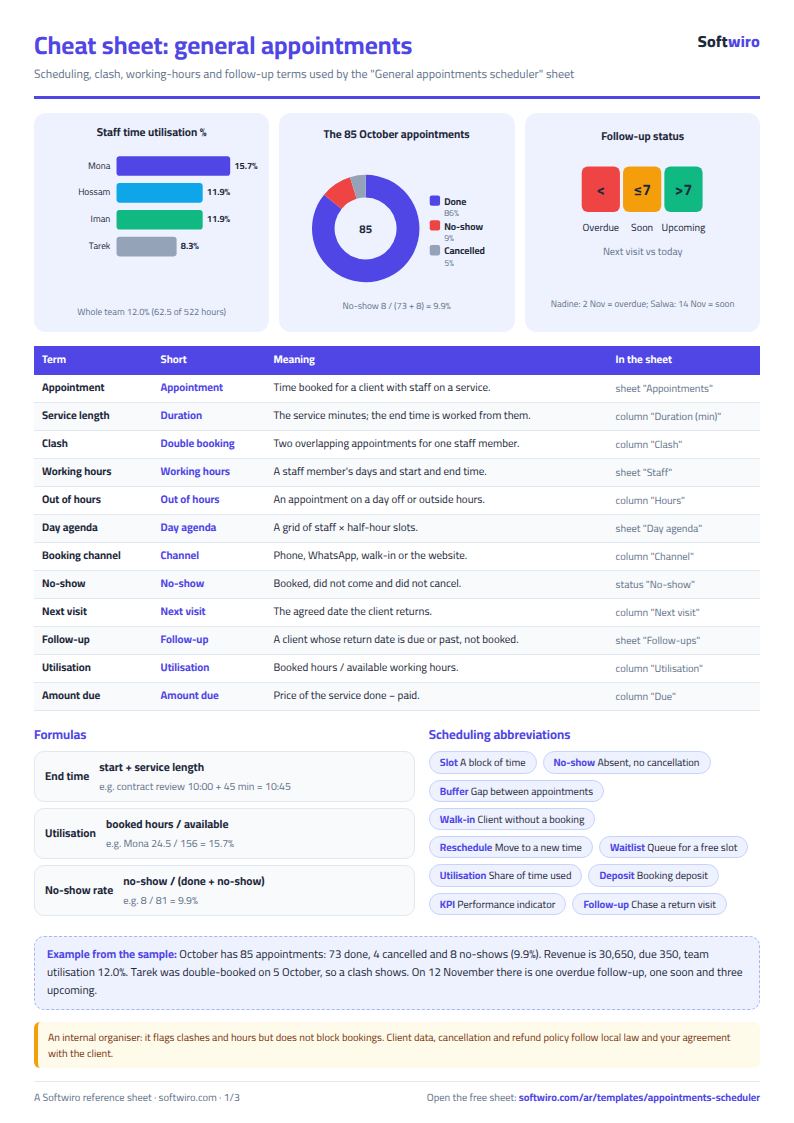
Terms, abbreviations, tables and diagrams over several pages, in Arabic and English. Download it as a PDF or images, including a phone-size version.
Still running this on Excel?
This sheet suits a start and a limited amount of data. If your way of working grows, or you need more than one person working on it at the same time, Softwiro can build you a program that fits the way you work.
| In this sheet | In Custom Software from Softwiro |
|---|---|
| One file that one person edits at a time, and copies reach you on WhatsApp. | A program with a login for each user and permissions you define, and everyone sees the same data. |
| You type everything and check the numbers by hand. | We design the screens around your work steps, so each person records only what concerns them. |
| Columns and formulas are fixed as the sheet was designed. | We build what you need: reports, alerts and screens your way. |
| Backups and security are your own responsibility. | The program runs on a secured server with regular backups. |
Frequently asked questions
How is the end of an appointment calculated and how does the sheet detect a clash?
End time = start time + the service duration entered in the "الخدمات" (Services) sheet. If an appointment overlaps another non-canceled appointment for the same staff member, a red "تعارض" (Clash) appears on both. An appointment that starts exactly when another ends is not a clash.
How is this different from the clinic appointments and beauty salon booking sheets?
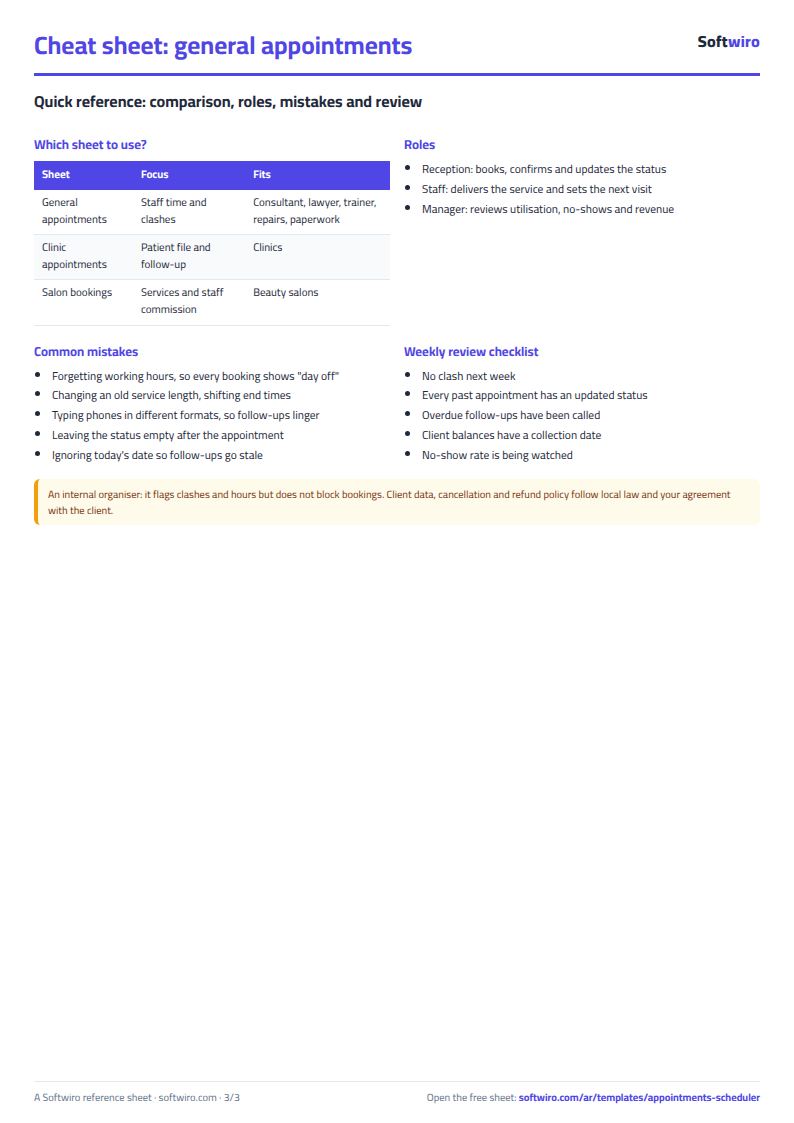
The clinic appointments sheet is built around the patient file, examinations and follow-ups, and the beauty salon sheet around services and each stylist's commission. This sheet is built around staff time: the duration of each service, working days and hours, clash prevention, the day agenda and time utilization. Choose the clinic or salon sheet for those businesses, and this one for everything else.
How do I know if someone was booked on a day off or outside working hours?
In the "الموظفون" (Staff) sheet, write "نعم" (Yes) under the days the person works, and enter their start and end hour. The "الدوام" (Hours) column in the appointments sheet then shows "يوم إجازة" (Day off) or "خارج الدوام" (Outside hours) for any appointment that breaks this.
How does the follow-up list work?
Write the "الزيارة القادمة" (Next Visit) date on the client's last completed ("تم") appointment. It stays in "المتابعات" (Follow-ups) until the client books a later appointment with the same mobile number. It is "فائتة" (Overdue) if the date has passed, "قريبة" (Soon) within 7 days, and "قادمة" (Upcoming) after that.
Is the template free?
Yes, with no sign-up and no email address. Use it, edit it and share it as you like.
Does it work in Google Sheets and on mobile?
The sheet uses formulas supported by Excel 2016 and later, Google Sheets and LibreOffice, so you can upload it to Google Drive and open it with Google Sheets on a computer or a phone.
What is the difference between the white and the gray cells?
You type in the white cells; the gray cells are calculated automatically. Don't type in a gray cell, or you will erase its formula.
Can I use the sheet from an AI assistant?
Yes. Add our MCP server (URL https://softwiro.com/api/mcp, no key needed) to your assistant and ask it to do the calculation in this template. The numbers come from the sheet's own formulas, and we do not store your data. The steps and a ready-made prompt are in this article: https://softwiro.com/blog/mcp-excel-templates-ai-agent-guide.html
More free templates for: Services and business
More free templates
- Lead and deal pipeline tracker
- Freelancer projects, hours and invoices tracker
- Laundry orders tracker (Excel)
- Photo studio bookings sheet
- Car wash management sheet (packages, cards, workers, materials)
- Grocery store management sheet
- Stationery shop and photocopy management sheet
- Electronics shop sheet: serials, warranty and repairs
- Electronics factory sheet: BOM, production and quality
- Wholesale clothing trade sheet: traders, stock and collection
- Food wholesale and distribution sheet in Excel: routes, expiry and collection
- Periodic table in Excel (Arabic names): lookup, molar mass calculator and quiz
- Science formulas cheat sheet: physics, chemistry and biology with examples