You want to know, at the end of each month, how much VAT you owe or how much credit carries over to next month, without adding invoices up on a calculator and making slips. The free monthly VAT sheet does that: you log sales and purchases at their value before tax, the tax on each invoice is calculated, and you get the month's net position, the carried credit and the amount due, in a 12-month summary and a short monthly return. The tax rate is a settings cell that you set according to the law in force and your tax authority.
The problem it solves
At the end of the month the numbers are scattered: sales invoices in one book, purchase invoices in an envelope, input tax that is partly not deductible, and a credit from last month nobody remembers. You add them up, miss an invoice, deduct tax you are not allowed to deduct, or forget to carry the credit over, and you find the mistake only on review. The fix is to enter each invoice once and let the sheet calculate everything else from that record.
How the sheet works, step by step
- Open "الإعدادات" (Settings) and type the business name, the year and the first month of the period. Check the tax rate: the value in the file (14%) is an example for testing, so change it according to the law in force and your tax authority. Type the credit carried from your previous return, if any.
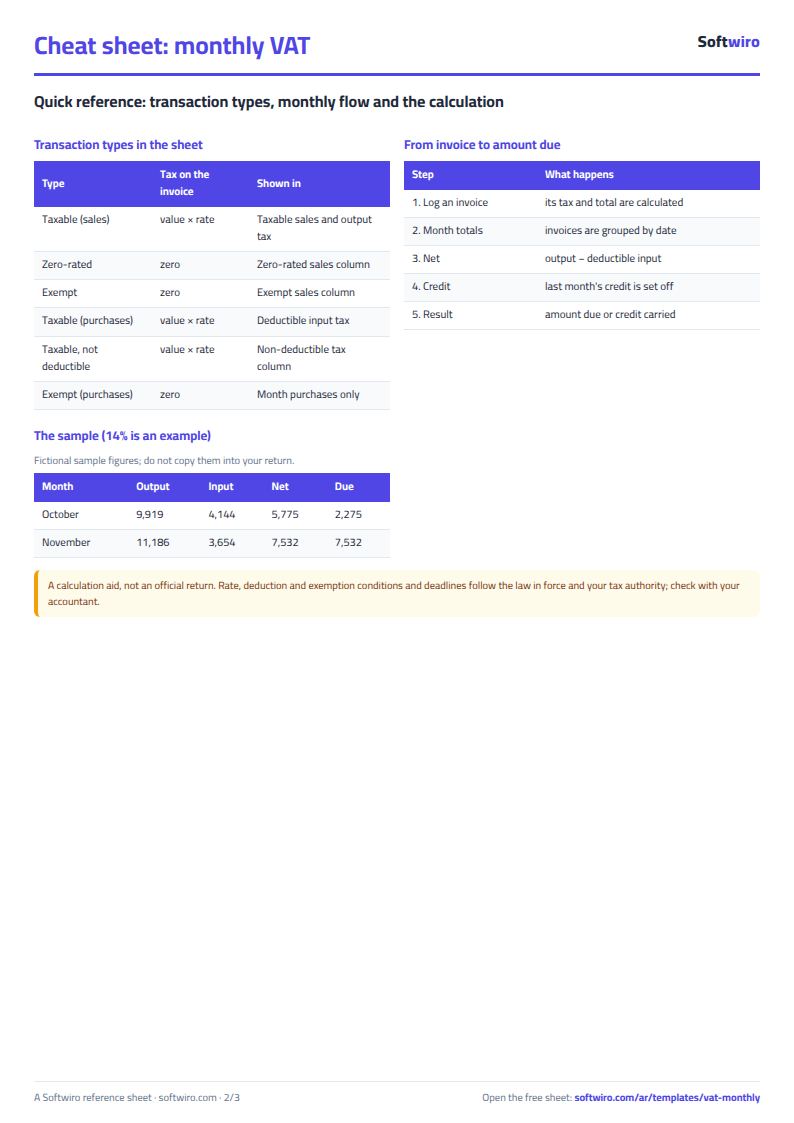
- In "المبيعات" (Sales) log each invoice: date, number, customer, transaction type (taxable, zero-rated or exempt) and the value before tax. The tax and total are calculated for you.
- In "المشتريات" (Purchases) log purchase invoices and expenses. Choose "خاضعة" (taxable) when the tax can be deducted, "خاضعة غير قابلة للخصم" (taxable, not deductible) when it cannot, and "معفاة" (exempt) when there is no tax.
- Open "الملخص الشهري" (Monthly summary): for each month you see output tax, deductible input tax, the month's net, the carried credit and the amount due. Type what you actually paid in the "المسدّد" (Paid) column and the balance appears.
- Choose a month number in Settings and open "إقرار الشهر" (Month return) to get that month's figures on one page, ready to copy into your official return.
What is in each sheet
- Monthly summary: twelve months from the month you choose, period totals and two charts: output against input tax, and the amount due with the carried credit.
- Month return: one month, from taxable, zero-rated and exempt sales down to the amount due or the credit carried.
- Sales and Purchases: the invoice logs. Each holds 500 invoices, and the sheet warns you about an invoice with missing data, a duplicated number or a date outside the period.
- Settings: the rate, the period, the carried credit and the month names.
Walk-through on the sample numbers
These figures come from sample data for an imaginary company, "Nile Supplies", at 14%, a rate we set only as an example:
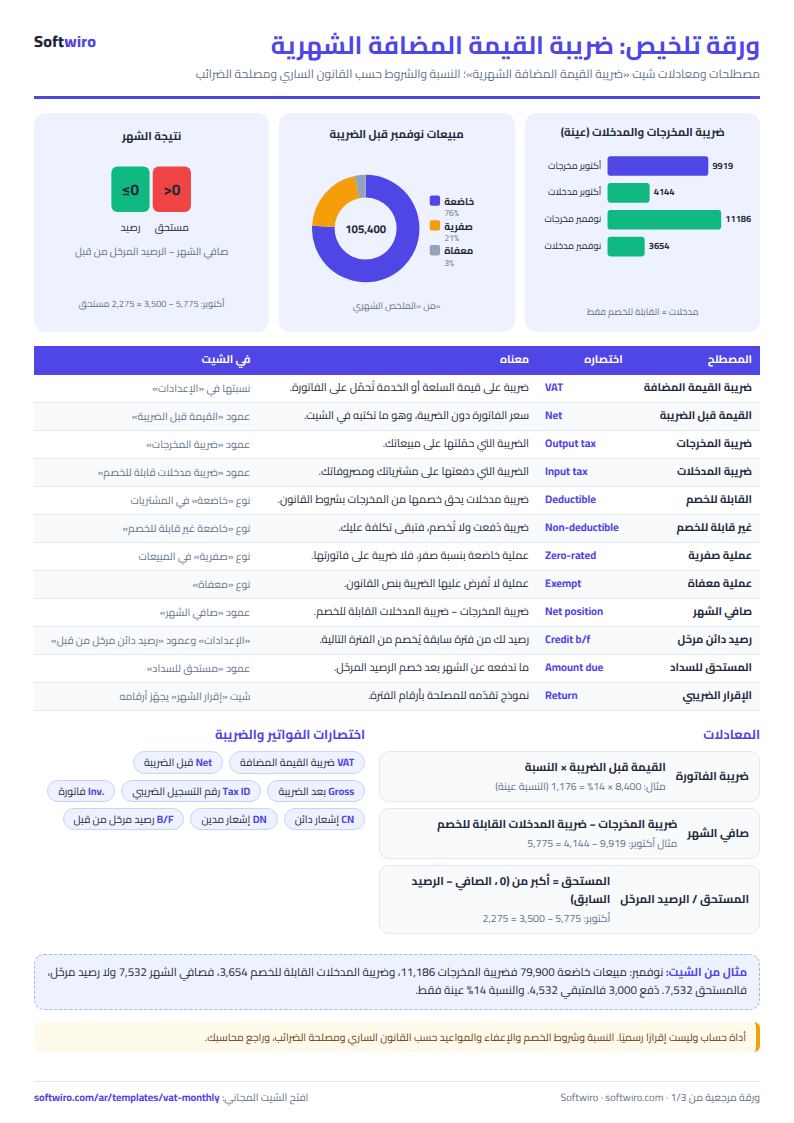
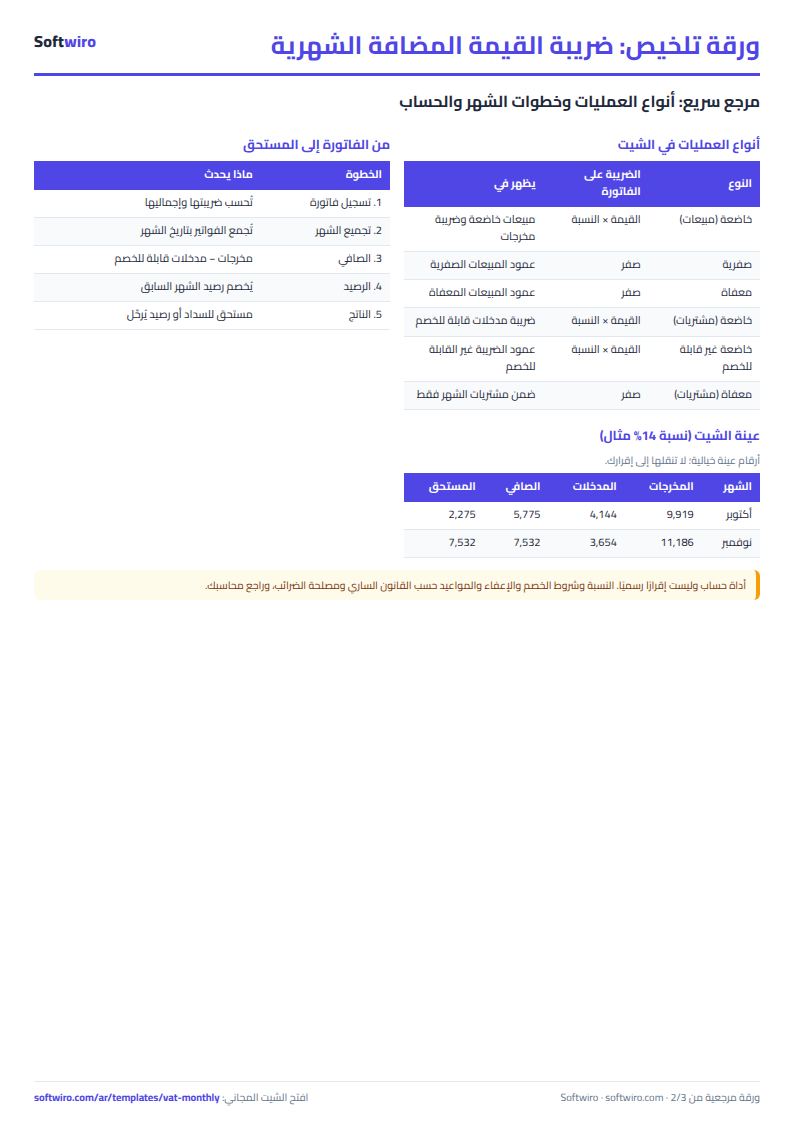
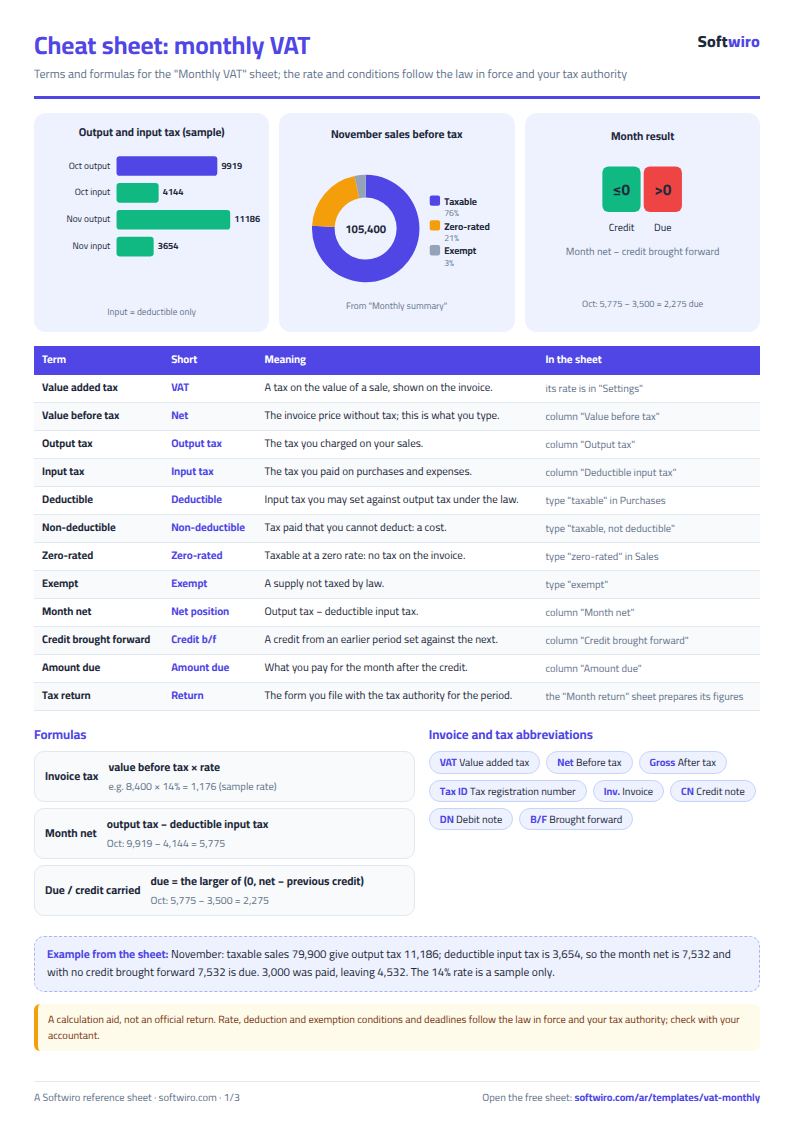
- October 2026: taxable sales 70,850 EGP, so output tax is 9,919. Deductible input tax is 4,144. The month's net is 5,775. A credit of 3,500 was carried in, so the amount due is 2,275, paid in full in the sample, leaving nothing outstanding.
- November 2026: taxable sales 79,900, output tax 11,186 and deductible input tax 3,654, so the month's net is 7,532. There is no carried credit, so 7,532 is due; 3,000 was paid, leaving 4,532.
- The 112 EGP of tax on November purchases marked "taxable, not deductible" (gifts in the sample) shows in its own column and is left out of the deduction.
- November sales before tax total 105,400: taxable 79,900, zero-rated 22,000 and exempt 3,500.
Over the whole period: output tax 21,105, deductible input tax 7,798 and amount due 9,807.
Common mistakes
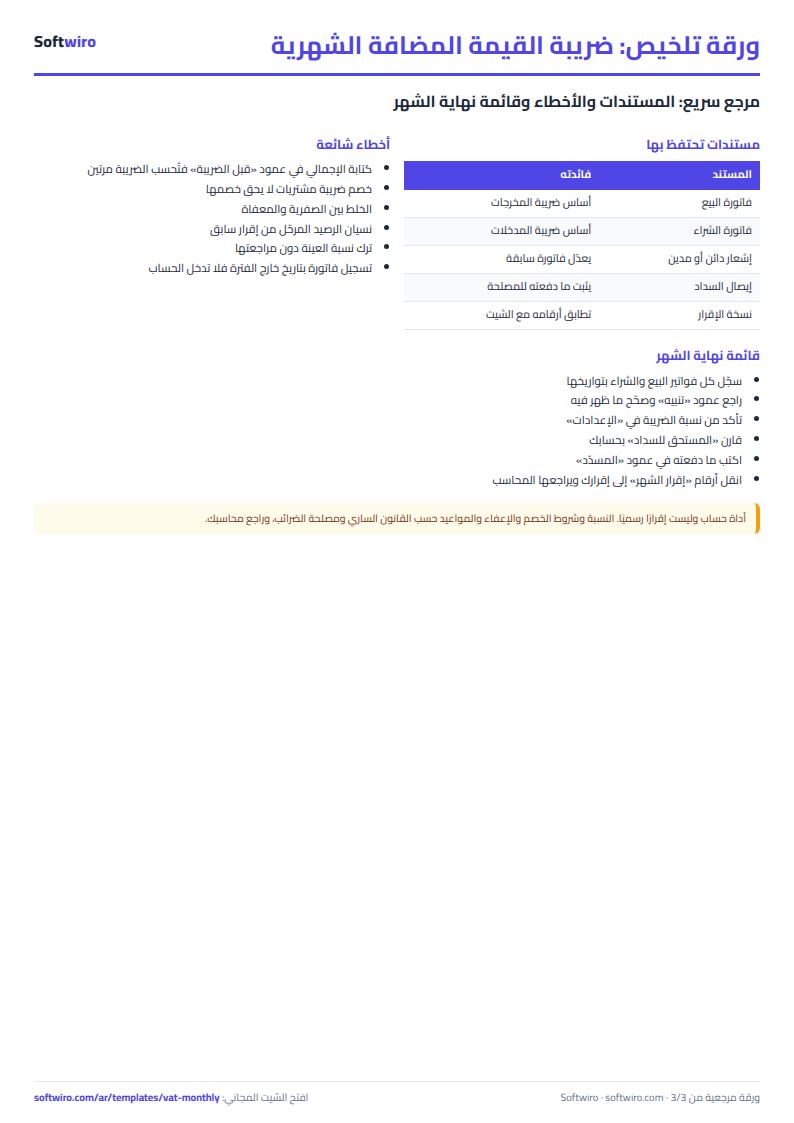
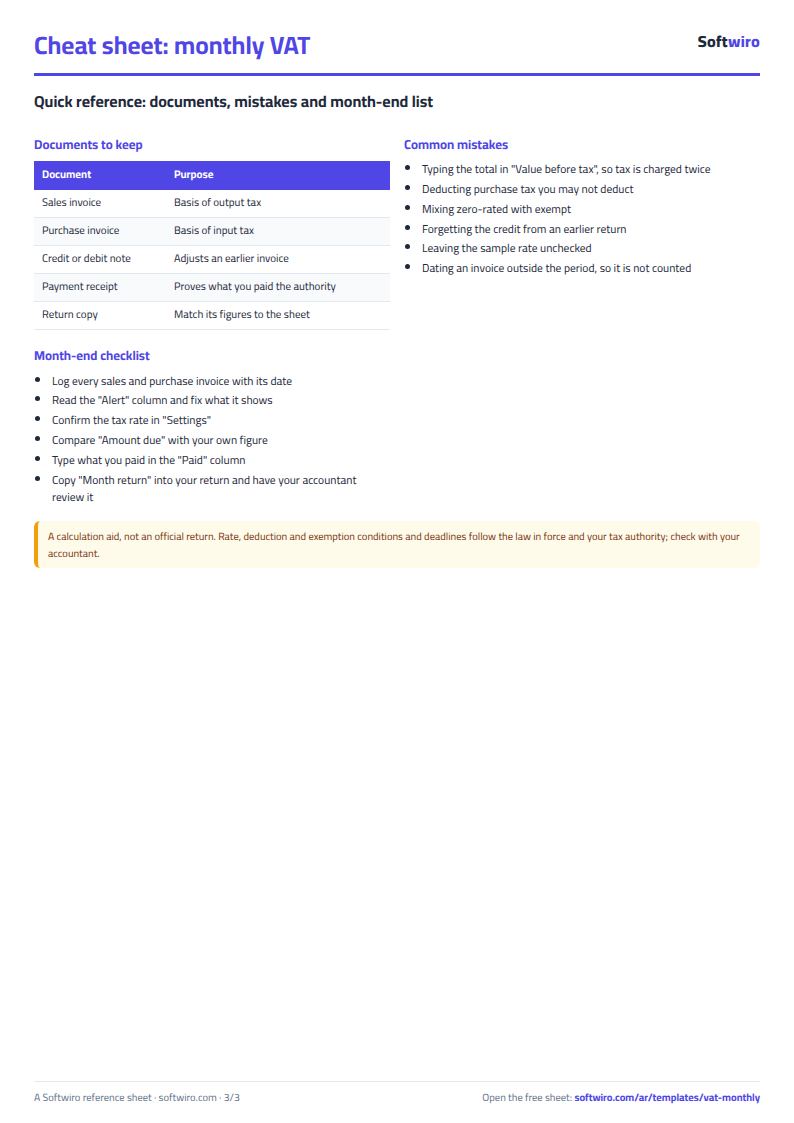
- Typing the invoice total in the "before tax" column: the tax is then calculated twice. Always enter the value before tax.
- Treating all purchase tax as deductible: the conditions for deduction follow local law, so use "taxable, not deductible" for what you may not deduct.
- Mixing zero-rated and exempt: both carry no tax on the invoice, but they may be treated differently in the return, so the summary keeps them in separate columns.
- Forgetting the carried credit: if you have a credit from an earlier return, type it in Settings, or the amount due will look larger than it is.
- Leaving invoices dated outside the period: they are not counted, and the sheet flags them as outside the calculation period.
- Keeping the sample rate: the rate and the conditions are set by the law in force, so check them before relying on the numbers.
When to move from the sheet to a system
The sheet is enough while you have invoices in the hundreds and one person entering them. Once you have many daily invoices, several users, and a need to tie tax to the accounting entry and to stock, ProfAcc is a better fit: it calculates VAT with each sales invoice inside the same entry. To track your business costs before tax, try the monthly expenses and budget sheet, and for the invoices themselves the sales invoices sheet.
Next step
Download the sheet, open Settings and type the tax rate that applies to you, then log this month's invoices in Sales and Purchases. Open the Monthly summary and compare "amount due" with what you worked out yourself: if they differ, look for a missing invoice or a different transaction type.
Frequently asked questions
Is the 14% in the sheet the official rate? It is an example for testing only; type the rate according to the law in force and your tax authority.
Does the sheet replace the official return? No. It prepares the figures, you copy them into your return, and your accountant reviews them.
Where do I type last month's credit? In "الإعدادات", the cell "رصيد دائن مرحّل في بداية الفترة".
What if I pay only part of the amount due? Type it in the "المسدّد" column of the summary and the balance is shown.