You want to know exactly how much you owe each supplier today, send a supplier a statement for a given period that matches their books, and see which of your debts are overdue before they call. The free supplier statement sheet does that: you record invoices, payments and returns once, and it builds a printable statement, a debt aging and a summary with charts.
The problem it solves
When you buy on credit from several suppliers, your numbers scatter across paper invoices, transfer receipts and chat messages. At month end a supplier calls: "your balance with me is this much", and a long manual matching starts. You may forget a debt that fell due, pay twice, or deduct a return nobody recorded. The fix is one tidy record from which every statement comes.
How the sheet works, step by step
- In Settings you type your company name, today's date and the due date of the opening balances, meaning when what you owed before you started recording is to be paid.
- In Suppliers you type for each supplier a code, name, phone, the agreed payment days and any opening balance you owed them.
- In Entries (sheet "الحركات") you record every purchase invoice, payment or return: date, supplier code from a list, type, amount and document number. If an invoice has its own due date, type it; otherwise it is worked out from the payment days.
- The sheet calculates the supplier name, the supplier balance after each entry, the invoice due date, what is still unpaid on it after paying the oldest first, and days late.
- In Statement (sheet "الكشف") you pick the supplier code and type "from date" and "to date" (or leave them empty). You get the opening balance, each entry with the balance after it, and the closing balance. Print it or save it as a PDF and send it to the supplier.
- In Aging and Summary you see what you owe each supplier by age, the biggest suppliers by balance, and purchases and payments by month.
What is in each sheet
- Summary: total owed, the overdue part and its share, the number of overdue suppliers, total invoices, payments and returns, and three charts: debt aging, top suppliers and monthly purchases against payments.
- Settings: company name, today's date, the opening-balance due date and the first month shown in the summary.
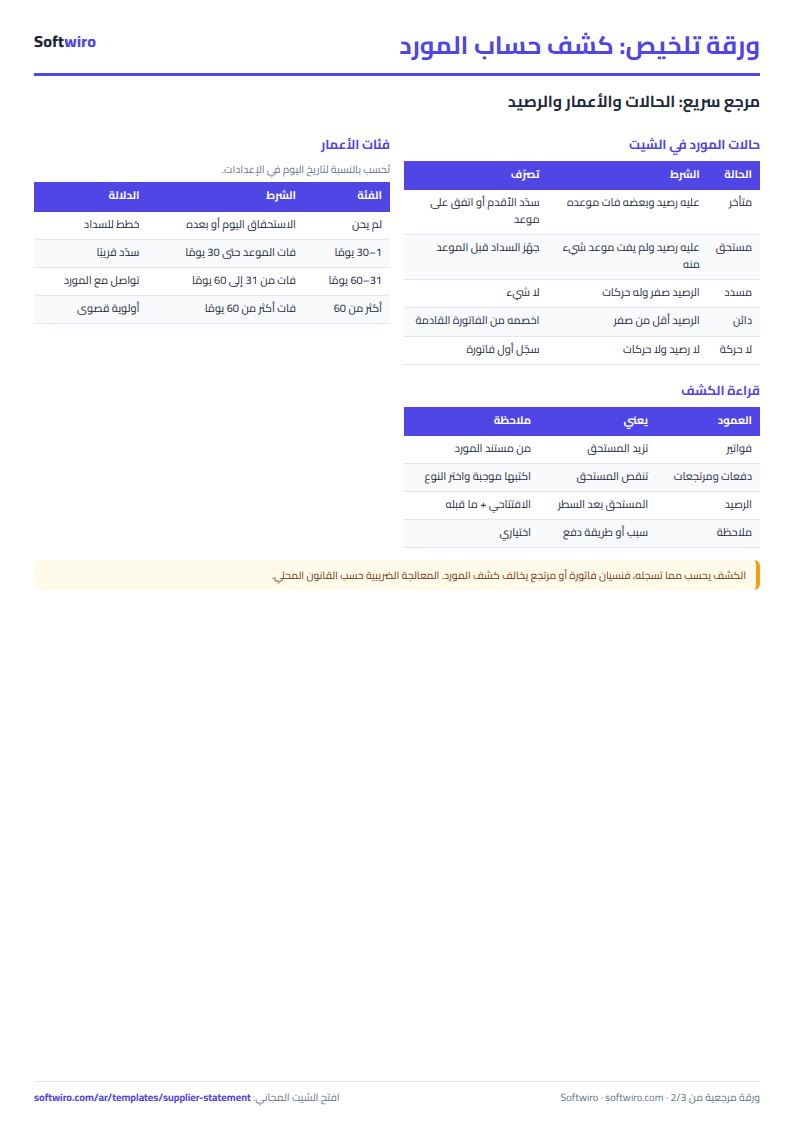
- Suppliers: balance due, overdue amount and status (overdue, due, settled, credit) for each supplier, up to 200.
- Entries: the main log up to 1000 entries; codes that do not exist show in red.
- Statement: the printable account statement up to 200 lines.
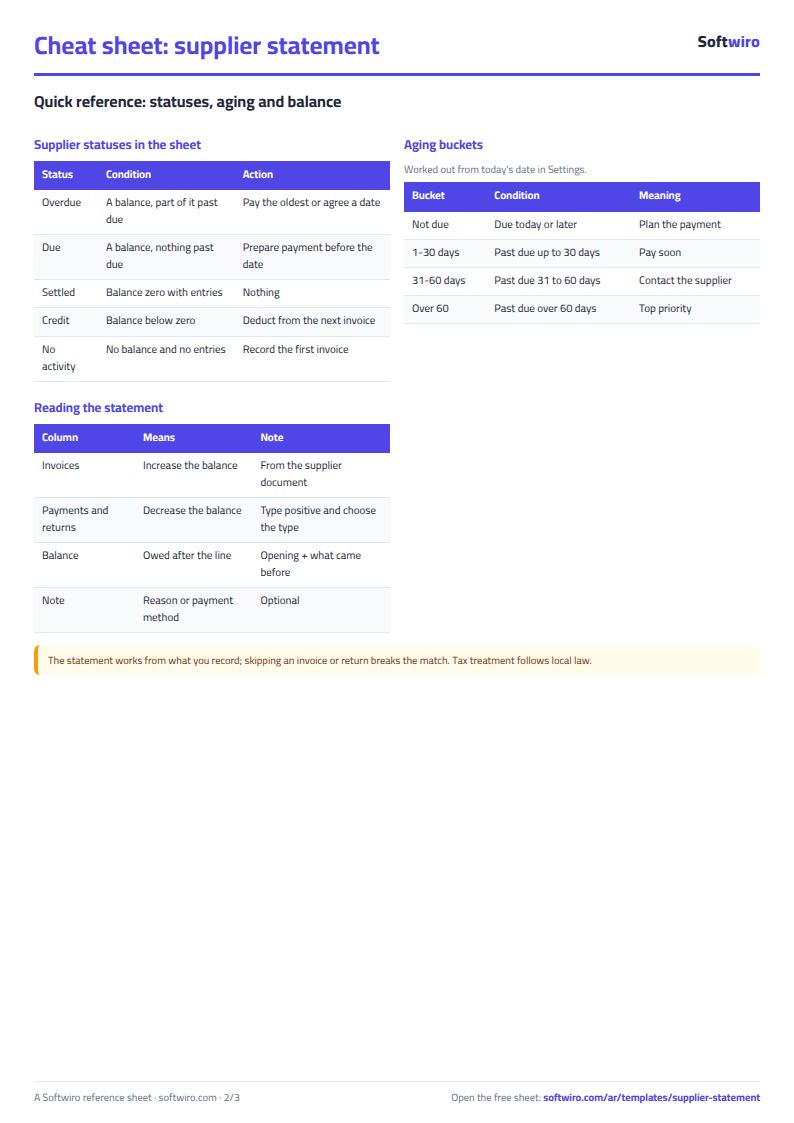
- Aging: what you owe split into not yet due, 1-30, 31-60 and over 60 days.
Walk-through on the sample numbers
This is sample data, not a real company; today's date in it is 15 November 2026, with six suppliers and 25 entries between September and November:
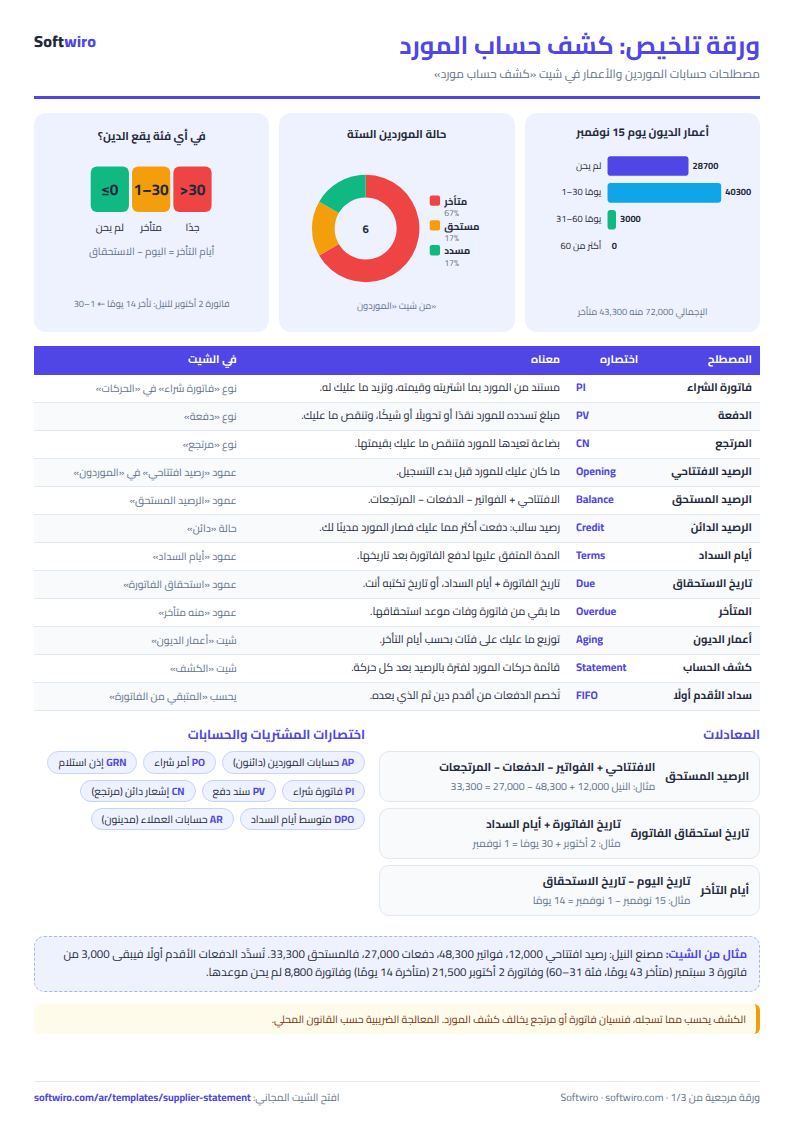
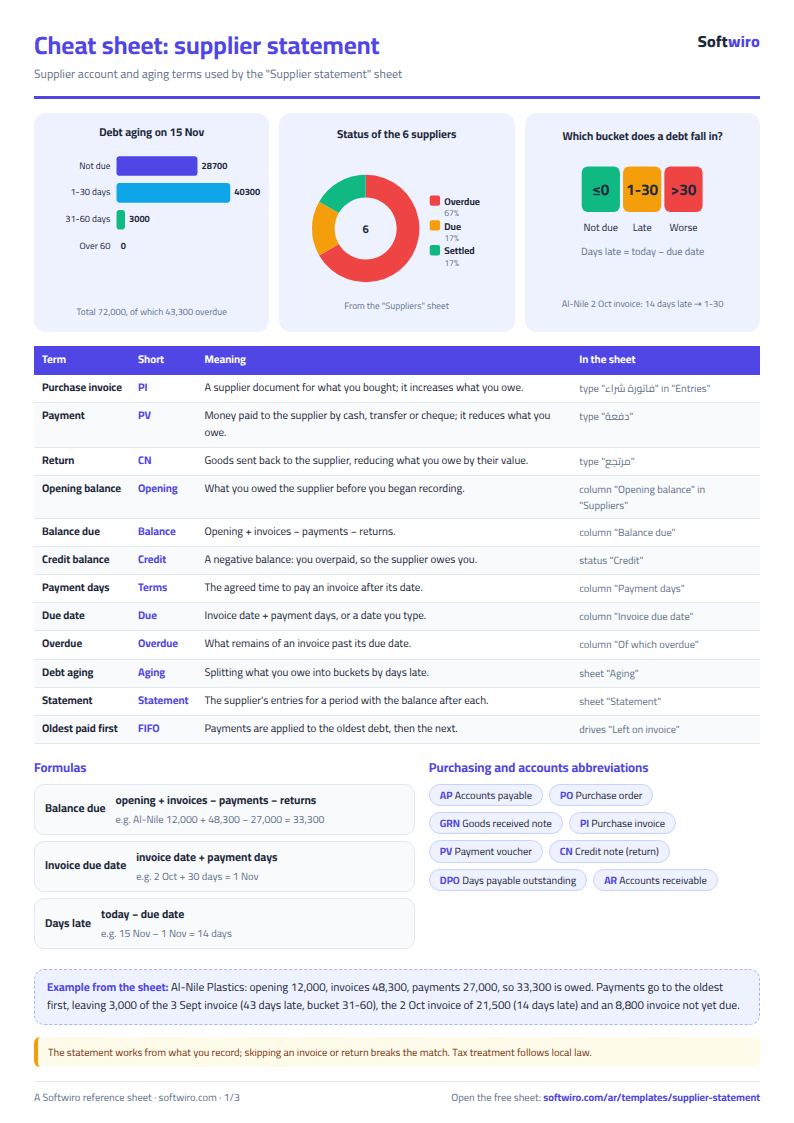
- Totals: opening balances 25,500, purchase invoices 120,800, payments 72,000 and returns 2,300, so the total owed is 72,000, of which 43,300 is overdue (60.1%). Four suppliers are overdue.
- Biggest supplier: Al-Nile Plastics is owed 33,300. Opening balance 12,000, invoices 48,300, payments 27,000. Its statement has five lines: an 18,000 invoice on 3 September (balance 30,000), a 12,000 payment, a 21,500 invoice on 2 October, a 15,000 payment, then an 8,800 invoice on 11 November with a special due date of 15 December, ending at 33,300.
- Aging: not yet due 28,700, 1-30 days 40,300, 31-60 days 3,000 and nothing over 60. The 3,000 is what remains of the 3 September invoice after paying the oldest first.
- Top suppliers by balance: Al-Nile 33,300, then Al-Salam Chemicals 18,800, then Al-Amal Packaging 12,900.
- Settled: Delta Foods ends at zero after payments of 19,500 and a 1,200 return, so its status is "settled".
Practical reading: 43,300 is overdue and the oldest 3,000 is with Al-Nile. Start with the oldest, then send each supplier their statement to check.
Common mistakes
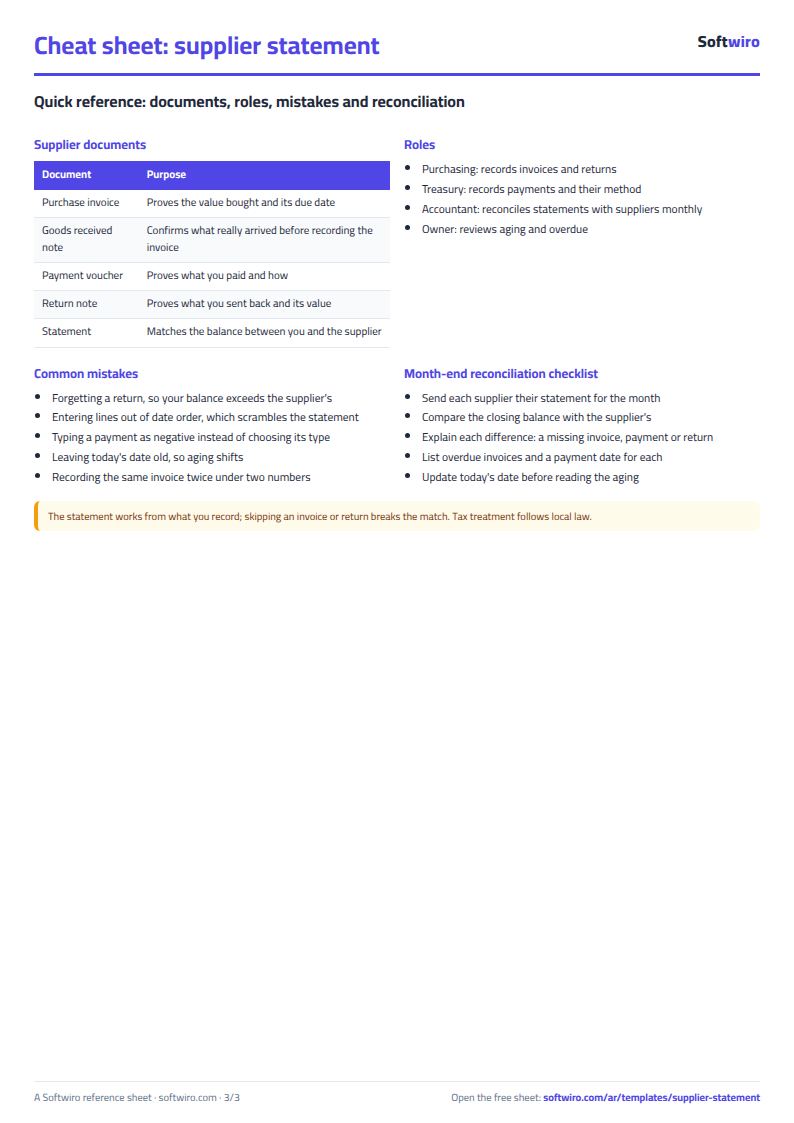
- Entering lines out of order: statement lines follow the order you entered them, so enter by date.
- Forgetting a return: your balance stays higher than the truth and your statement differs from the supplier's.
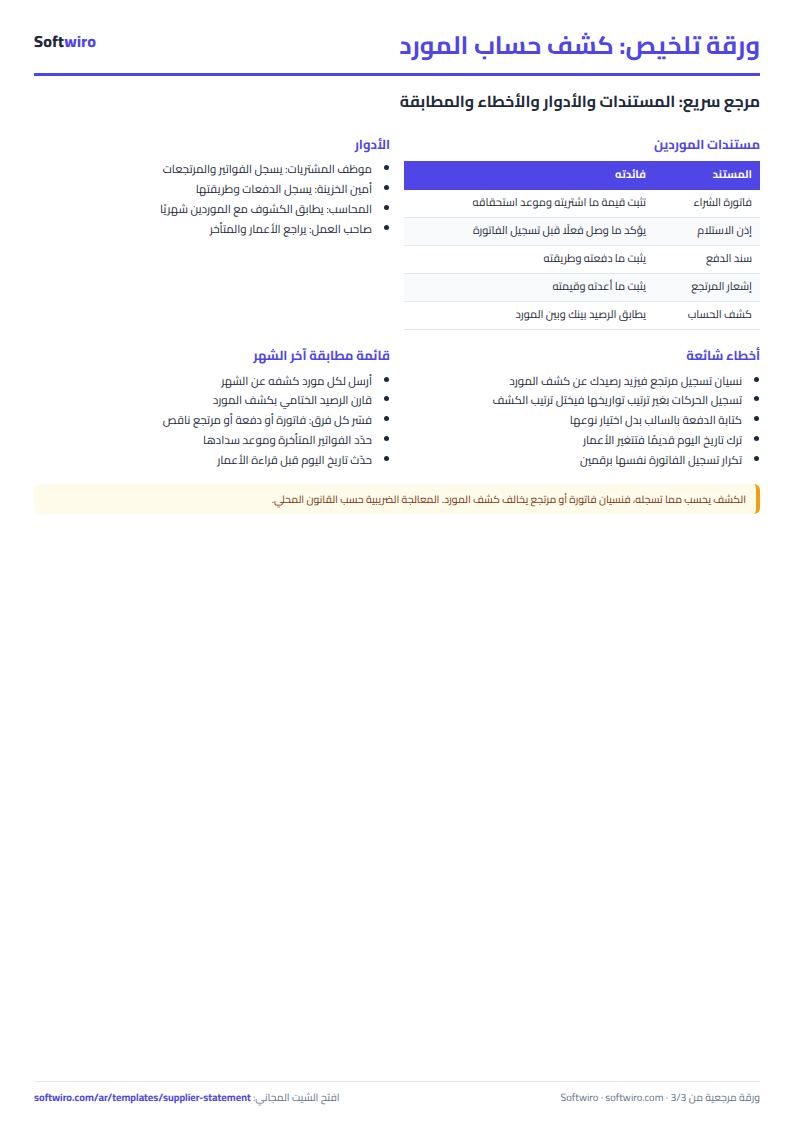
- Typing a negative amount: type the amount positive and choose the type (payment or return); the type decides the effect.
- Leaving today's date old: aging and overdue are worked out from it, so update it before reading.
- Treating the statement as an official document: it is a reconciliation tool; tax treatment follows local law.
When to move to a system
The sheet is enough for a limited number of suppliers and one person updating the file. When invoices multiply and others help record them, Accountwiro records the invoice and payment the moment they happen and shows each supplier's balance in one statement, with no manual transfer. If you also follow customers, see the customer accounts sheet.
FAQ
Do I type the opening balance? Yes, if you owed or were owed something before you started, in the "opening balance" column for each supplier.
How many suppliers fit? 200 suppliers and 1000 entries.
Does it work on a phone? Yes through Google Sheets; its formulas are supported by Excel, Google Sheets and LibreOffice.
Your next step
Open the sheet, type your three biggest suppliers with their opening balances, record this month's invoices and payments, then print the biggest one's statement and send it to them.