You have employees who took advances and custody (cash for work expenses), and you want to know at any moment who owes how much, what to deduct from each salary this month, and which custody is past its settlement date and still open. The free employee advances and custody sheet answers this from two registers you type: advances and custody, and settlements.
The problem it solves
An advance starts with "deduct it from my salary" and custody starts with cash for the showroom, then the numbers scatter across messages and notebooks. Two months later nobody remembers what is left on an employee, whether the custody receipts were handed in, or whether the next instalment will eat a quarter of the salary. The sheet works out the balance, instalment and lateness from the same numbers each time you open it.
How it works, step by step
- In الإعدادات (Settings) type today's date, the default days to settle custody (14 in the sample), the month whose deductions you want, and the highest salary-deduction share to warn at (25% in the sample).
- In الموظفون (Employees) write code, name, job and salary.
- In السلف والعهد (Advances and custody) write a row per advance or custody: its number (S-001 for advances, C-001 for custody), date, employee code, type, amount and purpose. For an advance add the number of instalments and the first deduction month.
- In التسويات (Settlements) log each deduction, receipts, cash return or repayment: date, advance or custody number, kind and amount.
- Let the grey cells calculate: remaining, the month's instalment, due date, days late and status.
- Open كشف موظف (Employee statement) to pick an employee and print the account, and الملخص (Summary) to see overdue items and their age.
What is in each sheet
- Employees: each employee's balance (owes, is owed, or settled), remaining advances and custody, the month's deduction and its share of salary, salary after deduction, and an alert.
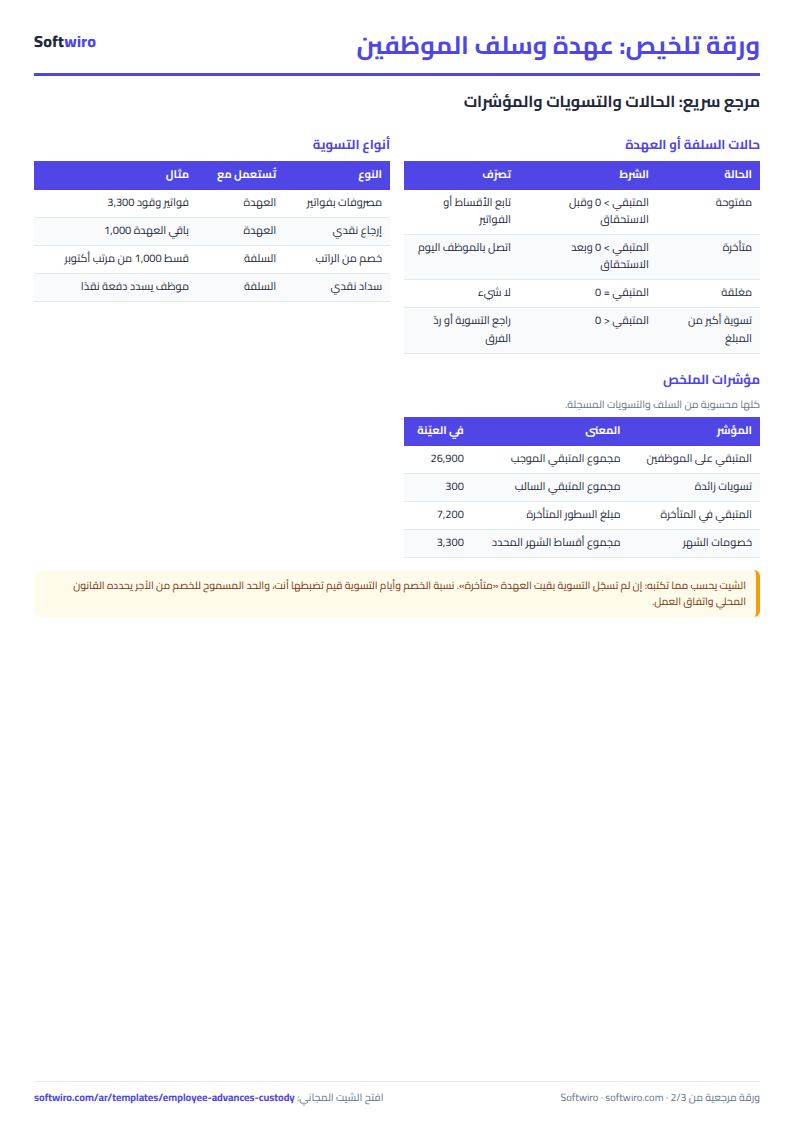
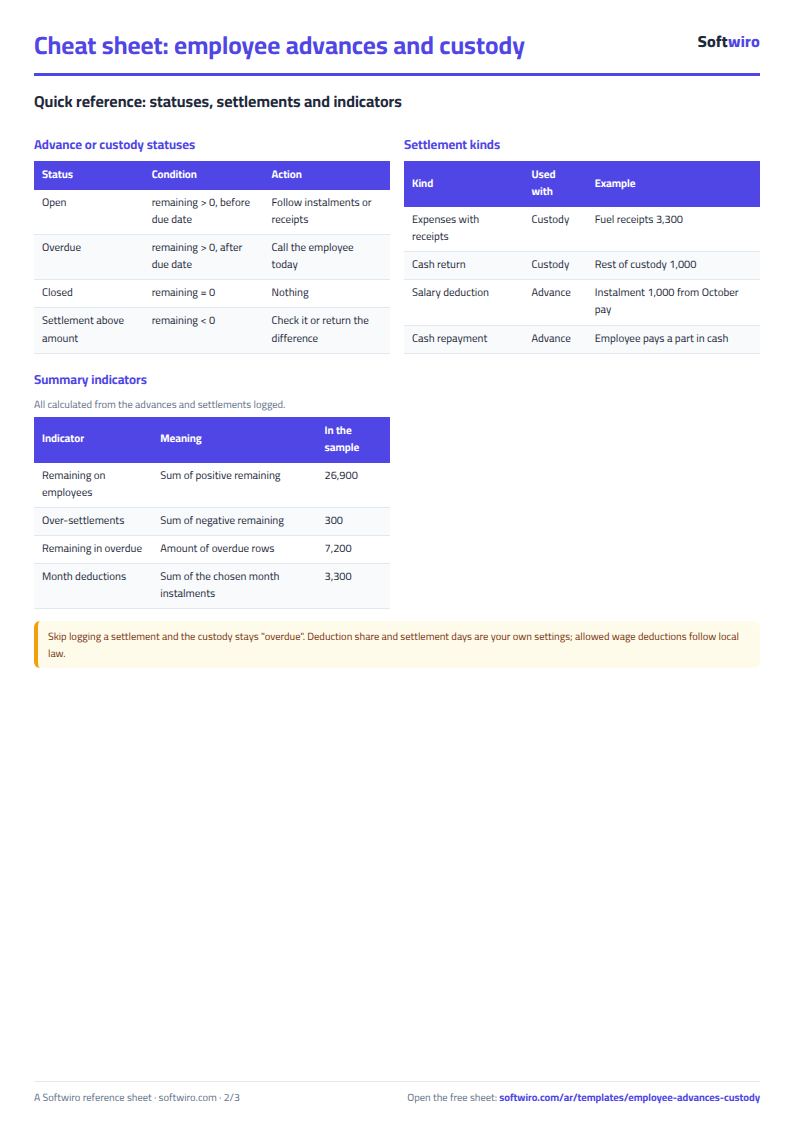
- Advances and custody: where the status comes from: open, overdue, closed, or settlement above amount.
- Settlements: the employee name appears by itself, and the sheet warns if you type a number that does not exist or settle more than the amount.
- Summary: totals, age of overdue items, remaining by type, and amounts given and settled by month, with four charts.
Walk-through on the sample numbers
These figures come from fictional sample data with today set to 27 November 2026; they are not a real company's numbers:
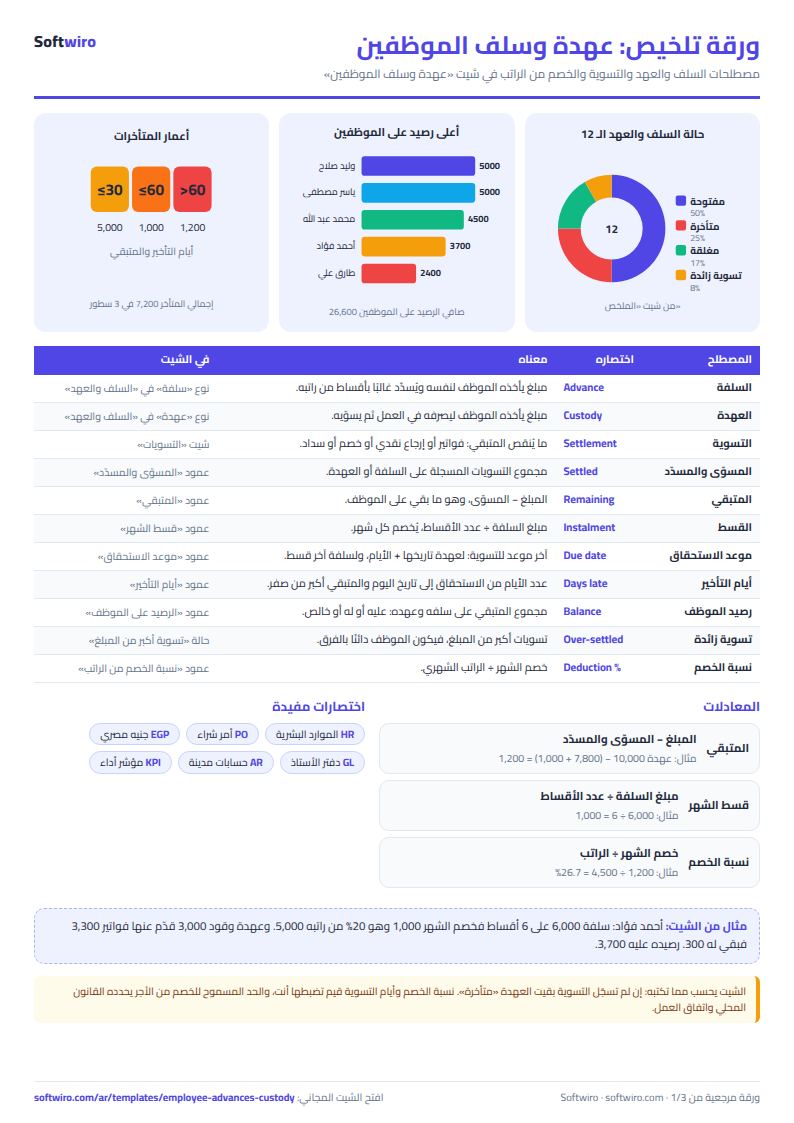
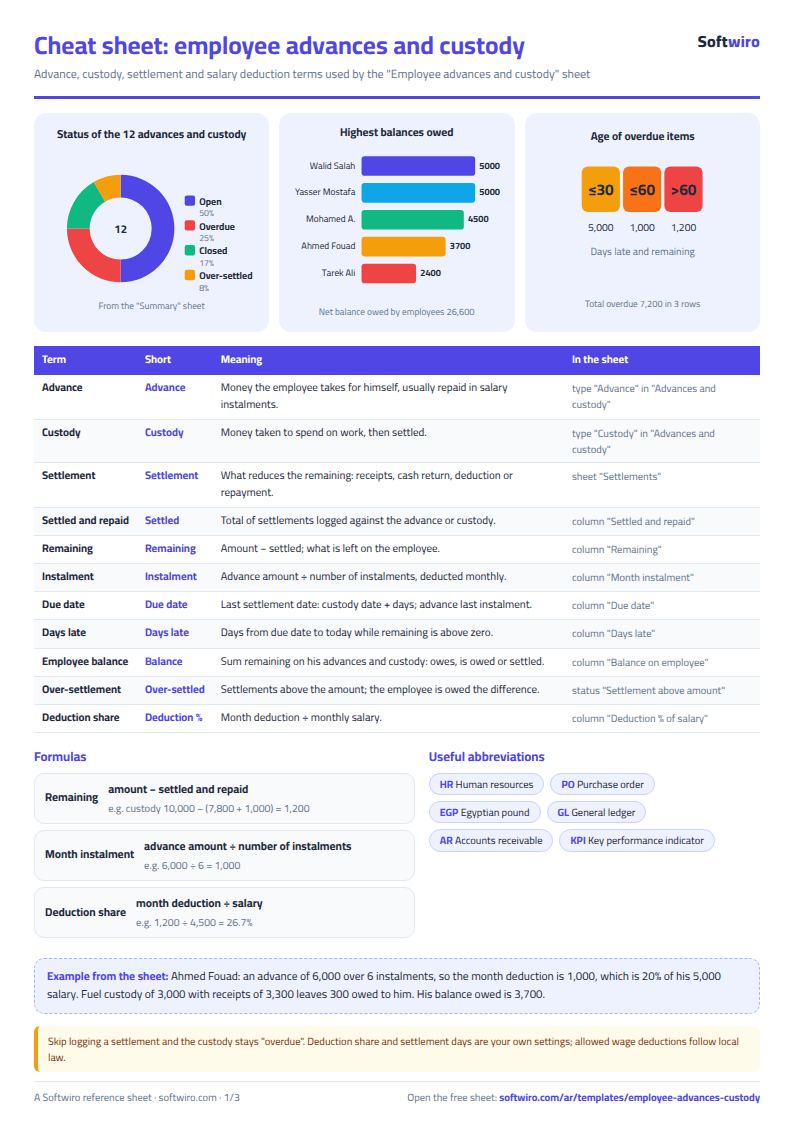
- Given: advances 26,000 and custody 28,000; settled and repaid 27,400.
- Remaining on employees 26,900, of which 300 is an over-settlement owed to the employee, so the net is 26,600.
- Overdue: 3 rows with 7,200 remaining: Samar Adel's advance S-001 (1,000, 58 days late), Karim El-Sayed's custody C-001 (1,200, 64 days late) and Walid Salah's custody C-004 (5,000, 10 days late).
- Age of overdue: 1 to 30 days one row with 5,000; 31 to 60 one row with 1,000; over 60 days one row with 1,200.
- Ahmed Fouad: an advance of 6,000 over 6 instalments (1,000 a month = 20% of his 5,000 salary), and fuel custody of 3,000 for which he handed in receipts of 3,300, leaving 300 owed to him. His balance owed is 3,700.
- Tarek Ali: an instalment of 1,200 on a salary of 4,500, which is 26.7%, so "deduction above the limit" shows because the limit is 25%.
- November salary deductions are 3,300, and only one employee passes the share limit.
Common mistakes
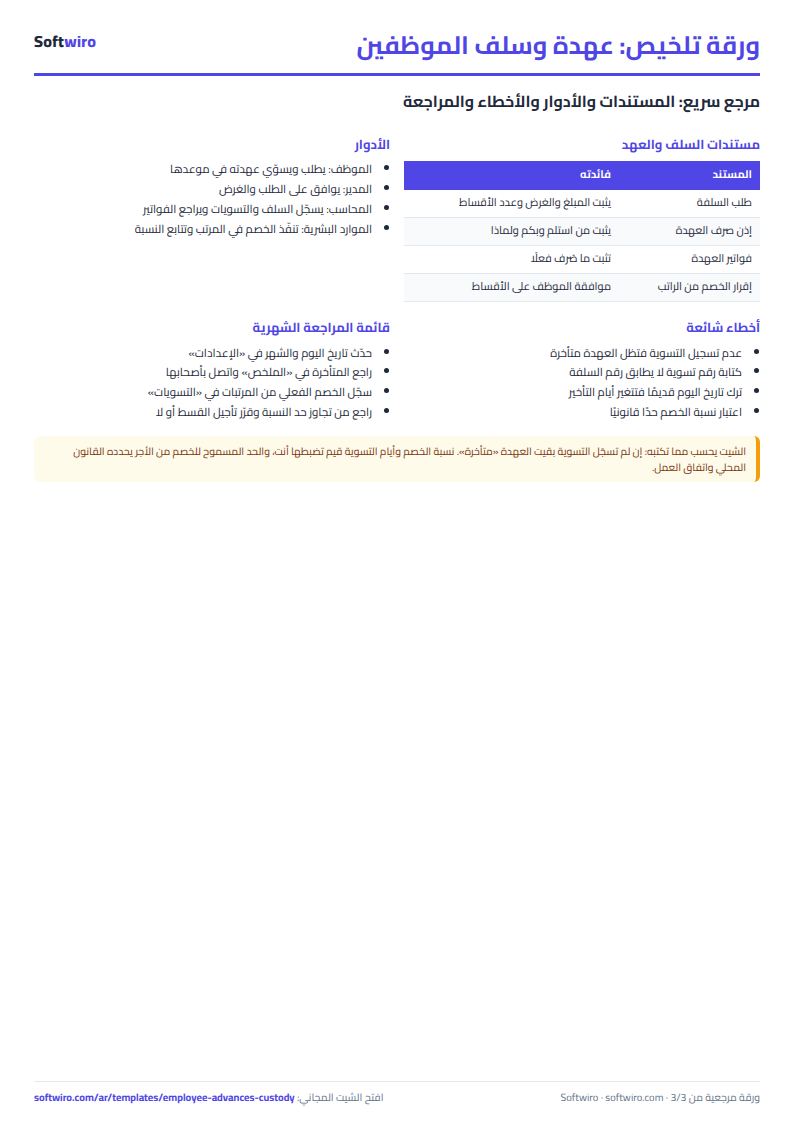
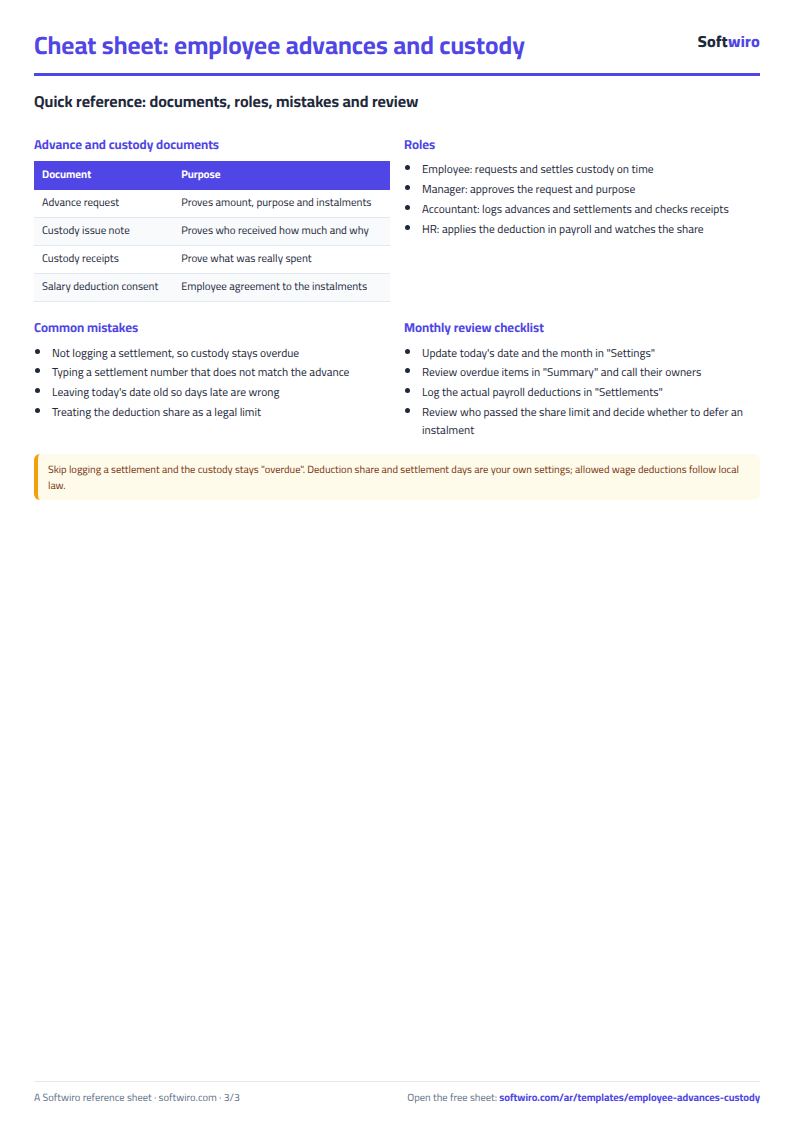
- Forgetting to log a settlement: custody whose receipts were handed in but not typed into Settlements stays overdue.
- Typing a different number in a settlement than the advance's number; the sheet warns because it does not exist.
- Leaving today's date old: days late count from the date in Settings, so update it (or type =TODAY()).
- Treating the deduction share as a legal limit: it is your own warning figure; the allowed deduction is set by local law and your work agreement.
- Confusing the instalment with the actual deduction: the instalment is a calculation; you type the actual deduction in Settlements when salaries are paid.
When to move to a system
The sheet suits dozens of employees and one accountant. If employees should request advances themselves and pass manager approval, instalments should deduct automatically from payroll, custody receipts should be attached and WhatsApp alerts should go out, that is a job for a system. For payroll and attendance try the employee payroll and attendance sheet, and for company spending the business expenses and budget sheet.
Your next step
Download the free sheet, clear the sample data, and type your employees, then your latest advance and latest custody. After three rows in Advances and custody and one settlement you will see the balance and lateness in the Summary. If you want a system with approvals and payroll links, ask us to build it.