PDF to MP3 Audiobook Converter for Android, Free — Doc2MP3
A free Android app that turns PDF, Word and TXT files into MP3 audiobooks on the phone itself, in Arabic and English. Listen to a sample voice first, then convert; the conversion keeps going with the screen locked. AI voices download once inside the app and then work with no internet. Plays in the background with lock-screen controls and remembers where you stopped.
What it changes
Long Arabic books and notes sit unread on phones. Doc2MP3 turns them into audio on the same phone, free and offline, so the commute or a walk becomes reading time without uploading the book anywhere.
Who it is for
- Readers of Arabic books who prefer listening
- Students listening to notes on the commute
- People with weak eyesight who need Arabic read aloud
Available in: Arabic and English speakers on Android phones
What it does
From file to audiobook
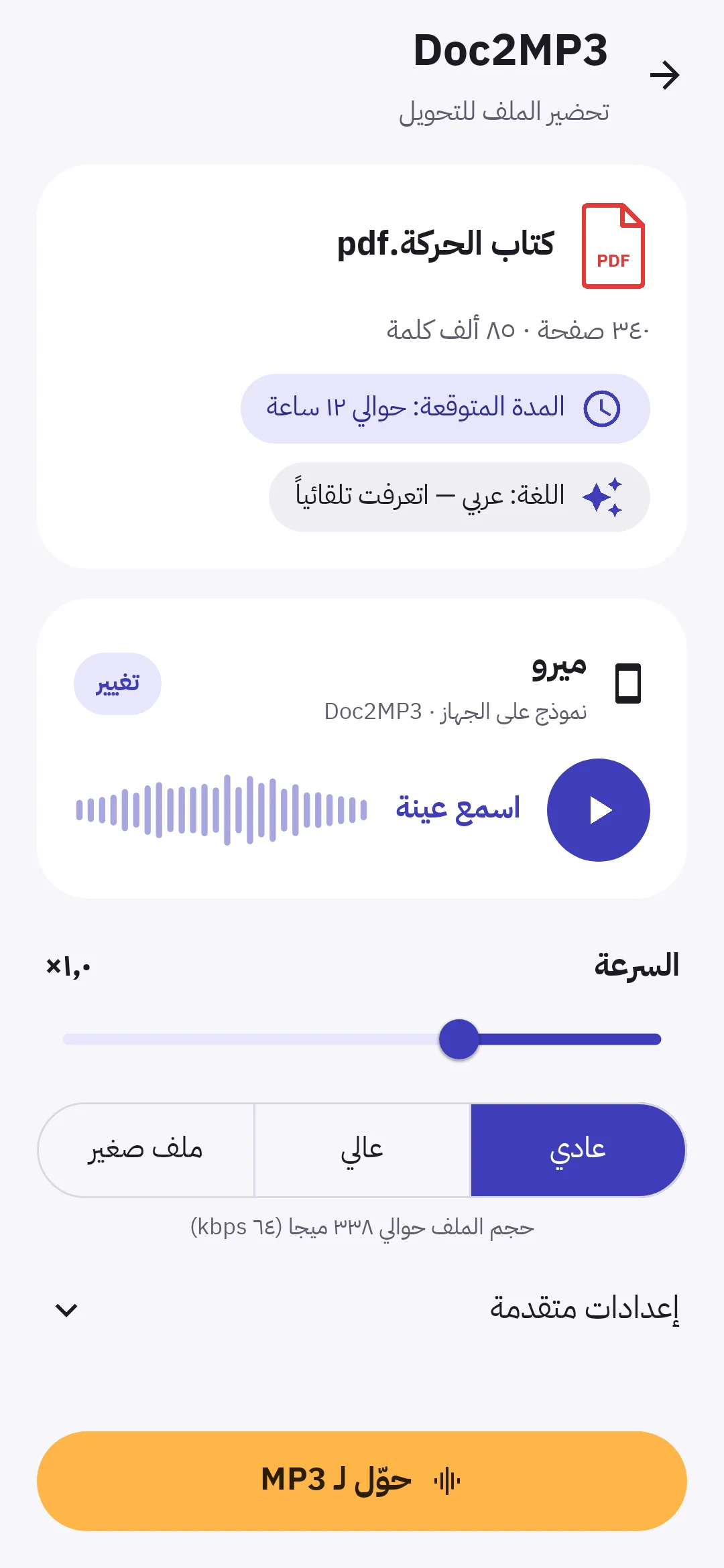
- Reads PDF, Word (DOCX) and TXT, in Arabic and English, and detects the language by itself.
- Shows the pages, the words and the expected length before you convert.
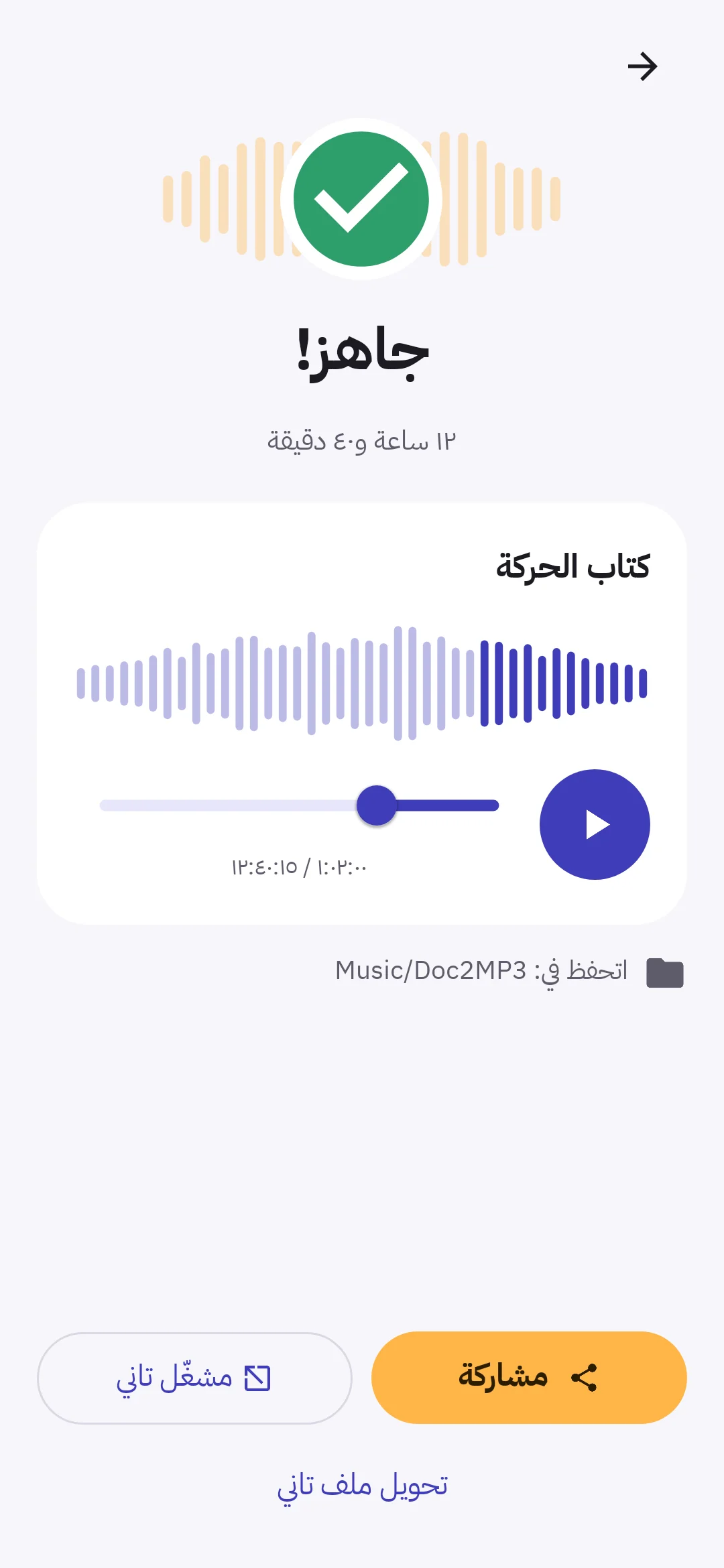
- Converts in the background with a progress notification; the MP3 is saved in the Music folder.
Voices
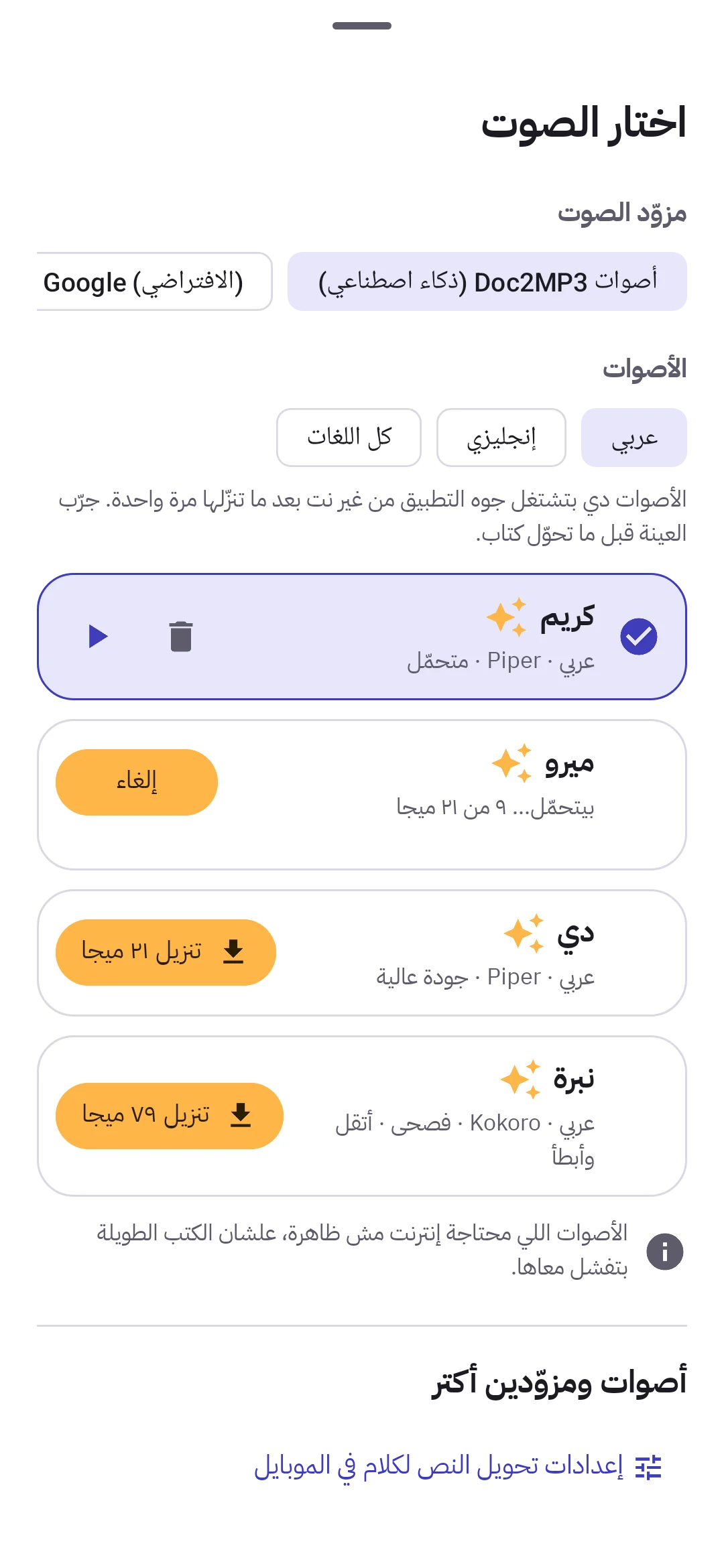
- AI voices inside the app (Kareem, Miro, Dii and Nabra in Arabic, three in English): about 21 MB each, downloaded once, then offline.
- Any voice engine already on the phone, such as Google or Samsung, with a sample button for every voice.
- Microsoft and Google online voices with the user's own free key.
Listening
- Plays in the background with lock-screen controls and pauses when headphones are unplugged.
- Remembers where you stopped in every book; recent conversions are on the home screen.
From the system
Questions buyers ask
Is Doc2MP3 free?
Yes, free and with no ads.
Does it work without internet?
Yes, after you download one of the in-app voices once, or with a voice already installed on the phone.
Is it on Google Play?
Not yet. Download the APK from doc2mp3.softwiro.com; the phone asks you to allow installing from the browser.
Does it read scanned PDFs?
Not yet: a scanned PDF has no text layer, and OCR is not supported.
How to start
Open doc2mp3.softwiro.com on an Android phone (8.0 or newer), download the app, pick a PDF or Word file and press Convert.