You want to know how much each employee actually takes home after insurance, tax and advances, and what the whole payroll costs you including your own share of insurance, instead of working it out employee by employee on a calculator. The free payroll with insurance and income tax sheet does that: you enter pay, allowances and the month's movements, and it calculates insurance and employment income tax on the brackets you type, then net pay and the employer's cost. Every rate, limit and bracket is a settings cell you check with the competent authority, and the sheet does not claim legal compliance.
The problem it solves
Net pay is not the salary written in the contract. Between the two are insurance that depends on a minimum and a maximum insurable wage, tax calculated on brackets after an exemption, advances paid back in instalments, and overtime and bonuses that change every month. Worked by hand, the result drifts from month to month and you cannot tell what payroll really costs. The sheet keeps every changeable value in one place and applies the same calculation to every employee.
How the sheet works, step by step
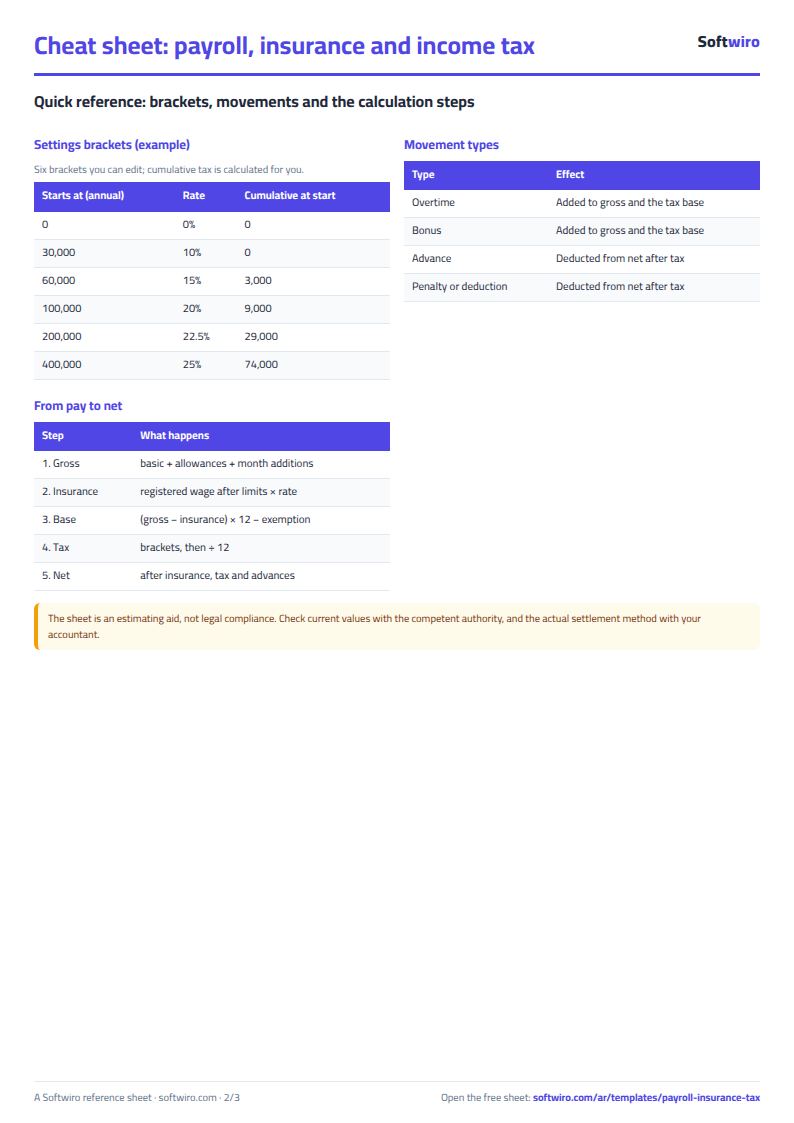
- Open "الإعدادات" (Settings) and review the two insurance rates, the minimum and maximum insurable wage, the personal exemption and the tax brackets. The values in the file are examples for testing, so type the current values from the competent authority. Then choose the year and the month.
- In "الموظفون" (Employees) enter code, name, job, department, basic pay, allowances and the registered insurable wage. Leave the insurable wage empty for someone who is not insured, and type "متوقف" (stopped) in Status for someone who has left.
- In "الحركات" (Movements) log overtime and bonuses (added to gross pay) and advances and penalties (deducted from net pay), with a date and the employee code. Only the chosen month's movements count, and the sheet warns you about an unknown code.
- Open "كشف المرتبات" (Payroll register): for each employee you see gross pay, the insurable wage after the limits, employee insurance, the annual taxable base, tax, deductions, net pay, employer insurance and cost.
- Open "الملخص" (Summary) for the month's totals, each department's figures and the cost breakdown.
How the sheet calculates tax
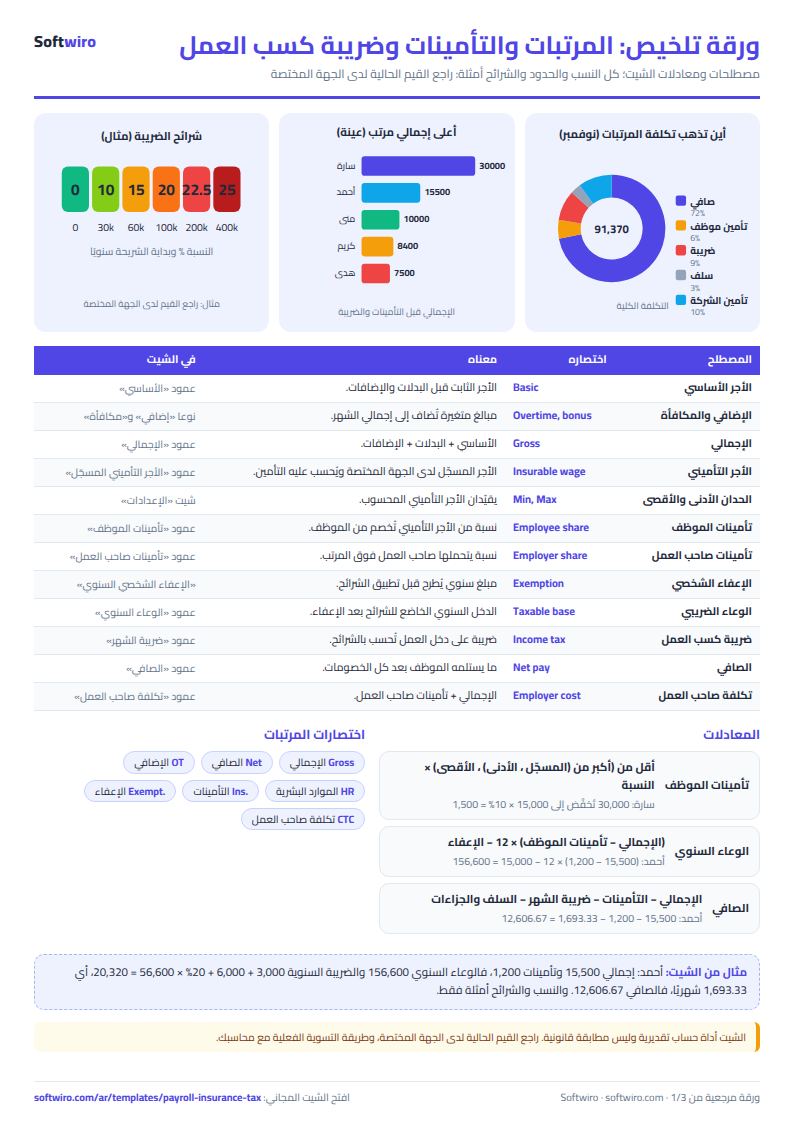
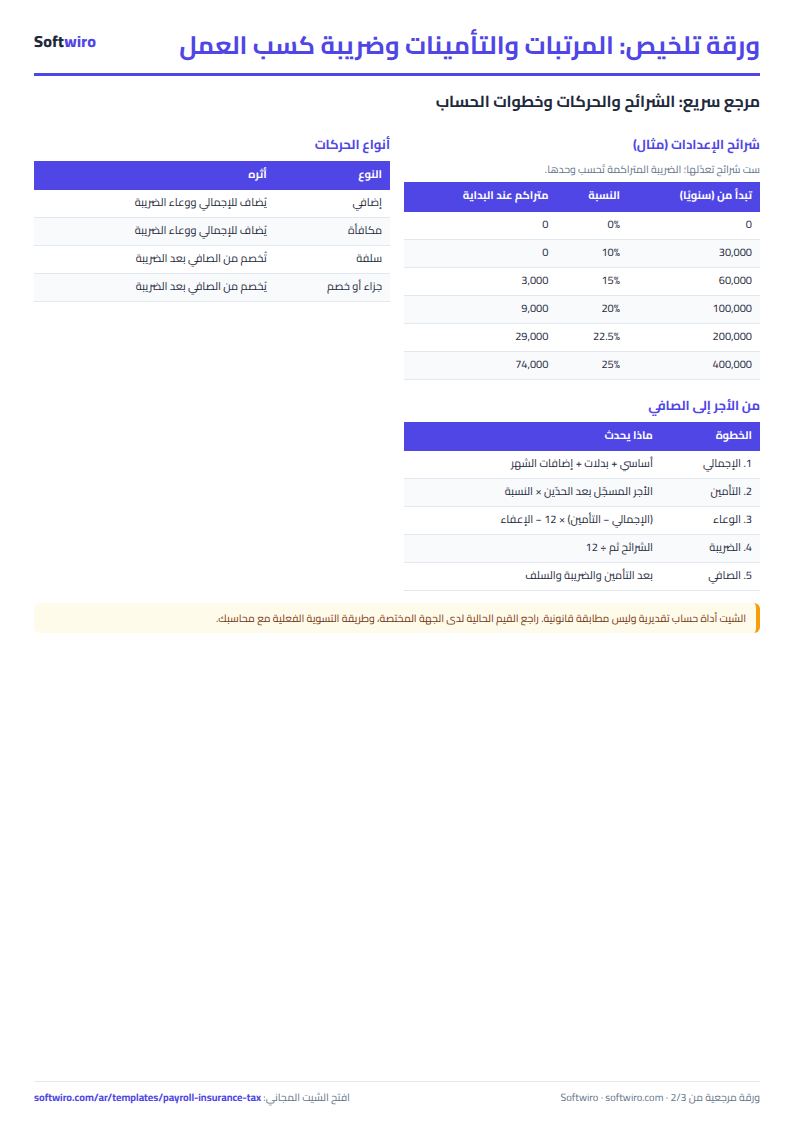
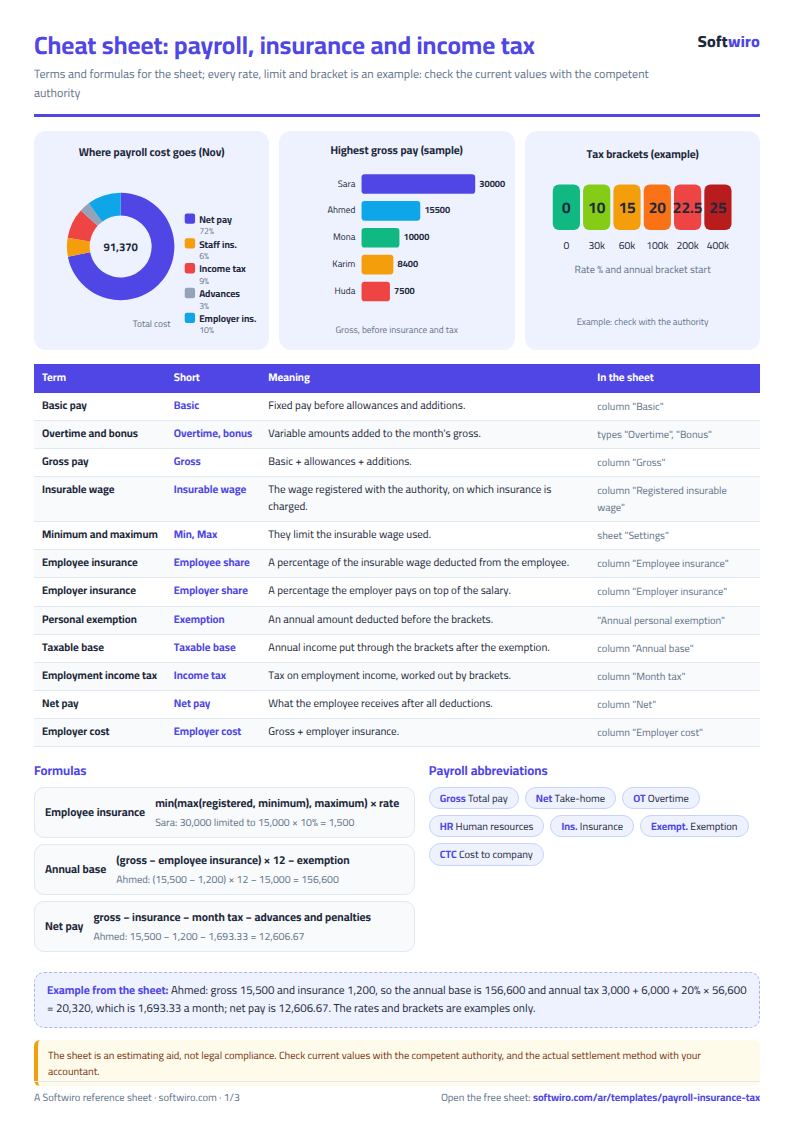
The method is simplified and approximate: the employee's monthly income after insurance is multiplied by 12, the annual personal exemption is subtracted, the brackets you typed in Settings are applied, and the result is divided by 12. The actual settlement method may differ, so show the sheet's results to your accountant. Advances and penalties are deducted after tax and do not reduce the taxable base.
What is in each sheet
- Payroll register: 18 columns per employee plus a totals row above them; it holds 200 employees and is ready to print.
- Employees and Movements: employee data (200) and the movement log (500).
- Summary: eight key figures, a department table and two charts: pay, net and cost by department, and the cost breakdown.
- Settings: the rates, limits, exemption and six tax brackets, plus the department and month lists.
Walk-through on the sample numbers
The data is fictional, for "Al Amal Industries" in November 2026, and the rates and limits are examples for testing (employee insurance 10%, employer 18%, minimum 2,000, maximum 15,000, exemption 15,000):
- Ahmed Samir (accountant): basic 12,000, allowances 2,000 and a bonus of 1,500, so gross pay is 15,500. Insurance is 1,200 on an insurable wage of 12,000. Income after insurance is 14,300, the annual base after the exemption is 156,600, annual tax is 20,320, which is 1,693.33 a month. Net pay is 12,606.67.
- Mahmoud Ragab (technician): his registered insurable wage of 1,800 is below the minimum, so it is raised to 2,000 and employee insurance is 200; the sheet shows "الأجر التأميني عُدّل للحدود" (insurable wage adjusted to the limits). He also has a 1,000 advance.
- Sara Ali (manager): her registered insurable wage of 30,000 is above the maximum, so it is lowered to 15,000: employee insurance is 1,500 and the employer's share is 2,700.
- Yasser Mansour (worker): no registered insurable wage, so no insurance, and net pay is 4,290.
- Dina Maher: status "stopped", so she does not appear in the register.
For the month, 7 employees: gross pay 82,100, employee insurance 5,150, tax 8,276.25, advances and penalties 2,900, net pay 65,773.75, employer insurance 9,270, so the employer's cost is 91,370.
Common mistakes
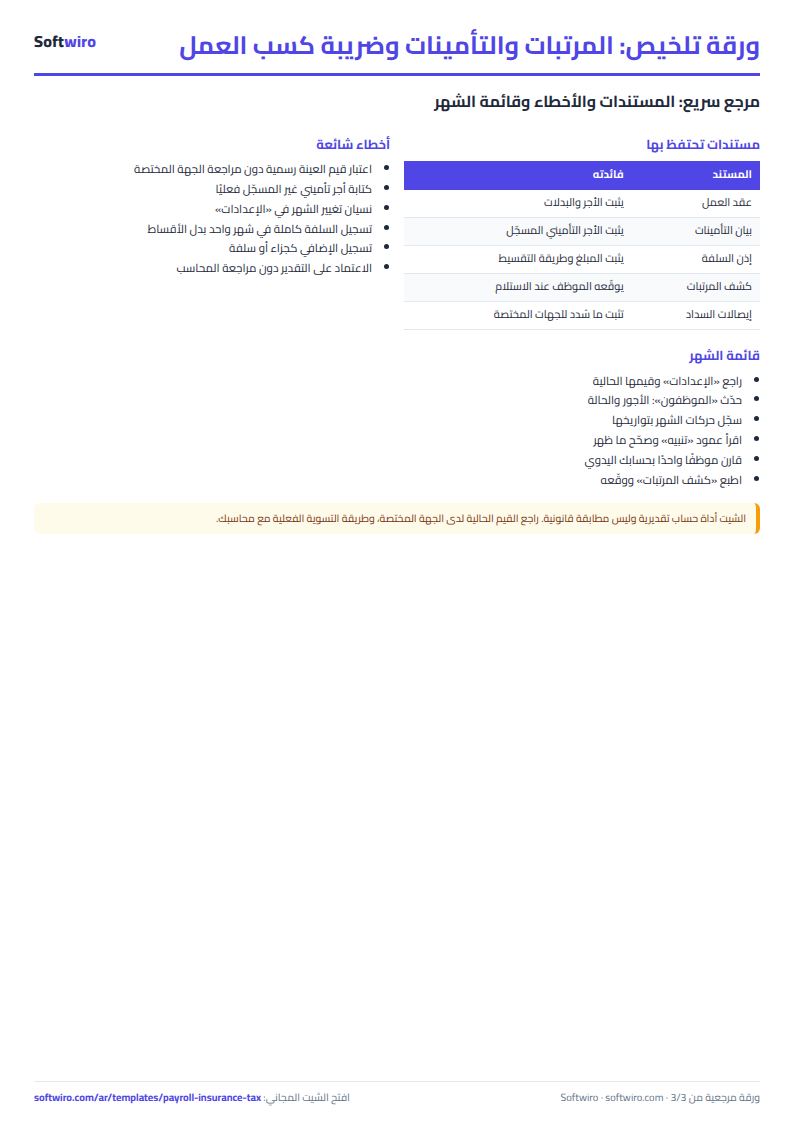
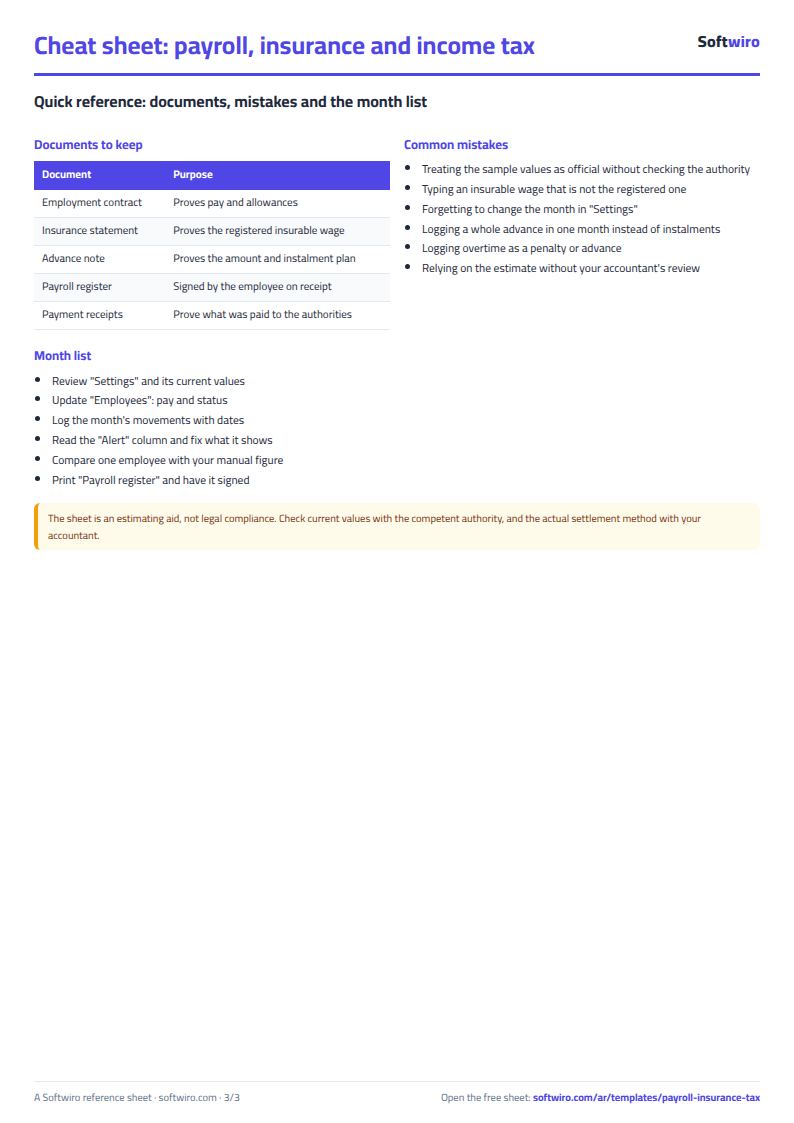
- Treating the sample values as official: they are examples, so check the current values with the competent authority before relying on them.
- Typing an insurable wage that differs from the registered one: type it as registered; the sheet applies the limits.
- Forgetting to change the month in Settings: the register then uses the wrong month's movements.
- Logging a whole advance in one month: log each instalment as a movement dated in its own month.
- Putting overtime under advances and penalties: overtime and bonuses have their own types so they enter gross pay and the tax base.
- Relying on the sheet alone: its results are estimates and do not replace an accountant or a check with the competent authority.
When to move from the sheet to a system
The sheet suits dozens of employees and one person preparing the register. If you need a login for each manager, a link to attendance and a register per branch, Softwiro can build you a custom payroll system. For attendance, absence and overtime in hours use the employee payroll and attendance sheet and read its guide.
Next step
Download the sheet, open Settings and change the values to match what you use with the competent authority, then enter one employee in Employees and compare their net pay in Payroll register with your manual calculation. If they match, carry on with the rest of the staff.
Frequently asked questions
Are the insurance and tax values in the sheet official? No. They are examples for testing, so check the current values with the competent authority.
Does the sheet claim legal compliance? No. It is a calculation and organising tool; the actual settlement and payment dates are checked with your accountant.
Where does the sheet take the insurable wage from? From the "registered insurable wage" column you type for each employee, then it applies the two limits.
How do I move to another month? Change the month in Settings, and only that month's movements are calculated.