You run a team on three shifts and want a weekly schedule that leaves no shift short and treats no one unfairly with extra hours or no day off, and you want to know where it breaks your rules before you post it. The free shift schedule sheet does that: you pick a shift for each employee each day from a list, and it works out the rest and flags conflicts.
The problem it solves
A schedule on paper or in a group chat looks fine until the week starts. Then someone notices a colleague works an evening shift and comes back for a morning shift only eight hours later, that Wednesday night is one person short, or that an employee has had no rest day this week. Nobody adds up each person's hours or compares the end of one shift with the start of the next by hand. The sheet does it every time you change a cell.
How it works, step by step
- In الإعدادات (Settings) write the first day of the week, the maximum weekly hours, the minimum rest between shifts in hours, and the minimum rest days. These are values you set according to your work agreement and local law.
- In الورديات (Shifts) write each shift: name, start, end, break hours and the number of staff needed per day. The sheet works out paid hours; a night shift from 23:00 to 07:00 counts as 8 hours.
- In الموظفون (Employees) write code, name, job and hourly rate.
- In الجدول (Schedule) pick a shift for each employee each day from a list that holds the shifts plus "rest" and "leave".
- Read the status column beside each employee, open التغطية (Coverage) to see shortages per shift, then الملخص (Summary).
What each sheet does
- Settings: four values that set the alert rules.
- Shifts: shift definitions, hours and required headcount, with room for six work shifts.
- Employees: up to 40 people with an hourly rate and an optional personal maximum.
- Schedule: work, rest and leave days, weekly hours, extra hours, rest conflicts, cost and status.
- Coverage: actual staff on each shift each day, the difference from what is required, and who is on rest or leave.
- Summary: the indicators and three charts.
Walk-through on the sample numbers
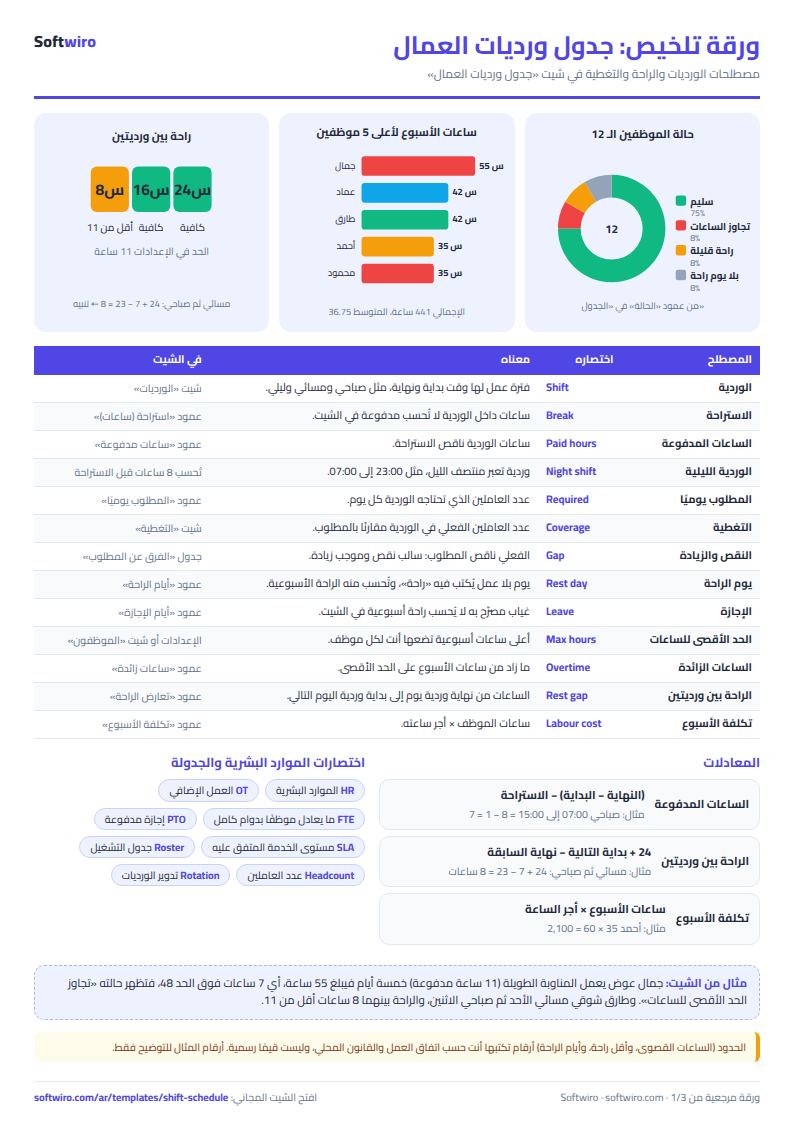
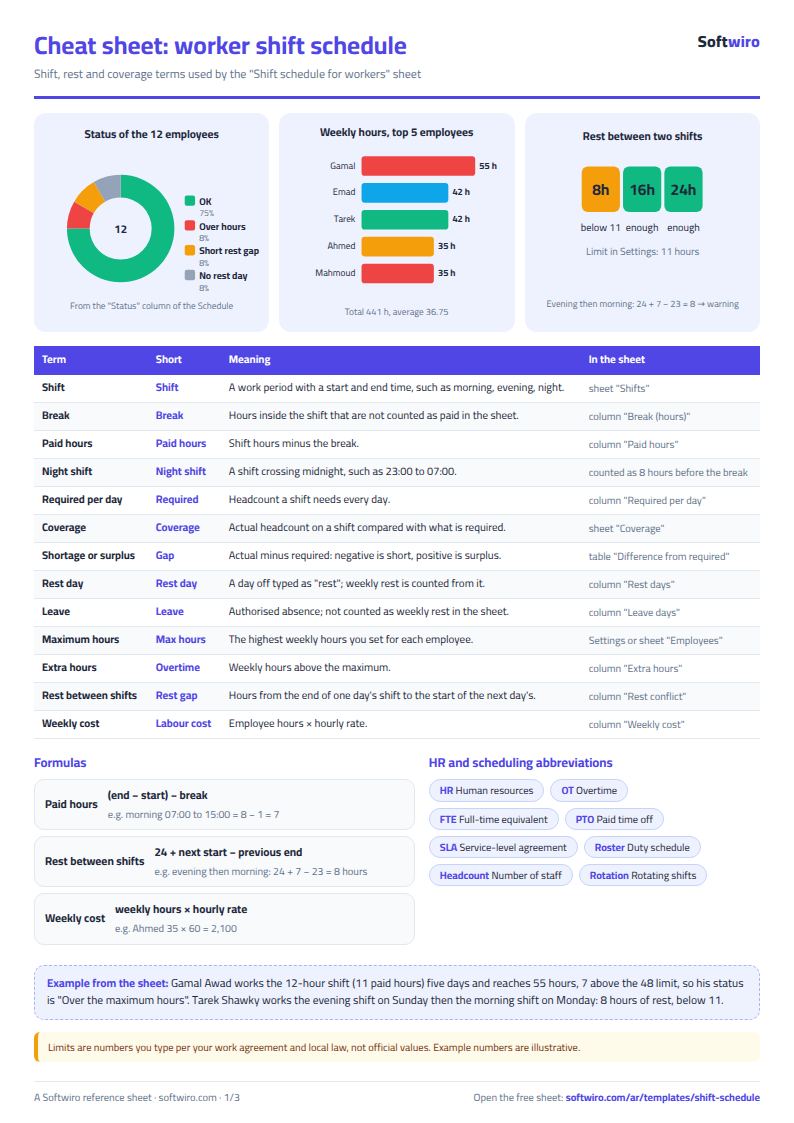
The numbers below come from the sample in the file and are not real data. The sample has 12 employees and four shifts: morning 07:00 to 15:00, evening 15:00 to 23:00, night 23:00 to 07:00 and a 12-hour shift from 07:00 to 19:00, each with a one-hour break. Paid hours are therefore 7, 7, 7 and 11. The week totals 441 hours, an average of 36.75 per employee, costing 19,054 pounds at the hourly rates.
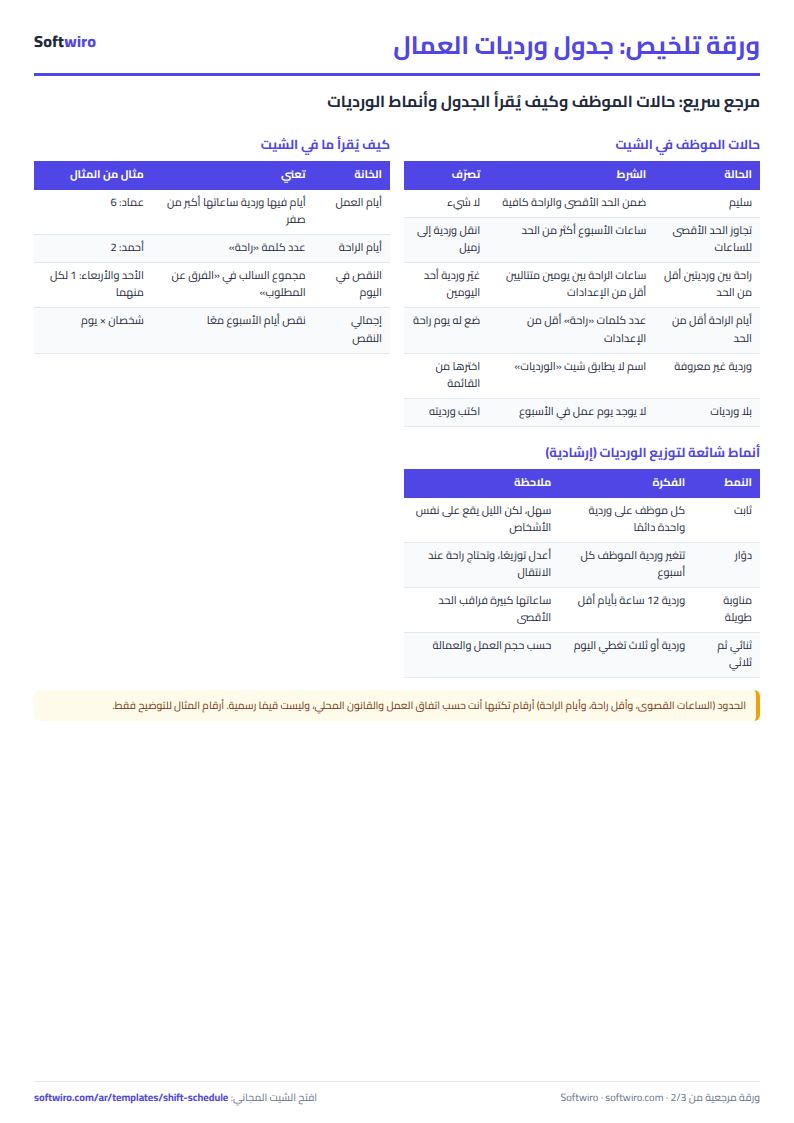
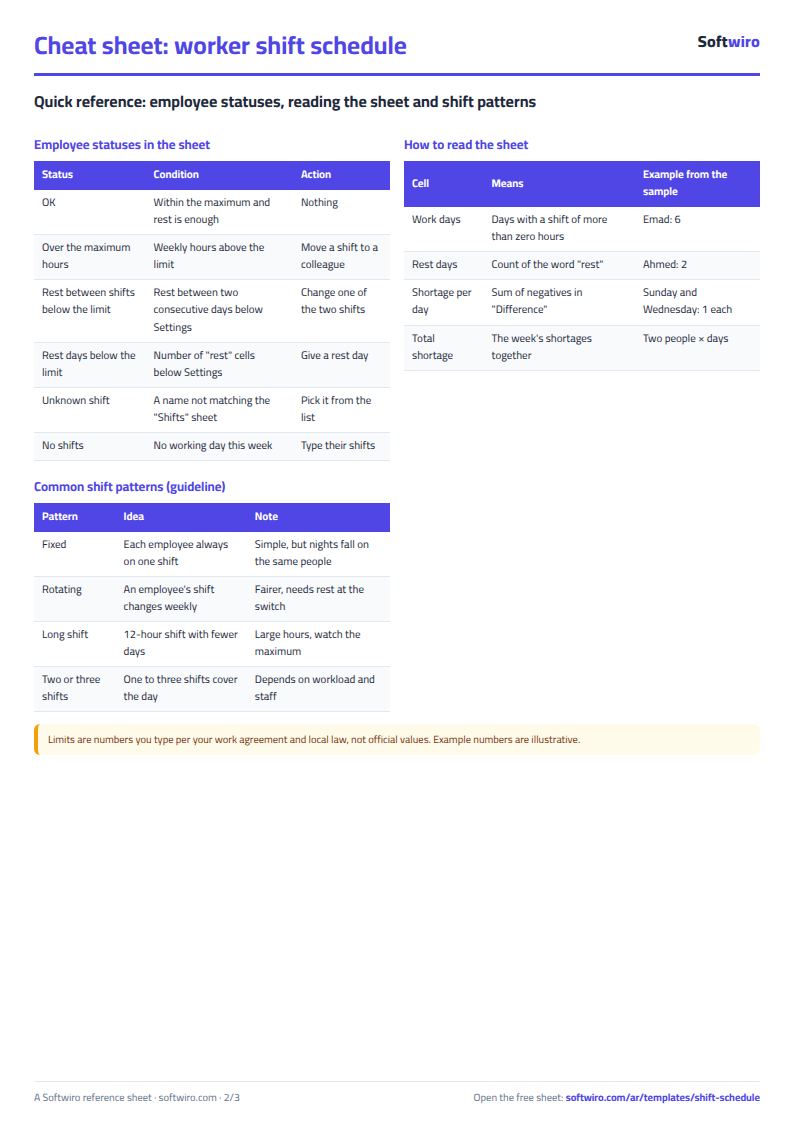
Three warnings appear. Gamal Awad on the long shift five days reaches 55 hours, 7 over the 48-hour limit in Settings. Tarek Shawky works the evening shift on Sunday and the morning shift on Monday, only 8 hours of rest against a minimum of 11, so the status reads "rest between shifts below the limit". Emad Fathy works six nights and takes one leave day but no rest day, so his status reads "rest days below the limit", because leave does not count as weekly rest. The other nine show "OK".
In Coverage the morning shift has 2 instead of 3 on Sunday and on Wednesday, so the week is short by two people, with a surplus on two evening days and two night days. You move someone from a shift with a surplus to the short one and watch the numbers change at once.
Common mistakes
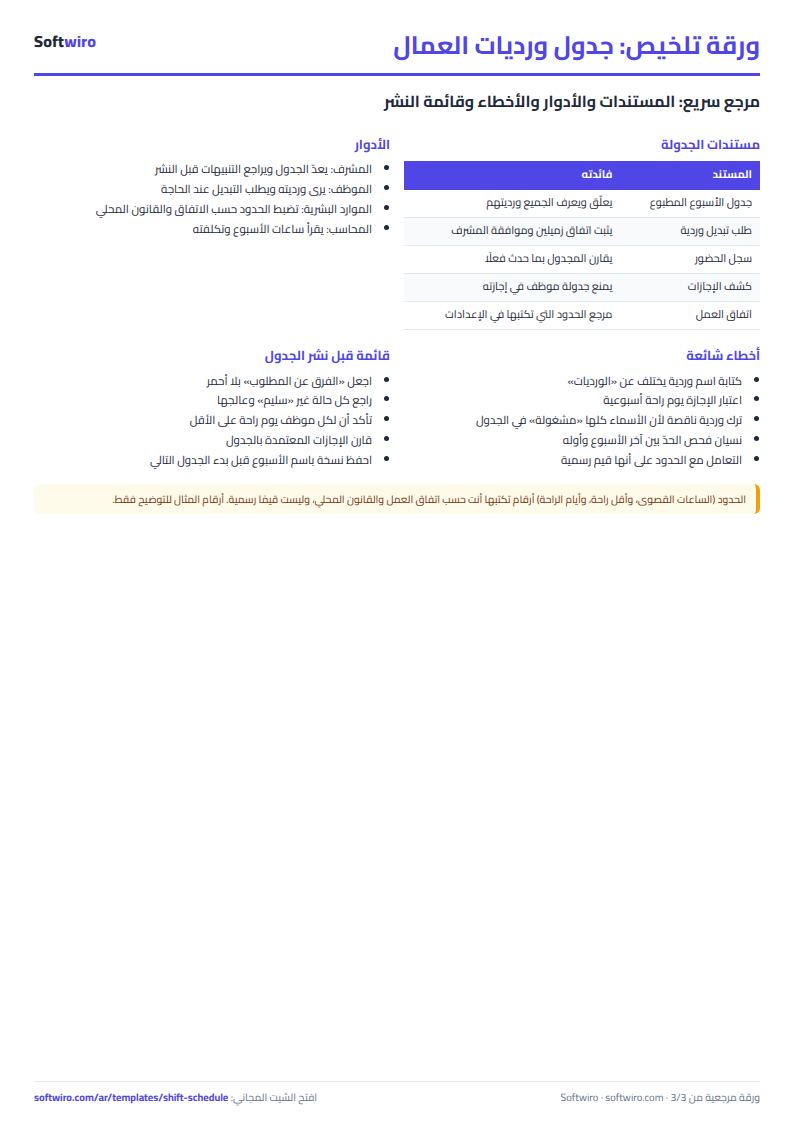
- Typing a shift name that differs from the one in Shifts: the status becomes "unknown shift".
- Forgetting that leave is not rest: weekly rest is counted from the word "rest" only.
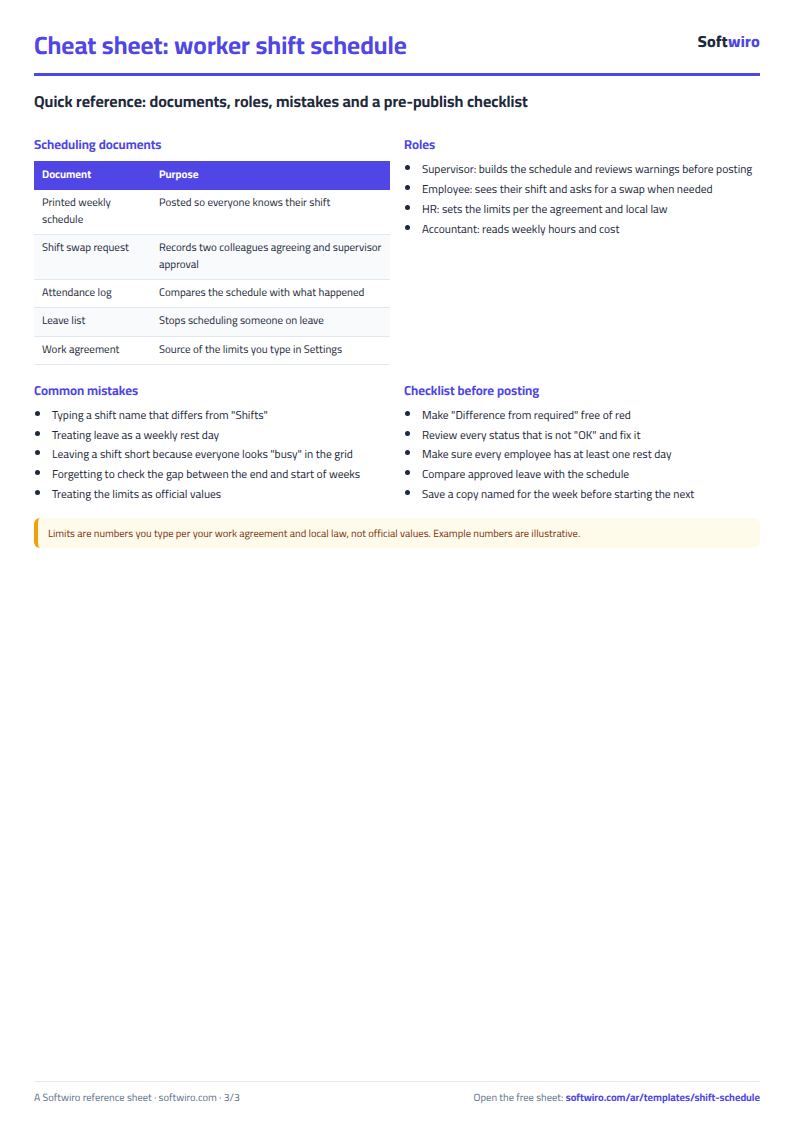
- Scheduling a night shift at the end of the week followed by a morning in the next week: the sheet does not check across weeks, so review that yourself.
- Treating the limits as official: they are numbers you set, so check local law and your work agreement.
- Editing the grey cells: they are formulas, so type only in the white cells.
When to move to a system
When every employee wants to see their schedule on a phone, ask for a shift swap that a supervisor approves, or you need scheduled hours compared with actual attendance across branches, the file becomes limiting. Softwiro can build a system around how you work. For attendance and payroll, use the employee payroll and attendance sheet next to this schedule.
Try it now
Open the sheet and try it online or download the Excel file, clear the sample names, type your employees and shifts, and read the status column before you post the schedule. If you want something tailored, ask for it here.