You want a Thanaweya Amma study plan that does not stop at a timetable printed at the start of the month, but tells you every day how many days are left, which lesson is due for review, which subject is slipping and whether your mock exams are approaching your target. The free Thanaweya Amma study plan sheet does that from five things you type: your subjects, your lessons with the date you studied each, your weekly timetable and your mock exam scores. The subjects, lessons, dates and marks are all yours, so the sheet never claims to be the official syllabus or the official exam dates. (The template page is in Arabic.)
The problem it solves
Most students study hard for the first weeks and then lose the reviews. You study a lesson today and forget it two weeks later because you never went back, and you find out just before the exam that a whole subject has fallen behind. Mock results pile up in different notebooks, so you cannot tell whether you are improving. The fix is one place that records everything and does the arithmetic.
How the sheet works, step by step
- In Settings type your name, today's date and the date your exams start, taken from the official source, then your subjects with each full mark, your target percentage and the subject's exam date.
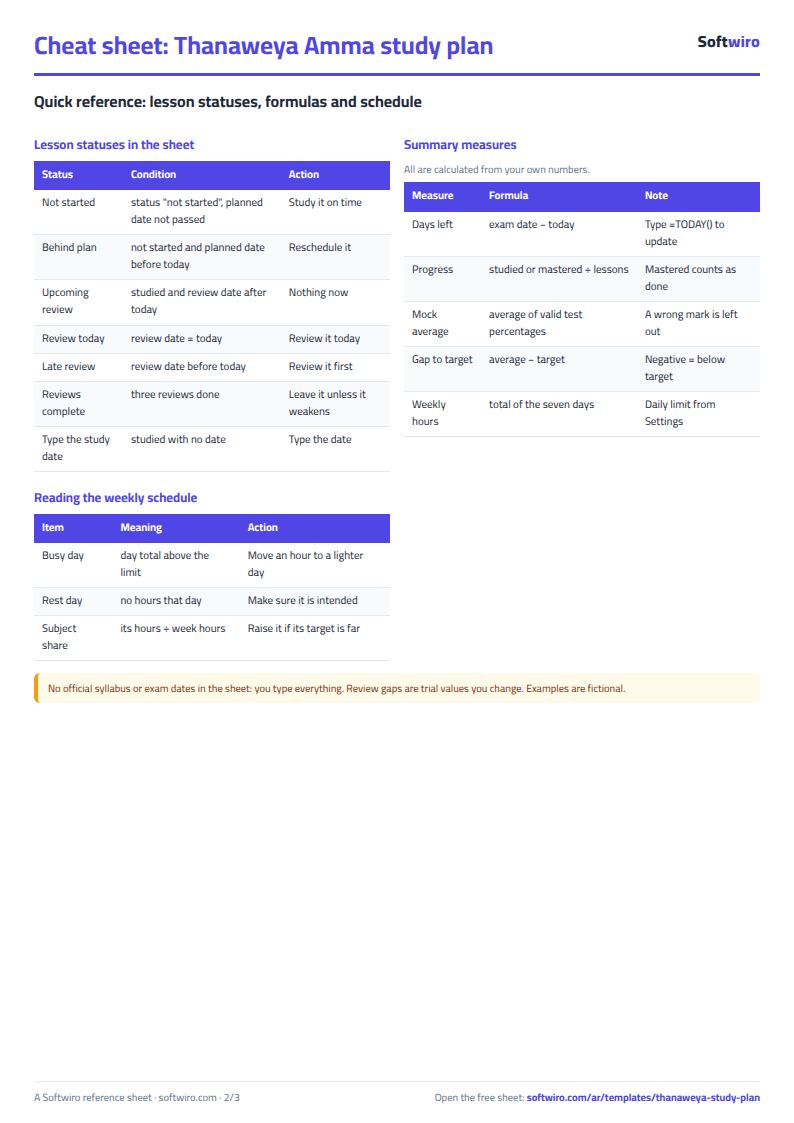
- Set the review gaps. The default is 2, then 7, then 21 days after studying; these are trial values you change to suit yourself, not an official rule.
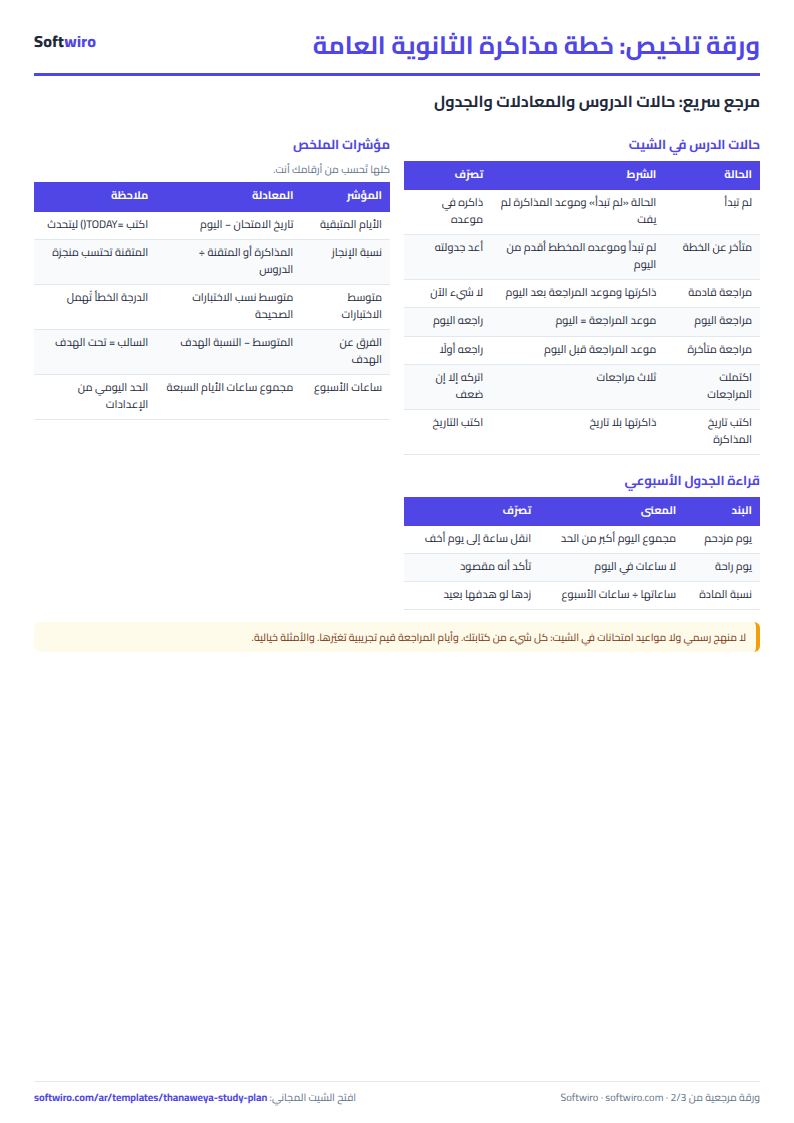
- In Lessons type each lesson with its subject and planned study date. When you study it, change its status to "studied" and type the study date; the next review date appears.
- Each time you finish a review, raise the review count and the due date moves to the next gap. After three reviews the lesson shows "reviews complete".
- In Weekly schedule spread subjects and hours over days and slots; the sheet warns about a day above your limit.
- In Mock exams record each test with its mark and the sheet works out its percentage and the gap to the subject's target.
- Open Summary every morning for the days left and the late and due reviews.
What each sheet holds
- Settings: today's date, exam start date, review gaps, daily hour limit and up to 10 subjects.
- Lessons: up to 300 lessons with next review date, days to it and a colour-coded status.
- Weekly schedule: seven days by four slots, each day's total, and each subject's weekly hours and share.
- Mock exams: up to 300 tests with percentage, gap to target, attempt number and a check column for mistakes.
- Summary: the big numbers, a table per subject and three charts.
Walk-through on the sample numbers
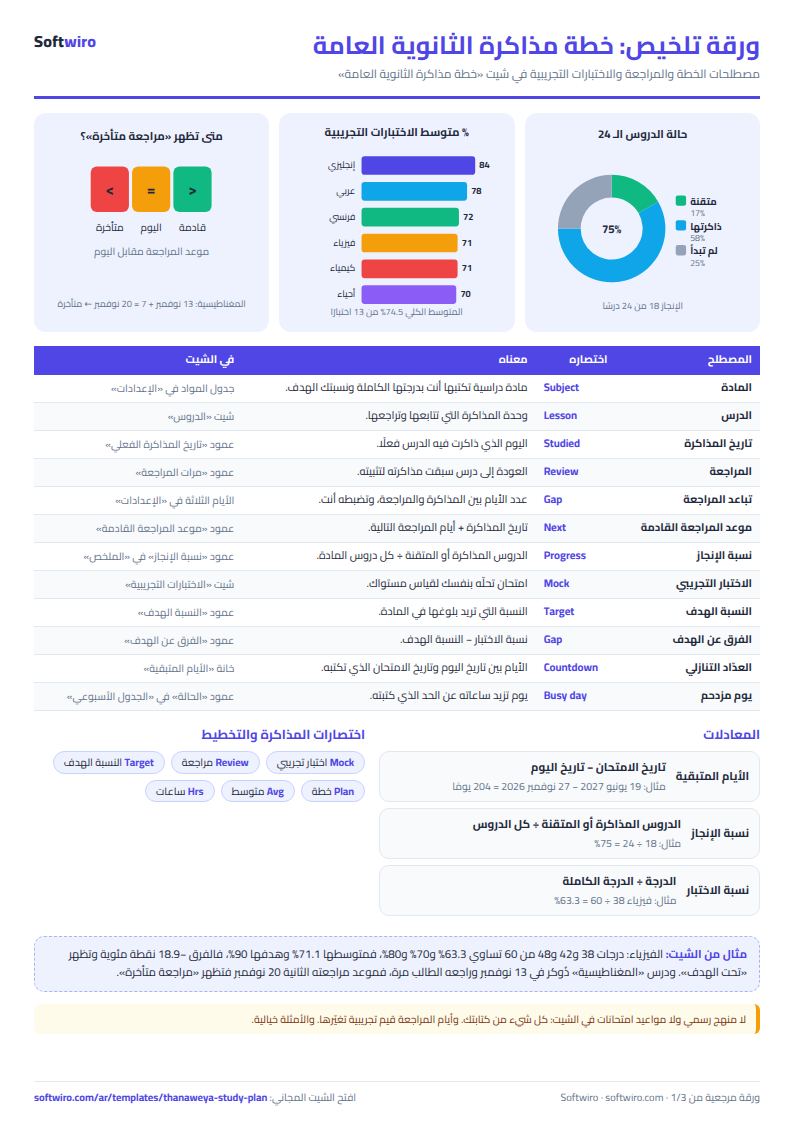
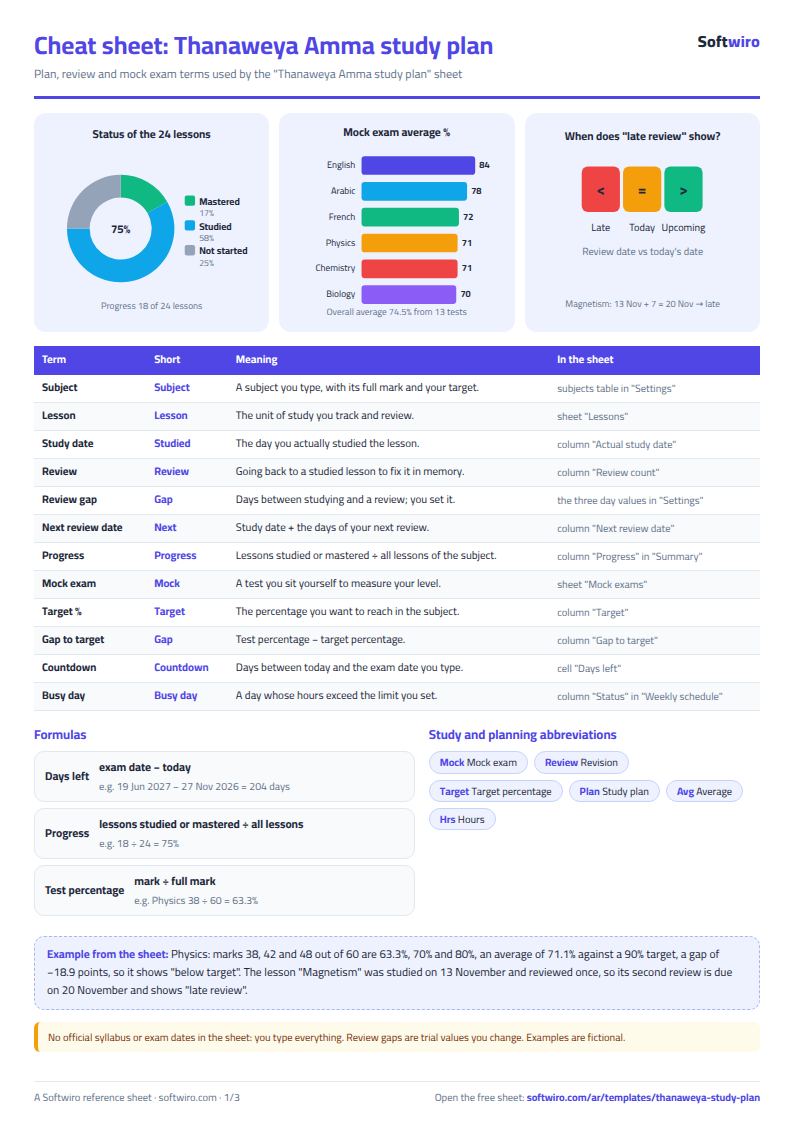
These are fictional sample numbers inside the sheet, not a real student. Today's date in the sample is 27 November 2026 and the exams start on 19 June 2027:
- Countdown: 204 days left, which is 29 whole weeks.
- Lessons: 6 subjects and 24 lessons, 18 of them studied or mastered, so overall progress is 75%. Four lessons are mastered.
- Reviews: the sample has 8 late reviews and 1 due today. For example "Magnetism" was studied on 13 November and reviewed once, so its second review is due on 20 November (13 + 7 days), seven days before today, and it shows "late review". "Vocabulaire: thèmes" in French was studied on 25 November with no review yet, so it is due on 27 November (25 + 2) and shows "review today".
- Weakest subject: French at 50% (two lessons of four); the strongest is Arabic at 100%.
- Timetable: the week totals 35.5 hours, most for English at 8 hours and least for French at 3 hours. Wednesday has 7 hours, above the 6-hour limit, so it shows "busy day"; Friday has none and shows "rest day".
- Mock exams: 15 tests were typed and 13 counted, averaging 74.5%. The other two are a test in "History", which is not listed in Settings, and one scored 70 out of 60 by mistake, so they show "subject not found" and "check the mark" and stay out of the average.
- Against target: Physics scored 38, 42 and 48 out of 60, which is 63.3%, 70% and 80%, an average of 71.1% against a 90% target, so it shows "below target".
Common mistakes
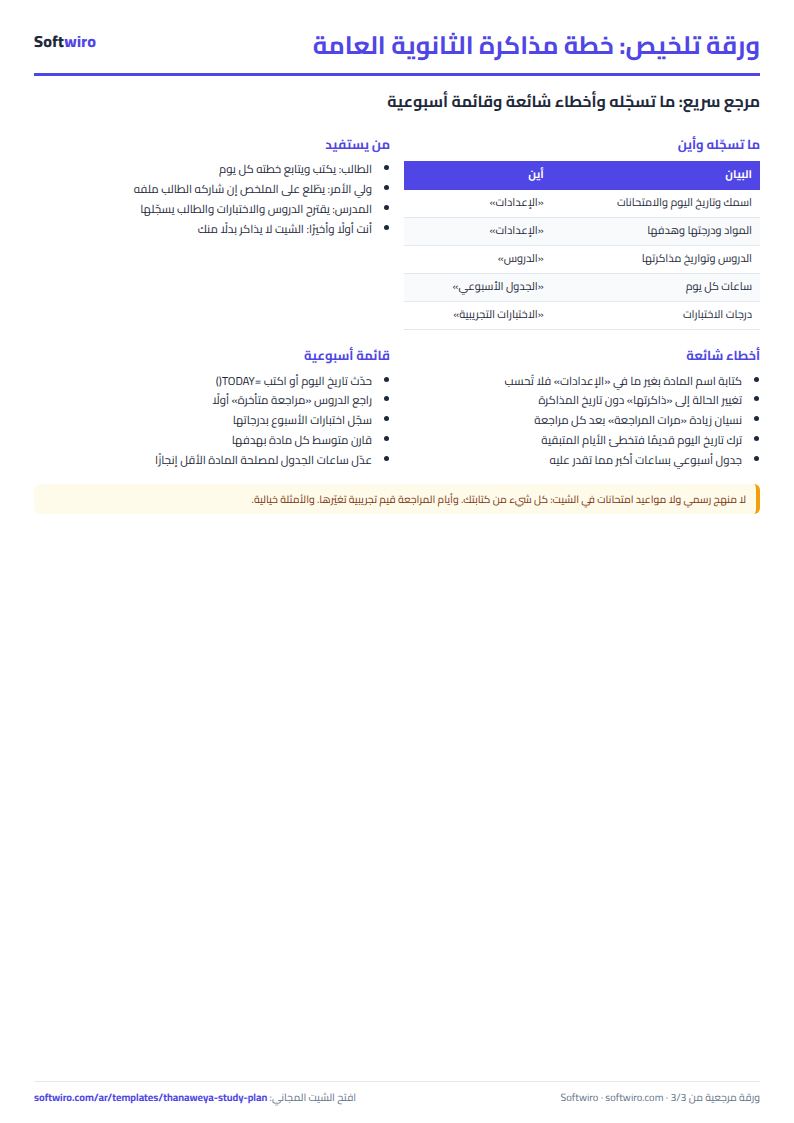
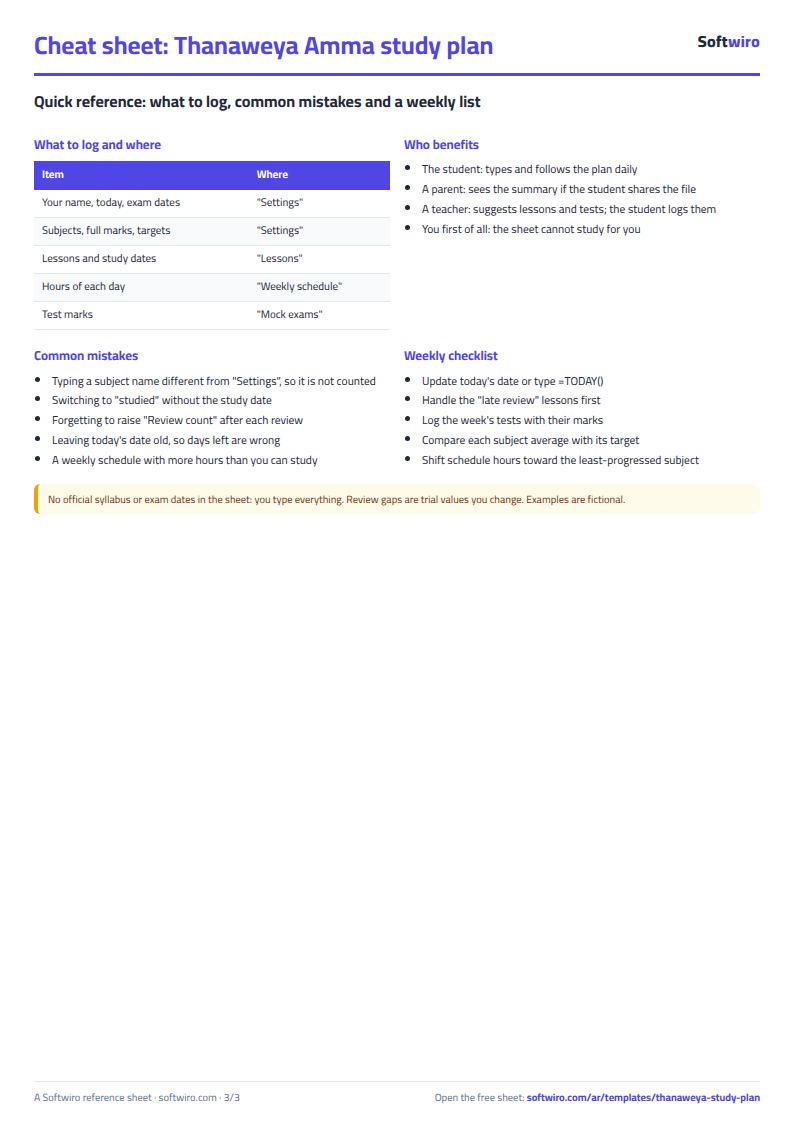
- Typing a subject name different from the one in Settings, so its lessons and tests are not counted. Pick it from the list.
- Switching to "studied" without a study date, so no review date appears and the status asks for the date.
- Forgetting to raise the review count after each review.
- Leaving today's date old, which makes the days left wrong. Type =TODAY() to keep it current.
- Filling the timetable with more hours than you can really study. Keep the daily limit realistic.
When one sheet is not enough
The sheet suits one student tracking themselves. For a wider daily-habits timetable try the weekly study routine sheet, and for lesson-by-lesson study before a single exam the study planner. If a teacher or parent needs to follow several students in one place, Softwiro can build a program around your way of working.
Your next step
Download the sheet, type your real subjects, lessons and exam dates from the official source today, then enter the last lesson you studied with its date and open "Summary" to see what to review tomorrow. Download the sheet here.
FAQ
Is the syllabus in the sheet official? No. Every subject, lesson, date and example is fictional or typed by you.
How is the review date set? Study date plus the days in Settings for your review count.
How is progress calculated? Lessons studied or mastered divided by all lessons of the subject.
Does the countdown update itself? Type =TODAY() in today's date to update daily.