You run a pharmacy and want answers without leafing through invoices: what each unit really cost you after supplier bonus and discount, how much you earned per category this month, which items are about to run out, and what you owe each supplier. The free pharmacy management sheet brings it together: items, purchase invoices, daily sales, shortages and supplier accounts. Expiry dates have their own sheet, the pharmacy expiry tracker, so this one does not repeat that logic. (The page is in Arabic; the workbook is Arabic, right to left.)
The problem it solves
A supplier invoice arrives with bonus units and a discount, yet the list price gets typed in as the cost, so profit is worked out on a price you never paid. Sales sit in the cashier's book, the contract-company share on another paper, you learn an item ran out when a customer asks for it, and you learn what you owe a supplier when he calls. Here every event is typed once and the rest is calculated.
Steps from opening the file to the report
- Settings: enter any date inside the month you want summarised, the first month of the monthly table, the minimum-level multiplier (2 in the sample) and the item categories.
- Suppliers and Items: type each supplier and phone, then items with code, trade name, category, unit, list cost, selling price, minimum level, usual supplier and opening stock.
- Purchases: for each item on the invoice enter date, invoice number, supplier, code, quantity bought, bonus quantity, unit price and discount percentage.
- Sales: enter date, code, quantity, payment type (cash or contract), discount and, for a contract sale, the company's percentage.
- Supplier payments: log each amount you paid a supplier with its date.
- Open Shortages, Daily sales and Summary; all of them calculate by themselves.
What each sheet holds
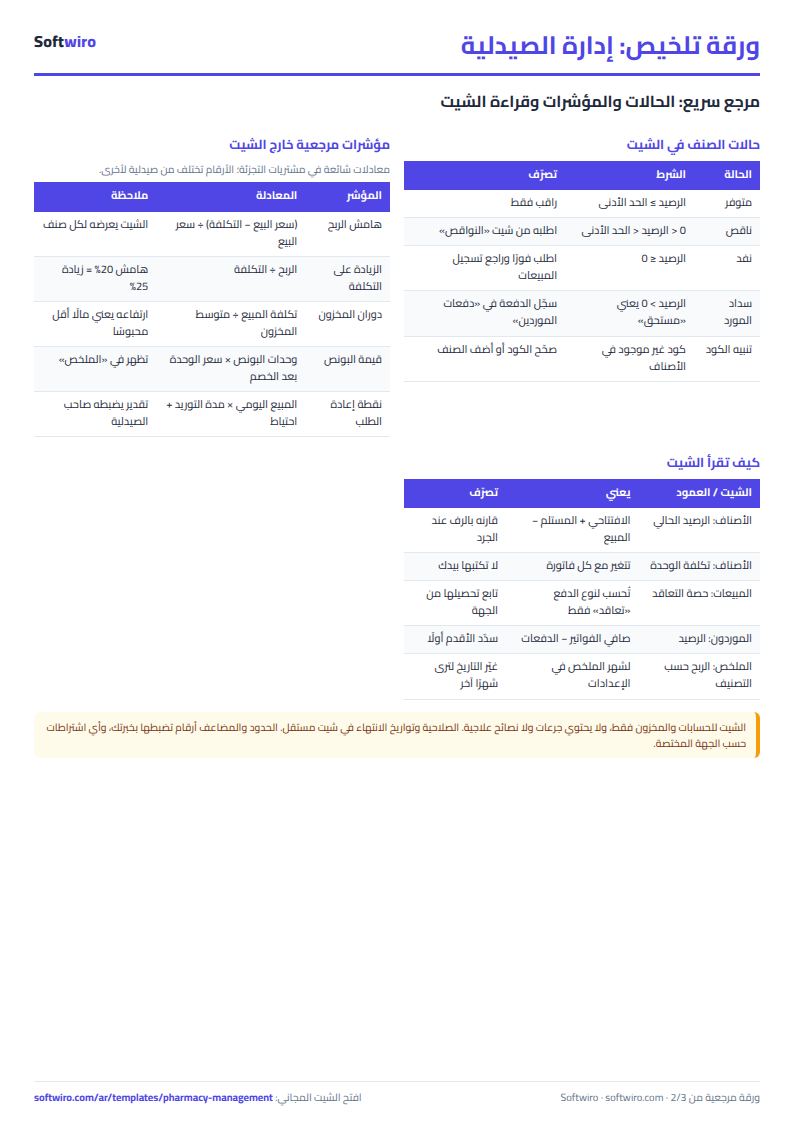
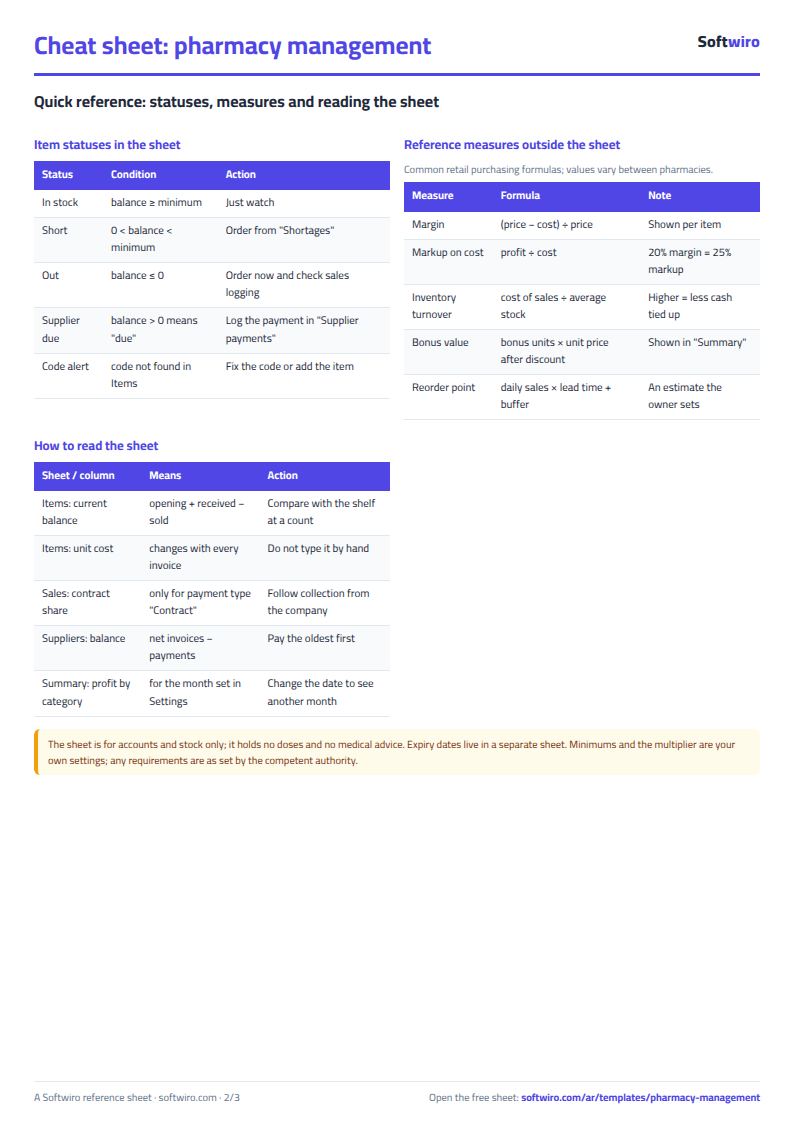
- Items: received units including bonus, sold units, current balance, actual unit cost, stock value, margin, status (in stock, short or out) and order quantity.
- Purchases: the net of each line after discount, the actual unit cost, the bonus value, and a red alert if the code or supplier is not registered.
- Sales: selling price looked up from Items, net sale, contract share, cash from the customer, cost and gross profit.
- Suppliers: net purchases, paid and balance due for each supplier.
- Shortages: what to order, sorted by quantity, with an estimated order cost.
- Summary: the month's figures, profit by category and six months, with three charts.
A walk-through on the sample numbers
The items, suppliers and numbers below are sample data inside the sheet, not real. The sample has 14 items, 5 suppliers, 22 purchase lines and 146 sales lines between September and November 2026, and the summary month is October.
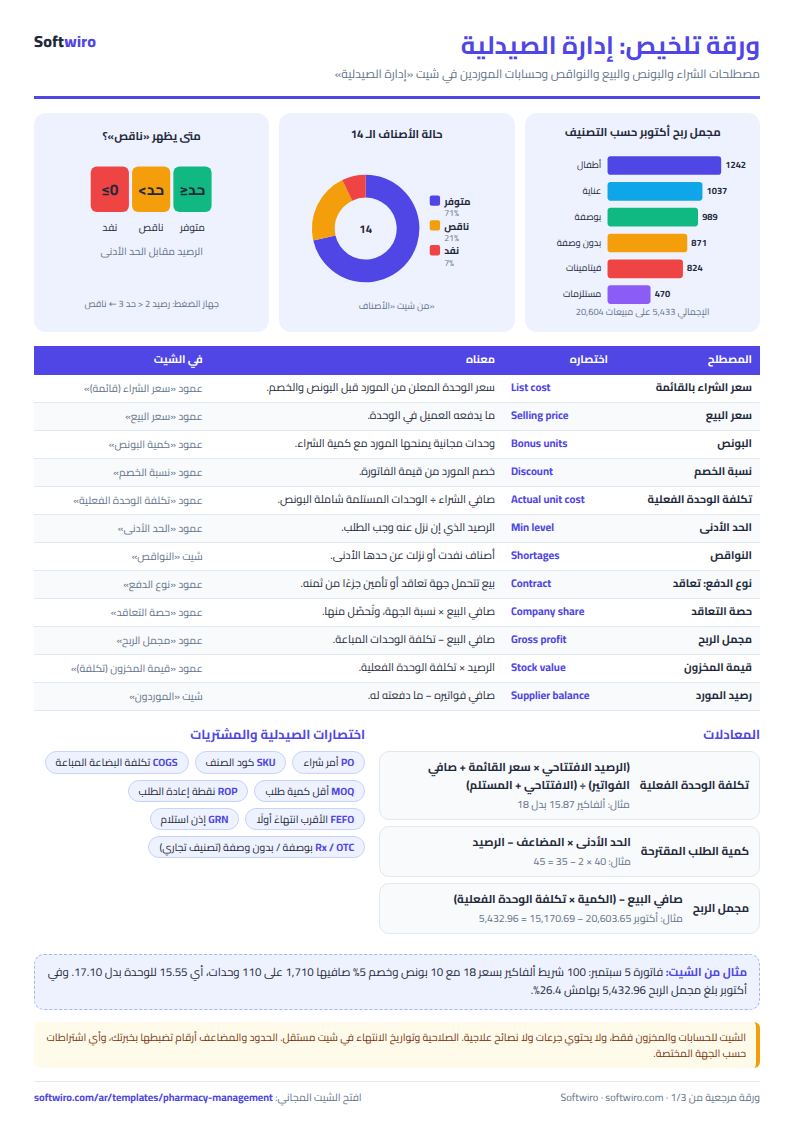
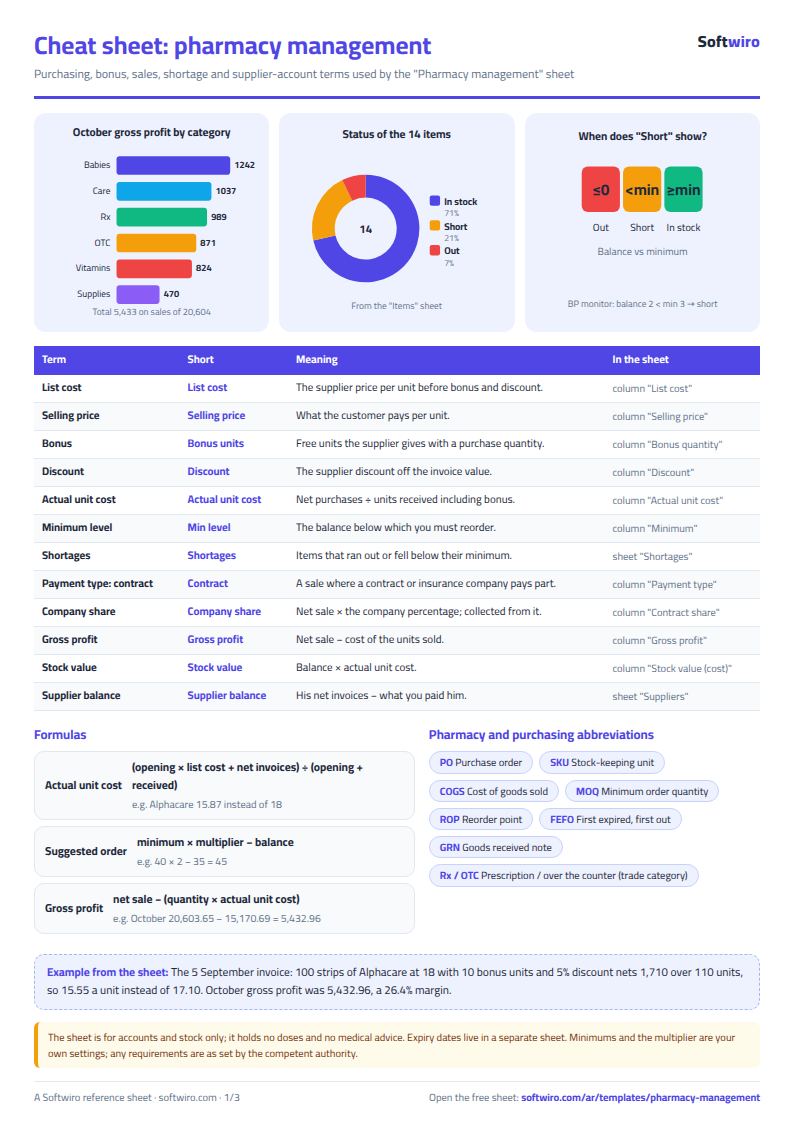
- Effect of bonus: on the 5 September invoice we bought 100 strips of "Alphacare" at 18 with 10 bonus units and a 5% discount. The net is 1,710 over 110 units, so a unit costs 15.55 instead of 17.10 without the bonus.
- Item cost: after all the item's invoices and its opening stock the actual unit cost is 15.87; against a selling price of 24 the margin is 33.9%.
- A contract sale: on 6 September 17 units went to a contract company at 70%. Net sale 408, company share 285.60, the customer pays 122.40, cost of sale 269.76, so gross profit is 138.24.
- October 2026: net sales 20,603.65 from 57 sales lines: 14,780.47 in cash and 5,823.18 contract-company share. Cost is 15,170.69, so gross profit is 5,432.96 at a 26.4% margin.
- Profit by category: the biggest sales in October were "Babies and infants" (6,735), but its profit is only 1,241.93, a margin of 18.4%, while "Skin and hair care" sold 3,012.50 and earned 1,037.17, a 34.4% margin. The biggest seller is not the most profitable.
- Purchases: October net purchases were 14,768.90, including 16 bonus units worth 705.30 at the invoice price after discount.
- Stock: value at actual cost is 21,448.59 across 14 items.
- Shortages: four items: the shampoo is out (balance 0), "Alphacare" has 35 against a minimum of 40, "Omega Plus" has 3 against 8, and the blood-pressure monitor has 2 against 3. Alphacare's suggested quantity is 40 × 2 − 35 = 45, costing 714.08, and ordering all four costs 6,748.10.
- Suppliers: invoices total 45,609.40 net; after your payments you still owe 31,109.40, the largest being Baby Land 9,600, then Al-Amal 7,000, then Al-Mottahida 6,570.
Common mistakes
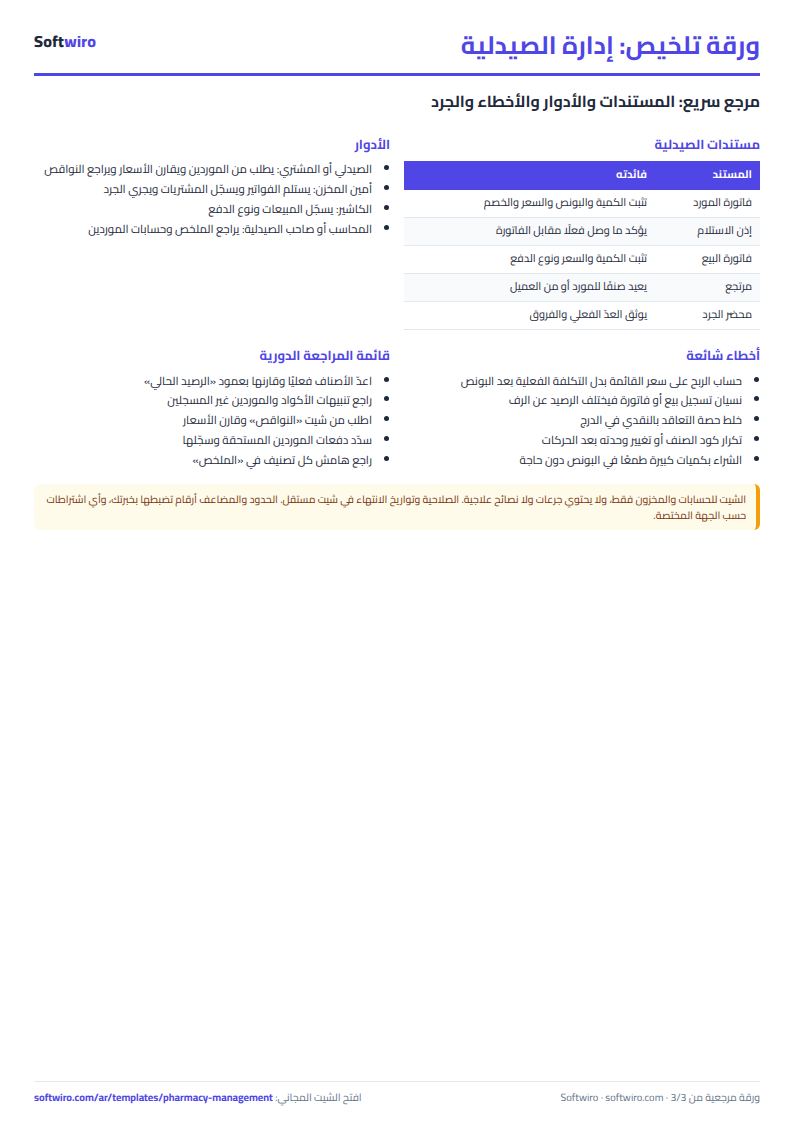
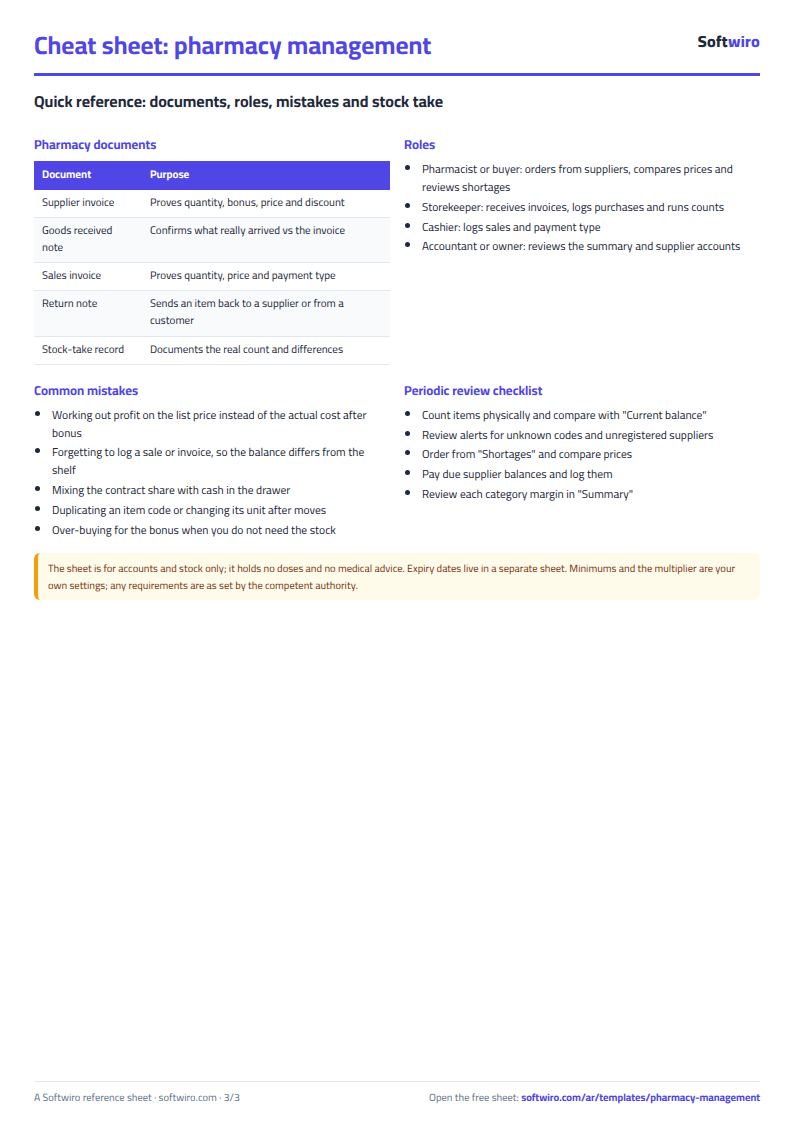
- Using the list price to work out profit: bonus and discount change the cost. Enter everything on the purchase invoice and let the sheet work out the actual cost.
- Forgetting to log a sale or purchase: the balance then differs from the shelf. Count periodically and log the difference as opening stock or a purchase line.
- Typing a code that is not in Items: a red alert appears and price and cost count as zero until you fix the code.
- Treating the contract share as cash in the drawer: it is due from the company, so follow it in your own book.
- One multiplier for everything: a fast seller needs a bigger multiplier than a slow one, so review each item's minimum level.
When to move to a system
The sheet suits a small pharmacy with one person typing. If several people sell and buy at the same time, or you want dispensing tied to the e-prescription and a warning before an item runs out, that is a system's job. Softwiro's MyClinic (Sehaty) tracks pharmacy stock item by item. To compare pharmacy systems read how to choose pharmacy software in Egypt.
Try it now
Open the sheet and try it online, or download the Excel file. Clear the sample numbers, type your suppliers and items with opening stock, then log today's invoice and sales and open Shortages. It holds 200 items, 50 suppliers, 400 purchase lines and 900 sales lines. If you want a sheet made for your pharmacy, request it here.