You run a private school and want to see, without scattered files, how many students are in each class and whether it has passed its capacity, how much each guardian has paid of their instalments and how late they are, which teacher is overloaded and which has too few periods, and whether the month's income covers its spending. The free private school management sheet holds all of this in one file.
The problem it solves
In a private school the numbers live in separate files: one for students, one for instalments, one for periods. Halfway through the year the head discovers that a class has passed its capacity, dozens of instalments are uncollected, and one teacher teaches far above their quota while another hardly works. The sheet ties these numbers together so you read them on one page.
How it works, step by step
- In الإعدادات (Settings) type today's date, the report month, the teaching load and the low-attendance limit, the instalment table (date and share of each), the grades with their annual fees, and the expense categories.
- In الفصول (Classes) write each class, its grade, capacity and homeroom teacher.
- In الطلاب (Students) write each student's code, name, class, guardian, phone and any discount. The sheet shows grade, fee, net fee, due to date, overdue and status.
- In المدفوعات (Payments) log each amount a guardian pays, with date and student code.
- In المعلمون (Teachers) write each teacher, subject and salary, and in توزيع الحصص (Period allocation) write for each class and subject the teacher and weekly periods, so each teacher's load appears.
- In الحضور الشهري (Monthly attendance) type per class and month the school days and absence days, log spending in المصروفات (Expenses), and open الملخص (Summary).
What each sheet does
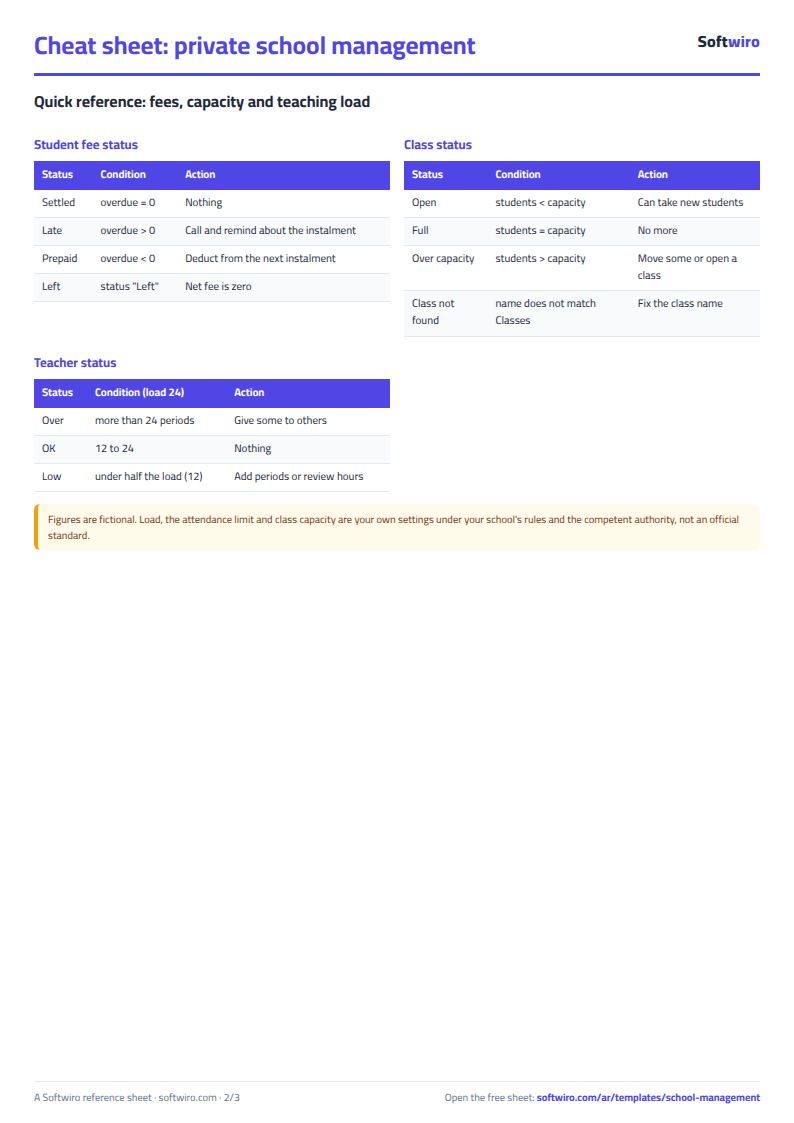
- Classes: students, free seats, occupancy, status (open, full or over capacity) and weekly periods.
- Students: everything on a student's fees and instalments; students who left are shaded and a late status turns red.
- Payments: a log with a receipt per payment, the student's name appears automatically.
- Teachers and Period allocation: periods come from the allocation rows, with status "over", "OK" or "low", and a warning for an unknown class or teacher.
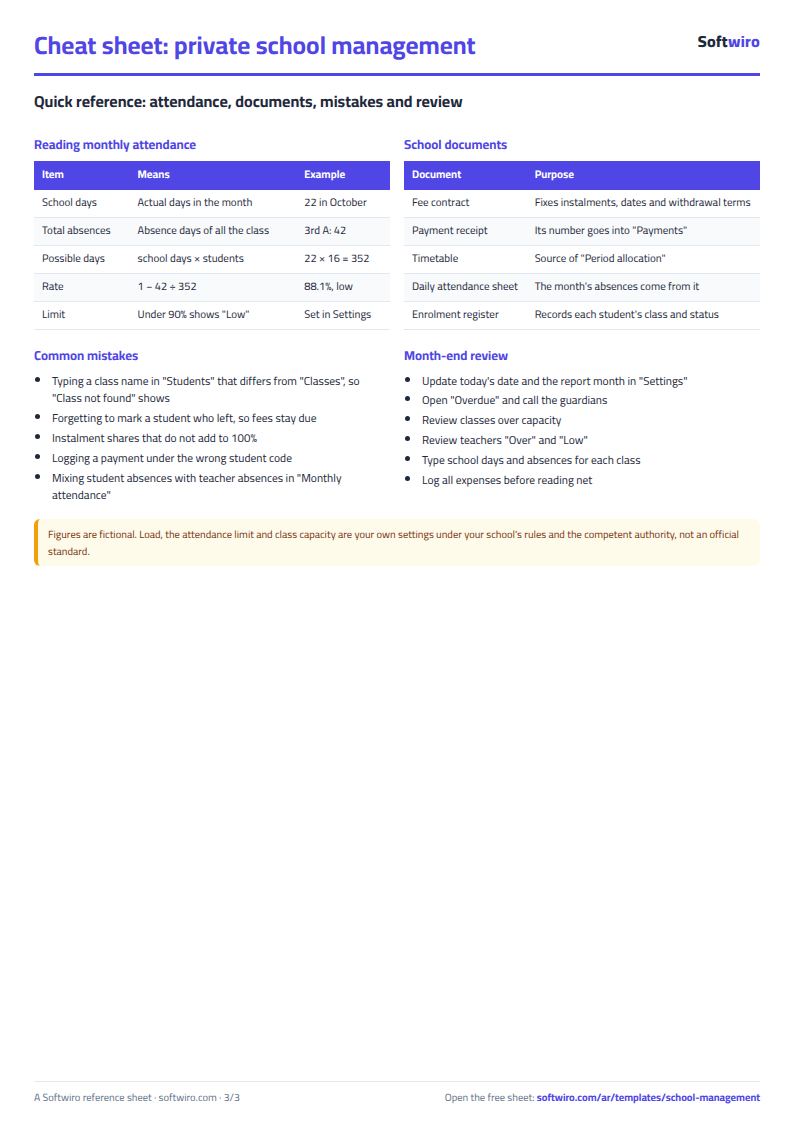
- Monthly attendance: each class's attendance rate per month, with low rates shaded.
- Expenses: a log with categories chosen from a list.
- Summary: the big numbers, fees by grade, instalments and their status, income against spending, and four charts.
Walk-through on the sample numbers
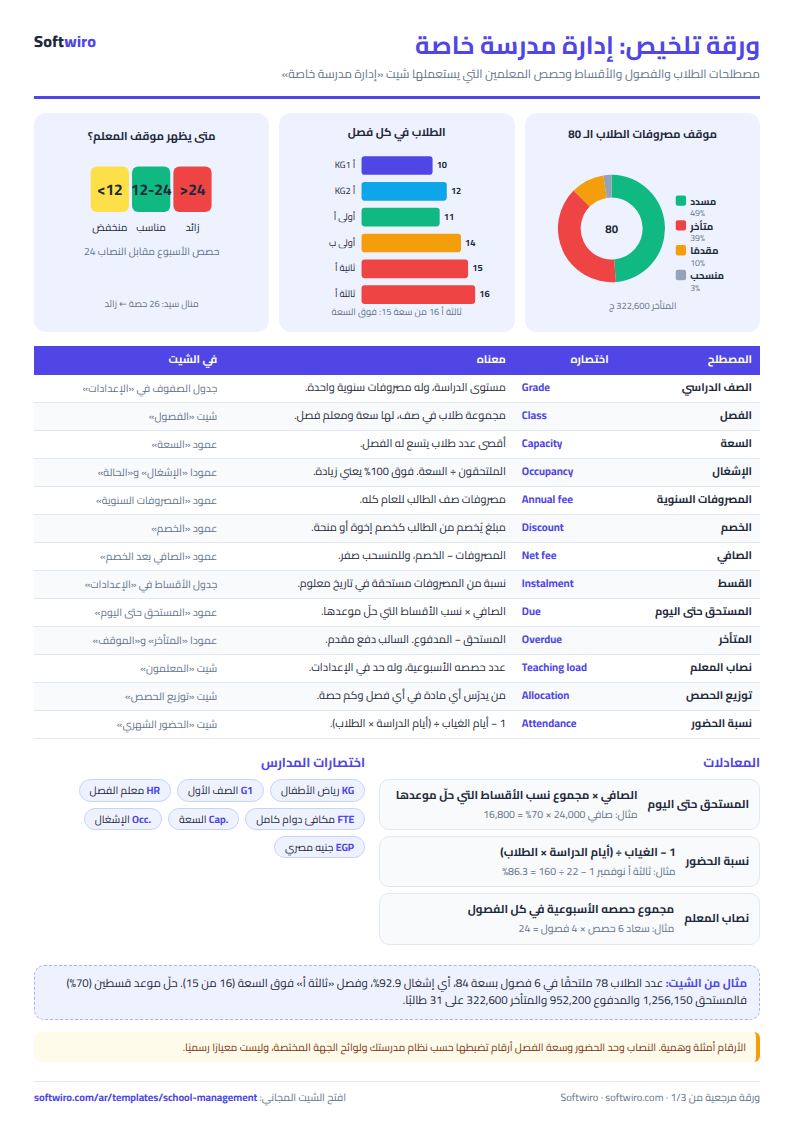
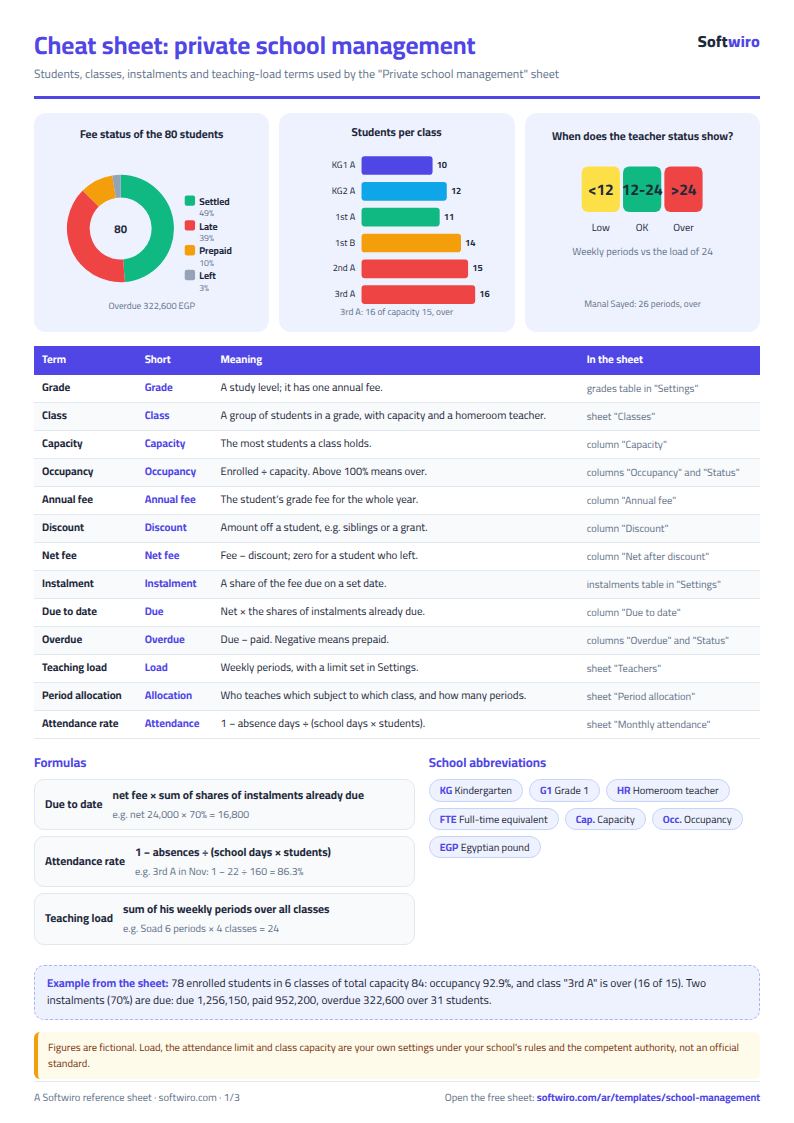
The names and amounts below are sample data inside the sheet, not a real school. The example has 80 students (78 enrolled and two who left) in 6 classes, and today is 15 November 2026:
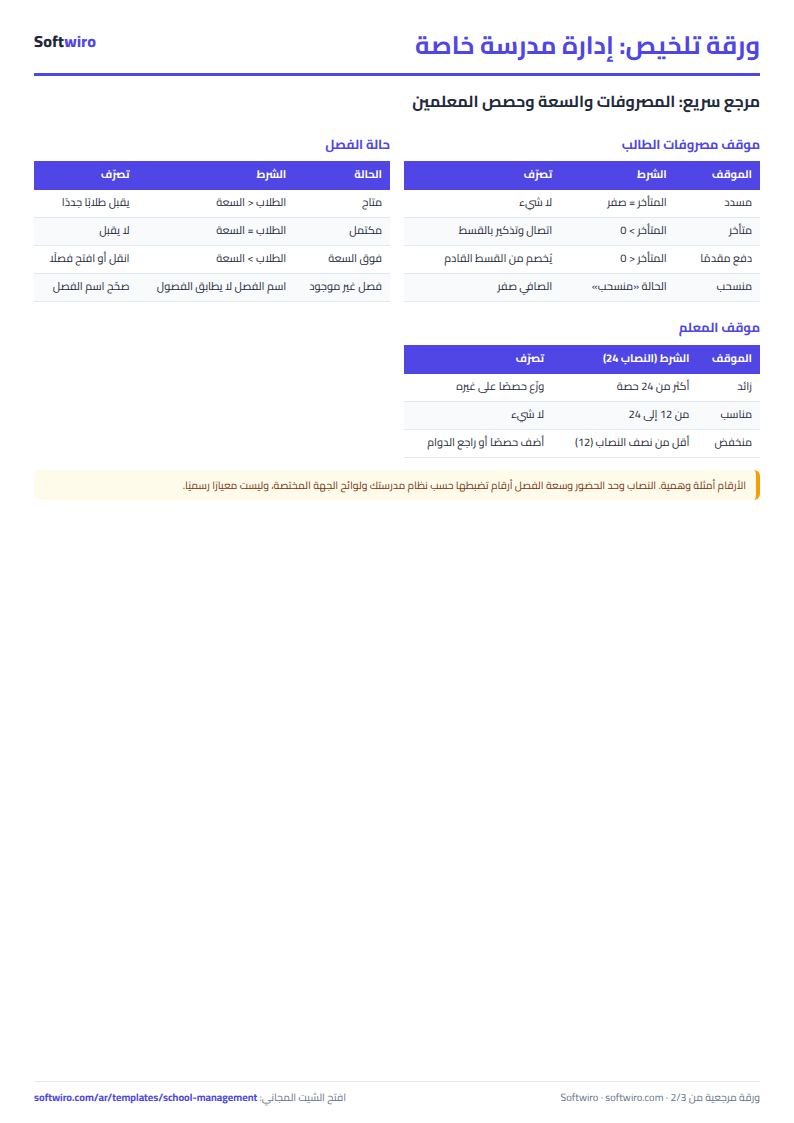
- Occupancy: total class capacity is 84, so occupancy is 92.9%. Class "ثالثة أ" has 16 students against a capacity of 15, so its status is "over capacity". "ثانية أ" and "أولى ب" are full.
- Instalments: four instalments of 40%, 30%, 20% and 10% on 1 October, 1 November, 1 January and 1 March. The first two are due, which is 70%.
- Fees: net fees for the year over all students are 1,794,500 after 11 discounts of 1,500 each. Due to date is 1,256,150 and paid is 952,200, a collection of 75.8% of what is due.
- Overdue: 322,600 over 31 students, while 8 students prepaid and 39 are settled up to today.
- Teachers: nine teachers with monthly salaries of 50,800. Manal Sayed teaches 26 periods, above the load of 24, so she shows "over". Ibrahim Reda has 5 periods and Emad Nabil and Ahmed Galal 8 each, all "low" because they are under half the load. Soad Mansour teaches exactly 24, so she is "OK".
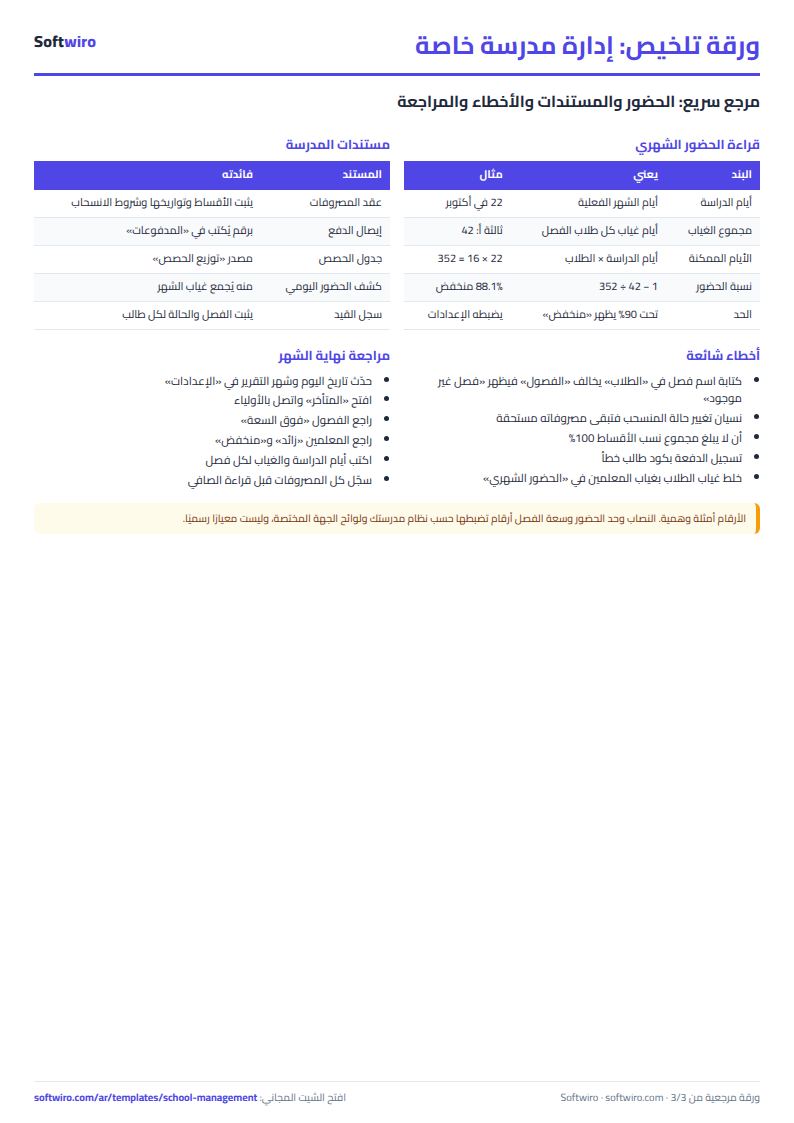
- Attendance: November's attendance for the whole school is 91.0%, but "ثالثة أ" alone is 86.3% (22 absences out of 160 possible days), "low" under the 90% limit.
- Income and spending: in October 610,900 was collected and 116,300 spent, net 494,600. In November 341,300 was collected and 47,200 spent, net 294,100. November spending is rent 25,000, transport 8,200, utilities 6,800, books and supplies 4,200 and maintenance 3,000. Note that November payroll is not logged yet in the example, so net is higher than reality.
Common mistakes
- A different class name in Students and Classes: "class not found" shows and the student counts in no class.
- Forgetting a student who left: their fees stay due. Type "منسحب" and they become zero.
- Instalment shares not adding to 100%: the total in Settings turns red.
- A wrong student code on a payment: "code not found" shows and the payment counts for nobody.
- Mixing teacher absences in: "Monthly attendance" is for student absences only.
- Treating the load as an official standard: the load, attendance limit and class capacity are numbers you set under the competent authority's rules and your school's policy.
Related school sheets
For daily attendance per student use the student attendance sheet, then type each class's total absences into "Monthly attendance". To build the weekly timetable see the class timetable sheet and carry each teacher's periods into "Period allocation". For exam dates see the exam schedule sheet. For nurseries and KG see the nursery and school fees sheet.
When to move to a system
The sheet holds 300 students, 20 classes, 40 teachers and 2,000 payments, and it is a file one person edits at a time. When several teachers log attendance and grades at the same moment and you want reports to reach guardians, the student performance platform brings grades, attendance and teacher notes together.
Your next step
Download the sheet from its page and start with "الإعدادات": type your grades with their fees and your instalment dates and shares. Then write your classes and capacities, your first twenty students and what they paid, and open "الملخص" to see who is overdue.