You run a small hospital or a medical centre with beds, and you want answers without gathering numbers from every ward: how full each department's beds are this month, what each patient's bill is and what is still owed, how much insurance and contract companies still owe you, and whether income covers expenses. The free small hospital management sheet brings that together, from the records-and-money side only. If you run a clinic without beds, use the complete clinic management sheet instead. (The page is in Arabic; the workbook is Arabic, right to left.)
The problem it solves
Admissions are written in the reception register, services on ward papers, payments in the cash box and insurance balances in another file. When someone asks how many beds are occupied now, or what the month's income is after expenses, you gather numbers by hand and get different answers. Here each admission is typed once, services and payments attach to its number, and the rest is calculated.
Steps from opening the file to the report
- Settings: enter today's date, any date inside the summary month, the first month of the monthly table and the expense categories.
- Departments and Service list: for each department its beds and daily bed rate; for each service or procedure its type and price.
- Admissions: enter admission number, patient code, department, admission date, discharge date (leave it empty while the patient is still in), payer and discount.
- Services given: against an admission number enter the date, service and quantity, and a custom price if it differs from the list.
- Payments: each amount you received, with the admission number and date.
- Clinics, Clinic visits and Expenses: daily visit counts for each outpatient clinic, and expenses by category.
- Open Monthly occupancy and Summary; both calculate by themselves.
What each sheet holds
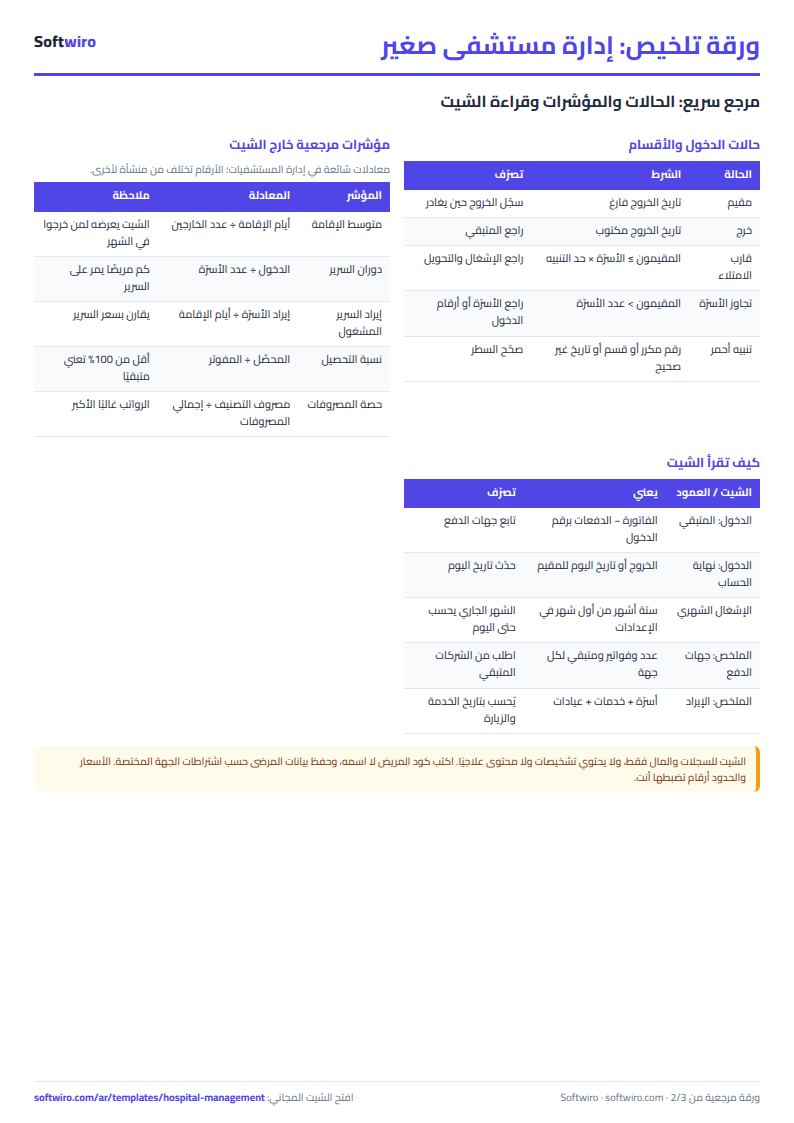
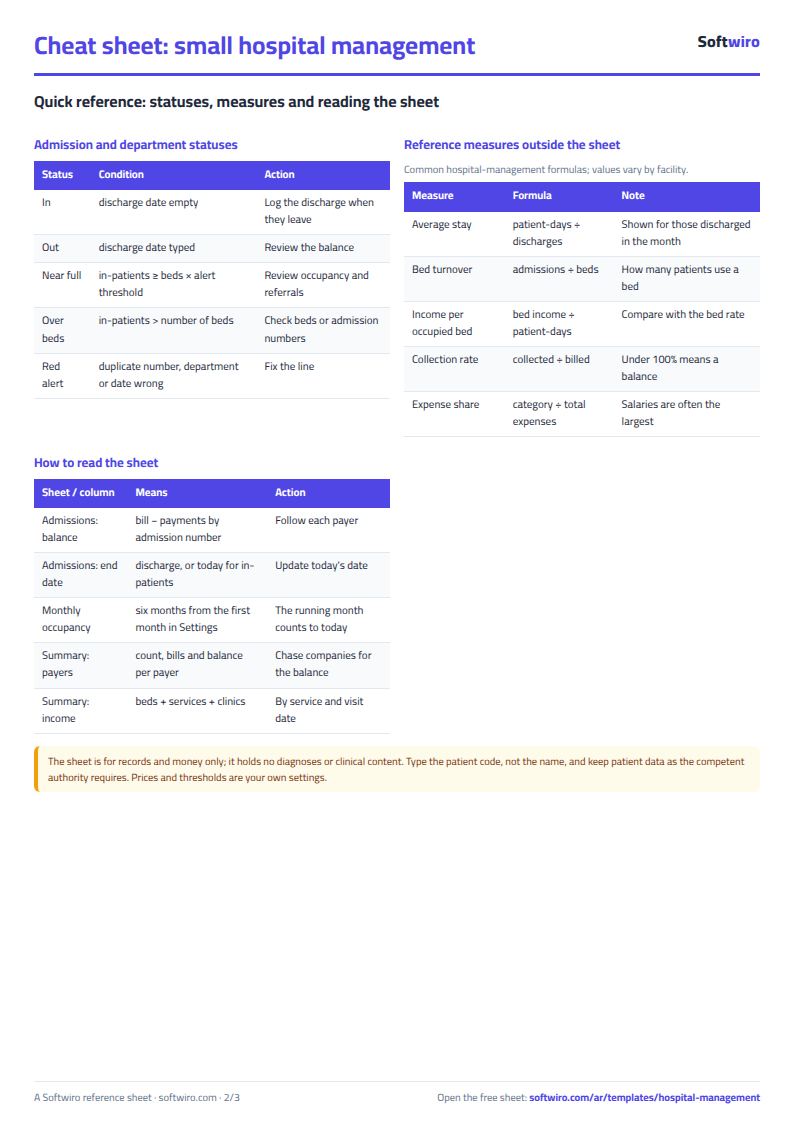
- Admissions: nights of stay (up to today for patients still in), bed charges, services, the bill, paid, balance, and a red alert for a duplicate number, unknown department or discharge before admission.
- Departments: patients in now, admissions this month, patient-days, occupancy, bed and service revenue, and an alert for "near full" or "over beds".
- Monthly occupancy: occupancy, patient-days and bed revenue per department over six months.
- Clinics: visits and revenue of each outpatient clinic for the month.
- Summary: income, expenses and net, the balance by payer, and four charts.
A walk-through on the sample numbers
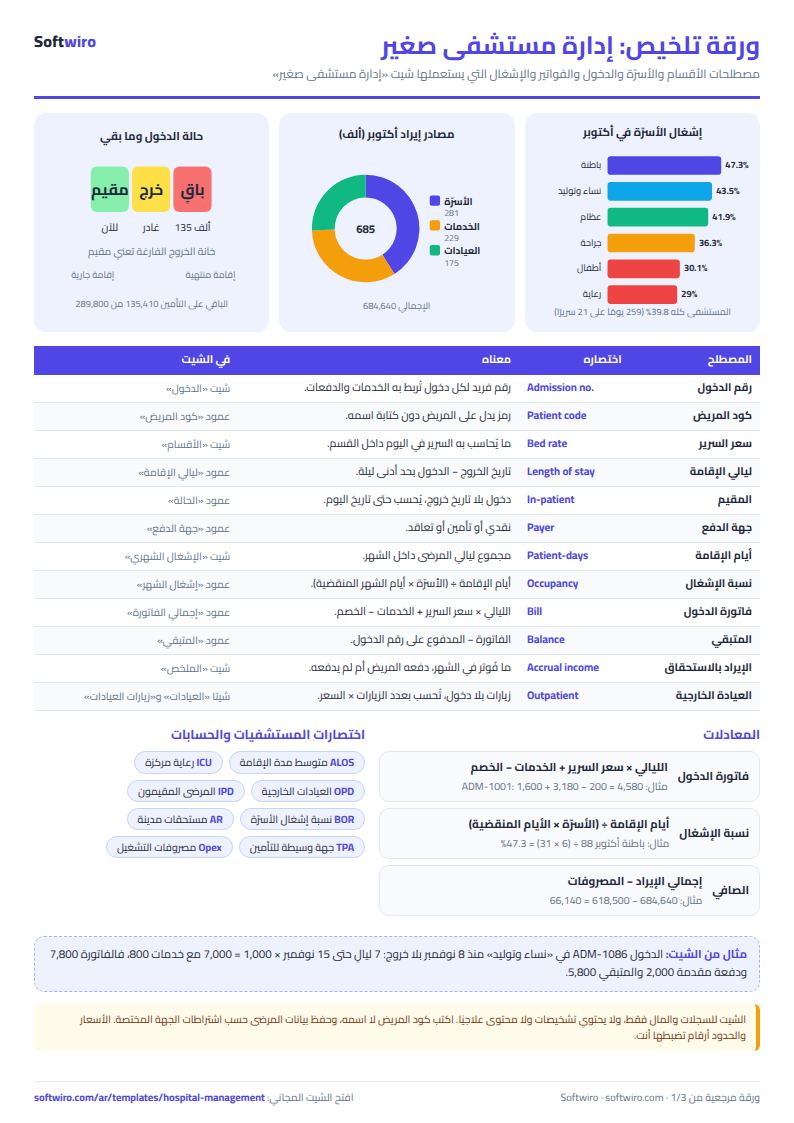
The departments and numbers below are sample data inside the sheet, not real. The sample has 6 departments with 21 beds in total and 98 admissions between October and November 2026; today's date in Settings is 15 November and the summary month is October.
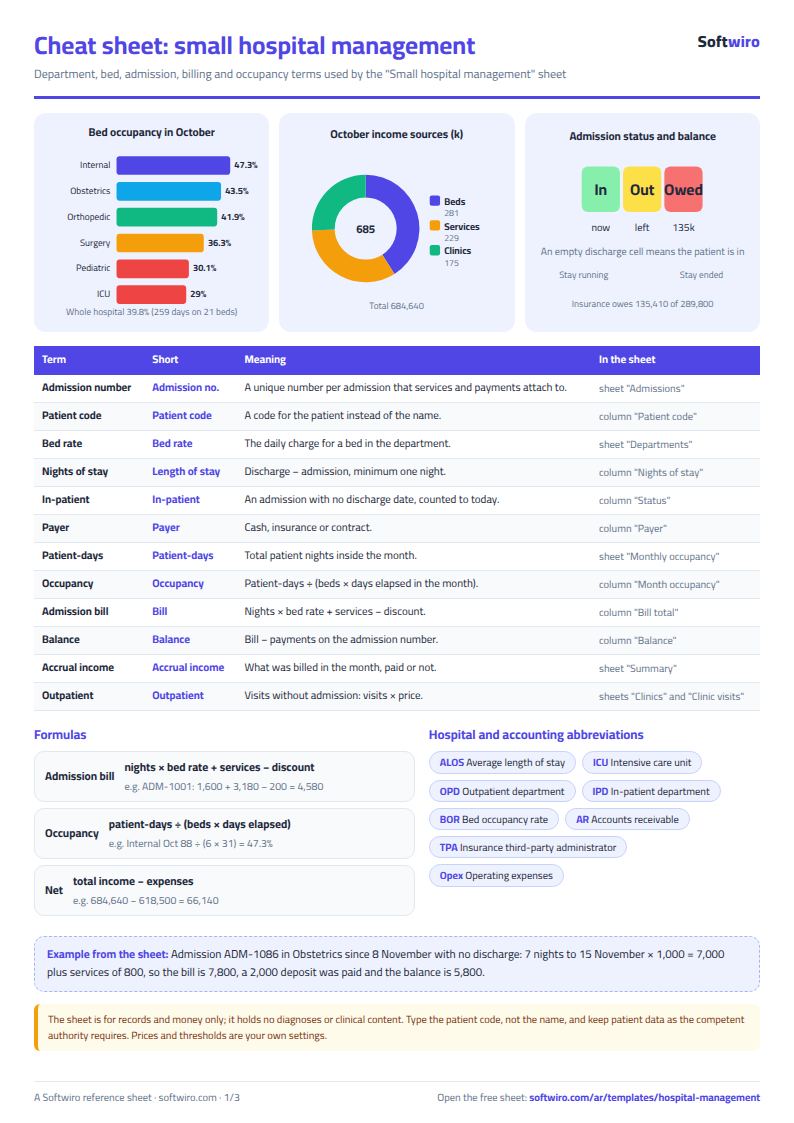
- One bill: admission ADM-1001 in Internal medicine, 1 to 3 October, cash. Two nights at 800 = 1,600; services 3,180 (a CT scan twice for 2,400 and drugs and supplies for 780); discount 200. The bill is 4,580, paid in full, balance zero.
- A patient still in: admission ADM-1086 in Obstetrics and gynaecology since 8 November with no discharge date. It counts 7 nights to 15 November × 1,000 = 7,000 plus services of 800, so the bill is 7,800, a 2,000 deposit was paid and the balance is 5,800.
- October occupancy: 259 patient-days on 21 beds × 31 days gives a hospital occupancy of 39.8%. The highest is Internal medicine at 47.3% (88 days on 6 beds), the lowest Intensive care at 29.0% (18 days on 2 beds).
- Admissions and discharges in October: 67 admitted and 62 discharged, with an average stay of 3.9 nights.
- October income: beds 280,600, services 229,160 and outpatient clinics 174,880 (926 visits), a total of 684,640.
- Net: October expenses were 618,500 (the largest salaries 310,000 and drugs and supplies 142,000), so net is 66,140. Cash actually collected from payments in October was 271,670, far below the income billed.
- Payers: cash 49 admissions, bills 366,210, balance 15,900. Insurance 25 admissions, bills 189,610, balance 135,410. Contract 24 admissions, bills 207,390, balance 138,490. So 289,800 is outstanding, most of it with companies.
- A partial November: income to 15 November is 347,300 against expenses of 627,300, because salaries and rent were logged on the 1st, so net shows −280,000. Do not compare a partial month with a full one.
Common mistakes
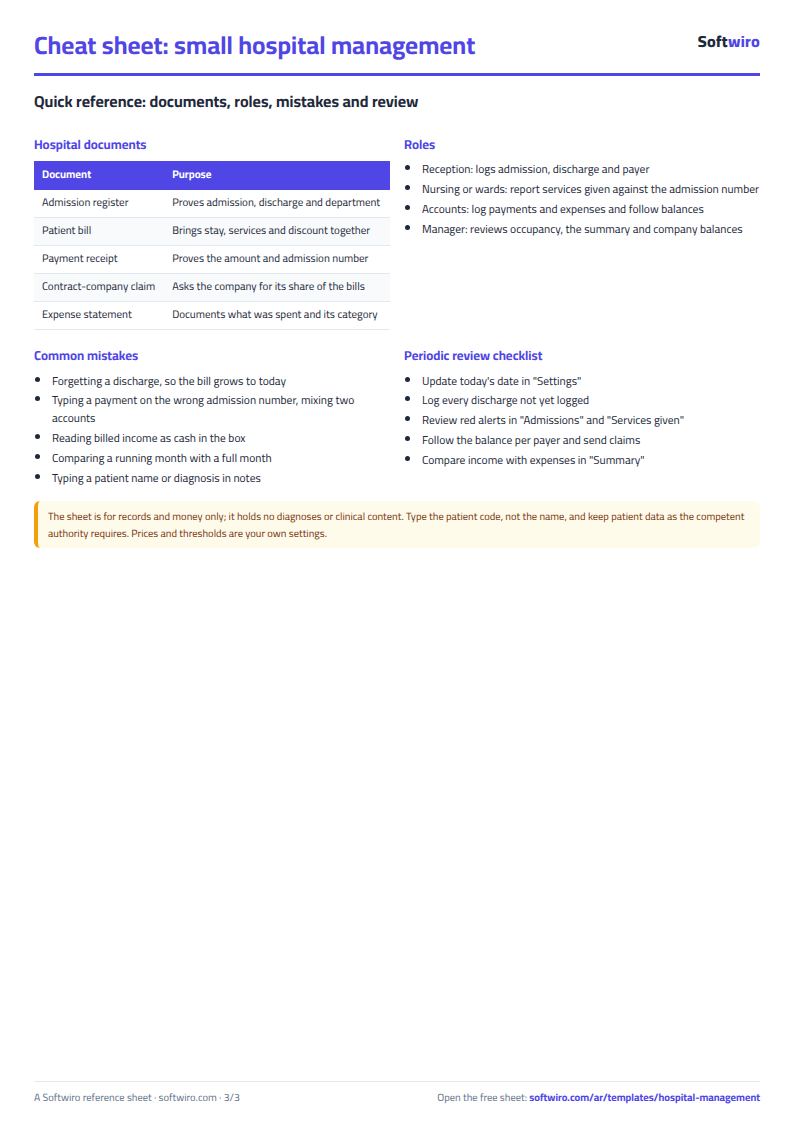
- Forgetting to log a discharge: the patient stays "in", and nights and the bill keep growing up to today's date.
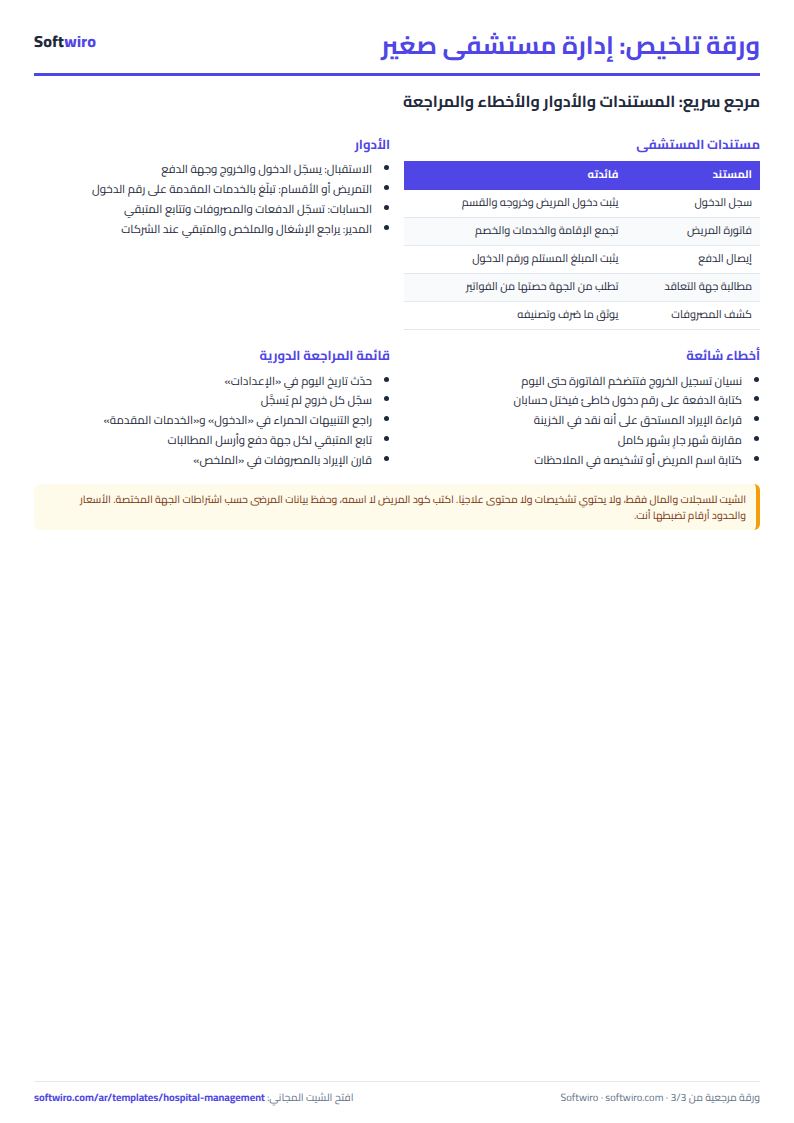
- Typing a payment on the wrong admission number: an alert shows if the number is unknown, but if it is another real number you mix two accounts.
- Reading billed income as cash in the box: October billed 684,640 but collected 271,670, so follow the balance for each payer.
- Comparing a running month with a full one: occupancy is calculated to today's date, but expenses logged on the 1st show in full.
- Typing the patient's name and diagnosis: type the code only. The sheet is for records and money, and data confidentiality is your responsibility under local law.
When to move to a system
The sheet suits a small hospital where a few people type. If reception, wards and accounts all record together, or you need permissions per user and reports and alerts built around your way of working, that is a custom program's job. Softwiro can build a program around your way of working. For clinics that need patient booking and a medical file, see MyClinic (Sehaty).
Try it now
Open the sheet and try it online, or download the Excel file. Clear the sample numbers, type your departments, beds and bed rates, then log today's admission and open Monthly occupancy. It holds 12 departments, 300 admissions, 800 service lines and 400 payments. If you want a sheet made for your hospital, request it here.