You run a metal or turning workshop and for every job you want three answers: what it really cost, how much you earned, and whether it will be delivered on time. At the end of the week you also want to know what to pay each worker and who still owes you money. The free metal and turning workshop sheet (the page is in Arabic) answers all of that from things you type while working: the job order, the materials issued to it, the workers' hours on it, and what the customer paid.
The problem: the price is agreed by estimate and the cost is known late
In most workshops the price of a door, a fence or a frame is agreed on day one. Then iron leaves the store, paint is bought from the shop and workers come and go, and nobody adds up the cost except from memory. You hear «that job paid well» when it may have lost money, a job runs past its date and nobody notices until the customer calls, and balances pile up with several customers without one page that lists them. The sheet puts each job on one row that pulls in everything about it from the other sheets.
How the sheet works, step by step
- In الإعدادات (Settings) type today's date (or =TODAY()), the first day of the wage week and the first month of the summary table.
- In الخامات (Materials) write your price list: code, name, unit (kg, metre or litre) and price per unit. In العمال (Workers) write each worker and his hourly rate. In العملاء (Customers) write each customer with a code, name and phone.
- For every new job open a row in أوامر الشغل (Job orders): number, date, customer code, description, quantity, agreed price, deposit, due date and status.
- Whenever a material is issued to a job, write it in استهلاك الخامات (Materials used): job number, code and quantity. At day end write in ساعات العمل (Labour hours) who worked on which job and for how many hours.
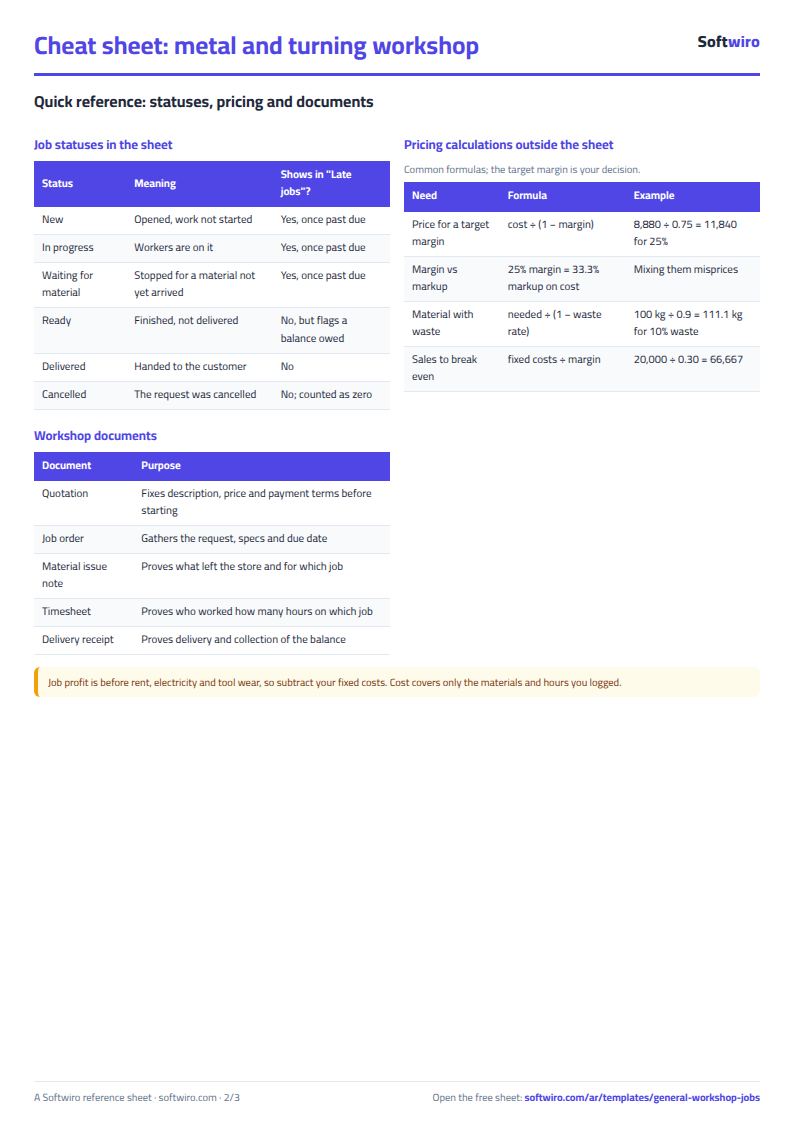
- Every payment after the deposit goes in الدفعات (Payments). Change the status in the job order as the job moves on.
- Open المتأخرة (Late jobs) every morning, الأجور الأسبوعية (Weekly wages) at the end of the week, and الملخص (Summary) at the end of the month.
What each sheet does
- Job orders: materials cost + labour cost = total cost, profit = price − cost, paid = deposit + payments, and the balance. A late job turns red and says how many days.
- Materials and Workers: show how much of each material was used and how many hours each worker put in.
- Customers: each customer's balance, ranked so you chase the biggest first.
- Weekly wages: each worker's hours day by day in a week whose first day you set; wage = hours × hourly rate.
- Late jobs: what is past its date and not delivered, most overdue first.
Walk-through on the numbers in the sheet
The numbers below are sample data inside the sheet, not a real workshop: 9 jobs created in October and November 2026, with today's date set to 10 November.
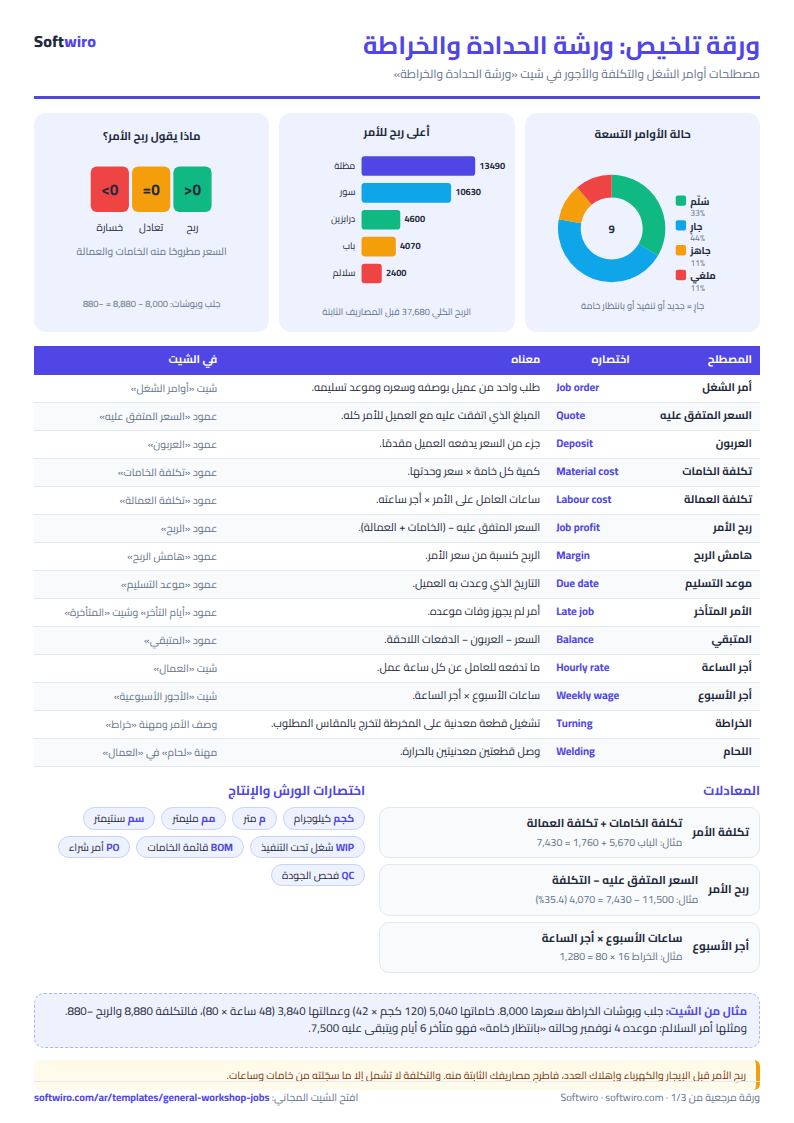
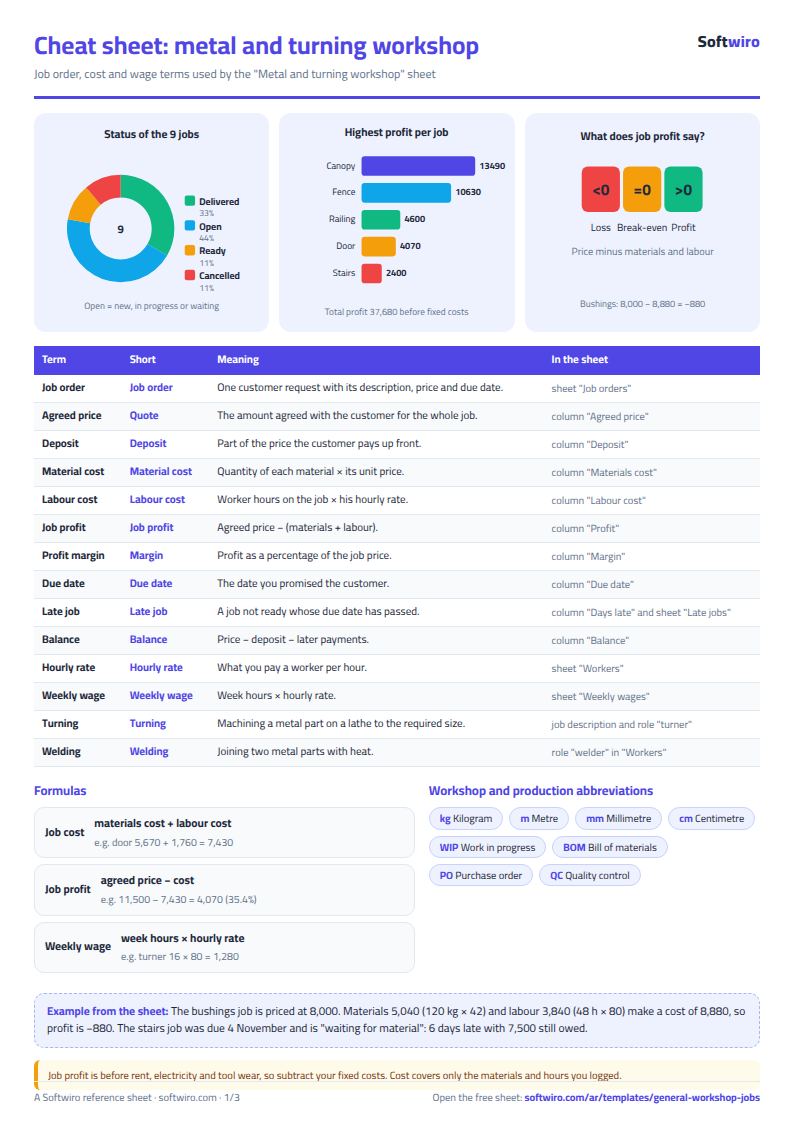
- A profitable job: the iron door (J001) is priced at 11,500. Its materials cost 5,670 (24 m of square section at 2,880 and 60 kg of 2 mm sheet at 2,280, plus paint and hinges). Its labour is 1,760 (16 hours of the senior smith at 70, 8 hours of the helper at 35, and 6 hours of the welder at 60). Cost is 7,430 and profit 4,070, a 35.4% margin.
- A losing job: the turned bushings (J005) are priced at only 8,000, with materials of 5,040 (120 kg at 42) and labour of 3,840 (48 hours of the turner at 80). Cost is 8,880, so the result is −880. This stays hidden if you never add up the cost.
- Lateness: the stairs job (J007) was due on 4 November and is «waiting for material», so it is 6 days late with 7,500 still owed. The bushings job (J005) is 5 days late. These two are the rows in the late list.
- Totals: value of non-cancelled jobs is 123,500, materials 67,690 and labour 18,130, so profit before fixed expenses is 37,680, a 30.5% margin. Collected so far: 89,500.
- Customers: 34,000 is still owed by five customers, the largest being Al-Amal Contracting (13,000) and Al-Nil School (7,500).
- Wages: for the week starting Saturday 7 November: 74 hours and wages of 4,550, including 1,280 for the turner (16 hours) and 1,120 for the senior smith (16 hours).
Common mistakes
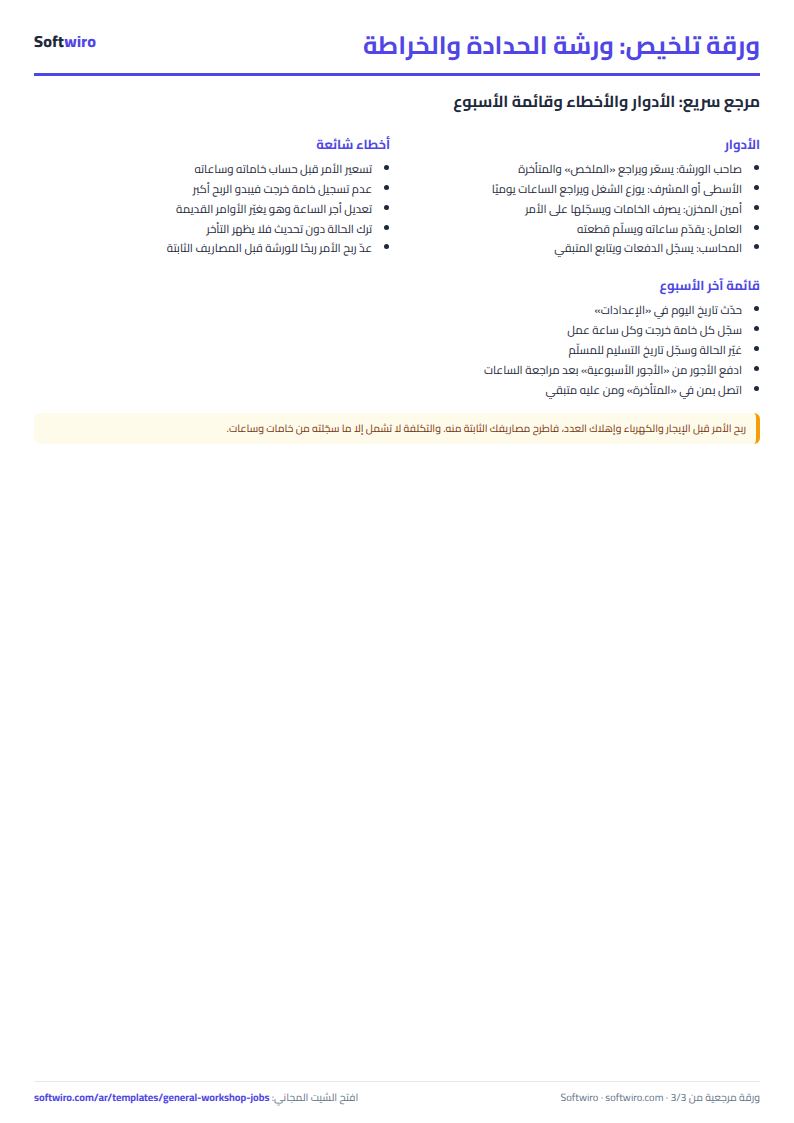
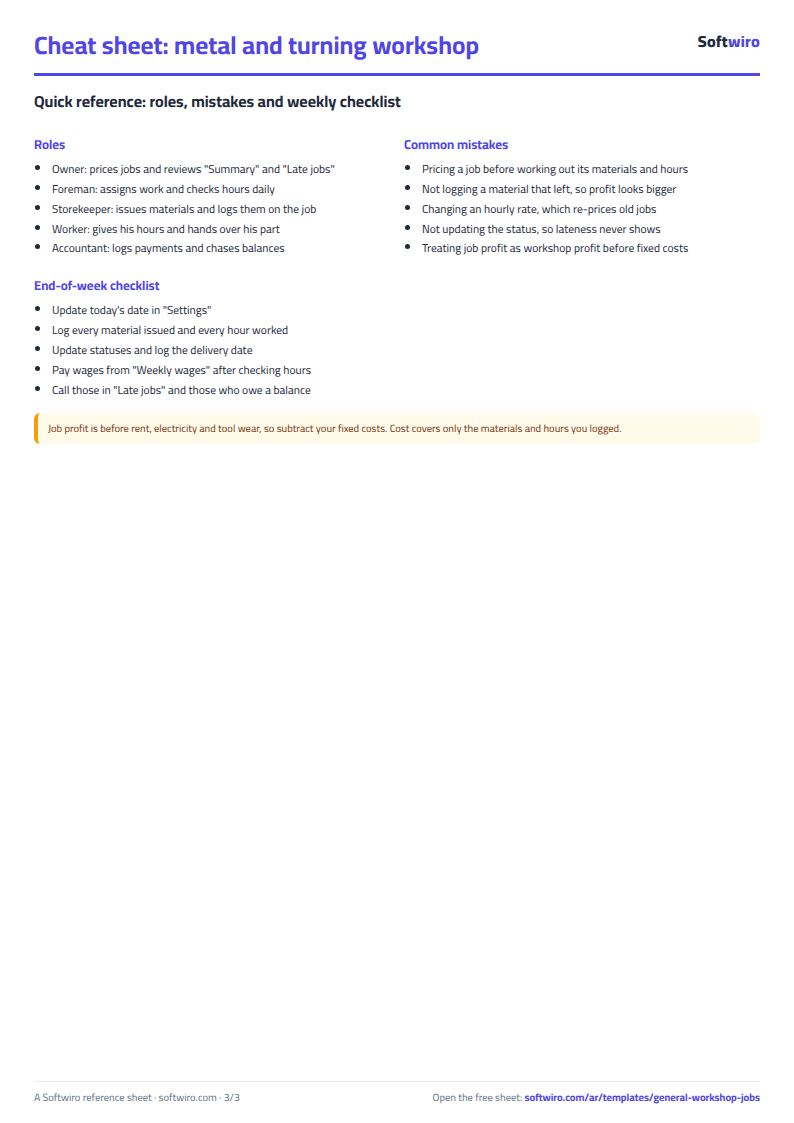
- Forgetting to log a material or a worker's hours, which makes the profit look bigger than it is.
- Pricing extra work the customer asked for later without logging its cost.
- Changing an hourly rate in Workers without realising it re-prices the old jobs.
- Not updating the status, so lateness and ready-but-undelivered jobs never show.
- Treating job profit as the workshop's profit: subtract rent, electricity and tools from the total using your own figures.
When to move to a system
The sheet suits a workshop where the owner or one person types each day. When several people type at once, or you want each worker to log hours from his phone and the customer to get an automatic alert, that is the work of a custom program, not one file. If your workshop is for cars, use the car workshop job sheet.
Your next step
Download the sheet, write ten of the materials you buy most in Materials and your workers' rates in Workers, then open the job you are working on right now and log its materials and hours so far. You will see its profit before you deliver it.
Common questions
Do I log every worker's hours every day? Yes, one row per worker, job and day. If a worker is on two jobs in one day, log two rows.
What if I buy a material only for one job? Add it to Materials at its purchase price and log it on the job.
Does it work on a phone? Yes, in Excel, Google Sheets and LibreOffice.