You run a glass and aluminium workshop and you want to price an order from the customer's sizes quickly and without mistakes, to know how much you really earned on it, how much glass was lost in cutting, and what is running low among sheets and profiles. The free glass and aluminium workshop sheet (the page is in Arabic) answers that from things you type while working: item sizes, sheet cutting, purchases and customer payments.
The problem: sizes in centimetres, prices per metre, and waste that does not show
The customer says «a window 120 by 100», glass is priced per square metre, profiles per running metre, and hinges and wheels per piece. Sizes get converted to metres on scrap paper, items are forgotten, and glass is priced by the area of the pieces only although you paid for the whole sheet. The gap between the sheet and what came out of it disappears into the price. The sheet calculates the areas itself and puts the waste in a clear column with its cost.
How the sheet works, step by step
- In الإعدادات (Settings) type today's date (or =TODAY()), the allowed waste percentage (the sample uses 15%, a number you set from experience) and the first month of the summary table.
- In قائمة الأسعار (Price list) write each item: code, name, kind (glass, aluminium or accessory), unit (m², metre or piece), sale price and cost. For glass types add the full sheet's width and height in centimetres.
- For each order open a row in الطلبات (Orders): number, date, customer name and phone, what you charge for installation and what you pay the fitter, the discount, the deposit, the delivery date and the status.
- In بنود الطلبات (Order items) write the order's items: description, item code, width and height in centimetres, and number of pieces. For a profile write its length in the width cell. If you agree a price different from the list, type it in the special-price cell.
- In التقطيع (Cutting) log everything you cut: glass code, number of sheets and the area of the pieces that came out. In المشتريات (Purchases) log what you bought, and in الدفعات (Payments) what the customer paid after the deposit.
- Open المخزون (Stock) to see what fell below its minimum, and الملخص (Summary) for the numbers and charts.
What each sheet does
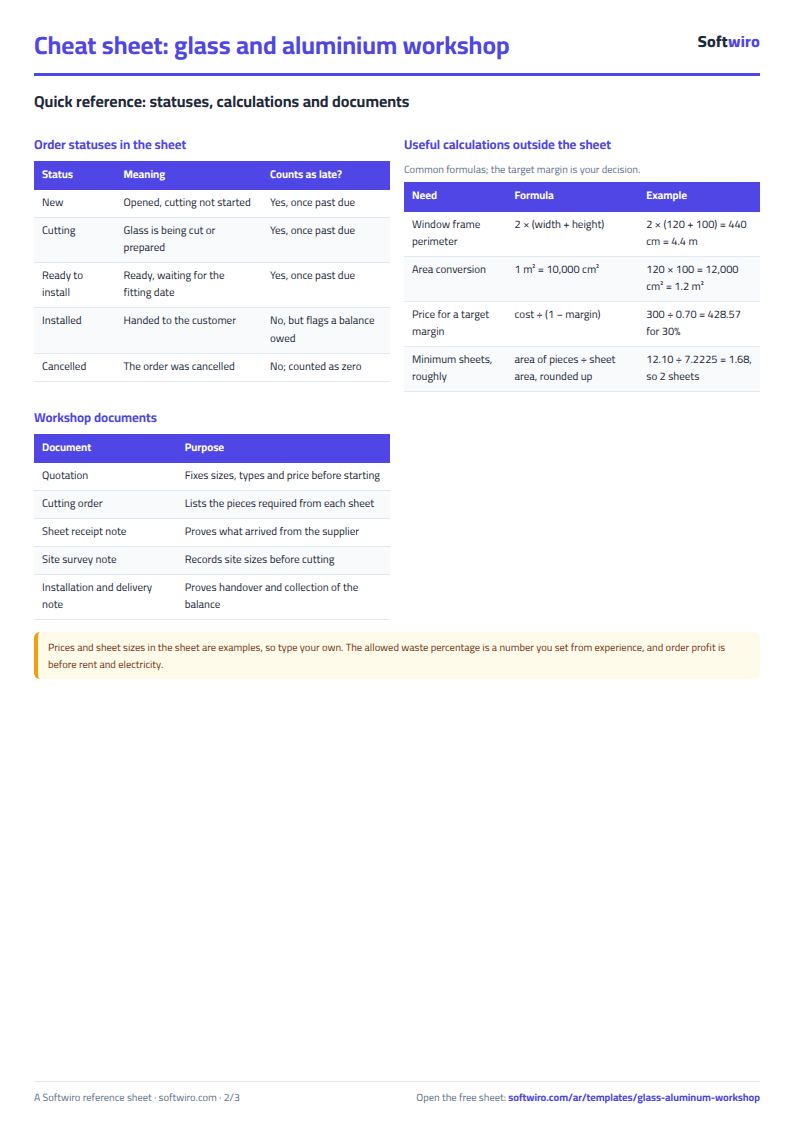
- Order items: billable quantity = width × height ÷ 10000 × pieces for glass, length ÷ 100 × pieces for profiles and the count for accessories, then total, cost and item profit.
- Orders: order total = items + installation − discount, balance = total − deposit − payments, profit after item cost and the fitter's fee, plus a late alert.
- Cutting: waste = sheets × sheet area − area of the pieces, its percentage and its cost at the cost per m², and «هالك مرتفع» (high waste) when the percentage passes the limit.
- Stock and Purchases: glass in sheets, profiles in metres, valued at cost.
- Summary: revenue by kind (glass, aluminium, accessories and installation) and a monthly table with charts.
Walk-through on the numbers in the sheet
The numbers below are sample data inside the sheet, not a real workshop: 9 orders in October and November 2026, with today's date set to 10 November. Sheet sizes and prices are examples, so type your own.
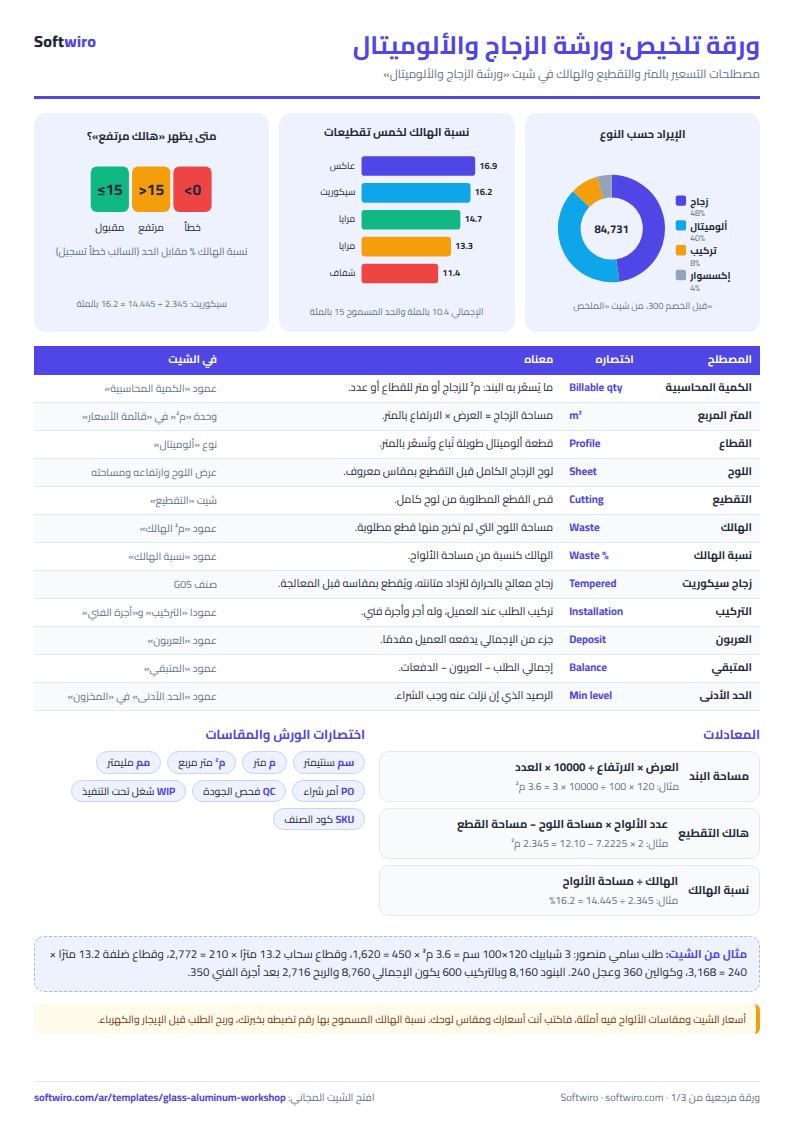
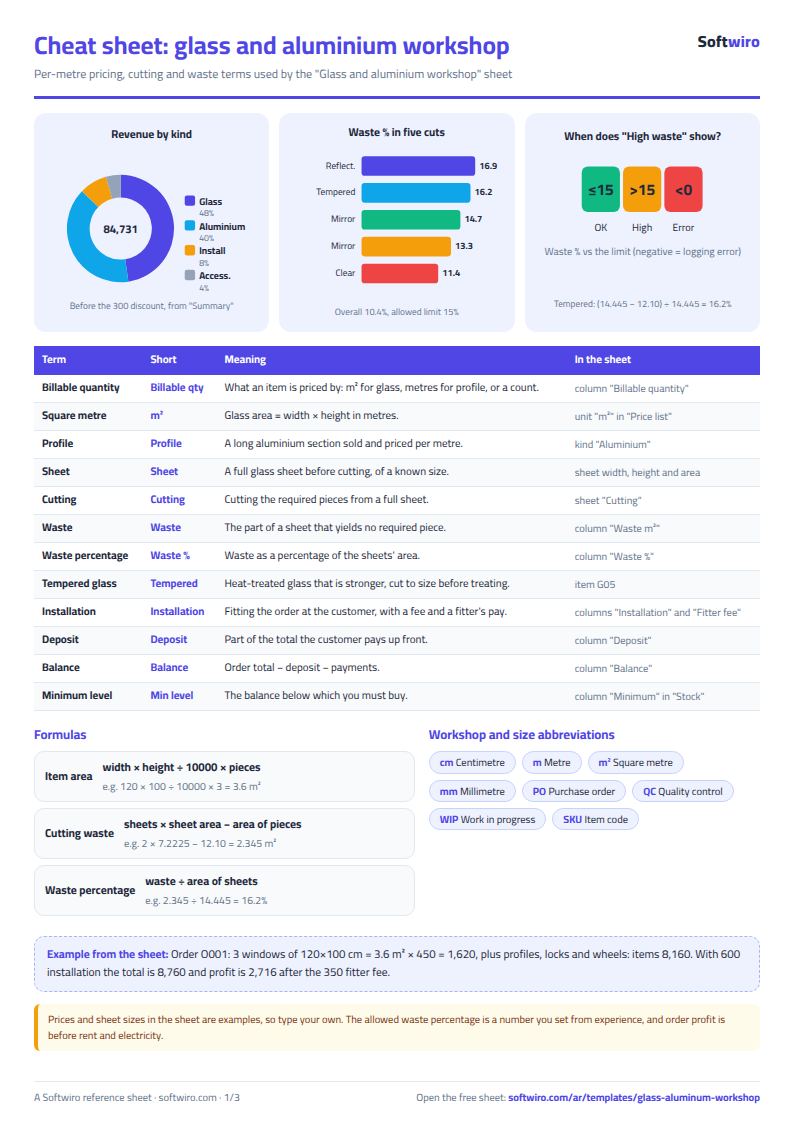
- A whole order: Sami Mansour's order (O001): 3 windows of 120×100 cm, 3.6 m² × 450 = 1,620, 13.2 m of sliding profile × 210 = 2,772, 13.2 m of frame profile × 240 = 3,168, three locks 360 and six wheels 240. Items come to 8,160 and with 600 installation the order total is 8,760. Cost is 5,694 plus a 350 fitter fee, so profit is 2,716, a 31.0% margin.
- A special price: the bathroom mirrors in Al-Aseel restaurant's order (O003) are 1.92 m² at 460 instead of the list 480, which makes 883.20. The order still owes 207.20, so it shows «installed with a balance».
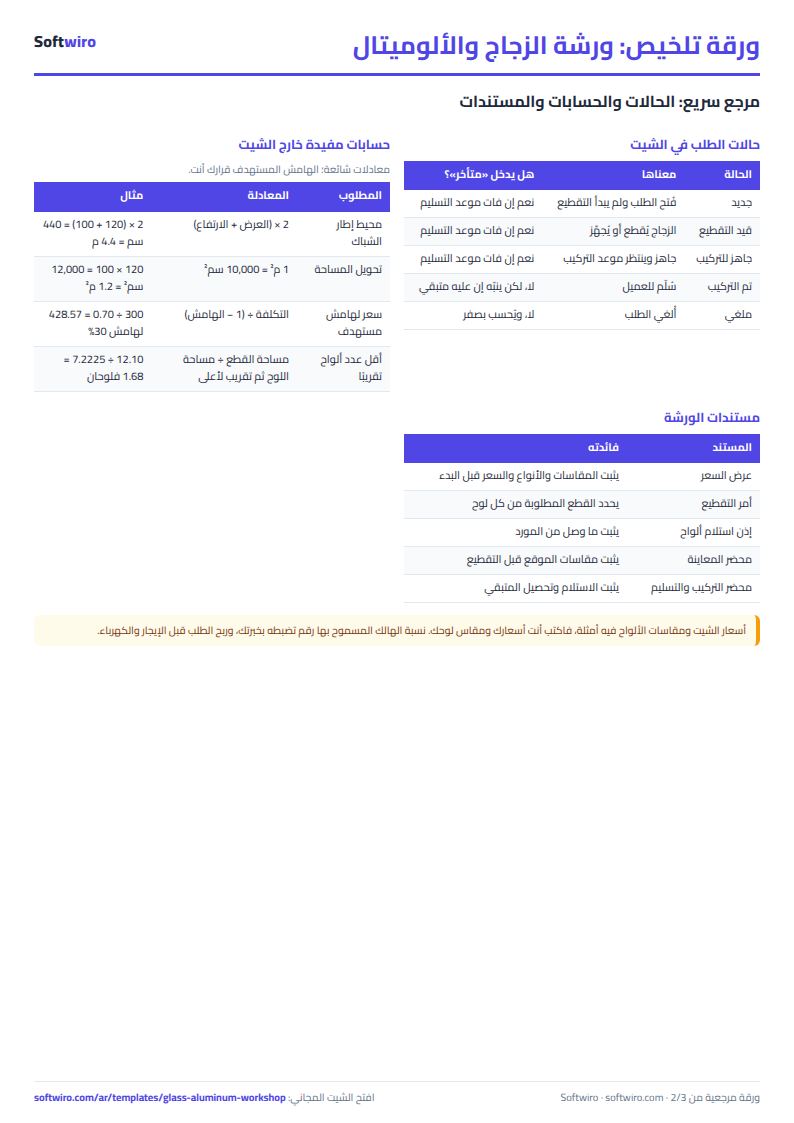
- Lateness: the clinic order (O005) is ready for installation and was due on 2 November, so it is 8 days late; the Al-Nour décor order (O007) is 2 days late.
- Totals: non-cancelled items are 77,630.60, installation 7,100 and discounts 300, so total orders are 84,430.60 and profit is 25,967.60, a 30.8% margin. Collected: 60,895, leaving 24,035.60 owed on five orders. Sold: 54.61 m² of glass and 156.4 m of profiles.
- Waste: 11 sheets cut, 74.00 m² in all, with 66.34 m² of pieces out of them, so waste is 7.66 m², 10.4%, costing 4,255. Two cuts are above 15%: the tempered glass for O002 (16.2%) and the reflective glass for O005 (16.9%). The bronze glass for O004 wasted only 0.3%.
- Stock: valued at cost 198,656.40, with three items at or below their minimum: bronze glass (2 sheets, minimum 2), reflective glass (2 sheets, minimum 2) and mirror (1 sheet, minimum 2).
Common mistakes
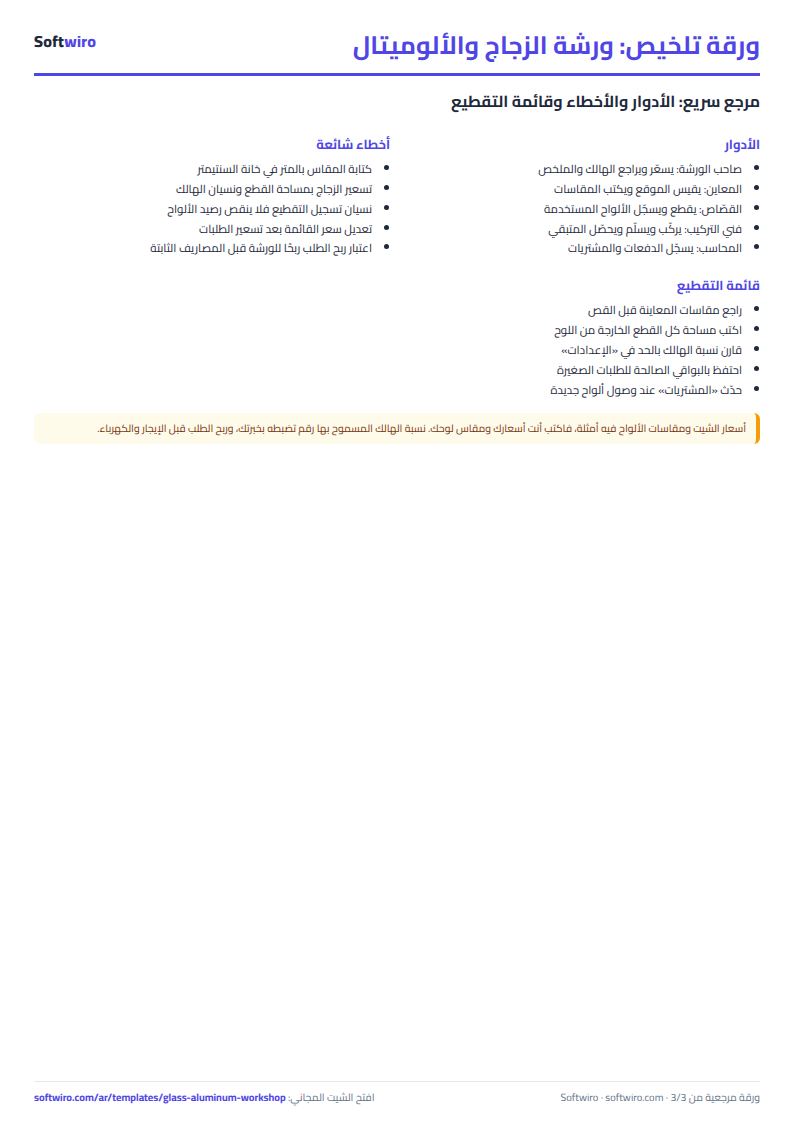
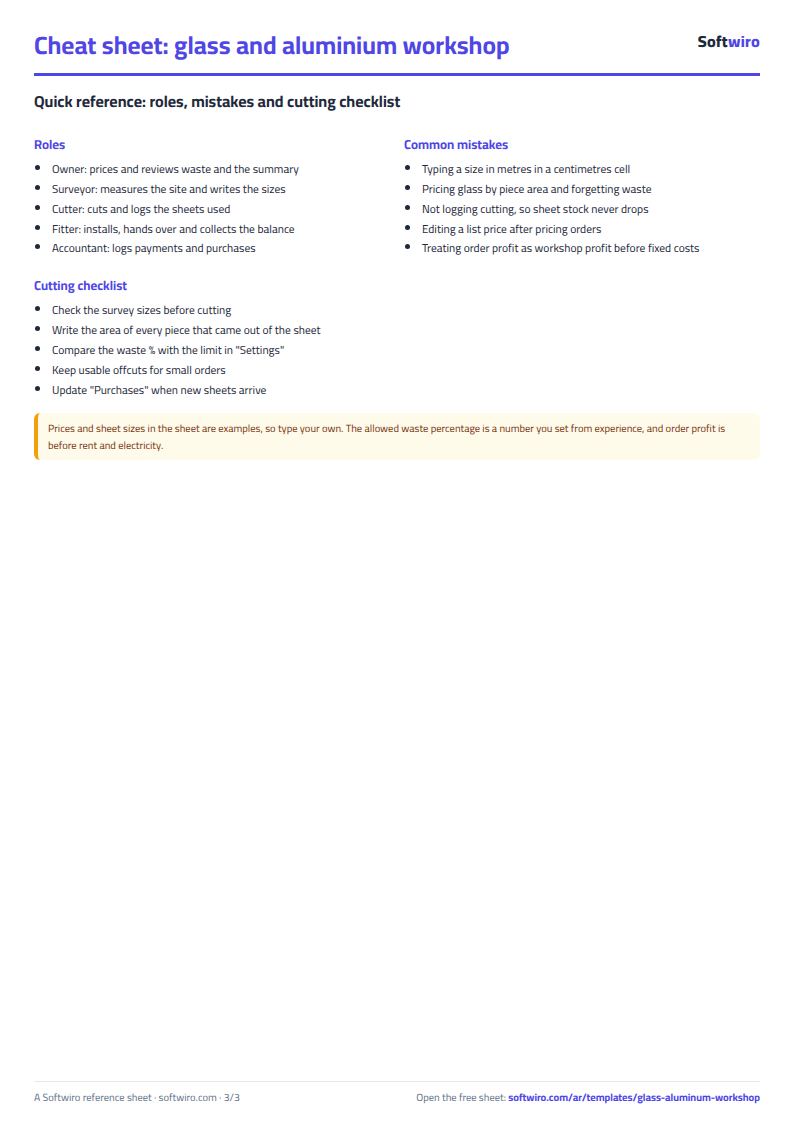
- Pricing glass by the area of the pieces only and forgetting waste, so profit looks bigger than it is.
- Typing a size in metres in a centimetres cell, so the area comes out a hundred times too small.
- Editing a list price after pricing orders, which changes items that have no special price. Keep a copy before editing.
- Forgetting to log cutting, so sheet stock never drops and waste never shows.
- Treating order profit as workshop profit: subtract rent, electricity and fixed labour using your own figures.
When to move to a system
The sheet suits a workshop where the owner or one person types. When several people price and cut at once, or you want a printed quotation for the customer, a suggested layout of pieces on the sheet and automatic customer alerts, that is the work of a custom program, not one file. If you repair cars, use the car workshop job sheet.
Your next step
Download the sheet, write the glass types and profiles you sell in the price list with your own prices and sheet size, then price today's order from the customer's sizes. After your first cutting, log it to see your own waste percentage.
Common questions
Metres or centimetres? Centimetres everywhere; the sheet converts.
One sheet cut for several orders? Log the area of all pieces that came out of it; linking an order is optional.
On a phone? Yes, in Excel, Google Sheets and LibreOffice.