You run a garment printing shop and want to price every job by a clear rule instead of a guess: what to charge for a DTF print of a given size, for a screen print with a given number of colours, what a quantity discount gives, and then to know before you accept the job whether you will profit after the blank garment, film, ink and labour. The free garment printing shop sheet works this out and also follows delivery, balances and consumables.
The problem it solves
Every customer asks for something different: shirts with a big print on the chest and back, a school shirt in two colours with a mark on the sleeve, or a polo with embroidery. Price each from memory and the price drifts from day to day, you forget the screen set-up fee, you find the film and powder have run out mid-job, and you cannot tell whose job is late or who has not paid the rest. The fix is rules you write once and the sheet calculates from.
How the sheet works, step by step
- In Price rules type for each method the pricing basis (area, colours or thousand stitches), the unit price, the minimum per print, the set-up fee and the material and labour cost, plus the quantity-discount table.
- In Garments list the blanks you sell with cost, selling price and stock, and in Consumables the film, powder and ink.
- In Orders log the customer, quantity, due date and deposit, choose "from customer" or "from shop", and pick the garment code.
- In Prints write a row per print position: method and size in cm, or number of colours, or thousand stitches.
- The sheet prices each piece from the rule, applies the quantity discount to the print price, adds the set-up fee once, and adds the blank's price when it is yours.
- It works out cost from the garment, materials and labour, then profit, margin and balance, and deducts garments and consumables from their stock.
What is in each sheet
- Settings and Price rules: today's date, the minimum margin and roll width, each method's rules and the discount table.
- Garments and Consumables: stock, use and a status of "In stock", "Reorder" or "Out".
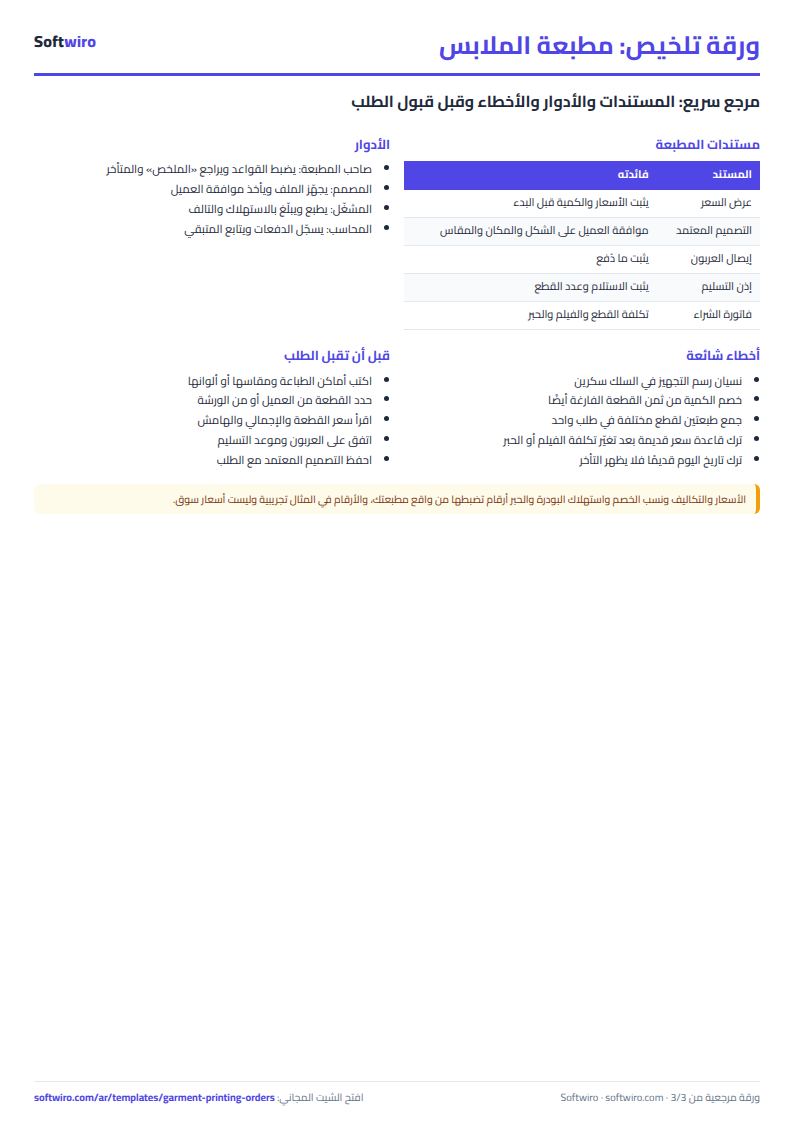
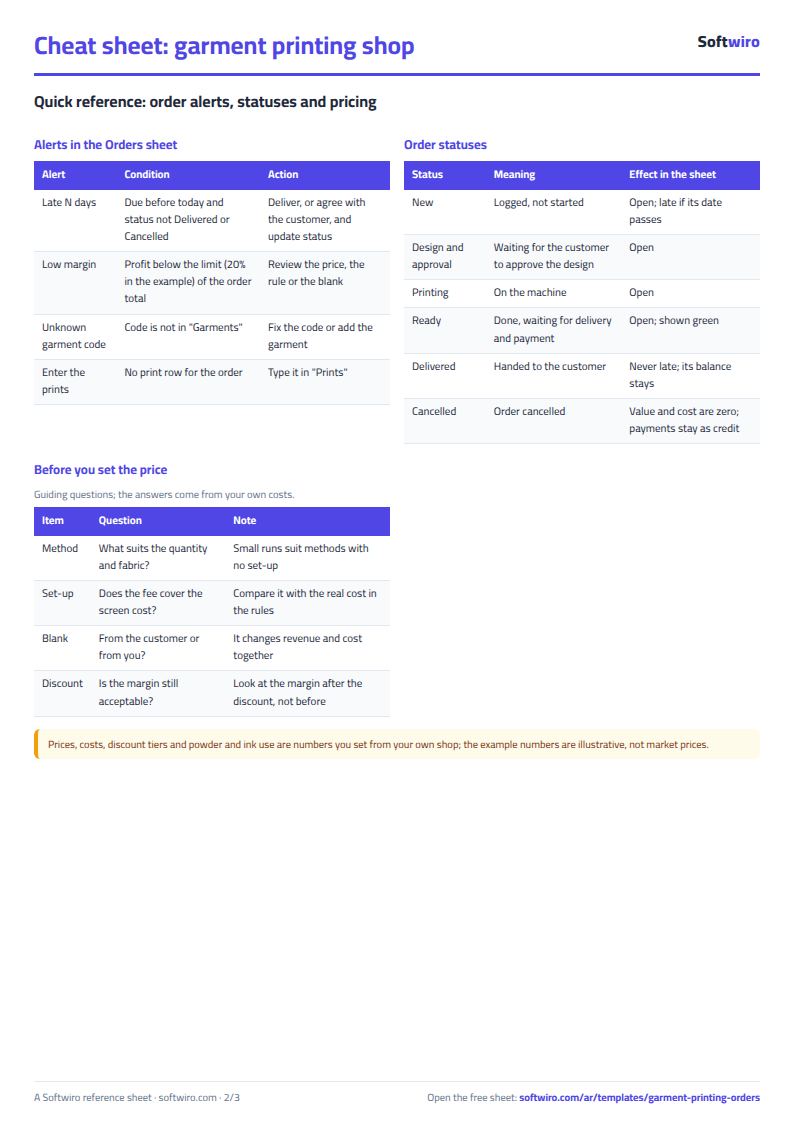
- Orders and Prints: the heart of the workbook, with an alert at the end of each order: late by N days, unknown code, or low margin.
- Payments and Follow-up: the balance per order, late jobs and the largest amounts owed.
- Summary: the big numbers and three charts: revenue, cost and profit by method and by month, and orders by status.
Walk-through on the numbers in the sheet
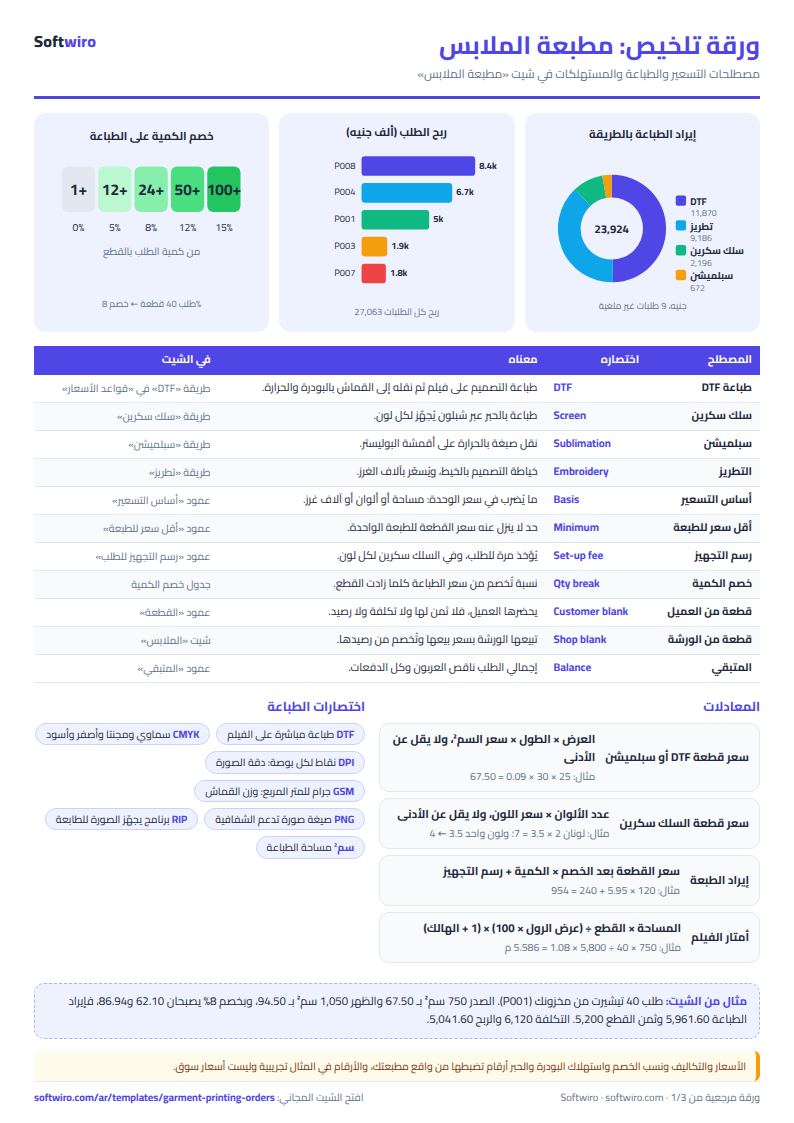
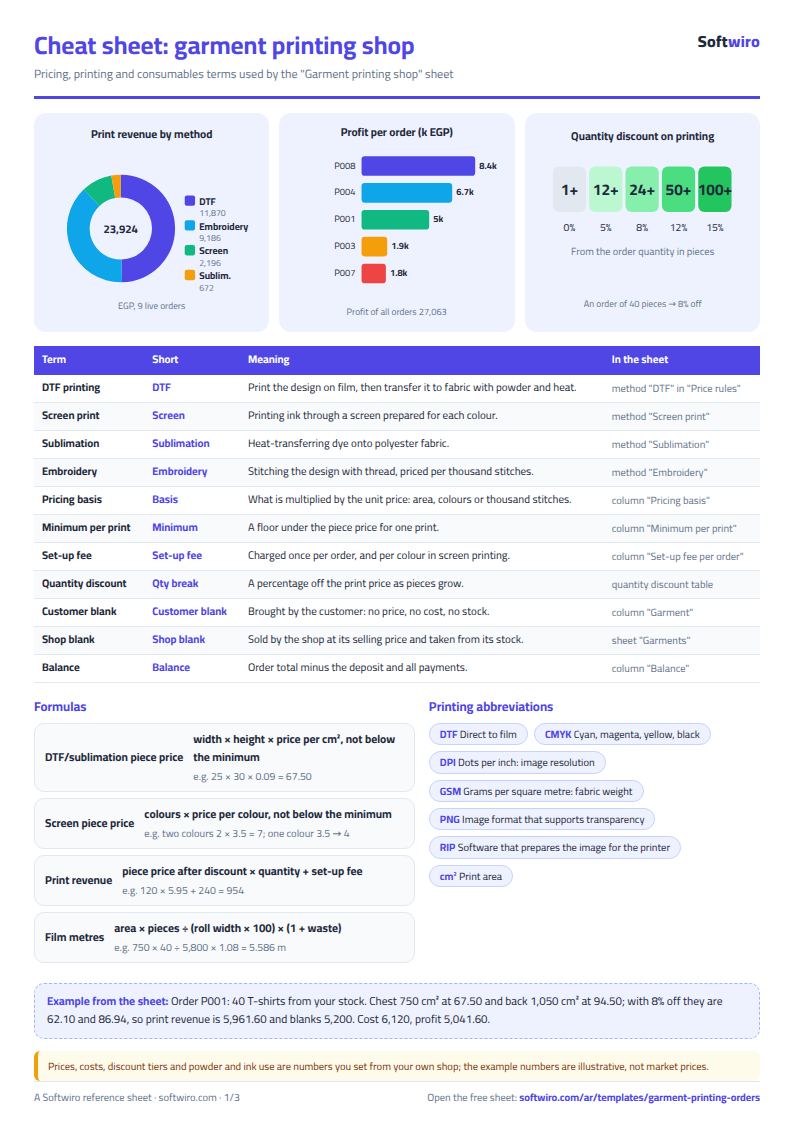
The numbers below are sample data in the sheet, not a real shop: 10 orders, today's date 15 November 2026, and default rules (DTF at 0.09 per cm², screen print at 3.5 per colour with a minimum of 4 and a set-up fee of 120 per colour).
- Order P001 (40 T-shirts from your stock): the chest DTF is 25 × 30 = 750 cm², priced 67.50, and the back is 30 × 35 = 1,050 cm², priced 94.50. Quantity 40 falls in the 8% tier, so the prices become 62.10 and 86.94 and print revenue is 5,961.60. Blanks are 40 × 130 = 5,200, so the order totals 11,161.60. Cost is 6,120 (blanks 3,800, printing 2,320) and profit 5,041.60. 8,000 has been paid, leaving 3,161.60.
- Order P002 (120 school shirts from the customer): a two-colour chest is 2 × 3.5 = 7, and a one-colour sleeve of 3.5 rises to the minimum of 4. The 15% quantity discount makes them 5.95 and 3.40. Print revenue is 120 × 9.35 = 1,122 plus the set-up fee of 3 colours × 120 = 360, so the total is 1,482. The blank comes from the customer, so it has no price and no cost. Cost is 894 and profit 588.
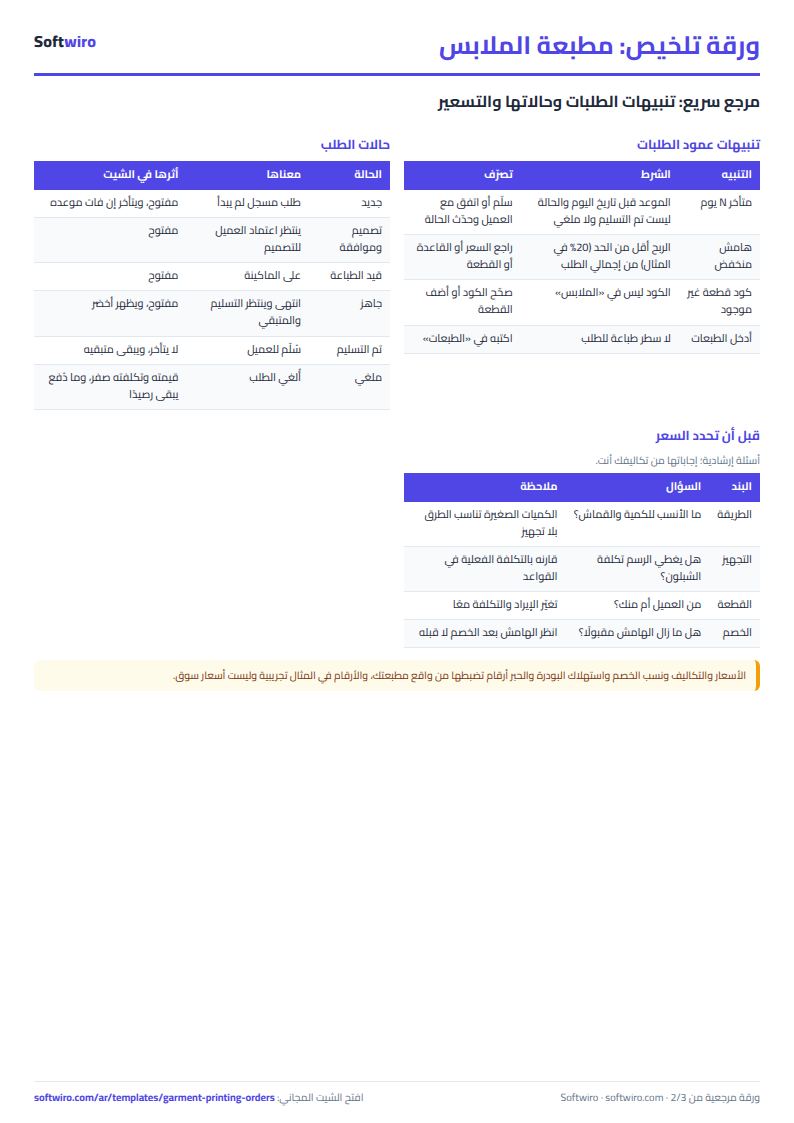
- Order P003 (18 polo shirts): embroidery of 5 thousand stitches at 60 and a DTF back print at 45, with a 5% discount. It totals 5,395.50 and was due on 28 October and not delivered, so it is 18 days late; P004 is 10 days late.
- Stock: hoodies 10 against a minimum of 20, caps 20 against 50, and DTF ink 0.239 L against 0.3 are all "Reorder". DTF film used is 26.094 m of 60.
- Summary: 521 pieces ordered, blanks sold 51,670 and print revenue 23,924.15, so orders total 75,594.15. Collected 33,654, still owed 42,240.15. Cost 48,531.40 and profit 27,062.75, a 35.8% margin. Quantity discounts given: 2,799.95. Profit by method: DTF 7,120.05, embroidery 3,873, screen print 892.70 and sublimation 412.
Common mistakes
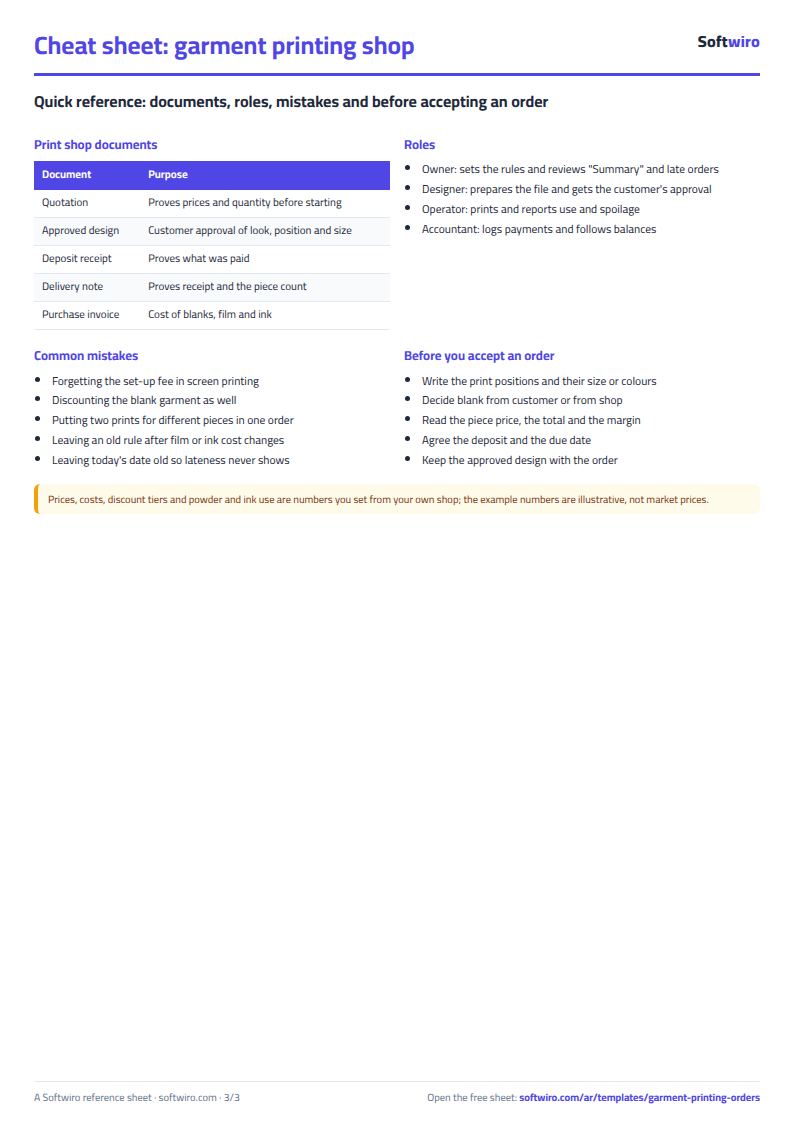
- Forgetting the set-up fee: in screen printing it is paid once per colour however small the quantity, and forgetting it loses money on small jobs.
- Discounting the blank too: the discount here is on printing only, so do not discount the garment a second time.
- Order quantity not matching the prints: every print position applies to every piece. If 10 pieces get a chest print and 5 of them also a back print, log two orders.
- Powder and ink usage: these are numbers you calibrate from your own counters and purchase invoices; the figures in the sample are illustrative.
- Leaving today's date old: lateness is counted from it.
If you are a factory costing the garment itself, also try the style costing sheet.
Who it fits and when it is not enough
It fits a small or medium print shop where the owner types the orders. When the designer, the operator and the accountant need to work on the same order, or you want the artwork and the customer's approval kept with it, or a purchase request raised when film runs low, ask for a custom Softwiro system built around how you work.
Next step
Open the sheet page and download it. Edit Price rules with your own prices and costs, then log your latest order in Orders and Prints and compare the price the sheet gives with what you would have quoted.