You run a carpentry workshop and want to know, before you buy the boards, how many boards this kitchen really needs, what the boards, hardware and labour will cost you, whether the job will make money, and who is late or has not paid the balance. The free carpentry workshop sheet works all of this out from the cutting list itself.
The problem it solves
A carpenter agrees a price for a kitchen by estimate, buys the boards, and finds he needed one more, or that hinges, handles and paint ate the profit, or that a customer paid the deposit and has not come back for a month. Because jobs overlap, you cannot tell which one made money and which cost you. The fix is to price from the parts before you accept the price.
How the sheet works, step by step
- In Settings type today's date, your usual waste percentage and the labour rate per day. In Materials list boards with length, width and price, edge banding per metre, hardware and paint.
- In Customers type name and phone.
- In Orders open a row per job: type, agreed price, deposit, due date, then the board code, edge code, labour days and paint.
- In Cutting type the job's parts: name, length and width in cm, quantity and how many edges are banded. The sheet shows the area in m² and the edge metres.
- In Accessories type the hinges, slides and handles the job uses, and in Payments any amount paid after the deposit.
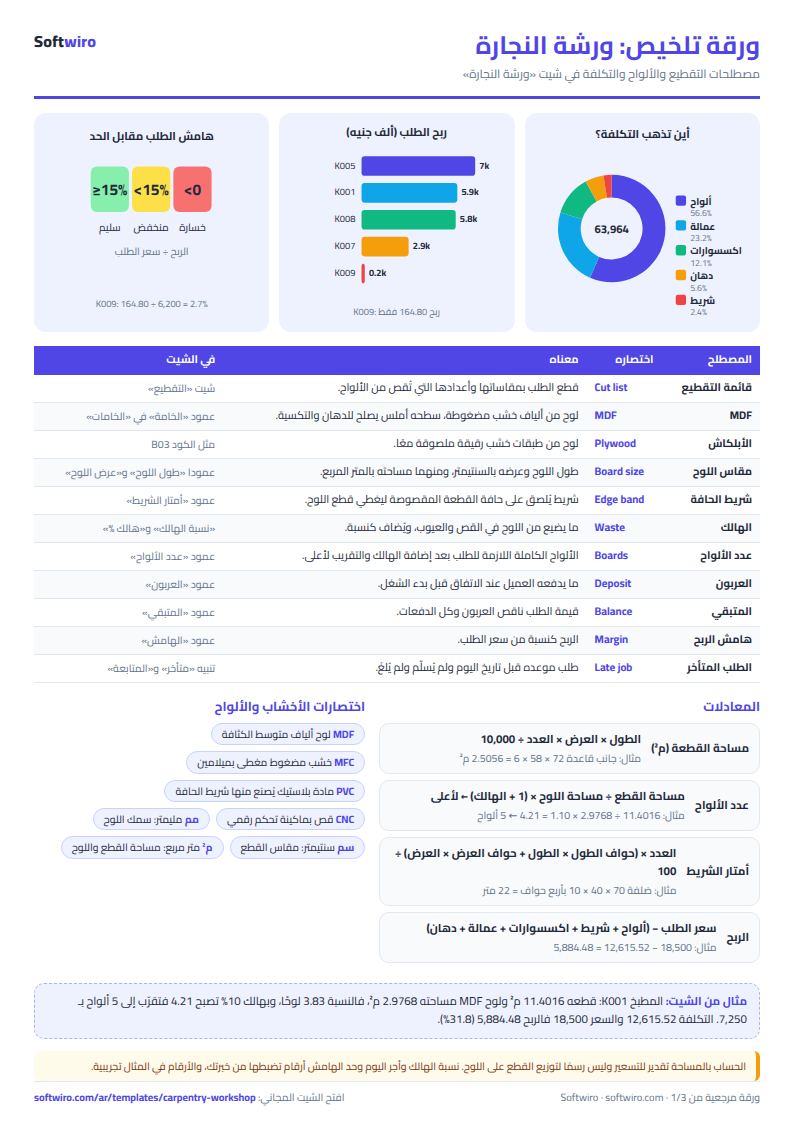
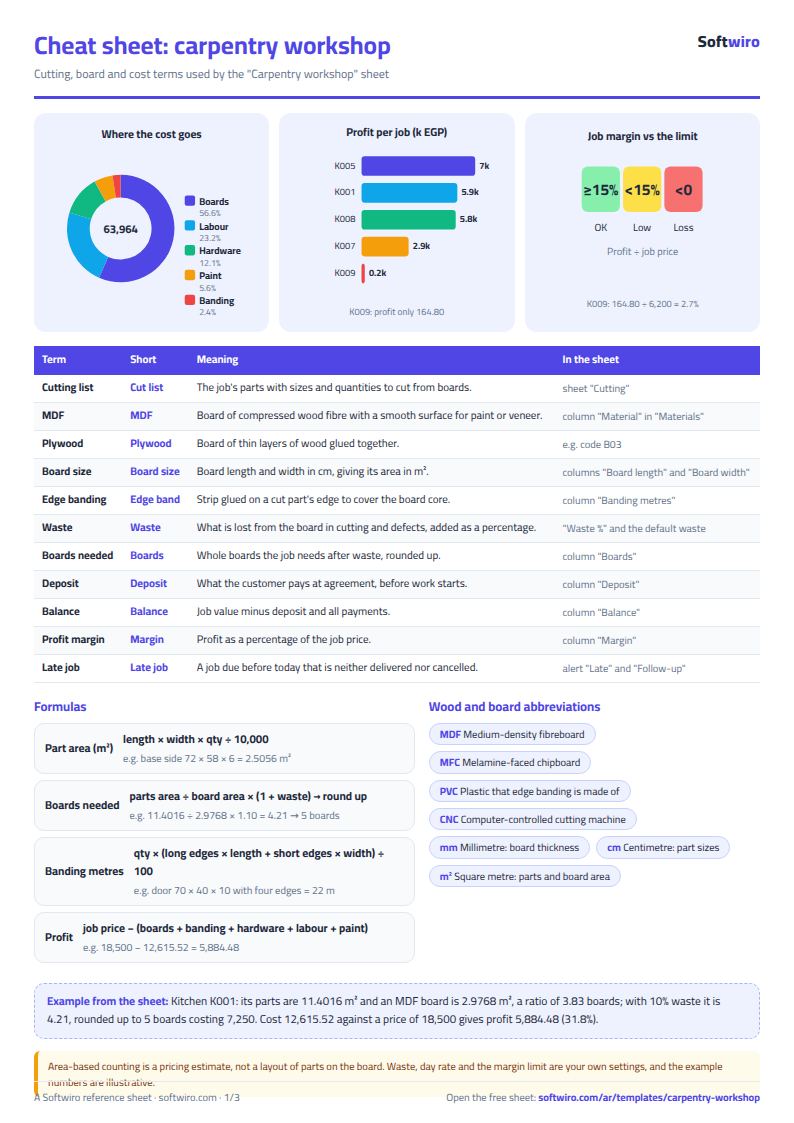
- The sheet works out boards with: parts area ÷ board area × (1 + waste), rounded up. Then it adds up boards, banding, hardware, labour and paint, and shows profit, margin and balance.
What is in each sheet
- Settings and Materials: the prices and sizes every job is computed from, so you change a board price once.
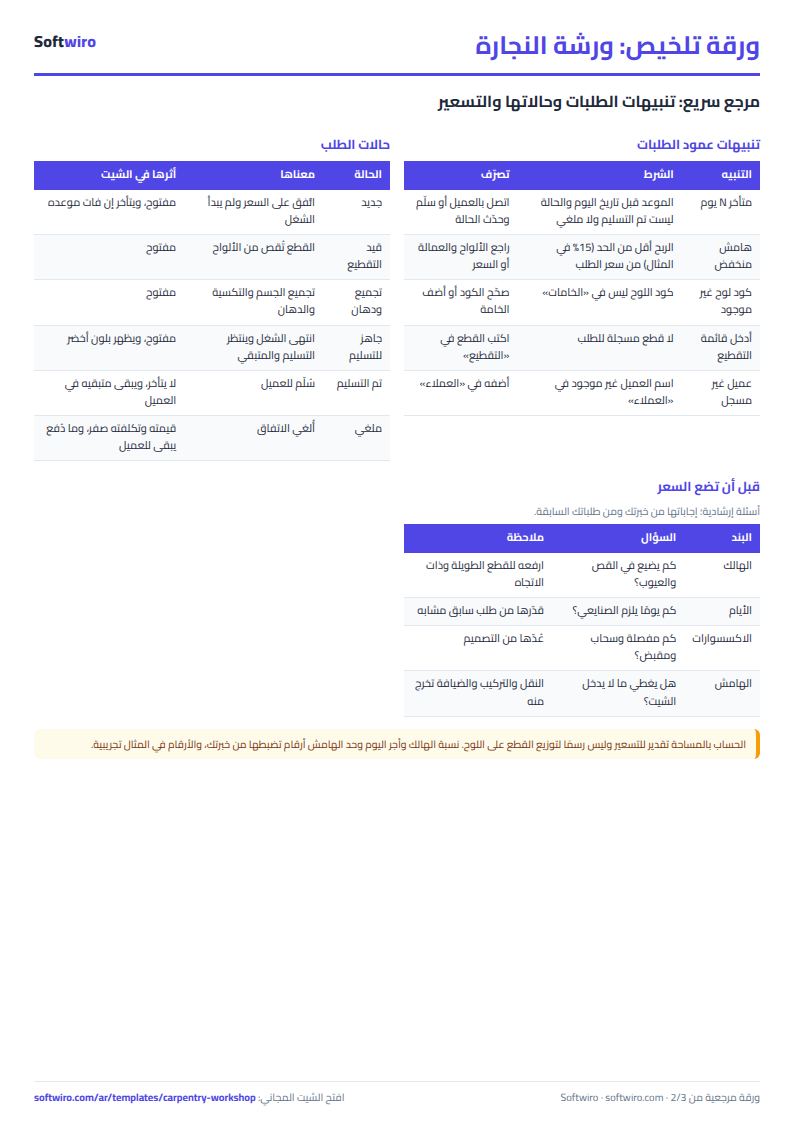
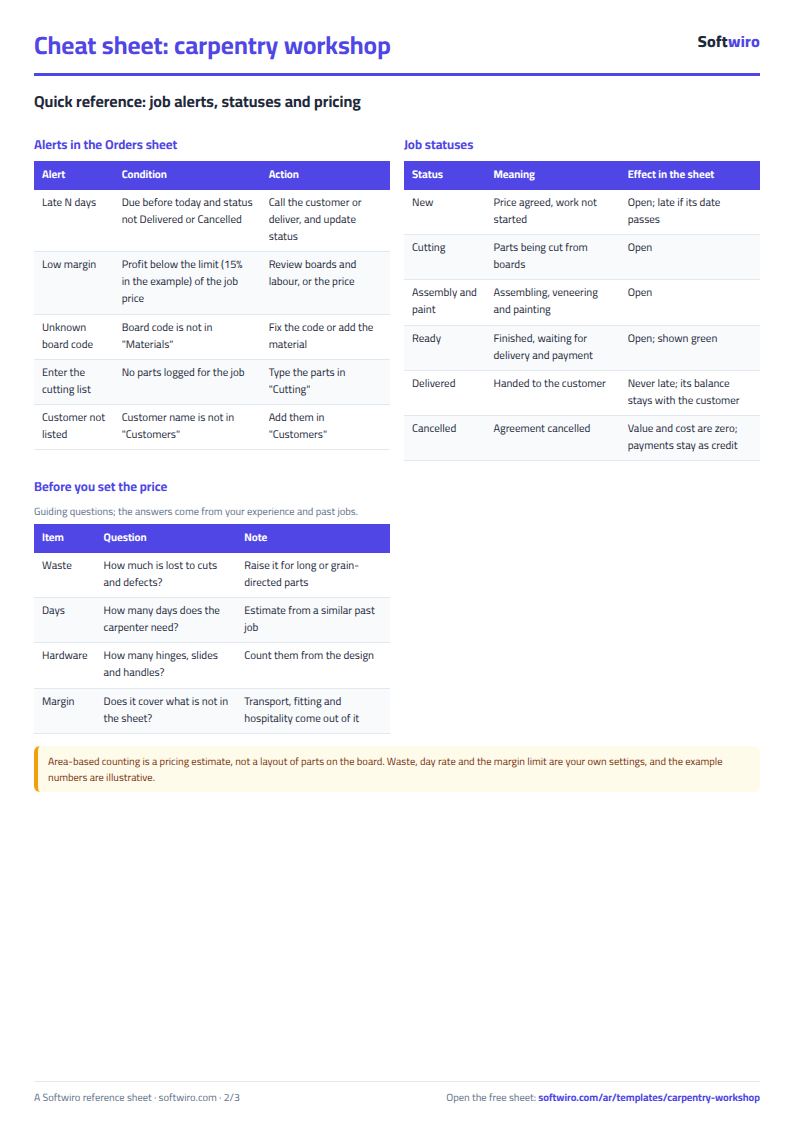
- Orders: the heart of the workbook, with an alert at the end: late by N days, unknown code, or low margin.
- Cutting, Accessories and Payments: the detail of each job, tied to it by its number.
- Customers and Follow-up: who owes, largest first, and the late orders.
- Summary: the big numbers and three charts: value, cost and profit by month, cost split, and jobs by status.
Walk-through on the numbers in the sheet
The numbers below are sample data in the sheet, not a real workshop: 10 jobs, today's date 15 November 2026, and an MDF board of 244 × 122 cm, which is 2.9768 m².
- Kitchen K001: its parts are 11.4016 m² with 49.36 m of edge banding. 11.4016 ÷ 2.9768 = 3.83 boards; adding 10% waste gives 4.21, rounded up to 5 boards costing 7,250. Banding 345.52, hardware 2,320, labour 6 days at 2,700: cost 12,615.52 against a price of 18,500, so profit 5,884.48 (31.8%). It is paid in full, so the balance is zero.
- Wardrobe K002: 8.0752 m², with a 12% waste typed on the job itself, gives 4 boards. At 10% it would have been 3. Price 9,800, cost 8,342.60, profit 1,457.40 (14.9%). It was due on 5 November, so it is 10 days late and 4,800 is still owed.
- Door K009: the parts are 2.8345 m², 0.95 of a board, but with waste they pass one board and become 2 boards of plywood costing 3,800. Cost 6,035.20 against a price of 6,200 leaves 164.80 (2.7%) and shows low margin, because the limit in Settings is 15%.
- Totals: jobs worth 90,700, collected 54,900 and 35,800 still owed by customers, of which 13,800 is with Mona Fathy (a wardrobe and a new kitchen). Cost 63,963.72 and profit 26,736.28, a 29.5% margin. The jobs need 25 boards and 200.4 m of banding. Cost splits: boards 56.6%, labour 23.2%, hardware 12.1%, paint 5.6%, banding 2.4%.
- By month: October has 6 jobs with profit 17,897.14, November 3 jobs with 8,839.14. A cancelled job (a dressing table) leaves its 1,000 deposit as credit for the customer.
Common mistakes
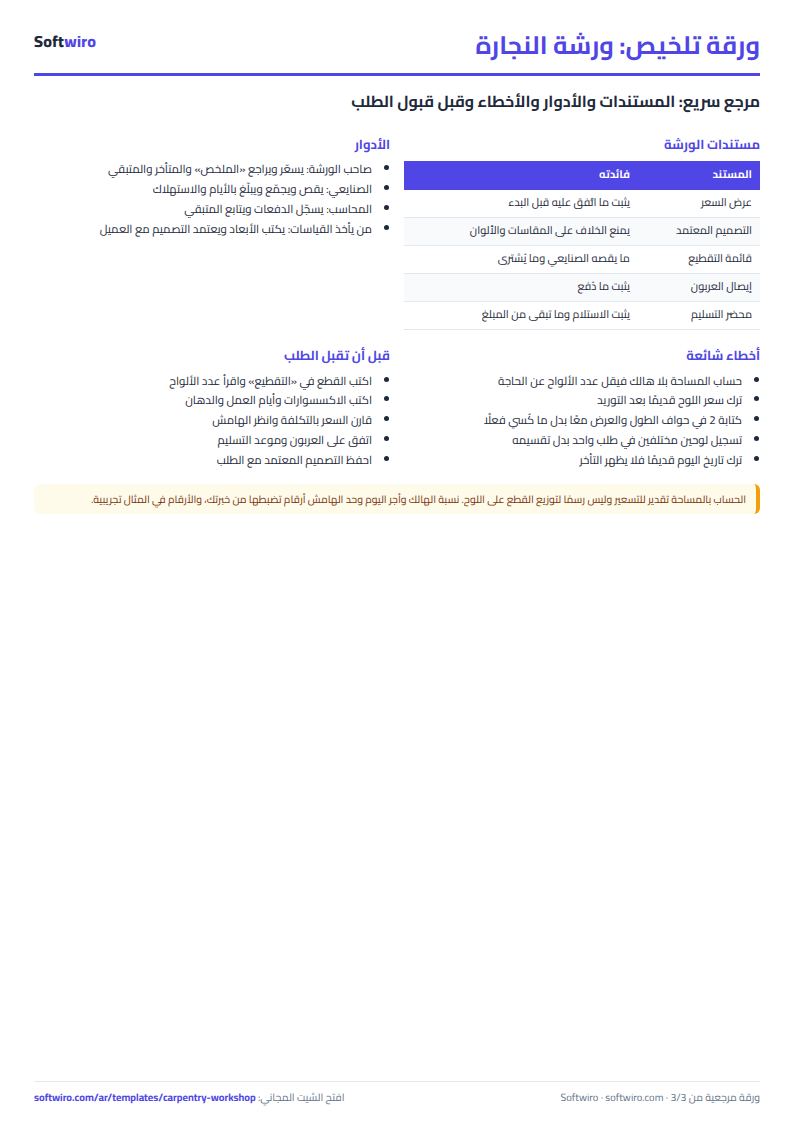
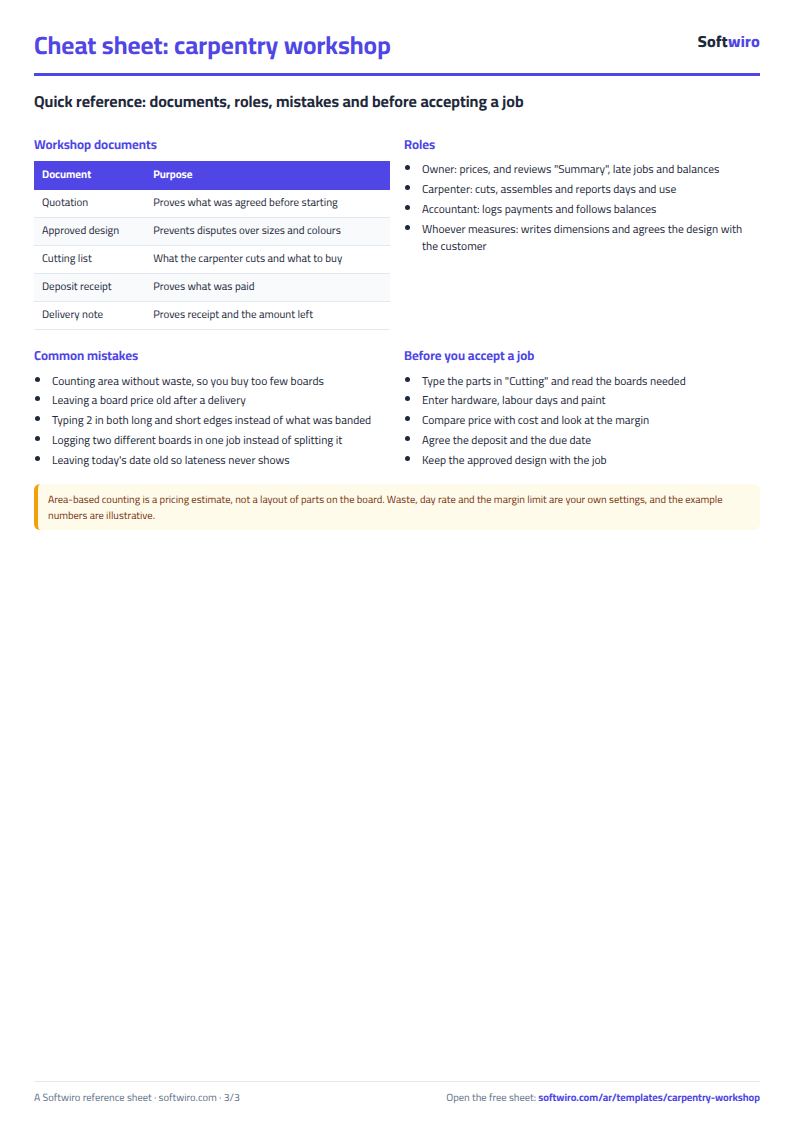
- Forgetting waste: pricing by area without waste gives fewer boards than you need. Use your own percentage, higher for long or grain-directed parts.
- An old board price: change the price in Materials at every delivery and all new jobs follow it.
- Mixing long and short edges: if only the long edge is banded, type 1 in long edges and 0 in short edges.
- Two boards in one job: the sheet assumes one main board per job. Write the job as two rows with two numbers (K005-A and K005-B) and split the price.
- Leaving today's date old: lateness is counted from it, so update it whenever you open the sheet.
The same way of thinking is in the car workshop job sheet, if your shop also fixes cars.
Who it fits and when it is not enough
It fits a carpenter or small workshop where the owner types the jobs. Estimating by area does not draw how parts sit on a board; it is a good approximation for pricing, not a cutting map. When the carpenter, the accountant and the owner all need to log in, or you want the cutting list imported from the design and board stock deducted automatically, ask for a custom Softwiro system built around how you work.
Next step
Open the sheet page and download it. List your boards and prices in Materials, then take your next job, enter its parts in Cutting and compare the boards the sheet calculates with what you would have bought by guesswork.