Try the sheet here, on the example
The sheet is open below with sample numbers. Change any white cell and watch the results update, or press the blank-copy button to type your own data from scratch. Nothing you type leaves your browser.
Example from the sheet
| Tense | الزمن بالعربي | التركيب | الاستعمال | جملة مثبتة |
|---|---|---|---|---|
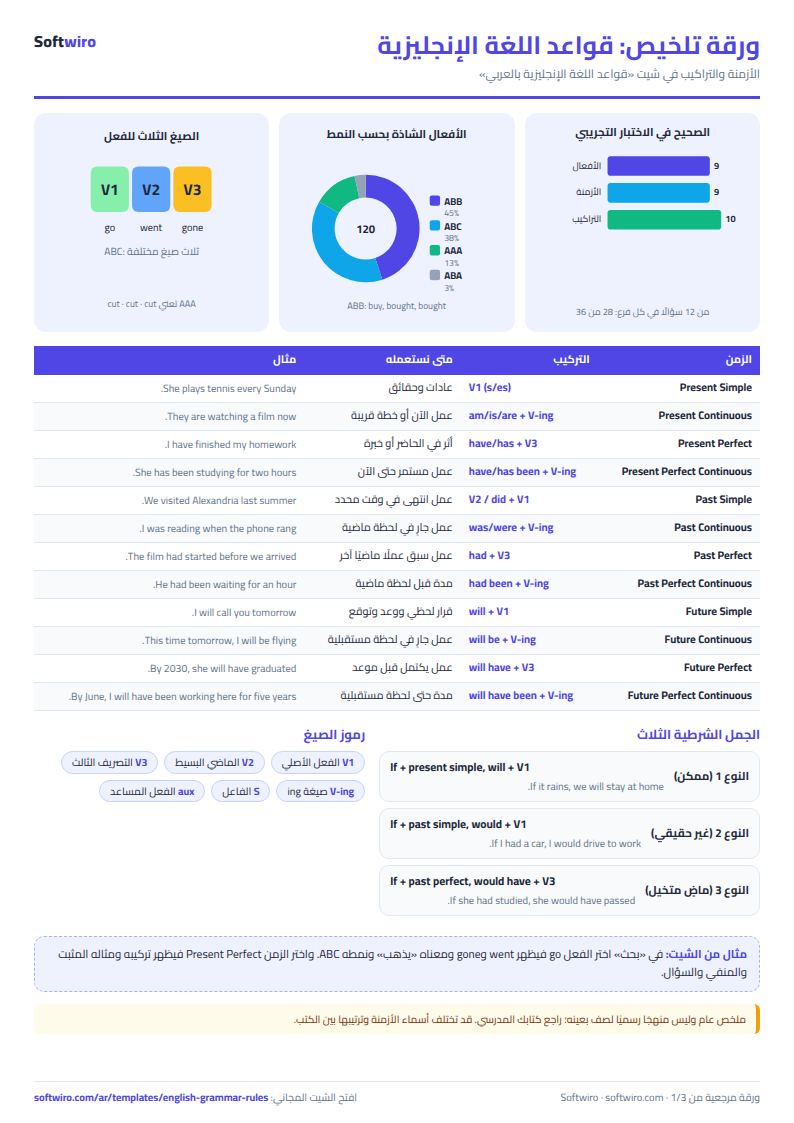
| Present Simple | المضارع البسيط | S + V1 (s/es مع he/she/it) | العادات والحقائق والجداول الثابتة | She plays tennis every Sunday. |
| Present Continuous | المضارع المستمر | am/is/are + V-ing | عمل يحدث الآن، أو عمل مؤقت، أو خطة قريبة مرتبة | They are watching a film now. |
| Present Perfect | المضارع التام | have/has + V3 | عمل في الماضي له أثر في الحاضر، أو خبرة، أو زمن لم ينتهِ | I have finished my homework. |
| Present Perfect Continuous | المضارع التام المستمر | have/has been + V-ing | عمل بدأ في الماضي ويستمر حتى الآن، أو انتهى حديثًا وأثره ظاهر | She has been studying for two hours. |
| Past Simple | الماضي البسيط | V2 / did + V1 | عمل انتهى في وقت محدد في الماضي | We visited Alexandria last summer. |
| Past Continuous | الماضي المستمر | was/were + V-ing | عمل كان جاريًا في لحظة في الماضي، أو عمل قطعه عمل آخر | I was reading when the phone rang. |
| Past Perfect | الماضي التام | had + V3 | عمل وقع قبل عمل آخر في الماضي | The film had started before we arrived. |
| Past Perfect Continuous | الماضي التام المستمر | had been + V-ing | مدة عمل استمر حتى لحظة في الماضي | He had been waiting for an hour when the bus arrived. |
Example from the “الأزمنة” tab (Arabic), with the numbers and formulas that are in the file.
What is inside
- "الأزمنة" (Tenses): 12 tenses. Each has its form, its use explained in Arabic, keywords, an affirmative sentence, a negative sentence, a question and a note.
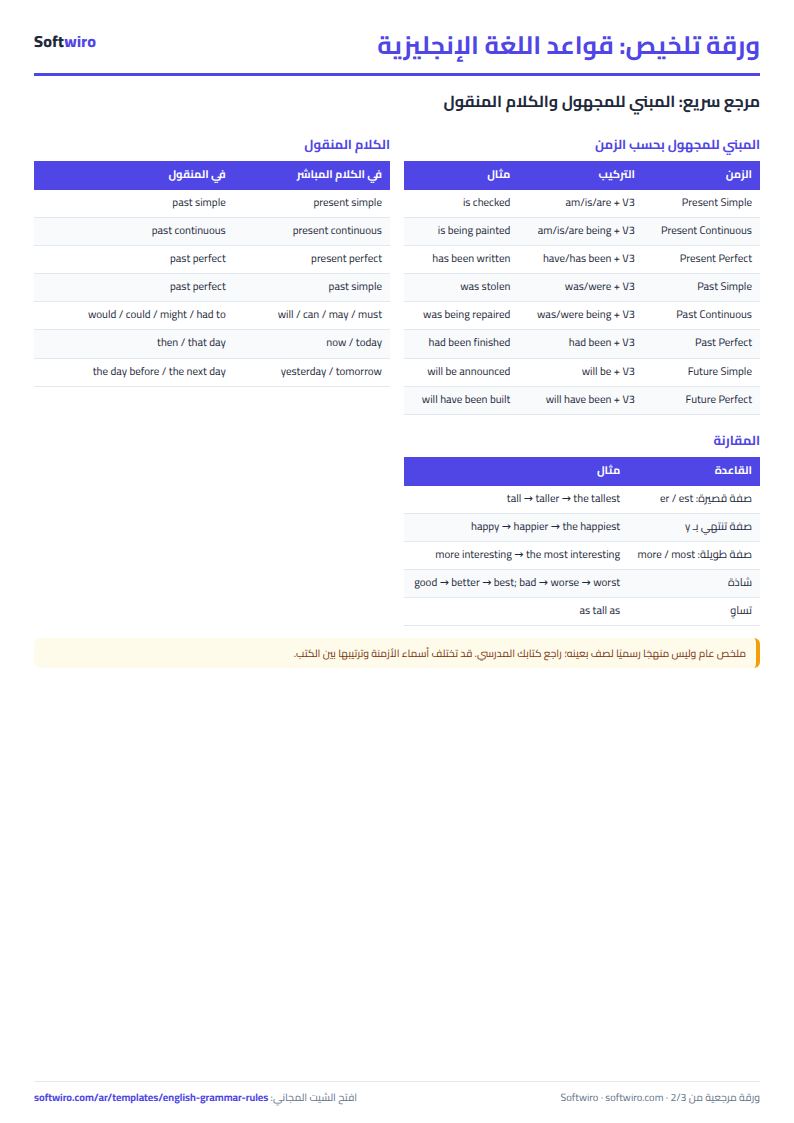
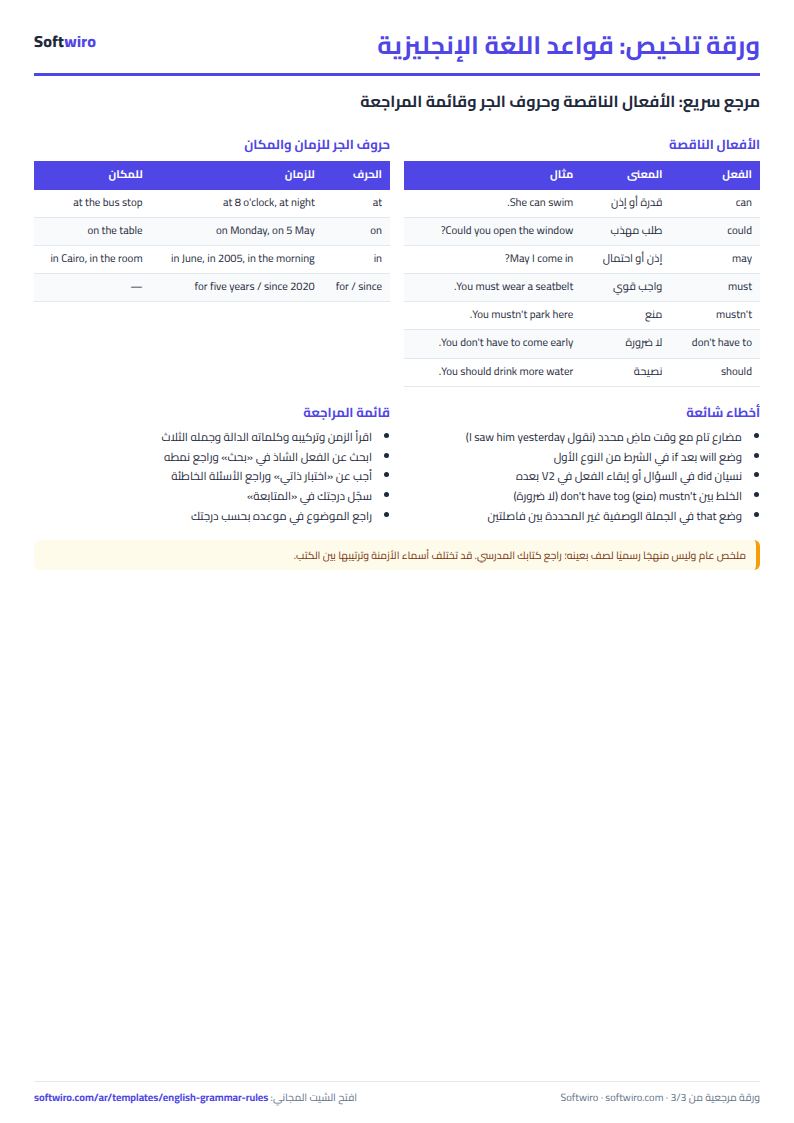
- "القواعد" (Rules): 79 rules in 10 sections: passive voice for every tense, conditionals, reported speech, modal verbs, comparatives, articles, prepositions of time and place, relative pronouns, question tags and other structures. Each rule has a form, an explanation, an example and a note.
- "الأفعال الشاذة" (Irregular verbs): 120 verbs in alphabetical order: base form, past, past participle, the Arabic meaning, and the pattern of change (AAA, ABA, ABB and ABC).
- "بحث" (Lookup): Pick a tense, an irregular verb or a rule from the list and all its details appear at once.
- "اختبار ذاتي" (Self-test): 36 questions on irregular verbs, tenses, the passive and other structures. Type or choose your answer and a tick or a cross appears, with your score at the top. The answer key sits in hidden columns.
- "المتابعة" (Tracking): Enter the topic, the date you reviewed it and your score. The sheet works out the next review date, highlights topics that are due, and charts your scores.
- "الملخص" (Summary): The number of rules in each section, the irregular verbs by pattern, and your score in each part, with four charts.
The file opens on a start tab (“ابدأ هنا”, Start here) that explains how to use it.
What makes it different
The sheet explains in Arabic and gives examples in English. Every tense has three sentences (affirmative, negative and question) that show the full structure, and every rule has a natural, correct example. It also includes the irregular verb table every student needs, with a quick lookup, a self-test that marks itself, and a tracking sheet that tells you when to return to each topic. You move from reading a rule to using it and remembering it.
How to use it
- Open the "الأزمنة" (Tenses) sheet and review each tense: its form, its use in Arabic, its keywords and three examples (affirmative, negative and question).
- Open the "القواعد" (Rules) sheet and filter the "القسم" (Section) column to review one section at a time: passive voice, conditionals, reported speech, modal verbs and more.
- In the "الأفعال الشاذة" (Irregular verbs) sheet, find the verb in the table (base form, past, past participle and meaning), or pick it in the "بحث" (Lookup) sheet to see its forms.
- In the "بحث" (Lookup) sheet, choose a tense, a rule or a verb from the list and all its details appear at once.
- Test yourself in the "اختبار ذاتي" (Self-test) sheet, 36 questions: type your answer or choose it from the list, and a tick or a cross appears with your score at the top.
- In the "المتابعة" (Tracking) sheet, record the topic, the review date and your score. The sheet sets the next review date. Open "الملخص" (Summary) to see your progress.
Before you start:
- This is a general summary, not an official curriculum for any particular grade, so check your textbook. The order and names of the tenses may differ slightly between books and schools.
- The English examples use English that is common to British and American usage. In the irregular verbs table we give the more common form of each verb, and a second form may exist in some varieties (such as gotten in American English).
- In the self-test, type the English answer in English letters. Capitalization does not matter. For multiple-choice questions, choose your answer from the drop-down list.
- The verb read is spelled the same in all three forms, but its past and past participle are pronounced red.
- Capacity: 12 tenses, 79 rules, 120 irregular verbs, 36 test questions and 20 tracking topics.
Free cheat sheet for this field
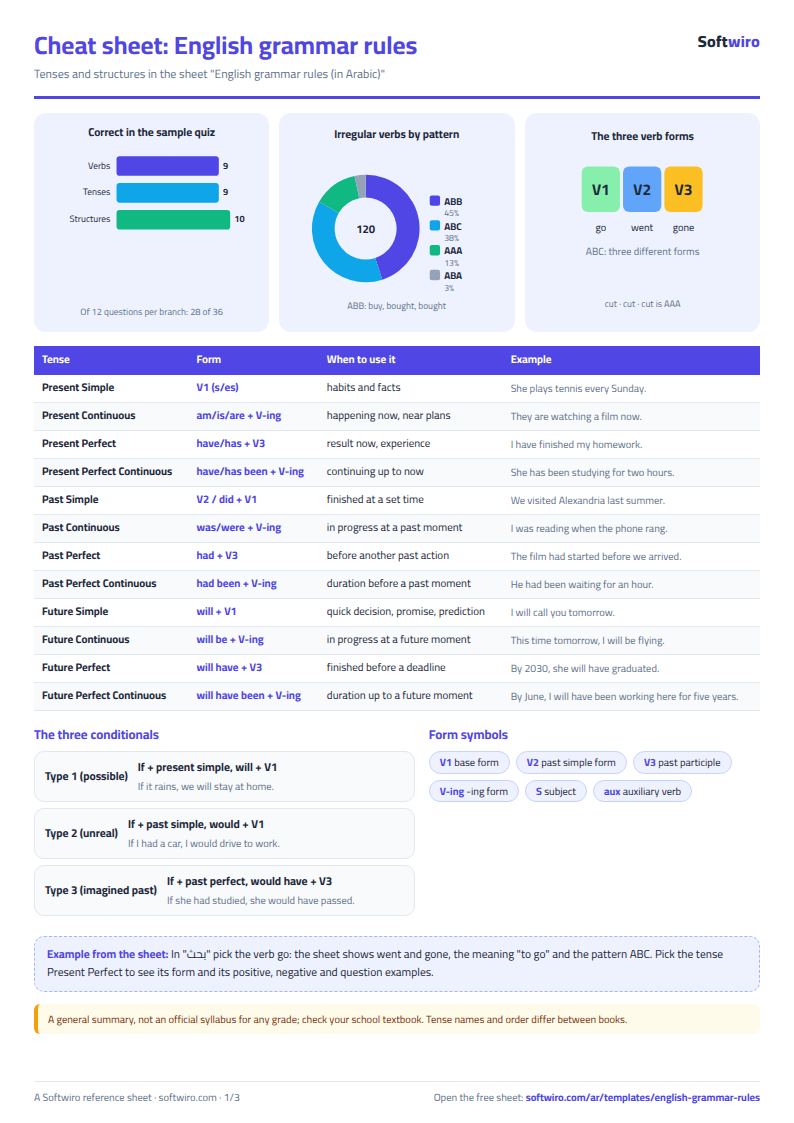
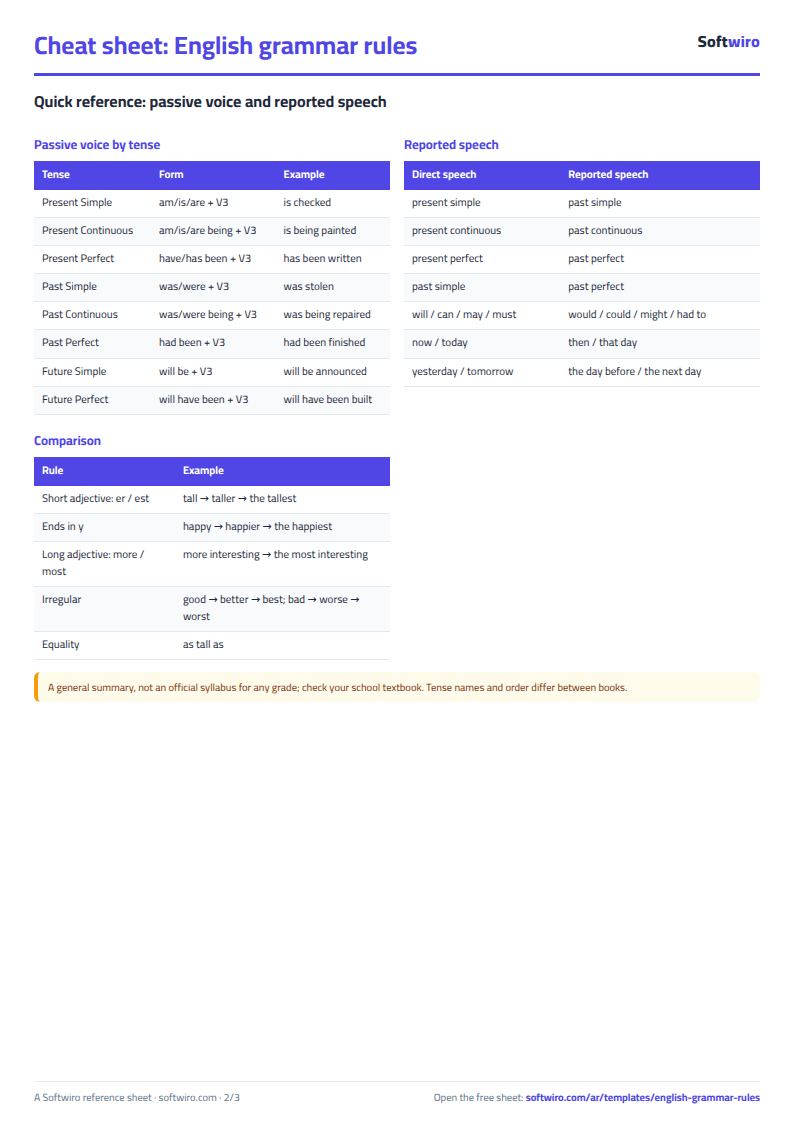
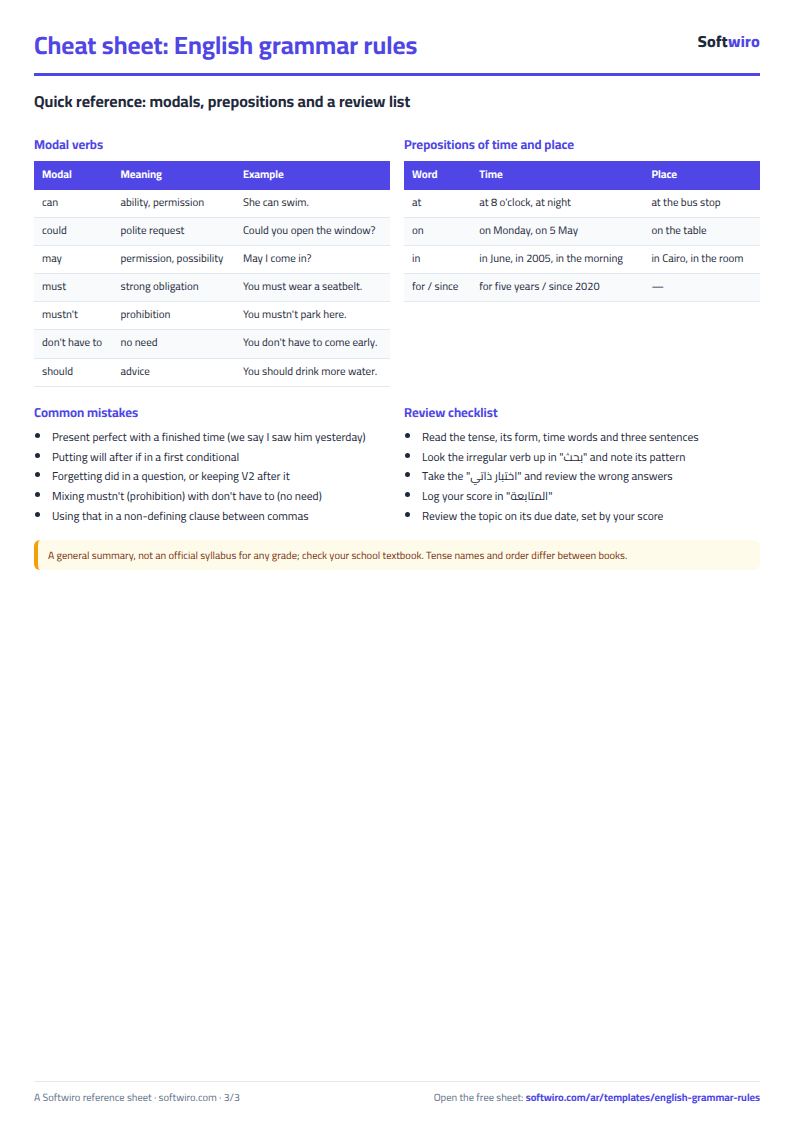
Terms, abbreviations, tables and diagrams over several pages, in Arabic and English. Download it as a PDF or images, including a phone-size version.
Still running this on Excel?
This sheet suits a start and a limited amount of data. If your way of working grows, or you need more than one person working on it at the same time, Softwiro can build you a program that fits the way you work.
| In this sheet | In Custom Software from Softwiro |
|---|---|
| One file that one person edits at a time, and copies reach you on WhatsApp. | A program with a login for each user and permissions you define, and everyone sees the same data. |
| You type everything and check the numbers by hand. | We design the screens around your work steps, so each person records only what concerns them. |
| Columns and formulas are fixed as the sheet was designed. | We build what you need: reports, alerts and screens your way. |
| Backups and security are your own responsibility. | The program runs on a secured server with regular backups. |
Frequently asked questions
Does the sheet follow a school curriculum?
It is a general summary, not an official curriculum for any particular grade, so check your textbook. Tense names and their order can differ between books, so follow what your teacher asks for.
Are all irregular verbs included?
The table has 120 verbs, among those most used in schools, not every irregular verb in the language. Some verbs have a second form in use (such as gotten in American English), and the table gives the more common form.
How do I type my answer in the self-test?
Type the English answer in English letters. Capitalization does not matter. Or pick it from the drop-down list. The sheet compares the text after removing extra spaces.
Can I add my own rules and questions?
You can edit the text of any rule. The tables have room for what they hold: the self-test takes 36 questions and the tracking sheet takes 20 topics. A large question bank needs dedicated software.
Is the template free?
Yes, with no sign-up and no email address. Use it, edit it and share it as you like.
Does it work in Google Sheets and on mobile?
The sheet uses formulas supported by Excel 2016 and later, Google Sheets and LibreOffice, so you can upload it to Google Drive and open it with Google Sheets on a computer or a phone.
What is the difference between the white and the gray cells?
You type in the white cells; the gray cells are calculated automatically. Don't type in a gray cell, or you will erase its formula.
Can I use the sheet from an AI assistant?
Yes. Add our MCP server (URL https://softwiro.com/api/mcp, no key needed) to your assistant and ask it to do the calculation in this template. The numbers come from the sheet's own formulas, and we do not store your data. The steps and a ready-made prompt are in this article: https://softwiro.com/blog/mcp-excel-templates-ai-agent-guide.html
All the templates in this group: Free study summaries: rules, formulas and self-tests
More free templates for: Study summaries
More free templates
- Periodic table in Excel (Arabic names): lookup, molar mass calculator and quiz
- Science formulas cheat sheet: physics, chemistry and biology with examples
- Arabic grammar summary sheet: rules, i'rab and a self-test with examples
- Algebra rules summary sheet: laws, identities and solving equations with examples
- Solid geometry formulas sheet: areas and volumes with examples and a calculator
- English vocabulary and expressions sheet in Excel: words by topic and spaced review
- Taxi, Uber and ride-hailing driver income sheet (trips, fuel, commission, daily net)
- Personal car maintenance log (oil and filter dates by kilometre and months)
- Parking garage management sheet (hourly and monthly)
- Car wash management sheet (packages, cards, workers, materials)
- Food factory sheet in Excel: recipes, batches, cost and shelf life
- Biscuit factory sheet: dough, lines, packing and scrap
- Detergent factory sheet: formulas, batches, cost and filling
- Detergent ingredients and their names: function, chemical name and use