You run a shop, grocery or store with dairy, food and cosmetics, and you want to know without walking the shelves which batch expires soon, what it is worth, and which batch should be sold first. The free barcode, batch and expiry inventory sheet does this from two logs you type: what you received and what you issued. You can also try it online from the template page.
The problem it solves
One item arrives in several deliveries with different expiry dates. If you only record an item's balance you cannot tell which delivery is the one expiring, so you sell the newest and leave the oldest to expire on the shelf. The loss gets blamed on slow sales when it is really the wrong picking order. The fix is to keep a balance per batch and let the sheet suggest the batch that expires first.
How it works, step by step
- In الإعدادات (Settings) write today's date, the number of days for "near expiry" and your categories.
- In الأصناف (Items) record barcode, name, category, unit and minimum level. Click the barcode cell and scan with a USB scanner, which types the number like a keyboard and then Enter; some phone apps do the same. The cells are text so leading zeros stay.
- When goods arrive, write one row per batch in الاستلام (Receipts): barcode, batch number, expiry date, quantity and unit cost.
- When you sell or write off, write in الصرف (Issues) the barcode, batch, quantity and type. The item name, the suggested batch and a row check appear.
- Scan any barcode in مسح باركود (Scan) to see the balance and the earliest batch.
- Open التنبيهات (Alerts) and الملخص (Summary) to see what is expired or near, and its value.
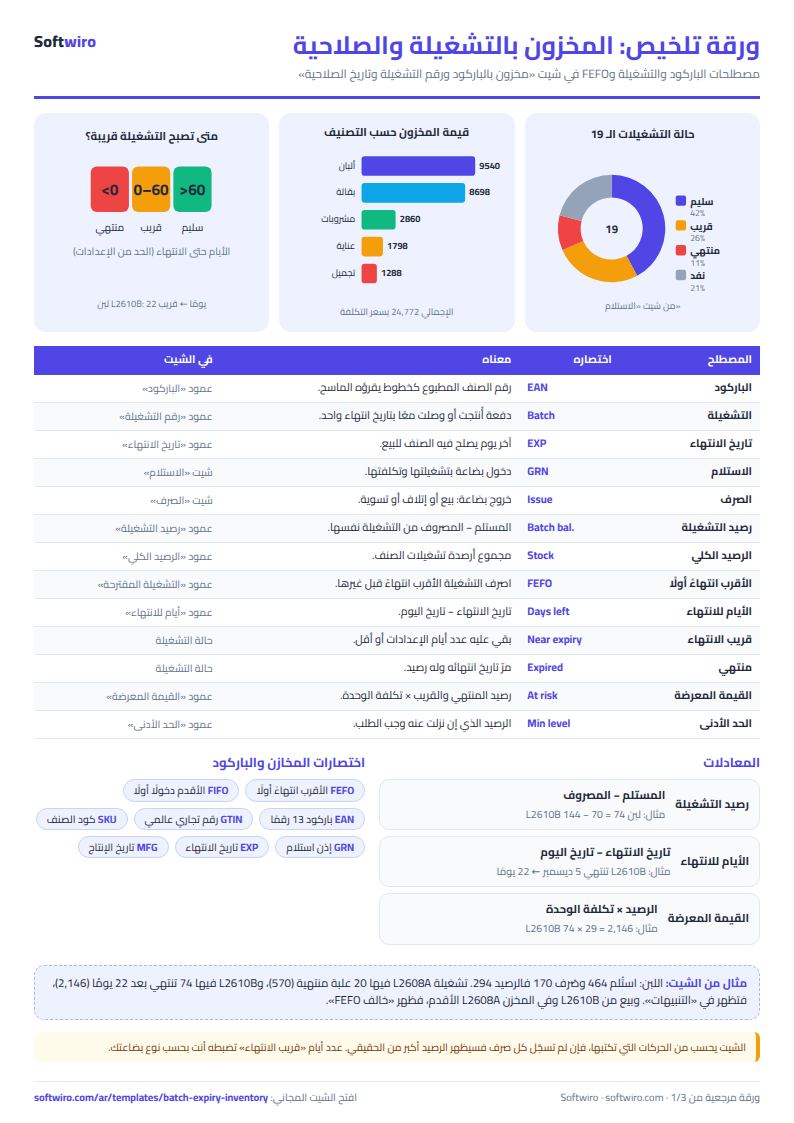
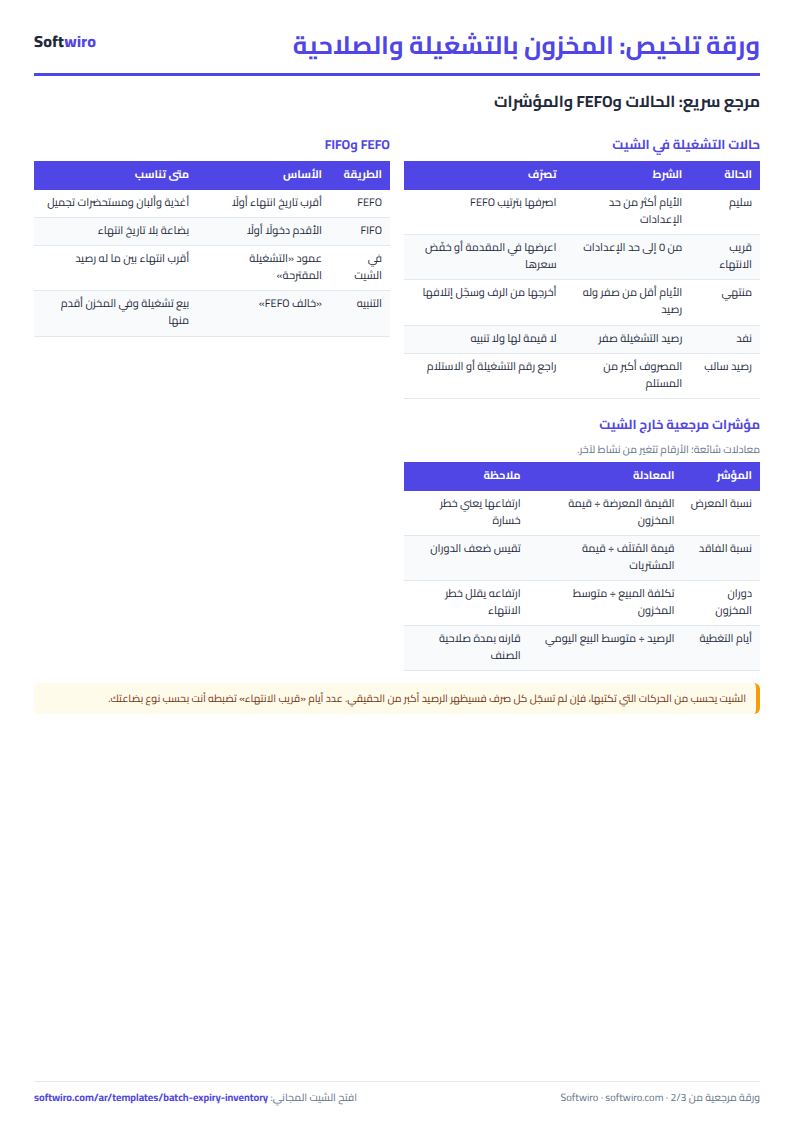
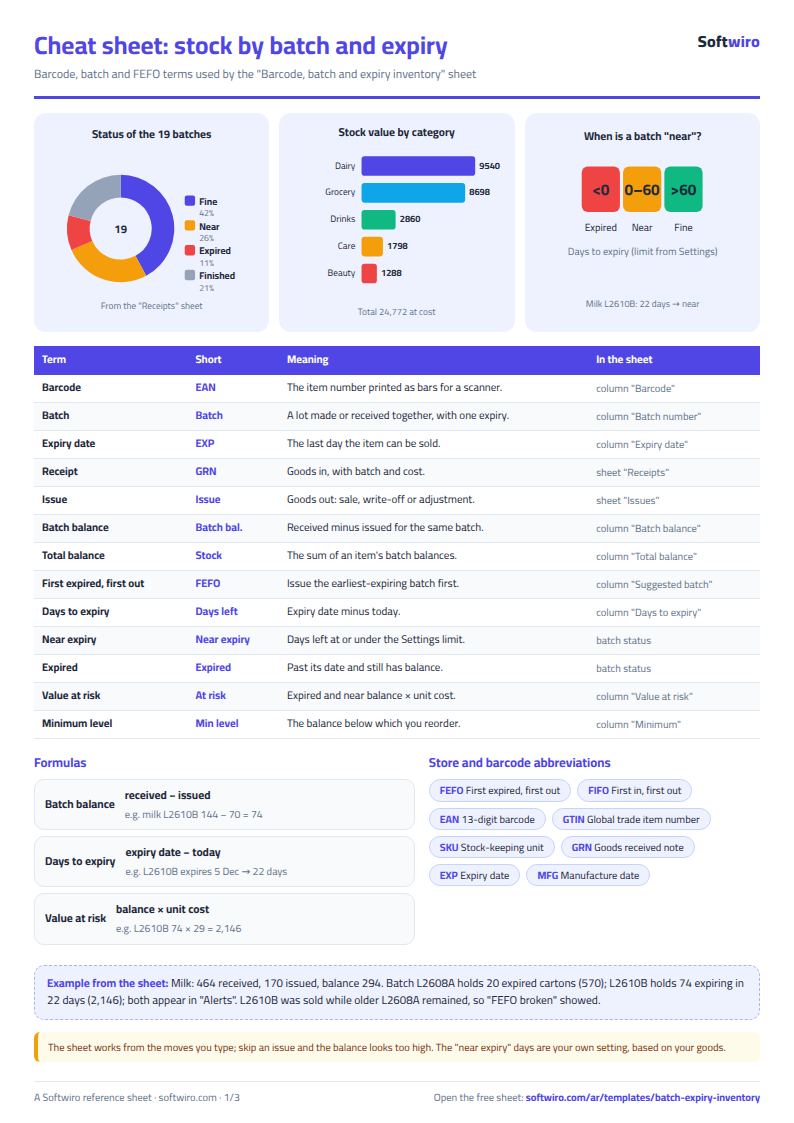
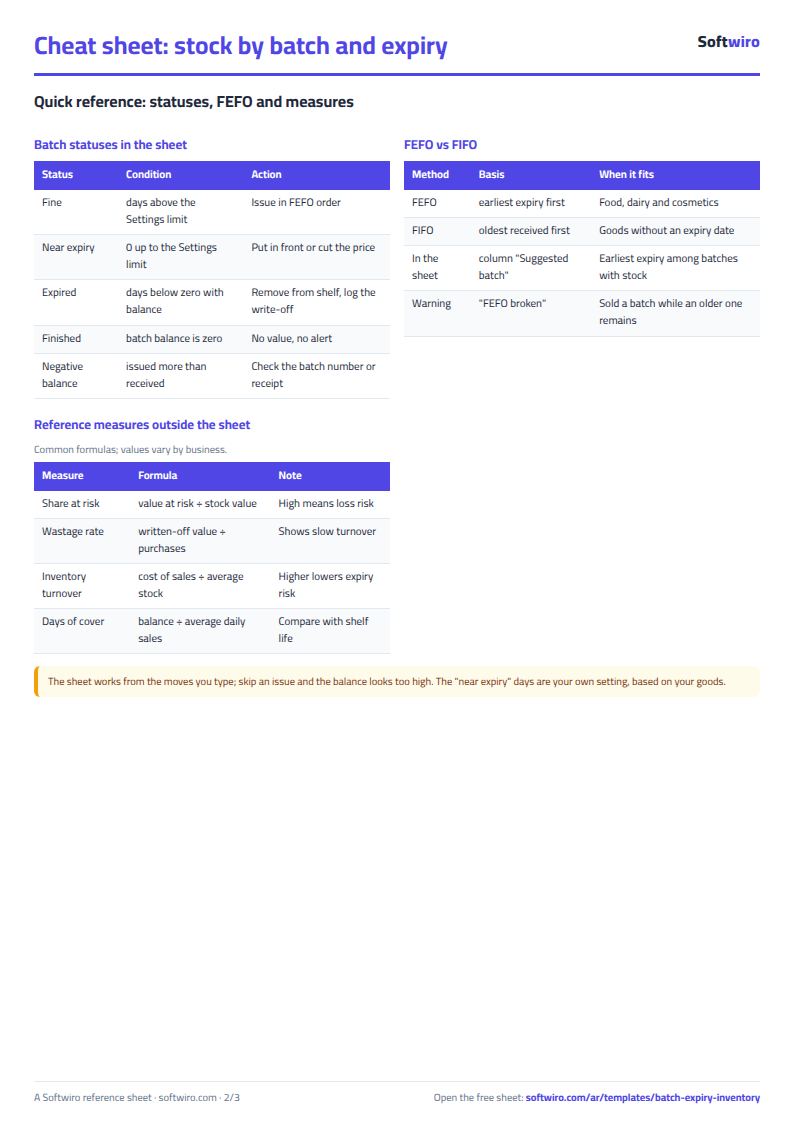
Batch balance = received - issued for the same barcode and batch number. A batch is "expired" once its date has passed, "near expiry" when the set number of days or fewer remain, and "finished" when its balance runs out. Value at risk = expired and near-expiry balance x unit cost.
How it differs from the pharmacy expiry sheet
We also have the pharmacy stock and expiry tracker, made for pharmacies: each batch is one row with its current quantity and reorder level. This sheet is for any shop, grocery, food store or cosmetics warehouse: it uses barcodes, separates receipts from issues so batch balances come from movements, suggests the oldest-first issue (FEFO) and gives you a scan cell. If your shop does not care about expiry, the general shop inventory sheet is simpler.
What each sheet does
- Settings: date, alert days, first chart month and categories.
- Items: barcode, total balance, earliest expiry, earliest batch and status; 200 items.
- Receipts: batches with balances and statuses; 400 batches.
- Issues: sales and write-offs with the suggestion and warning; 1,000 rows.
- Scan: a quick look-up for any item.
- Alerts: expired and near batches, soonest first.
- Summary: values, percentages and three charts.
A walk-through with the sample numbers
These are sample data in the sheet, not a real shop: 11 items, 19 batches and 55 issues; today is 13 November 2026 and "near expiry" means 60 days or fewer.
- Milk: 464 received and 170 issued leaves 294, worth 8,716. It has three batches: L2608A holds 20 cartons that expired 8 days ago, worth 570; L2610B holds 74 cartons expiring in 22 days, worth 2,146; L2611C holds 200 cartons expiring in 78 days, so it is fine. Scan the milk barcode and the sheet shows that the earliest batch is expired.
- FEFO: 70 cartons were sold from L2610B while 20 older cartons of L2608A stayed in stock, so two rows read "خالف FEFO" (broke FEFO). Two biscuit rows do too: 4 flagged issues in total.
- Yogurt: batch Z10 is finished, so Z11 (37 days left) becomes the suggestion.
- Green tea: balance 16 against a minimum of 20, so "reorder". Liquid soap is out, and wet wipes have no movement.
In the summary: stock value 24,772.25, of which 660 is expired and 4,197.50 is near expiry, so 4,857.50 is at risk, about 19.6%. Two batches are expired and five near, and 15 of the 19 batches still hold stock. The largest value at risk is in dairy: 3,539.50 of 9,539.50.
Common mistakes
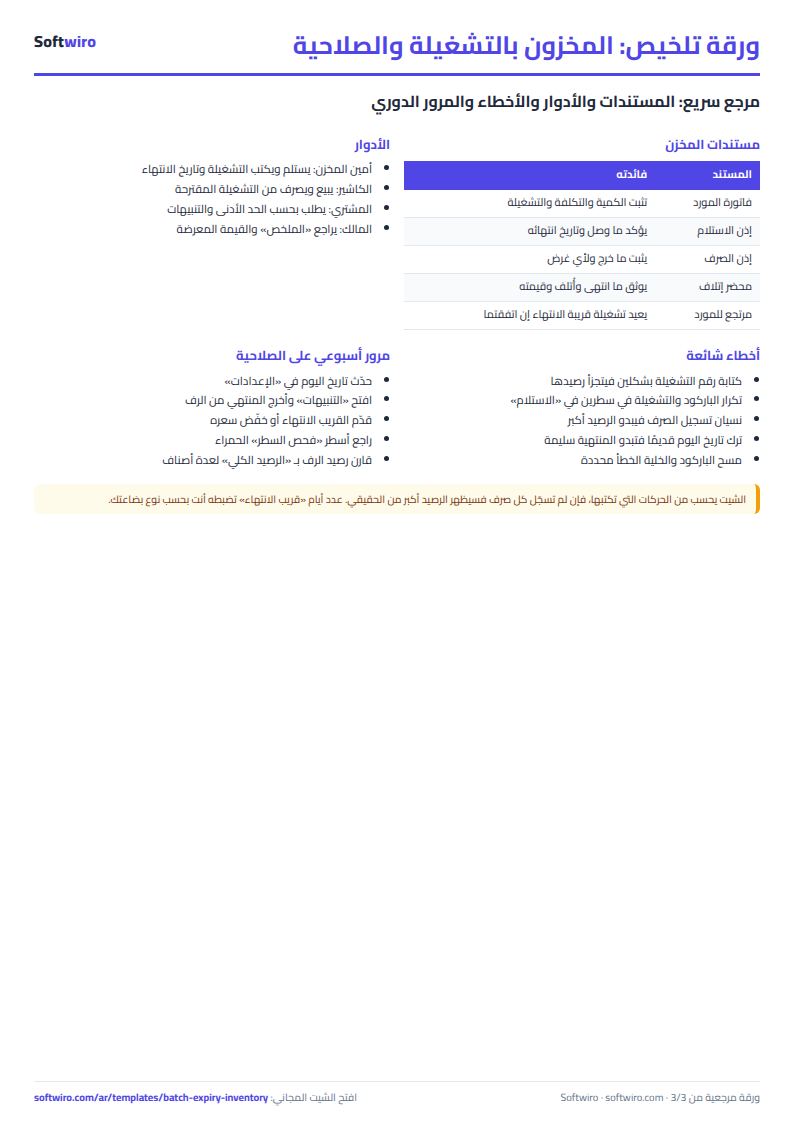
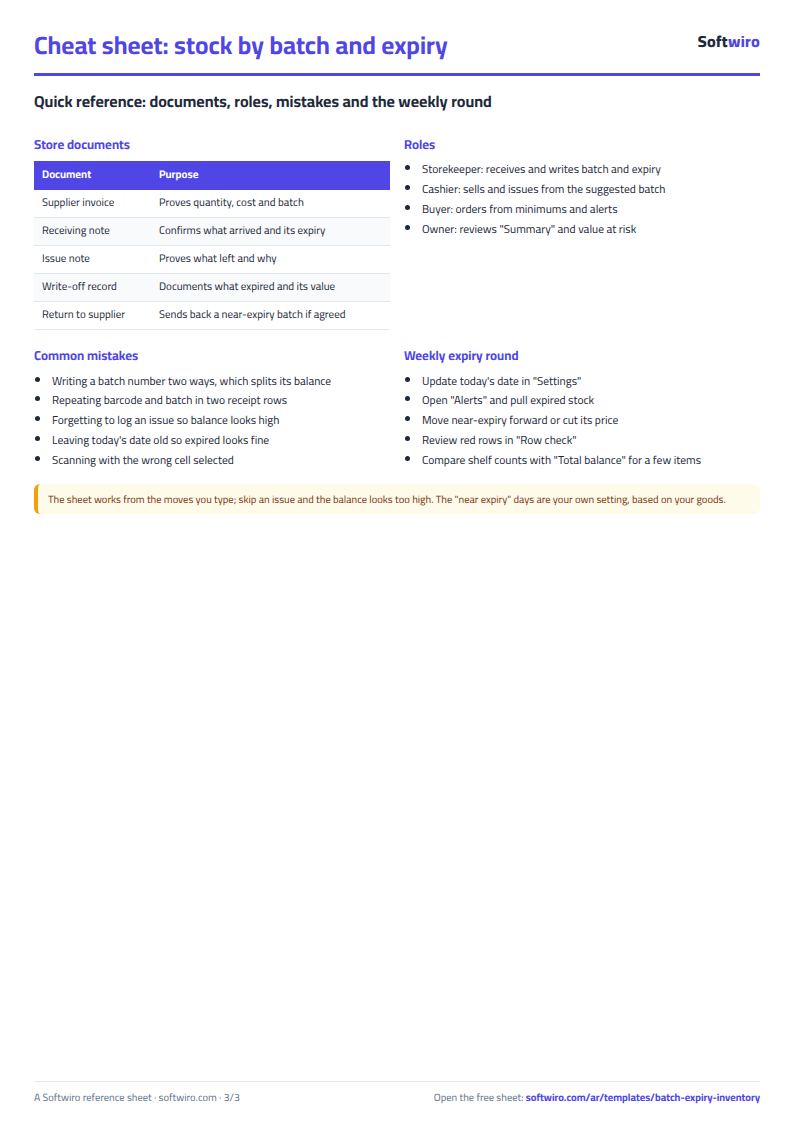
- Writing a batch number two ways (L2610B and l2610b), so its balance is split. Copy it from Receipts instead of retyping.
- Repeating the same barcode and batch in two receipt rows. Add the quantity to the first row.
- Forgetting to log an issue, so the balance looks higher and the batch looks fresher than it is.
- Not updating today's date, so an expired batch looks fine.
- Relying on "near expiry" without a decision: cut the price or move the batch forward.
- Scanning while the wrong cell is selected, so the number lands elsewhere.
When to move to a system
The sheet is enough for one store and a few thousand movements. When daily sales grow or you have several branches, look at Accountwiro, which creates invoices by reading barcodes, updates quantities after each sale and warns when an item falls below the limit, or ask for software built your way.
Your next step
Open the template, download the file, clear the examples, record your items and the latest delivery of each with its batch, then open "التنبيهات" to see what should leave the shelf this week.