You want the graduation project team to know, at every weekly meeting, where the project stands, what is late and who is carrying more than their share, without it getting lost between WhatsApp messages and loose papers. The free graduation project manager sheet puts all of that in one Excel file, from the proposal to the defense. It suits any team and any major. The sheet itself is in Arabic, so this guide explains how to use it; the numbers below belong to an imaginary software project.
The problem it solves
A graduation project starts with enthusiasm and then things pile up: tasks nobody owns, supervisor comments nobody remembers a week later, expenses one member pays and everyone forgets, and report chapters left for the last two weeks. The team discovers the delay when the deadline is close. The fix is not a complicated tool but one file that is updated every week and seen by everyone.
How the sheet works, step by step
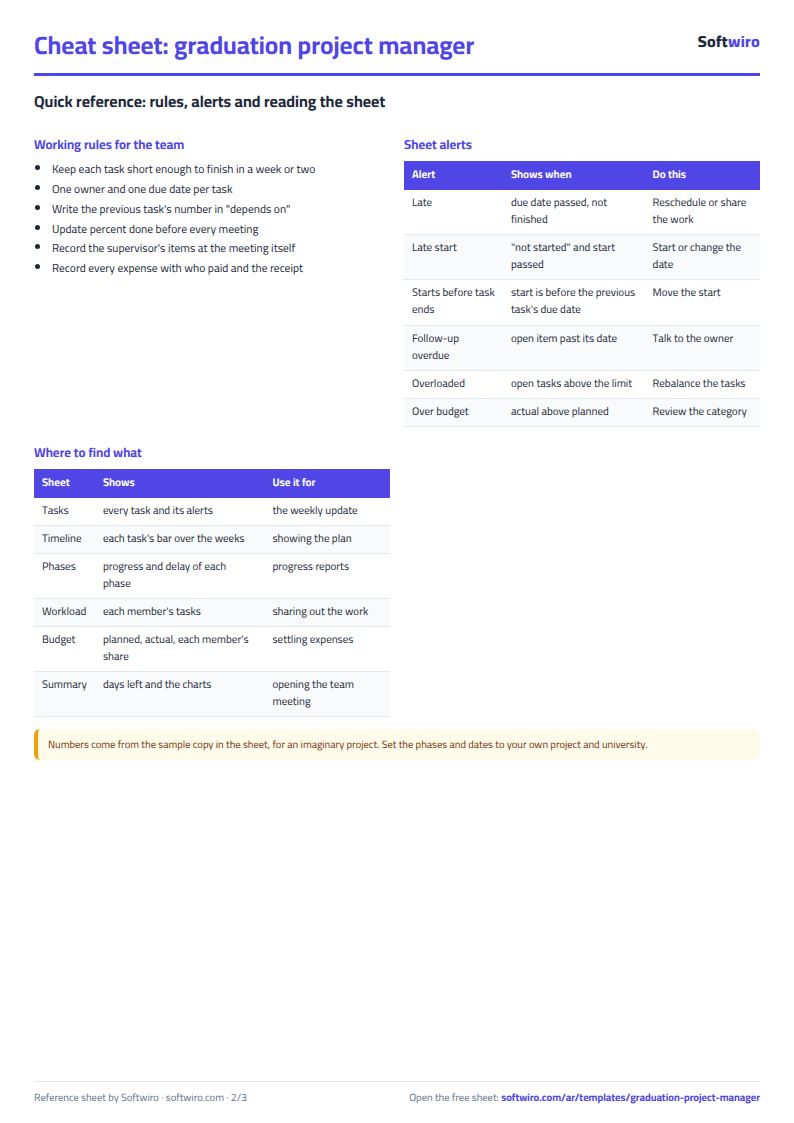
- In الإعدادات (Settings) write the project name, today's date, the start date of week 1 and the defense date.
- In الفريق (Team) list the members and each one's role, and in المراحل (Phases) write the project phases with their planned dates.
- In المهام (Tasks) write each task with its phase, owner, start, due date, percent done and status, and in the "depends on" cell the number of the task before it.
- Open الجدول الزمني (Timeline) to see the tasks across the weeks, late ones in red and finished ones in green.
- After every supervisor meeting record the action items in الاجتماعات (Meetings) with an owner and a follow-up date.
- Record expenses in المصروفات (Expenses) and the chapters written in التوثيق (Documentation), then check الملخص (Summary) before the team meeting.
What is in each sheet
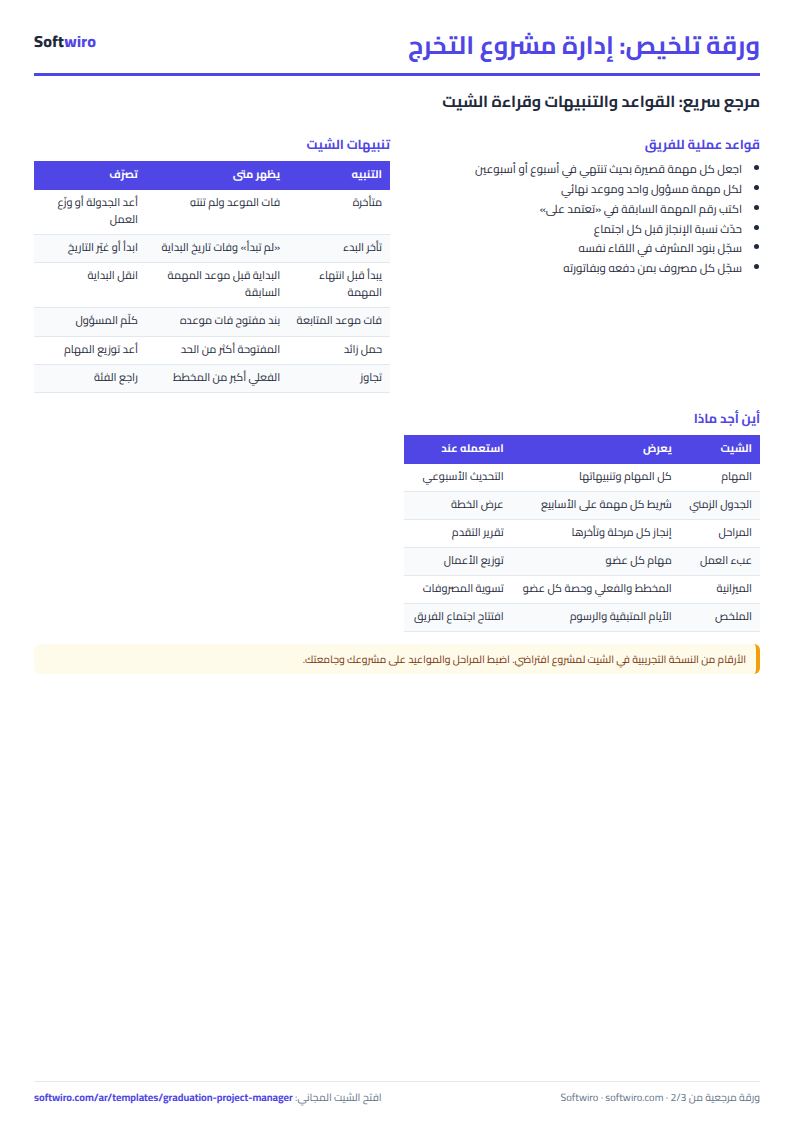
- Tasks: the length of each task is calculated; "late" shows when the due date has passed and the task is not finished, "late start" when it has not started and its start date has passed, and a warning appears if it starts before the task it depends on has finished.
- Timeline: twenty week columns built with formulas from the start date, so you draw nothing by hand.
- Phases and workload: progress is weighted by task days, so a twenty-day task counts for more than a two-day task.
- Meetings, expenses and budget: follow-up items, who paid how much, and the total split between the members.
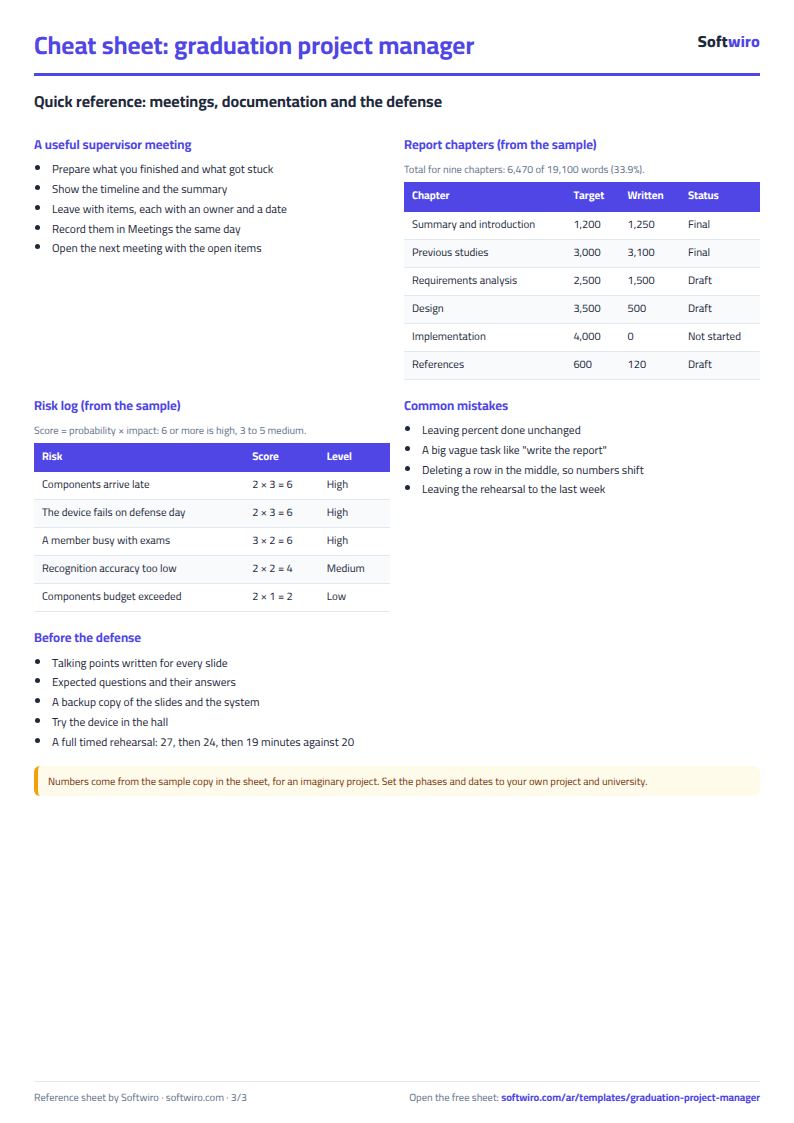
- Documentation, risks and rehearsal: report chapters against their targets, the score of each risk, the defense checklist and the rehearsal log.
A walk-through with numbers (sample data)
The numbers below come from the sample copy inside the sheet, which is what you see before typing anything. In it today is 2026-11-15 and the defense is on 2027-01-17.
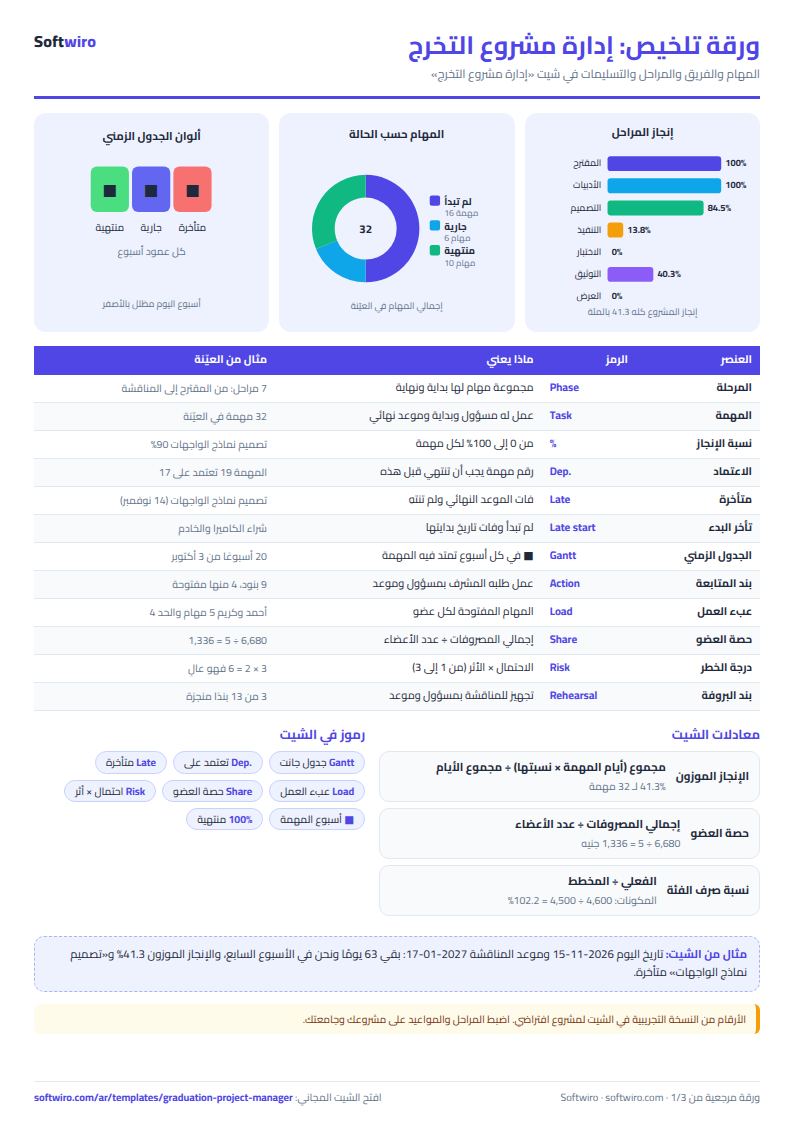
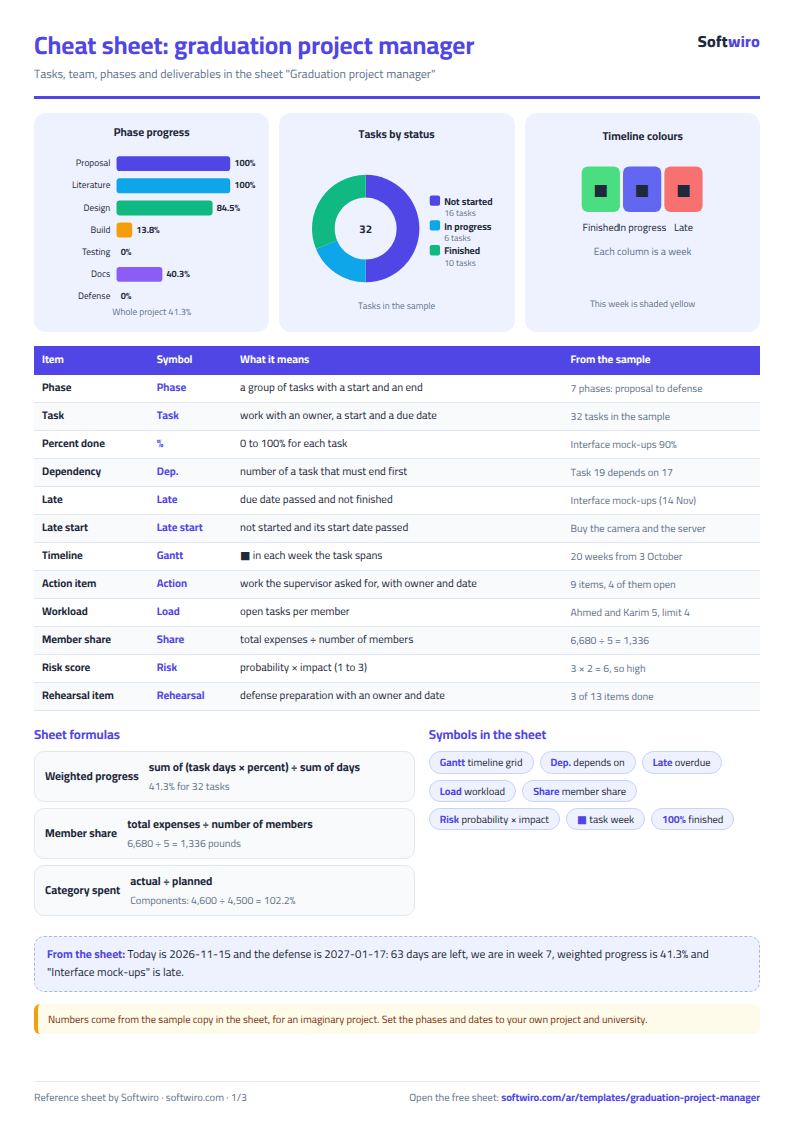
- Overall: 32 tasks: 10 finished, 6 in progress and 16 not started. Weighted progress is 41.3%, there are 63 days to the defense, and the current week is week 7.
- Phases: "Proposal" and "Literature review" are finished, and each ended two days after its planned end. "Design" is at 84.5%, "Implementation" at 13.8% and "Documentation" at 40.3%.
- Alerts: one late task, "Design the interface mock-ups" (due 14 November, 90% done); one task that has not started on time, "Buy the camera and the server"; and one dependency conflict: "Integrate the modules and first trial" starts on 12 December, before task 17 ends on 17 December.
- Workload: Ahmed and Karim each have 5 open tasks, above the limit of 4 written in Settings, so both show "overloaded".
- Meetings: 9 action items, 4 of them open, 2 past their follow-up date, and 3 days since the last meeting.
- Budget: planned 8,500 pounds, spent 6,680, left 1,820. The "components and devices" category went over its budget (4,600 against 4,500). Each member's share is 1,336, so Omar gets back 1,624 and Menna 214, while Karim pays 846, Sara 706 and Ahmed 286.
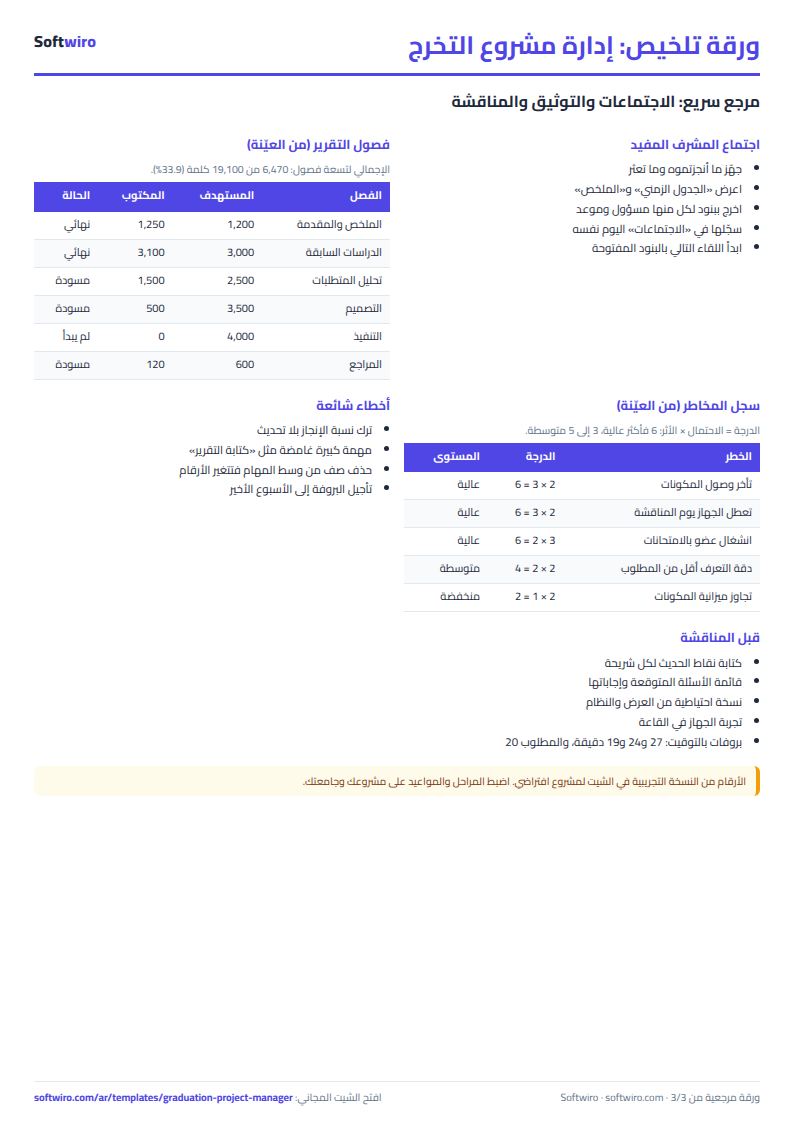
- Documentation: 6,470 words written out of 19,100 (33.9%), with two chapters final.
- Risks and defense: 3 high risks still open, 3 of the 13 items on the defense checklist done (23.1%), and three rehearsals of 27, 24 and 19 minutes against the 20 required.
Common mistakes
- Leaving percent done unchanged: the timeline and the summary depend on it, so update it before every meeting.
- Big vague tasks: "write the report" is not a task; split it into chapters, each with an owner and a date.
- Forgetting the "depends on" number: without it the sheet cannot warn you about a task that starts before its predecessor ends.
- Deleting a row in the middle of the tasks: the task numbers shift and the dependencies break; clear the row's contents instead.
- Keeping the supervisor's items in memory: record them at the meeting with an owner and a date, or they are lost.
- Leaving the rehearsal to the last week: start early and compare its length with the time you are given.
When to move from the sheet to a system
The sheet is enough for a team of a few people passing one file around. If every member wants to update their own tasks from a phone at the same time, or the supervisor wants one board for several teams with reminders before deadlines, that needs a system with a login for each user, and Softwiro can build one around your way of working. For the budget of another kind of project try the project monthly expenses and budget sheet, and to plan your studying the study planner.
Next step
Download the sheet and write today the real phases of your project and its first ten tasks with dates and owners, then book half an hour at the next team meeting to go through the timeline and the summary together. Do not wait until every detail is known: start with the nearest tasks and add the rest each week.
Frequently asked questions
Does it suit any major? Yes, it is for any graduation project done by a team. Phases, tasks and chapters are names you write yourself.
How is the Gantt grid drawn? With formulas from the start date of week 1, so when you change a task's date its bar moves.
How many tasks does it hold? 100 tasks, 10 members and 20 weeks in the timeline.
Is the expense split equal only? Yes. If you agree on different shares, work them out between you from what each member paid.