You run one or more wedding and event halls and you want two things: never to sell the same date and shift twice, and to know at any moment how much each client has paid, how much is left and which instalment is late. The free wedding and event hall booking sheet does it from three things you type: your halls and packages, your bookings and your clients' payments. It calculates the rest.
The problem it solves
Hall bookings usually live in a notebook or WhatsApp. A client calls for Friday evening, and someone else booked it last week and nobody remembers. A deposit and instalments are agreed, then the client asks "how much do I still owe?" and you hunt for receipts. When a booking is cancelled you are not sure how much to refund and how much to keep. The sheet puts these in one place: it writes "double booking" in red when the same hall, date and shift repeat, and it works out the balance from the receipts themselves.
How it works, step by step
- In الإعدادات (Settings) type today's date, the number of days for "upcoming events", the summary year, and choose the hall and month the calendar shows.
- In القاعات (Halls) write each hall, its capacity and its rent for the morning and the evening shift.
- In الباقات والإضافات (Packages and extras) write packages with a price per guest, and extras with a price and a type: "per guest" such as a dessert buffet, or "fixed" such as photography.
- In الحجوزات (Bookings) record each booking on one row: booking number, event date, hall, shift, client, guests, package, up to three extras, discount and status.
- In الدفعات (Payments) log every amount a client pays with a receipt number, the booking number and the payment type. In الأقساط (Instalments) write the agreed due dates and amounts.
- Open تقويم القاعة (Hall calendar), القادمة (Upcoming), الإلغاءات (Cancellations) and الملخص (Summary) to read the result.
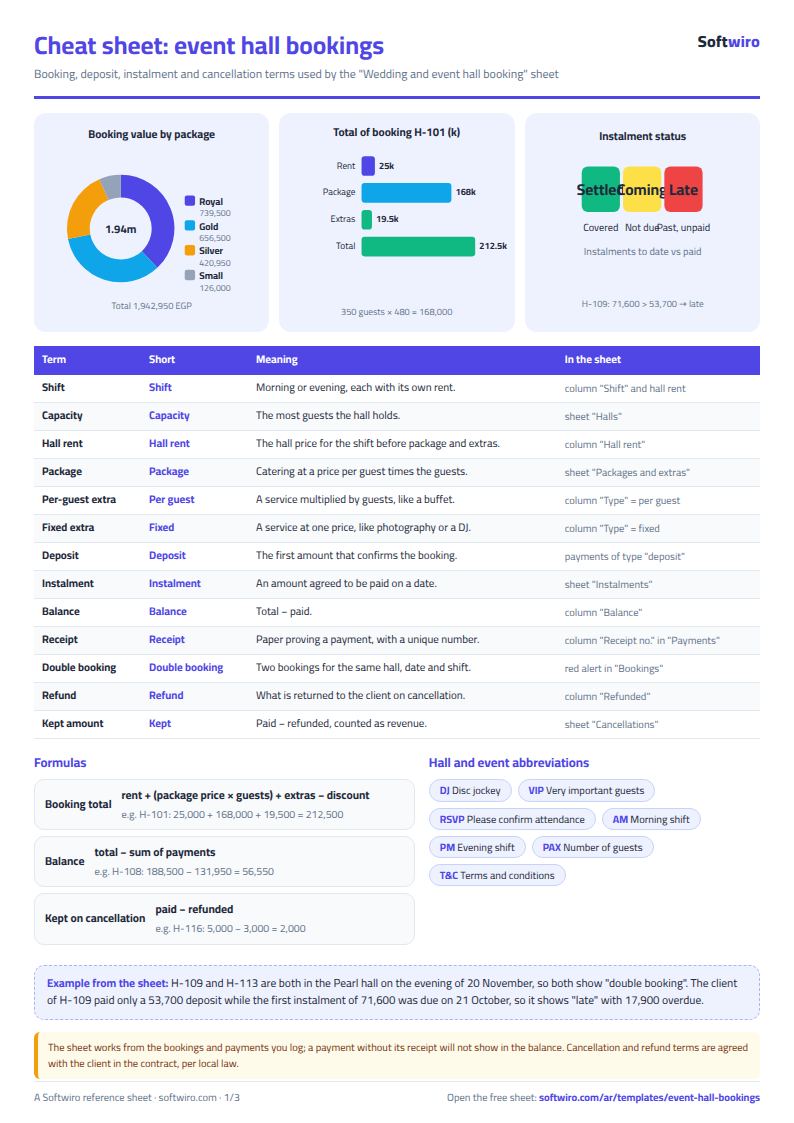
The core formula: booking total = hall rent + (package price × guests) + extras − discount, and balance = total − sum of payments.
What each sheet does
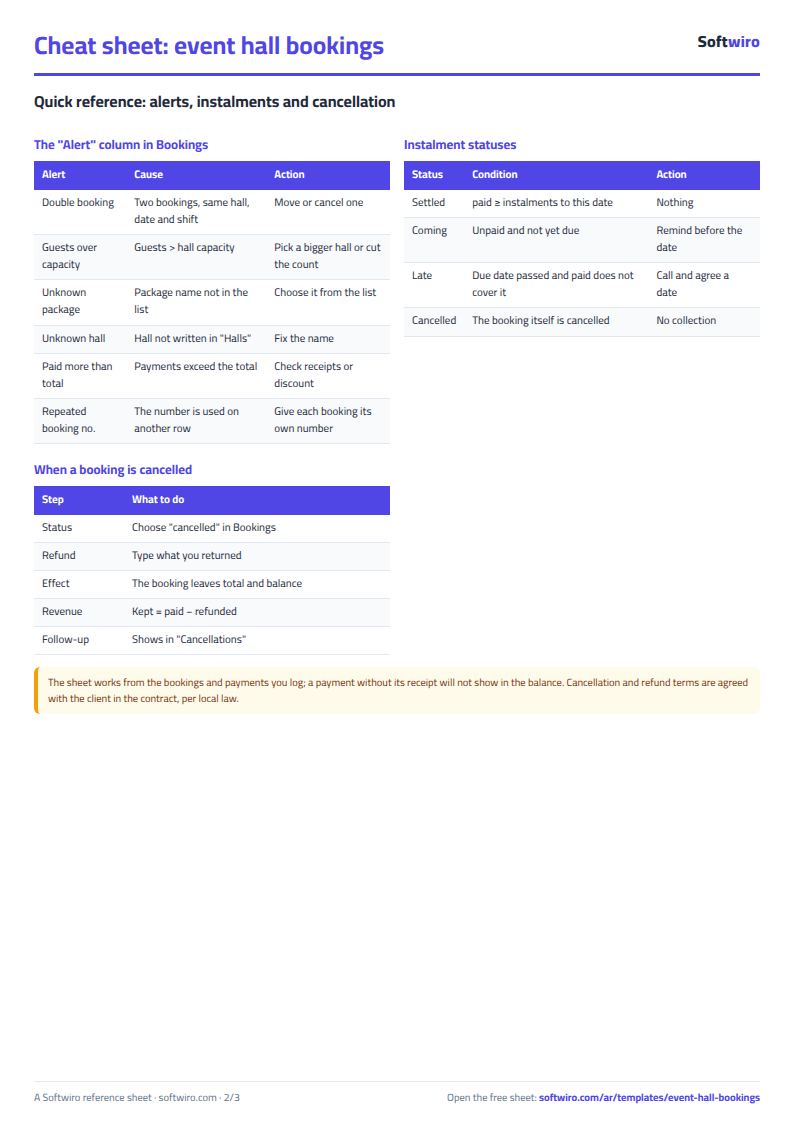
- الحجوزات (Bookings): calculated columns for rent, package, extras, total, deposit, paid, balance, revenue and days left, plus an alert column for "double booking", "guests over capacity" and "unknown package".
- الدفعات (Payments): the client and hall appear for each receipt, with a warning for a repeated receipt number or an unknown booking.
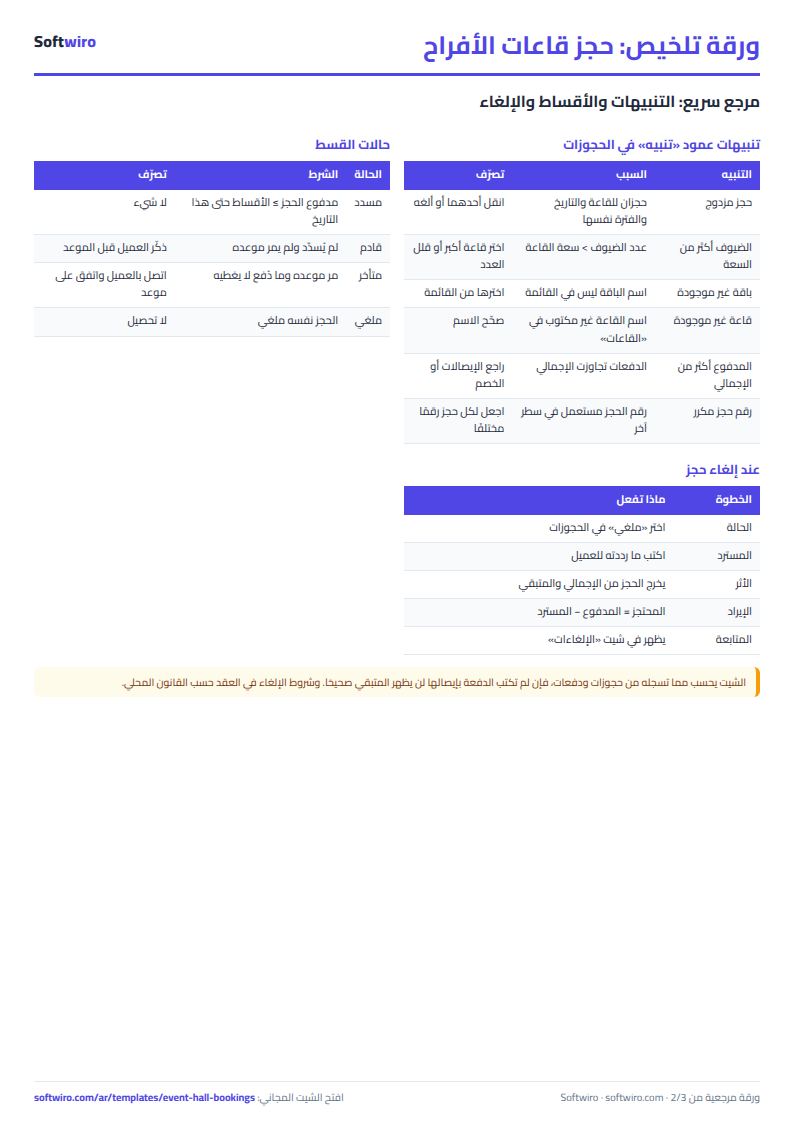
- الأقساط (Instalments): each instalment is "settled", "coming" or "late", from what the client paid and today's date.
- تقويم القاعة (Hall calendar): a full month in weeks that start on Saturday, two slots per day (morning, evening): "available" or the client and event type.
- القادمة (Upcoming): events within the period you set, by date, with each client's balance.
- الإلغاءات (Cancellations): cancelled bookings with paid, refunded and kept amounts.
- الملخص (Summary): booking value, collected and balance for a year, a monthly table, a split by package and by hall, and three charts.
A walk-through with the sample numbers
These figures are sample data inside the sheet, not a real hall: three halls, 16 bookings and 26 payments, and "today" is 13 November 2026.
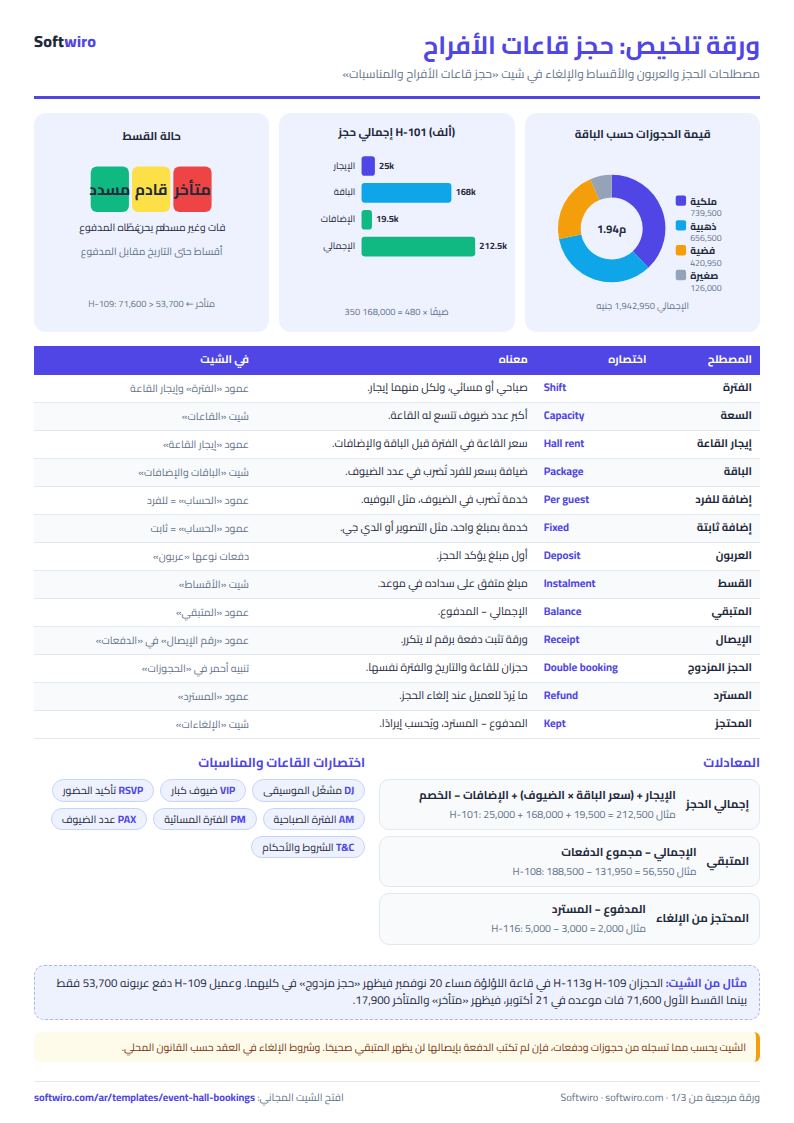
- Booking H-101 (wedding in the Diamond hall): evening rent 25,000, 350 guests on the gold package at 480 each = 168,000, and decoration, photography and DJ extras of 19,500. The total is 212,500, paid in three payments, the first a 63,750 deposit, so the balance is zero.
- Booking H-104 (engagement in the Jasmine hall): rent 9,000 + 100 guests on a 250 package = 25,000 + extras 7,000 − discount 500 = 40,500.
- Double booking: H-109 and H-113 are both in the Pearl hall on the evening of 20 November, so both rows show "double booking" in red, and so does the hall calendar when you pick that hall.
- Upcoming within 30 days: 7 events worth 1,028,750, with 591,700 still owed by their clients.
- A late instalment: the client of H-109 paid only the 53,700 deposit; the first instalment of 71,600 was due on 21 October, so it shows "late" with 17,900 overdue.
- A cancellation: H-116 had 5,000 paid and 3,000 refunded, so 2,000 is kept as revenue.
- 2026 summary: 15 events (cancelled excluded), 3,180 guests, booking value 1,942,950, collected 1,308,500 and balance 634,450. The highest-value package is the Royal at 739,500 from three events.
Common mistakes
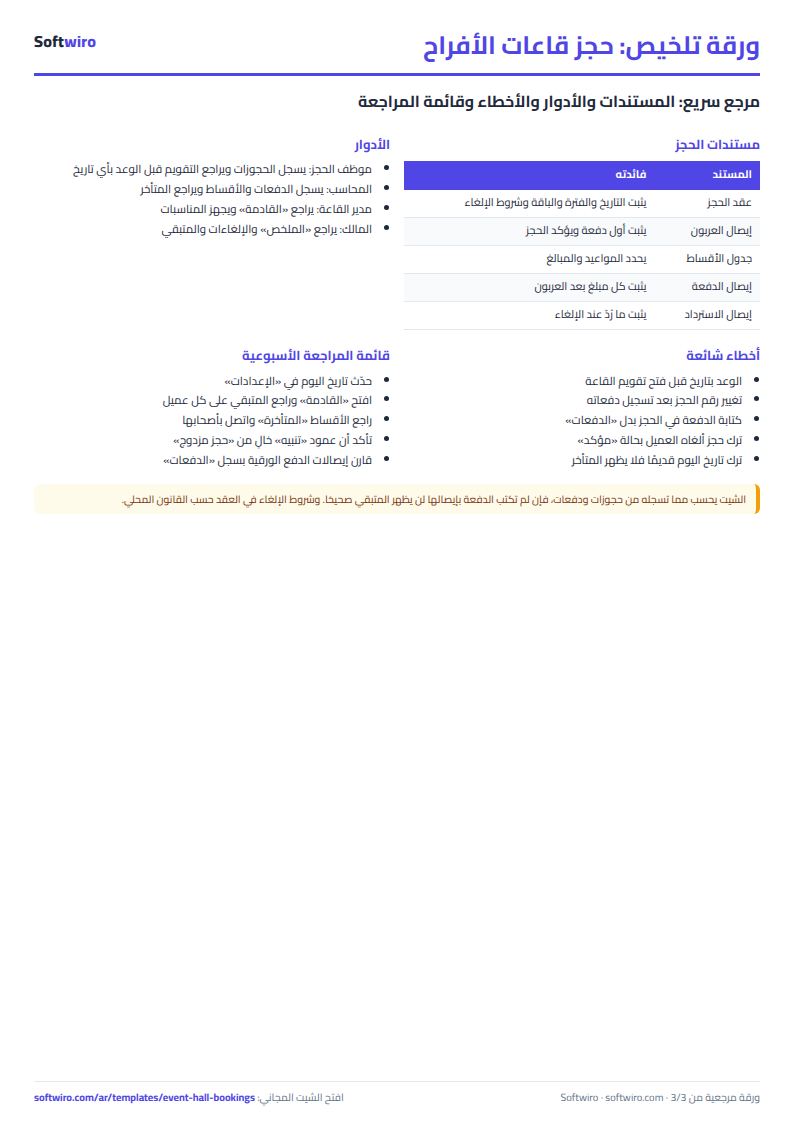
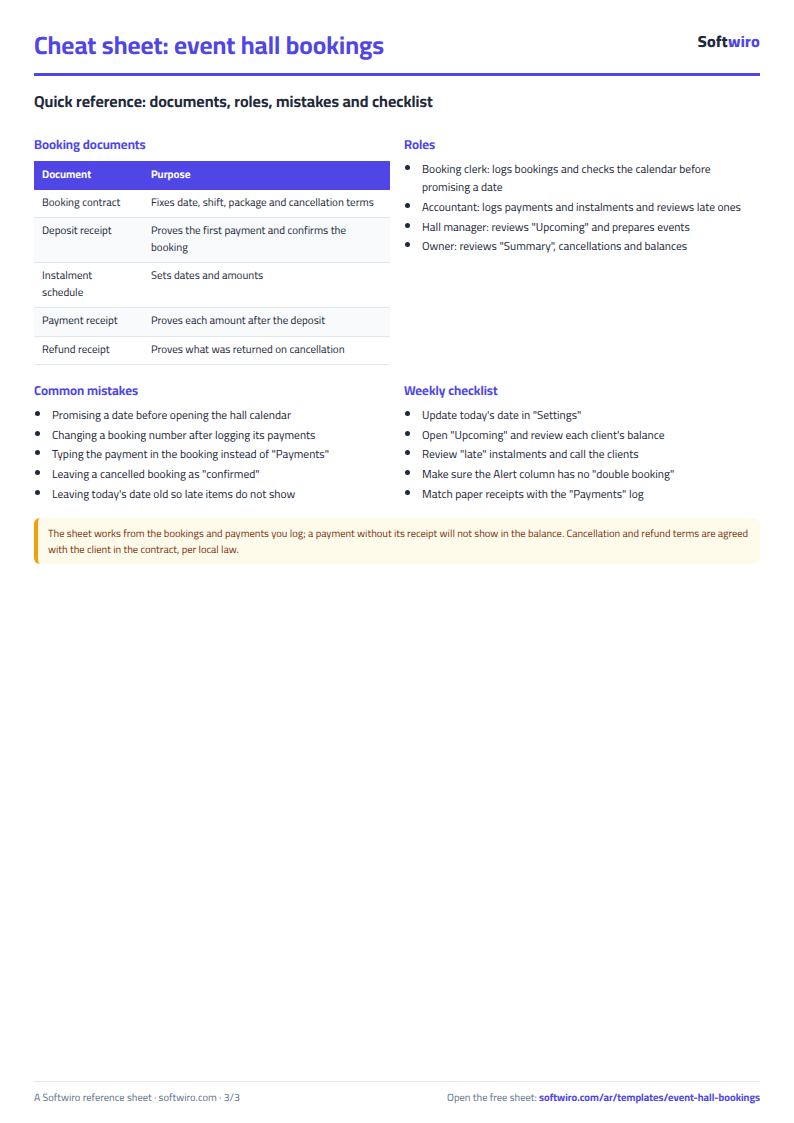
- Changing a booking number after its payments were logged: payments and instalments follow the booking number, so they show "booking not found". Pick a number that never changes.
- Typing a package or extra by hand with a different spelling: choose it from the list so the sheet finds its price.
- Logging the payment in Bookings instead of Payments: write each payment once in Payments so the deposit and paid amounts are calculated from it.
- Forgetting the "cancelled" status: a cancelled booking left as "confirmed" blocks the date and shows a balance.
- Leaving today's date old: "Upcoming" and "late" are measured from the date in Settings, so type
=TODAY()there to keep it current.
When the sheet is not enough
It suits one or several halls whose bookings are typed by one or two people. Once more staff book at the same time, or you want a contract and receipt issued automatically and reminders sent to clients, Softwiro can build you a program around your way of working. If you are planning your own wedding, try the wedding and event planner sheet, and for daily expenses the cash book sheet.
Your next step
Open the template page and try it online or download the Excel file, clear the samples, and type your halls and packages first, then your next three bookings with their payments, and see what the alert column says.