Ad data usually gets lost for the simplest reason: one person writes a link with a capital letter and another in lowercase, and a campaign is called "Friday offer" in Facebook and "black friday" in Google, so the numbers of one channel are scattered across the reports. The free UTM link builder and campaign naming sheet builds the full link and the campaign name by a fixed rule, and warns you about problems before you publish the ad.
The problem it solves
A shop owner or ad marketer launches ads on Facebook, Instagram, Google, TikTok and more, and wants to know in Google Analytics which channel, campaign and ad brought the visits and orders. That works when every link carries UTM parameters written in one system. When each person writes them their own way, Facebook, facebook and fb show up as three sources and comparison is lost. Here you enter the link inputs once and the sheet normalises and builds.
Steps from opening the file to a ready link
- Settings: edit the lists of allowed sources and mediums, and pick the separator between the parts of the campaign name and their order: "Source first" or "Date first".
- Links: in each row write the destination page link (starting with http), then pick the source and medium from the two lists.
- Write the campaign name in any form (such as Black Friday 2026) and, if you like, the content (utm_content), term (utm_term) and date.
- Copy the link from the Full link column into the ad, and use the Campaign name by convention column to name the campaign in the platform.
- Check the Note and Duplicate columns: fix any missing field and avoid publishing two identical links.
- Open Summary to see the number of links per source and medium and the number of duplicate or incomplete rows.
Worked example (sample data)
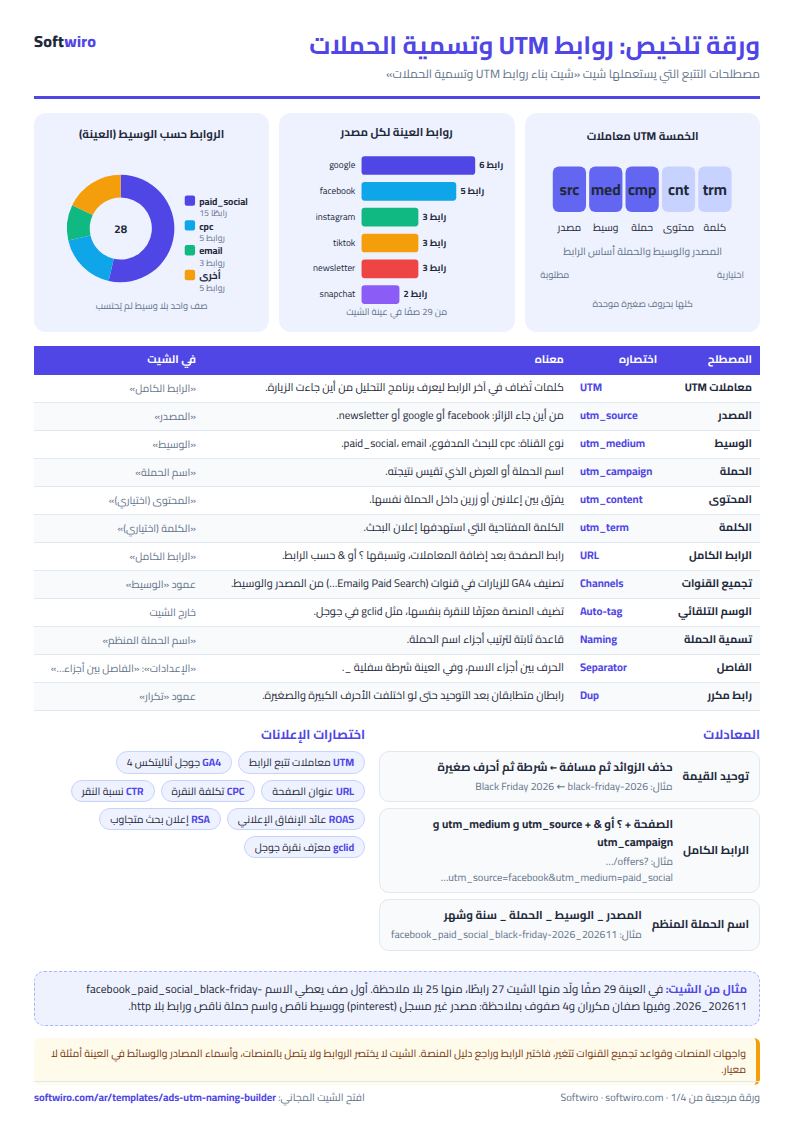
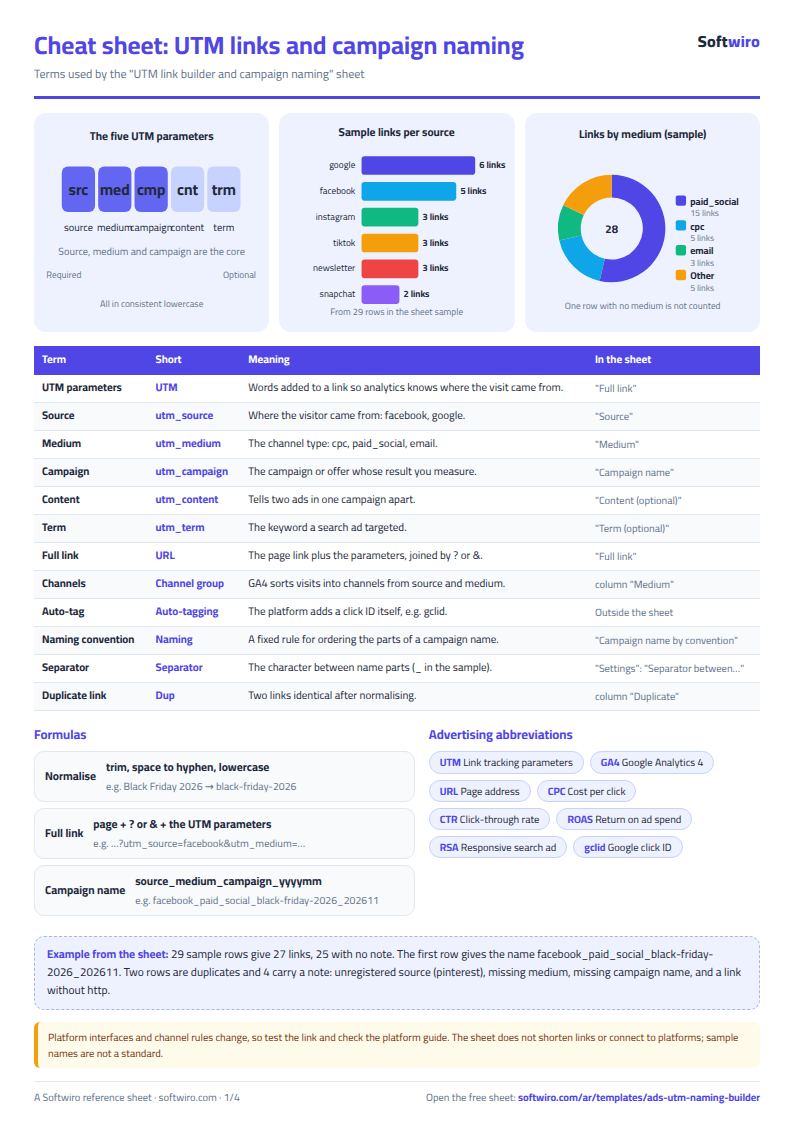
The following figures are sample data for a demo shop (shop-demo.example.com) with 29 rows, from which the sheet built 27 ready links, 25 of them with no note:
- Facebook: the page /offers, source facebook, medium paid_social, campaign "Black Friday 2026" and content "Video A" gives
…/offers?utm_source=facebook&utm_medium=paid_social&utm_campaign=black-friday-2026&utm_content=video-a, with the campaign name facebook_paid_social_black-friday-2026_202611 (the month comes from the date 1 November 2026). - Google with a term: a search ad with content "RSA 1" and term "Winter Jackets" gives
utm_content=rsa-1&utm_term=winter-jackets, named google_cpc_black-friday-2026_202611. - A link that already has a ?: the page /products?cat=shoes continues with & so the link becomes
…/products?cat=shoes&utm_source=google&utm_medium=cpc&utm_campaign=shoes-search…, named google_cpc_shoes-search_202610. - Space clean-up: the content "Story Poll" (two spaces) becomes story-poll.
- A row with no date: the google "Winter Sale" ad with no date gets the name google_cpc_winter-sale, without the year-and-month part.
- Duplicates: two rows identical after normalising (the google "RSA 1" ad for /offers entered twice) show "Duplicate" and the Summary shows rows with a duplicate link = 2.
- 4 rows with a note: "unregistered source" (pinterest, whose link is still built), "medium missing" (TikTok with no medium, so no link is built), "campaign name missing" (a Facebook ad with no campaign, so none is built) and "link does not start with http" (shop-demo.example.com/winter without a protocol).
- By source: google 6, facebook 5, instagram 3, tiktok 3, newsletter 3, snapchat 2, youtube 2, whatsapp 2, linkedin 1 and x 1, which is 28 rows with a registered source (the twenty-ninth, pinterest, is unregistered).
- By medium: paid_social 15, cpc 5, email 3, influencer 2, whatsapp 2 and display 1, plus one row with no medium.
- "Date first" order: the name becomes 202611_facebook_paid_social_black-friday-2026.
How the numbers are worked out
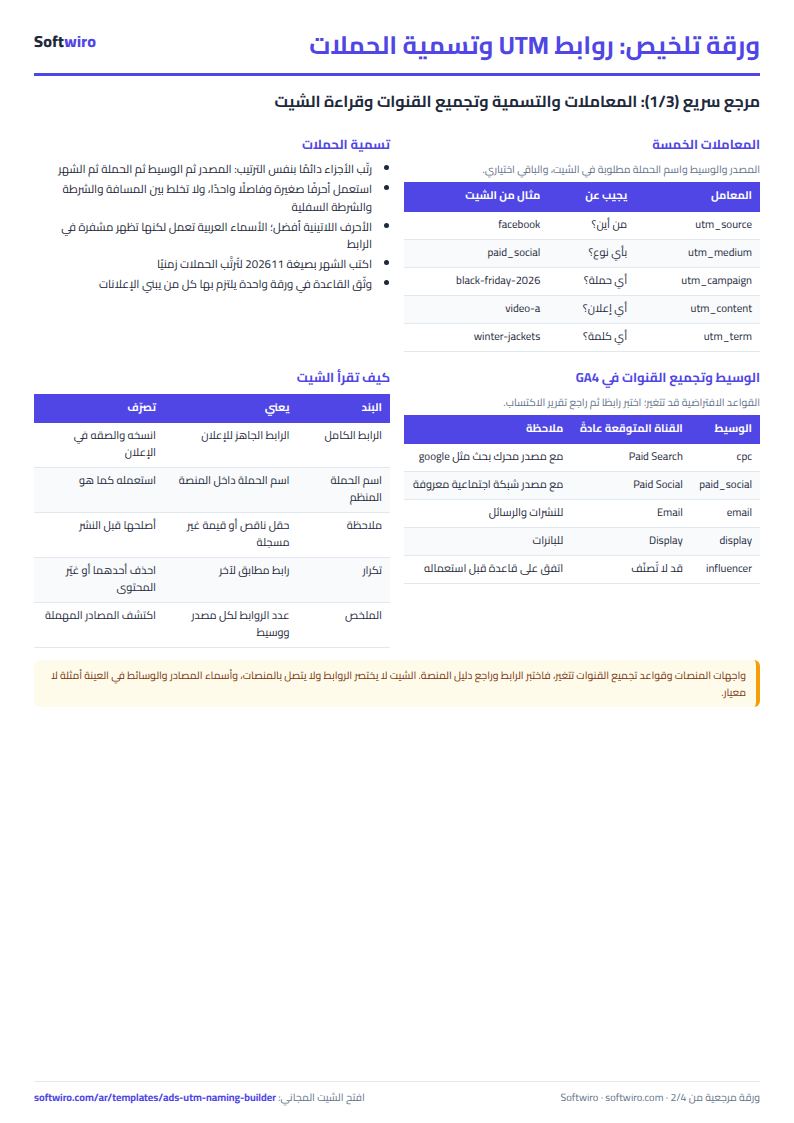
- Normalising a value: remove extra spaces, replace spaces with a hyphen, then convert to lowercase.
- Full link = page + ? (or & if there is already a ?) + utm_source + utm_medium + utm_campaign, then utm_content and utm_term if entered. It is built only when the page, source, medium and campaign are all filled.
- Campaign name by convention = source, medium and campaign joined by the separator you chose, then the year and month as 202611 if a date is entered.
- Duplicates: counted on the full link after normalising, so two links are duplicates if everything matches even if the capitalisation differed.
Tracking basics you need
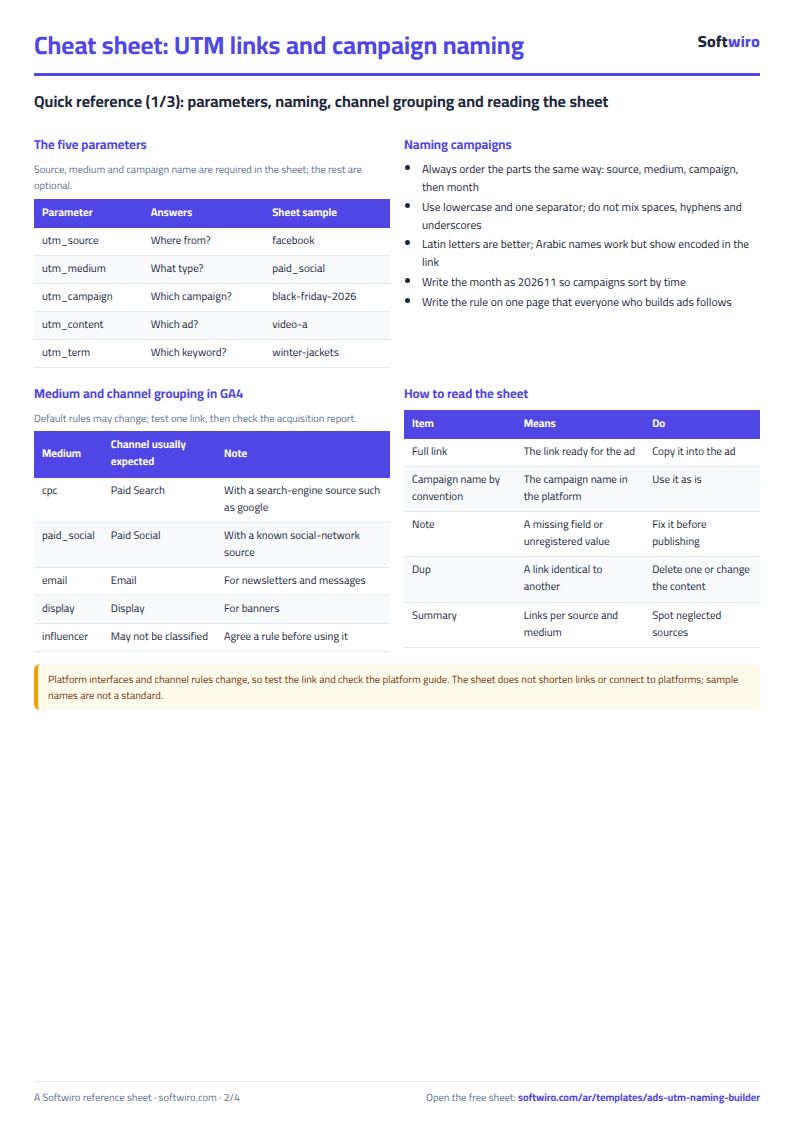
- The five parameters: source (where from), medium (channel type, such as cpc, paid_social and email), campaign, content (which ad) and term (which keyword). The first three are the core.
- Channel grouping in GA4: Google Analytics sorts visits into channels such as Paid Search, Paid Social and Email from the source and medium, so choosing a well-known medium helps the visit land in the expected channel. Grouping rules can change, so test a link and check the acquisition report.
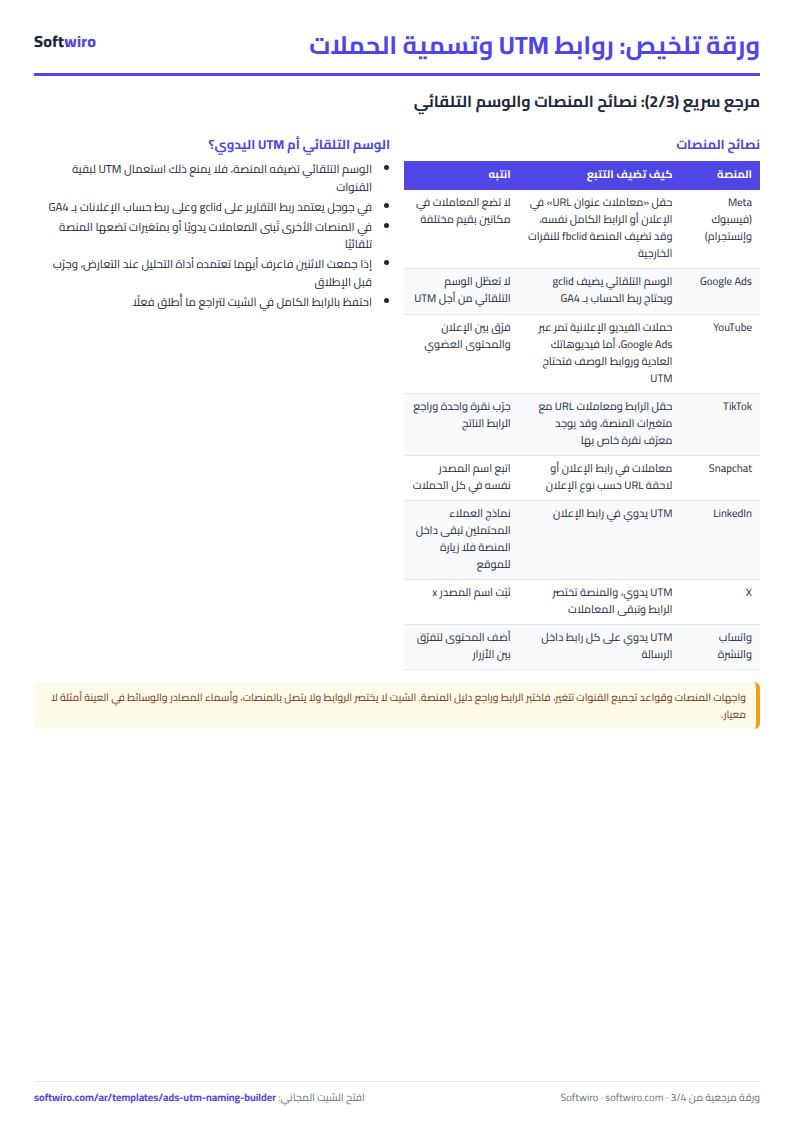
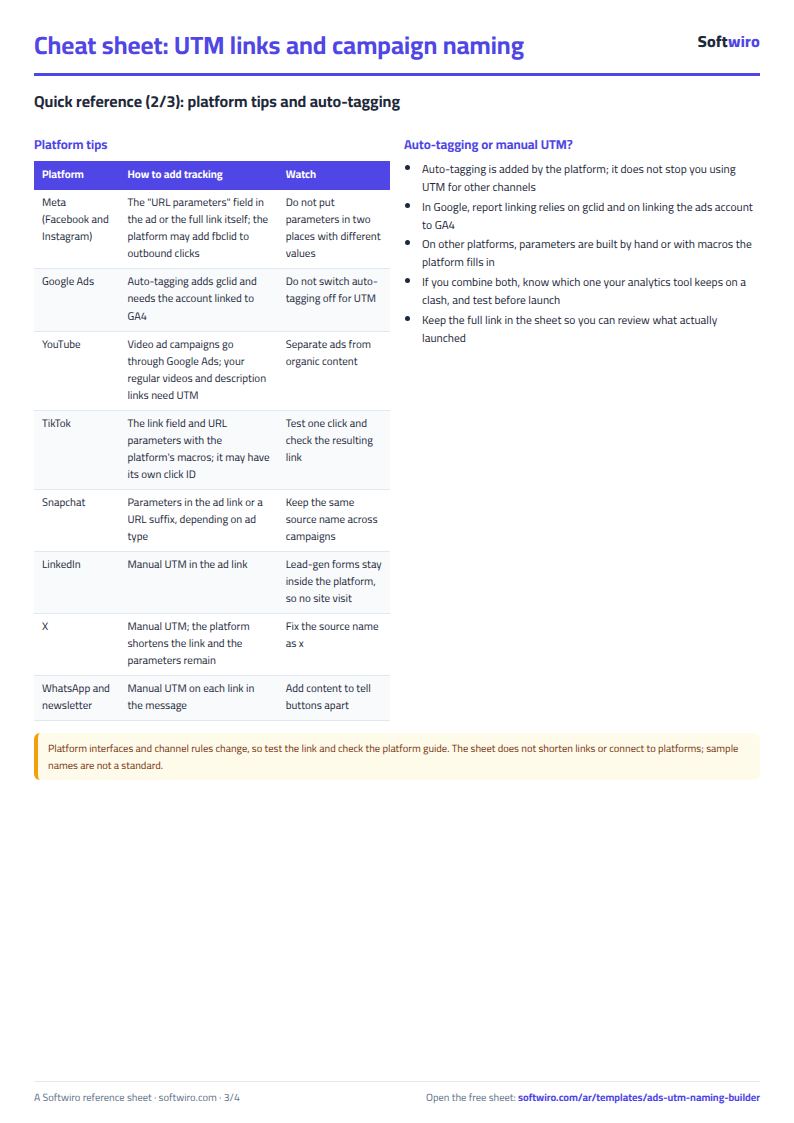
- Auto-tagging: Google adds the click ID gclid and Meta usually adds fbclid, but that does not replace using your own structured names. Each platform's method (its URL-parameters field and macros) changes, so check its guide.
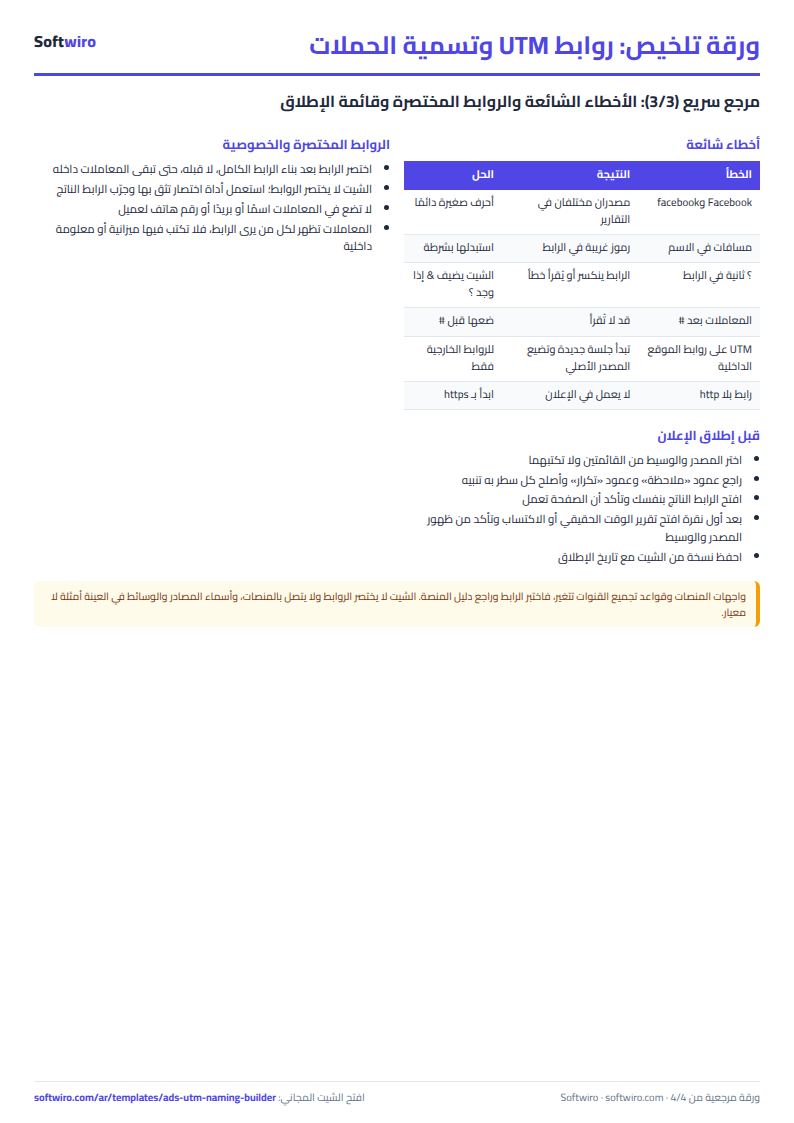
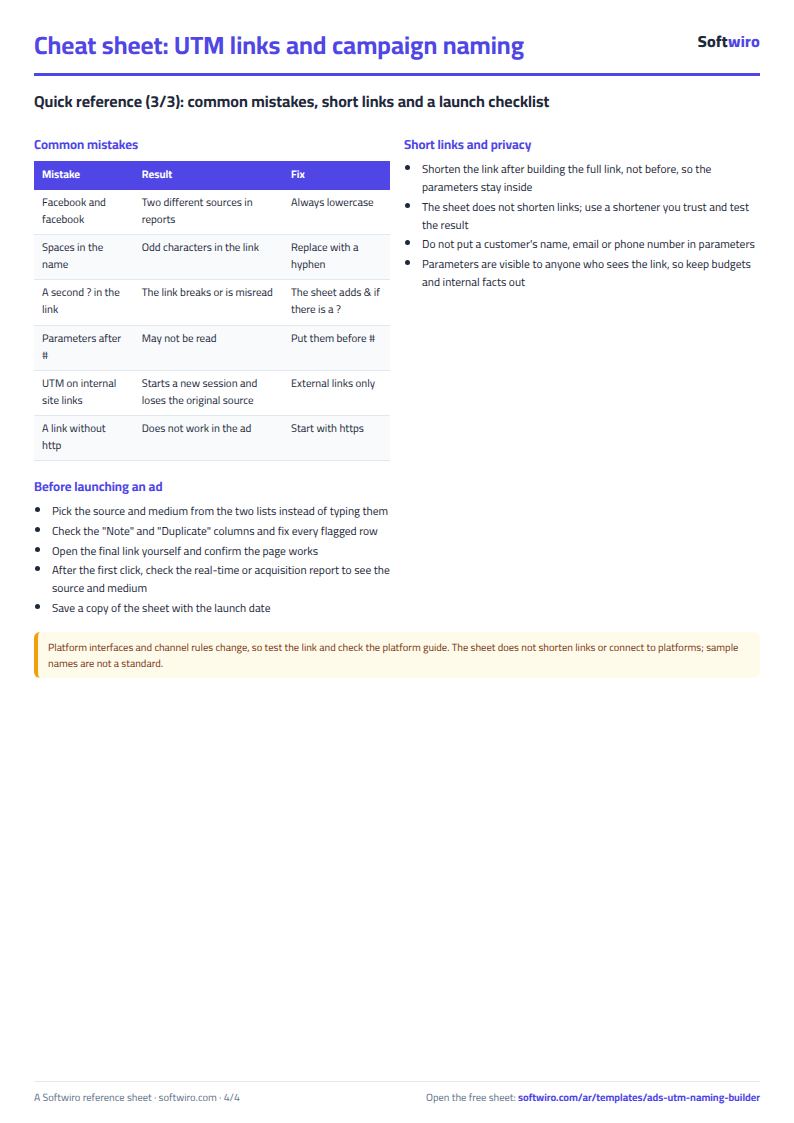
- Common mistakes: a capital letter in one place and lowercase in another, spaces in values, a second ?, parameters after #, UTM on your own site's internal links (it starts a new session and loses the original source), and customer data in the link.
Limits and tips
- The sheet does not shorten links, check that the page works or connect to ad platforms. Shorten the link after it is built with a tool you trust, and test the link yourself.
- It holds 400 links, 10 sources and 8 mediums. The source and medium names in the sample are examples, not a standard from any platform, so edit them to suit you.
- Arabic names in the campaign work but show encoded in the link; Latin letters are better.
- Links containing # need your review because the parameters must come before the #.
- The sheet warns you if a source or medium is outside the lists but does not stop you typing it. Do not delete a cell from the middle of the lists, and do not type in the hidden "Key" column, which is used for the calculations.
- Platform interfaces, policies and figures change, and the sheet promises no results or benchmarks; performance differs from one business to another.
Try it
Open the sheet and try it online, or download it for Excel. If you want an app that standardises campaign names for your team and pulls their results from the platforms, ask for it here.