Anyone who runs paid ads knows a late creative costs more than the creative itself: a video not approved before the offer starts, a banner exported at the wrong size, one designer with ten items while a colleague has two. The free ads creative production calendar sheet records every item with its platform, format, owner, due date and launch date and works out what is overdue and what is ready, so you see the whole pipeline on one page.
The problem it solves
When items are tracked in WhatsApp messages and scattered files, nobody can quickly say what is late, what is approved and waiting to upload, who is overloaded, and what launches this week. Here you enter each item once in a row, and the sheet summarises the rest by status, by platform and per team member.
Steps from opening the file to the board
- Settings: enter today's date (or =TODAY() so it updates itself), the launch window in days, and the team names (up to 8) and platforms (up to 8). You will find a table of common formats for reference.
- Production: log each item in a row: the name, the platform, the format from the list, the owner, the due date, the launch date and the status.
- Update the status as the item moves: Idea, Designing, Review, Approved, Live or On hold, and paste the final file's link in the Link column.
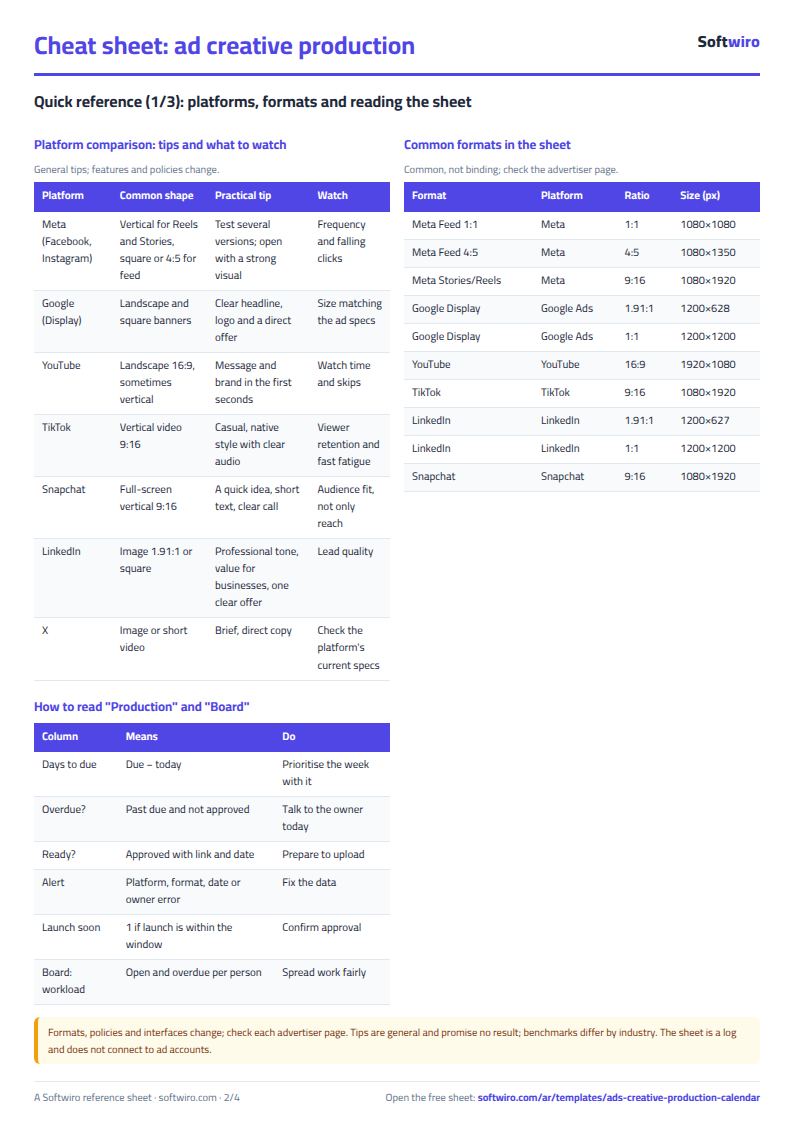
- Let the grey columns work: Days to due, "Overdue?", "Ready?", the alert and the Launch soon column.
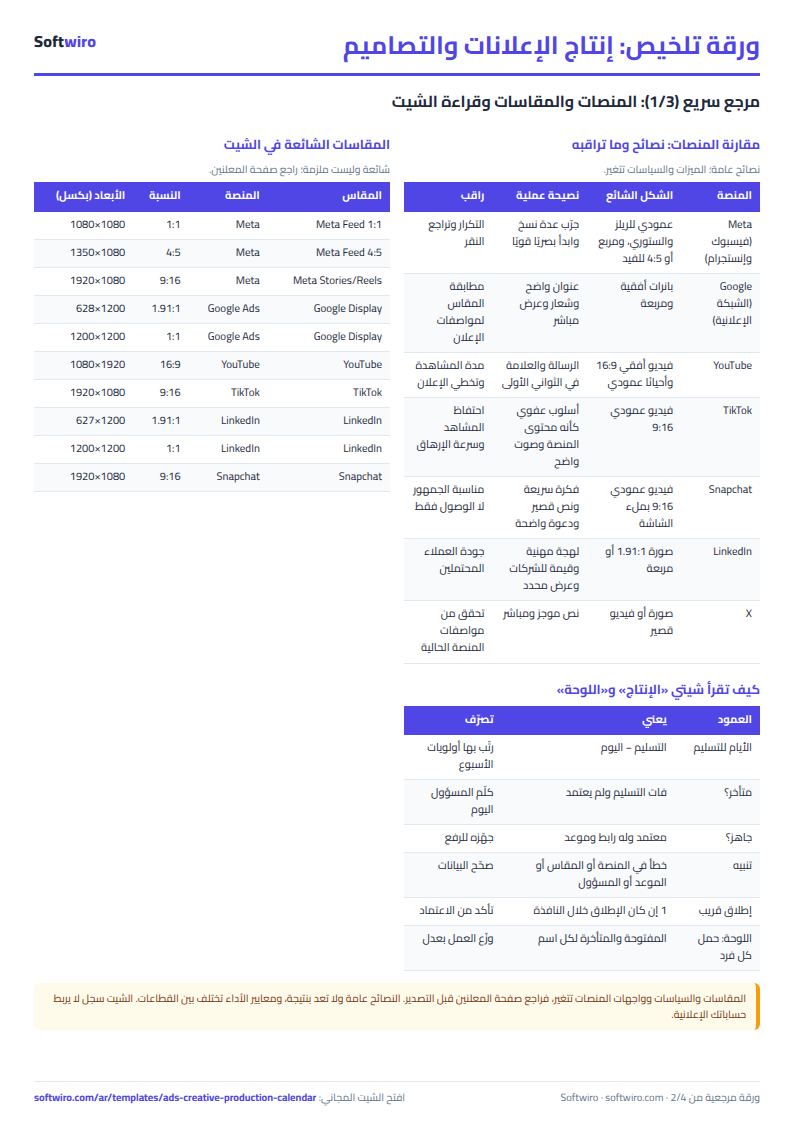
- Open the Board for counts by status and platform, each person's load and what launches soon. When a campaign ends, write what you learned in "Result note".
Worked example (sample data)
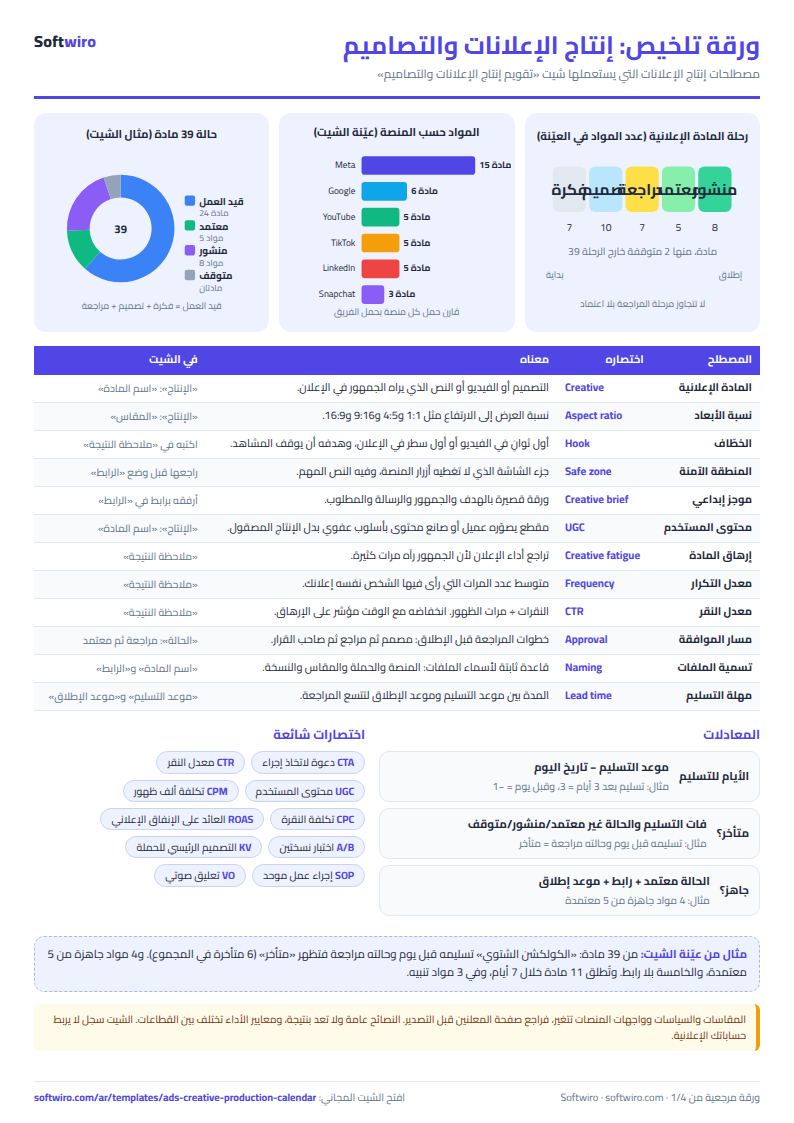
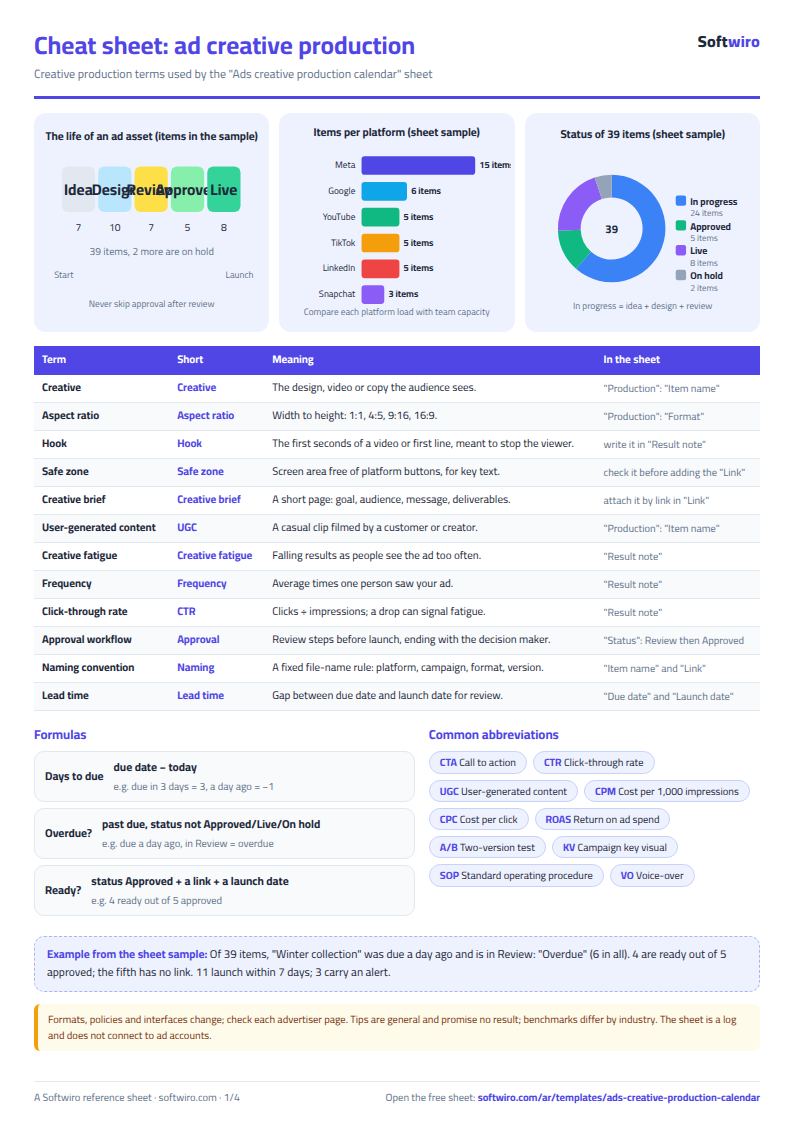
The figures below are sample data for an imaginary home-appliances shop, with today's date as 13 November 2026. 39 items were logged:
- By status: Idea 7, Designing 10, Review 7, Approved 5, Live 8, On hold 2.
- By platform: Meta 15 items, Google Ads 6, YouTube, TikTok and LinkedIn 5 each, and Snapchat 3.
- Overdue: 6 items. For example the feed ad "Winter collection" was due a day ago and is in Review, so it shows "overdue", and the YouTube video "Maintenance tips" is 6 days overdue.
- Ready to launch: 4 items, because they are approved with a link and a launch date. The Google banner "Free shipping discount" is approved but has no link, so it does not show "ready".
- Launching within 7 days: 11 items, 5 of them on Meta and 3 on LinkedIn.
- Team load: Karim Adel has 10 items (7 open), Mona Saeed has 9 (7 open, 2 of them overdue), and Heba Fathy has 8 (2 of them ready).
- Alerts: 3 items: a LinkedIn banner in a TikTok format shows "format does not belong to the platform", an ad whose owner "external freelancer" is not on the team list, and a Reel whose launch date is before its due date.
How the numbers are worked out
- Days to due = due date − today. Due in 3 days = 3, a day ago = −1.
- Overdue: the due date has passed and the status is not Approved, Live or On hold.
- Ready: the status is Approved, with a link and a launch date.
- Launch soon: the launch date is between today and today + the window (7 days here), and the item is not Live or On hold.
- Open items per person = all their items except Live and On hold.
Practical tips for ad production
- Formats: common ones are vertical 9:16 for Reels, Stories, TikTok and Snapchat, square 1:1 or 4:5 for feeds, landscape 16:9 for YouTube, and 1.91:1 for Google and LinkedIn banners. They change, so check each platform's advertiser page.
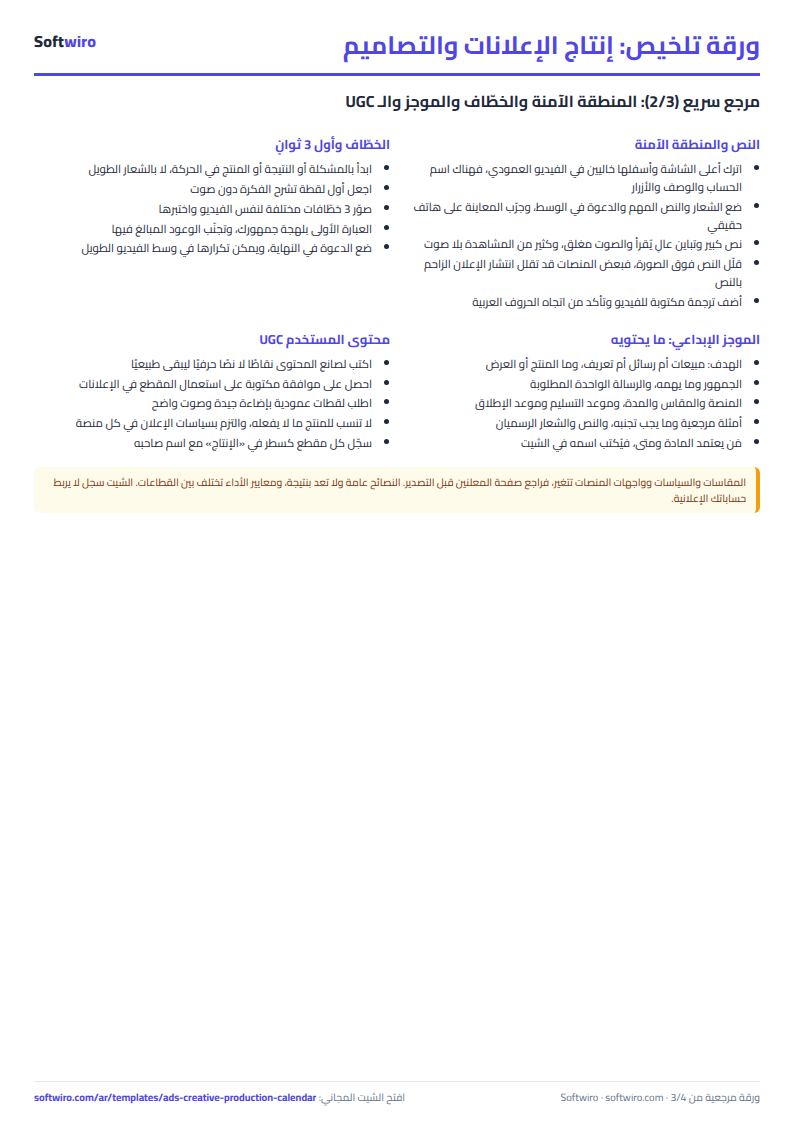
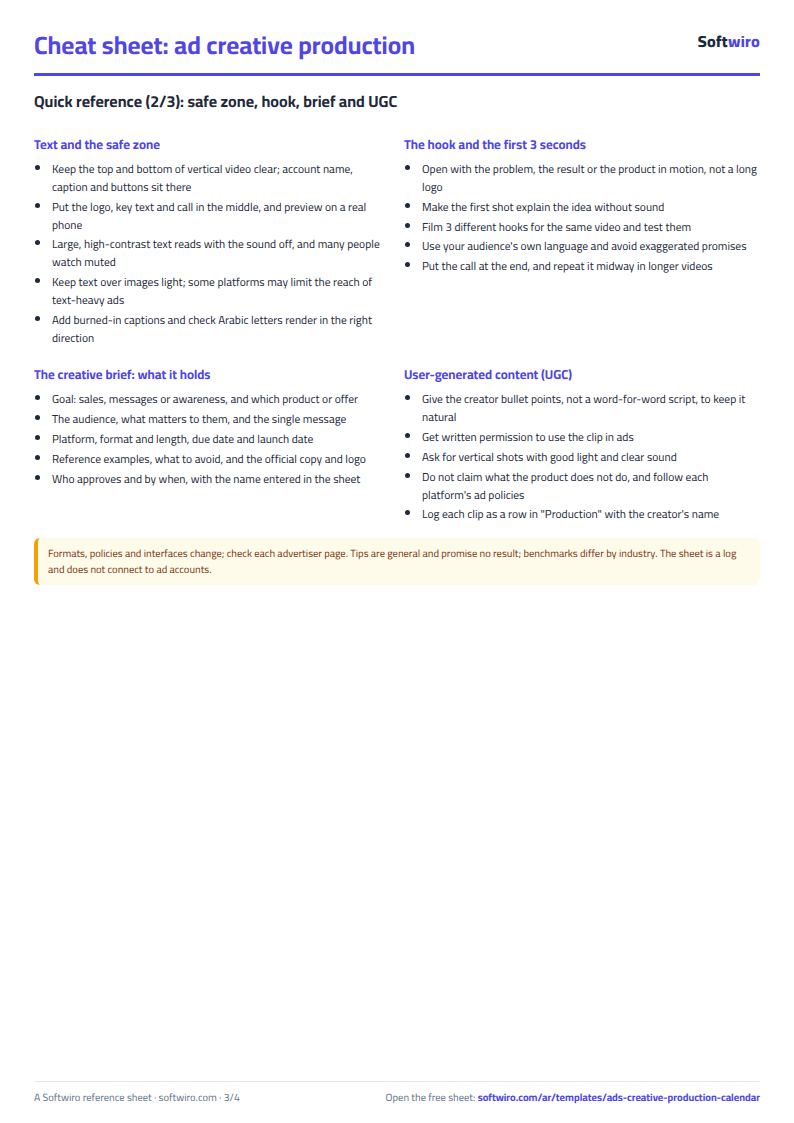
- The first 3 seconds: open with the problem or the result, make the first shot clear without sound, and test more than one hook for the same video.
- The safe zone: keep the top and bottom of vertical video clear because platform buttons cover them, and put key text in the middle.
- The creative brief: a short page with the goal, audience, message, format, dates and who approves cuts revision rounds.
- User-generated content (UGC): get written permission before using a customer's or creator's clip in an ad.
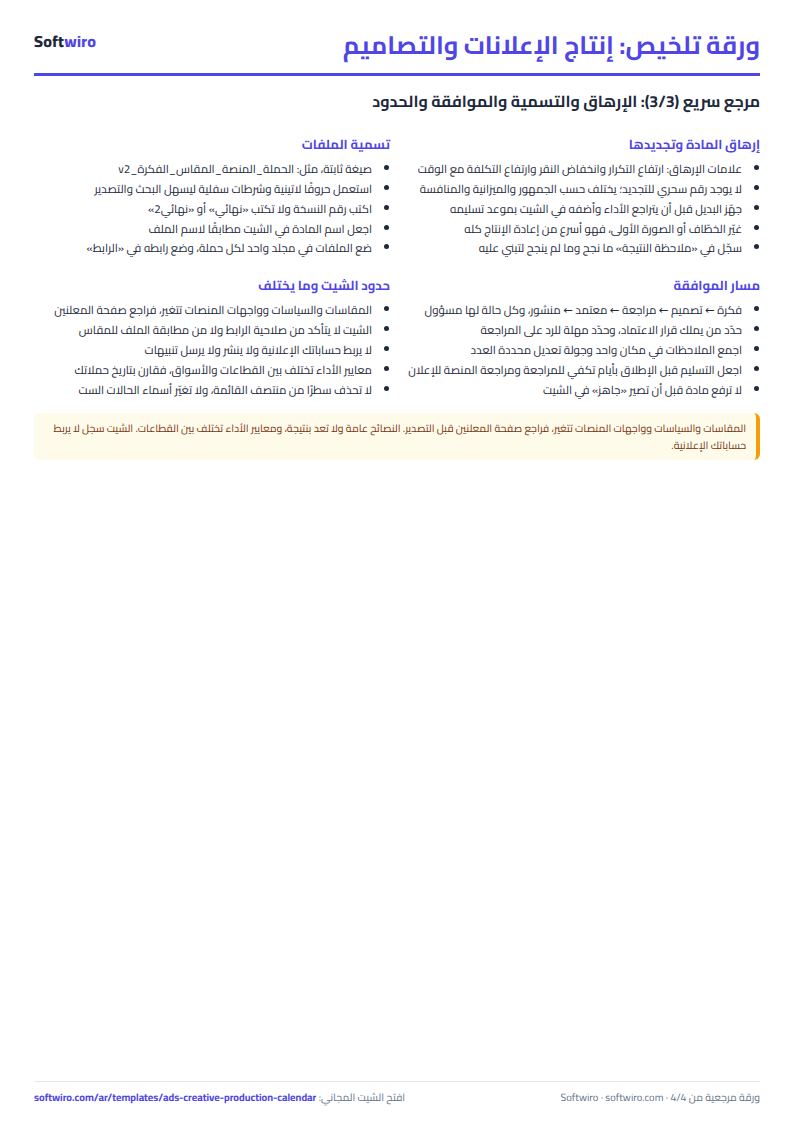
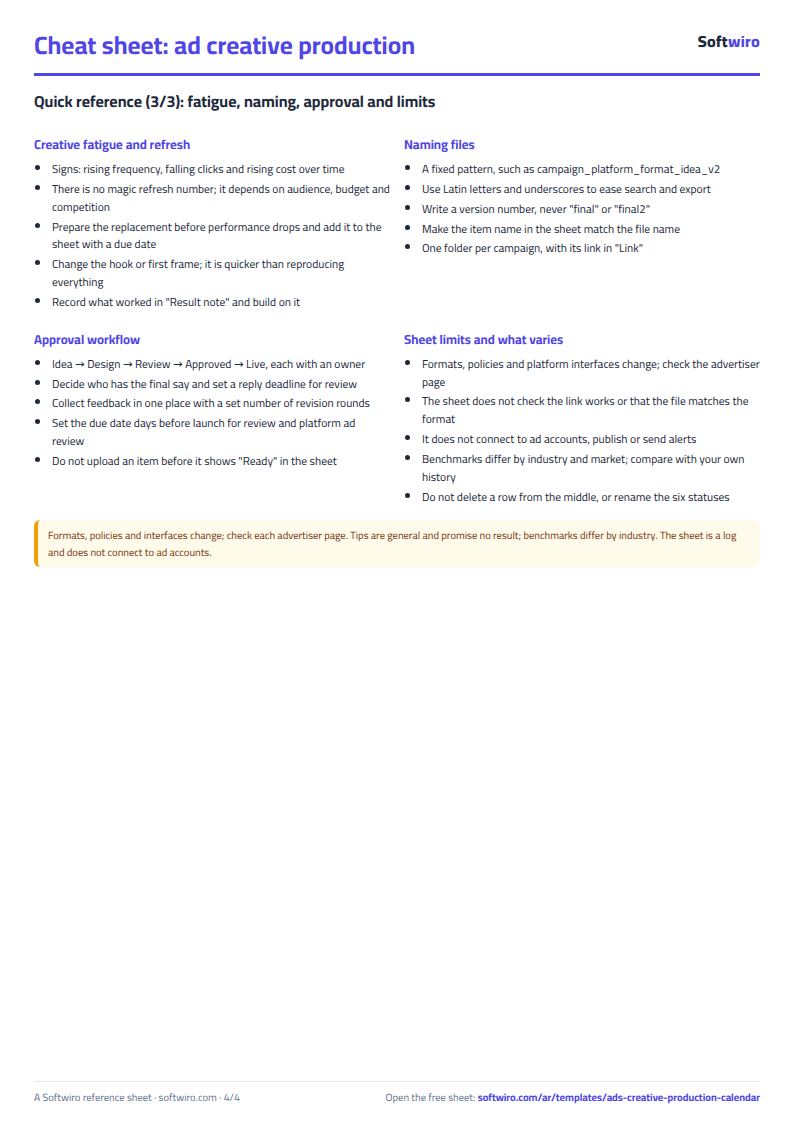
- Creative fatigue: when frequency rises and clicks fall over time, prepare a replacement. There is no magic refresh number; it depends on audience and budget.
- Naming and approval: a fixed file-name pattern (campaign_platform_format_idea_v2), and decide who has the final say.
Limits and notes
- The formats in Settings are common sizes, not official specifications, and platform policies and interfaces change. Performance benchmarks differ by industry, and the sheet promises no result.
- The sheet does not check that the link works or that the file matches the format; it only checks the format name.
- It does not connect to your ad accounts, publish for you or send alerts; it is a log you keep by hand.
- Do not rename the six statuses because the calculations depend on them, and do not delete a row from the middle of the list.
- Pick the format from the list; an alert shows if the format belongs to another platform.
Try it
Open the sheet and try it online, or download it for Excel. It holds 600 items, 8 team members and 8 platforms. If you want an app where the team and the client follow approvals and deadlines, ask for it here.