Anyone who runs ad accounts knows the problem is often not the ad you can see but something you did not check: a pixel that does not record a purchase, existing customers seeing the "new customer" ad, or a page that loads slowly on mobile. The free ad account audit checklist gathers 42 items in seven areas. You answer each with yes, partly or no, and the sheet works out a score for each area and overall, then ranks the 10 fixes to make first.
The problem it solves
When you review an account from memory you forget an item, or you give attention to what you enjoy (creative, say) and neglect what you do not (tracking). When you hand an account to a colleague or an agency, or take one over, there is no shared baseline for where it is sound and where it needs work. A fixed checklist gives one language, the weight tells you which item matters more, and the ranked list says what to fix first.
Steps from opening the file to the fix list
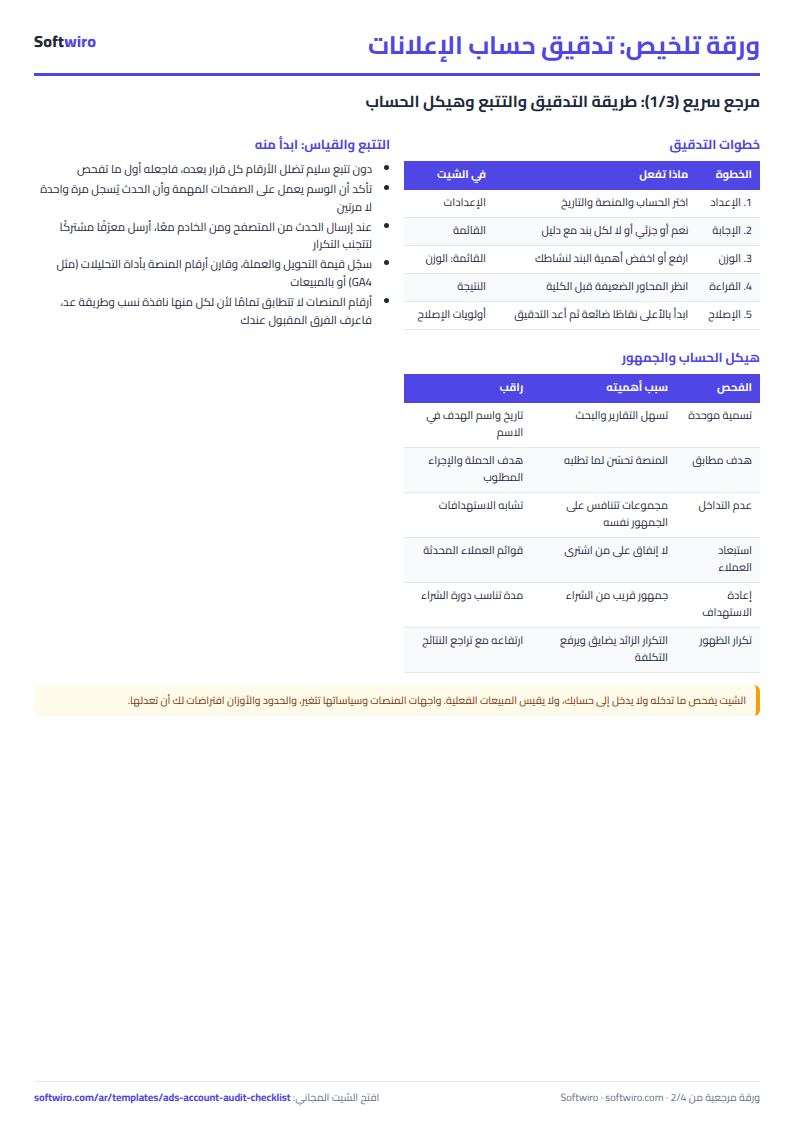
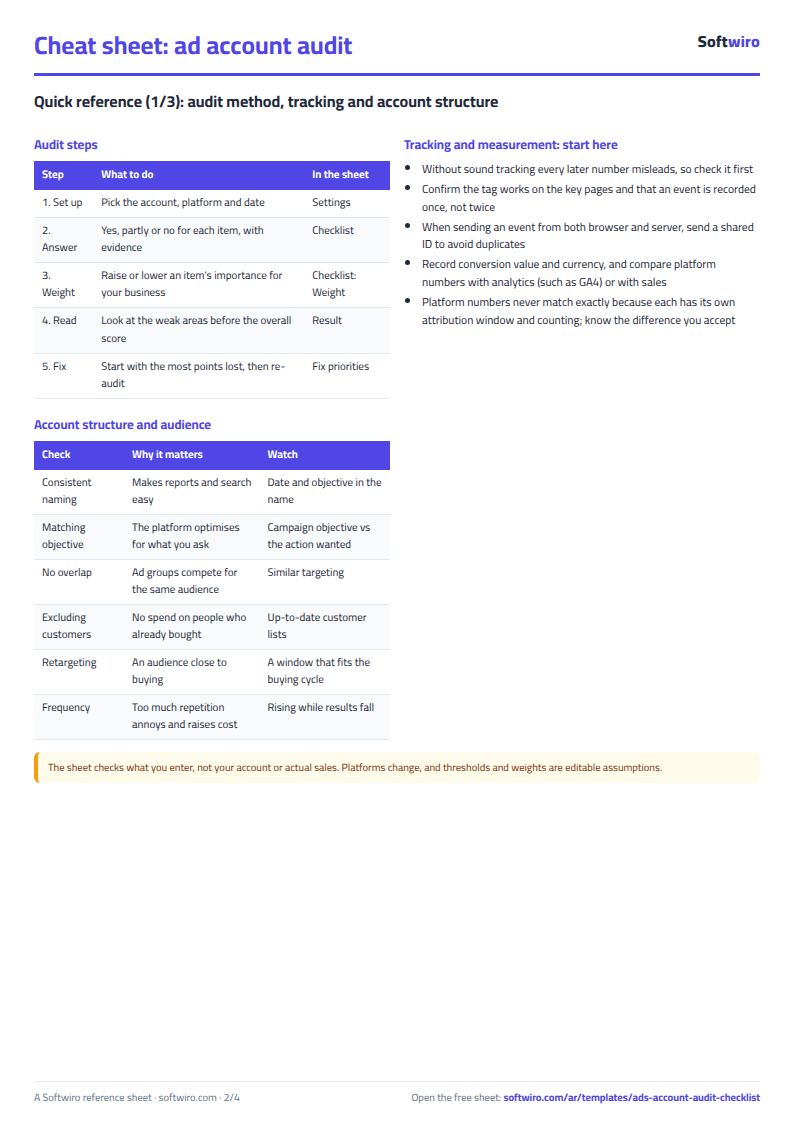
- Settings: enter the account name, the platform from the list, the auditor and the audit date, and review the rating thresholds if you want to change them.
- Checklist: answer each item from the drop-down: yes, partly, no or not applicable (for example negative keywords for an account that does not use search).
- Change an item's weight from 1 to 3 if it matters more or less for your business, and write your note or evidence.
- Open Result to see each area's score, the overall score and the rating.
- Start with the fix priorities list: the 10 items that lost the most points. Re-audit after fixing to compare.
The seven areas and what each checks
- Tracking and measurement: whether the pixel or tag works, conversion events are defined and not duplicated between browser and server (as with the Conversions API some platforms offer), value and currency are recorded, platform numbers are matched against analytics (such as GA4) or sales, and UTM parameters.
- Structure: a naming system, campaign objectives that match the action wanted, no overlapping ad groups, and archiving what is idle.
- Audience: excluding existing customers, retargeting, audience size and monitoring frequency.
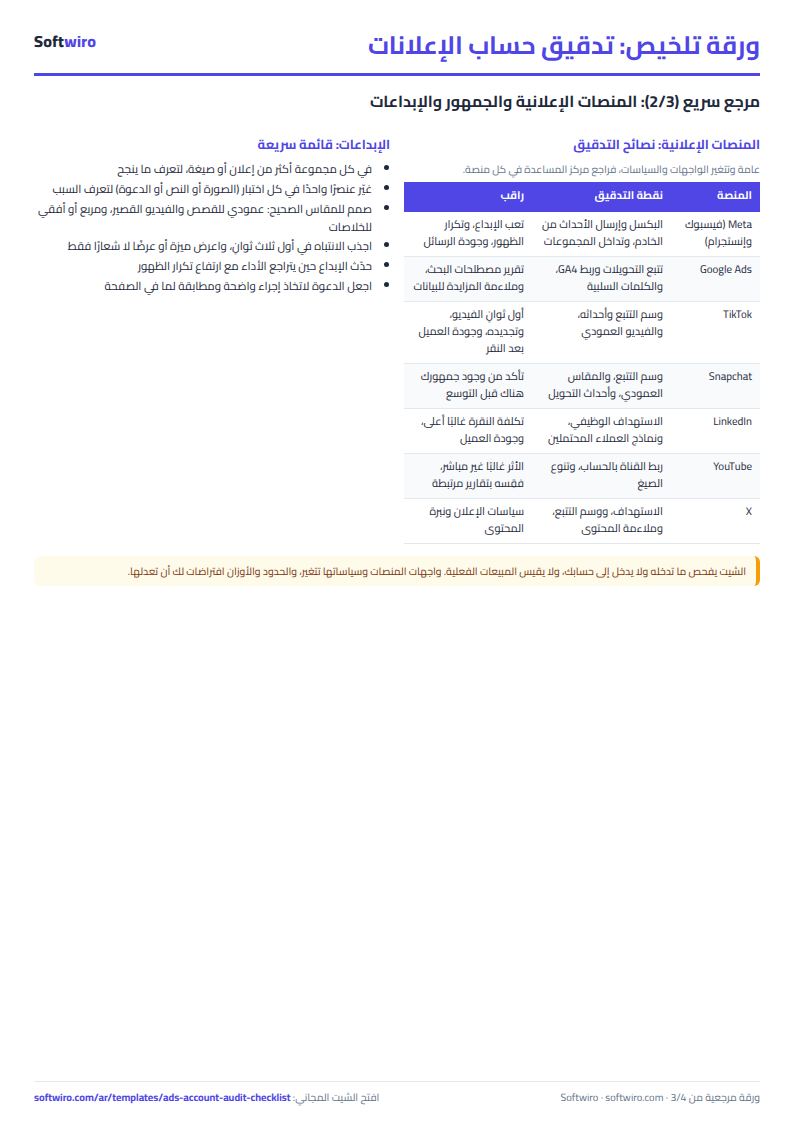
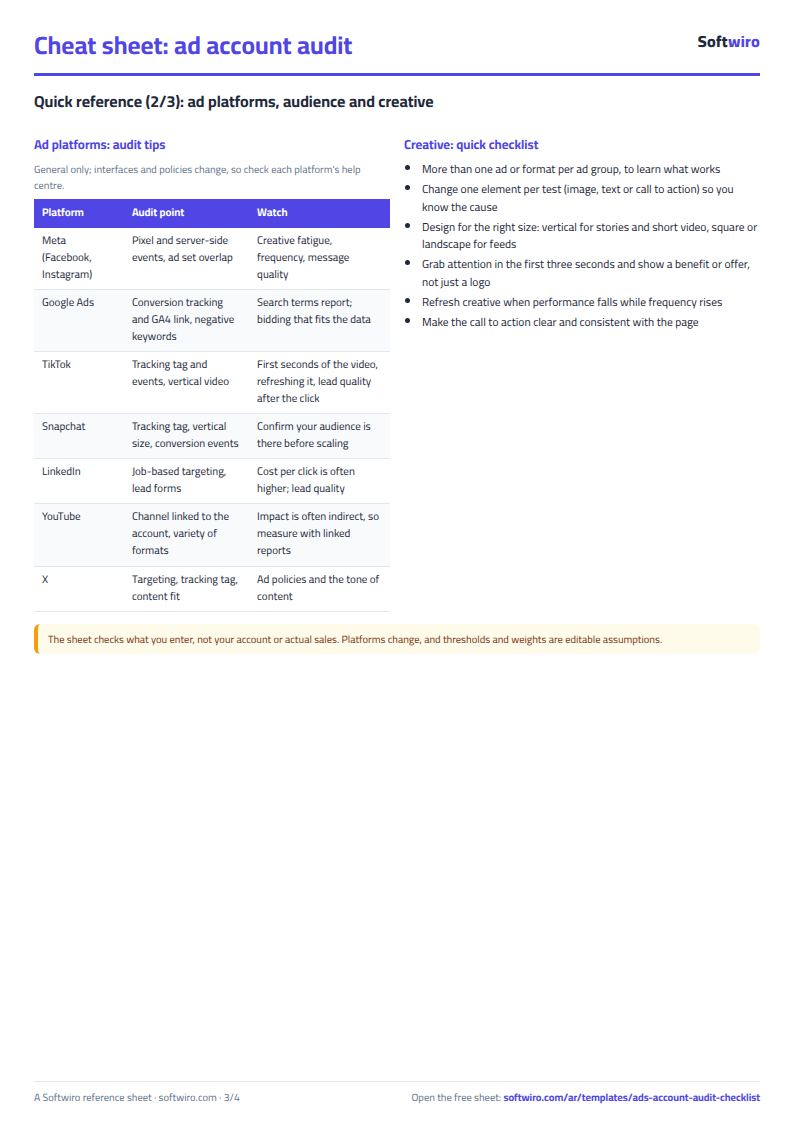
- Creative: variety to test, refreshing what has tired, the right size per placement, a hook in the first three seconds and a call to action.
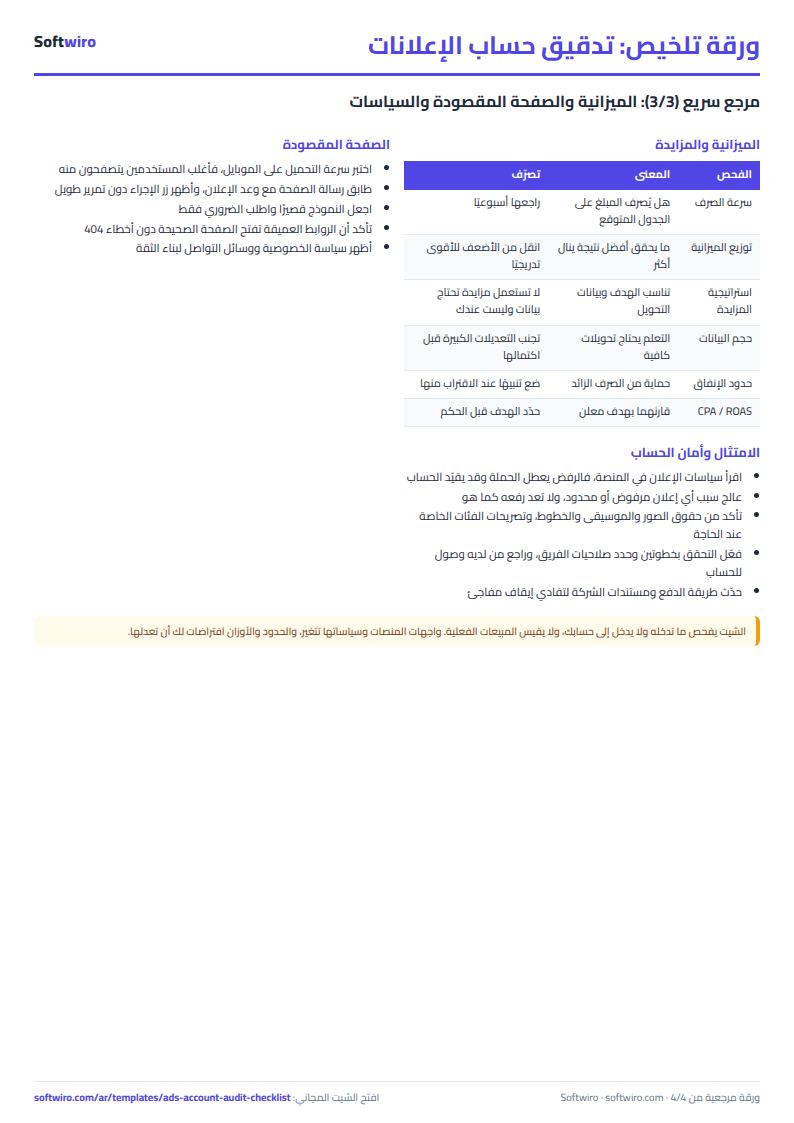
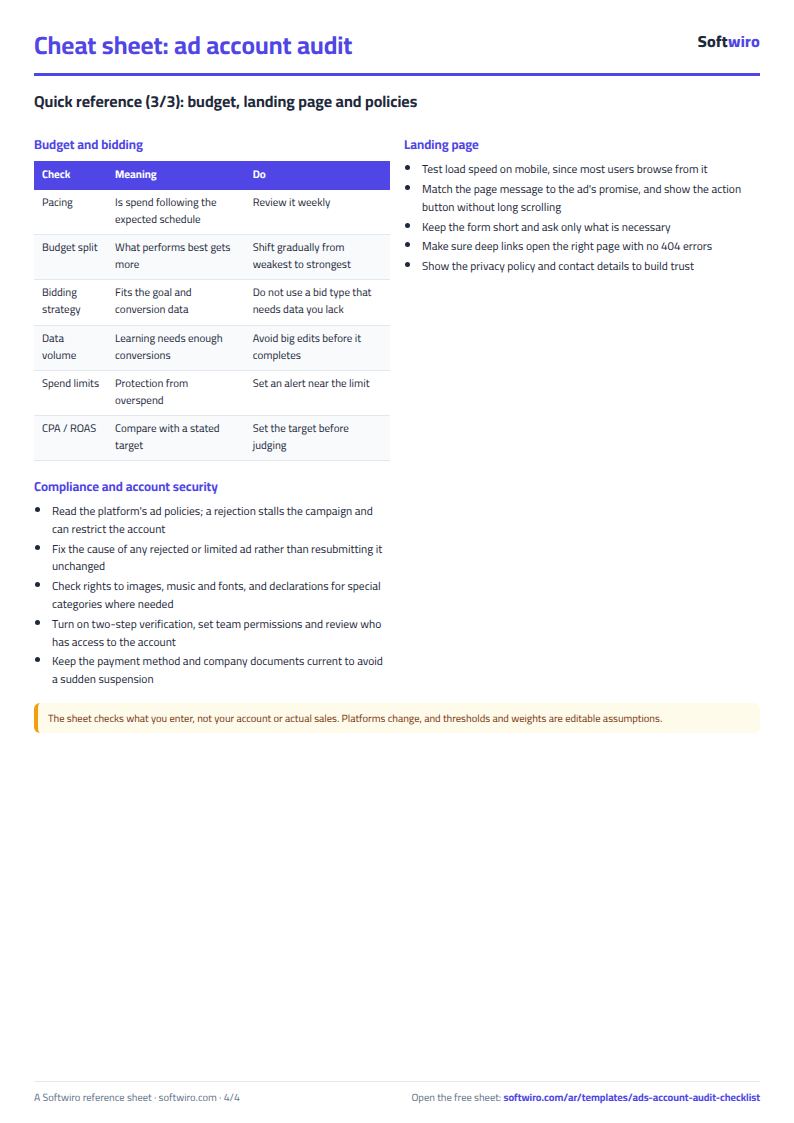
- Budget and bidding: pacing, putting budget where it performs, a bidding strategy that fits, spend limits and comparing CPA or ROAS with a stated target.
- Landing page: mobile speed, message match with the ad, a short form and deep links.
- Compliance and policies: ads that follow platform policies, rejected ads, rights, account protection with two-step verification, and payment and invoices.
Worked example (sample data)
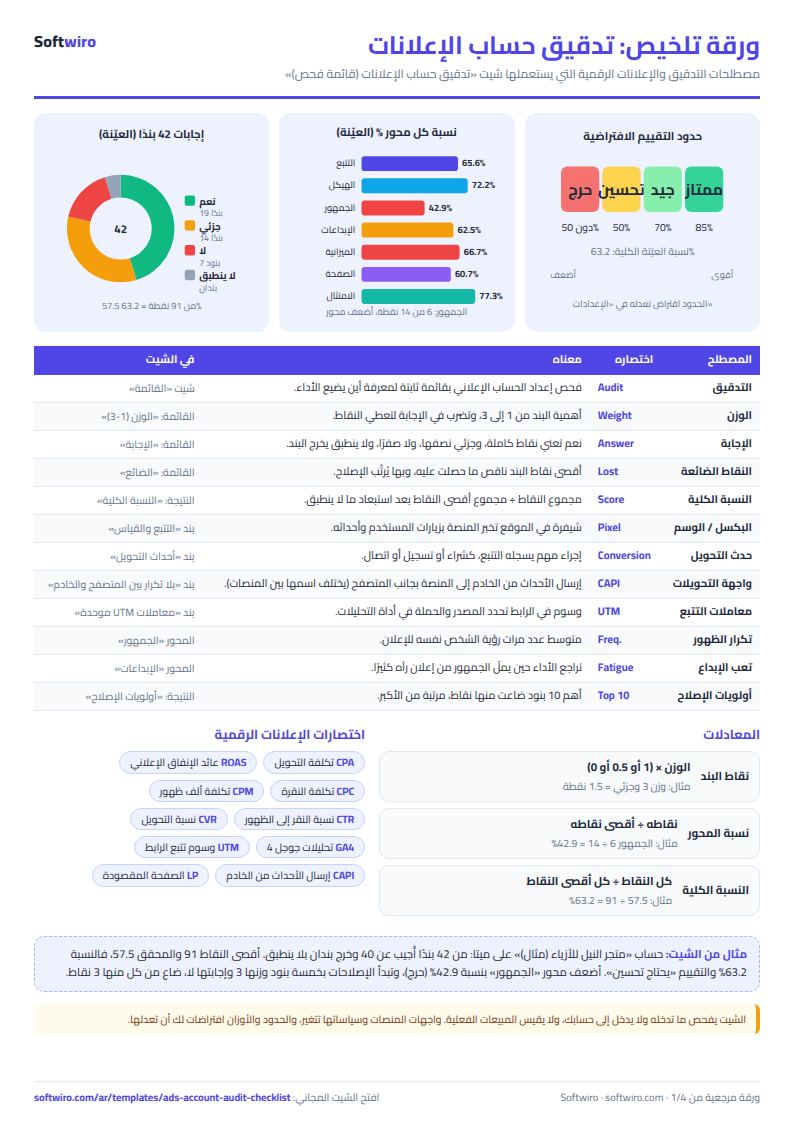
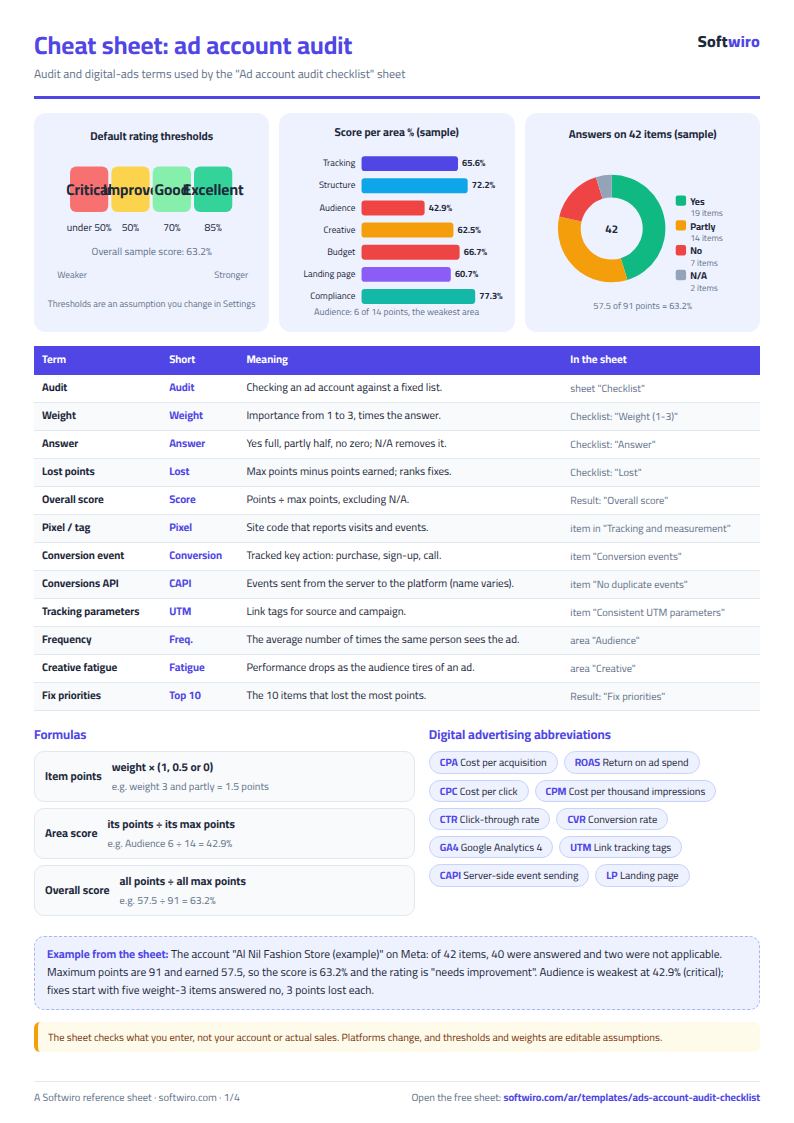
The figures below are sample data for the account "Al Nil Fashion Store (example)" on Meta, dated 13 November 2026. Of 42 items, 40 were answered and two were "not applicable" (negative keywords and declarations for special categories). The answers: 19 yes, 14 partly, 7 no. The maximum points are 91 and the earned points 57.5, so the overall score is 63.2% and the rating is needs improvement.
- Tracking and measurement: 10.5 of 16 = 65.6%, needs improvement.
- Structure: 6.5 of 9 (5 items counted) = 72.2%, good.
- Audience: 6 of 14 = 42.9%, critical, the weakest area.
- Creative: 7.5 of 12 = 62.5%, needs improvement.
- Budget and bidding: 10 of 15 = 66.7%, needs improvement.
- Landing page: 8.5 of 14 = 60.7%, needs improvement.
- Compliance and policies: 8.5 of 11 (5 items counted) = 77.3%, good.
The fix priorities begin with five items of weight 3 answered "no", each losing 3 points: matching platform numbers with analytics or sales, excluding existing customers from new-customer campaigns, monitoring frequency, refreshing tired creative and testing mobile page speed. Next is the item on campaigns gathering enough conversions before changes (2 points lost), then four items that each lost 1.5 points (including duplicate conversion events between browser and server, and budget pacing). Note that the Audience area alone is critical although the overall score is middling.
How the numbers are worked out
- Item points = weight × (1 for yes, 0.5 for partly, 0 for no). "Not applicable" or no answer leaves the calculation entirely.
- Area score = its points ÷ its maximum points after excluding what is not applicable. For example 57.5 ÷ 91 = 63.2%.
- Rating: excellent from 85% up, good from 70%, needs improvement from 50%, and below that critical. These are assumptions you change in Settings.
- Fix priorities: items answered no or partly, ranked by points lost; on a tie the item higher in the list comes first.
Limits and tips
- The sheet checks what you enter and does not log in to your ad account, so the accuracy of your answers and their evidence is on you. It is a checklist, not a substitute for reviewing actual performance (sales, cost per conversion and return).
- The items are general and suit Meta, Google, TikTok, Snapchat and LinkedIn, with no figures specific to any platform. Platform interfaces and policies change, so check your platform's help centre for where each setting lives.
- The thresholds and weights are assumptions you can change, and a score should not be compared with another account in a different business. The sheet promises no benchmark by industry.
- Answer honestly: "partly" for what works in only some campaigns, and never "yes" without evidence. Put the evidence (a screenshot or date) in the note column.
- The sheet holds 60 items; you can replace any item with one that suits your platform, and do not leave a blank row in the middle of the list.
Try it
Open the sheet and try it online, or download it for Excel. If you want an app that reads your accounts from the platforms, sends alerts and shows the client the audit result, ask for it here.