Try the sheet here, on the example
The sheet is open below with sample numbers. Change any white cell and watch the results update, or press the blank-copy button to type your own data from scratch. Nothing you type leaves your browser.
Example from the sheet
| الامتحان | النوع | تاريخ الامتحان | الأيام المتبقية | الحالة | آخر درجة | الفرق عن الهدف | الاستعداد |
|---|---|---|---|---|---|---|---|
| SAT (المحاولة الأولى) | SAT | 46312 | -15 | انتهى | 77 | 2 | وصلت للهدف |
| SAT (المحاولة الثانية) | SAT | 46347 | 20 | قريب | 78 | -2 | تحت الهدف |
| AP Calculus AB (التفاضل والتكامل) | AP | 46371 | 44 | قادم | 79 | -6 | تحت الهدف |
| AP Physics 1 (الفيزياء 1) | AP | 46376 | 49 | قادم | 64 | -16 | تحت الهدف |
| ACT | ACT | 46417 | 90 | قادم | 55 | بدون هدف |
Example from the “المواعيد” tab (Arabic), with the numbers and formulas that are in the file.
What is inside
- الإعدادات: Today's date (type it, or enter =TODAY()), and the number of days within which an exam counts as "soon" (30 days in the example).
- المواعيد: For each exam: name, type (AP, SAT, ACT or other), date, target score, full score and a note. Then the days left, status, number of practice tests, first score, latest score, gap to the target, improvement, readiness, and planned and actual hours. It holds up to 100 exams.
- الاختبارات: The practice test log: date, exam, test description, score and a note. Then the target score, the gap to it, the percentage of the full score, the status (above target, on target, below target or no target) and the attempt number. It holds up to 500 tests.
- الخطة: A weekly plan: week start, exam, what you will review, and planned and actual hours. Then the difference, completion percentage, week status and the number of days from the week start to the exam. It holds up to 200 weeks.
- الملخص: The number of upcoming, finished and soon exams, the nearest exam and its days, how many exams have a latest score at or below target, and total planned and actual hours with the completion percentage.
The file opens on a start tab (“ابدأ هنا”, Start here) that explains how to use it.
What makes it different
You open the "المواعيد" (Exam dates) tab and find, for each exam, how many days remain, your latest score, how far you are from your target, and how many hours you studied against what you planned. The "الملخص" (Summary) tab shows the nearest exam, so you no longer calculate days, scores and hours yourself from scattered papers.
How to use it
- In the "الإعدادات" (Settings) tab, enter today's date (or =TODAY() so it updates by itself) and the number of days within which an exam counts as "soon".
- In the "المواعيد" (Exam dates) tab, enter each exam you registered for: its name, type (AP, SAT, ACT or other) and its date as you know it from the registering organization.
- For each exam, enter your target score and the full score on the scale your practice test uses, since the sheet assumes no scale.
- In the "الاختبارات" (Practice tests) tab, log each practice test you take: date, exam, test description and score.
- In the "الخطة" (Plan) tab, enter for each week the exam you are focusing on, what you will review and the planned hours, then the actual hours at the end of the week.
- Open the Exam dates tab to see the days left, latest score and gap to the target, and the "الملخص" (Summary) tab for an overview of all your exams.
Before you start:
- All dates and scores in the sheet are entered by you. The example data is fictional and is not an official date or scale, so confirm your dates with the registering organization.
- Days left = exam date - the today's date entered in Settings. A negative value means the exam has passed and its status shows "انتهى" (finished).
- Gap to target = your latest practice test score for that exam - the target score. A negative value means you are below target.
- The latest score is decided by the test date. If two dates are equal, the order of the rows in the Practice tests tab decides.
- Choose the exam name in the Practice tests and Plan tabs from the dropdown list so it matches its name in the Exam dates tab; otherwise "الامتحان غير موجود" (exam not found) appears.
- The sheet holds up to 100 exams, 500 practice tests and 200 weeks. Enter scores on one scale per exam (for example out of 100, or out of the full score of your test).
Free cheat sheet for this field
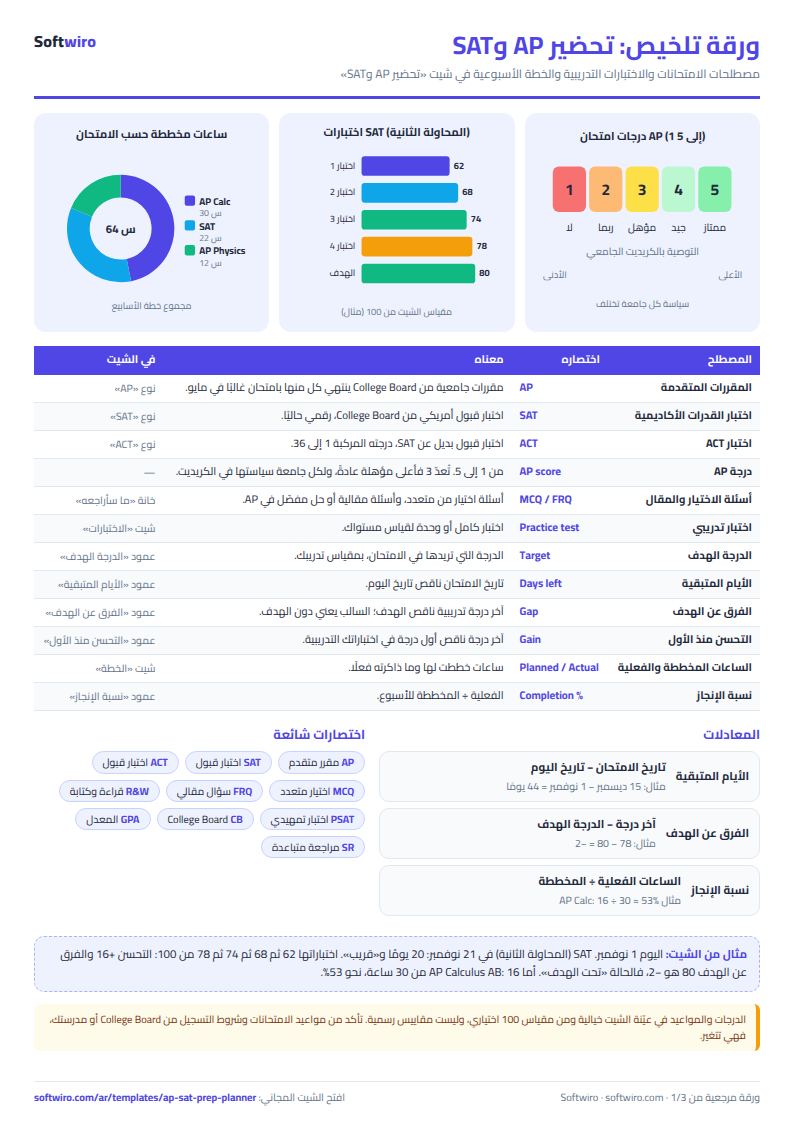
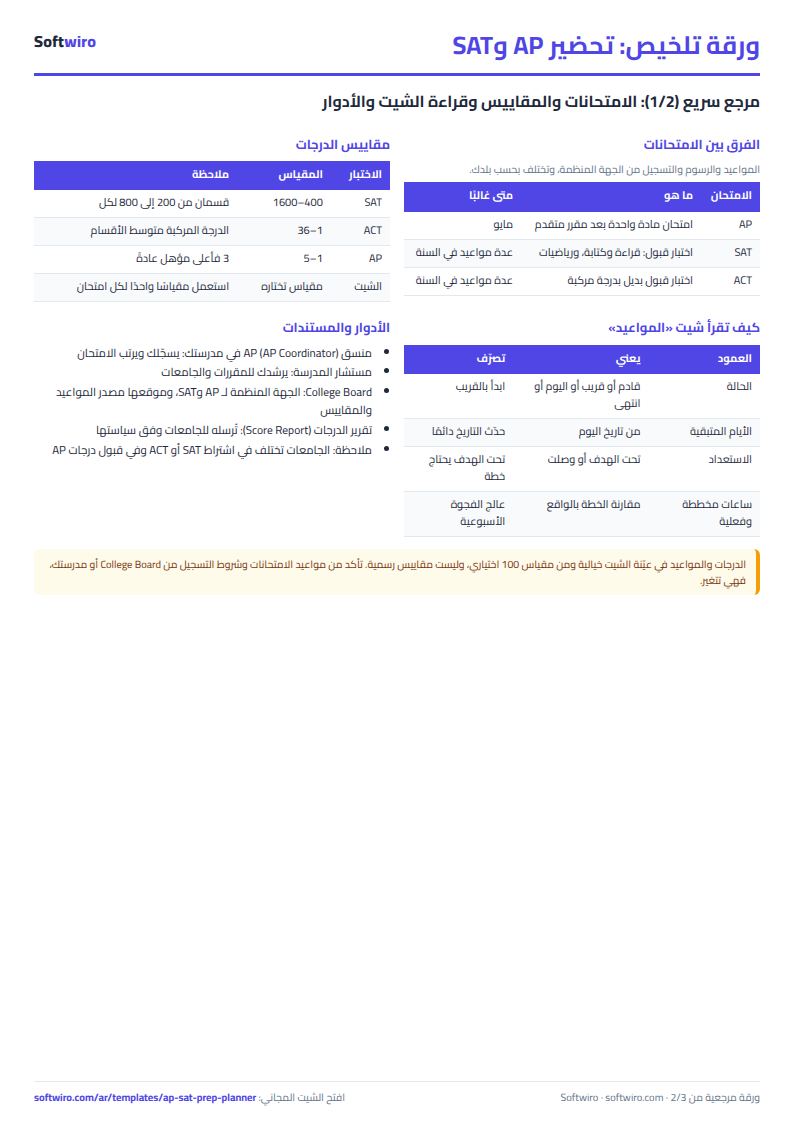
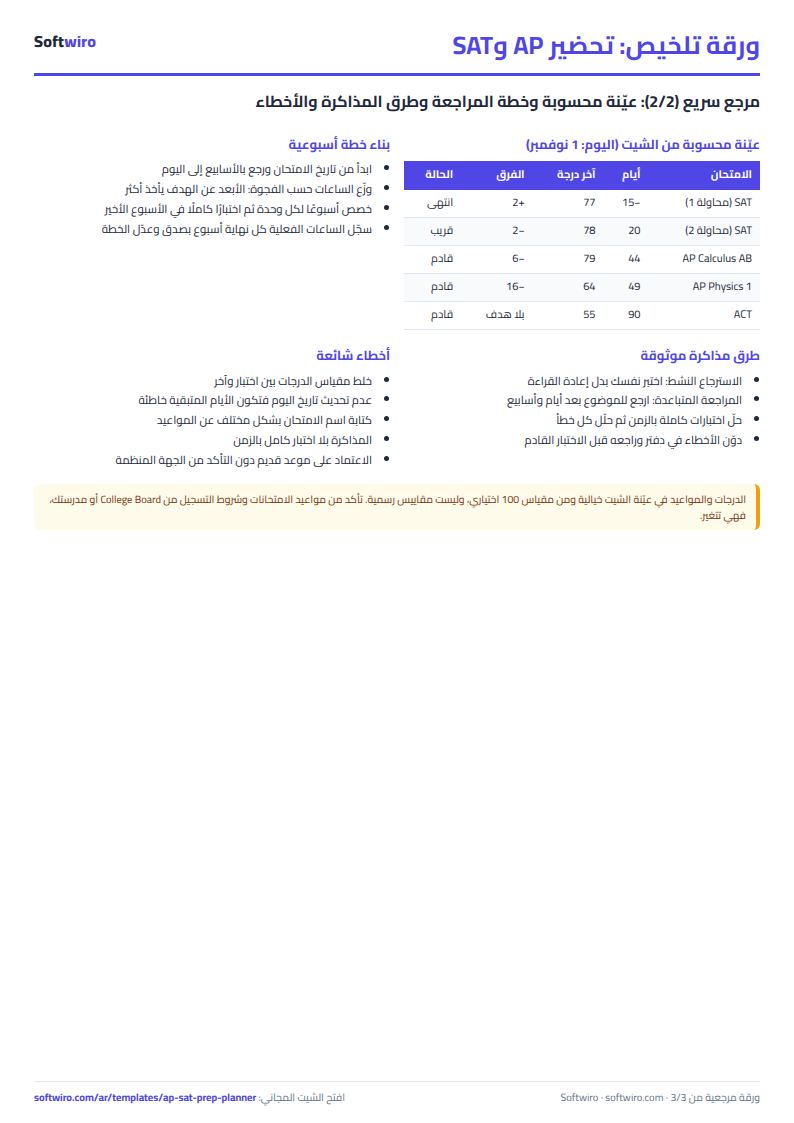
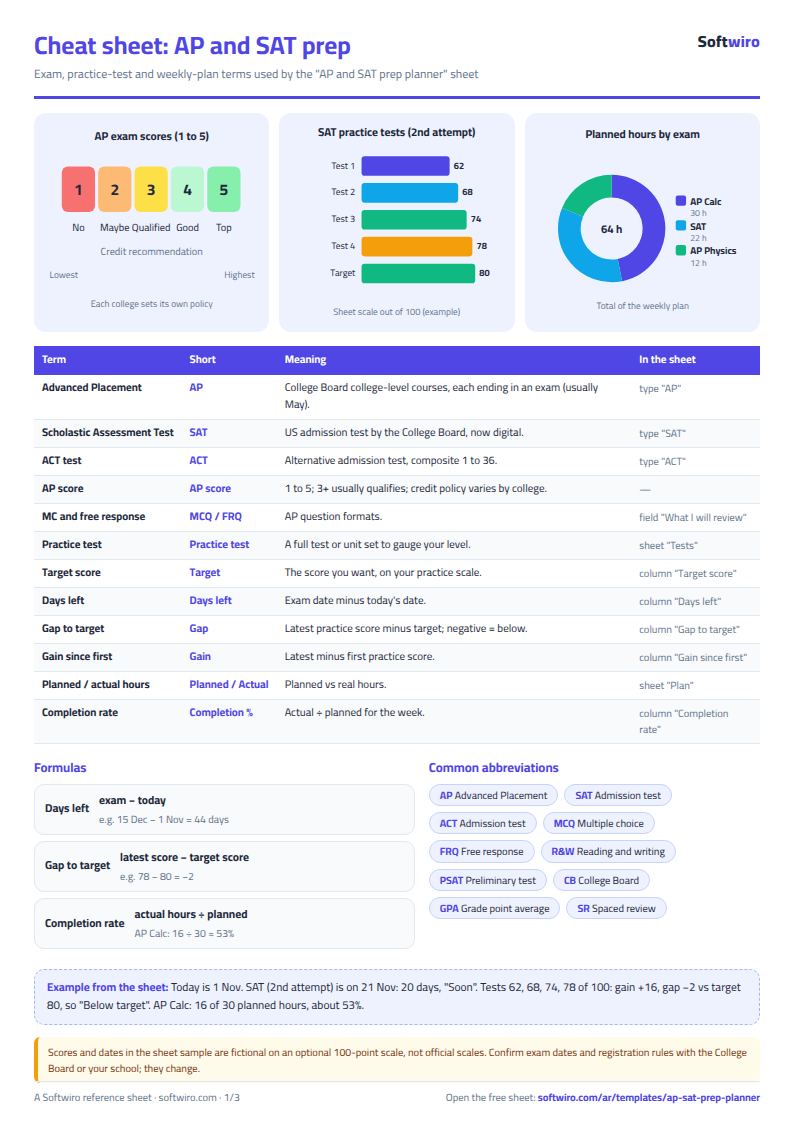
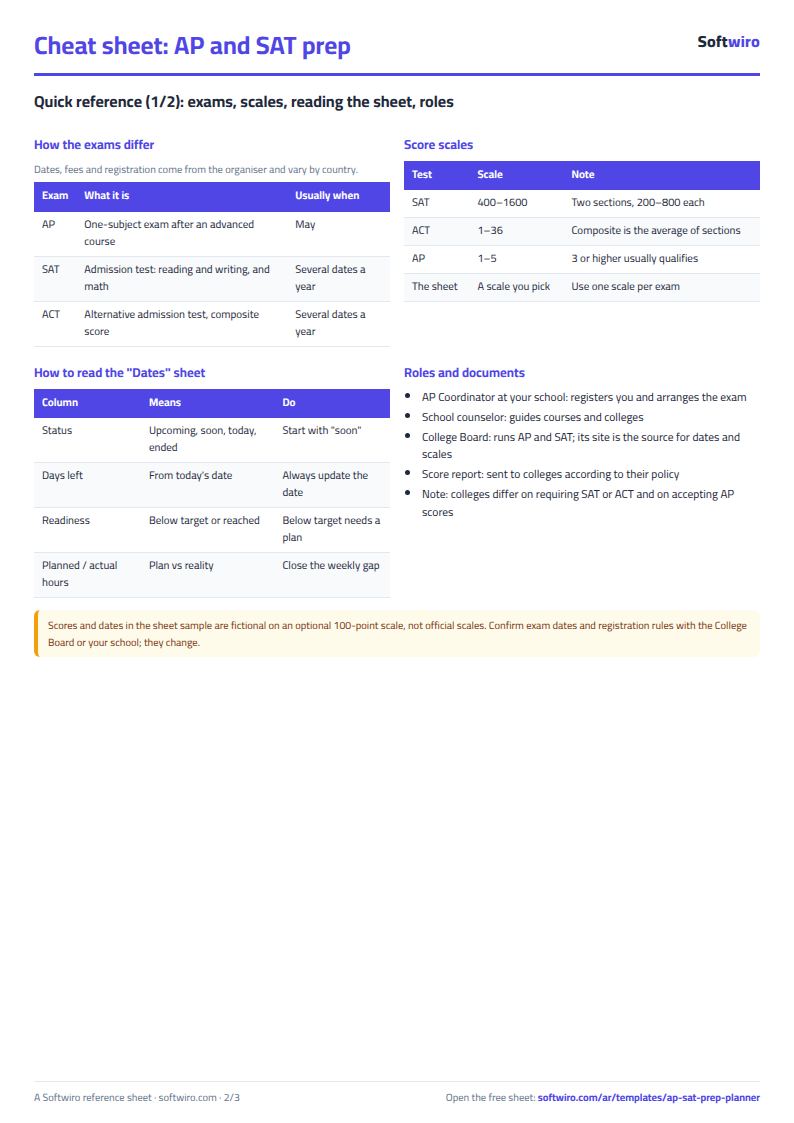
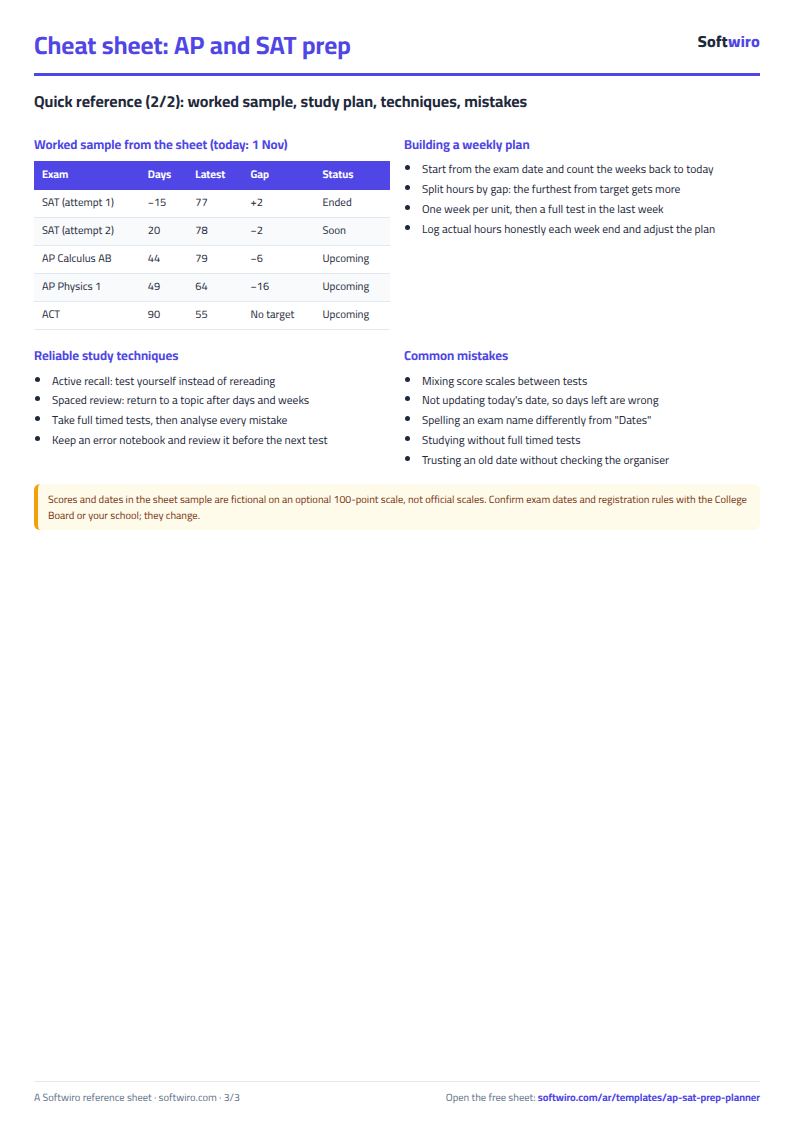
Terms, abbreviations, tables and diagrams over several pages, in Arabic and English. Download it as a PDF or images, including a phone-size version.
Still running this on Excel?
This sheet suits a start and a limited amount of data. If your way of working grows, or you need more than one person working on it at the same time, Softwiro can build you a program that fits the way you work.
| In this sheet | In Custom Software from Softwiro |
|---|---|
| One file that one person edits at a time, and copies reach you on WhatsApp. | A program with a login for each user and permissions you define, and everyone sees the same data. |
| You type everything and check the numbers by hand. | We design the screens around your work steps, so each person records only what concerns them. |
| Columns and formulas are fixed as the sheet was designed. | We build what you need: reports, alerts and screens your way. |
| Backups and security are your own responsibility. | The program runs on a secured server with regular backups. |
Frequently asked questions
Does the sheet contain the official AP, SAT or ACT dates?
No. You enter each date as you know it from the organization you registered with. The dates in the example are fictional and for illustration only, so always confirm your real date.
What scale should I use for scores?
Use the scale your practice test uses. In the Exam dates tab, enter the full score and the target score for each exam, then enter your scores in the "الاختبارات" (Practice tests) tab on the same scale. The example uses 100 points only to keep it clear, and does not represent the scale of any exam.
How are the days left calculated?
They are the exam date minus today's date in the "الإعدادات" (Settings) tab. Enter =TODAY() there so it updates by itself every day. If the result is negative, the exam has passed and its status shows "انتهى" (finished).
What happens if I enter an exam name in Practice tests that is not in Exam dates?
The row shows in red with the status "الامتحان غير موجود" (exam not found), and no target score is calculated for it. Choose the exam name from the dropdown list so it matches the Exam dates tab.
Is the template free?
Yes, with no sign-up and no email address. Use it, edit it and share it as you like.
Does it work in Google Sheets and on mobile?
The sheet uses formulas supported by Excel 2016 and later, Google Sheets and LibreOffice, so you can upload it to Google Drive and open it with Google Sheets on a computer or a phone.
What is the difference between the white and the gray cells?
You type in the white cells; the gray cells are calculated automatically. Don't type in a gray cell, or you will erase its formula.
Can I use the sheet from an AI assistant?
Yes. Add our MCP server (URL https://softwiro.com/api/mcp, no key needed) to your assistant and ask it to do the calculation in this template. The numbers come from the sheet's own formulas, and we do not store your data. The steps and a ready-made prompt are in this article: https://softwiro.com/blog/mcp-excel-templates-ai-agent-guide.html
All the templates in this group: Excel templates for the American diploma: GPA, AP and SAT
More free templates for: American diploma
More free templates
- American diploma GPA calculator: unweighted, weighted and cumulative (Excel)
- Al-Azhar student grades sheet (Excel)
- Quran memorization and review tracker (Excel)
- University applications tracker (Excel)
- Teacher weighted gradebook (Excel)
- Lesson plan and curriculum coverage tracker for teachers (Excel)
- Parent communication log for teachers (Excel)
- Remedial sessions tracker for teachers (Excel)
- Charity accounts by fund