You run a mobile or electronics shop and want to know, without a notebook or your memory, which device you sold to whom, whether its warranty is still running, how much its faults cost you, and how many of each model are left in stock. The free electronics shop sheet answers this from one key: the serial number (or IMEI) that follows each device from the supplier to the repair ticket.
The problem it solves
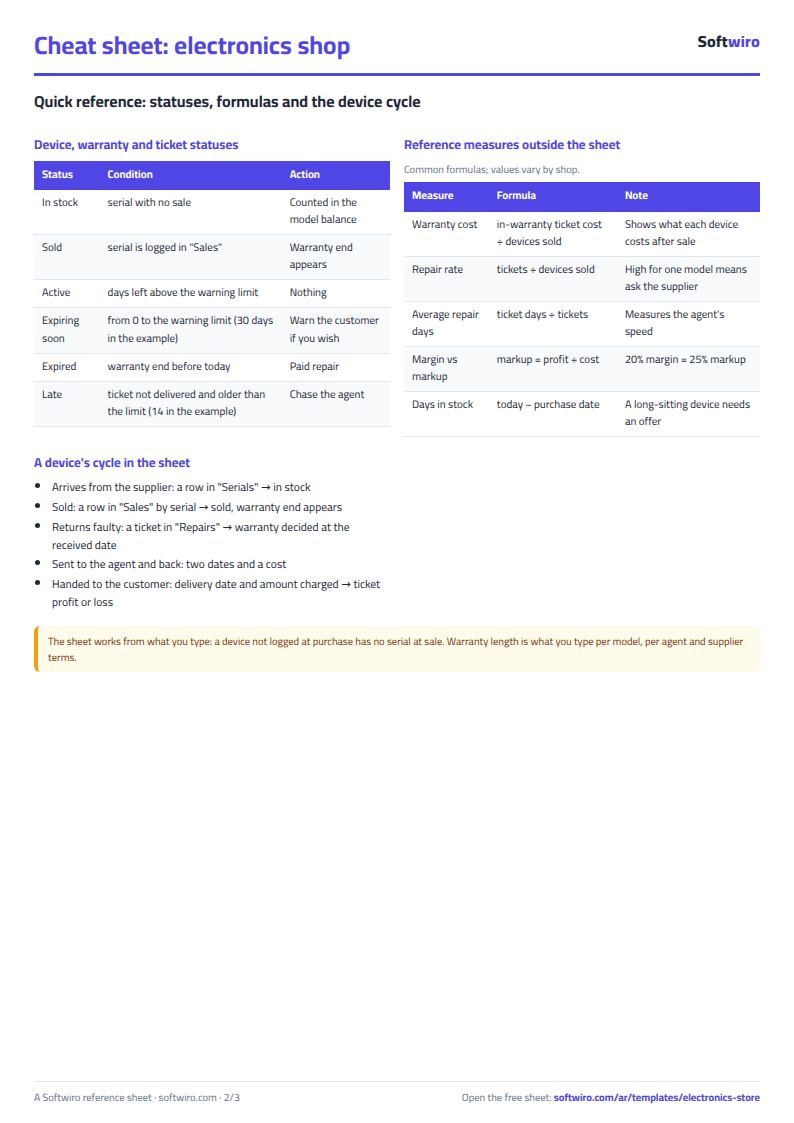
In an electronics shop a customer comes back two months later saying "the device is dead". The questions start: did they buy it from us? When? How long is the warranty? Is the charger, say, on a one-month warranty that ended yesterday? When a device goes to the agent nobody remembers when it left, and you pay a repair bill nobody is charged for. The sheet ties all of it to the serial, so the answer is one row away.
How the sheet works, step by step
- In الموديلات (Models) write each model's code, brand, name, category, buy price, sell price, warranty months and minimum stock.
- When devices arrive from the supplier, log each one in السيريال (Serials): serial, model code, supplier, purchase date and cost. Its status is "in stock".
- When you sell, write the date, serial, customer, phone, price and discount in المبيعات (Sales). The device becomes "sold", and its profit, warranty end and warranty status appear.
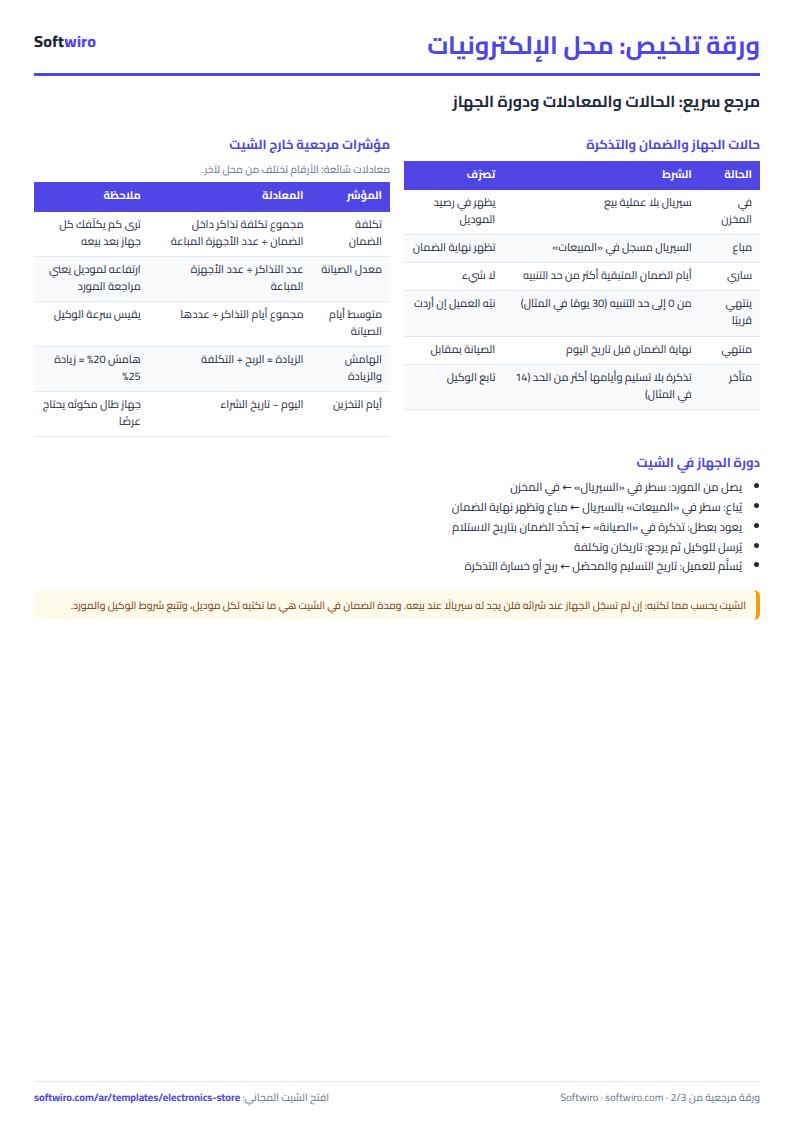
- When a faulty device returns, open a ticket in الصيانة (Repairs): number, received date, serial, fault and status. The sheet tells you whether the device was under warranty when it arrived.
- As the ticket moves, write the date it was sent to the agent, the return date, the delivery date, the repair cost and the amount charged to the customer.
- الملخص (Summary) shows stock, sales, profit, warranties and repair tickets.
What is in each sheet
- الإعدادات (Settings): today's date, the warning and late-ticket day limits, and the brand and category lists.
- الموديلات (Models): the basics, then received, sold, balance, value, margin and status.
- السيريال (Serials): the device register, with a red alert for a repeated serial.
- المبيعات (Sales): the sale, then the warranty end and days left, with an alert for an unregistered serial or a sale before the purchase.
- الصيانة (Repairs): tickets with status, cost, amount charged and result, and an alert when late.
- الملخص (Summary): the headline numbers and three charts: sales and profit by month, stock value by brand, and repair tickets by status.
Walk-through on the sample numbers
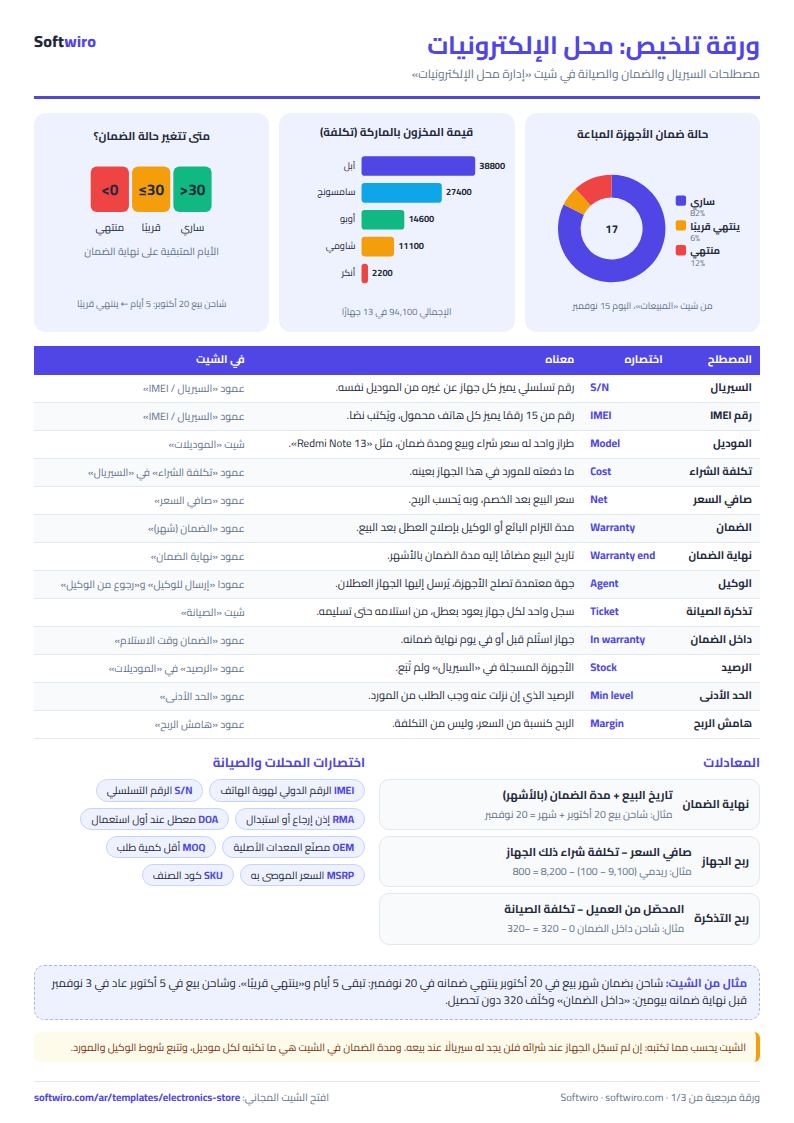
The numbers below are sample data inside the sheet, not a real shop. The example has 8 models, 30 registered devices, 17 sales and 5 tickets, and today's date is 15 November 2026:
- Galaxy A15: 5 devices received and 3 sold at net 7,200, 7,000 (after a 200 discount) and 7,200, so profit is 2,200. Two remain, worth 12,900 because the last two were bought at 6,450, not 6,400.
- Redmi Note 13: the first unit sold at 9,100 less a 100 discount, so net 9,000, cost 8,200 and profit 800. Its 12-month warranty ends 9 October 2027, 328 days away, status "active".
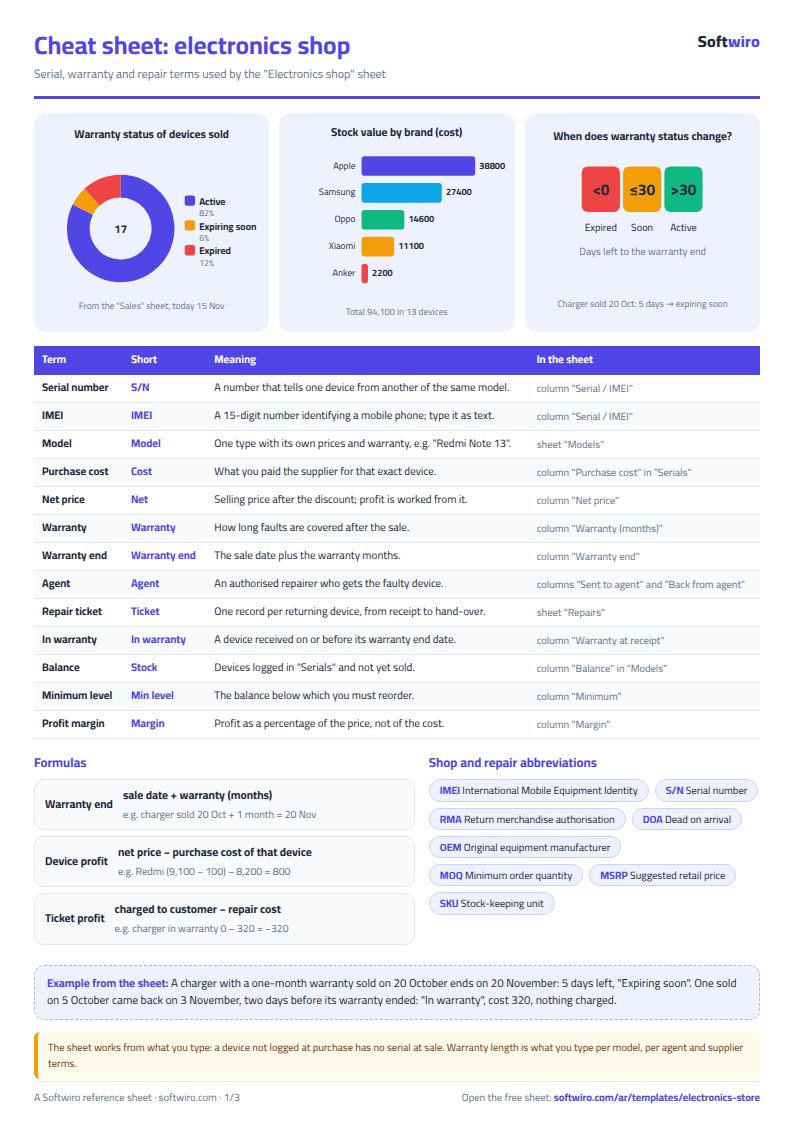
- Chargers (one-month warranty): the first sold on 5 October and its warranty ended on 5 November; the second sold on 14 October and ended yesterday, 14 November; the third sold on 20 October has 5 days left, so it shows "expiring soon".
- Tickets: the first charger came back on 3 November, two days before its warranty ended, so it is "in warranty"; replacing it cost 320 with nothing charged, a loss of 320. A screen for a device bought elsewhere cost 1,100 and you charged 1,500, a profit of 400. The ticket open since 30 October is 16 days old and shows "late" because the limit in Settings is 14.
Summary: 13 devices in stock worth 94,100, and three models below their minimum (Redmi Note 13, the power bank and the charger). Net sales are 120,950 against a cost of 109,630, a profit of 11,320, about a 9.4% margin. Warranties: 14 active, 1 expiring soon and 2 expired. Repairs net +80, so profit after repairs is 11,400. The monthly table shows October with 12 devices and a profit of 8,730, and November with 5 devices and a profit of 2,590.
Why it helps
- One serial links sale, warranty and repair: in seconds you know whether to accept a fault for free.
- Warranty measured at the received date: you do not judge by today's date a device that arrived before its warranty ended.
- Real purchase cost per device: profit comes from that device's cost, even when the supplier's price moved.
- Alerts: a repeated serial, a device sold twice, a late ticket.
- Works in Excel 2016 and later, Google Sheets and LibreOffice, with room for 100 models, 500 devices, 500 sales and 200 tickets.
Common mistakes
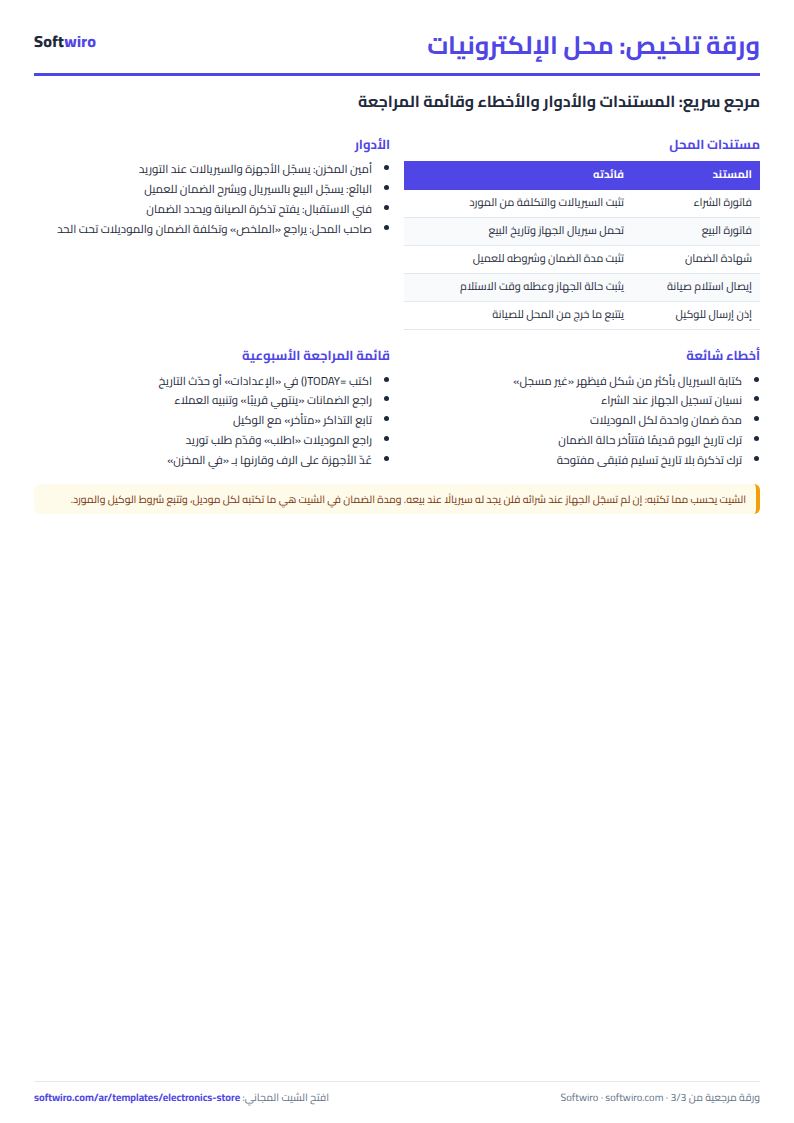
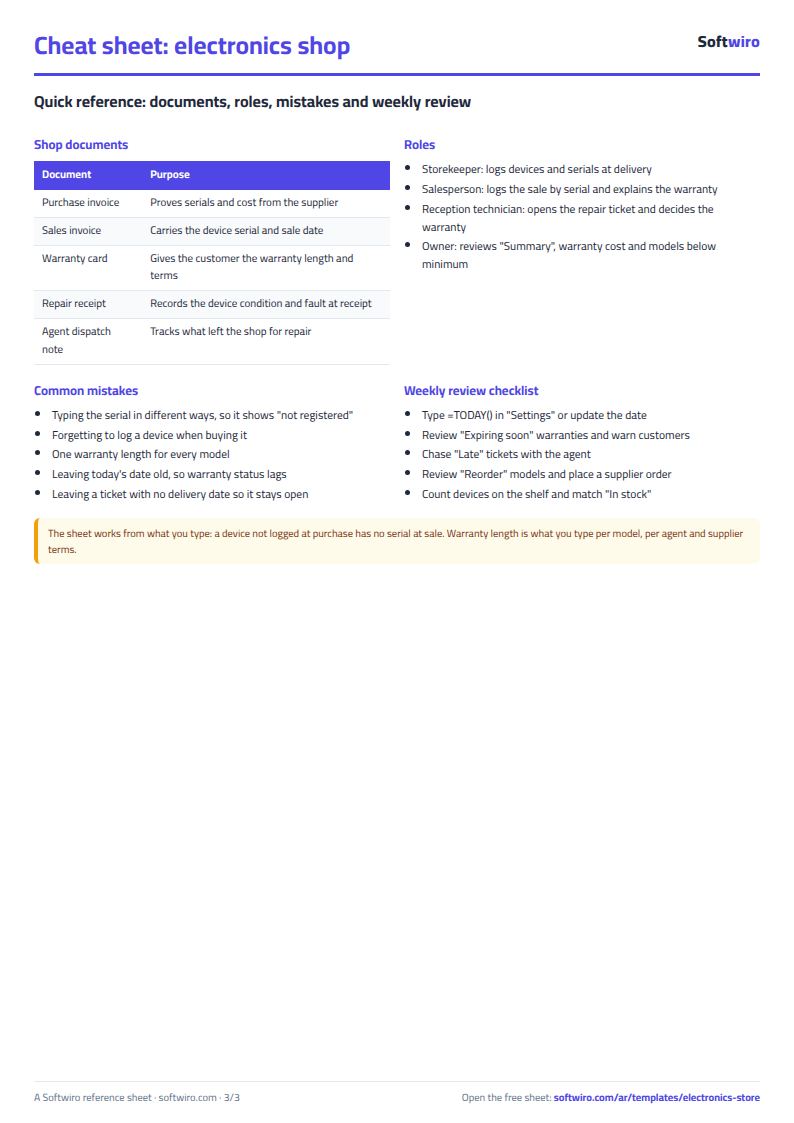
- Typing the serial in different ways: an extra space or a lowercase letter makes the device "not registered". Pick it from the list.
- Forgetting to log a device when you buy it: it will have no serial to sell. Log each delivery the same day.
- One warranty length for everything: a phone and a charger differ; set it per model.
- Leaving today's date old: warranty status and open days depend on it. Type
=TODAY()so it updates itself. - Leaving a ticket without a delivery date: it stays open and shows as late.
You can start from the general shop inventory sheet if your shop has no warranty or serials, and look at the spare parts inventory sheet if you run a repair bench with its own parts.
Who it suits and when it is not enough
It suits a shop owner who sells dozens of devices a month and types them in; the sheet always needs someone to type every device and sale. If daily sales outgrow typing, or you need several cashiers on the same stock, or electronic invoices for the tax authority, Accsys deducts quantity at every sale, works on all the shop's devices and issues ETA invoices.
Next step
Open the sheet page, try the example or download it. Replace the models with yours, then log your first delivery in "السيريال", your first sale in "المبيعات", and type =TODAY() in Settings.