Try the sheet here, on the example
The sheet is open below with sample numbers. Change any white cell and watch the results update, or press the blank-copy button to type your own data from scratch. Nothing you type leaves your browser.
Example from the sheet
| نوع التبرع | المبلغ | النسبة | عدد التبرعات |
|---|---|---|---|
| تبرع عام | 2,500.00 | 18.4% | 2 |
| زكاة مال | 6,000.00 | 44.3% | 2 |
| صدقات | 1,050.00 | 7.8% | 2 |
| كفالة يتيم | 500.00 | 3.7% | 1 |
| مشروع محدد | 3,500.00 | 25.8% | 2 |
| أخرى | 0.00 | 0.0% | 0 |
| إجمالي التبرعات | 13,550.00 | 9 | |
| غير مصنف (نوع غير موجود في القائمة) | 0.00 |
Example from the “تقرير الشفافية” tab (Arabic), with the numbers and formulas that are in the file.
What is inside
- الإعدادات (Settings): Charity name, year, the report month (picked from a list) and the opening balance before the first record. It also holds the lists of donation types (six), spending items (six) and beneficiary categories (four), whose names you can edit.
- التبرعات (Donations): A log of each donation: date, donor code (optional), type from a list, amount, payment method (cash, bank transfer or e-wallet) and a note. A column flags the first appearance of each code so that distinct donors can be counted.
- المستفيدون (Beneficiaries): A table with each beneficiary's code, category, area, household size and registration date. Next to it the sheet calculates the number of disbursements, the total paid to that beneficiary, the amount paid in the selected month and a status (not yet received, received this month, or received earlier). There are no name or phone fields.
- المصارف (Disbursements): A log of each amount paid out: date, beneficiary code (leave blank for an expense that is not for a beneficiary), spending item, amount and a note. The beneficiary category appears automatically, along with a "Check code" (راجع الكود) alert if the code is not registered in Beneficiaries.
- تقرير الشفافية (Transparency report): A page for the selected month: donations by type with each type's percentage and number of donations; spending by item with each item's share of spending; an "Uncategorized" line for anything that does not match the lists; opening balance, closing balance and net change; the number of beneficiaries who received aid by category and the average paid per beneficiary; the number of disbursements with an unknown code; and a signature line.
- ملخص السنة (Year summary): The twelve months in order: donations, spending, net, month-end balance and number of donations, with the year total.
The file opens on a start tab (“ابدأ هنا”, Start here) that explains how to use it.
What makes it different
Instead of piecing the charity's accounts together from notebooks and messages on the night of the meeting, you record activity day by day and open the transparency report ("تقرير الشفافية") to see donations, spending, each item's share and the balance on one page. Donors and the board can see where the money went without the page revealing anyone's name. The "Check code" alert also shows you any disbursement recorded with a wrong code before it is counted among the beneficiaries.
How to use it
- In the "الإعدادات" (Settings) tab, enter the charity name and year, choose the report month, enter the balance you started with before the first record, and edit the donation types, spending items and beneficiary categories if you wish.
- In the "التبرعات" (Donations) tab, record each donation: date, donor code (leave blank for an anonymous donor), type, amount and payment method.
- In the "المستفيدون" (Beneficiaries) tab, give each beneficiary a code (such as B001) with a category, area and household size. Do not enter names, national IDs or phone numbers; keep them in your own private records.
- In the "المصارف" (Disbursements) tab, record each amount paid out: date, beneficiary code (leave blank for an expense that is not for a beneficiary), spending item and amount.
- Open the "تقرير الشفافية" (Transparency report) tab to see the selected month on one page: donations by type, spending by item with percentages, the balance and the number of beneficiaries.
- Review the "ملخص السنة" (Year summary) tab for each month's donations, spending and balance, and check any entry that shows the "Check code" alert in Disbursements.
Before you start:
- The report shows totals only: no donor or beneficiary name. The codes in the sheet link records to each other, while the names stay in your own private records.
- Opening balance for the month = opening balance + all donations before the month − all disbursements before the month. Closing balance = opening balance for the month + the month's donations − the month's disbursements.
- Each item's percentage = the item's amount ÷ total spending for the month. Each donation type's percentage = its amount ÷ total donations for the month.
- The sheet has room for six donation types, six spending items and four beneficiary categories, and you rename them in Settings. A donation or disbursement with a type not in the list is not lost from the total; it appears on the "Uncategorized" line.
- A beneficiary counts as served in the month if they have at least one disbursement dated within the selected month under a code registered in Beneficiaries.
- The sheet holds 2000 donations, 2000 disbursements and 500 beneficiaries.
Free cheat sheet for this field
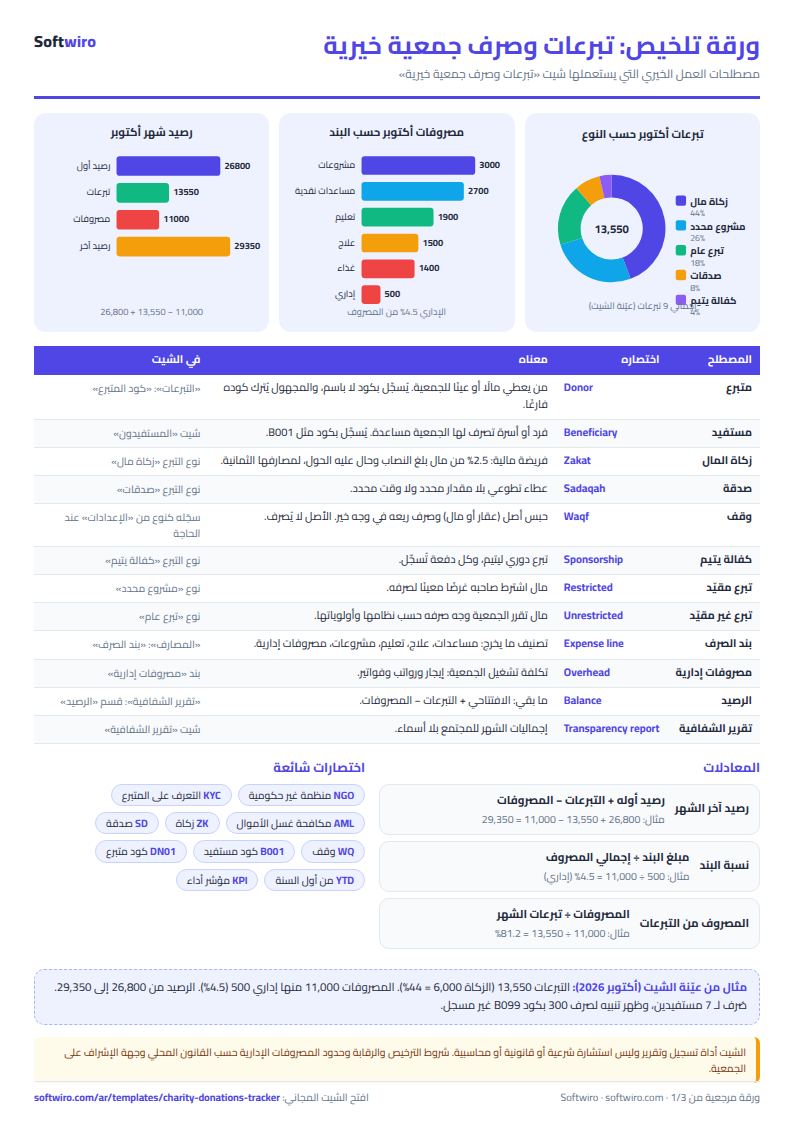
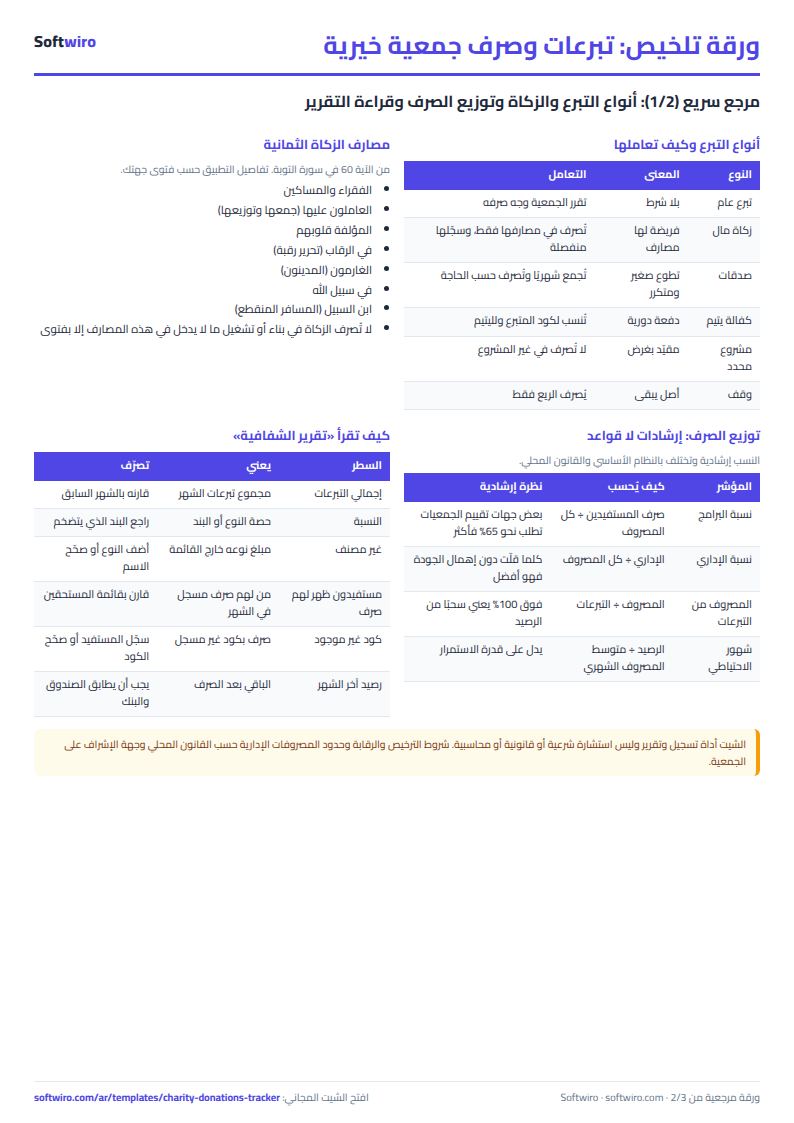
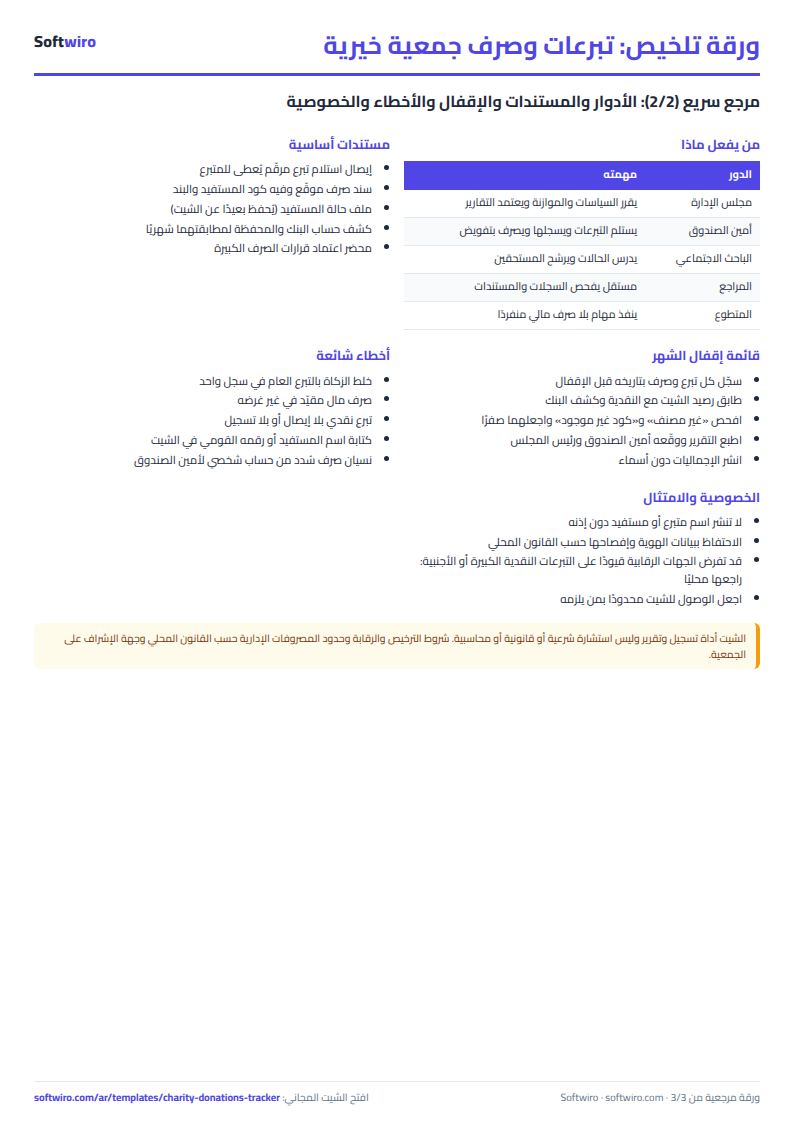
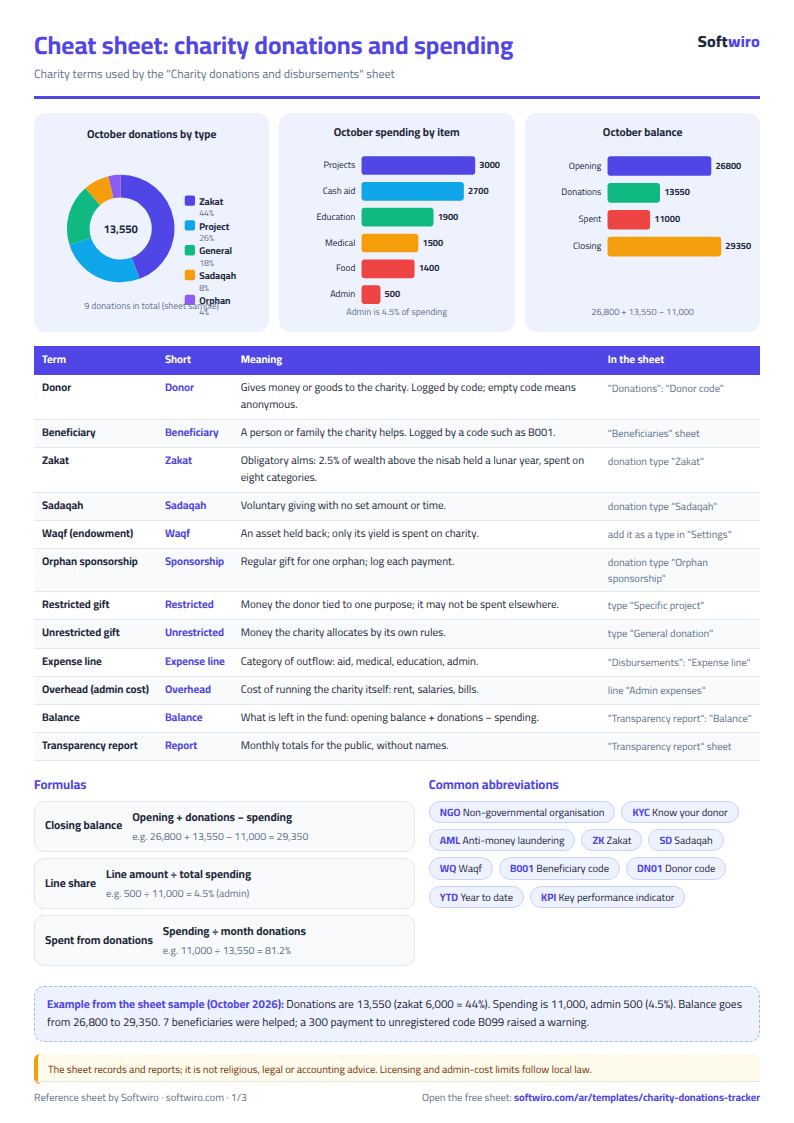
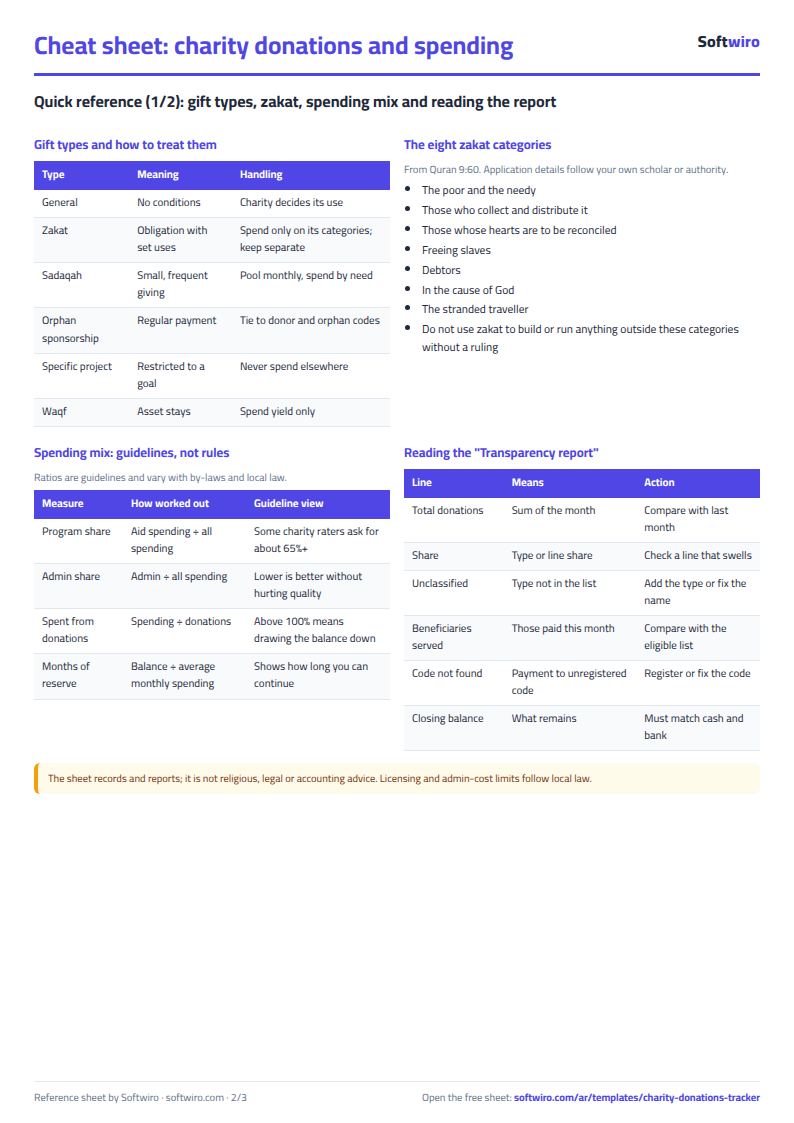
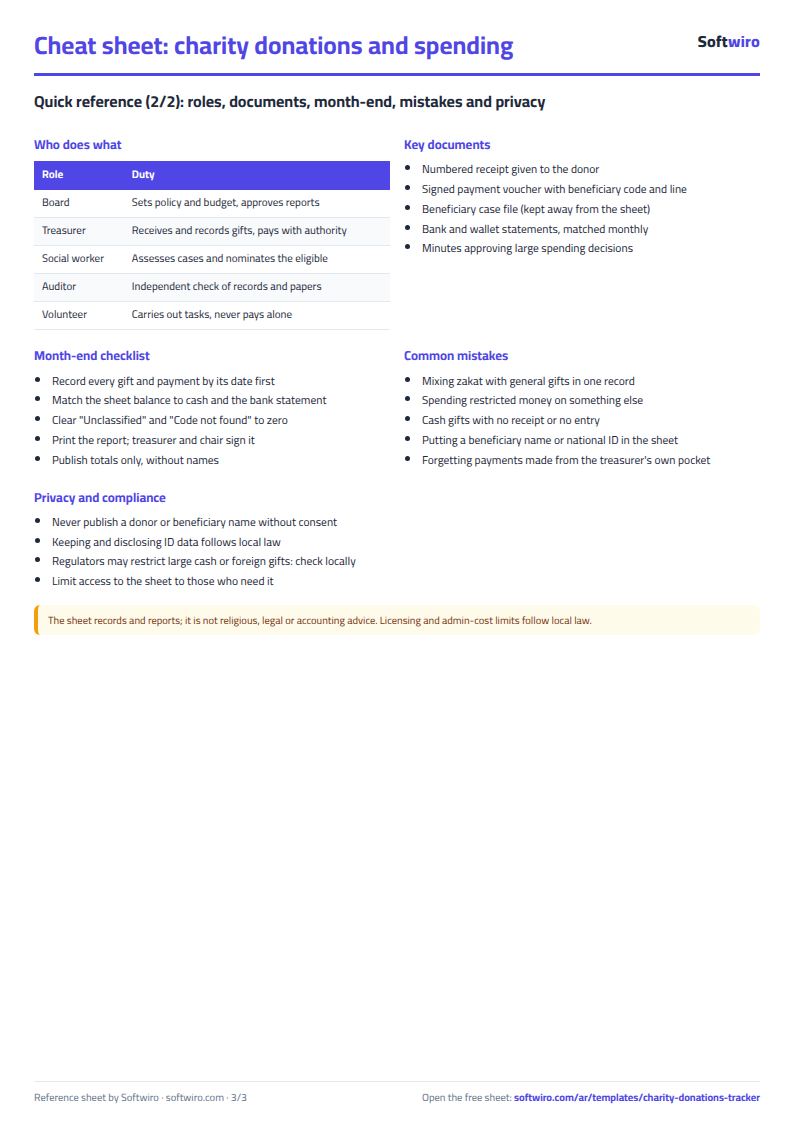
Terms, abbreviations, tables and diagrams over several pages, in Arabic and English. Download it as a PDF or images, including a phone-size version.
Still running this on Excel?
This sheet suits a start and a limited amount of data. If your way of working grows, or you need more than one person working on it at the same time, Softwiro can build you a program that fits the way you work.
| In this sheet | In Custom Software from Softwiro |
|---|---|
| One file that one person edits at a time, and copies reach you on WhatsApp. | A program with a login for each user and permissions you define, and everyone sees the same data. |
| You type everything and check the numbers by hand. | We design the screens around your work steps, so each person records only what concerns them. |
| Columns and formulas are fixed as the sheet was designed. | We build what you need: reports, alerts and screens your way. |
| Backups and security are your own responsibility. | The program runs on a secured server with regular backups. |
Frequently asked questions
Does the sheet contain donor or beneficiary names?
No. It uses codes only (for example DN01 for a donor and B001 for a beneficiary), and it has no field for a name, phone number or national ID. Link each code to a name in your own records outside the sheet. The report shows totals only.
How are the opening and closing balances calculated?
You enter the opening balance once in "الإعدادات" (Settings). Opening balance for the month = opening balance + all donations before the selected month − all disbursements before that month. Closing balance = the month's opening balance + the month's donations − the month's disbursements.
How do I see the report for another month?
Pick the month from the list in Settings and the whole report changes. The year summary shows all months together for the year entered in Settings.
What if I rename the donation types or spending items?
Edit them in Settings and the lists and the report update. Anything recorded with a type that is not in the list is not lost from the total; it appears on the "Uncategorized" line. The sheet has room for six types and six items.
Is the template free?
Yes, with no sign-up and no email address. Use it, edit it and share it as you like.
Does it work in Google Sheets and on mobile?
The sheet uses formulas supported by Excel 2016 and later, Google Sheets and LibreOffice, so you can upload it to Google Drive and open it with Google Sheets on a computer or a phone.
What is the difference between the white and the gray cells?
You type in the white cells; the gray cells are calculated automatically. Don't type in a gray cell, or you will erase its formula.
Can I use the sheet from an AI assistant?
Yes. Add our MCP server (URL https://softwiro.com/api/mcp, no key needed) to your assistant and ask it to do the calculation in this template. The numbers come from the sheet's own formulas, and we do not store your data. The steps and a ready-made prompt are in this article: https://softwiro.com/blog/mcp-excel-templates-ai-agent-guide.html
More free templates for: Charities and donations
More free templates
- Charity accounts by fund
- Travel agency bookings tracker
- Laundry orders tracker (Excel)
- Dental clinic treatment plans tracker (Excel)
- School class timetable (Excel)
- Exam schedule with committees and invigilators (Excel)
- Homework and behavior tracker for teachers (Excel)
- School bus subscriptions tracker (Excel)
- American diploma GPA calculator: unweighted, weighted and cumulative (Excel)