A coach knows that the player whose load suddenly doubled is the one most likely to complain of fatigue. The free training load sheet for any sport works out each session's load with the session-RPE method, adds it up by week and compares each week with the average of the previous four, so you see a spike before it turns into exhaustion or an injury.
The problem it solves
The training diary says "fitness session, one hour", and the coach cannot tell whether that hour was easy or brutal. Effort differs: an hour at intensity 3 is not an hour at intensity 8. When the intensity is taken with one question to the player (RPE) and multiplied by the minutes, sessions become comparable, and you can see the weekly total and whether it is higher than usual.
Steps from opening the file to the report
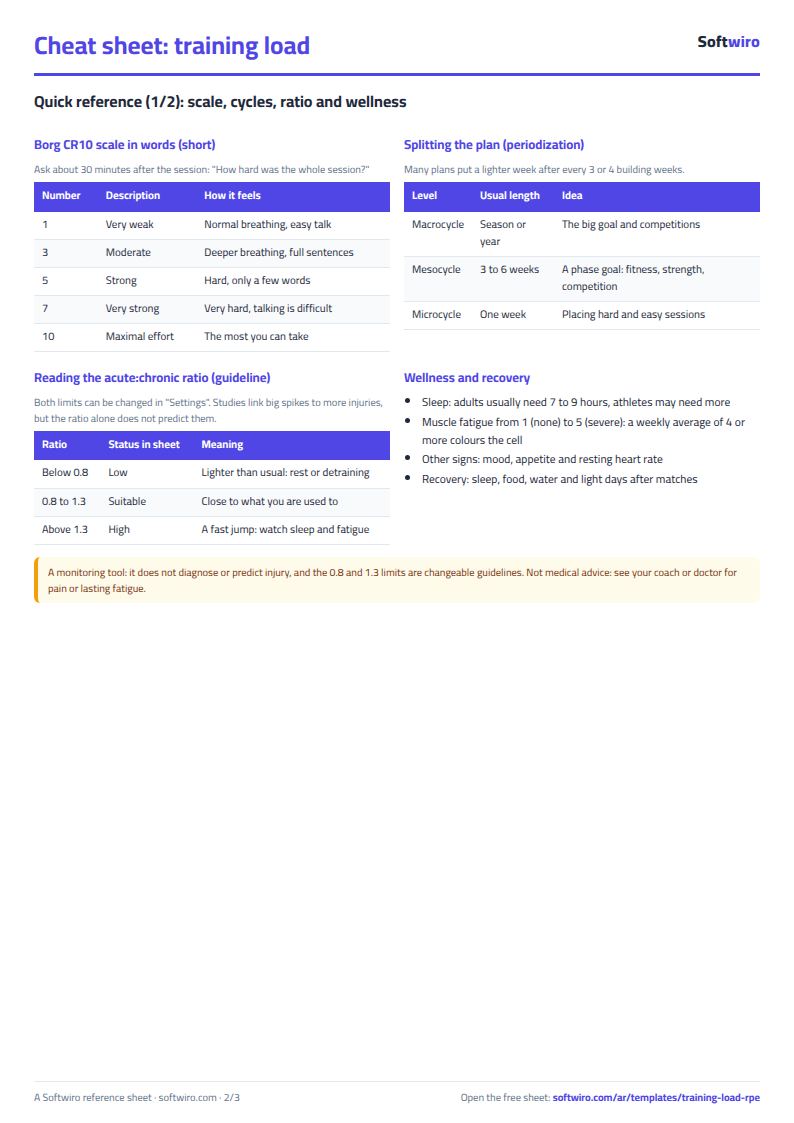
- Settings: the player or team name, the sport, the start date of week 1 (a Monday is best) and the session types (up to 12). Leave the ratio limits at 0.8 and 1.3, or change them on your coach's advice.
- Sessions: one row per session: date, type from the list, minutes and RPE from 1 to 10, which the player gives about half an hour after training.
- Optionally enter hours of sleep and muscle soreness from 1 to 5 for each session.
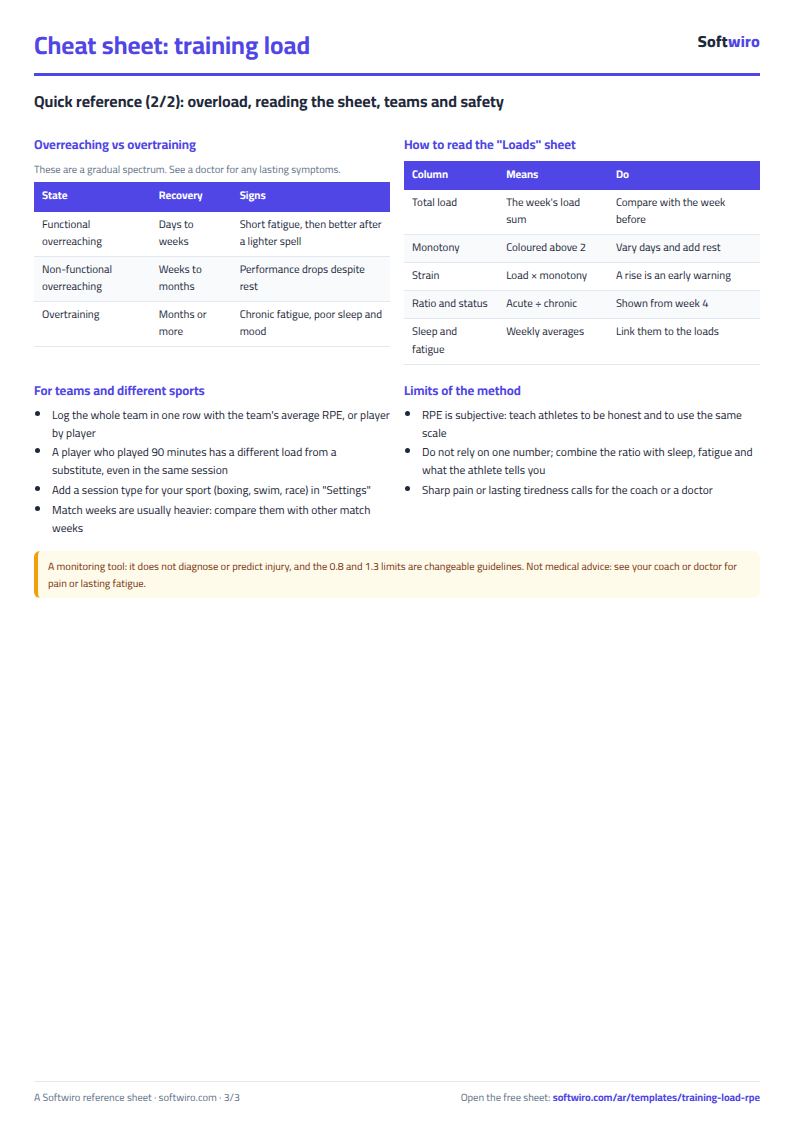
- Open Loads to find each week's load, monotony, strain, ratio and status. Review the "high" weeks first and compare them with sleep and soreness before you set next week's load.
Worked example (sample data in the sheet)
The data is sample data for an under-17 youth football team, starting 24 August 2026, not a real team. It has 54 sessions over 12 weeks.
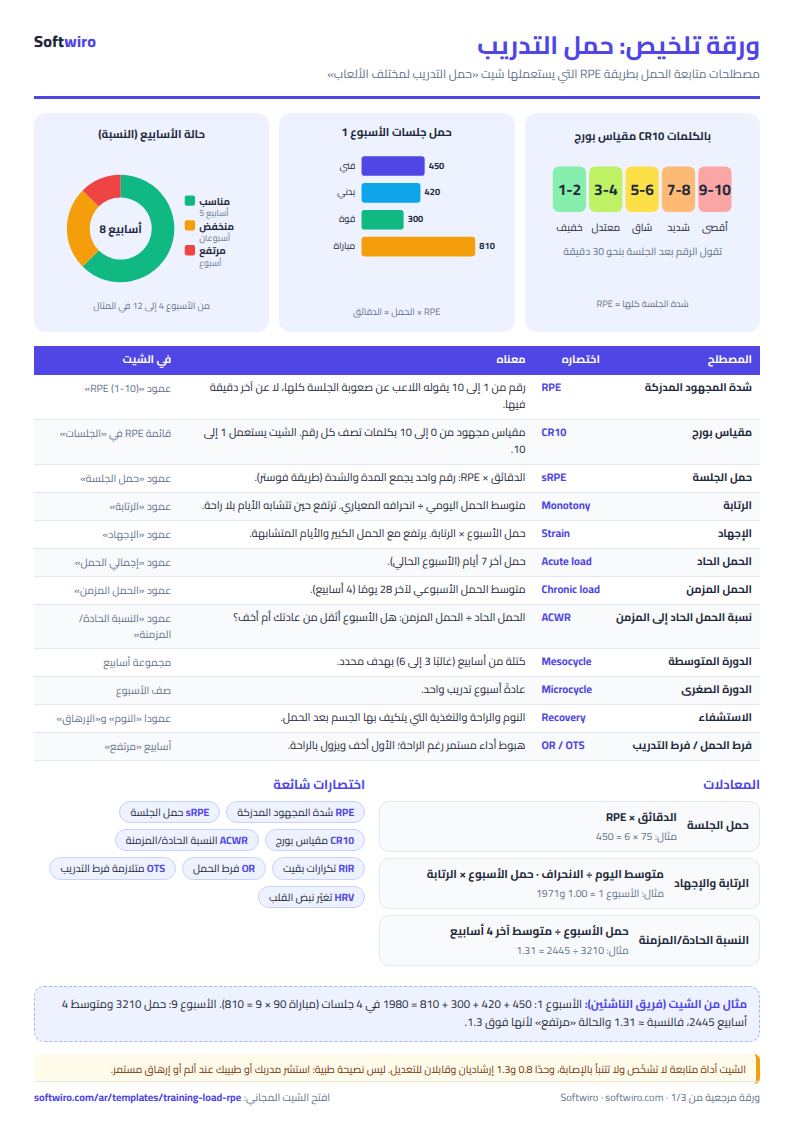
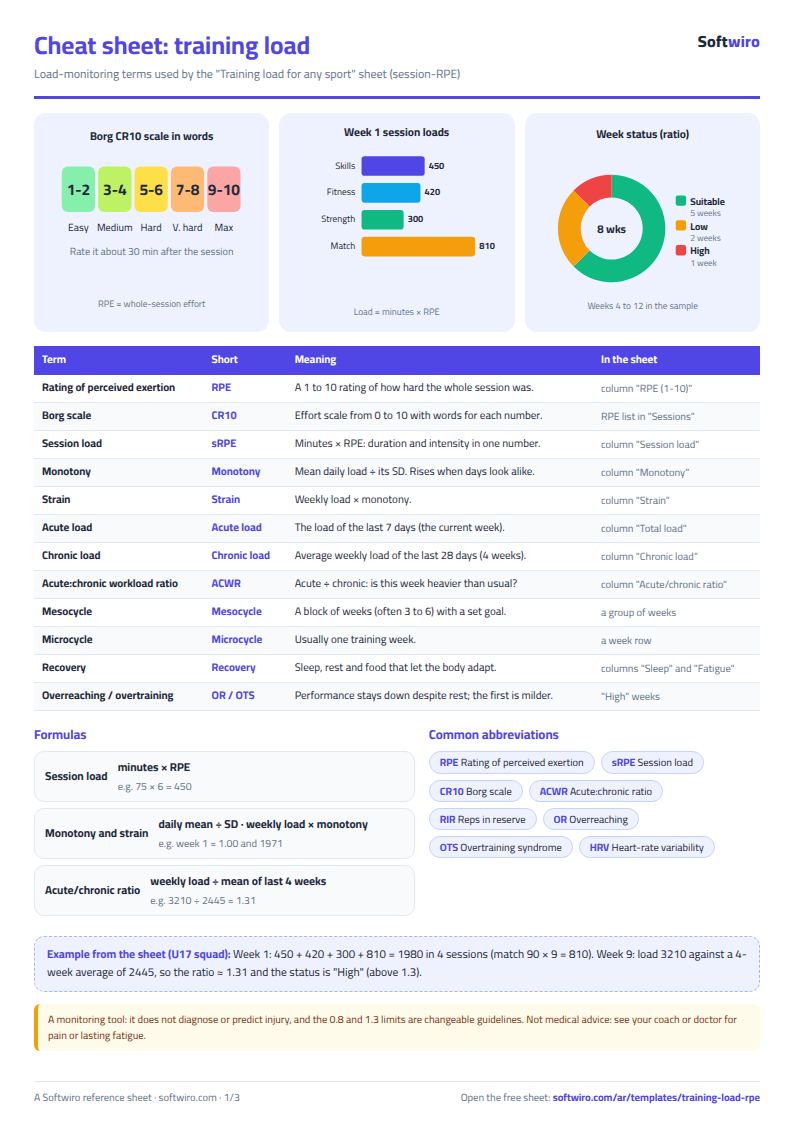
- Week 1: 4 sessions: technical training 75 minutes at intensity 6 (450), physical training 60 minutes at 7 (420), strength 50 minutes at 6 (300) and a match of 90 minutes at 9 (810). The load is 1,980.
- Week 4: load 2,165 against an average of 2,078 for the first four weeks, so the ratio is 1.04 and the status "suitable". This is where the ratio first appears.
- Week 5: the load drops to 1,030, the ratio becomes 0.56 and the status "low". It is a deliberately light week.
- Week 8: 2,460 and a ratio of 1.29, close to the limit but still "suitable".
- Week 9: the load jumps to 3,210 (the heaviest week) and the ratio to 1.31, so it shows "high" in red, and average soreness is 4.0 against about 3 in the other weeks. This is where the coach should think about the load of the following week.
- Week 10: the load returns to 2,380 and the ratio to 0.93.
- Last week (12): only 3 sessions because the week is still running, so its load of 1,060 and ratio of 0.48 ("low") mean nothing until the week is complete.
- Over 12 weeks: total load 24,665, of which 36.7% is in matches, 22.7% in physical training and 20.7% in technical training. One week is "high", two are "low", six are "suitable" and three say "needs 4 weeks".
How the numbers are worked out
- Session load = minutes x RPE. The weekly load is the sum of its seven daily loads.
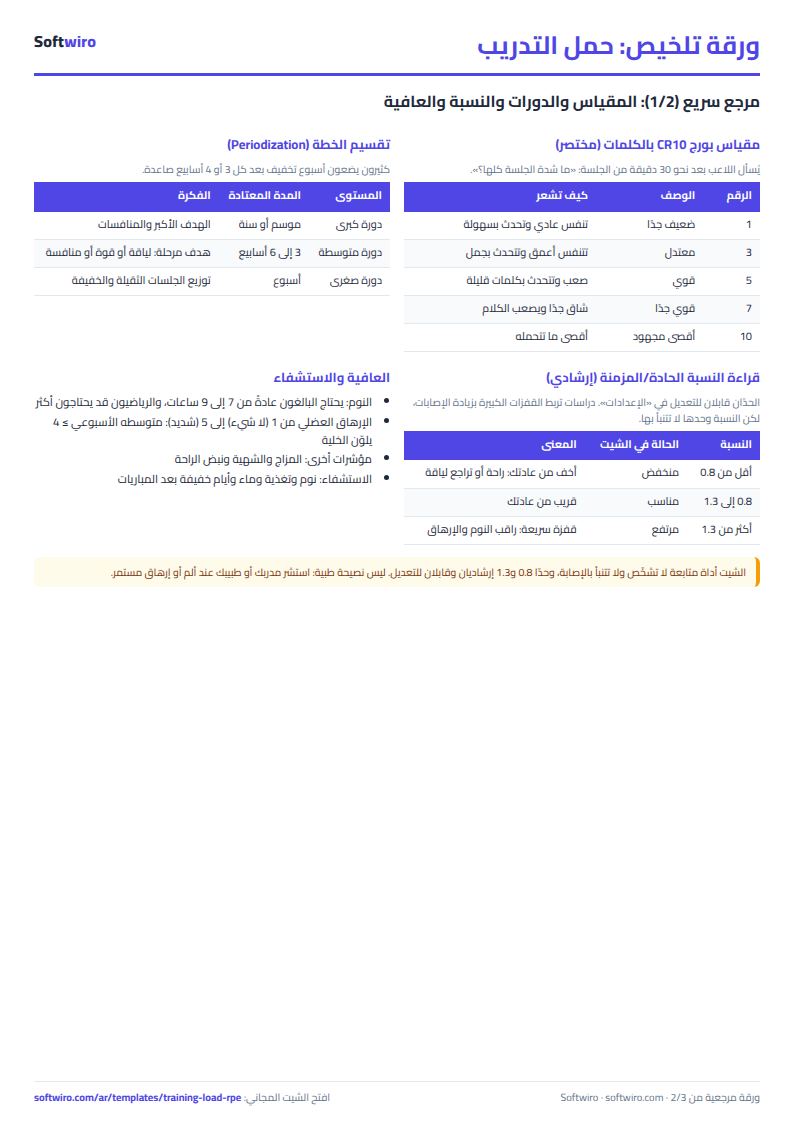
- Monotony = the average daily load / the standard deviation of the daily load in the week. Above 2 means similar days without enough rest. Strain = weekly load x monotony.
- Ratio = the week's load / the average weekly load of the last 4 weeks (28 days, including the current week). That is why it does not appear before week 4.
Limits of the sheet
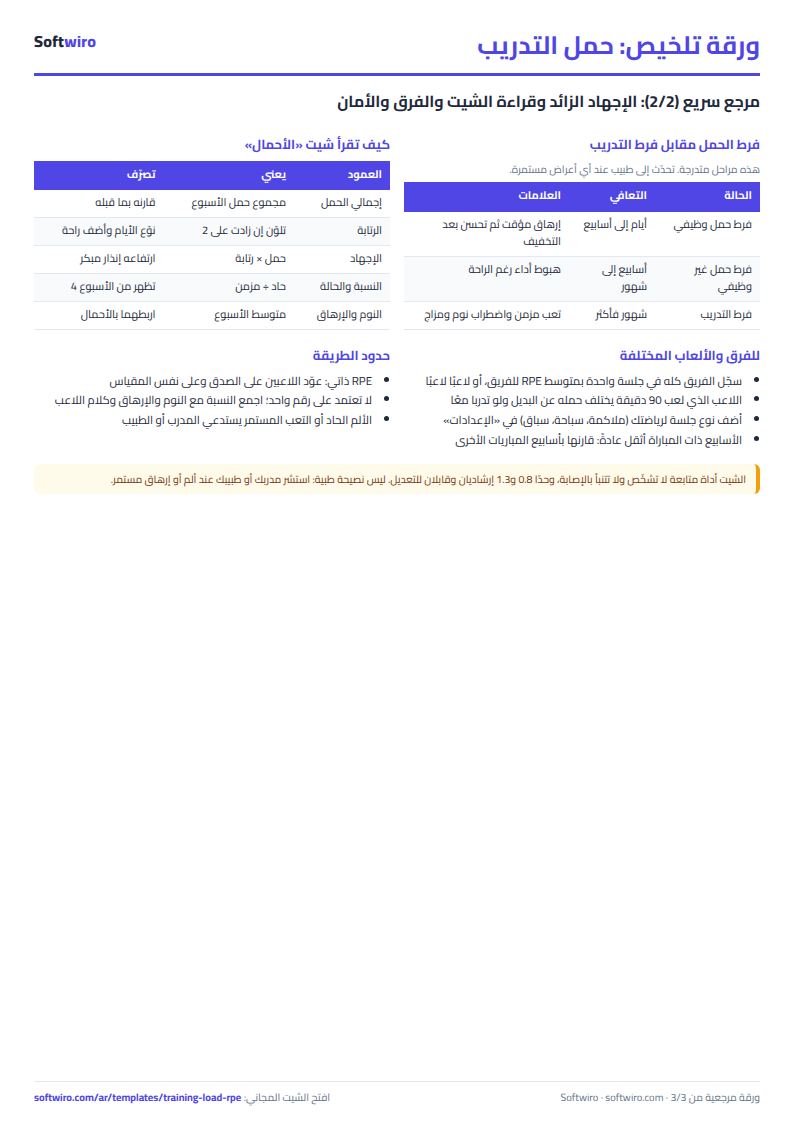
- It is a tracking tool that shows numbers. It does not diagnose and does not predict injury, and it is not medical advice. It does not replace a coach, a doctor or a dietitian. See your coach or doctor for pain or lasting fatigue, whatever the ratio says.
- RPE is the player's own estimate, so differences between players are normal. Compare a player with himself across weeks more than with others.
- The limits of 0.8 and 1.3 are a common rule of thumb, not a final verdict; adjust them with your coach's experience.
- The sheet does not measure distance or heart rate, only minutes and RPE.
Tips
- Ask for RPE about half an hour after training, not during it, and ask everyone the same way.
- If you log the whole team on one row, enter the team's average RPE.
- Do not delete a row from the middle of the session types list.
- Sessions outside the 12 weeks count only in the types table.
Try it
Open the sheet and try it online, or download it for Excel. It holds 1500 sessions, 12 weeks and 12 session types. If you want something made for your team or academy, ask for it here.