You run an appointment-based business: a consultant, lawyer, trainer, repair centre or a government-paperwork office, and you want to know at any moment: who has an appointment today and when, whether a staff member was booked twice at the same time, whether a booking fell on their day off, whom you should call about a return visit, and how much of your team's time is really used. The free general appointments sheet answers all of that from one log. (The page is in Arabic; the workbook is Arabic, right to left.)
The problem it solves
Appointments start in a notebook or on WhatsApp. Then the team grows, two people book the same staff member at the same time, a booking lands on a day the staff member does not work, and you forget a client you told to "come back in a month". It is hard to tell whether the issue is too few bookings, no-shows, or working hours nobody fills. An ordinary table does not know that a contract review takes 45 minutes and a device check 30, so it never warns you about an overlap.
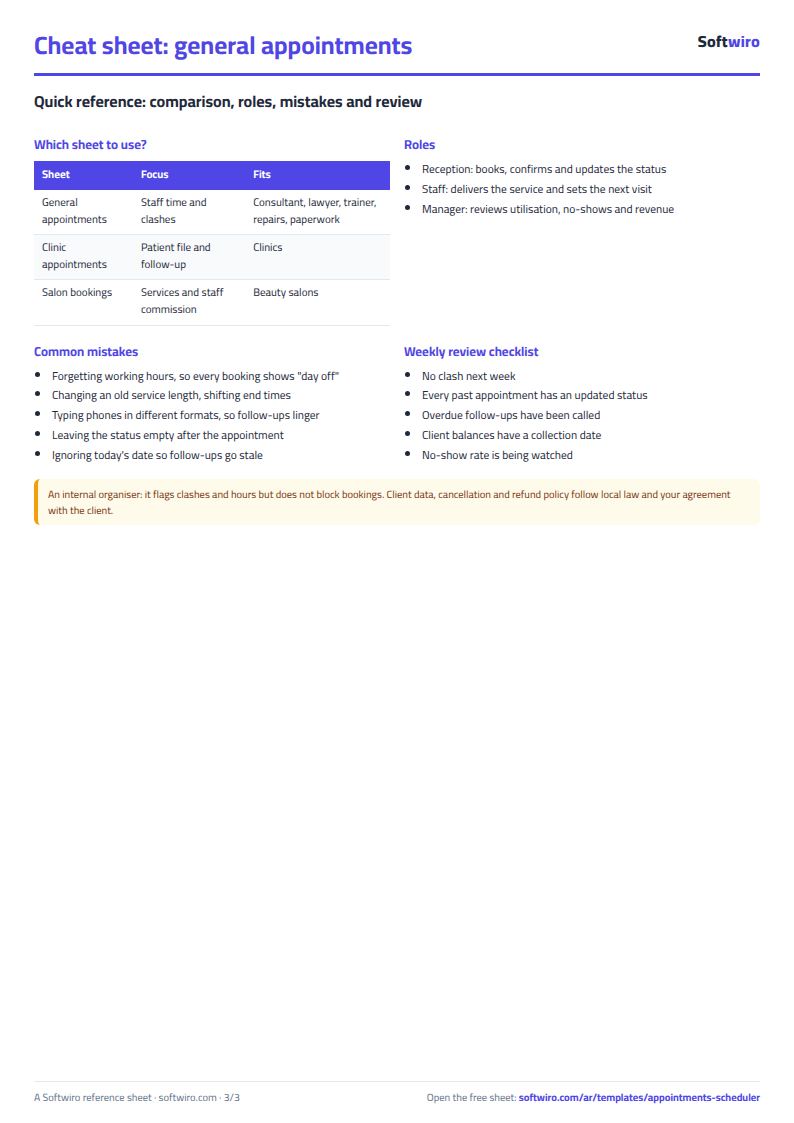
How it differs from the clinic and salon sheets
We have two close sheets, each with a different purpose:
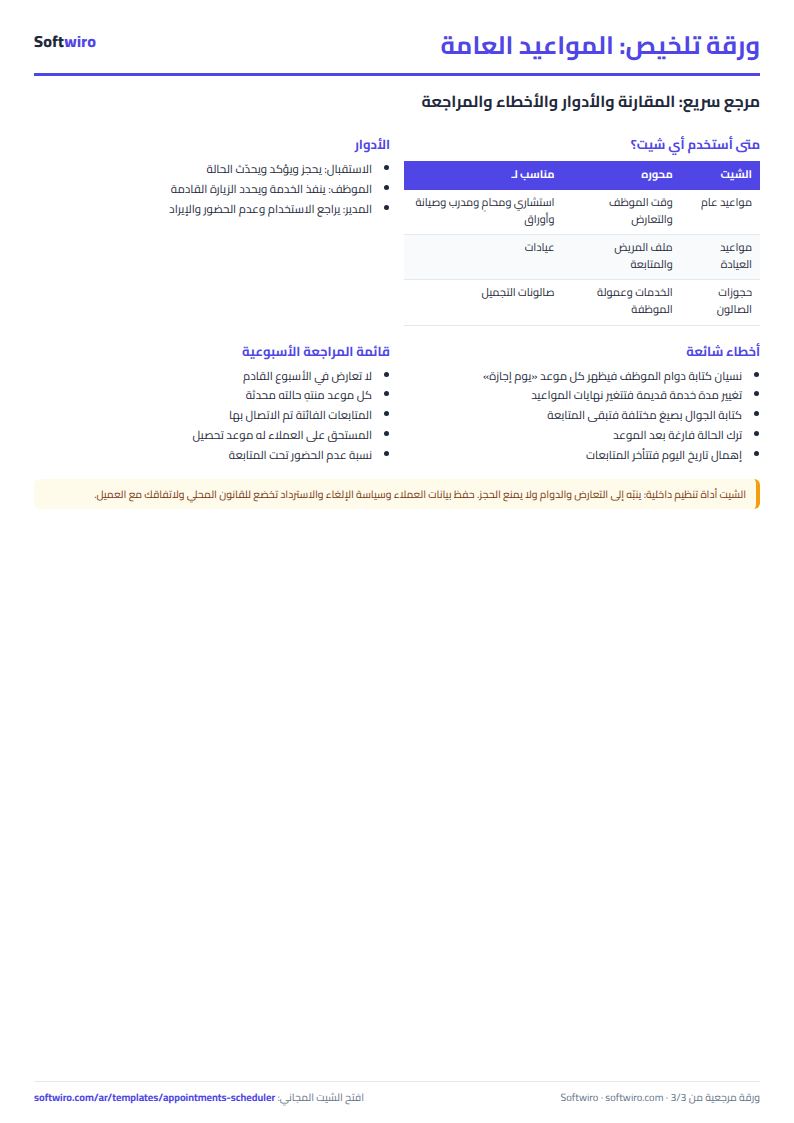
- The clinic appointments sheet is built around the patient file: visits, the fee, what the patient owes and the follow-up date.
- The beauty salon bookings sheet is built around services, each staff member's commission and today's list.
- This sheet is built around staff time: each service's length, each person's working days and hours, clash prevention, a half-hour day agenda and utilisation. It suits any other business.
How the sheet works, step by step
- Settings: enter today's date, the day whose agenda you want and any date inside the summary month.
- Services: for each, its length in minutes and price.
- Staff: type "yes" under every day the person works, plus the start and end of their working hours.
- Appointments: log date, time, service, staff member, client, phone and booking channel. The end time, price and alerts appear.
- After the appointment: pick the status done, cancelled or no-show, enter what was paid and, if agreed, the next visit.
- Day agenda, Follow-ups and Summary: each updates by itself from the appointments log.
What each sheet holds
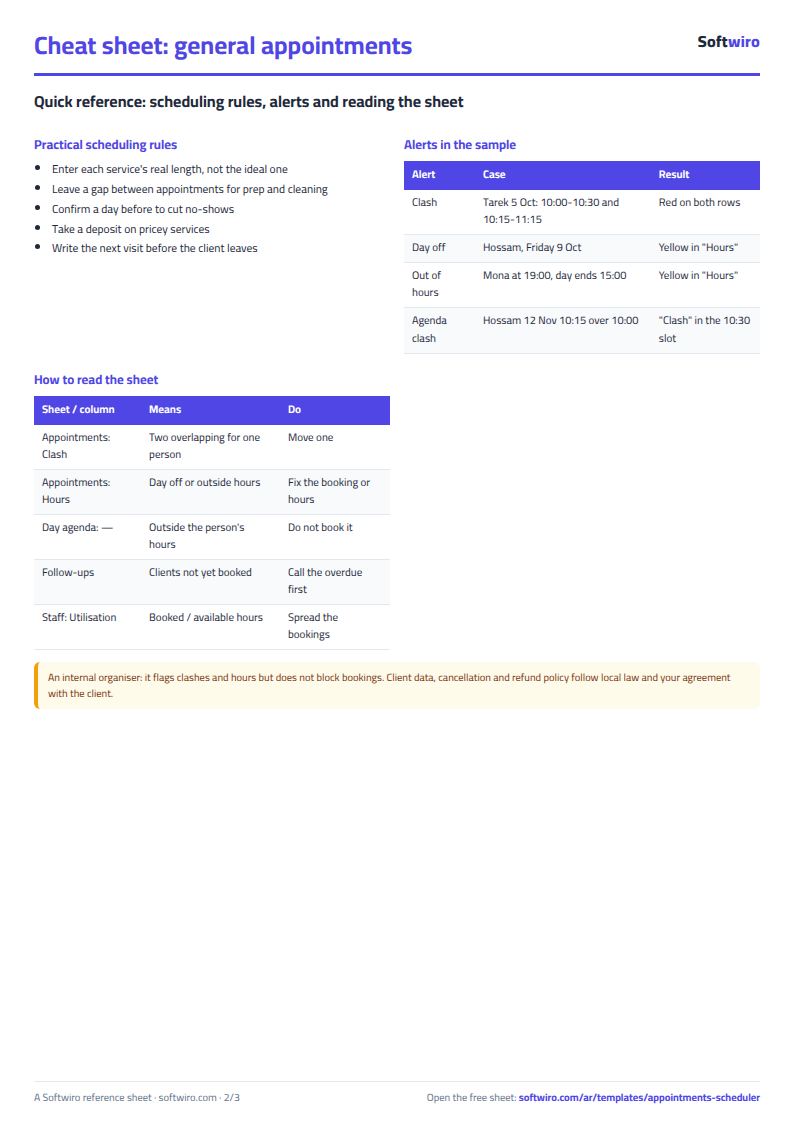
- Appointments: a red clash column and a yellow hours column: "day off" or "outside hours".
- Day agenda: staff in columns and half-hour slots in rows; the client's name in each booked slot, "clash" if two overlap, and a grey dash outside working hours.
- Follow-ups: clients with a next visit, sorted by date.
- Summary: three charts: revenue per staff member, their utilisation and each service's share of revenue.
A walk-through on the sample numbers
The names and numbers below are sample data inside the sheet, not real people. The chosen month is October and today's date is 12 November. The team is four: a lawyer (Hossam Azmy), a business consultant (Mona Kamel), a repair technician (Tarek Nabil) and a paperwork officer (Iman Fawzy).
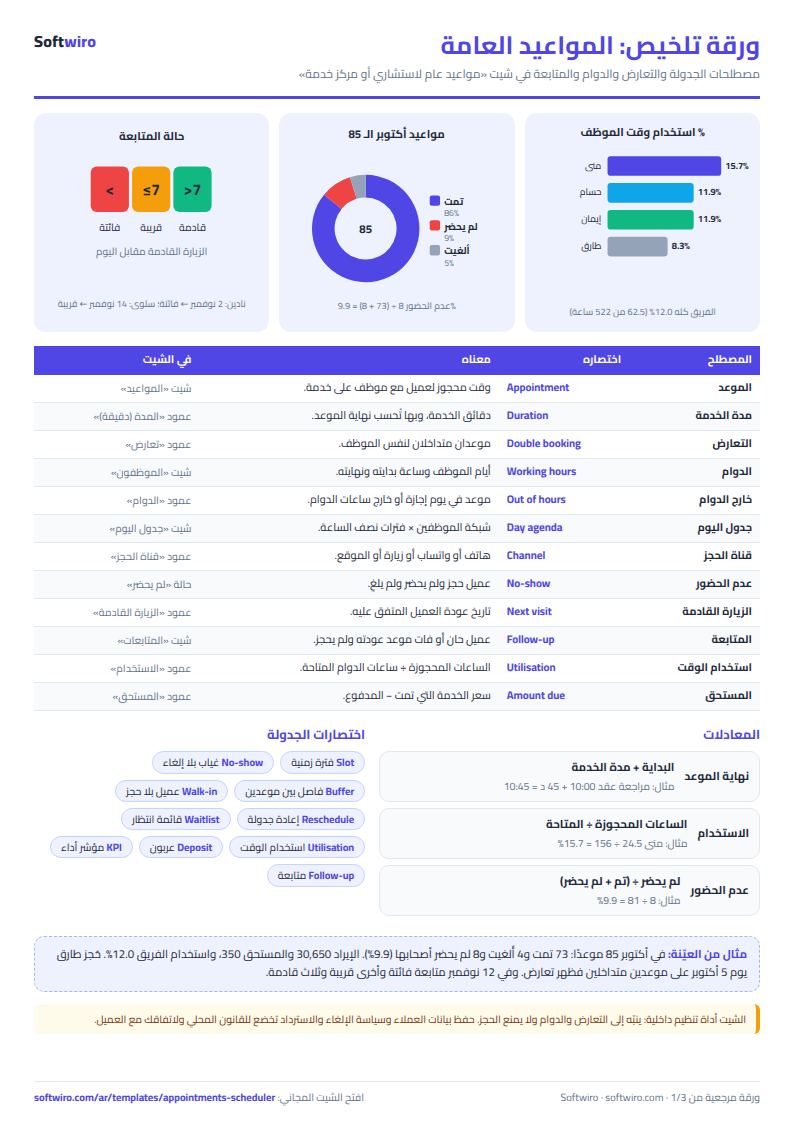
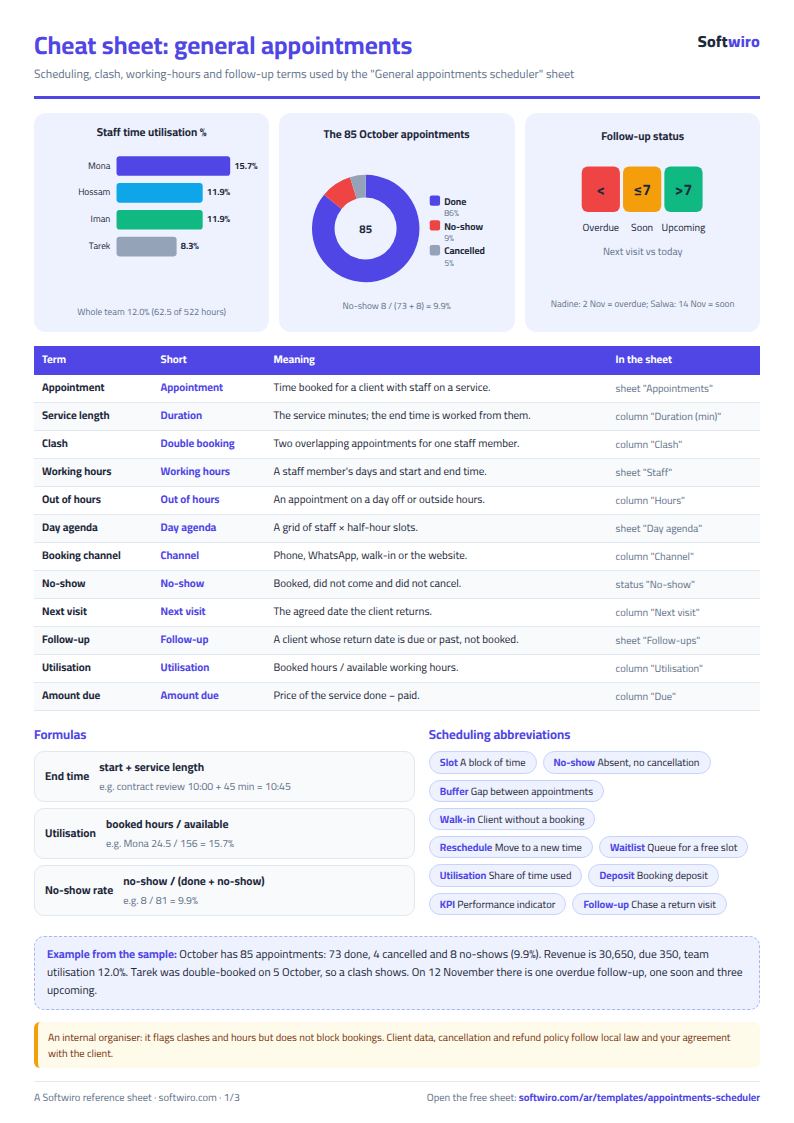
- October appointments: 85: 73 done, 4 cancelled and 8 no-shows. No-show rate = 8 / (73 + 8) = 9.9%.
- Revenue: 30,650 from the appointments that were done, about 420 per appointment. Collected is 30,300 and clients owe 350: for example a contract review for Al-Amal Company costs 500, 300 was paid, so 200 is left.
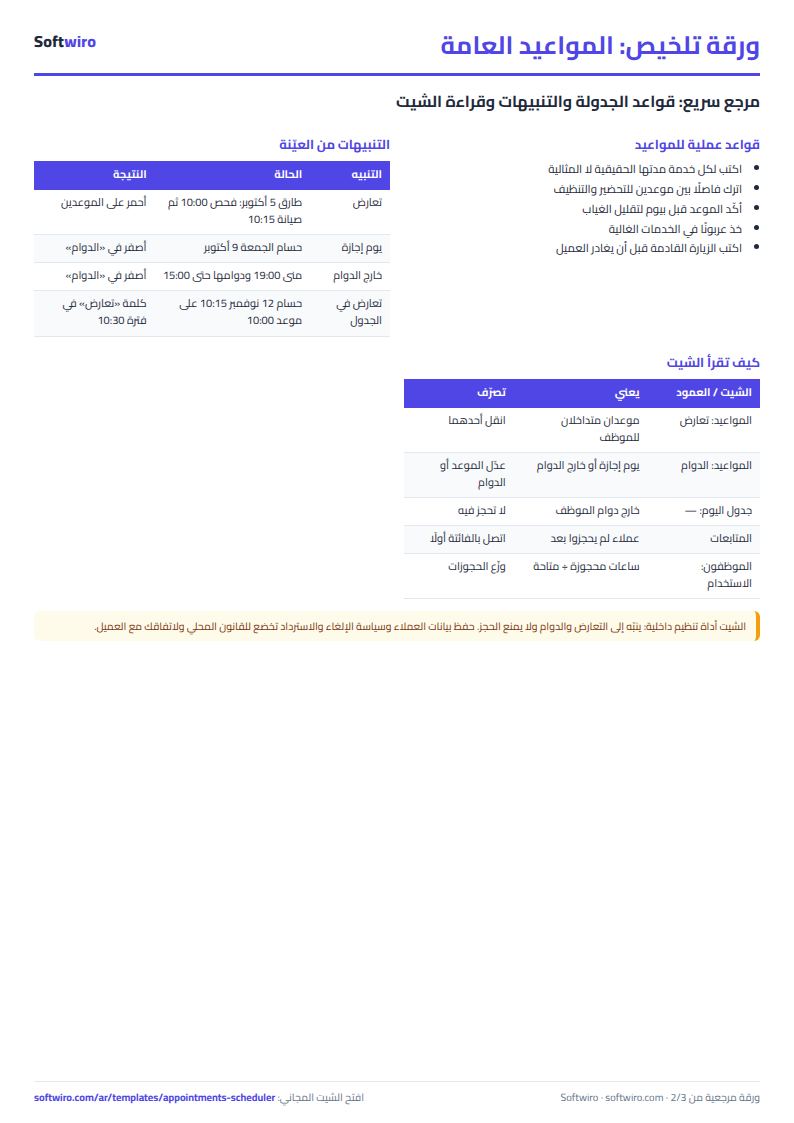
- Clash: on 5 October Tarek was booked for a device check 10:00-10:30 and then a repair 10:15-11:15, so both rows show "clash".
- Working hours: a legal consultation on Friday 9 October shows "day off" because Hossam does not work Fridays, and a business consultation at 19:00 shows "outside hours" because Mona's day ends at 15:00.
- Utilisation: Mona has 24.5 booked hours of 156 available, 15.7%; Hossam 15 of 126 (11.9%); Tarek 13 of 156 (8.3%); Iman 10 of 84 (11.9%). The whole team is at 12.0%.
- Revenue per staff member: Mona 13,600, Hossam 10,300, Tarek 4,350, Iman 2,400. The top service is the one-to-one training session: 11 sessions for 8,800.
- Agenda for 12 November: 5 appointments; Hossam has a consultation 10:00-11:00 and a contract review 10:15-11:00, so "clash" shows in the 10:30 slot.
- Follow-ups on 12 November: one overdue (Nadine Omar, due 2 November), one soon (Salwa Gaber, 14 November) and three upcoming. Adel Ramzy, who had a next visit written for 25 October, disappeared from the list because he booked a newer appointment under the same phone number.
How the numbers are worked out
- End time = start + service length.
- Revenue = service price for "done" appointments only, and amount due = price - paid.
- Utilisation = hours of non-cancelled appointments / the staff member's available working hours in the month.
- No-show rate = no-shows / (done + no-shows).
Common mistakes
- Forgetting to enter working hours: every booking for that person then shows "day off".
- Changing a service length after logging appointments: every old end time changes, so add a new service instead of editing the old one.
- Typing phone numbers in different formats: follow-ups match on the phone number, so a client who already booked can stay on the list.
- Leaving the status empty after the appointment: it counts as booked and adds no revenue.
- Ignoring today's date: type =TODAY() so follow-up labels stay current.
When to move to a system
The sheet is enough for a small team with one person typing. If you want clients to book themselves from your page and see only free slots, to send automatic reminders, or to let each staff member see their agenda on a phone, that is a system's job. For clinics there is more detail in the clinic appointments article, and for cutting no-shows see reducing patient no-shows with phone booking; the ideas work for any appointment business.
Try it now
Open the sheet and try it online, or download the Excel file. Clear the examples, type your services and staff with their hours, log tomorrow's appointments and open the day agenda to see the free time. It holds 1500 appointments, 50 staff and 40 services. If you want a version made for your business, request it here.