You run a car showroom and want to know without flipping through notebooks: which cars are still in stock, how much you made on each car you sold, who owes you money, how much is in the cash box and the bank, and what the month's net profit is after expenses. The free car showroom accounts sheet keeps all of it together: stock, purchases, sales, receipt and payment vouchers, a customer statement, a cash and bank statement and payroll.
The problem it solves
Many showrooms keep the stock in one file, sales in a notebook, vouchers on paper and customer balances on another sheet. When a customer asks what is left on their account, or you want the month's profit, you add numbers by hand and the totals disagree. Here each fact is typed once: the car in "السيارات" (Cars), the sale in "المبيعات" (Sales), the payment as a voucher in "السندات" (Vouchers), and everything else is calculated.
Steps, from opening the file to the report
- Settings: enter the year and the opening balance of the cash box and of the bank.
- Categories: review the receipt and payment categories. Each has a type: collection, car purchase or expense.
- Cars: one row per car you bought: chassis, make, model, purchase date, supplier, purchase price, preparation costs and asking price. It shows as "available".
- Customers: each customer's name and phone.
- Sales: on a sale enter the date, the chassis (from a list), the customer and the sale price. The car becomes "sold" and its profit appears.
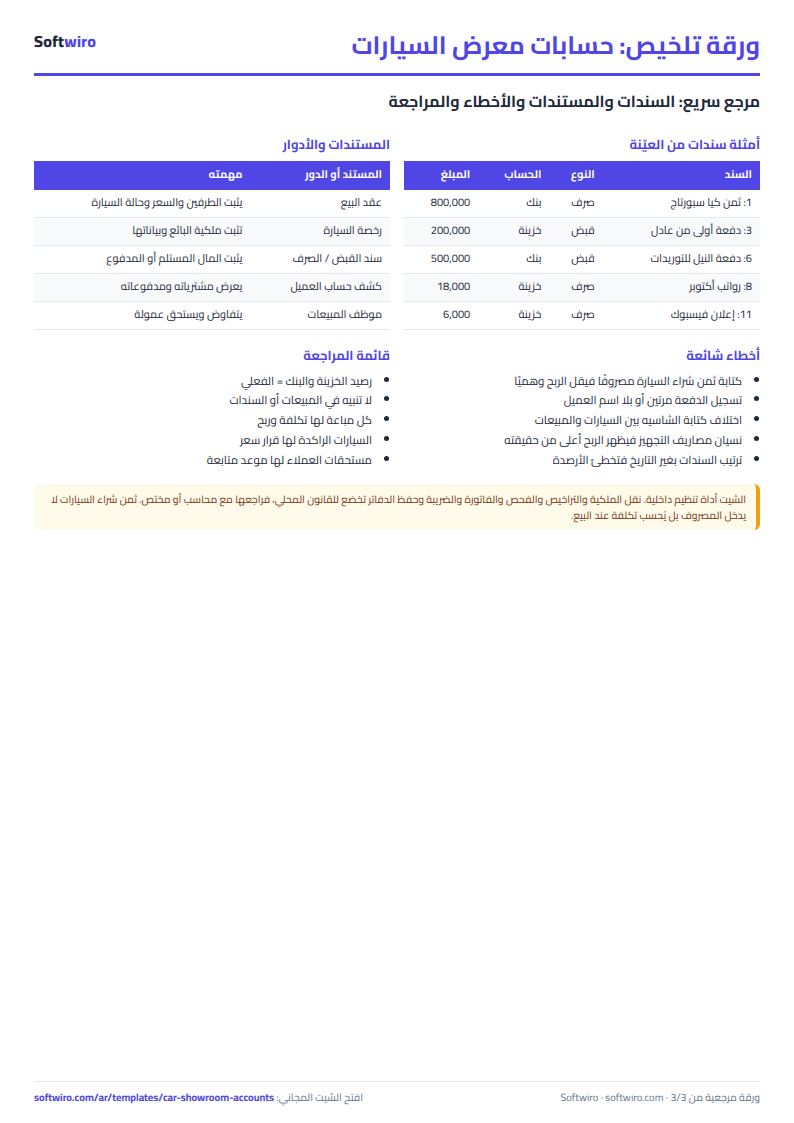
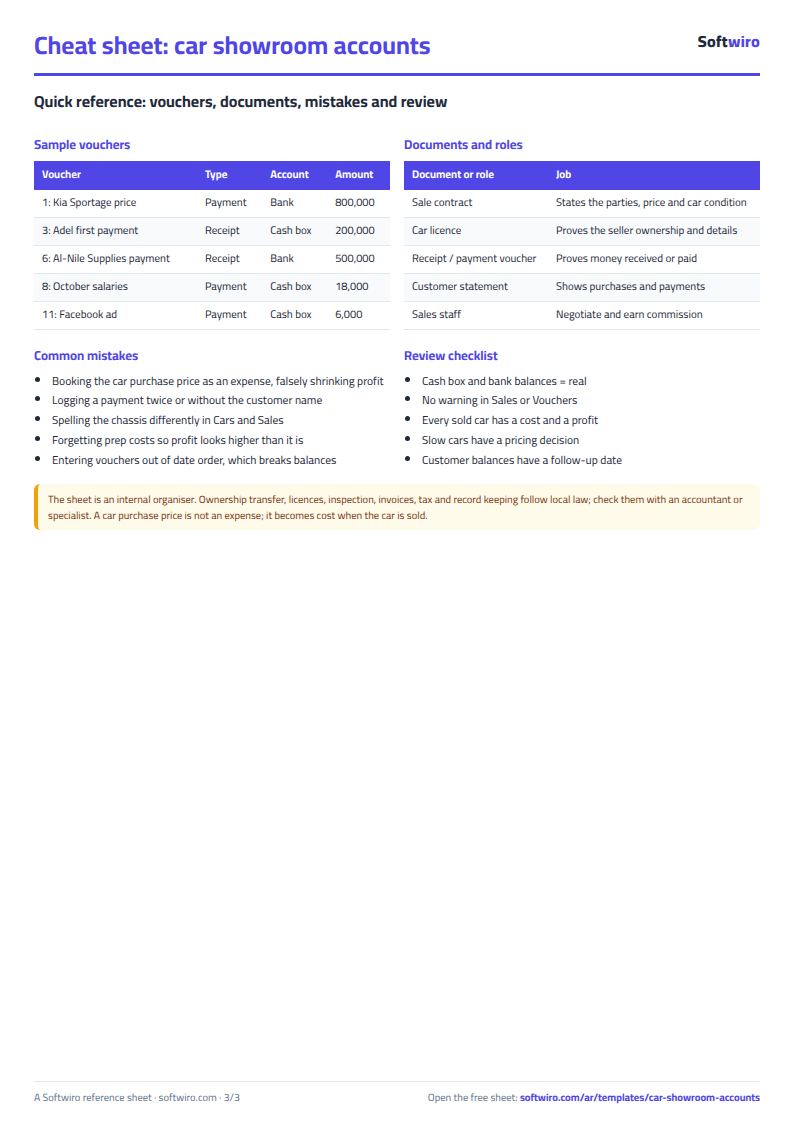
- Vouchers: every receipt and payment with a number, date, account (cash or bank), category and amount. If a receipt is a customer's payment, pick the customer.
- Open the voucher print sheet, the customer statement, the cash and bank statement, payroll and the monthly summary; all are calculated for you.
Worked example from the numbers in the sheet
The names and numbers below are sample data inside the sheet, not real people. The example has six cars, three sales and twelve vouchers:
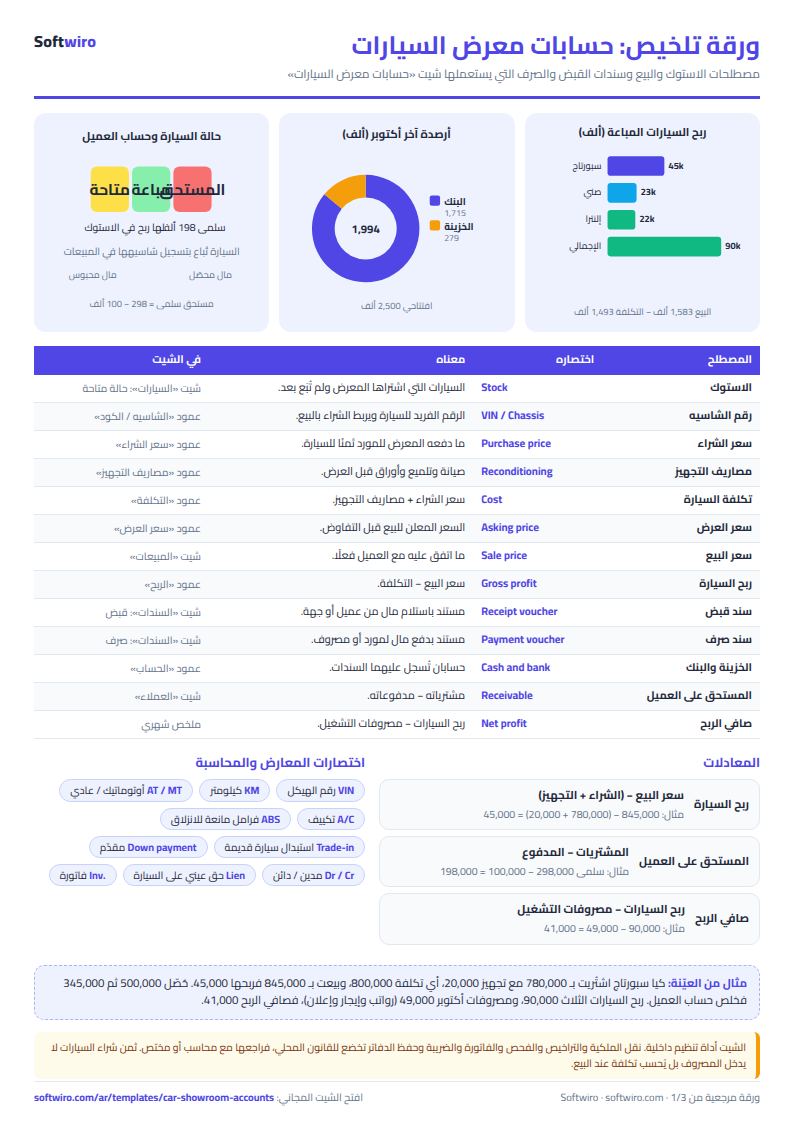
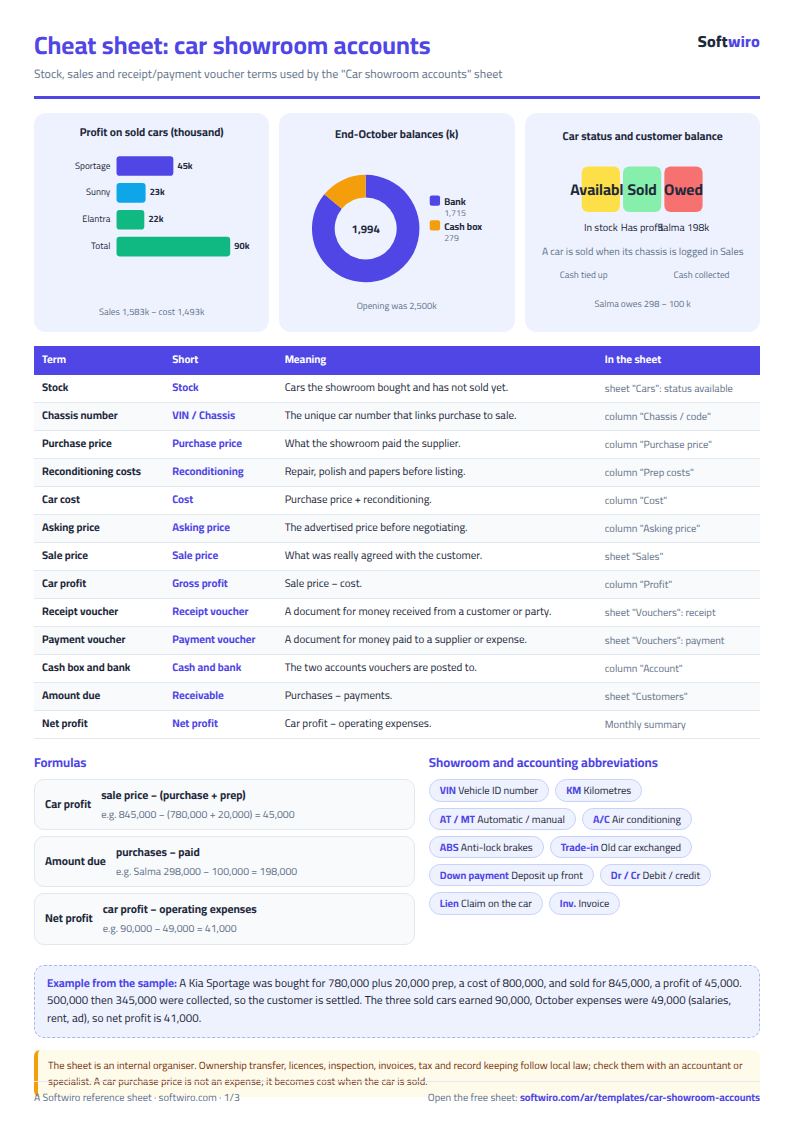
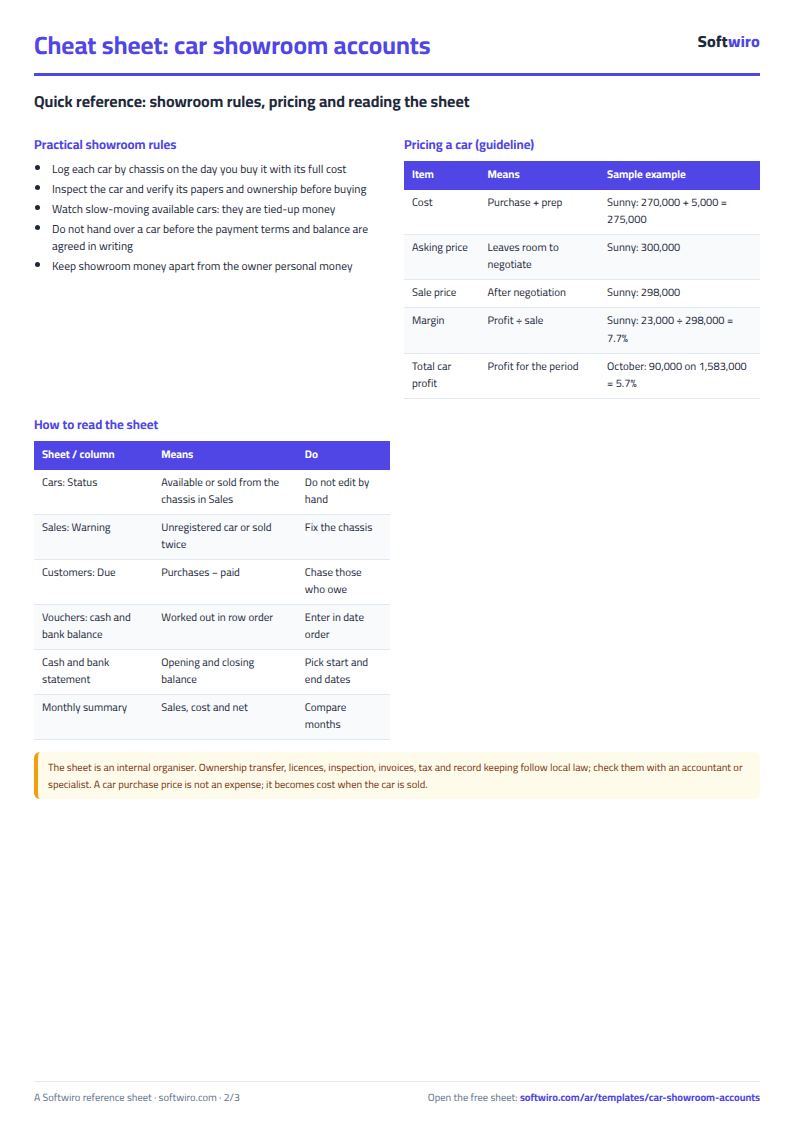
- Stock: three cars remain available (Corolla, Chevrolet Optra and MG 5) with a total cost of 1,302,000.
- Profit per car: the Hyundai Elantra sold for 440,000 against a cost of 418,000, a profit of 22,000; the Kia Sportage sold for 845,000 against 800,000, a profit of 45,000; the Nissan Sunny sold for 298,000 against 275,000, a profit of 23,000. Total 90,000.
- Customers: Adel Mansour bought for 440,000 and paid 440,000, so he is settled; the sample company bought for 845,000 and paid 845,000, so it is settled; Salma Hassan bought for 298,000 and paid 100,000, so she owes 198,000.
- Cash and bank statement for October: the cash box started at 500,000, received 300,000 and paid 521,000, so it ends at 279,000. The bank started at 2,000,000, received 1,085,000 and paid 1,370,000, so it ends at 1,715,000.
- Monthly summary for October: sales 1,583,000, cost of the cars sold 1,493,000, car profit 90,000. Operating expenses (salaries, rent, advertising) are 49,000, so net profit is 41,000. The month's car purchases (1,842,000) are not an expense because each car's cost counts when it is sold.
How the numbers are worked out
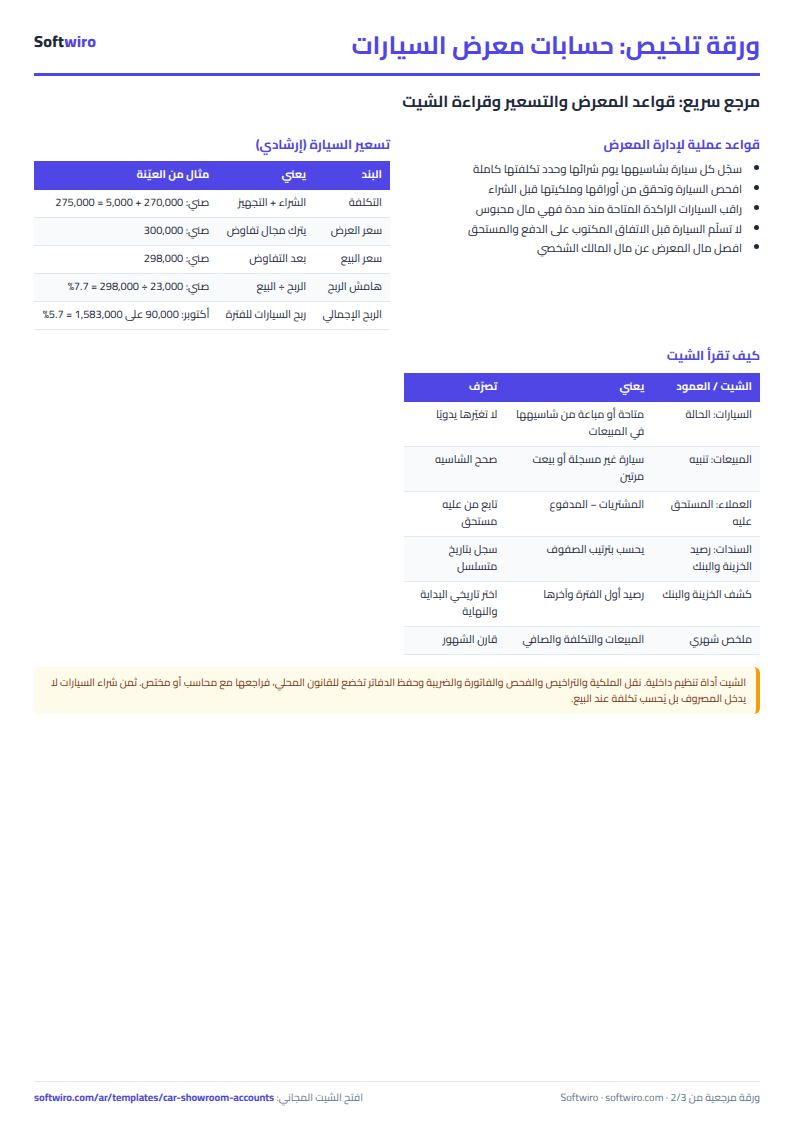
- Car cost = purchase price + preparation costs.
- Car profit = sale price − cost.
- Customer balance due = total purchases − (receipts from the customer − payments to the customer).
- Cash balance after a voucher = opening balance + receipts − payments on the cash box up to that voucher. The bank works the same way.
- Net profit = car profit − operating expenses.
Tips
- Pick the chassis and the customer from the lists instead of typing them; one different letter separates a car from its sale.
- Enter vouchers in date order so the balance after each voucher is right.
- Give car purchases the category "شراء سيارة" (type: car purchase) so they are not deducted from profit twice.
- If a sale shows "sold more than once" or "car not registered", correct the chassis.
If you sell on instalments
This sheet records the sale price and the customer's payments and shows what the customer still owes, but it does not follow instalment due dates. To track each instalment, its date and who is late, use the free instalment tracker sheet next to it: enter the contract (customer, car, price, down payment, number of instalments, first due date) and then each payment, and it shows what each customer still owes, the days late and today's list of late payers. Enter the payment here too, as a receipt voucher, so it reaches the cash box or the bank and the net profit.
Try it now
Open the sheet, try it online or download the Excel file. It holds 500 cars, 200 customers and 2,000 vouchers. If you want something made for your showroom, request it here.