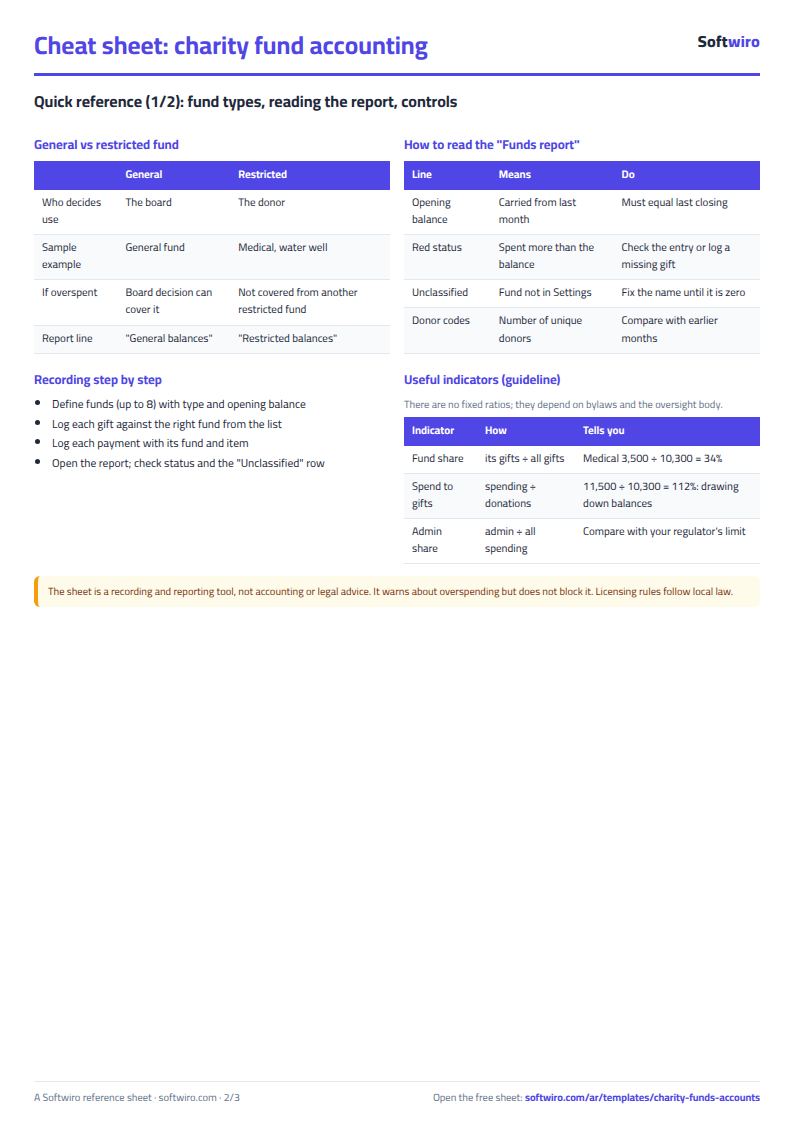
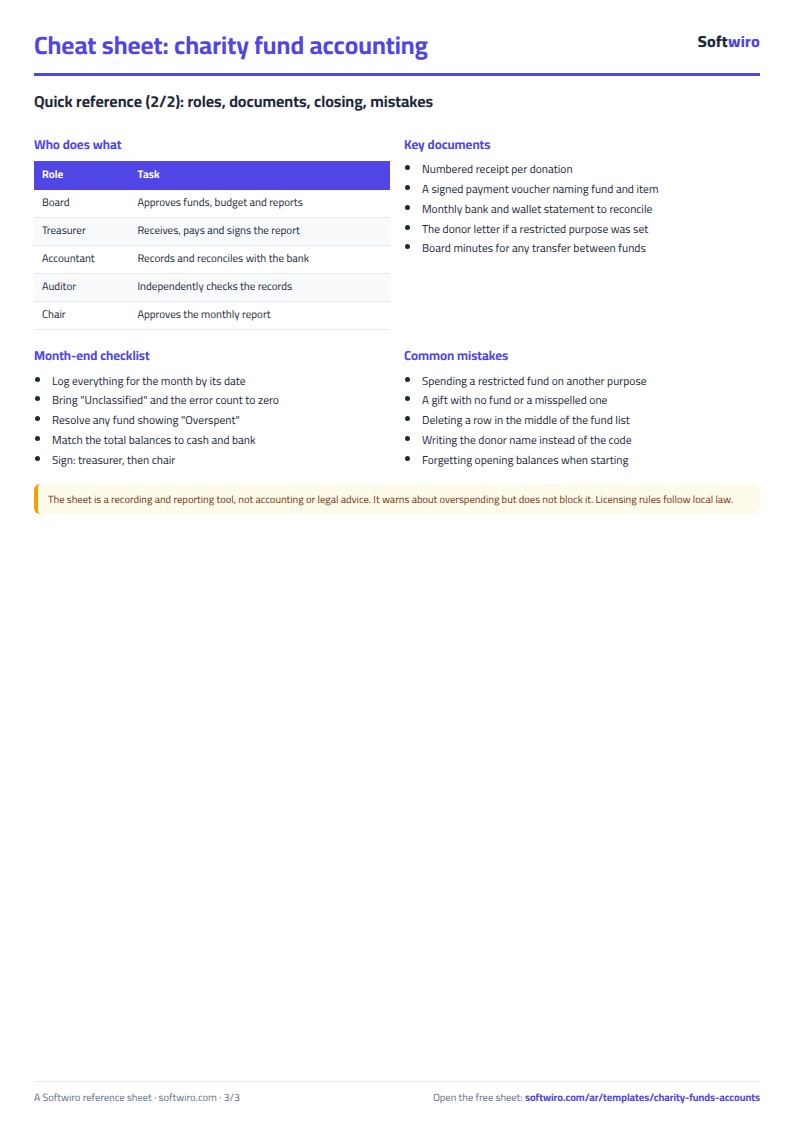
A charity treasurer knows that donations cannot all sit in one balance: some are general, some are restricted to orphan sponsorship, treatment or a water well, and must not be spent on anything else. The free charity accounts by fund sheet works out each fund's balance on its own: what came in, what went out and what is left.
The problem it solves
When every donation and expense goes into one statement you only know the total balance. You cannot tell whether what is left for the water well is enough, or whether more was spent from the treatment money than was donated for it. Here every donation and expense is tied to its fund, and one page answers.
Steps
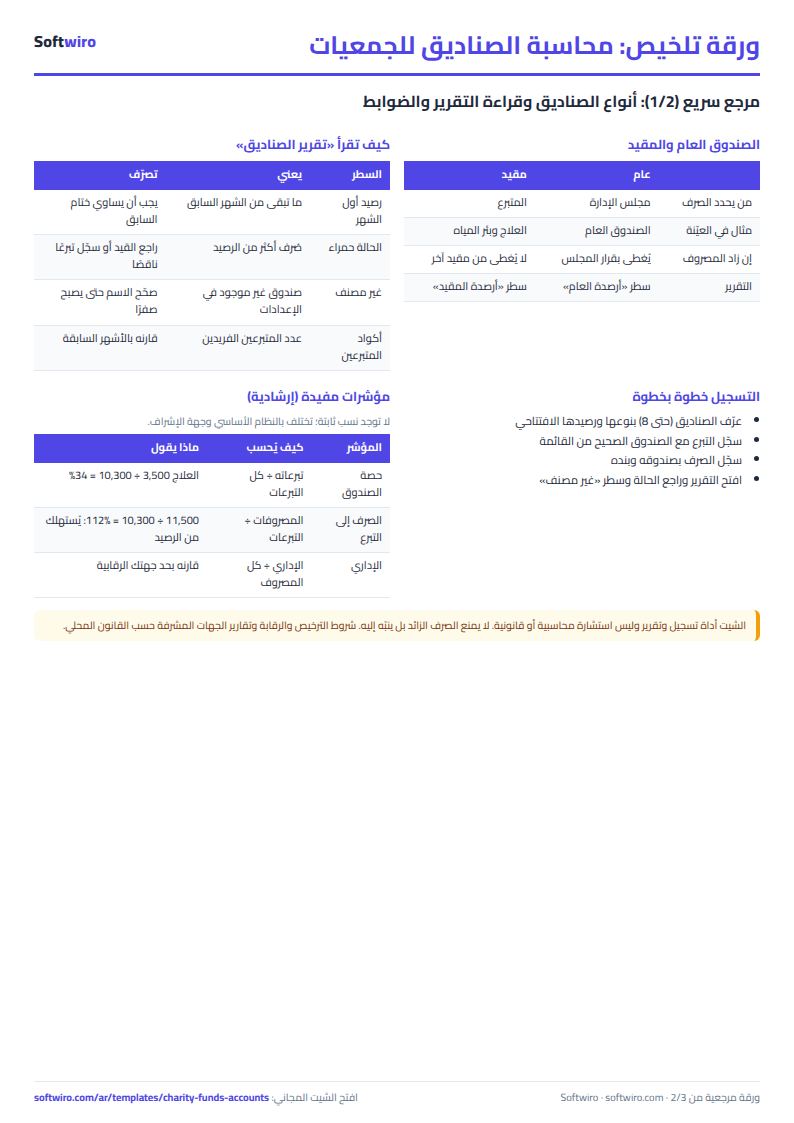
- Settings: the charity name, year and report month, then up to 8 funds: name, type (general or restricted) and the balance before the first record.
- Donations: one row per donation: date, donor code (blank for anonymous), fund from the list, amount and payment method.
- Disbursements: one row per payment out: date, fund, item and amount.
- Open Funds report for each fund's opening balance, donations, expenses, closing balance and status.
Worked example (sample data, October 2026)
The names and figures are sample data, not a real charity. There are five funds:
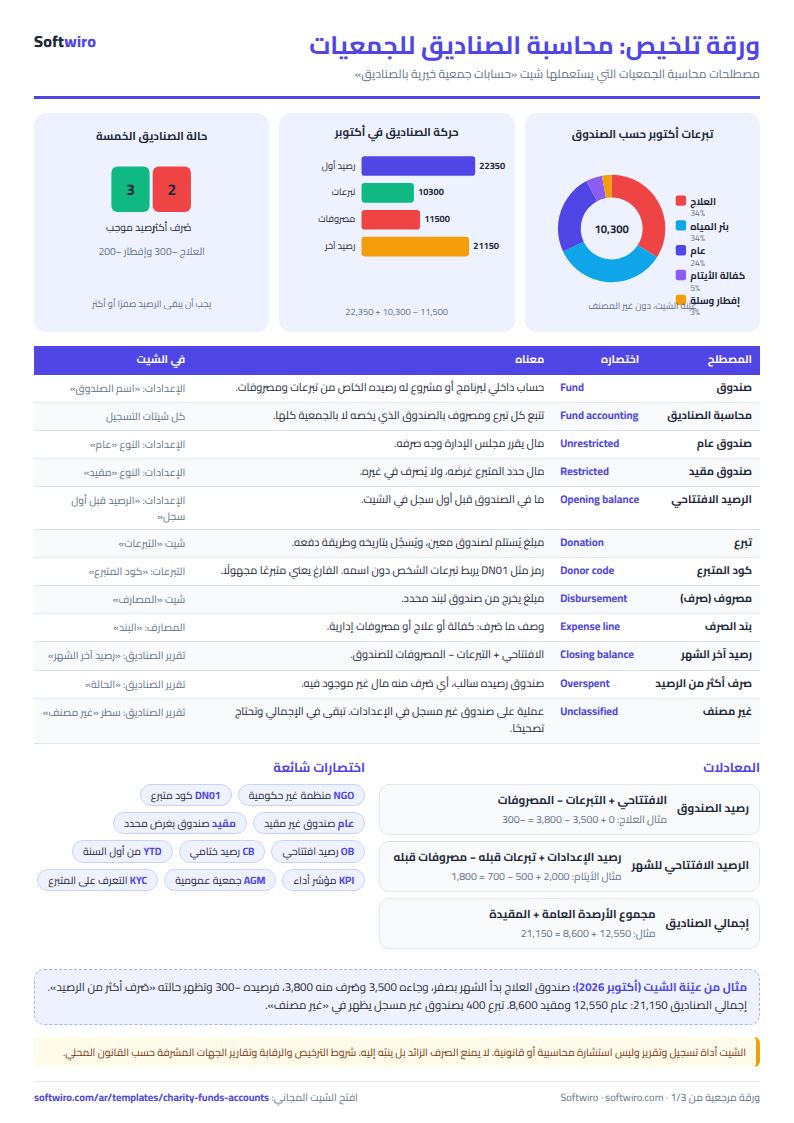
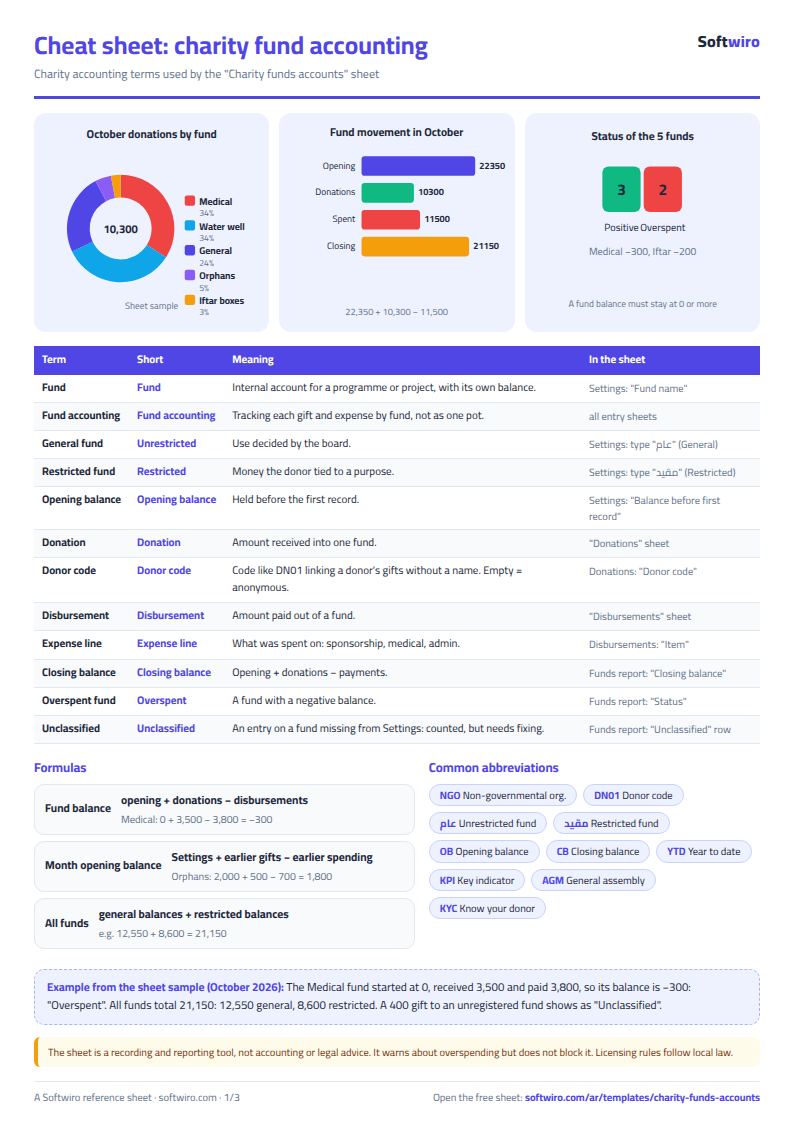
- General fund: opening 10,550, donations 2,500, expenses 500, closing 12,550.
- Orphan sponsorship (restricted): opening 1,800, donations 500, expenses 700, closing 1,600.
- Treatment (restricted): opening 0, donations 3,500, expenses 3,800, closing −300, flagged "spent more than the balance" in red.
- Water well project (restricted): opening 10,000, donations 3,500, expenses 6,000, closing 7,500.
- Iftar and food baskets (restricted): donations 300, expenses 500, closing −200, flagged the same way.
- Total: opening 22,350, donations 10,300, expenses 11,500, closing 21,150: 12,550 in general funds and 8,600 in restricted funds.
- Unclassified: a 400 donation and a 200 expense entered under a fund that is not on the list. They are not lost from the total; they show on the "unclassified" row so you can correct the fund name.
How the numbers are worked out
- Fund balance = opening balance + all its donations − all its expenses up to the end of the period.
- Opening balance of the month = opening balance + earlier donations − earlier expenses.
- Closing balance of the month = opening of the month + month donations − month expenses.
Tips
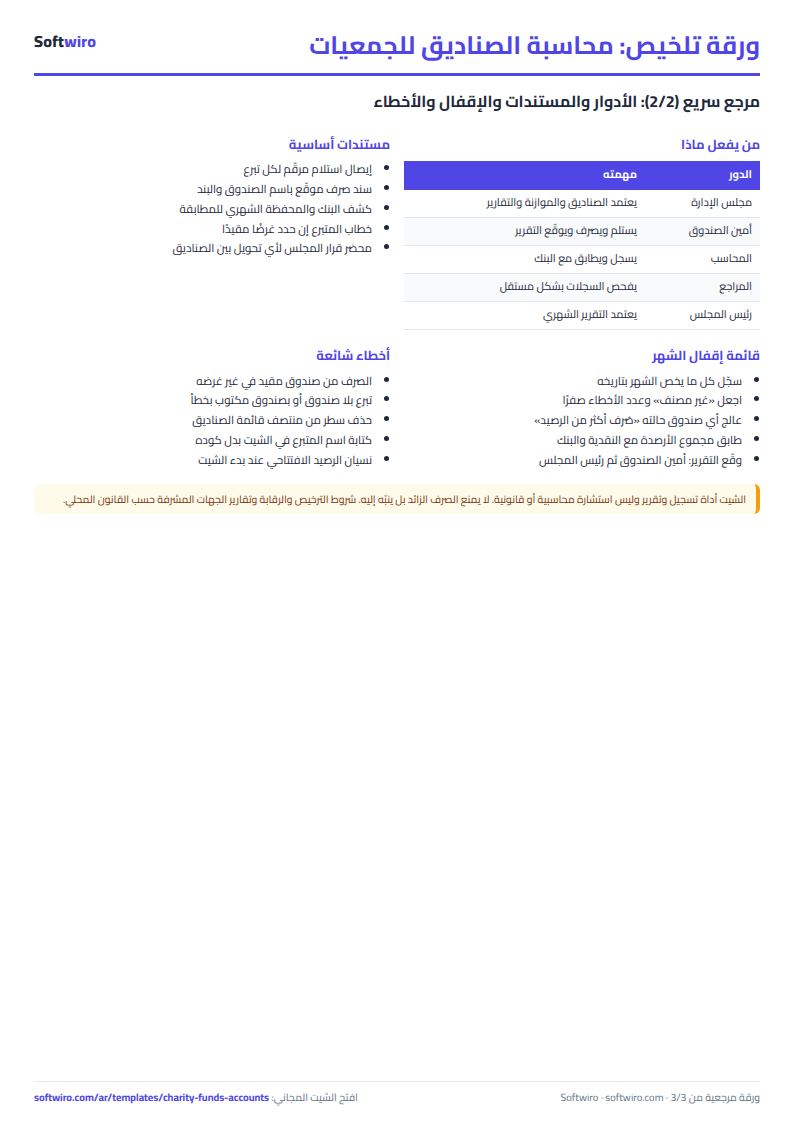
- Pick the fund from the list instead of typing it; one wrong letter takes the entry out of its fund.
- Do not delete a fund that has entries; rename it in Settings.
- The red status does not block spending, but it tells you to review the decision and document any transfer from another fund.
- Do not type donor names into the sheet; keep them in your own register.
Try it
Open the sheet and try it online, or download it for Excel. It holds 2000 donations, 2000 disbursements and eight funds. If you want something made for your charity, ask for it here.