You want to know how much waste your plant makes, per 1,000 units produced, how much of it goes to recycling instead of disposal, whether the licence of the contractor who collected from you is still valid, and whether waste has stayed in storage longer than the period you set. The free industrial waste management sheet answers this from tables you fill in yourself. It is for records and calculations only: classification, storage, transport and licences follow local law and the environmental affairs agency's requirements and the competent bodies.
The problem it solves
Waste in a plant is scattered across departments: cardboard at packing, oil in maintenance, scrap at the stores, and contractors who come and collect against a paper slip. At month end nobody knows how much was diverted from disposal and what it cost, which hazardous waste stayed too long, or that a contractor's licence expired before the last collection. The sheet puts generation, pickups, storage and licences in one place.
How the sheet works, step by step
- In الإعدادات (Settings) write today's date, the date you started recording, the alert days before a licence expires and the plant's departments.
- In مناطق التخزين (Storage areas) write each area with its maximum storage period and capacity, from your own documents and the competent environmental body's requirements.
- In أنواع المخلفات (Waste types) write each type with its classification, route, selling price or disposal cost per ton, and storage area.
- In المقاولون (Contractors) write each party with its licence number (as text), scope and expiry date.
- In سجل التوليد (Generation log) write what is generated by date, department, type and kilograms, and in المناولة (Pickups) each collection with manifest number, contractor, type and quantity.
- In المؤشرات الشهرية (Monthly KPIs) write each month's production in units.
- Review الملخص (Summary) and the alerts.
What each sheet holds
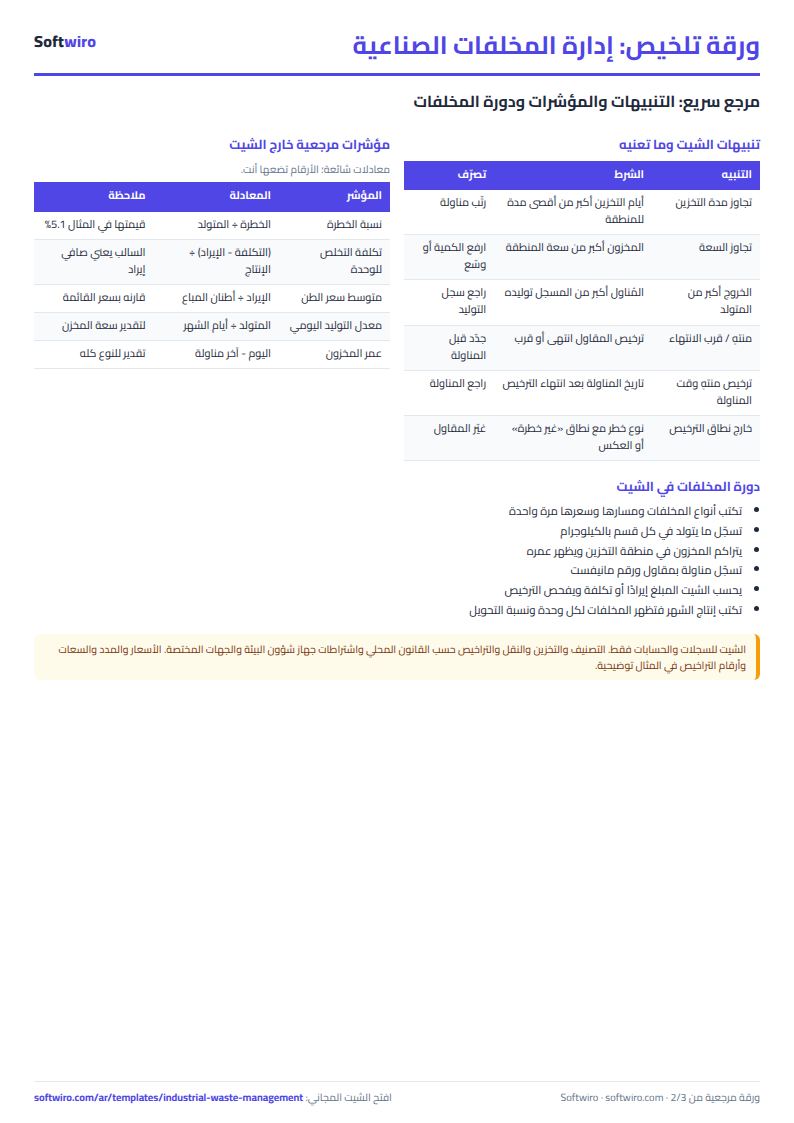
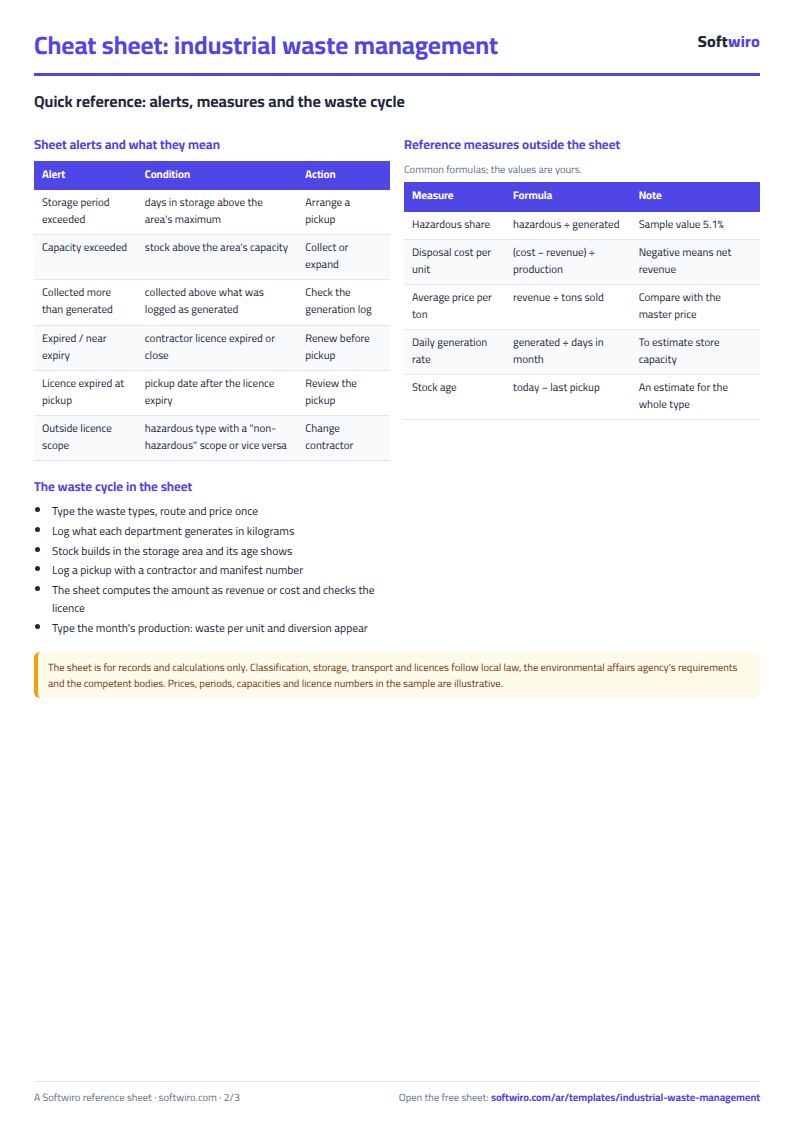
- Waste types: generated, collected, in storage, days in storage against the maximum, and an alert.
- Storage areas: stock, fill rate and a period or capacity alert.
- Contractors: days left on the licence and its status, and what each collected and its value.
- Generation log and pickups: the two logs you write daily; pickups carry the amount as revenue or cost and a licence-scope alert.
- Monthly KPIs and summary: waste per 1,000 units, diversion rate and net, with charts.
Walk-through on the sample numbers
These figures are fictional sample data, including prices, periods and licence numbers. The sheet has 8 types, 4 storage areas, 5 contractors, 41 generation lines and 13 pickups. Today is 2026-11-15:
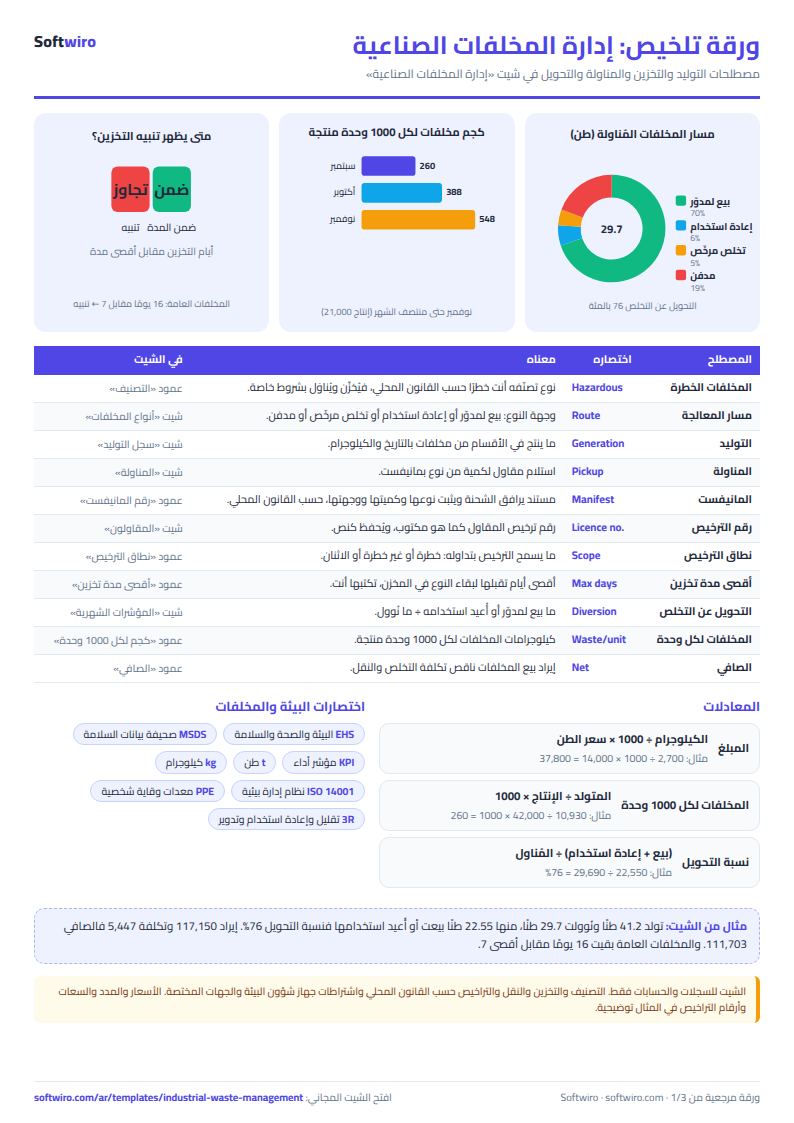
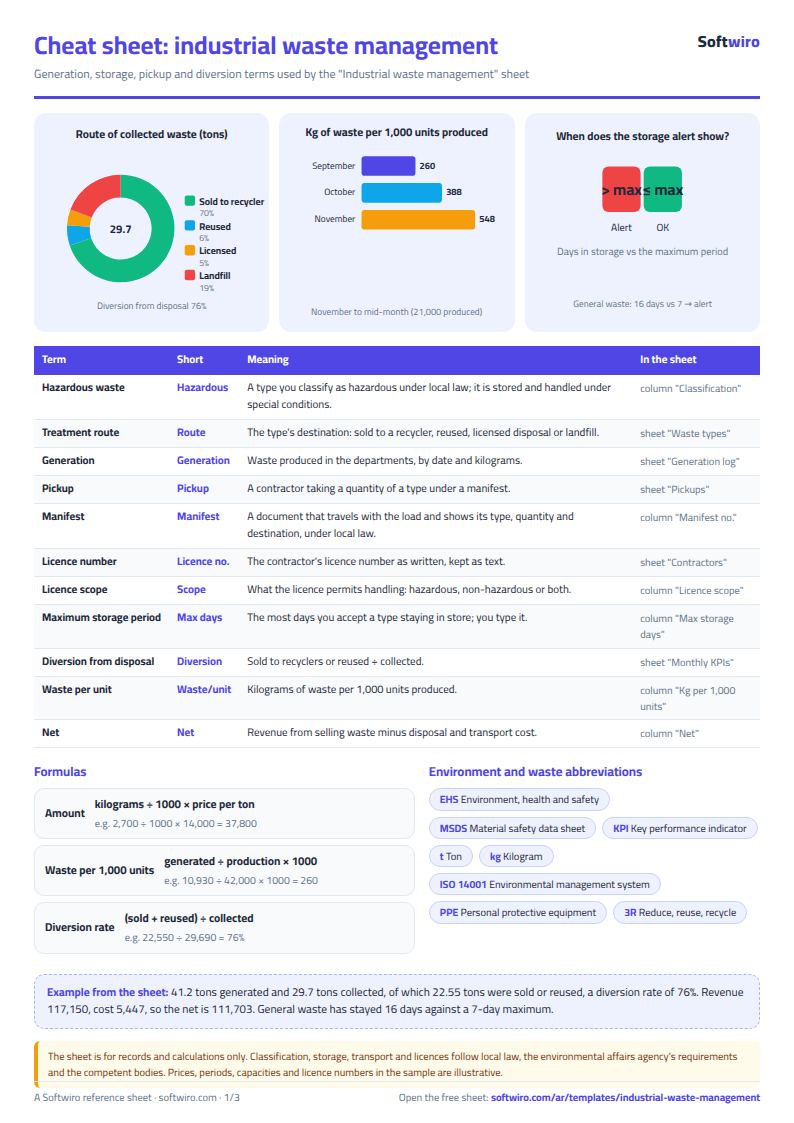
- Quantities: 41.2 tons generated, 5.1% of it hazardous, 29.7 tons collected, and about 11.6 tons left in storage.
- Diversion: 20.75 tons sold to recyclers and 1.8 tons reused out of 29.69 tons collected, that is 76.0%. The rest is 5.7 tons to landfill and 1.44 tons to licensed disposal.
- Revenue and cost: sales revenue 117,150 and cost 5,447, so the net is 111,703. The biggest collection by revenue, on 11-09, is 2.7 tons of scrap for 37,800 at 14,000 a ton.
- Waste per unit: 260 kg per 1,000 units in September, 388 in October and 548 in November (production of 21,000 units to mid-month). Diversion was 100%, 57.8% and 95.0%.
- Storage: 3,200 kg of general waste has stayed 16 days, past its 7-day maximum and its 3,000 kg capacity. Used oil and empty chemical containers have stayed 32 days against a 20-day maximum, so the hazardous area shows a period alert.
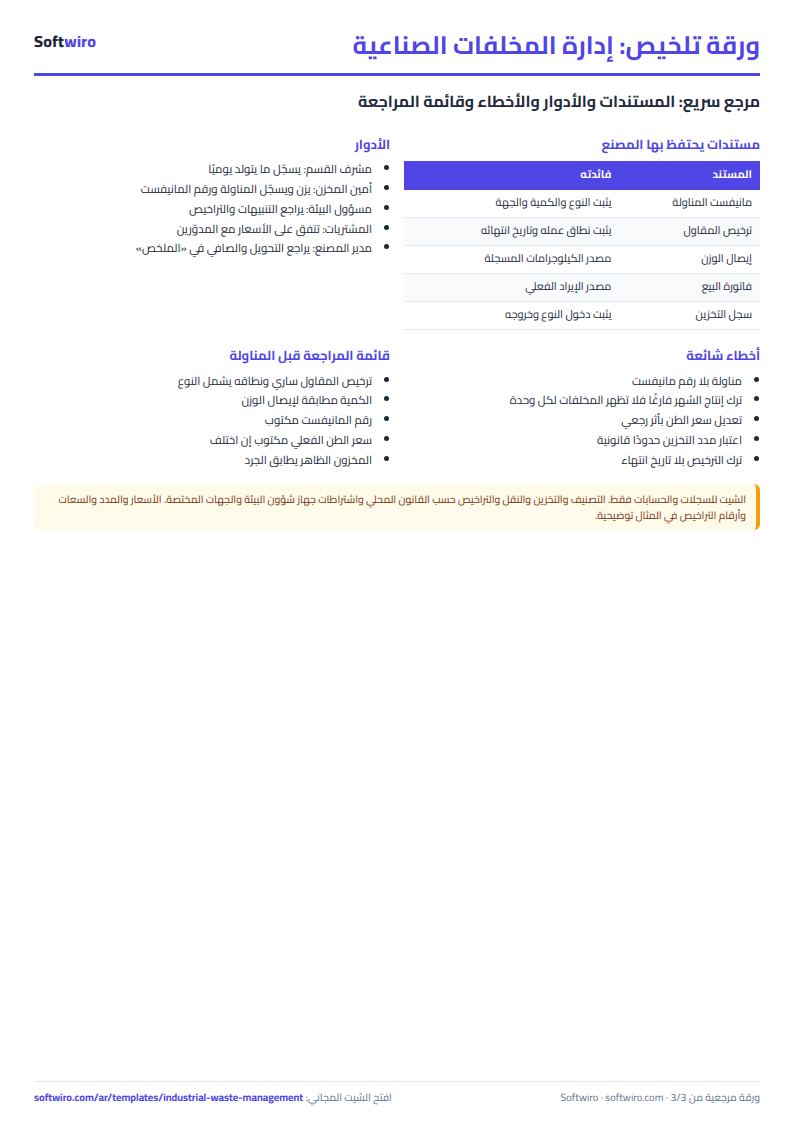
- Licences: the licence of "Safe Environment" expired 15 days ago and a pickup of 11-06 was collected by it, so its row is flagged; the scrap dealers' licence expires in 35 days and shows "near expiry".
Why these features matter
- Amounts by formula: kilograms ÷ 1000 × the master price per ton, or the actual price if you typed it on the pickup row, so nobody costs each slip by calculator.
- Storage against your limit: you see which type stayed past its maximum and which area passed its capacity before anyone asks.
- Licence tied to the pickup: it is not enough to know a licence expired; you see the pickups that happened after.
- Diversion, not generation: it measures the share sent to sale or reuse out of everything collected, so you see what sorting in the plant achieves.
- Waste per unit: a number that compares month with month even when production volume changes.
- Works in Excel 2016 and later, Google Sheets and LibreOffice with no macros.
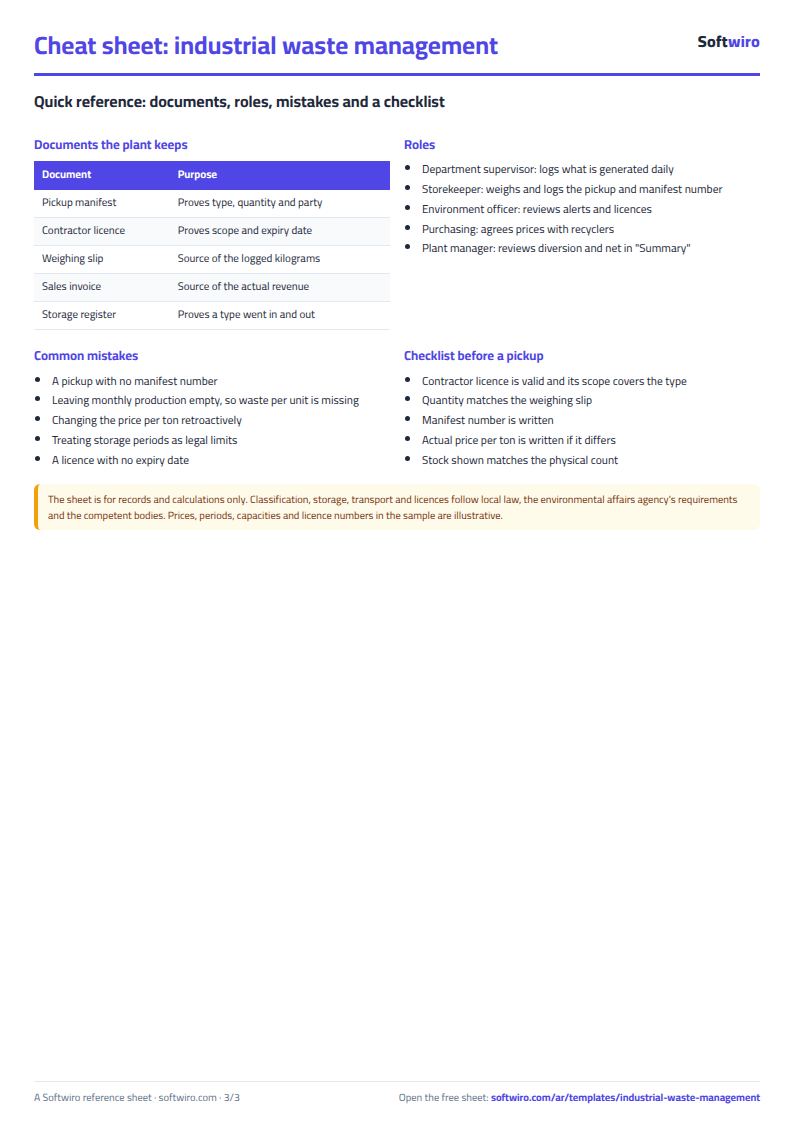
Common mistakes
- Logging a pickup without a manifest number: you cannot return to the document at a review, and the sheet warns you.
- Leaving monthly production empty: waste per unit then cannot show.
- Changing the price per ton in the master retroactively: every old pickup's amount changes. Type the actual price on the pickup row itself if it differs.
- Treating the sample numbers as legal limits: storage periods and capacities are yours and follow local law.
- Forgetting the recording start date: it dates a type that has no pickup yet.
When the sheet is not enough
It suits a plant where one or two people write, with room for 500 generation lines and 300 pickups. If you want each department to log its own waste with permissions, alerts reaching different managers, or reports in the shape an auditing body asks for, a program built your way is possible through a custom Softwiro program. To tie production to cost see the production tracking sheet.
Next step
Open the sheet page and download the blank copy. Enter your first three waste types and one contractor with the licence number, then log one pickup and read the "الملخص" (Summary) sheet.