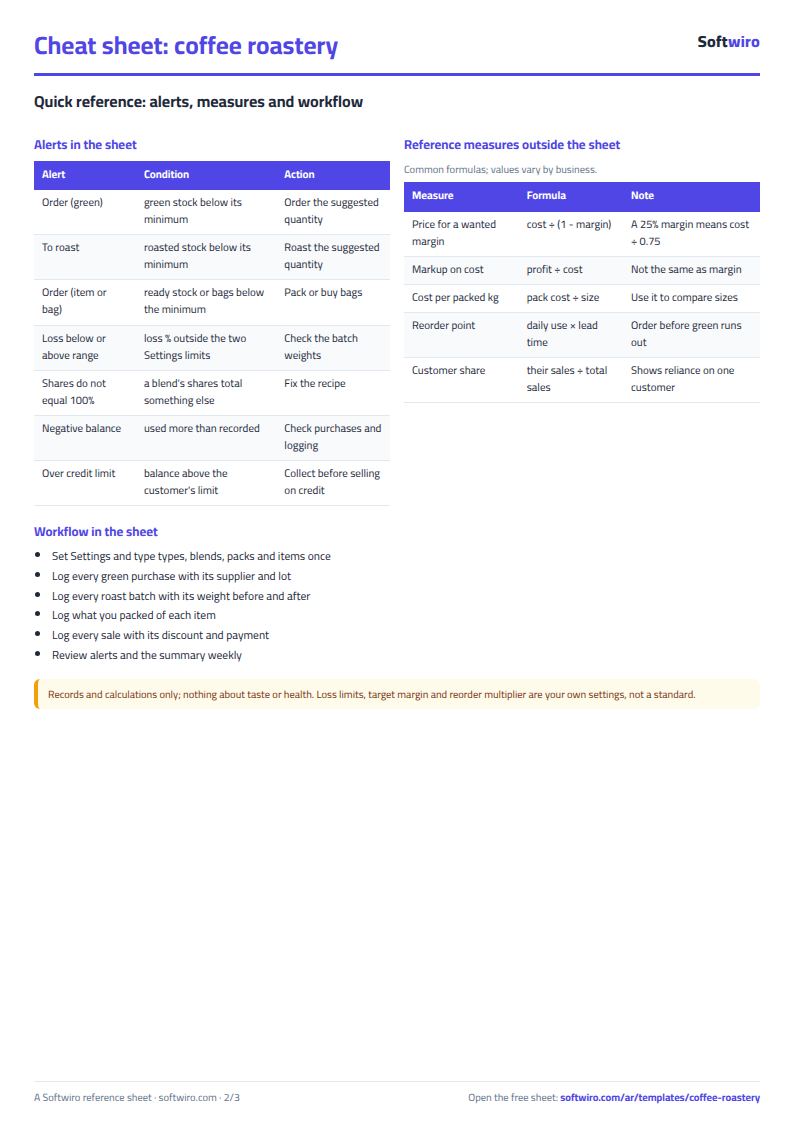
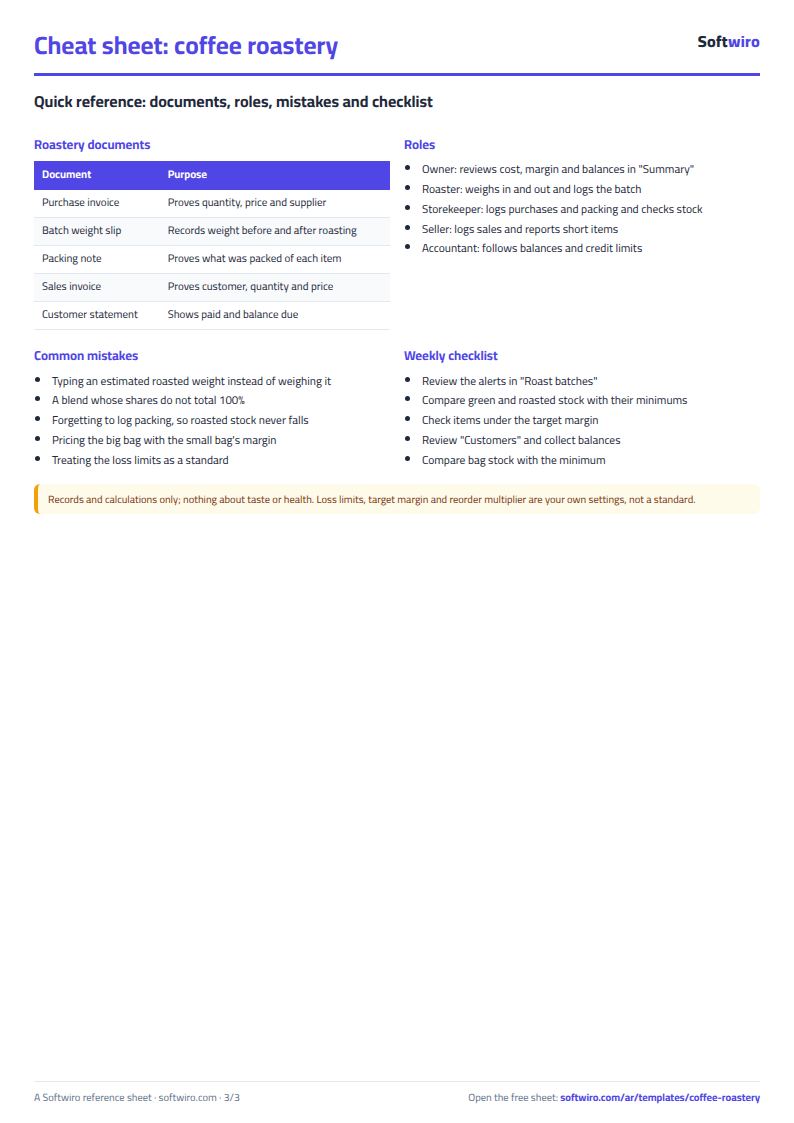
You run a coffee roastery or a coffee shop and, before you set a price, you want to know what a roasted kilo really costs after weight loss, what each blend and each bag costs, what you earn at retail and at wholesale, how much green and roasted coffee is left, and who owes you money. The free coffee roastery sheet answers that from tables you type.
The problem it solves
The price of a kilo of green coffee is not the cost of a roasted kilo: roasting reduces the weight and roasting itself costs money. A blend mixes types at different prices, and a small bag costs more per kilo than a big one. If you price from a mental estimate you may sell an item below cost without knowing, or forget a stock that runs out before the next roast. The sheet links purchases to batches to blends to bags to sales so all of this turns into numbers.
How the sheet works, step by step
- In Settings type the roasting cost per green kilo, the two weight-loss limits, the reorder multiplier and the target margin.
- In Coffee types type each type with its opening stock and two minimums, and in Green purchases log each purchase with its supplier and lot number; the sheet works out the average price per kilo.
- In Roast batches type green kilos in, roasted kilos out and the roast level for each batch.
- In Blends and Blend recipes type each blend and the share of each type in it (the total must be 100%).
- In Packs type the sizes and the bag cost, and in Items link each blend to a pack and type the retail and wholesale prices.
- In Packing log what you packed, and in Customers and Sales log each sale with its discount and payment.
- Open Summary for stock, alerts, profit and charts.
What each sheet holds
- Coffee types: average price, green stock with its value and status, then roasted output, its cost per kilo, stock and status.
- Roast batches: weight loss and its percentage, batch cost, cost per roasted kilo and an alert for an odd batch.
- Items: cost per bag, cost per packed kilo, retail and wholesale margins and ready stock.
- Customers and Sales: each customer's net, paid and balance, and cost of goods and profit per line.
- Summary: stock, roasting and sales indicators and six charts.
Walk-through on the sample numbers
The figures below are sample data, not a real roastery. The example has 5 types, 18 roast batches, 5 blends, 10 items and 26 sales rows; the loss limits are 12% and 20% and the target margin is 25%:
- Average price: Brazilian began with 100 kg at 290, then 200 kg were bought at 300 and 150 at 310, so the average per kilo is 301.11.
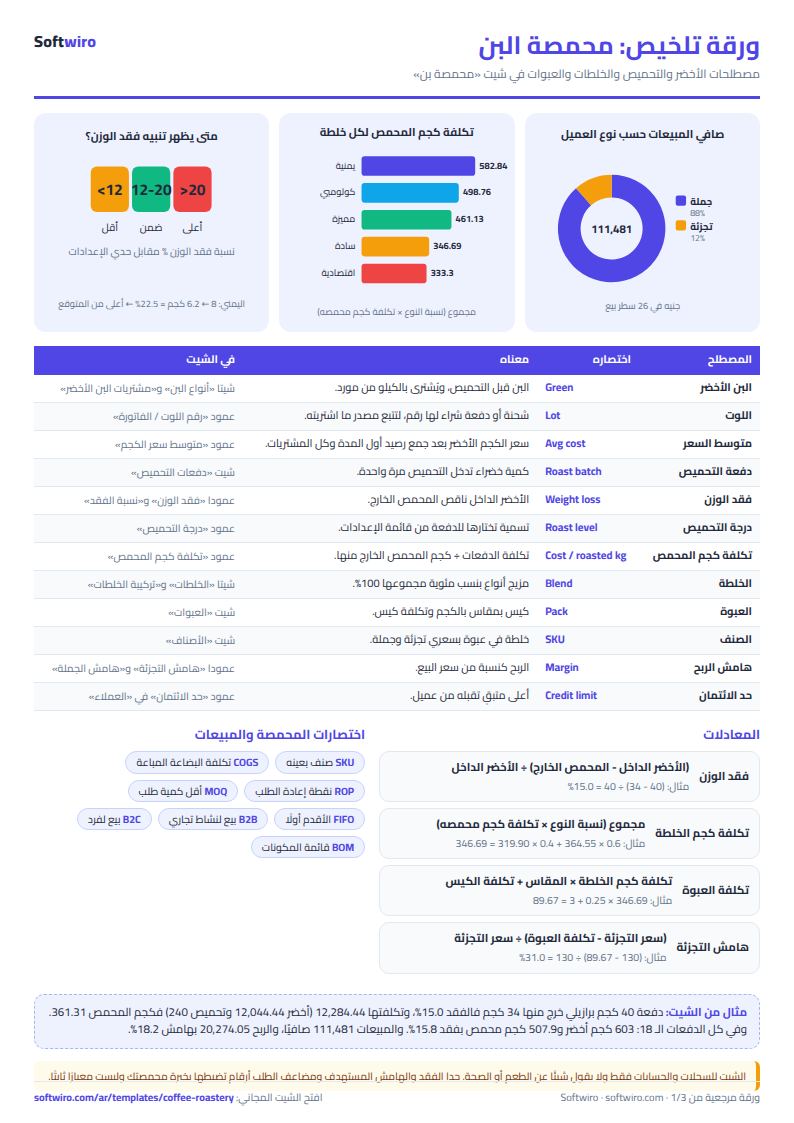
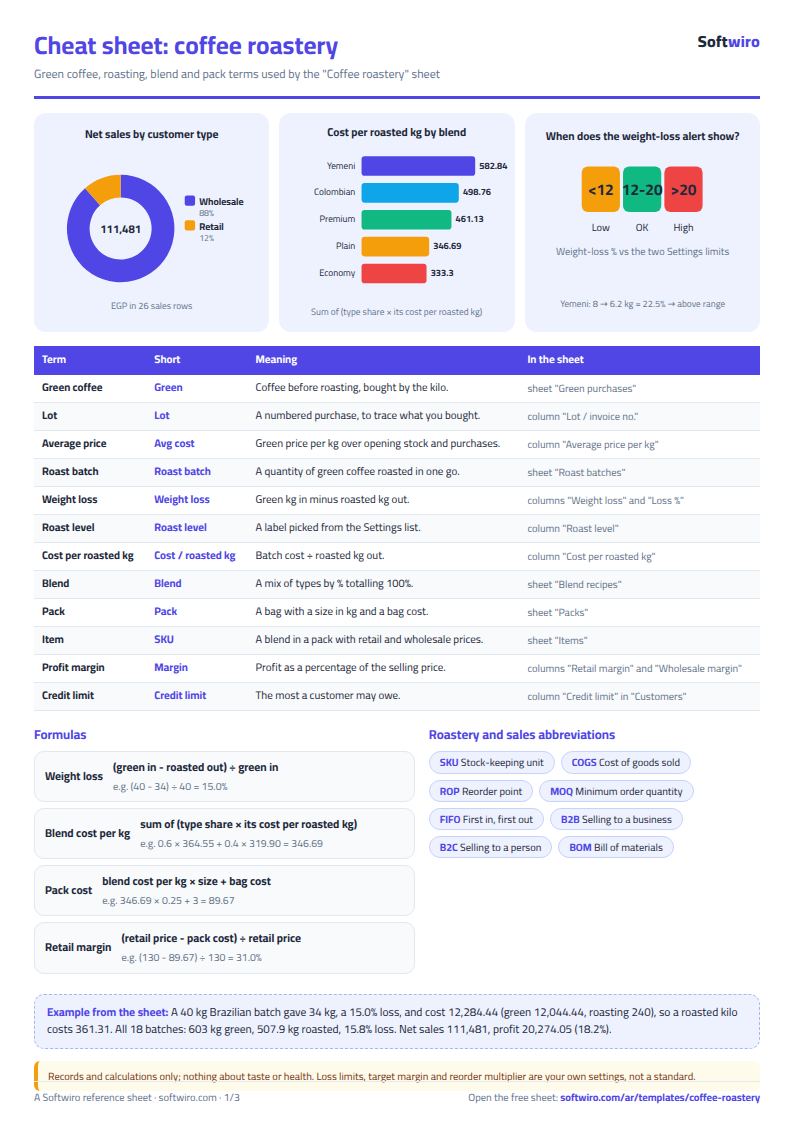
- First batch: 40 kg of green gave 34 kg roasted, so the loss is 6 kg (15.0%). Green costs 12,044.44 and roasting 240, so the batch costs 12,284.44 and a roasted kilo 361.31.
- Plain blend (60% Brazilian, 40% Indian): roasted kilo costs 364.55 for Brazilian and 319.90 for Indian, so a kilo of the blend costs 218.73 + 127.96 = 346.69.
- 250 g bag of the plain blend: 346.69 × 0.25 + 3 for the bag = 89.67. At a retail price of 130 the margin is 31.0%, and at a wholesale price of 115 it is 22.0%. The 1 kg bag costs 353.19 and retails at 440, a 19.7% margin, under target, and the sheet colours it.
- Roasting in total: 603 kg of green gave 507.9 kg roasted, a loss of 95.1 kg (15.8%). Batches cost 205,850.70, an average of 405.30 per roasted kilo. Two batches carry an alert: Yemeni lost 22.5% (over 20%) and Ethiopian lost 10.5% (under 12%).
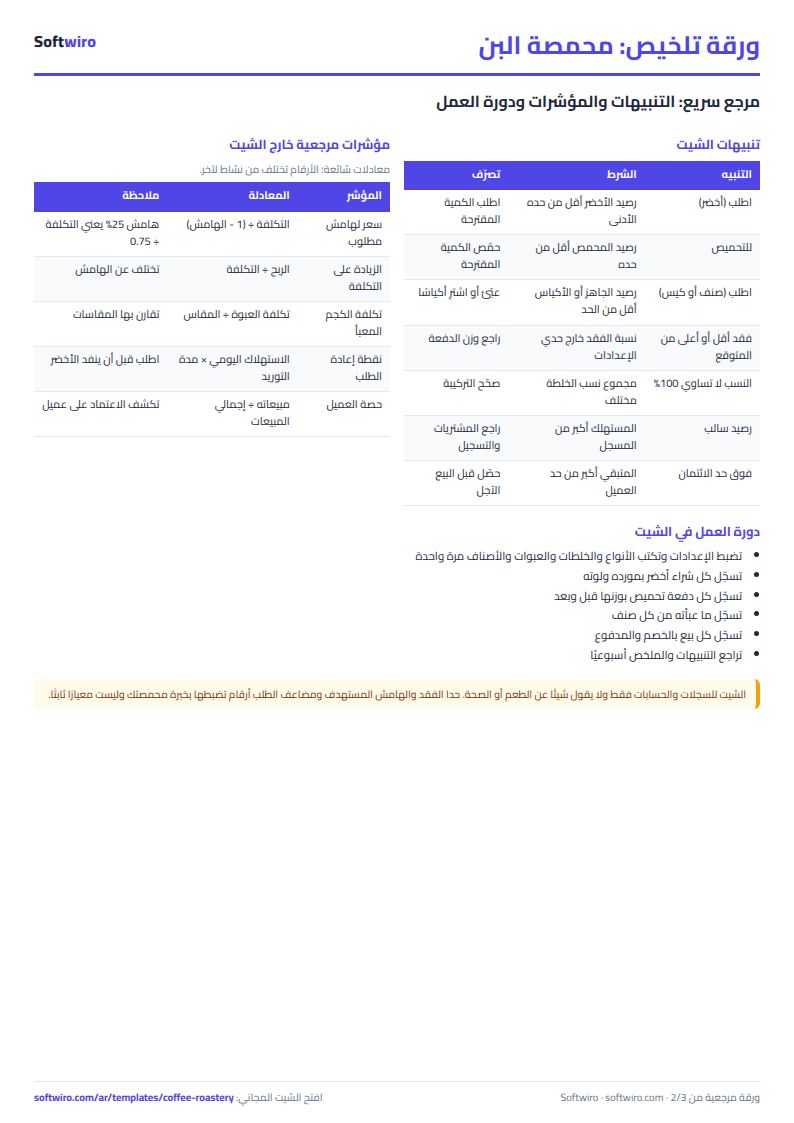
- Stock: green is 727 kg worth 259,567.28, and one type needs ordering: Yemeni at 32 kg against a minimum of 40, with 48 kg suggested. Roasted stock is 129.9 kg and two types need roasting: Brazilian at 17.1 and Colombian at 14.6. Three items need packing.
- Sales: 562 bags at 112,460 gross less 979 discounts is 111,481 net, 93,490 collected and 17,991 still owed by three customers, the largest being Al-Sham Restaurant at 8,316. Cost is 91,206.95, so profit is 20,274.05, an 18.2% margin. Wholesale net is 98,616 against 12,865 retail.
Why it helps
- A true roasted cost: it carries weight loss and roasting cost, not just the green price.
- Two margins per item: you see what a bag earns at retail and at wholesale before you change a price.
- Stock by formula: roasting adds roasted coffee and packing removes it by blend share.
- Each customer's balance: with a warning above the credit limit.
- Works in Excel 2016 and later, Google Sheets and LibreOffice, and holds 40 types, 500 batches, 40 items and 500 sales rows.
Common mistakes
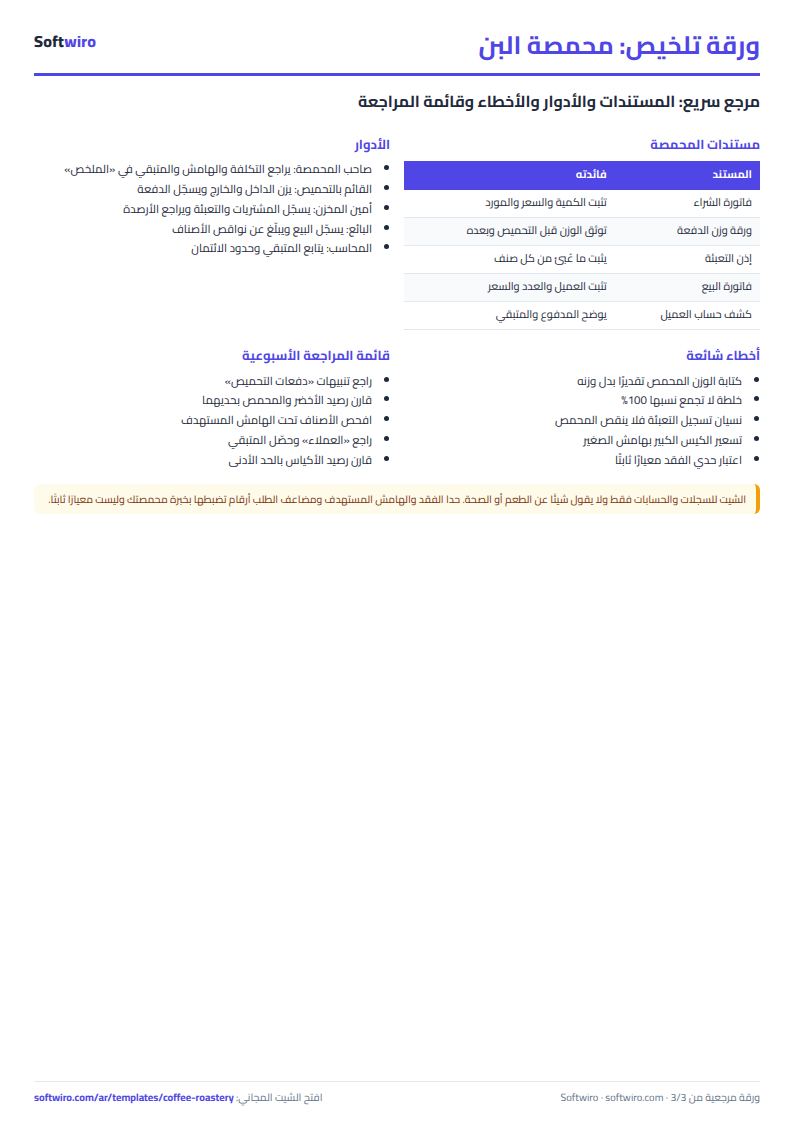
- Typing an estimated roasted weight: weigh what really came out, or the whole cost per kilo goes off.
- Blend shares that do not add to 100%: the sheet warns you, but check them before trusting the cost.
- Forgetting to log packing: without it roasted stock and bag stock never fall.
- Pricing the big bag with the small bag's margin: compare the "cost per packed kg" column across sizes.
- Treating the loss limits as a standard: they are numbers you set from your own experience, only to flag an odd batch.
The sheet holds records and calculations only and says nothing about taste or health. If you run a factory with recipes and lines see the biscuit factory sheet, and to follow customer debts alone see the customer ledger sheet.
Who it suits and when it is not enough
It suits a roastery or coffee shop where one or two people type the records. With several roasters and shifts, or when you want to schedule orders onto them and work out missing materials automatically, MESwiro breaks planned production orders into their components and works out shortages against stock.
Next step
Open the sheet page and try the example or download the blank copy. Type your types and purchases, then log one roast batch and compare its cost per kilo with your selling price.